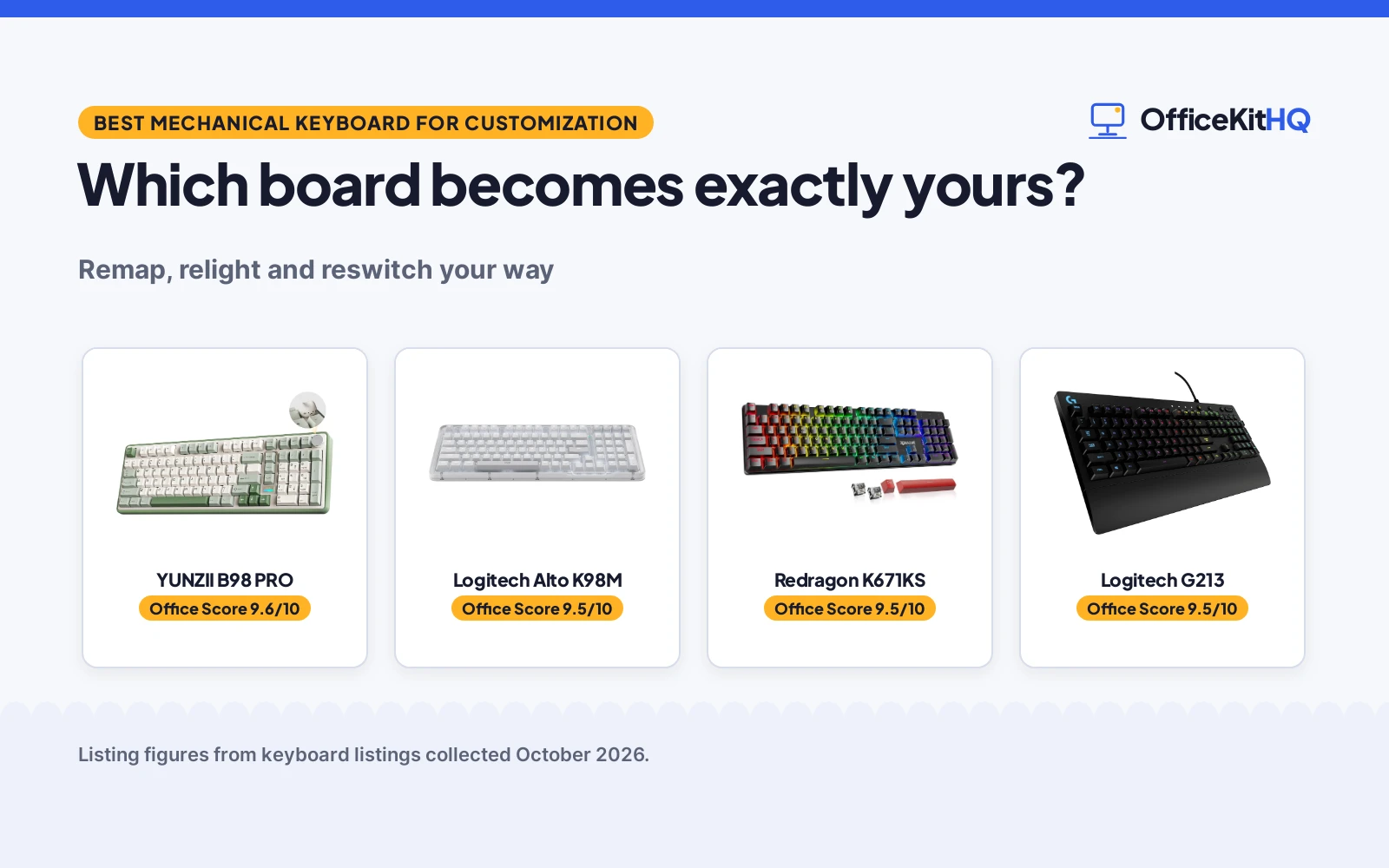
The new desk setup is almost done: the monitor arm is tightened, the cable tray is tidy, and the last piece is the keyboard you will actually touch all day. Stock keyboards treat every typist the same; The best mechanical keyboard for customization is the one that lets you remap every key, tune the lighting to your room and swap the switches when your taste changes. These five picks run from open-source QMK and VIA firmware to driver-programmed macro boards, all built for people who want their keyboard exactly their way.
OfficeKitHQ earns a commission when you buy through links on this page, at no extra cost to you. As an Amazon Associate I earn from qualifying purchases. Affiliate disclosure.
Quick picks
 Best Deep Custom YUNZII B98 PRO: QMK/VIA, hot swap, 8000mAh, dual knobs. Check price on Amazon
 Best Hot Swap Redragon K671KS: Tri-mode, hot-swap, macro editing, metal panel. Check price on Amazon
 Best Lighting RisoPhy 104: 104 keys programmable, 20 RGB modes. Check price on Amazon
 Best Compact Logitech Alto K98M: 98-key gasket, hot swap, 12-month battery. Check price on Amazon
 Best Software Logitech G213: G HUB, LIGHTSYNC, full-size, palm rest. Check price on Amazon
The picks
| # | Product | Office Score | Buy |
|---|---|---|---|
| 1 | YUNZII B98 PRO | 9.6/10 | Buy on Amazon |
| 2 | Logitech Alto K98M | 9.5/10 | Buy on Amazon |
| 3 | Redragon K671KS | 9.5/10 | Buy on Amazon |
| 4 | Logitech G213 | 9.5/10 | Buy on Amazon |
| 5 | RisoPhy 104 | 9.5/10 | Buy on Amazon |

YUNZII B98 PRO
A 96% mechanical keyboard with QMK/VIA firmware, hot-swap switches, gasket mount and 8000mAh battery.
Pros
- QMK/VIA open-source firmware
- Hot-swap, gasket mount
- 8000mAh battery, tri-mode
- Swappable dual knobs
Cons
- Plastic enclosure rather than metal
- 96% layout takes learning
- Knobs are style over substance
- Milk switches may not suit all
Detailed Review
YUNZII lists the B98 PRO as a 96% wireless mechanical keyboard with 100 keys and a numpad, powered by open-source QMK and VIA firmware for key remapping, macros, multiple layers and phrase typing. The listing states hot-swap support, creamy pre-lubed milk switches, a gasket mount with five-layer filling, tri-mode Bluetooth 5.0, 2.4GHz and USB-C for up to 5 devices, an 8000mAh battery and 16.8 million RGB colors.
Who it's for: tinkerers who want the deepest firmware customization. Who should skip it: anyone who wants simple plug-and-play software.
The swappable knobs, a 3D cat knob or a round metal knob, add personality and control volume or custom shortcuts by default. The gasket mount and multi-layer cushioning absorb vibrations for a creamy typing feel, per the listing.
Its Office Score of 9.6/10 comes from performance 32/35, build 25/25, value 22/25, safety 0/10 and warranty 2/5: 81 of 100 points, placed on our 9.2 to 9.8 scale.
Key Specifications
| Layout | 96%, 100 keys |
|---|---|
| Firmware | QMK/VIA |
| Battery | 8000mAh |
| Switches | Milk, hot-swap |
| Warranty | 1 Year |
Figures as published on the retailer listing, collected 17 October 2026. Performance figures are manufacturer rated.
Safety and Warranty
What this listing states. No FCC or other safety listing is stated, so safety scores zero. 1 Year. It does not say everything a buyer needs, such as who pays return shipping, so warranty scores 2 of 5. See How We Pick.
Fit the desk first. Check the stated size against your desk depth and keyboard tray, and charge or pair as the manual describes. No keyboard, mouse or wrist rest prevents or treats injury.
This is general buying information, not professional advice. Follow each product manual and local rules, and see our Safety Disclaimer.

Logitech Alto K98M
A 98-key gasket mechanical keyboard with clicky hot-swap switches, Logi Options+ and up to 12 months of battery.
Pros
- Gasket clicky switches
- Hot-swap Marble switches
- 12-month battery, per listing
- Logi Options+ Action Keys
Cons
- White backlight only, no RGB
- Clicky may annoy coworkers
- 12 months of use needs Bluetooth Low Energy mode
- Compact 1800 layout is unusual
Detailed Review
Logitech lists the Alto Keys K98M as a wireless mechanical gasket keyboard with clicky Marble switches, hot-swap support and a vibration-absorbing gasket mount. The listing states a compact 98-key 1800-style layout with numpad, white backlighting only, programmable Action Keys via Logi Options+, and up to 12 months of wireless use on Bluetooth Low Energy or the Logi Bolt receiver with USB-C charging.
Who it's for: productivity users who want clicky feedback and long battery life. Who should skip it: RGB fans and open-plan workers who need quiet keys.
The transparent top case and off-white colorway keep the workspace stylish, per the listing, and the concave keys aim for all-day typing comfort.
Its Office Score of 9.5/10 comes from performance 29/35, build 22/25, value 20/25, safety 0/10 and warranty 2/5: 73 of 100 points, placed on our 9.2 to 9.8 scale.
Key Specifications
| Layout | 98 keys, 1800-style |
|---|---|
| Switches | Clicky Marble, hot-swap |
| Battery | 12 months, per listing |
| Backlight | White only |
| Warranty | 2 Years Limited Hardware Warranty |
Figures as published on the retailer listing, collected 17 October 2026. Performance figures are manufacturer rated.
Safety and Warranty
What this listing states. No FCC or other safety listing is stated, so safety scores zero. 2 Years. It does not say everything a buyer needs, such as who pays return shipping, so warranty scores 2 of 5. See How We Pick.
Fit the desk first. Check the stated size against your desk depth and keyboard tray, and charge or pair as the manual describes. No keyboard, mouse or wrist rest prevents or treats injury.
This is general buying information, not professional advice. Follow each product manual and local rules, and see our Safety Disclaimer.

Redragon K671KS
A tri-mode mechanical keyboard with hot-swap switches, macro editing and 8 spare switches in the box.
Pros
- Hot-swap, 8 spare switches
- Macro editing, per-key RGB
- Tri-mode, up to 5 devices
- Metal panel, PBT keycaps
Cons
- Layout not stated in listing
- No warranty term is stated
- Red switches may feel light
- Software is vendor-locked
Detailed Review
Redragon lists the K671KS as a wireless mechanical gaming keyboard with tri-mode USB-C, Bluetooth and 2.4GHz connectivity for up to 5 devices, hot-swappable red linear switches and macro editing with key remapping. The listing states 16 preset backlights, double-injection PBT keycaps, a metal panel design, 8 spare switches and two red keycaps in the box, and switches rated for 500,000 keypresses. No warranty term is stated.
Who it's for: budget tinkerers who want hot-swap and spares included. Who should skip it: anyone who needs the exact layout stated before buying.
The macro support lets you remap key functions, set shortcuts or combine multiple functions into one key, per the listing, and RGB effects can be adjusted individually for each key.
Its Office Score of 9.5/10 comes from performance 30/35, build 24/25, value 21/25, safety 0/10 and warranty 0/5: 75 of 100 points, placed on our 9.2 to 9.8 scale.
Key Specifications
| Switches | Red linear, hot-swap |
|---|---|
| Connectivity | BT, 2.4GHz, USB-C |
| Keycaps | PBT double-injection |
| Spares | 8 switches, 2 keycaps |
| Warranty | Not stated |
Figures as published on the retailer listing, collected 17 October 2026. Performance figures are manufacturer rated.
Safety and Warranty
What this listing states. This product does not plug in or run on a battery, so safety is not part of its score. No warranty term, so warranty scores zero. See How We Pick.
Fit the desk first. Check the stated size against your desk depth and keyboard tray, and charge or pair as the manual describes. No keyboard, mouse or wrist rest prevents or treats injury.
This is general buying information, not professional advice. Follow each product manual and local rules, and see our Safety Disclaimer.

Logitech G213
A full-size wired keyboard with mech-dome keys, LIGHTSYNC RGB, G HUB software and an integrated palm rest.
Pros
- 5 LIGHTSYNC RGB zones
- G HUB macro software
- Dedicated media controls
- Palm rest, spill-resistant
Cons
- Mech-dome, not mechanical
- Wired USB only, no wireless
- 5 lighting zones rather than per-key RGB
- Full-size takes desk space
Detailed Review
Logitech G lists the G213 Prodigy as a full-size wired keyboard with mech-dome keys, which are rubber domes with a mechanical-style feel rather than individual mechanical switches. The listing states 5 customizable lighting zones with 16.8 million colors, LIGHTSYNC sync with other Logitech G devices, dedicated media controls, an integrated palm rest, adjustable feet and a spill-resistant build at 8.58 by 17.8 by 1.3 inches.
Who it's for: anyone who wants Logitech G HUB customization without mechanical switches. Who should skip it: mechanical purists and wireless-desk fans.
The anti-ghosting gaming matrix and per-key tuned tactile response suit gaming sessions, per the listing, while the palm rest keeps long sessions comfortable.
Its Office Score of 9.5/10 comes from performance 27/35, build 21/25, value 20/25, safety 0/10 and warranty 2/5: 70 of 100 points, placed on our 9.2 to 9.8 scale.
Key Specifications
| Layout | 104 keys, full-size |
|---|---|
| Switches | Mech-dome (not mechanical) |
| Lighting | 5 RGB zones, LIGHTSYNC |
| Connectivity | Wired USB |
| Warranty | 2 Year Limited Hardware Warranty |
Figures as published on the retailer listing, collected 17 October 2026. Performance figures are manufacturer rated.
Safety and Warranty
What this listing states. This product does not plug in or run on a battery, so safety is not part of its score. 2 Year. It does not say everything a buyer needs, such as who pays return shipping, so warranty scores 2 of 5. See How We Pick.
Fit the desk first. Check the stated size against your desk depth and keyboard tray, and charge or pair as the manual describes. No keyboard, mouse or wrist rest prevents or treats injury.
This is general buying information, not professional advice. Follow each product manual and local rules, and see our Safety Disclaimer.

RisoPhy 104
A 104-key triple-mode mechanical keyboard with programmable keys, 20 RGB modes and bicolor PBT keycaps.
Pros
- 104 programmable keys
- 20 RGB modes, per-key custom
- Triple mode, 5 devices
- Bicolor PBT keycaps
Cons
- No hot-swap is stated
- No warranty term is stated
- Driver software only
- 104-key takes desk space
Detailed Review
RisoPhy lists a 104-key wireless mechanical keyboard with triple-mode 2.4GHz, USB-C and Bluetooth connectivity for up to 5 devices, red linear switches and driver-programmable keys with macros. The listing states 20 RGB backlight modes with 16.8 million colors, per-key customizable functions, 5 brightness levels and bicolor PBT keycaps with dye-sublimated legends. Hot-swap is not stated. No warranty term is stated.
Who it's for: full-size typists who want per-key lighting control. Who should skip it: tinkerers who need hot-swap switch support.
The custom lighting modes are set with FN plus the number keys, and FN plus Home starts and saves the custom light settings, per the listing.
Its Office Score of 9.5/10 comes from performance 29/35, build 22/25, value 21/25, safety 0/10 and warranty 0/5: 72 of 100 points, placed on our 9.2 to 9.8 scale.
Key Specifications
| Layout | 104 keys, full-size |
|---|---|
| Switches | Red linear |
| Lighting | 20 RGB modes |
| Devices | Up to 5 |
| Warranty | Not stated |
Figures as published on the retailer listing, collected 17 October 2026. Performance figures are manufacturer rated.
Safety and Warranty
What this listing states. This product does not plug in or run on a battery, so safety is not part of its score. No warranty term, so warranty scores zero. See How We Pick.
Fit the desk first. Check the stated size against your desk depth and keyboard tray, and charge or pair as the manual describes. No keyboard, mouse or wrist rest prevents or treats injury.
This is general buying information, not professional advice. Follow each product manual and local rules, and see our Safety Disclaimer.
As an Amazon Associate I earn from qualifying purchases.
Compare the picks
| Keyboard | Office Score | Firmware | Hot-swap | Layout | Warranty | Amazon |
|---|---|---|---|---|---|---|
| YUNZII B98 PRO | 9.6/10 | QMK/VIA | Yes | 96% | 1 Year | View on Amazon |
| Logitech Alto K98M | 9.5/10 | Logi Options+ | Yes | 98-key | 2 Years | View on Amazon |
| Redragon K671KS | 9.5/10 | Redragon software | Yes | Not stated | Not stated | View on Amazon |
| Logitech G213 | 9.5/10 | G HUB | No | 104-key | 2 Year | View on Amazon |
| RisoPhy 104 | 9.5/10 | Driver software | Not stated | 104-key | Not stated | View on Amazon |
Specifications are manufacturer rated as listed, collected October 2026.
How we scored them
The Office Score weighs customization depth, contents, value, safety and warranty. The YUNZII B98 PRO leads with open-source QMK and VIA firmware, hot-swap support, a gasket mount and an 8000mAh battery. The Logitech Alto K98M follows with gasket clicky switches and Logi Options+ Action Keys. The Redragon K671KS brings hot-swap switches, 8 spare switches in the box and macro editing. The Logitech G213 uses mech-dome keys rather than mechanical switches, so it scores low on customization depth despite its G HUB software. The RisoPhy closes the ranking with its 20 RGB modes and per-key custom lighting. Three of the five list a warranty term: 1 year on the YUNZII and 2 years on the two Logitech boards. The Redragon and RisoPhy list none, so the warranty part of the score counts only for the three. How we pick explains the weights.
| Product | Office Score | Perf. /35 | Build /25 | Value /25 | Safety /10 | Warranty /5 |
|---|---|---|---|---|---|---|
| YUNZII B98 PRO | 9.6 | 32 | 25 | 22 | 0 | 2 |
| Logitech Alto K98M | 9.5 | 29 | 22 | 20 | 0 | 2 |
| Redragon K671KS | 9.5 | 30 | 24 | 21 | 0 | 0 |
| Logitech G213 | 9.5 | 27 | 21 | 20 | 0 | 2 |
| RisoPhy 104 | 9.5 | 29 | 22 | 21 | 0 | 0 |
Scores run from 9.2 to 9.8: each product’s point total is placed on that range, so more points always means a higher score.
How to choose the best mechanical keyboard for customization
How deep does customization go
Customization has layers. The YUNZII B98 PRO runs open-source QMK and VIA firmware: you can remap keys, record macros, design RGB lighting across 16.8 million colors and build multiple layers with phrase typing, per the listing. The Redragon K671KS supports macro editing, key remapping and per-key RGB adjustment through its software. The RisoPhy lets you reassign all 104 keys by driver and create macros. The Logitech Alto K98M programs Action Keys through Logi Options+ for one-click AI-enhanced features. The Logitech G213 customizes lighting, game mode and macros through Logitech G HUB. If you want the deepest control, pick the board with QMK and VIA; if you want simple software, the others cover the basics.
Also consider whether the firmware is open. QMK and VIA have community layouts and guides that outlive any single vendor’s software, so your keymap survives even if the vendor stops updating its app. Closed software like G HUB and Logi Options+ is easier to learn but ties your custom layers to that vendor’s ecosystem.
Hot-swap matters for tinkerers
The YUNZII, Redragon and Logitech Alto all list hot-swappable switches, which means you can pull switches and drop in new ones without soldering. The Redragon even includes 8 spare switches and two red keycaps in the box. The RisoPhy and G213 do not list hot-swap support. If you plan to try linear, tactile and clicky switches over time, hot-swap is the feature that makes it possible. See our mechanical keyboard with hot swappable switches guide for more options.
Layout and the numpad question
The RisoPhy and Logitech G213 are full-size 104-key boards; the YUNZII is a 96% board with 100 keys and a numpad; the Logitech Alto is a compact 98-key 1800-style layout with a numpad; the Redragon K671KS layout is not stated in the listing. If your work is spreadsheet-heavy, keep the numpad. Browse our keyboards category for more layouts.
Lighting and looks
The YUNZII and RisoPhy list 16.8 million RGB colors; the RisoPhy adds 20 RGB modes and per-key custom lighting via FN shortcuts. The Logitech G213 offers 5 customizable lighting zones with LIGHTSYNC. The Logitech Alto uses white backlighting only, no RGB. The YUNZII adds swappable knobs: a playful 3D cat knob or a round metal knob for volume and custom shortcuts.
Battery and connectivity
The YUNZII lists an 8000mAh battery with tri-mode Bluetooth 5.0, 2.4GHz and USB-C for up to 5 devices. The Logitech Alto lists up to 12 months of wireless use on Bluetooth Low Energy or the Logi Bolt receiver. The Redragon and RisoPhy list tri-mode connectivity as well. The G213 is wired USB only, which never needs charging.
Setup Notes
- Install the board’s software first: QMK and VIA for the YUNZII, G HUB for the G213, Logi Options+ for the Alto, the Redragon and RisoPhy drivers.
- Back up your keymap before flashing new firmware on the YUNZII.
- Pull switches straight up with a switch puller on hot-swap boards; never force them.
- Set custom lighting with FN plus the number keys on the RisoPhy, then save with FN plus Home.
- Charge the wireless boards before the first long session; the YUNZII’s 8000mAh battery lasts the longest.
Frequently Asked Questions
Which has the deepest customization?
The YUNZII B98 PRO with open-source QMK and VIA firmware: key remapping, macros, multiple layers, phrase typing and 16.8 million RGB colors, per the listing.
Which are hot-swappable?
The YUNZII B98 PRO, Redragon K671KS and Logitech Alto K98M list hot-swap support. The RisoPhy and Logitech G213 do not.
Is the Logitech G213 a true mechanical keyboard?
No. The listing describes mech-dome keys, which are rubber domes with a mechanical-style feel, not individual mechanical switches.
Which have number pads?
The RisoPhy and Logitech G213 are full-size with numpads; the YUNZII and Logitech Alto keep numpads in compact 96 and 98-key layouts. The Redragon layout is not stated in the listing.
Which are wireless?
The YUNZII, Redragon, RisoPhy and Logitech Alto all list wireless connectivity. The Logitech G213 is wired USB only.
Do any list a warranty?
None of the five listings states a warranty term, so the warranty part of the score counts for none of them.
Related guides
See every guide, including mechanical keyboards for typing all day.
More picks: keyboards with creamy sound, keyboards and computer peripherals.