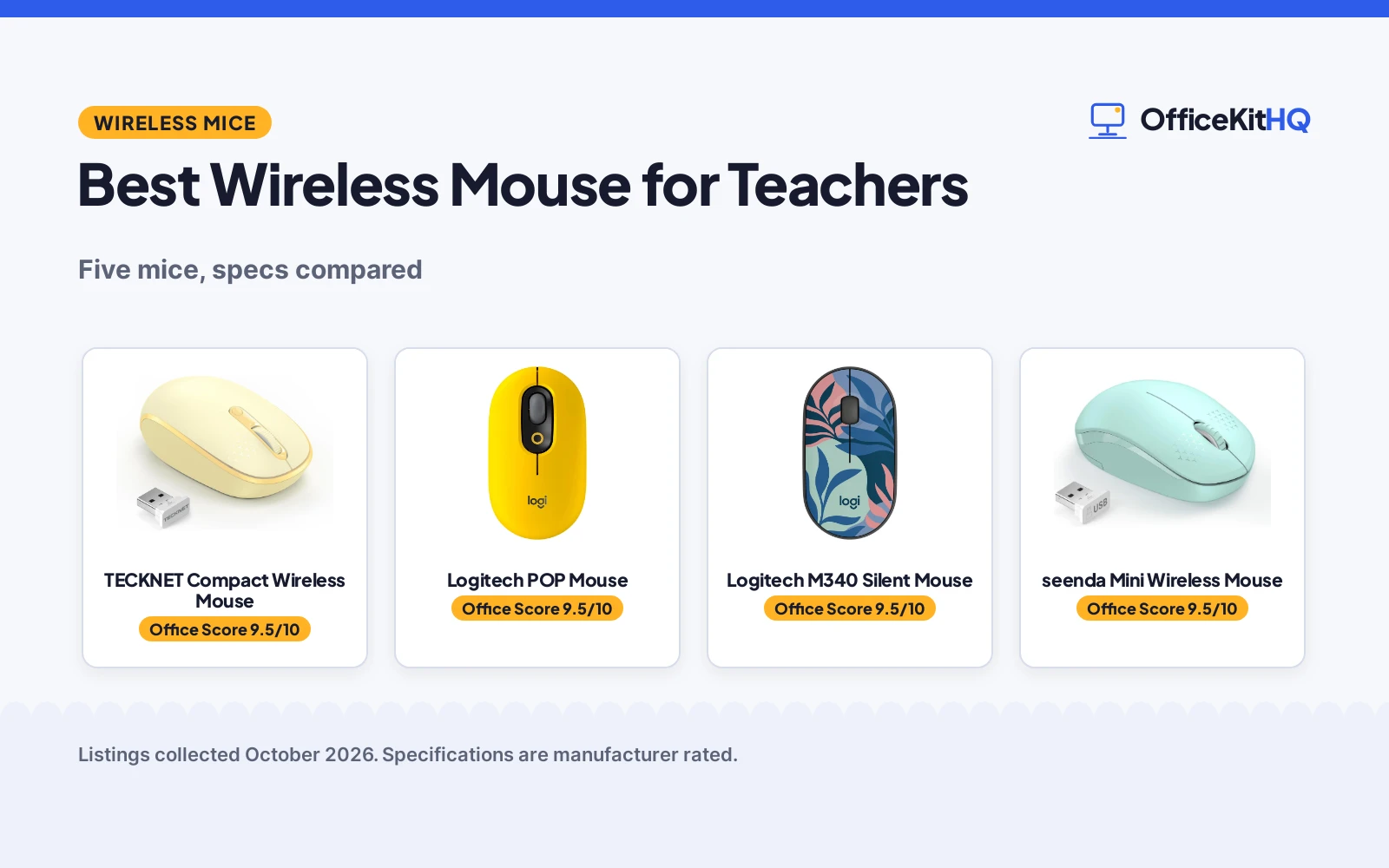
Finding the best wireless mouse for teachers starts at the kitchen table turned grading station, with a laptop, a stack of essays and a mouse that clicks loud enough to wake the house. A teacher’s mouse lives in a bag by day and grades papers by night, and it has to stay quiet in both places. We compared five wireless mice by click noise, battery life, wireless range, DPI options and warranty term, using only what each listing publishes.
OfficeKitHQ earns a commission when you buy through links on this page, at no extra cost to you. As an Amazon Associate I earn from qualifying purchases. Affiliate disclosure.
Quick picks
 Best Overall TECKNET Compact Wireless Mouse: 3 DPI levels, 49 ft range, 36-month warranty Check price on Amazon
 Best Multi-Device Logitech POP Mouse: Bluetooth plus USB, 24-month battery, 2 AAA included Check price on Amazon
 Best Silent Clicks Logitech M340 Silent Mouse: Silent Touch removes 90% of click noise, 18-month battery Check price on Amazon
 Best Battery Life seenda Mini Wireless Mouse: 24-month battery life, quiet clicks, compact Check price on Amazon
 Best Slim Design Unipows Slim Wireless Mouse: Slim noiseless mouse, 1600 DPI, 5 million clicks Check price on Amazon
The picks
| # | Product | Office Score | Buy |
|---|---|---|---|
| 1 | TECKNET Compact Wireless Mouse | 9.5/10 | Buy on Amazon |
| 2 | Logitech POP Mouse | 9.5/10 | Buy on Amazon |
| 3 | Logitech M340 Silent Mouse | 9.5/10 | Buy on Amazon |
| 4 | seenda Mini Wireless Mouse | 9.5/10 | Buy on Amazon |
| 5 | Unipows Slim Wireless Mouse | 9.4/10 | Buy on Amazon |

TECKNET Compact Wireless Mouse
A compact ambidextrous mouse with three DPI levels, quiet clicks and a 49 ft range, backed by a 36-month warranty.
Pros
- Three adjustable DPI levels suit different tasks
- 49 ft wireless range is the longest stated here
- Quiet clicks suit shared classrooms
- 36-month warranty is the longest term stated here
Cons
- Warranty requires registration, per the listing
- USB-A receiver only; no Bluetooth for port-free laptops
- 1 AA battery not included
- Spec table model name says White while the color is Yellow
Detailed Review
TECKNET lists a compact ambidextrous mouse in Yellow with 2.4 GHz wireless, three adjustable DPI levels, soft quiet clicks and a range of up to 49 ft. The bullets give dimensions of 3.94 by 2.28 by 1.52 in for small to medium hands and a battery life of up to 15 months on 1 AA battery, which is not included. The listing states a 36-month warranty, registered only. One contradiction: the spec table gives the model name as MS006-White while the color is listed as Yellow; the title and bullets say Yellow, so we trust those.
Who it's for: a teacher who wants adjustable DPI, the longest stated range here and the longest warranty term. Who should skip it: anyone who needs Bluetooth or a MacBook-compatible mouse without a USB-A port.
Its Office Score of 9.5/10 comes from performance 29/35, build 20/25, value 21/25, safety 0/10 and warranty 4/5: 74 of 100 points, placed on our 9.2 to 9.8 scale.
Key Specifications
| DPI | 3 levels |
|---|---|
| Range | 49 ft |
| Battery | 15 months, 1 AA |
| Warranty | 36 months (registered only) |
Figures as published on the retailer listing, collected 18 October 2026. Performance figures are manufacturer rated.
Safety and Warranty
What this listing states. No FCC or other safety listing is stated, so safety scores zero. Each TECKNET product provides 36 months warranty (registered only). It does not say everything a buyer needs, such as who pays return shipping, so warranty scores 4 of 5. See How We Pick.
Fit the desk first. Check the stated size against your desk depth and keyboard tray, and charge or pair as the manual describes. No keyboard, mouse or wrist rest prevents or treats injury.
This is general buying information, not professional advice. Follow each product manual and local rules, and see our Safety Disclaimer.

Logitech POP Mouse
A Bluetooth and USB multi-device mouse with silent clicks, a 24-month battery and a bold Blast Yellow finish.
Pros
- Bluetooth plus USB receiver connects to modern laptops without a USB-A port
- Multi-device support switches between devices
- 24-month battery life with 2 AAA batteries included
- SilentTouch clicks and a compact design suit classrooms
Cons
- No DPI figure is stated
- Right-hand orientation only
- Spec table lists 8.5 by 6.3 in, which does not describe a compact mouse
- 1-year warranty is shorter than the 36-month TECKNET term
Detailed Review
Logitech lists the POP Mouse in Blast Yellow with Bluetooth and USB connectivity, multi-device support, SilentTouch technology, precision and speed scroll, a compact design and customizable emojis. The listing states a 24-month battery life with 2 AAA batteries included and a 1-year limited hardware warranty. One contradiction: the spec table lists dimensions of 8.5 by 6.3 in, which does not describe a compact mouse; the title and bullets describe a compact design, so we trust those.
Who it's for: a teacher who moves between machines, including modern laptops with no USB-A port, and wants multi-device pairing. Who should skip it: a left-handed user, or anyone who needs a stated DPI figure.
Its Office Score of 9.5/10 comes from performance 32/35, build 21/25, value 21/25, safety 0/10 and warranty 3/5: 77 of 100 points, placed on our 9.2 to 9.8 scale.
Key Specifications
| Connection | Bluetooth, 2.4 GHz USB |
|---|---|
| Battery | 24 months, 2 AAA included |
| Buttons | 4 |
| Warranty | 1 year limited |
Figures as published on the retailer listing, collected 18 October 2026. Performance figures are manufacturer rated.
Safety and Warranty
What this listing states. No FCC or other safety listing is stated, so safety scores zero. 1 Year Limited Hardware Warranty. It does not say everything a buyer needs, such as who pays return shipping, so warranty scores 3 of 5. See How We Pick.
Fit the desk first. Check the stated size against your desk depth and keyboard tray, and charge or pair as the manual describes. No keyboard, mouse or wrist rest prevents or treats injury.
This is general buying information, not professional advice. Follow each product manual and local rules, and see our Safety Disclaimer.

Logitech M340 Silent Mouse
A compact silent mouse whose Silent Touch technology removes 90% of click noise, with an 18-month battery.
Pros
- Silent Touch removes 90% of click noise, per the listing
- 18-month battery life with the AA battery included
- Compact ambidextrous shape fits either hand
- Minimum 42% certified post-consumer recycled plastic
Cons
- 3 non-customizable buttons, so no extra controls
- 1000 DPI is fixed, with no adjustment stated
- USB-A receiver only; needs a USB-A port
- 10 m range is shorter than the 49 ft TECKNET
Detailed Review
Logitech lists the M340 in Floral Leaves as a compact ambidextrous silent mouse with Silent Touch technology that removes 90% of click noise, a 2.4 GHz USB-A nano receiver with a 10 m range, and 3 non-customizable buttons. The listing states 1000 DPI, an 18-month battery life with the AA battery included, auto-sleep power saving, dimensions of 4.2 by 2.3 in, a 2.88 oz weight, and plastic parts with a minimum of 42% certified post-consumer recycled plastic. The warranty is a 1-year limited hardware warranty.
Who it's for: a teacher who wants the quietest stated clicks here and a compact mouse for either hand. Who should skip it: anyone who needs adjustable DPI or Bluetooth.
Its Office Score of 9.5/10 comes from performance 30/35, build 21/25, value 21/25, safety 0/10 and warranty 3/5: 75 of 100 points, placed on our 9.2 to 9.8 scale.
Key Specifications
| Click noise | 90% less, per listing |
|---|---|
| Battery | 18 months, AA included |
| DPI | 1000 |
| Warranty | 1 year limited |
Figures as published on the retailer listing, collected 18 October 2026. Performance figures are manufacturer rated.
Safety and Warranty
What this listing states. No FCC or other safety listing is stated, so safety scores zero. 1 Year Limited Hardware Warranty. It does not say everything a buyer needs, such as who pays return shipping, so warranty scores 3 of 5. See How We Pick.
Fit the desk first. Check the stated size against your desk depth and keyboard tray, and charge or pair as the manual describes. No keyboard, mouse or wrist rest prevents or treats injury.
This is general buying information, not professional advice. Follow each product manual and local rules, and see our Safety Disclaimer.

seenda Mini Wireless Mouse
A small noiseless mouse with a 24-month battery life and a 33 ft range, in Mint Green.
Pros
- 24-month battery life is among the longest here
- Noiseless clicks suit quiet classrooms and libraries
- Compact 4 by 2 by 1.25 in size slides into a laptop bag
- 24-month money-back or replacement warranty is stated
Cons
- Not compatible with MacBook Pro or Type-C-only devices
- 1 AA battery not included
- No DPI figure is stated
- Spec table lists a button quantity of 1, which the title and bullets do not support
Detailed Review
seenda lists a Mint Green wireless mouse with 2.4 GHz plug-and-play wireless, ultra-soft noiseless clicks, smooth tracking and a range of up to 33 ft. The bullets give a compact size of 4 by 2 by 1.25 in for small to medium hands, auto-sleep after 10 minutes of inactivity, and a 24-month battery life on 1 AA battery, which is not included. The listing states a 24-month money back or free replacement warranty. Two contradictions: the spec table lists a button quantity of 1 and compatible devices as Tablet, while the title and bullets describe a standard wireless mouse for laptop, Chromebook and PC; we trust the title and bullets.
Who it's for: a teacher who wants a tiny quiet mouse with a long stated battery life for a Windows laptop or Chromebook. Who should skip it: anyone on a MacBook Pro or a Type-C-only device.
Its Office Score of 9.5/10 comes from performance 28/35, build 20/25, value 21/25, safety 0/10 and warranty 3/5: 72 of 100 points, placed on our 9.2 to 9.8 scale.
Key Specifications
| Battery | 24 months, 1 AA |
|---|---|
| Range | 33 ft |
| Size | 4 x 2 x 1.25 in |
| Warranty | 24 months |
Figures as published on the retailer listing, collected 18 October 2026. Performance figures are manufacturer rated.
Safety and Warranty
What this listing states. No FCC or other safety listing is stated, so safety scores zero. 24-month money back or free replacement. It does not say everything a buyer needs, such as who pays return shipping, so warranty scores 3 of 5. See How We Pick.
Fit the desk first. Check the stated size against your desk depth and keyboard tray, and charge or pair as the manual describes. No keyboard, mouse or wrist rest prevents or treats injury.
This is general buying information, not professional advice. Follow each product manual and local rules, and see our Safety Disclaimer.

Unipows Slim Wireless Mouse
A slim noiseless mouse with 1600 DPI and a 5-million-click rating, in Gradient Mint Green.
Pros
- 1600 DPI movement resolution is stated
- Rated for 5 million clicks, per the listing
- Soft noiseless clicks suit shared spaces
- Slim design with the receiver stored inside the mouse
Cons
- No warranty term is stated
- Not compatible with MacBook Pro or USB-port-free laptops
- No battery life figure is stated
- Bullets say pink to purple while the color is listed as Gradient Mint Green
Detailed Review
Unipows lists a slim wireless mouse in Gradient Mint Green with 2.4 GHz wireless, soft noiseless clicks, 1600 DPI movement resolution and a rating of 5 million clicks. The listing states a range of up to 15 m (49 feet), sleep mode after 8 minutes of inactivity, dimensions of 4.7 by 2.6 in, and 1 AA battery required but not included. It is not compatible with MacBook Pro or laptops without USB ports, and no warranty term is stated. One contradiction: the bullets describe a unique gradient pink to purple while the color spec says Gradient Mint Green; the title says Gradient Mint Green, so we trust the title.
Who it's for: a teacher who wants a slim quiet mouse with a stated DPI figure for a Windows laptop or desktop. Who should skip it: anyone who wants a warranty term or a stated battery life.
Its Office Score of 9.4/10 comes from performance 28/35, build 20/25, value 19/25, safety 0/10 and warranty 0/5: 67 of 100 points, placed on our 9.2 to 9.8 scale.
Key Specifications
| DPI | 1600 |
|---|---|
| Clicks | 5 million rated |
| Range | 15 m |
| Battery | Not stated |
Figures as published on the retailer listing, collected 18 October 2026. Performance figures are manufacturer rated.
Safety and Warranty
What this listing states. No FCC or other safety listing is stated, so safety scores zero. No warranty term, so warranty scores zero. See How We Pick.
Fit the desk first. Check the stated size against your desk depth and keyboard tray, and charge or pair as the manual describes. No keyboard, mouse or wrist rest prevents or treats injury.
This is general buying information, not professional advice. Follow each product manual and local rules, and see our Safety Disclaimer.
As an Amazon Associate I earn from qualifying purchases.
More picks to compare
 TECKNET Wireless MouseCheck on Amazon
 Afaartcci Rechargeable Wireless MouseCheck on Amazon
 Logitech MouseCheck on Amazon
 NorOasis Rechargeable Wireless MouseCheck on Amazon
Compare the picks
| Mouse | Office Score | DPI | Battery life | Range | Warranty | Amazon |
|---|---|---|---|---|---|---|
| TECKNET Compact Wireless Mouse | 9.5/10 | 3 levels | 15 months | 49 ft | 36 months (registered) | View on Amazon |
| Logitech POP Mouse | 9.5/10 | Not stated | 24 months | Not stated | 1 year | View on Amazon |
| Logitech M340 Silent Mouse | 9.5/10 | 1000 | 18 months | 10 m | 1 year | View on Amazon |
| seenda Mini Wireless Mouse | 9.5/10 | Not stated | 24 months | 33 ft | 24 months | View on Amazon |
| Unipows Slim Wireless Mouse | 9.4/10 | 1600 | Not stated | 15 m | Not stated | View on Amazon |
Specifications are manufacturer rated as listed, collected 18 October 2026. Four of the five state a warranty term in months or years.
How we scored them
The Office Score weighs performance (click noise, DPI options, range and multi-device support), build (materials and size), value for the stated specs, safety and warranty. For a mouse, safety means stated safety certifications or safety-relevant features on the listing; none of these five state any, so safety scores zero across the board. Four listings state a warranty term: TECKNET at 36 months, seenda at 24 months, and the two Logitech mice at 1 year each. How we pick explains the weights.
| Product | Office Score | Perf. /35 | Build /25 | Value /25 | Safety /10 | Warranty /5 |
|---|---|---|---|---|---|---|
| TECKNET Compact Wireless Mouse | 9.5 | 29 | 20 | 21 | 0 | 4 |
| Logitech POP Mouse | 9.5 | 32 | 21 | 21 | 0 | 3 |
| Logitech M340 Silent Mouse | 9.5 | 30 | 21 | 21 | 0 | 3 |
| seenda Mini Wireless Mouse | 9.5 | 28 | 20 | 21 | 0 | 3 |
| Unipows Slim Wireless Mouse | 9.4 | 28 | 20 | 19 | 0 | 0 |
Scores run from 9.2 to 9.8: each product’s point total is placed on that range, so more points always means a higher score.
How to choose the best wireless mouse for teachers
Start with silence
A classroom mouse should not announce every click. The Logitech M340 states its Silent Touch technology removes 90% of click noise, and the seenda, TECKNET, Unipows and Logitech POP listings all claim quiet or noiseless clicks. If you teach in a room where silence matters, put the stated noise claim at the top of your list. For more quiet gear, browse our keyboards guides.
Check the battery math
Battery life here runs from 15 months on the TECKNET to 24 months on the seenda and the Logitech POP, with the M340 at 18 months; the Unipows listing states no battery life figure. The POP ships with its 2 AAA batteries included, while the seenda, TECKNET and Unipows each need a 1 AA battery that is not included. A teacher who hates mid-semester battery runs should favor the longest stated life and keep a spare.
Mind the USB port
Four of these five connect through a USB-A receiver, which matters in a school where the laptop changes by room. The seenda is not compatible with MacBook Pro or Type-C-only devices, the TECKNET works only with USB-A ports, and the Unipows is not compatible with MacBook Pro models. The Logitech POP is the exception: it pairs over Bluetooth as well as USB, so it works with modern port-free laptops. For video lessons, pair it with one of our webcams and ring lights.
| Mouse | Battery life | Battery | Connection |
|---|---|---|---|
| TECKNET Compact | 15 months | 1 AA (not included) | 2.4 GHz USB-A |
| Logitech POP | 24 months | 2 AAA (included) | Bluetooth, 2.4 GHz USB |
| Logitech M340 | 18 months | 1 AA (included) | 2.4 GHz USB-A |
| seenda Mini | 24 months | 1 AA (not included) | 2.4 GHz USB |
| Unipows Slim | Not stated | 1 AA (not included) | 2.4 GHz USB |
Figures as stated in each listing. A longer stated battery life means fewer battery changes during the school year.
Match DPI and size to the work
The TECKNET is the only pick with adjustable DPI, which suits switching between spreadsheets and precise slide work. The Unipows states 1600 DPI and the M340 states 1000 DPI, while the seenda and POP state no DPI figure. For size, the seenda measures 4 by 2 by 1.25 in and the TECKNET 3.94 by 2.28 by 1.52 in, both aimed at small to medium hands. See our mice and mouse pads guides for more options.
Frequently Asked Questions
Which wireless mouse is quietest for a classroom?
The Logitech M340 states its Silent Touch technology removes 90% of click noise. The seenda, TECKNET, Unipows and Logitech POP listings also claim quiet or noiseless clicks, but only the M340 gives a number.
Do these mice work with Chromebooks?
The seenda and TECKNET listings name Chromebook compatibility, and the M340 lists Chrome OS. The Unipows lists Mac and Windows support, and the POP lists broad OS compatibility including Bluetooth pairing.
How long do the batteries last?
The seenda and Logitech POP state 24 months, the M340 states 18 months, and the TECKNET states 15 months. The Unipows listing states no battery life figure.
Can I use these with a MacBook?
The Logitech POP pairs over Bluetooth, so it works with modern MacBooks. The seenda is not compatible with MacBook Pro or Type-C-only devices, the TECKNET needs a USB-A port, and the Unipows is not compatible with MacBook Pro models.
Which mouse has adjustable DPI?
The TECKNET offers three adjustable levels. The Unipows states 1600 DPI and the M340 states 1000 DPI, while the seenda and POP listings state no DPI figure.
Related guides
See every mice and mouse pads guide and all computer peripherals guides.
More picks: keyboards, webcams and ring lights, monitor arms and stands.