
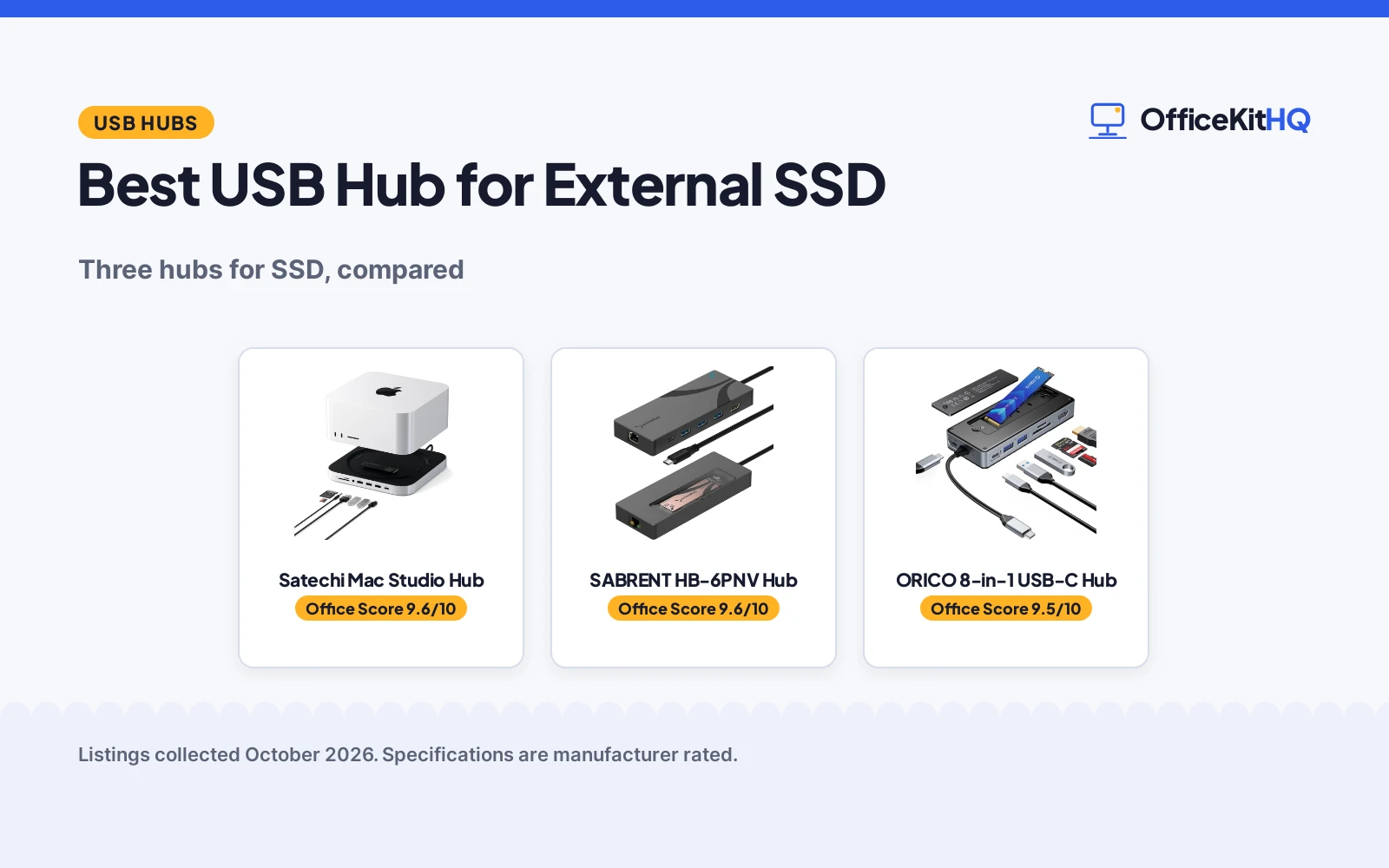
An external SSD is only as fast as the hub it plugs into, so the best usb hub for external ssd is the one with a real M.2 enclosure inside. We compared three hubs by enclosure support, speed, ports and power, using only what each listing publishes. A Mac Studio hub with a 10Gbps NVMe enclosure leads, followed by a 6-port hub with a built-in M.2 slot.
OfficeKitHQ earns a commission when you buy through links on this page, at no extra cost to you. As an Amazon Associate I earn from qualifying purchases. Affiliate disclosure.
Quick picks
 Best Overall Satechi Mac Studio Hub: 10Gbps, 7-in-1, Mac Studio Check price on Amazon
 M.2 Pick SABRENT HB-6PNV Hub: M.2 enclosure, 90W PD Check price on Amazon
 Power Pick ORICO 8-in-1 USB-C Hub: 8-in-1, 100W PD, 8TB Check price on Amazon
The picks
| # | Product | Office Score | Buy |
|---|---|---|---|
| 1 | Satechi Mac Studio Hub | 9.6/10 | Buy on Amazon |
| 2 | SABRENT HB-6PNV Hub | 9.6/10 | Buy on Amazon |
| 3 | ORICO 8-in-1 USB-C Hub | 9.5/10 | Buy on Amazon |

Satechi Mac Studio Hub
A 7-in-1 Mac Studio hub and stand with an NVMe enclosure at up to 10Gbps.
Pros
- 10Gbps enclosure stated
- 7-in-1 ports stated
- Mac Studio fit stated
- Aluminum build stated
Cons
- Mac Studio only stated
- Drive not included
- USB-A ports do not support CD readers or iPad charging, per the listing
- Not for Mac mini M4 stated
Detailed Review
The listing states a 7-in-1 Mac Studio hub and stand with an NVMe/SATA SSD enclosure for 2242/2260/2280 drives at up to 10Gbps, USB-C at 10Gbps, USB-A up to 10Gbps, card readers at 104MB/s and a 3.5mm jack. Drive not included, and it is not for Mac mini M4. The listing states a 2 Year Limited Warranty.
Who it's for: Mac Studio owners who want storage and ports in one. Who should skip it: anyone without a Mac Studio.
Its Office Score of 9.6/10 comes from performance 32/35, build 22/25, value 21/25, safety 0/10 and warranty 3/5: 78 of 100 points, placed on our 9.2 to 9.8 scale.
Key Specifications
| Ports | 7-in-1 stated |
|---|---|
| SSD | M.2 up to 10Gbps |
| Speed | 10Gbps stated |
| Fit | Mac Studio stated |
Figures as published on the retailer listing, collected 20 October 2026. Performance figures are manufacturer rated.
Safety and Warranty
What this listing states. This product does not plug in or run on a battery, so safety is not part of its score. 2 Year Limited Warranty. It does not say everything a buyer needs, such as who pays return shipping, so warranty scores 3 of 5. See How We Pick.
Surge protector limits. Look for a UL 1449 listing, never plug one strip into another, keep the total load under the stated rating, and replace the unit after a major surge or when its indicator says protection has ended.
This is general buying information, not professional advice. Follow each product manual and local rules, and see our Safety Disclaimer.

SABRENT HB-6PNV Hub
A 6-port USB-C hub with a built-in M.2 enclosure, 10Gbps host and 90W PD.
Pros
- M.2 enclosure stated
- 10Gbps host stated
- 4K@60Hz HDMI stated
- 90W PD stated
Cons
- 5Gbps to the drive stated
- Drive not included
- No SD or microSD card reader on this model
- USB 2.0 port for keyboard only stated
Detailed Review
The listing states a 6-port USB-C hub with a built-in M.2 NVMe/SATA enclosure for 2242/2260/2280 drives, 10Gbps to the laptop, 5Gbps to the drive, 4K@60Hz HDMI, Gigabit Ethernet and 90W PD. Drive sold separately. The listing states a 1 year limited warranty.
Who it's for: laptop users who want ports and storage in one. Who should skip it: anyone who needs full NVMe speed.
Its Office Score of 9.6/10 comes from performance 30/35, build 22/25, value 21/25, safety 0/10 and warranty 3/5: 76 of 100 points, placed on our 9.2 to 9.8 scale.
Key Specifications
| Ports | 6-port stated |
|---|---|
| SSD | M.2 5Gbps |
| Host | 10Gbps stated |
| PD | 90W stated |
Figures as published on the retailer listing, collected 20 October 2026. Performance figures are manufacturer rated.
Safety and Warranty
What this listing states. No UL 1449 listing or joule rating is stated, so safety scores zero. 1 year limited. It does not say everything a buyer needs, such as who pays return shipping, so warranty scores 3 of 5. See How We Pick.
Surge protector limits. Look for a UL 1449 listing, never plug one strip into another, keep the total load under the stated rating, and replace the unit after a major surge or when its indicator says protection has ended.
This is general buying information, not professional advice. Follow each product manual and local rules, and see our Safety Disclaimer.

ORICO 8-in-1 USB-C Hub
An 8-in-1 USB-C hub with an M.2 enclosure for drives up to 8TB and 100W PD.
Pros
- 8-in-1 stated
- M.2 up to 8TB stated
- 100W PD stated
- 4K@60Hz HDMI stated
Cons
- Drive not included
- Adapter not included stated
- HDMI needs a host that supports video transmission, per the listing
- SD and TF not simultaneous stated
Detailed Review
The listing states an 8-in-1 USB-C hub with an M.2 NVMe/SATA enclosure for drives up to 8TB at 10Gbps, 4K@60Hz HDMI, an SD/TF card reader and 100W PD. Drive and PD adapter not included. The listing states an 18 Months warranty.
Who it's for: travelers who want maximum ports and power. Who should skip it: anyone who wants a bundled SSD.
Its Office Score of 9.5/10 comes from performance 29/35, build 22/25, value 20/25, safety 0/10 and warranty 3/5: 74 of 100 points, placed on our 9.2 to 9.8 scale.
Key Specifications
| Ports | 8-in-1 stated |
|---|---|
| SSD | M.2 up to 8TB |
| Speed | 10Gbps stated |
| PD | 100W stated |
Figures as published on the retailer listing, collected 20 October 2026. Performance figures are manufacturer rated.
Safety and Warranty
What this listing states. No UL 1449 listing or joule rating is stated, so safety scores zero. 18 Months. It does not say everything a buyer needs, such as who pays return shipping, so warranty scores 3 of 5. See How We Pick.
Surge protector limits. Look for a UL 1449 listing, never plug one strip into another, keep the total load under the stated rating, and replace the unit after a major surge or when its indicator says protection has ended.
This is general buying information, not professional advice. Follow each product manual and local rules, and see our Safety Disclaimer.
As an Amazon Associate I earn from qualifying purchases.
Compare the picks
| Hub | Office Score | Ports | SSD | Speed | Power | Amazon |
|---|---|---|---|---|---|---|
| Satechi Mac Studio Hub | 9.6/10 | 7-in-1 stated | M.2 up to 10Gbps | 10Gbps stated | Not stated | View on Amazon |
| SABRENT HB-6PNV Hub | 9.6/10 | 6-port stated | M.2 5Gbps | 10Gbps host stated | 90W PD stated | View on Amazon |
| ORICO 8-in-1 USB-C Hub | 9.5/10 | 8-in-1 stated | M.2 up to 8TB | 10Gbps stated | 100W PD stated | View on Amazon |
Specifications are manufacturer rated as listed, collected 20 October 2026.
How we scored them
The Office Score weighs performance (enclosure speed, port count), build (materials, cooling), value for the stated specs, safety and warranty. For SSD use, enclosure speed is the deciding figure: the listings state 5Gbps and 10Gbps. All three state a warranty term; none states a safety certification. How we pick explains the weights.
| Product | Office Score | Perf. /35 | Build /25 | Value /25 | Safety /10 | Warranty /5 |
|---|---|---|---|---|---|---|
| Satechi Mac Studio Hub | 9.6 | 32 | 22 | 21 | 0 | 3 |
| SABRENT HB-6PNV Hub | 9.6 | 30 | 22 | 21 | 0 | 3 |
| ORICO 8-in-1 USB-C Hub | 9.5 | 29 | 22 | 20 | 0 | 3 |
Scores run from 9.2 to 9.8: each product’s point total is placed on that range, so more points always means a higher score.
How to choose the best usb hub for external ssd
Enclosure inside or SSD bundled
The Satechi is a 7-in-1 Mac Studio hub and stand with an NVMe/SATA SSD enclosure supporting 2242/2260/2280 drives at up to 10Gbps, drive not included. The SABRENT HB-6PNV is a 6-port USB-C hub with a built-in M.2 NVMe/SATA enclosure at 5Gbps to the drive, 10Gbps to the laptop, with a thermal pad and aluminum body. The ORICO is an 8-in-1 hub with an M.2 enclosure for drives up to 8TB at 10Gbps. Know both numbers: the SABRENT states 10Gbps to the laptop but 5Gbps to the drive. For external drives, see our best USB hub for external drives.
Ports, display and power
| Hub | Ports stated | SSD stated | Speed stated |
|---|---|---|---|
| Satechi Mac Studio Hub | 7-in-1 | M.2 up to 10Gbps | 10Gbps |
| SABRENT HB-6PNV Hub | 6-port | M.2 5Gbps | 10Gbps host |
| ORICO 8-in-1 USB-C Hub | 8-in-1 | M.2 up to 8TB | 10Gbps |
The SABRENT states 4K@60Hz HDMI, Gigabit Ethernet and 90W PD. The ORICO states 4K@60Hz HDMI, an SD/TF card reader and 100W PD. The Satechi states USB-C at 10Gbps, USB-A up to 10Gbps, card readers at 104MB/s and a 3.5mm audio jack. The Satechi is for Mac Studio only, not Mac mini M4. For video editing, see our best USB hub for video editing.
Power and compatibility
The ORICO states 100W PD with a dedicated power port, the SABRENT 90W. The Satechi states bus-powered use with one bus-powered device at a time. For hubs with external power, see our best USB hub with external power.
Setup Notes
- Buy the M.2 drive separately for the Satechi, SABRENT and ORICO.
- The Satechi is not compatible with SSDs with pre-installed heatsinks.
- Check your laptop’s Type-C supports video before using HDMI.
Frequently Asked Questions
Which has the fastest enclosure?
The Satechi states up to 10Gbps for the M.2 enclosure. The SABRENT states 5Gbps to the drive.
Which has the most power delivery?
The ORICO states 100W PD. The SABRENT states 90W PD.
Do any of these state a warranty?
All three state a warranty term.
Related guides
See every Docking Stations and USB Hubs guide. Also see our best USB hub for external drives. Also see our best USB hub for video editing.



