
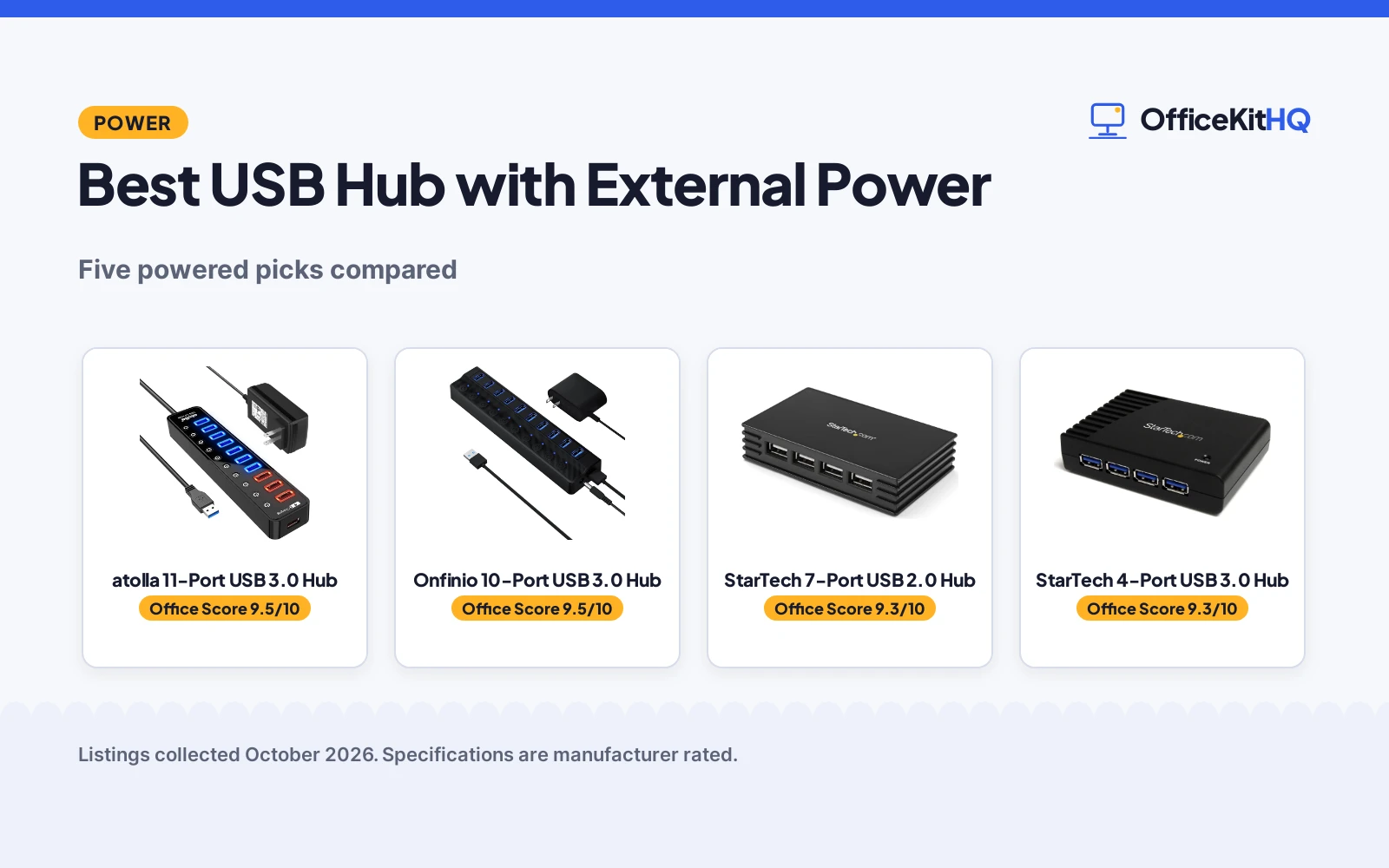
The best usb hub with external power is the one that turns a single laptop port into a whole desk of peripherals without starving the hard drive, because that is the entire job. It is 9 a.m., the webcam is on, and the laptop has one free USB port while the keyboard, mouse, headset, webcam and backup drive all need one. We compared five powered USB hubs by port count, data speed, adapter power, switching, dimensions and warranty term, using only what each listing publishes.
OfficeKitHQ earns a commission when you buy through links on this page, at no extra cost to you. As an Amazon Associate I earn from qualifying purchases. Affiliate disclosure.
Quick picks
 Best Overall atolla 11-Port USB 3.0 Hub: 11 ports with a 12V/4A adapter and individual on/off switches. Check price on Amazon
 Best 10-Port Pick Onfinio 10-Port USB 3.0 Hub: 10 USB 3.0 ports at 5Gbps with a 12V/2A adapter. Check price on Amazon
 Best for Travel StarTech 7-Port USB 2.0 Hub: Compact 7-port hub, bus or externally powered. Check price on Amazon
 Best Compact 4-Port StarTech 4-Port USB 3.0 Hub: 4 SuperSpeed ports at 900mA per port with adapter. Check price on Amazon
 Best USB-C Pick Plugable 7-Port USB Hub: 7 ports, a 60W adapter and a USB-C or USB-A cable. Check price on Amazon
The picks
| # | Product | Office Score | Buy |
|---|---|---|---|
| 1 | atolla 11-Port USB 3.0 Hub | 9.5/10 | Buy on Amazon |
| 2 | Onfinio 10-Port USB 3.0 Hub | 9.5/10 | Buy on Amazon |
| 3 | StarTech 7-Port USB 2.0 Hub | 9.3/10 | Buy on Amazon |
| 4 | StarTech 4-Port USB 3.0 Hub | 9.3/10 | Buy on Amazon |
| 5 | Plugable 7-Port USB Hub | 9.3/10 | Buy on Amazon |

atolla 11-Port USB 3.0 Hub
An 11-port USB 3.0 hub with a 12V/4A adapter and per-port switches for a desk full of peripherals.
Pros
- 11 ports total: 7 USB 3.0 data ports plus 4 smart charging ports, per the listing.
- A 12V/4A adapter is included, stronger than the Onfinio's 12V/2A.
- Illuminated individual on/off switches for each port.
- 18-month warranty stated in the listing.
Cons
- No USB-C host connection is stated; the cable is USB 3.0.
- At 9.84 inches long it is the largest hub in this list.
- The listing states no enclosure material.
- No safety certification is stated in the listing.
Detailed Review
The listing states an 11-port USB 3.0 hub with 7 data ports and 4 smart charging ports, 5Gbps transfers, individual illuminated on/off switches, a 12V/4A power adapter and a 100cm cable. The box includes the hub, the adapter and a quick setup guide, and the maker lists an 18-month warranty. Dimensions are 9.84 x 4.41 x 2.24 inches.
Who it's for: a desk with many peripherals that need power and data at once, like external drives, printers and chargers. Who should skip it: anyone who needs only two or three ports, or who wants USB-C on the host side.
Its Office Score of 9.5/10 comes from performance 30/35, build 20/25, value 21/25, safety 0/10 and warranty 3/5: 74 of 100 points, placed on our 9.2 to 9.8 scale.
Key Specifications
| Total USB ports | 11 |
|---|---|
| Data transfer rate | 5Gbps |
| Power adapter | 12V/4A |
| Cable length | 100cm |
Figures as published on the retailer listing, collected 19 October 2026. Performance figures are manufacturer rated.
Safety and Warranty
What this listing states. No UL, FCC or over-current protection statement is stated, so safety scores zero. 18-Month Warranty. It does not say everything a buyer needs, such as who pays return shipping, so warranty scores 3 of 5. See How We Pick.
Power and heat. Use the supplied adapter, treat power delivery wattage and display support as the maker's claims for your laptop model, and give the dock room to vent.
This is general buying information, not professional advice. Follow each product manual and local rules, and see our Safety Disclaimer.

Onfinio 10-Port USB 3.0 Hub
A 10-port USB 3.0 hub at 5Gbps with per-port switches for a laptop or desktop short on ports.
Pros
- 10 USB 3.0 ports at 5Gbps, per the listing.
- Individual on/off switches with an LED per port.
- 12V/2A power adapter included in the box.
- 2-year warranty stated in the listing.
Cons
- The spec table says Number of Items: 10 while the package list says one hub, a listing contradiction.
- The 12V/2A adapter is the weakest adapter among the USB 3.0 picks.
- Plastic enclosure, per the spec table.
- No safety certification is stated in the listing.
Detailed Review
The listing states a 10-port USB 3.0 hub at 5Gbps, a 12V/2A power adapter, individual on/off switches with an LED per port, and a 2-year warranty. One oddity: the spec table says Number of Items: 10, while the title, bullets and package list describe one 10-port hub; the title and bullets win. Dimensions are 7.8 x 1.7 x 0.9 inches and it weighs 0.28 kg.
Who it's for: a laptop or desktop short on ports, with up to 10 devices to keep connected. Who should skip it: anyone who needs strong per-port charging, since the adapter is 12V/2A.
Its Office Score of 9.5/10 comes from performance 29/35, build 19/25, value 20/25, safety 0/10 and warranty 4/5: 72 of 100 points, placed on our 9.2 to 9.8 scale.
Key Specifications
| Total USB ports | 10 |
|---|---|
| Data transfer rate | 5Gbps |
| Power adapter | 12V/2A |
| Dimensions | 7.8 x 1.7 x 0.9 inches |
Figures as published on the retailer listing, collected 19 October 2026. Performance figures are manufacturer rated.
Safety and Warranty
What this listing states. No UL, FCC or over-current protection statement is stated, so safety scores zero. 2 Year. It does not say everything a buyer needs, such as who pays return shipping, so warranty scores 4 of 5. See How We Pick.
Power and heat. Use the supplied adapter, treat power delivery wattage and display support as the maker's claims for your laptop model, and give the dock room to vent.
This is general buying information, not professional advice. Follow each product manual and local rules, and see our Safety Disclaimer.
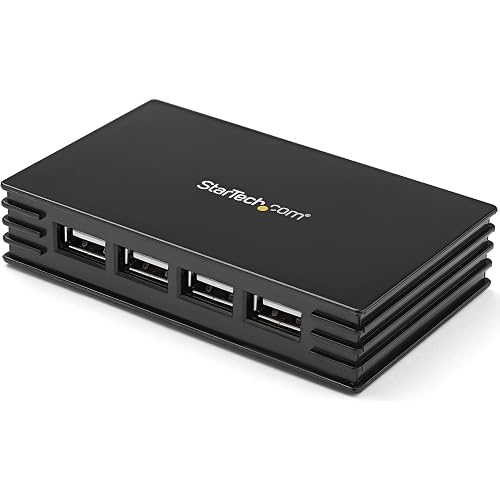
StarTech 7-Port USB 2.0 Hub
A compact 7-port USB 2.0 hub that runs bus-powered or with an optional external adapter.
Pros
- Runs bus-powered or with an optional external power adapter.
- Over-current protection stated in the listing.
- Compact at 3.9 x 2.4 x 0.8 inches and 2.72 ounces.
- 2-year warranty stated in the listing.
Cons
- USB 2.0 at 480Mbps, the slowest data speed in this list.
- No individual port switches are stated.
- No charging current per port is stated.
- The listing states no cable length.
Detailed Review
The listing states a 7-port USB 2.0 hub at 480Mbps that runs bus-powered or with an optional external power adapter, with over-current protection and TAA compliance. It measures 3.9 x 2.4 x 0.8 inches, weighs 2.72 ounces, and carries a 2-year warranty.
Who it's for: a traveler who needs basic ports for a mouse, keyboard and flash drive on any machine. Who should skip it: anyone moving large files, since 480Mbps is the USB 2.0 ceiling.
Its Office Score of 9.3/10 comes from performance 18/35, build 18/25, value 18/25, safety 7/10 and warranty 4/5: 65 of 100 points, placed on our 9.2 to 9.8 scale.
Key Specifications
| Total USB ports | 7 |
|---|---|
| Data transfer rate | 480Mbps |
| Power | Bus or externally powered |
| Weight | 2.72 ounces |
Figures as published on the retailer listing, collected 19 October 2026. Performance figures are manufacturer rated.
Safety and Warranty
What this listing states. Over-current protection and TAA compliance stated in the listing, so safety scores 7 of 10. 2 Year. It does not say everything a buyer needs, such as who pays return shipping, so warranty scores 4 of 5. See How We Pick.
Power and heat. Use the supplied adapter, treat power delivery wattage and display support as the maker's claims for your laptop model, and give the dock room to vent.
This is general buying information, not professional advice. Follow each product manual and local rules, and see our Safety Disclaimer.

StarTech 4-Port USB 3.0 Hub
A 4-port USB-A 3.0 hub with adapter included for a minimalist desk that needs reliable SuperSpeed ports.
Pros
- 4 SuperSpeed USB-A ports at 5Gbps with the power adapter included.
- 900mA per port with the adapter, per the listing.
- Works bus-powered or self-powered, with no drivers needed.
- 2-year warranty plus free lifetime 24/5 technical assistance, per the listing.
Cons
- Only 4 ports, the fewest in this list.
- The spec table says 5 gigabytes per second while the title says 5Gbps, a listing contradiction.
- No individual port switches are stated.
- No safety certification is stated in the listing.
Detailed Review
The listing states a 4-port USB-A 3.0 hub with a power adapter included, 900mA per port with the adapter, bus or self-powered operation, no drivers, and compatibility with any operating system. One wrinkle: the spec table lists the data rate as 5 gigabytes per second while the title and bullets say 5Gbps; the title and bullets win. It measures 3.7 x 2.7 x 0.9 inches, weighs 3.04 ounces, and carries a 2-year warranty plus free lifetime 24/5 technical assistance.
Who it's for: an IT pro or minimalist desk that needs four reliable SuperSpeed ports. Who should skip it: anyone who needs more than four ports or per-port switching.
Its Office Score of 9.3/10 comes from performance 26/35, build 21/25, value 16/25, safety 0/10 and warranty 4/5: 67 of 100 points, placed on our 9.2 to 9.8 scale.
Key Specifications
| Total USB ports | 4 |
|---|---|
| Data transfer rate | 5Gbps |
| Power per port | 900mA with adapter |
| Dimensions | 3.7 x 2.7 x 0.9 inches |
Figures as published on the retailer listing, collected 19 October 2026. Performance figures are manufacturer rated.
Safety and Warranty
What this listing states. This product does not plug in or run on a battery, so safety is not part of its score. 2 Year. It does not say everything a buyer needs, such as who pays return shipping, so warranty scores 4 of 5. See How We Pick.
Power and heat. Use the supplied adapter, treat power delivery wattage and display support as the maker's claims for your laptop model, and give the dock room to vent.
This is general buying information, not professional advice. Follow each product manual and local rules, and see our Safety Disclaimer.

Plugable 7-Port USB Hub
A 7-port hub with a 60W adapter and USB-C or USB-A cable for a mixed desk of newer and older laptops.
Pros
- 60W power adapter, the strongest adapter in this list.
- Hybrid USB-C and USB-A cable connects to newer and older laptops.
- Stackable design for high-volume sync and charge stations, per the listing.
- Driverless setup on Windows, macOS and Linux, per the listing.
Cons
- No warranty term is stated; only lifetime support is promised.
- The hub does not charge the host laptop, per the listing.
- At 1.4 pounds it is the heaviest hub in this list.
- No individual port switches are stated.
Detailed Review
The listing states a 7-port USB hub at 5Gbps with a 60W power adapter, a hybrid USB-C and USB-A cable, a stackable design, and driverless setup on Windows, macOS and Linux. The listing promises lifetime support from a North American team but states no warranty term. It measures 5 x 3.03 x 1.02 inches and weighs 1.4 pounds.
Who it's for: a mixed desk of USB-C and USB-A laptops that needs strong charging alongside data. Who should skip it: anyone who wants a stated warranty term in the listing.
Its Office Score of 9.3/10 comes from performance 32/35, build 21/25, value 19/25, safety 0/10 and warranty 0/5: 72 of 100 points, placed on our 9.2 to 9.8 scale.
Key Specifications
| Total USB ports | 7 |
|---|---|
| Data transfer rate | 5Gbps |
| Power adapter | 60W |
| Weight | 1.4 pounds |
Figures as published on the retailer listing, collected 19 October 2026. Performance figures are manufacturer rated.
Safety and Warranty
What this listing states. No UL, FCC or over-current protection statement is stated, so safety scores zero. No warranty term, so warranty scores zero. See How We Pick.
Power and heat. Use the supplied adapter, treat power delivery wattage and display support as the maker's claims for your laptop model, and give the dock room to vent.
This is general buying information, not professional advice. Follow each product manual and local rules, and see our Safety Disclaimer.
As an Amazon Associate I earn from qualifying purchases.
Compare the picks
| USB hub | Office Score | Ports | Data speed | Adapter | Warranty | Amazon |
|---|---|---|---|---|---|---|
| atolla 11-Port USB 3.0 Hub | 9.5/10 | 11 | 5Gbps | 12V/4A | 18 months | View on Amazon |
| Onfinio 10-Port USB 3.0 Hub | 9.5/10 | 10 | 5Gbps | 12V/2A | 2 years | View on Amazon |
| StarTech 7-Port USB 2.0 Hub | 9.3/10 | 7 | 480Mbps | Optional external | 2 years | View on Amazon |
| StarTech 4-Port USB 3.0 Hub | 9.3/10 | 4 | 5Gbps | Included | 2 years | View on Amazon |
| Plugable 7-Port USB Hub | 9.3/10 | 7 | 5Gbps | 60W | Not stated | View on Amazon |
Specifications are manufacturer rated as listed, collected 19 October 2026. Four of the five state a warranty term; one states over-current protection.
How we scored them
The Office Score weighs performance (port count, data speed, adapter power and switching), build (enclosure, dimensions and weight), value for the stated specs, safety and warranty. For a powered hub, safety means stated protections like over-current protection or a compliance mark; only the StarTech ST7202USB states one. Four of the five listings state a warranty term; the Plugable promises lifetime support but states no warranty. How we pick explains the weights.
| Product | Office Score | Perf. /35 | Build /25 | Value /25 | Safety /10 | Warranty /5 |
|---|---|---|---|---|---|---|
| atolla 11-Port USB 3.0 Hub | 9.5 | 30 | 20 | 21 | 0 | 3 |
| Onfinio 10-Port USB 3.0 Hub | 9.5 | 29 | 19 | 20 | 0 | 4 |
| StarTech 7-Port USB 2.0 Hub | 9.3 | 18 | 18 | 18 | 7 | 4 |
| StarTech 4-Port USB 3.0 Hub | 9.3 | 26 | 21 | 16 | 0 | 4 |
| Plugable 7-Port USB Hub | 9.3 | 32 | 21 | 19 | 0 | 0 |
Scores run from 9.2 to 9.8: each product’s point total is placed on that range, so more points always means a higher score.
How to choose the best usb hub with external power
Count the ports you will actually fill
A keyboard, mouse, headset, webcam and backup drive is already five devices, which rules out the 4-port StarTech ST4300USB3 for a full desk. The atolla gives 11 ports (7 data plus 4 charging) and the Onfinio gives 10, while the Plugable and the StarTech USB 2.0 give 7 each. Count what is plugged in today, add one spare, then pick the smallest hub that still covers it. For a full desktop setup, see best USB hub for desktop computer.
Match the adapter to the load
The adapter is what separates a powered hub from a power strip with delusions of grandeur. The Plugable ships a 60W adapter, the atolla a 12V/4A adapter and the Onfinio a 12V/2A adapter, while the StarTech 4-port includes its adapter and the StarTech USB 2.0 calls its external adapter optional. If phones and tablets charge alongside the drives, pick the stronger adapter; if the hub only feeds a mouse and keyboard, a smaller one does. Note the Plugable listing states the hub does not charge the host laptop. If you need a full dock instead of a hub, compare best docking station for business.
Mind the speed ceiling
Four picks run at 5Gbps and one, the StarTech ST7202USB, tops out at 480Mbps on USB 2.0. For moving photo libraries or video files, the 5Gbps ceiling matters; for a keyboard, mouse and printer, 480Mbps never gets in the way. Do not pay for speed your devices cannot use, and do not buy the slow one for a drive-heavy desk. Once the hub is chosen, tame the rest of the mess with zip ties for PC cable management.
Check the footprint and the cable
The atolla stretches 9.84 inches long, while the StarTech 4-port is 3.7 inches and the StarTech USB 2.0 is 3.9 inches. Measure the desk depth before the hub arrives, and note the atolla is the only pick whose listing states a cable length (100cm). A short cable on a deep desk means the hub dangles; a long cable on a small desk means spaghetti.
Setup Notes
- Measure the desk first: the atolla runs 9.84 x 4.41 inches, the largest footprint here, while the StarTech 4-port is 3.7 x 2.7 inches.
- Plan the outlet: each hub needs its adapter within reach of the desk, except when running bus-powered like the StarTech USB 2.0; the atolla ships a 100cm cable.
- Match ports to devices: 11 on the atolla, 10 on the Onfinio, 7 on the Plugable and the StarTech USB 2.0, 4 on the StarTech USB 3.0.
- For charging phones and tablets alongside data, pick a hub with a strong adapter (Plugable 60W, atolla 12V/4A); the StarTech 4-port gives 900mA per port with its adapter.
Frequently Asked Questions
Do these hubs need drivers?
The atolla, Onfinio and both StarTech listings state no drivers are needed. The Plugable is driverless on Windows, macOS and Linux, per its listing.
Will a powered hub charge my laptop?
The Plugable listing states the hub does not provide charging to the host laptop. The atolla’s 4 charging ports charge phones, tablets and cameras at up to 2.4A, per the listing.
What is the fastest data speed here?
Four picks run at 5Gbps; the StarTech ST7202USB is USB 2.0 at 480Mbps. Pick 5Gbps if large files move through the hub.
Can I turn off individual ports?
The atolla and Onfinio have individual on/off switches, and the Onfinio adds an LED per port. The other three listings state no per-port switches.
Which hub is best for travel?
The StarTech ST7202USB at 3.9 x 2.4 x 0.8 inches and 2.72 ounces, which runs bus-powered. The StarTech 4-port is also small at 3.7 x 2.7 x 0.9 inches and 3.04 ounces.
Related guides
See every docking station and USB hub guide and all audio, power and connectivity guides. Also see our best USB hub for desktop computer. Also see our best surge protector for electronics. Also see our best docking station for business.
More picks: surge protectors and cable management, monitor arms and stands, computer speakers.



