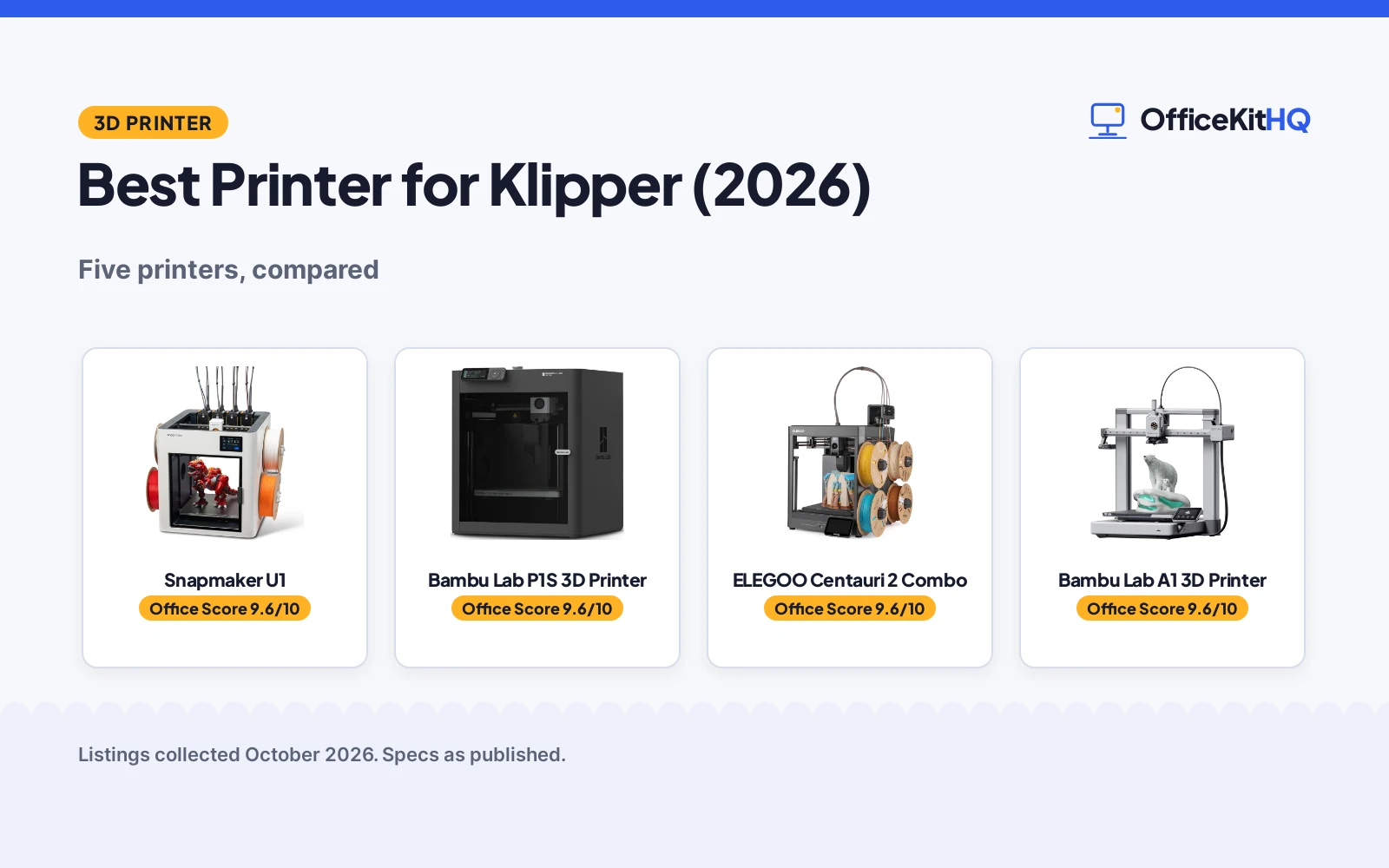
Choosing the best printer for Klipper usually means picking a machine with the speed, calibration and multi-color options that pair well with advanced firmware. We compared five 3D printers on speed, build volume, multi-color systems, auto calibration and stated warranties, using only what each listing publishes.
OfficeKitHQ earns a commission when you buy through links on this page, at no extra cost to you. As an Amazon Associate I earn from qualifying purchases. Affiliate disclosure.
Quick picks
 Best Overall Snapmaker U1: Four toolheads swap in 5 seconds for quick multi-color printing. Check price on Amazon
 Best Enclosed Bambu Lab P1S 3D Printer: An enclosed CoreXY with 500 mm/s speed and a 256 mm build. Check price on Amazon
 Best Multi-Color for Beginners ELEGOO Centauri 2 Combo: 4-color printing, 500 mm/s and a 350°C nozzle for beginners. Check price on Amazon
 Best Quiet Bambu Lab A1 3D Printer: Full-auto calibration and quiet operation at 48 dB or less. Check price on Amazon
 Best Value Pick Creality Ender 3 V3 SE: Auto leveling and a direct drive extruder at 250 mm/s. Check price on Amazon
The picks
| # | Product | Office Score | Buy |
|---|---|---|---|
| 1 | Snapmaker U1 | 9.6/10 | Buy on Amazon |
| 2 | Bambu Lab P1S 3D Printer | 9.6/10 | Buy on Amazon |
| 3 | ELEGOO Centauri 2 Combo | 9.6/10 | Buy on Amazon |
| 4 | Bambu Lab A1 3D Printer | 9.6/10 | Buy on Amazon |
| 5 | Creality Ender 3 V3 SE | 9.5/10 | Buy on Amazon |

Snapmaker U1
Suits makers who want fast multi-color prints with minimal purging; skip it if a 57.9-pound machine is too heavy for your bench.
Pros
- Four independent toolheads with a 5-second tool changer and minimal purge between materials.
- 500 mm/s CoreXY speed with a large 270 x 270 x 270 mm build volume.
- A one-year warranty is stated.
- Smart calibration with automatic toolhead offset and vibration compensation.
Cons
- 57.9 pounds, the heaviest pick of the five.
- Multi-toolhead complexity is overkill for single-color printing.
- Klipper firmware support is not stated.
- No page for decibels or noise level is stated.
Detailed Review
The Snapmaker U1 is the most capable multi-color printer in this roundup. Four independent toolheads with preloaded, preheated filaments swap in 5 seconds, so multi-color and multi-material prints move fast with minimal purge waste.
The 270 x 270 x 270 mm build volume and 500 mm/s CoreXY system give it the largest build envelope here, and the listing states a one-year warranty. It weighs 57.9 pounds, so plan a sturdy bench for it.
Its Office Score of 9.6/10 comes from performance 30/35, build 21/25, value 21/25, safety not scored (non-powered gear) and warranty 0/5: 72 of 90 points, placed on our 9.2 to 9.8 scale.
Key Specifications
| Max speed | 500 mm/s |
|---|---|
| Build volume | 270 x 270 x 270 mm |
| Toolheads | 4 independent |
| Weight | 57.9 pounds |
Figures as published on the retailer listing, collected 21 October 2026. Performance figures are manufacturer rated.
Safety and Warranty
What this listing states. This product does not plug in or run on a battery, so safety is not part of its score. No warranty term, so warranty scores zero. See How We Pick.
Shredder and printer safety. Keep hair, ties, jewelry, children and pets away from the feed slot, use the safety lock, unplug when not in use, and give printers and adapters room to vent.
This is general buying information, not professional advice. Follow each product manual and local rules, and see our Safety Disclaimer.
Bambu Lab P1S 3D Printer
Suits users who print engineering filaments like ABS and ASA; skip it if you only print PLA.
Pros
- Fully enclosed body suits advanced filaments such as ABS and ASA.
- 500 mm/s speed with 20 m/s² acceleration stated.
- Up to 16 colors with multi-color printing when a Bambu Lab AMS is connected.
- 15-minute setup stated with automatic bed leveling.
Cons
- The AMS unit for multi-color printing is sold separately.
- 38.9 pounds is heavy for a desktop printer.
- Klipper firmware support is not stated.
- No noise level is stated.
Detailed Review
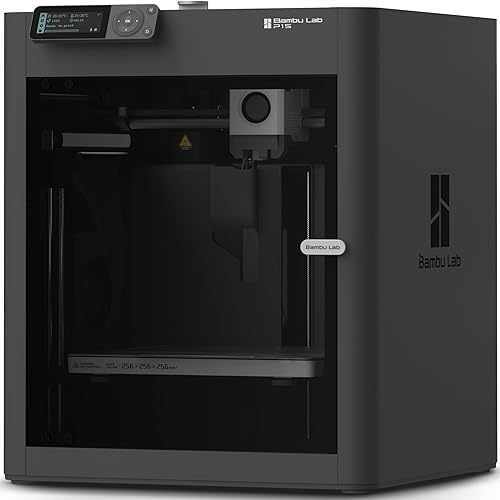
The Bambu Lab P1S is the enclosed pick. Its enclosed body improves print performance for advanced filaments, and the supported list includes PLA, PETG, TPU, PVA, PET, ABS and ASA, with PA and PC also possible.
Speed is 500 mm/s with 20 m/s² acceleration, and the 256 x 256 x 256 mm build volume is generous. Multi-color printing needs a separate Bambu Lab AMS.
Its Office Score of 9.6/10 comes from performance 29/35, build 21/25, value 21/25, safety not scored (non-powered gear) and warranty 0/5: 71 of 90 points, placed on our 9.2 to 9.8 scale.
Key Specifications
| Max speed | 500 mm/s |
|---|---|
| Build volume | 256 x 256 x 256 mm |
| Body | Enclosed |
| Weight | 38.9 pounds |
Figures as published on the retailer listing, collected 21 October 2026. Performance figures are manufacturer rated.
Safety and Warranty
What this listing states. This product does not plug in or run on a battery, so safety is not part of its score. No warranty term, so warranty scores zero. See How We Pick.
Shredder and printer safety. Keep hair, ties, jewelry, children and pets away from the feed slot, use the safety lock, unplug when not in use, and give printers and adapters room to vent.
This is general buying information, not professional advice. Follow each product manual and local rules, and see our Safety Disclaimer.

ELEGOO Centauri 2 Combo
Suits beginners who want 4-color prints with auto calibration; skip it if you need an enclosed chamber.
Pros
- 4-color printing with CANVAS, independent motors and RFID filament recognition.
- 500 mm/s with 20,000 mm/s² acceleration stated.
- 350°C nozzle stated for higher-temperature filaments.
- Full auto calibration with 22 intelligent sensors.
Cons
- No build volume is stated.
- No weight or noise level detail beyond 33 pounds is given.
- Klipper firmware support is not stated.
- App-based remote control needs the ELEGOO app ecosystem.
Detailed Review
The ELEGOO Centauri 2 Combo targets beginners who want color. Its CANVAS 4-color system with RFID filament recognition and auto refill keeps color changes simple, while full auto calibration and 22 sensors watch every print.
The 350°C nozzle opens the door to higher-temperature filaments, and the CoreXY system reaches 500 mm/s. No build volume is stated, so check that before buying for large parts.
Its Office Score of 9.6/10 comes from performance 29/35, build 20/25, value 21/25, safety not scored (non-powered gear) and warranty 0/5: 70 of 90 points, placed on our 9.2 to 9.8 scale.
Key Specifications
| Max speed | 500 mm/s |
|---|---|
| Nozzle | 350°C |
| Colors | 4-color CANVAS |
| Weight | 33 pounds |
Figures as published on the retailer listing, collected 21 October 2026. Performance figures are manufacturer rated.
Safety and Warranty
What this listing states. This product does not plug in or run on a battery, so safety is not part of its score. No warranty term, so warranty scores zero. See How We Pick.
Shredder and printer safety. Keep hair, ties, jewelry, children and pets away from the feed slot, use the safety lock, unplug when not in use, and give printers and adapters room to vent.
This is general buying information, not professional advice. Follow each product manual and local rules, and see our Safety Disclaimer.

Bambu Lab A1 3D Printer
Suits home users who need quiet printing; skip it if you want an enclosed chamber.
Pros
- Quiet operation at 48 dB or less stated.
- Full-auto calibration with active flow rate compensation.
- Multi-color printing available with AMS lite.
- Ready-to-use design for beginners with the MakerWorld model library.
Cons
- AMS lite for multi-color printing is sold separately.
- No build volume or max speed is stated.
- Open-frame design does not suit ABS or ASA printing.
- Klipper firmware support is not stated.
Detailed Review
The Bambu Lab A1 is the quiet pick. It states 48 dB or less with active motor noise canceling, so it can run in a home office without taking over the room.
Full-auto calibration and active flow rate compensation keep setup and first layers simple. Multi-color printing is possible with a separate AMS lite unit.
Its Office Score of 9.6/10 comes from performance 28/35, build 19/25, value 21/25, safety not scored (non-powered gear) and warranty 0/5: 68 of 90 points, placed on our 9.2 to 9.8 scale.
Key Specifications
| Noise | 48 dB or less |
|---|---|
| Calibration | Full-auto |
| Multi-color | With AMS lite |
| Weight | 22 pounds |
Figures as published on the retailer listing, collected 21 October 2026. Performance figures are manufacturer rated.
Safety and Warranty
What this listing states. This product does not plug in or run on a battery, so safety is not part of its score. No warranty term, so warranty scores zero. See How We Pick.
Shredder and printer safety. Keep hair, ties, jewelry, children and pets away from the feed slot, use the safety lock, unplug when not in use, and give printers and adapters room to vent.
This is general buying information, not professional advice. Follow each product manual and local rules, and see our Safety Disclaimer.

Creality Ender 3 V3 SE
Suits budget-minded beginners printing PLA, PETG and TPU; skip it if you want multi-color.
Pros
- Sprite direct drive extruder for PLA, PETG and TPU.
- CR Touch auto leveling with automatic Z-offset calibration.
- 250 mm/s speed with 2500 mm/s² acceleration stated.
- 32-bit silent mainboard for quieter operation.
Cons
- 250 mm/s is the slowest top speed of the five.
- No multi-color system is offered.
- Klipper firmware support is not stated.
- Assembly is required, unlike the ready-to-use picks.
Detailed Review
The Creality Ender 3 V3 SE is the straightforward budget pick. Its Sprite direct drive extruder handles PLA, PETG and TPU, and CR Touch auto leveling with automatic Z-offset keeps the first layer simple.
Top speed is 250 mm/s, well below the 500 mm/s picks, and there is no multi-color system. Assembly takes a few steps, but the flexible spring steel plate makes print removal easy.
Its Office Score of 9.5/10 comes from performance 26/35, build 19/25, value 22/25, safety not scored (non-powered gear) and warranty 0/5: 67 of 90 points, placed on our 9.2 to 9.8 scale.
Key Specifications
| Max speed | 250 mm/s |
|---|---|
| Extruder | Sprite direct drive |
| Leveling | CR Touch auto leveling |
| Weight | 19.8 pounds |
Figures as published on the retailer listing, collected 21 October 2026. Performance figures are manufacturer rated.
Safety and Warranty
What this listing states. This product does not plug in or run on a battery, so safety is not part of its score. No warranty term, so warranty scores zero. See How We Pick.
Shredder and printer safety. Keep hair, ties, jewelry, children and pets away from the feed slot, use the safety lock, unplug when not in use, and give printers and adapters room to vent.
This is general buying information, not professional advice. Follow each product manual and local rules, and see our Safety Disclaimer.
As an Amazon Associate I earn from qualifying purchases.
Compare the picks
| Printer | Max speed | Build volume | Multi-color | Auto calibration | Notes | Amazon |
|---|---|---|---|---|---|---|
| Snapmaker U1 | 500 mm/s | 270 x 270 x 270 mm | 4 toolheads | Smart calibration | One-year warranty | View on Amazon |
| Bambu Lab P1S 3D Printer | 500 mm/s | 256 x 256 x 256 mm | Up to 16 colors with AMS | Auto bed leveling | Enclosed, ABS/ASA-ready | View on Amazon |
| ELEGOO Centauri 2 Combo | 500 mm/s | Not stated | 4-color CANVAS | Full auto calibration | 350°C nozzle | View on Amazon |
| Bambu Lab A1 3D Printer | Not stated | Not stated | Multi-color with AMS lite | Full-auto calibration | 48 dB or less | View on Amazon |
| Creality Ender 3 V3 SE | 250 mm/s | Not stated | Not offered | CR Touch auto leveling | Silent 32-bit mainboard | View on Amazon |
Specifications as published on each listing, collected 21 October 2026.
How we scored them
The Office Score weighs performance, build, value, safety and the stated warranty. Four of the five picks reach 500 mm/s, so multi-color systems, build volume and calibration separated the leaders. Only the Snapmaker U1 states a warranty, and it tops the table. How we pick explains the weights.
| Product | Office Score | Perf. /35 | Build /25 | Value /25 | Safety /10 | Warranty /5 |
|---|---|---|---|---|---|---|
| Snapmaker U1 | 9.6 | 30 | 21 | 21 | n/a | 0 |
| Bambu Lab P1S 3D Printer | 9.6 | 29 | 21 | 21 | n/a | 0 |
| ELEGOO Centauri 2 Combo | 9.6 | 29 | 20 | 21 | n/a | 0 |
| Bambu Lab A1 3D Printer | 9.6 | 28 | 19 | 21 | n/a | 0 |
| Creality Ender 3 V3 SE | 9.5 | 26 | 19 | 22 | n/a | 0 |
Scores run from 9.2 to 9.8: each product’s point total is placed on that range, so more points always means a higher score. Safety counts only for powered gear or where the listing states safety features; where it does not apply, the score is taken over the remaining 90 points.
How to choose the best printer for Klipper
Speed and motion system
Four picks state 500 mm/s, with the Snapmaker U1 and Bambu Lab P1S pairing it with 20,000 mm/s² class acceleration; the Creality Ender 3 V3 SE states 250 mm/s. CoreXY machines handle high speeds better than bed-slingers, so the three CoreXY picks suit fast printing best. If you run a camera while printing, see our best webcam for Klipper.
Multi-color printing
The Snapmaker U1 swaps four toolheads in 5 seconds with minimal purging, the ELEGOO Centauri 2 Combo prints in 4 colors, and the Bambu Lab picks need a separate AMS or AMS lite. Decide whether you want color built in or as an add-on, since the add-on raises the total cost.
Enclosed or open
Only the Bambu Lab P1S is enclosed, and it is the only pick suited to ABS and ASA. Open-frame printers work well for PLA, PETG and TPU, which the Ender 3 V3 SE handles with its direct drive extruder. For office paperwork rather than printing parts, browse our best printer for business use.
Setup Notes
- Measure your bench: the Snapmaker U1 is 22.6 x 13 x 14.2 inches at 57.9 pounds, and the P1S is 15.31 x 18.03 x 15.31 inches at 38.9 pounds.
- Plan power and data: the Ender 3 V3 SE ships with a flexible spring steel plate, and several picks need their app for remote control.
- Budget assembly time: the Ender 3 V3 SE assembles in a few steps, while the Bambu picks are ready to use.
- Check multi-color extras: the AMS and AMS lite units are sold separately, not included.
Frequently Asked Questions
Which of these printers states the highest speed?
Four picks state 500 mm/s: the Snapmaker U1, Bambu Lab P1S, ELEGOO Centauri 2 Combo, while the Ender 3 V3 SE states 250 mm/s. The Bambu Lab A1 states no top speed.
Do any of these state Klipper firmware support?
None of the five listings state Klipper firmware support. Check the manufacturer’s documentation for firmware options before buying.
Which printer has the largest build volume?
The Snapmaker U1 at 270 x 270 x 270 mm, followed by the Bambu Lab P1S at 256 x 256 x 256 mm. The other three state no build volume.
Which pick states a warranty?
Only the Snapmaker U1 states one, a one-year warranty. The other four state none.
Which is best for a quiet home office?
The Bambu Lab A1 states 48 dB or less with active motor noise canceling, and the Ender 3 V3 SE has a silent 32-bit mainboard.
Related guides
See every Home Office Printers guide and all Office Machines and Storage guides.
More guides: best laser printer for zines, best printer for business use and best webcam for Klipper.