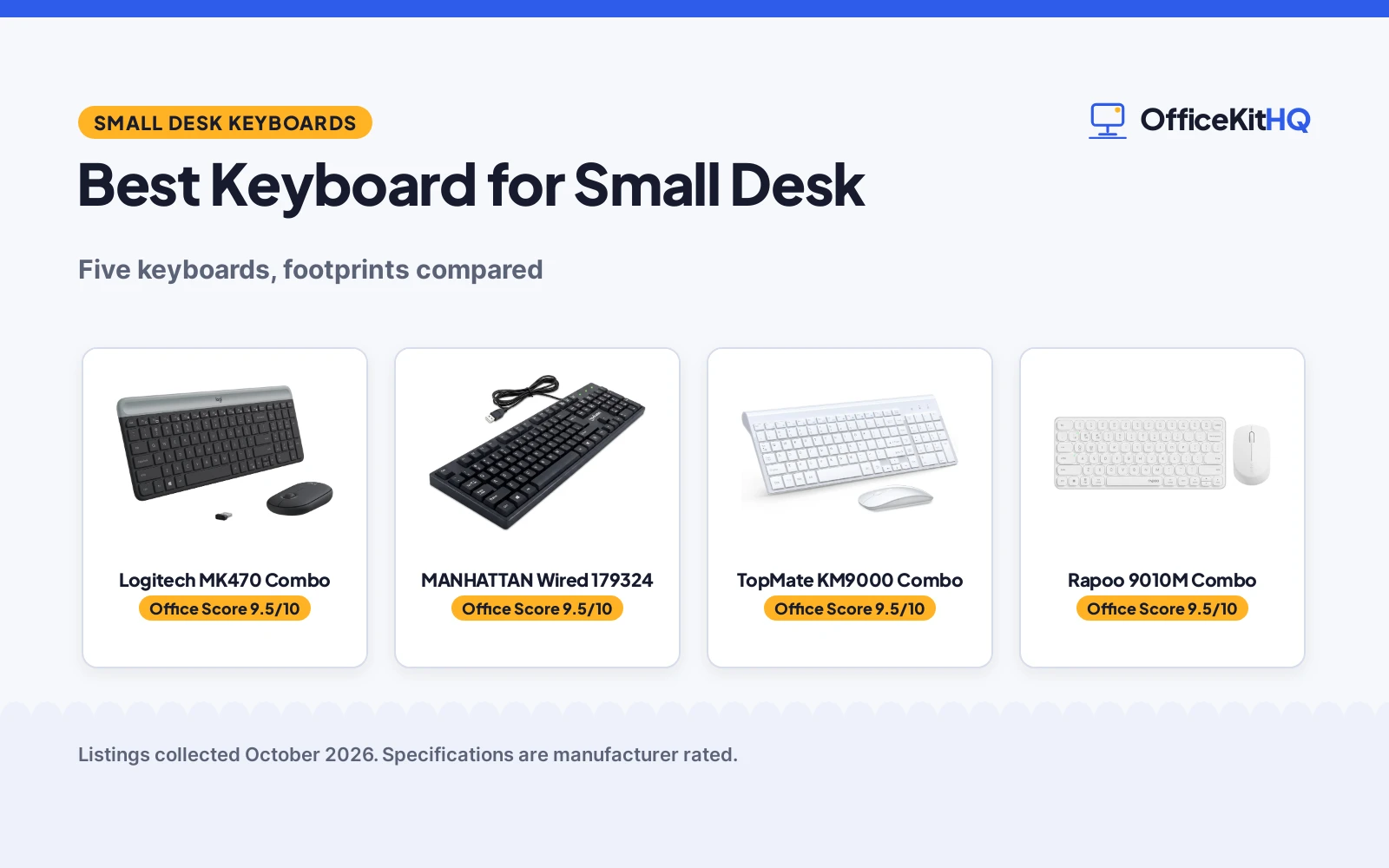
The best keyboard for small desk setups is the one whose width leaves room for the mouse without pushing everything else off the edge, because a keyboard that overhangs a compact desk ruins the whole layout. A 9 a.m. call with the keyboard sliding around and the mouse hanging off the side is no way to start the day. We compared five keyboards and keyboard-mouse combos by width, key count, wired or wireless connection, battery life and stated warranty, using only what each listing publishes.
OfficeKitHQ earns a commission when you buy through links on this page, at no extra cost to you. As an Amazon Associate I earn from qualifying purchases. Affiliate disclosure.
Quick picks
 Top Pick Logitech MK470 Combo: Compact quiet combo, 36-month keyboard battery, 1-year warranty Check price on Amazon
 Best Wired Pick MANHATTAN Wired 179324: 104 keys, 4.5 ft cable, 3-year warranty, no batteries needed Check price on Amazon
 Thinnest Combo TopMate KM9000 Combo: 0.8 in thin, 14.55 in wide, dust cover and batteries included Check price on Amazon
 Best Multi-Device Rapoo 9010M Combo: Pairs with 4 devices, 78 keys, silent clicks Check price on Amazon
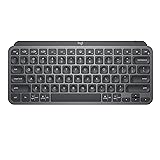 Best Mini Keyboard Logitech MX Keys Mini: 11.65 in wide, backlit, pairs with 3 devices over Bluetooth Check price on Amazon
The picks
| # | Product | Office Score | Buy |
|---|---|---|---|
| 1 | Logitech MK470 Combo | 9.5/10 | Buy on Amazon |
| 2 | MANHATTAN Wired 179324 | 9.5/10 | Buy on Amazon |
| 3 | TopMate KM9000 Combo | 9.5/10 | Buy on Amazon |
| 4 | Rapoo 9010M Combo | 9.5/10 | Buy on Amazon |
| 5 | Logitech MX Keys Mini | 9.5/10 | Buy on Amazon |

Logitech MK470 Combo
A slim wireless keyboard and mouse combo with quiet keys, a 10 m wireless range and long battery life.
Pros
- 36 months of keyboard battery and 18 months of mouse battery stated
- Quiet low-profile scissor keys with a number pad
- 10 m (33 ft) 2.4 GHz wireless range via nano receiver
- 1 Year Limited Hardware Warranty stated
Cons
- No width is stated, so fit on a small desk is unverified
- Windows and ChromeOS layout; Mac support is not stated
- No backlighting is stated
- Mouse is limited to 1000 DPI
Detailed Review
Logitech lists the MK470 as a slim wireless combo with a compact low-profile keyboard, 104 keys including a number pad, and an ambidextrous mouse with 1000 DPI optical tracking. The 2.4 GHz nano receiver gives up to 10 m (33 ft) of range, and auto-sleep stretches battery life to 36 months for the keyboard and 18 months for the mouse. The 12 FN keys can be customized with Logi Options software. It weighs 1.5 pounds and carries a 1 Year Limited Hardware Warranty.
Who it's for: a home worker who wants a quiet, compact wireless combo with a number pad and a stated warranty. Who should skip it: Mac-first setups, or anyone who needs backlit keys.
Its Office Score of 9.5/10 comes from performance 32/35, build 21/25, value 20/25, safety 0/10 and warranty 3/5: 76 of 100 points, placed on our 9.2 to 9.8 scale.
Key Specifications
| Keys | Full-size, with number pad |
|---|---|
| Wireless | 2.4 GHz, 10 m (33 ft) range |
| Battery | 36 mo keyboard, 18 mo mouse |
| Warranty | 1 Year Limited Hardware Warranty |
Figures as published on the retailer listing, collected 21 October 2026. Performance figures are manufacturer rated.
Safety and Warranty
What this listing states. No FCC or other safety listing is stated, so safety scores zero. 1 Year Limited Hardware Warranty. It does not say everything a buyer needs, such as who pays return shipping, so warranty scores 3 of 5. See How We Pick.
Fit the desk first. Check the stated size against your desk depth and keyboard tray, and charge or pair as the manual describes. No keyboard, mouse or wrist rest prevents or treats injury.
This is general buying information, not professional advice. Follow each product manual and local rules, and see our Safety Disclaimer.

MANHATTAN Wired 179324
A basic wired 104-key keyboard with a 4.5 ft USB cable, foldable stands and a 3-year warranty.
Pros
- 3-year warranty, the longest stated here
- No batteries or software needed; USB plug and play
- Keys rated for up to 3,000,000 keystrokes
- Foldable stands and Num/Caps/Scroll Lock lights
Cons
- 17.56 in wide, the widest pick here
- Wired, so the 4.5 ft cable must reach the computer
- Basic feature set with no backlighting stated
- Plastic body at 14.4 ounces feels light on the desk
Detailed Review
Manhattan lists the 179324 as a full-size 104-key wired keyboard with a 4.5 ft USB-A cable, foldable stands and Num Lock, Caps Lock and Scroll Lock lights. It measures 17.56 by 5.35 by 0.98 in, weighs 14.4 ounces and rates each key for up to 3,000,000 keystrokes. The box includes the keyboard and a quick instruction guide, and the listing states a 3-year warranty.
Who it's for: anyone who wants a simple wired keyboard with the longest warranty here and no batteries to manage. Who should skip it: small desks where 17.56 in of width is too much.
Its Office Score of 9.5/10 comes from performance 27/35, build 20/25, value 20/25, safety 0/10 and warranty 4/5: 71 of 100 points, placed on our 9.2 to 9.8 scale.
Key Specifications
| Keys | Full-size, with number pad |
|---|---|
| Size | 17.56 x 5.35 x 0.98 in |
| Cable | 4.5 ft USB-A |
| Warranty | 3 Year Warranty |
Figures as published on the retailer listing, collected 21 October 2026. Performance figures are manufacturer rated.
Safety and Warranty
What this listing states. This product does not plug in or run on a battery, so safety is not part of its score. 3 Year Warranty. It does not say everything a buyer needs, such as who pays return shipping, so warranty scores 4 of 5. See How We Pick.
Fit the desk first. Check the stated size against your desk depth and keyboard tray, and charge or pair as the manual describes. No keyboard, mouse or wrist rest prevents or treats injury.
This is general buying information, not professional advice. Follow each product manual and local rules, and see our Safety Disclaimer.

TopMate KM9000 Combo
An ultra-slim wireless keyboard and mouse combo, 0.8 in thin, with a dust cover and batteries included.
Pros
- 0.8 in thin body, 14.55 in wide
- Dust cover included for protection
- Batteries included; 3 to 5 months of life stated
- Mouse with 5 adjustable DPI levels
Cons
- Warranty headline says 2 years but the text promises one year
- Hot keys not fully compatible with Mac
- Battery life of 3 to 5 months is the shortest here
- No backlighting is stated
Detailed Review
TopMate lists the KM9000 as an ultra-slim wireless combo with a 14.55 by 5.5 by 0.8 in keyboard, a full-size layout with a number pad, scissor switches and 12 function keys. The mouse offers 5 DPI levels, and one nano receiver serves both devices with up to 10 m of range. Batteries are included with 3 to 5 months of life stated, and a cover protects against dust and liquid. One contradiction: the bullet headline says 2-Year Warranty while the text promises a free replacement within one year for quality problems, so we treat it as a one-year term.
Who it's for: a home worker who wants the thinnest combo here with a cover for a shared desk. Who should skip it: Mac-heavy setups, or anyone who wants a longer stated battery life.
Its Office Score of 9.5/10 comes from performance 29/35, build 19/25, value 21/25, safety 0/10 and warranty 3/5: 72 of 100 points, placed on our 9.2 to 9.8 scale.
Key Specifications
| Keys | Full-size, with number pad |
|---|---|
| Size | 14.55 x 5.5 x 0.8 in |
| Wireless | 2.4 GHz, 10 m range |
| Battery | 3 to 5 months, included |
Figures as published on the retailer listing, collected 21 October 2026. Performance figures are manufacturer rated.
Safety and Warranty
What this listing states. No FCC or other safety listing is stated, so safety scores zero. Free replacement within one year for quality problems (headline says 2-Year Warranty). It does not say everything a buyer needs, such as who pays return shipping, so warranty scores 3 of 5. See How We Pick.
Fit the desk first. Check the stated size against your desk depth and keyboard tray, and charge or pair as the manual describes. No keyboard, mouse or wrist rest prevents or treats injury.
This is general buying information, not professional advice. Follow each product manual and local rules, and see our Safety Disclaimer.

Rapoo 9010M Combo
A 78-key wireless keyboard and mouse combo that pairs with up to 4 devices over 2.4 GHz or Bluetooth.
Pros
- Pairs with up to 4 devices at once
- 2.4 GHz plus Bluetooth
- Silent low-profile scissor keys
- Mouse DPI adjustable
Cons
- 78 keys with no number pad
- No width is stated
- No battery life figure is stated
- Weighs 314 g without a stated keyboard size
Detailed Review
Rapoo lists the 9010M as a multi-device wireless combo with 78 low-profile scissor keys, 12 function keys and silent clicks. It connects over 2.4 GHz, Bluetooth to up to 4 devices at the same time, with device and caps-lock indicator lights. The optical mouse has adjustable DPI. It runs on 2 AAA batteries (included), weighs 314 g and carries a 1 year warranty.
Who it's for: someone juggling a PC, tablet and phone on one small desk who wants one keyboard for all of them. Who should skip it: spreadsheet work that needs a number pad.
Its Office Score of 9.5/10 comes from performance 29/35, build 20/25, value 19/25, safety 0/10 and warranty 3/5: 71 of 100 points, placed on our 9.2 to 9.8 scale.
Key Specifications
| Keys | 78, no number pad |
|---|---|
| Devices | Up to 4, 2.4 GHz / Bluetooth |
| Mouse | Adjustable DPI, optical |
| Warranty | 1 year warranty |
Figures as published on the retailer listing, collected 21 October 2026. Performance figures are manufacturer rated.
Safety and Warranty
What this listing states. This product does not plug in or run on a battery, so safety is not part of its score. 1 year warranty. It does not say everything a buyer needs, such as who pays return shipping, so warranty scores 3 of 5. See How We Pick.
Fit the desk first. Check the stated size against your desk depth and keyboard tray, and charge or pair as the manual describes. No keyboard, mouse or wrist rest prevents or treats injury.
This is general buying information, not professional advice. Follow each product manual and local rules, and see our Safety Disclaimer.

Logitech MX Keys Mini
A minimalist backlit wireless keyboard, 11.65 in wide, that pairs with 3 devices over Bluetooth.
Pros
- 11.65 in wide, the narrowest pick here
- Backlit keys that adjust to ambient light
- Pairs with 3 devices over Bluetooth
- USB-C rechargeable; 5 months with backlight off
Cons
- No warranty term is stated
- Spec table lists both 104 keys and 34 buttons
- No number pad
- 10 days per charge with backlighting on
Detailed Review
Logitech lists the MX Keys Mini as a minimalist wireless keyboard with backlit keys that light up as hands approach and adjust to ambient light. It pairs with up to 3 devices over Bluetooth Low Energy, supports macOS, iOS, Windows, Linux and Android, and recharges over USB-C with up to 10 days per charge or up to 5 months with backlighting off. It measures 11.65 by 5.19 by 0.83 in and weighs 1.5 pounds. One contradiction: the spec table lists 104 keys in one field and 34 buttons in another, so treat the key count as not clearly stated. The warranty line only says a manufacturer's warranty can be requested from customer service, which is not a stated term.
Who it's for: a small desk where every inch counts and backlighting matters for evening work. Who should skip it: anyone who needs a number pad or a stated warranty term.
Its Office Score of 9.5/10 comes from performance 33/35, build 21/25, value 19/25, safety 0/10 and warranty 0/5: 73 of 100 points, placed on our 9.2 to 9.8 scale.
Key Specifications
| Size | 11.65 x 5.19 x 0.83 in |
|---|---|
| Keys | Mini layout; table lists 104 and 34 |
| Connection | Bluetooth, 3 devices; USB-C charging |
| Battery | 10 days backlit, 5 mo off |
Figures as published on the retailer listing, collected 21 October 2026. Performance figures are manufacturer rated.
Safety and Warranty
What this listing states. No FCC or other safety listing is stated, so safety scores zero. No warranty term, so warranty scores zero. See How We Pick.
Fit the desk first. Check the stated size against your desk depth and keyboard tray, and charge or pair as the manual describes. No keyboard, mouse or wrist rest prevents or treats injury.
This is general buying information, not professional advice. Follow each product manual and local rules, and see our Safety Disclaimer.
As an Amazon Associate I earn from qualifying purchases.
More picks to compare
 Colorful MPTOG Wireless Computer KeyboardCheck on Amazon
 TT-FOPETT Wireless Keyboard and Mouse SetCheck on Amazon
 Redragon Wireless Gaming KeyboardCheck on Amazon
Compare the picks
| Keyboard | Office Score | Width | Keys | Connection | Battery | Warranty | Amazon |
|---|---|---|---|---|---|---|---|
| Logitech MK470 Combo | 9.5/10 | Not stated | 104 | 2.4 GHz wireless | 36 mo keyboard, 18 mo mouse | 1 year | View on Amazon |
| MANHATTAN Wired 179324 | 9.5/10 | 17.56 in | 104 | Wired USB, 4.5 ft cable | No batteries needed | 3 years | View on Amazon |
| TopMate KM9000 Combo | 9.5/10 | 14.55 in | 104 | 2.4 GHz wireless | 3 to 5 months | 1 year (see review) | View on Amazon |
| Rapoo 9010M Combo | 9.5/10 | Not stated | 78 | 2.4 GHz / Bluetooth | 2 AAA included | 1 year | View on Amazon |
| Logitech MX Keys Mini | 9.5/10 | 11.65 in | Conflicting counts stated | Bluetooth, USB-C | 10 days backlit, 5 mo off | Not stated | View on Amazon |
Specifications are manufacturer rated as listed, collected 21 October 2026.
How we scored them
The Office Score weighs performance (footprint, key count, connection options and battery life), build, value for the stated specs, safety and warranty. For keyboards, safety would mean stated certifications or safety features; none of the listings state any, so safety scores zero across the board. Four of the five state a warranty term: 1 year on the Logitech MK470 and Rapoo 9010M, 3 years on the Manhattan, and a one-year replacement promise on the TopMate. How we pick explains the weights.
| Product | Office Score | Perf. /35 | Build /25 | Value /25 | Safety /10 | Warranty /5 |
|---|---|---|---|---|---|---|
| Logitech MK470 Combo | 9.5 | 32 | 21 | 20 | 0 | 3 |
| MANHATTAN Wired 179324 | 9.5 | 27 | 20 | 20 | 0 | 4 |
| TopMate KM9000 Combo | 9.5 | 29 | 19 | 21 | 0 | 3 |
| Rapoo 9010M Combo | 9.5 | 29 | 20 | 19 | 0 | 3 |
| Logitech MX Keys Mini | 9.5 | 33 | 21 | 19 | 0 | 0 |
Scores run from 9.2 to 9.8: each product’s point total is placed on that range, so more points always means a higher score.
How to choose the best keyboard for small desk
Width is the number that matters most
On a small desk, every inch of keyboard width is an inch the mouse does not get. The Logitech MX Keys Mini is the narrowest here at 11.65 in wide, followed by the TopMate at 14.55 in and the Manhattan at 17.56 in. The Logitech MK470 and Rapoo 9010M do not state a width, so check the listing before assuming they will fit. Pair a compact keyboard with one of our computer desks for small spaces to plan the full layout.
Wireless or wired
Three picks cut the cord: the Logitech MK470 and TopMate run on 2.4 GHz wireless with a nano receiver, and the Rapoo 9010M adds Bluetooth for up to 4 devices. The MX Keys Mini pairs with 3 devices over Bluetooth and recharges over USB-C. The Manhattan is wired with a 4.5 ft USB cable, which never needs charging but tethers you to the desk. Wireless keeps a small desk visually clean; wired means one less battery to think about.
| Keyboard | Width | Keys | Battery |
|---|---|---|---|
| Logitech MK470 Combo | Not stated | 104 | 36 mo keyboard, 18 mo mouse |
| MANHATTAN Wired 179324 | 17.56 in | 104 | No batteries needed |
| TopMate KM9000 Combo | 14.55 in | 104 | 3 to 5 months |
| Rapoo 9010M Combo | Not stated | 78 | 2 AAA included |
| Logitech MX Keys Mini | 11.65 in | Conflicting counts stated | 10 days backlit, 5 mo off |
Keyboards with a mouse, or keyboard only
Four of the five are combos: the MK470, TopMate and Rapoo 9010M each include a wireless mouse, which saves a separate purchase and one USB receiver. The Manhattan and the MX Keys Mini are keyboard only, so budget for a mouse; a mouse and mouse pad rounds out either one. Combo mice here run 1000 DPI on the MK470 up to adjustable DPI on the Rapoo.
Read the warranty line, not the headline
The Manhattan states a 3-year warranty, the longest here. The Logitech MK470 and Rapoo 9010M each state 1 year. The TopMate bullet headline says “2-Year Warranty” but the text promises a free replacement within one year for quality problems, so we score it as one year. The MX Keys Mini says a manufacturer’s warranty can be requested from customer service, which is not a stated term.
Frequently Asked Questions
What size keyboard fits a small desk?
The narrowest pick here is the Logitech MX Keys Mini at 11.65 in wide, then the TopMate at 14.55 in. The Manhattan is 17.56 in wide, which suits a deeper desk. Measure your desk depth and leave room for the mouse beside the keyboard.
Which of these keyboards is wireless?
The Logitech MK470, TopMate and Rapoo 9010M are wireless combos, and the MX Keys Mini is a wireless Bluetooth keyboard. The Manhattan is wired with a 4.5 ft USB cable.
How long do the batteries last?
The Logitech MK470 lists 36 months for the keyboard and 18 months for the mouse. The TopMate lists 3 to 5 months depending on use. The MX Keys Mini lists up to 10 days per charge with backlighting on, or up to 5 months with it off.
Which keyboard has the longest warranty?
The Manhattan states a 3-year warranty. The Logitech MK470 and Rapoo 9010M state 1 year each, the TopMate promises a free replacement within one year, and the MX Keys Mini states no term.
Do any of these have a number pad?
The Logitech MK470, TopMate and Manhattan list a full-size layout with a number pad. The Rapoo 9010M has 78 keys with no number pad, and the MX Keys Mini is a mini layout.
Related guides
See every keyboard guide and all monitor mounts, keyboards and mice guides. Also see our best keyboard for office typing. Also see our best keyboard for heavy typing. Also see our best keyboard for business. Also see our best keyboard and mouse pad for work. Also see our best desk mat for mouse and keyboard. Also see our best computer desk with keyboard tray.
More picks: standing desks, desk mats and pads, monitor arms and stands.