
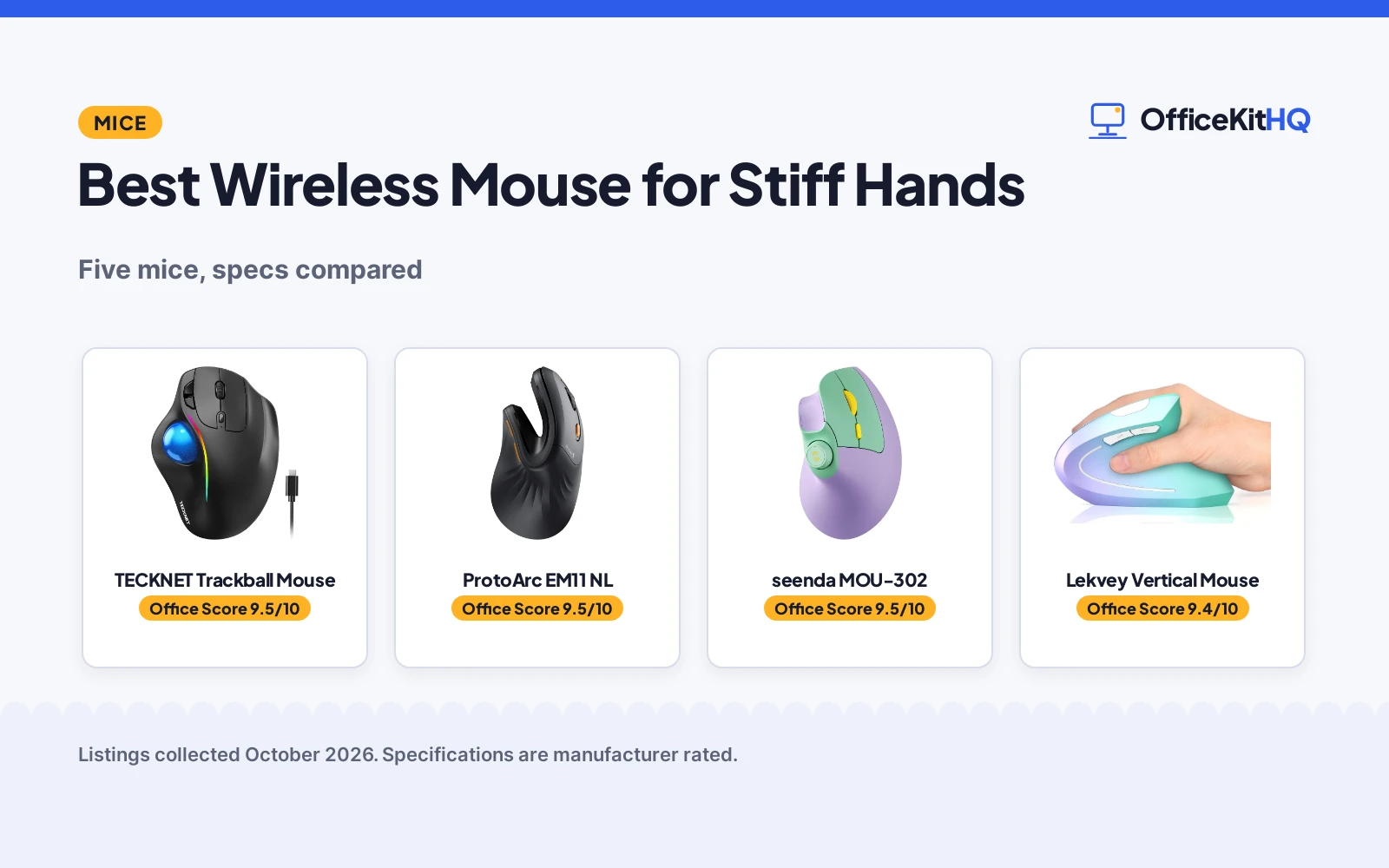
The best wireless mouse for stiff hands moves the work off your fingers, because clicking should not hurt. At the desk at 9 a.m. with a trackball under your thumb, your wrist stays put. We compared five wireless mice for stiff hands by stated shape, DPI, battery and clicks, using only what each listing publishes.
OfficeKitHQ earns a commission when you buy through links on this page, at no extra cost to you. As an Amazon Associate I earn from qualifying purchases. Affiliate disclosure.
Quick picks
 Best Overall TECKNET Trackball Mouse: Trackball, 16 deg, silent, 3 devices Check price on Amazon
 Best Vertical ProtoArc EM11 NL: 58 deg, small-medium hands, 3 devices Check price on Amazon
 Best Extras seenda MOU-302: Volume knob, quiet clicks, 3 devices Check price on Amazon
 Best Battery Lekvey Vertical Mouse: 600mAh, quiet clicks, 6 buttons Check price on Amazon
 Best Simple Anker Vertical Mouse: Handshake grip, 5 buttons, 2.4G Check price on Amazon
The picks
| # | Product | Office Score | Buy |
|---|---|---|---|
| 1 | TECKNET Trackball Mouse | 9.5/10 | Buy on Amazon |
| 2 | ProtoArc EM11 NL | 9.5/10 | Buy on Amazon |
| 3 | seenda MOU-302 | 9.5/10 | Buy on Amazon |
| 4 | Lekvey Vertical Mouse | 9.4/10 | Buy on Amazon |
| 5 | Anker Vertical Mouse | 9.4/10 | Buy on Amazon |

TECKNET Trackball Mouse
A wireless trackball mouse with thumb control, 16-degree vertical angle and silent clicks.
Pros
- Trackball thumb control stated for less movement
- 16-degree vertical angle stated for 50% less strain
- Silent mouse stated with 5 adjustable DPI
- 3-device Bluetooth and 2.4G stated
Cons
- Trackball needs a learning curve
- RGB lighting may not suit offices
- Thumb ball needs cleaning
- No warranty term is stated
Detailed Review
TECKNET lists a wireless trackball mouse with thumb control, a 16-degree vertical angle stated for up to 50% less strain, and silent clicks with 5 adjustable DPI. The listing states 3-device connectivity over Bluetooth and 2.4G up to 34 ft, a 500mAh rechargeable battery and RGB lighting. It is black. No warranty term is stated.
Who it's for: anyone who wants the least hand movement with silent clicks. Who should skip it: anyone who dislikes trackballs.
Its Office Score of 9.5/10 comes from performance 33/35, build 21/25, value 21/25, safety 0/10 and warranty 0/5: 75 of 100 points, placed on our 9.2 to 9.8 scale.
Key Specifications
| Shape | Trackball |
|---|---|
| DPI | 5 levels |
| Battery | 500mAh |
| Devices | 3 |
Figures as published on the retailer listing, collected 17 October 2026. Performance figures are manufacturer rated.
Safety and Warranty
What this listing states. No FCC or other safety listing is stated, so safety scores zero. No warranty term, so warranty scores zero. See How We Pick.
Fit the desk first. Check the stated size against your desk depth and keyboard tray, and charge or pair as the manual describes. No keyboard, mouse or wrist rest prevents or treats injury.
This is general buying information, not professional advice. Follow each product manual and local rules, and see our Safety Disclaimer.

ProtoArc EM11 NL
A 58-degree vertical wireless mouse for small to medium hands with 3-device connectivity.
Pros
- 58-degree vertical stated for natural wrist
- Stated for small to medium hands under 7.5 inches
- 3 devices stated over Bluetooth and 2.4G
- 500mAh rechargeable with Type-C stated
Cons
- Stated for small to medium hands, not larger
- No DPI term is stated
- No click noise term is stated
- No warranty term is stated
Detailed Review
ProtoArc lists the EM11 NL as a 58-degree vertical wireless mouse for hand lengths under 7.5 inches. The listing states 3-device connectivity over dual Bluetooth and 2.4G USB-A, a 500mAh rechargeable battery with Type-C cable for charging, and reduced wrist strain for a natural grip. It is black. No warranty term is stated.
Who it's for: smaller hands that want a vertical grip with 3 devices. Who should skip it: larger hands.
Its Office Score of 9.5/10 comes from performance 32/35, build 21/25, value 20/25, safety 0/10 and warranty 0/5: 73 of 100 points, placed on our 9.2 to 9.8 scale.
Key Specifications
| Shape | 58 deg vertical |
|---|---|
| Hands | Under 7.5 in |
| Battery | 500mAh |
| Devices | 3 |
Figures as published on the retailer listing, collected 17 October 2026. Performance figures are manufacturer rated.
Safety and Warranty
What this listing states. No FCC or other safety listing is stated, so safety scores zero. No warranty term, so warranty scores zero. See How We Pick.
Fit the desk first. Check the stated size against your desk depth and keyboard tray, and charge or pair as the manual describes. No keyboard, mouse or wrist rest prevents or treats injury.
This is general buying information, not professional advice. Follow each product manual and local rules, and see our Safety Disclaimer.

seenda MOU-302
A vertical wireless mouse with a volume knob, quiet clicks and 3-device connectivity.
Pros
- Volume control button stated
- Quiet clicks stated
- 3 devices stated over 2.4G and Bluetooth
- Three DPI presets stated
Cons
- Volume knob may not suit every user
- 500mAh is mid-range here
- Small to medium hands implied
- No warranty term is stated
Detailed Review
seenda lists the MOU-302 as a vertical wireless mouse with a built-in volume control button, quiet clicks and 3-device connectivity over 2.4G USB, BT1 and BT2. The listing states three DPI presets, a 500mAh rechargeable battery and a handshake grip for wrist strain. No warranty term is stated.
Who it's for: anyone who wants a volume knob with quiet clicks. Who should skip it: anyone who needs a trackball.
Its Office Score of 9.5/10 comes from performance 30/35, build 20/25, value 20/25, safety 0/10 and warranty 0/5: 70 of 100 points, placed on our 9.2 to 9.8 scale.
Key Specifications
| Shape | Vertical |
|---|---|
| DPI | Three presets |
| Battery | 500mAh |
| Extras | Volume knob |
Figures as published on the retailer listing, collected 17 October 2026. Performance figures are manufacturer rated.
Safety and Warranty
What this listing states. No FCC or other safety listing is stated, so safety scores zero. No warranty term, so warranty scores zero. See How We Pick.
Fit the desk first. Check the stated size against your desk depth and keyboard tray, and charge or pair as the manual describes. No keyboard, mouse or wrist rest prevents or treats injury.
This is general buying information, not professional advice. Follow each product manual and local rules, and see our Safety Disclaimer.

Lekvey Vertical Mouse
A vertical wireless mouse with quiet clicks, 6 buttons and a 600mAh battery.
Pros
- 600mAh stated for 3 to 4 weeks
- Quiet clicks stated
- 6 buttons stated with page back and forward
- USB-C charging stated
Cons
- 2.4G only; no Bluetooth stated
- Green purple may not suit offices
- No multi-device is stated
- No warranty term is stated
Detailed Review
Lekvey lists a vertical wireless mouse with quiet clicks, 6 buttons and a 600mAh rechargeable battery. The listing states 800, 1200 and 1600 DPI, USB-C charging, a nano 2.4GHz receiver at the mouse bottom and 3 to 4 weeks per charge with 8 to 10-hour days. It is green purple. No warranty term is stated.
Who it's for: anyone who wants the biggest stated battery with quiet clicks. Who should skip it: anyone who needs Bluetooth or multi-device.
Its Office Score of 9.4/10 comes from performance 29/35, build 20/25, value 20/25, safety 0/10 and warranty 0/5: 69 of 100 points, placed on our 9.2 to 9.8 scale.
Key Specifications
| Shape | Vertical |
|---|---|
| DPI | 800-1600 |
| Battery | 600mAh |
| Buttons | 6 |
Figures as published on the retailer listing, collected 17 October 2026. Performance figures are manufacturer rated.
Safety and Warranty
What this listing states. No FCC or other safety listing is stated, so safety scores zero. No warranty term, so warranty scores zero. See How We Pick.
Fit the desk first. Check the stated size against your desk depth and keyboard tray, and charge or pair as the manual describes. No keyboard, mouse or wrist rest prevents or treats injury.
This is general buying information, not professional advice. Follow each product manual and local rules, and see our Safety Disclaimer.

Anker Vertical Mouse
A vertical wireless mouse with a handshake grip, 5 buttons and 2.4G connectivity.
Pros
- Handshake wrist position stated
- 5 buttons with next and previous stated
- 800 to 1600 DPI stated
- Power-saving after 8 minutes stated
Cons
- Click sounds stated as unavoidable
- 2.4G only; no Bluetooth
- No battery term is stated
- No warranty term is stated
Detailed Review
Anker lists a 2.4G wireless vertical ergonomic mouse with a handshake wrist and arm position, 800, 1200 and 1600 DPI and next and previous buttons. The listing states power-saving mode after 8 minutes of inactivity and notes that key click sounds are unavoidable. It is not Bluetooth. No warranty term is stated.
Who it's for: anyone who wants a simple vertical mouse with extra buttons. Who should skip it: anyone who needs quiet clicks.
Its Office Score of 9.4/10 comes from performance 28/35, build 20/25, value 20/25, safety 0/10 and warranty 0/5: 68 of 100 points, placed on our 9.2 to 9.8 scale.
Key Specifications
| Shape | Vertical |
|---|---|
| DPI | 800-1600 |
| Buttons | 5 |
| Connection | 2.4G |
Figures as published on the retailer listing, collected 17 October 2026. Performance figures are manufacturer rated.
Safety and Warranty
What this listing states. This product does not plug in or run on a battery, so safety is not part of its score. No warranty term, so warranty scores zero. See How We Pick.
Fit the desk first. Check the stated size against your desk depth and keyboard tray, and charge or pair as the manual describes. No keyboard, mouse or wrist rest prevents or treats injury.
This is general buying information, not professional advice. Follow each product manual and local rules, and see our Safety Disclaimer.
As an Amazon Associate I earn from qualifying purchases.
Compare the picks
| Mouse | Office Score | Shape | DPI | Battery | Amazon |
|---|---|---|---|---|---|
| TECKNET Trackball Mouse | 9.5/10 | Trackball | 5 levels | 500mAh | View on Amazon |
| ProtoArc EM11 NL | 9.5/10 | 58 deg vertical | Not stated | 500mAh | View on Amazon |
| seenda MOU-302 | 9.5/10 | Vertical | Three presets | 500mAh | View on Amazon |
| Lekvey Vertical Mouse | 9.4/10 | Vertical | 800-1600 | 600mAh | View on Amazon |
| Anker Vertical Mouse | 9.4/10 | Vertical | 800-1600 | Not stated | View on Amazon |
Specifications are manufacturer rated as listed, collected 17 October 2026. None of the five state a warranty term.
How we scored them
The Office Score weighs performance (shape, DPI and clicks), build (battery and materials), value for the stated specs, safety and warranty. For stiff hands, performance starts with shape: the TECKNET’s trackball with thumb control, the ProtoArc’s 58-degree vertical for small to medium hands, and the seenda’s quiet vertical with a volume knob. No listing states a warranty term or a safety certification, so those scores are zero across the board. How we pick explains the weights.
| Product | Office Score | Perf. /35 | Build /25 | Value /25 | Safety /10 | Warranty /5 |
|---|---|---|---|---|---|---|
| TECKNET Trackball Mouse | 9.5 | 33 | 21 | 21 | 0 | 0 |
| ProtoArc EM11 NL | 9.5 | 32 | 21 | 20 | 0 | 0 |
| seenda MOU-302 | 9.5 | 30 | 20 | 20 | 0 | 0 |
| Lekvey Vertical Mouse | 9.4 | 29 | 20 | 20 | 0 | 0 |
| Anker Vertical Mouse | 9.4 | 28 | 20 | 20 | 0 | 0 |
Scores run from 9.2 to 9.8: each product’s point total is placed on that range, so more points always means a higher score.
How to choose the best wireless mouse for stiff hands
Shape
The TECKNET is a trackball mouse: the hand stays still while the thumb moves the ball. The ProtoArc is a 58-degree vertical mouse for small to medium hands under 7.5 inches. The seenda, Lekvey and Anker are vertical mice with a handshake grip. A trackball removes wrist movement; a vertical shape straightens the wrist.
Clicks
The TECKNET states a silent mouse. The seenda and Lekvey state quiet clicks. The Anker states that key click sounds are unavoidable. If clicking itself is the pain point, silent and quiet matter most.
Battery
The Lekvey states a 600mAh battery for 3 to 4 weeks of 8 to 10-hour days. The TECKNET, ProtoArc and seenda state 500mAh rechargeable batteries. The Anker states no battery term, with power-saving after 8 minutes of inactivity.
| Mouse | Shape (stated) | DPI (stated) | Clicks (stated) | Battery (stated) |
|---|---|---|---|---|
| TECKNET Trackball | Trackball, 16 deg | 5 levels | Silent | 500mAh |
| ProtoArc EM11 NL | 58 deg vertical | Not stated | Not stated | 500mAh |
| seenda MOU-302 | Vertical | three DPI presets | Quiet | 500mAh |
| Lekvey | Vertical | 800 to 1600 | Quiet | 600mAh |
| Anker | Vertical | 800 to 1600 | Audible | Not stated |
Five more options
Five more options from the same listings did not make the ranked picks: another TECKNET, Logitech, wegear, PHILIPS and HP mice.
Setup Notes
- Measure your hand: the ProtoArc states hands under 7.5 inches for its fit.
- Charge via cable: the ProtoArc and Lekvey state Type-C or USB-C charging.
- Keep the receiver: the Lekvey states a nano receiver stored at the mouse bottom.
- Switch devices: the TECKNET, ProtoArc and seenda state 3-device connectivity.
Frequently Asked Questions
Which of these moves the hand least?
The TECKNET trackball, with thumb control stated and the hand staying still.
Which are silent?
The TECKNET states silent. The seenda and Lekvey state quiet clicks. The Anker states click sounds are unavoidable.
Which fit small hands?
The ProtoArc, stated for small to medium hands under 7.5 inches.
Which have a volume knob?
The seenda MOU-302, with a built-in volume control button stated.
Related guides
See every mice and mouse pads guide and all computer peripherals guides. Also see our wireless mouse with programmable buttons picks. Also see our wireless mouse with long battery life picks.
More picks: mice and mouse pads, wireless mouse with programmable buttons and wireless mouse with long battery life.


