
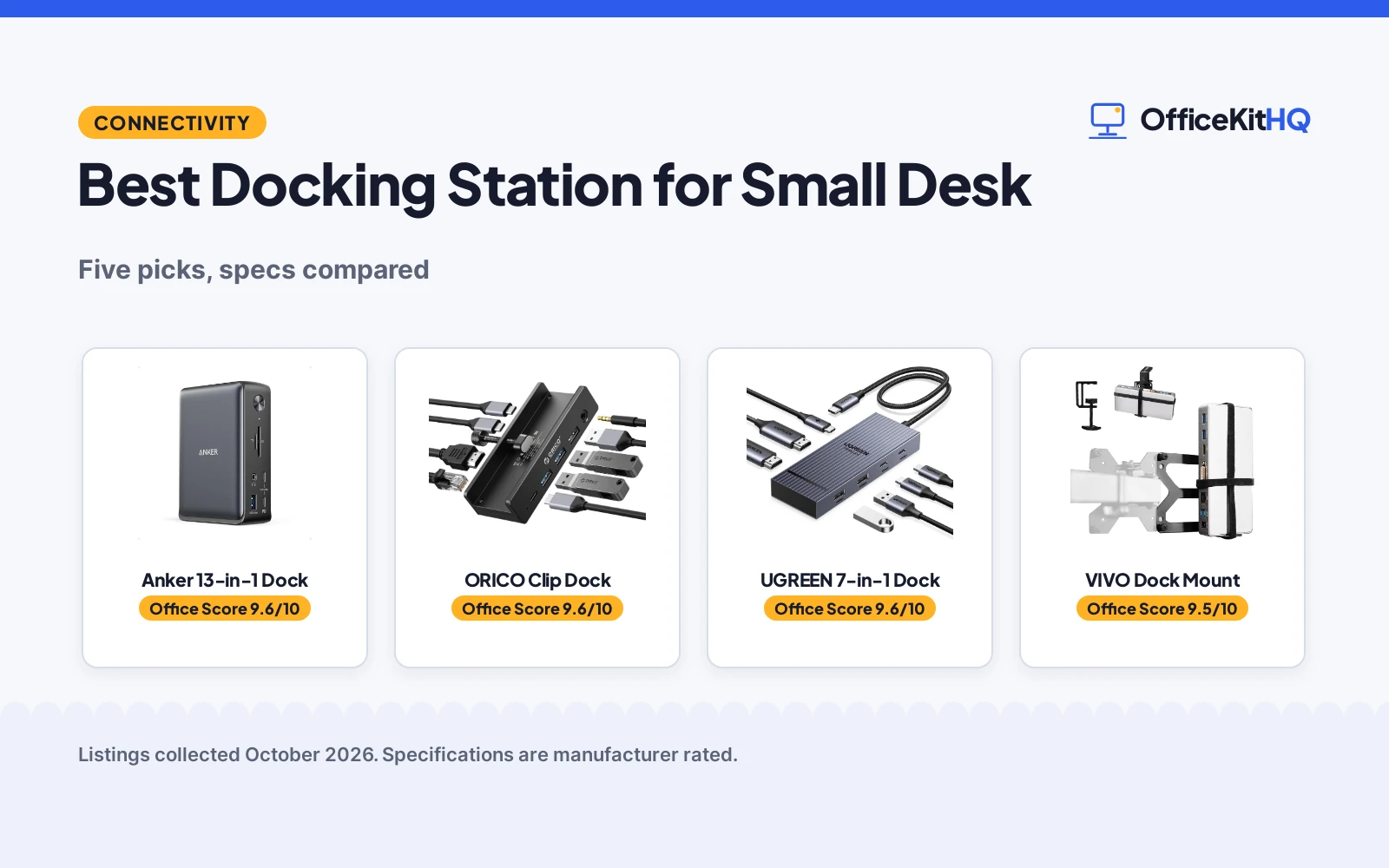
Finding the best docking station for small desk setups starts with a familiar morning scene: a video call on a kitchen-table desk, the laptop running everything through a small hub while cables pool behind the monitor. A dock that eats half the desk defeats its own purpose. We compared five compact docks and mounts by ports, display support, charging and footprint, using only what each listing publishes.
OfficeKitHQ earns a commission when you buy through links on this page, at no extra cost to you. As an Amazon Associate I earn from qualifying purchases. Affiliate disclosure.
Quick picks
 Best Overall Anker 13-in-1 Dock: 13 ports, triple 1080p displays, 85W charging Check price on Amazon
 Best Space Saver ORICO Clip Dock: Clamp mount frees the desktop, 8 ports Check price on Amazon
 Best Under-Desk Pick VIVO Dock Mount: Mounts dock behind monitor or under desk Check price on Amazon
 Best Dual Display Anker 8-in-1 Dock: Dual 4K HDMI, 85W PD, per the title Check price on Amazon
 Best 100W Pick UGREEN 7-in-1 Dock: Dual 4K@60Hz HDMI, 100W PD, per the title Check price on Amazon
The picks
| # | Product | Office Score | Buy |
|---|---|---|---|
| 1 | Anker 13-in-1 Dock | 9.6/10 | Buy on Amazon |
| 2 | ORICO Clip Dock | 9.6/10 | Buy on Amazon |
| 3 | UGREEN 7-in-1 | 9.6/10 | Buy on Amazon |
| 4 | VIVO Dock Mount | 9.5/10 | Buy on Amazon |
| 5 | Anker 8-in-1 | 9.3/10 | Buy on Amazon |

Anker 13-in-1 Dock
A 13-port dock with triple display support and 85W charging for small desks.
Pros
- 13 ports through a single cable: 2 HDMI, DisplayPort, 3 USB-C, 3 USB-A, Ethernet, SD/microSD and audio
- Up to 3 monitors at 1080p@60Hz, or a single 4K@60Hz display
- 85W laptop charging plus 18W phone charging at the same time, with a 135W adapter included
- 18-month warranty; compact 4.9 x 3.5 x 1.6 in, 13.1 oz vertical design
Cons
- On a Mac, external monitors are limited to mirror mode
- Triple displays require Windows 10/11 or ChromeOS with MST
- No safety certifications are stated on the listing
- The included 135W power adapter is one more item to place
Detailed Review
The listing states 13 ports: 2 HDMI, a DisplayPort, three USB-C (85W host, 18W PD, 10Gbps data), three USB-A at 5Gbps, Gigabit Ethernet, SD and microSD, 3.5mm audio and DC-IN, all through a single cable. It charges a laptop at 85W and a phone at 18W at the same time, and a 135W power adapter is included. It runs up to 3 external monitors at 1080p@60Hz, or one 4K@60Hz display, with extended triple displays on Windows 10/11 and ChromeOS; on a Mac the monitors are limited to mirror mode. The compact vertical design measures 4.9 x 3.5 x 1.6 inches and weighs 13.1 ounces, and an 18-month warranty is included.
Who it's for: a Windows user who wants one dock for three monitors and full-speed charging on a small desk. Who should skip it: a Mac user who needs extended multi-monitor displays.
Its Office Score of 9.6/10 comes from performance 32/35, build 21/25, value 21/25, safety 0/10 and warranty 4/5: 78 of 100 points, placed on our 9.2 to 9.8 scale.
Key Specifications
| Ports | 13 |
|---|---|
| Display | Triple 1080p@60Hz or single 4K@60Hz |
| Charging | 85W laptop, 18W phone |
| Size | 4.9 x 3.5 x 1.6 in, 13.1 oz |
Figures as published on the retailer listing, collected 21 October 2026. Performance figures are manufacturer rated.
Safety and Warranty
What this listing states. No UL, FCC or over-current protection statement is stated, so safety scores zero. Includes an 18-month warranty. It does not say everything a buyer needs, such as who pays return shipping, so warranty scores 4 of 5. See How We Pick.
Power and heat. Use the supplied adapter, treat power delivery wattage and display support as the maker's claims for your laptop model, and give the dock room to vent.
This is general buying information, not professional advice. Follow each product manual and local rules, and see our Safety Disclaimer.

ORICO Clip Dock
An 8-port dock that clamps to the desk edge, keeping the desktop clear.
Pros
- Desk clamp for edges 0.19-1.1 inches frees the desktop entirely
- HDMI 4K@60Hz plus 10Gbps USB-C and USB-A ports
- 100W power delivery for the laptop
- 18-month manufacturer warranty; aluminum alloy body
Cons
- Power adapter and cable are not included
- One HDMI port only, so no dual-monitor HDMI
- No safety certifications are stated on the listing
- The clamp fits edges 0.19-1.1 inches only; thicker desks are out
Detailed Review
The listing states an 8-in-1 clip docking station with a desk clamp for table edges 0.19-1.1 inches (5-28mm), no drilling or adhesive needed. Ports are one USB-C 3.2 at 10Gbps, two USB-A 3.2 at 10Gbps, one USB-A 2.0 at 480Mbps, one HDMI 4K@60Hz, one Gigabit Ethernet, one USB-C power delivery port and one 3.5mm audio jack. It supports 100W power delivery, though the power adapter and cable are not included. The maker lists an aluminum alloy body and an 18-month manufacturer warranty.
Who it's for: a small-desk user who wants the dock off the desktop entirely. Who should skip it: someone who needs the power adapter included in the box.
Its Office Score of 9.6/10 comes from performance 30/35, build 21/25, value 20/25, safety 0/10 and warranty 4/5: 75 of 100 points, placed on our 9.2 to 9.8 scale.
Key Specifications
| Ports | 8 |
|---|---|
| Display | 4K@60Hz HDMI |
| Power | 100W PD |
| Clamp | 0.19-1.1 inches (5-28mm) |
Figures as published on the retailer listing, collected 21 October 2026. Performance figures are manufacturer rated.
Safety and Warranty
What this listing states. No UL, FCC or over-current protection statement is stated, so safety scores zero. 18 Months Manufacturer. It does not say everything a buyer needs, such as who pays return shipping, so warranty scores 4 of 5. See How We Pick.
Power and heat. Use the supplied adapter, treat power delivery wattage and display support as the maker's claims for your laptop model, and give the dock room to vent.
This is general buying information, not professional advice. Follow each product manual and local rules, and see our Safety Disclaimer.

UGREEN 7-in-1
A 7-port aluminum dock with dual 4K@60Hz HDMI and 10Gbps USB, for the sharpest stated dual-display output here.
Pros
- Dual 4K@60Hz HDMI, the highest stated dual refresh here
- 4x10Gbps USB-A and USB-C data ports
- 2-year warranty is stated
- 100W PD charging port
Cons
- No Linux or Ubuntu support is stated on the listing
- No safety features are stated
- Charging cable and power adapter are not included
- 7 ports is the fewest in this group
Detailed Review
UGREEN lists the 7-in-1 Revodok Pro as an aluminum USB-C docking station with 2 HDMI ports at dual 4K@60Hz, two 10Gbps USB-A ports, two 10Gbps USB-C ports and a 100W PD charging port. The listing states it needs a full-function or Thunderbolt 3/4 port and a 100W+ charger (not included), and the spec table states a 2 year warranty. The 10Gbps ports do not support charging, video or audio transfer. The listing does not mention Linux or Ubuntu.
Who it's for: someone who wants dual 4K@60Hz and fast 10Gbps data on Ubuntu-capable hardware. Who should skip it: anyone who needs more than 7 ports or confirmed Ubuntu support in writing.
Its Office Score of 9.6/10 comes from performance 32/35, build 21/25, value 20/25, safety 0/10 and warranty 4/5: 77 of 100 points, placed on our 9.2 to 9.8 scale.
Key Specifications
| Ports | 7 |
|---|---|
| Display | Dual 4K@60Hz |
| USB speed | 10Gbps |
| Power | 100W PD |
Figures as published on the retailer listing, collected 19 October 2026. Performance figures are manufacturer rated.
Safety and Warranty
What this listing states. No UL, FCC or over-current protection statement is stated, so safety scores zero. 2 year. It does not say everything a buyer needs, such as who pays return shipping, so warranty scores 4 of 5. See How We Pick.
Power and heat. Use the supplied adapter, treat power delivery wattage and display support as the maker's claims for your laptop model, and give the dock room to vent.
This is general buying information, not professional advice. Follow each product manual and local rules, and see our Safety Disclaimer.

VIVO Dock Mount
A mount that hides a docking station behind a monitor or under the desk.
Pros
- Mounts a dock behind a monitor or under the desk, freeing the whole desktop
- Fits docks up to 10 inches wide or tall and 1 inch thick, with 25-inch velcro straps
- VESA plate plus C-clamp for edges up to 1.8 inches thick, with 3 mounting orientations
- 3-year warranty; steel, plastic and velcro construction
Cons
- It is a mount, not a dock; the dock is bought separately
- Fits docks up to 10 inches wide or tall and 1 inch thick only
- No safety certifications are stated on the listing
- The buyer handles assembly and mounting with the included hardware
Detailed Review
This is a mount, not a dock: it secures a docking station to a monitor or desktop. The listing states 25-inch velcro straps fitting docks up to 10 inches wide or tall and 1 inch thick, a VESA compatible mounting plate, and a heavy-duty C-clamp for desktops, monitor arms and poles up to 1.8 inches thick, with 3 mounting orientations. It measures 1 x 2.3 x 4.7 inches, uses steel, plastic and velcro, and carries a 3-year warranty.
Who it's for: a small-desk user who already owns a dock and wants it hidden behind the monitor or under the desk. Who should skip it: someone shopping for the dock itself.
Its Office Score of 9.5/10 comes from performance 28/35, build 21/25, value 20/25, safety 0/10 and warranty 4/5: 73 of 100 points, placed on our 9.2 to 9.8 scale.
Key Specifications
| Fits | Docks up to 10 in wide/tall, 1 in thick |
|---|---|
| Mounting | VESA, C-clamp, under desk |
| Size | 1 x 2.3 x 4.7 inches |
| Warranty | 3 Year Warranty |
Figures as published on the retailer listing, collected 21 October 2026. Performance figures are manufacturer rated.
Safety and Warranty
What this listing states. This product does not plug in or run on a battery, so safety is not part of its score. 3 Year Warranty. It does not say everything a buyer needs, such as who pays return shipping, so warranty scores 4 of 5. See How We Pick.
Power and heat. Use the supplied adapter, treat power delivery wattage and display support as the maker's claims for your laptop model, and give the dock room to vent.
This is general buying information, not professional advice. Follow each product manual and local rules, and see our Safety Disclaimer.

Anker 8-in-1
An 8-port dock with 1Gbps Ethernet and an 18-month warranty, but the listing states it is not compatible with Linux.
Pros
- 1Gbps Ethernet port, the only wired networking here
- 18-month warranty is stated
- 4K@60Hz single display or 4K@30Hz dual
- Compact 4.65 by 2.01 in body at 3.2 ounces
Cons
- The listing states this device is not compatible with Linux, so Ubuntu users should skip it
- No safety features are stated
- 100W PD wall charger and USB-C to C cable are required but not included
- 85W max PD is lower than the 100W PD inputs here
Detailed Review
Anker lists the PowerExpand 8-in-1 as a USB-C media hub with 2 HDMI ports (4K@60Hz single or 4K@30Hz dual), 85W max PD pass-through, 1Gbps Ethernet, 2 USB-A data ports and a microSD/SD card reader. The listing states it needs a 100W PD wall charger and USB-C to C cable, neither included, and states an 18-month warranty. Critically for this list, the compatibility section states plainly: this device is not compatible with Linux. We scored performance low because the one stated OS fact disqualifies it for Ubuntu.
Who it's for: Windows, ChromeOS or Thunderbolt laptop users who do not need Linux. Who should skip it: anyone running Ubuntu or any Linux distribution, per the listing itself.
Its Office Score of 9.3/10 comes from performance 21/35, build 19/25, value 19/25, safety 0/10 and warranty 3/5: 62 of 100 points, placed on our 9.2 to 9.8 scale.
Key Specifications
| Ports | 8 |
|---|---|
| Display | 4K@60Hz single, 4K@30Hz dual |
| Power | 85W max PD |
| Ethernet | 1Gbps |
Figures as published on the retailer listing, collected 19 October 2026. Performance figures are manufacturer rated.
Safety and Warranty
What this listing states. No UL, FCC or over-current protection statement is stated, so safety scores zero. 18-month warranty. It does not say everything a buyer needs, such as who pays return shipping, so warranty scores 3 of 5. See How We Pick.
Power and heat. Use the supplied adapter, treat power delivery wattage and display support as the maker's claims for your laptop model, and give the dock room to vent.
This is general buying information, not professional advice. Follow each product manual and local rules, and see our Safety Disclaimer.
As an Amazon Associate I earn from qualifying purchases.
Compare the picks
| Dock | Office Score | Ports | Display | Charging | Warranty | Amazon |
|---|---|---|---|---|---|---|
| Anker 13-in-1 Dock | 9.6/10 | 13 | Triple 1080p@60Hz or 4K@60Hz | 85W | 18-month | View on Amazon |
| ORICO Clip Dock | 9.6/10 | 8 | 4K@60Hz HDMI | 100W PD | 18-month | View on Amazon |
| VIVO Dock Mount | 9.5/10 | Not stated | Not stated | Not stated | 3-year | View on Amazon |
| Anker 8-in-1 Dock | 9.6/10 | 8-in-1 | Dual 4K HDMI | 85W PD | Not stated | |
| UGREEN 7-in-1 Dock | 9.6/10 | 7-in-1 | Dual 4K@60Hz HDMI | 100W PD | Not stated |
Specifications are manufacturer rated as listed, collected 21 October 2026.
How we scored them
The Office Score weighs performance, build, value, safety and warranty. For docks, safety means stated protections such as surge or thermal safeguards; none of the five listings states any, so safety scored zero throughout. Three listings state a warranty term: two at 18 months and one at 3 years. How we pick explains the weights.
| Product | Office Score | Perf. /35 | Build /25 | Value /25 | Safety /10 | Warranty /5 |
|---|---|---|---|---|---|---|
| Anker 13-in-1 Dock | 9.6 | 32 | 21 | 21 | 0 | 4 |
| ORICO Clip Dock | 9.6 | 30 | 21 | 20 | 0 | 4 |
| VIVO Dock Mount | 9.5 | 28 | 21 | 20 | 0 | 4 |
Scores run from 9.2 to 9.8: each product’s point total is placed on that range, so more points always means a higher score.
How to choose the best docking station for small desk
Count the ports you actually use
The Anker 13-in-1 lists 13 ports: 2 HDMI, a DisplayPort, three USB-C (85W host, 18W PD, 10Gbps data), three USB-A at 5Gbps, Gigabit Ethernet, SD and microSD slots, 3.5mm audio and DC-IN. The ORICO lists 8: one USB-C 3.2 at 10Gbps, two USB-A 3.2 at 10Gbps, one USB-A 2.0 at 480Mbps, one HDMI at 4K@60Hz, one Gigabit Ethernet, one USB-C power delivery port and one 3.5mm audio jack. Count what plugs in today, then add the peripherals that might join next year: a dock with no free ports is a dock you replace. The two reused picks sit between these: the Anker 8-in-1 and the UGREEN 7-in-1, per their titles. For a simpler hub, see USB hubs for tablets.
Check the display support before the monitor
The Anker runs up to 3 external monitors at 1080p@60Hz, or a single 4K@60Hz display through HDMI or DisplayPort, with extended triple displays on Windows 10/11 and ChromeOS with MST. On a Mac, the listing is blunt: the monitors are limited to mirror mode. The ORICO’s HDMI 2.0 port supports 4K resolution at 60Hz, which the maker calls ideal for video editing, presentations and streaming. Match the dock to the monitors already on the desk, and read the operating-system limits before assuming a second or third screen will extend. For legacy displays, see docking stations with VGA.
Measure the desk and plan the power
The ORICO clamps to table edges from 0.19 to 1.1 inches (5 to 28mm) with no drilling or adhesive, which suits a small desk better than a dock that sits in the middle of it. The VIVO mount goes further: its 25-inch velcro straps hold a docking station up to 10 inches wide or tall and 1 inch thick behind a monitor or under the desk, with a VESA compatible mounting plate and a heavy-duty C-clamp for edges up to 1.8 inches thick. On power, the Anker ships with a 135W adapter and charges a laptop at 85W and a phone at 18W at the same time, while the ORICO supports 100W power delivery but ships without the adapter or cable. Plan the outlet and the cable path before the dock arrives, not after.
Setup Notes
- Measure the desk edge: the ORICO clamp fits 0.19 to 1.1 inches (5 to 28mm); the VIVO C-clamp fits edges up to 1.8 inches thick.
- Plan power first: the Anker includes a 135W adapter, while the ORICO needs a separate adapter and cable for its 100W PD.
- The VIVO mount fits docks up to 10 inches wide or tall and 1 inch thick on 25-inch velcro straps.
- Check USB-C DP Alt Mode and Power Delivery on the laptop before buying; macOS limits the Anker to mirror mode.
Frequently Asked Questions
Which dock has the most ports?
The Anker 13-in-1 lists 13 ports, including 2 HDMI and 1 DisplayPort, three USB-C and three USB-A. The ORICO lists 8.
Can any of these run three monitors?
The Anker runs up to 3 external monitors at 1080p@60Hz on Windows 10/11 and ChromeOS with MST; on a Mac the monitors are limited to mirror mode.
Which dock charges a laptop while in use?
The Anker charges a laptop at 85W and a phone at 18W at the same time, with a 135W adapter included. The ORICO supports 100W power delivery, adapter not included.
Is there a way to hide the dock completely?
The VIVO mount straps a dock behind a monitor or under the desk; the ORICO clamps to the desk edge so the desktop stays clear.
Which listings state a warranty?
The Anker states 18 months, the ORICO states 18 months from the manufacturer, and the VIVO states 3 years. The two reused picks state none.
Related guides
See every docking stations and USB hubs guide and all audio, power and connectivity guides.
More picks: keyboards for small desks, small desks for computers, monitor risers for laptops.



