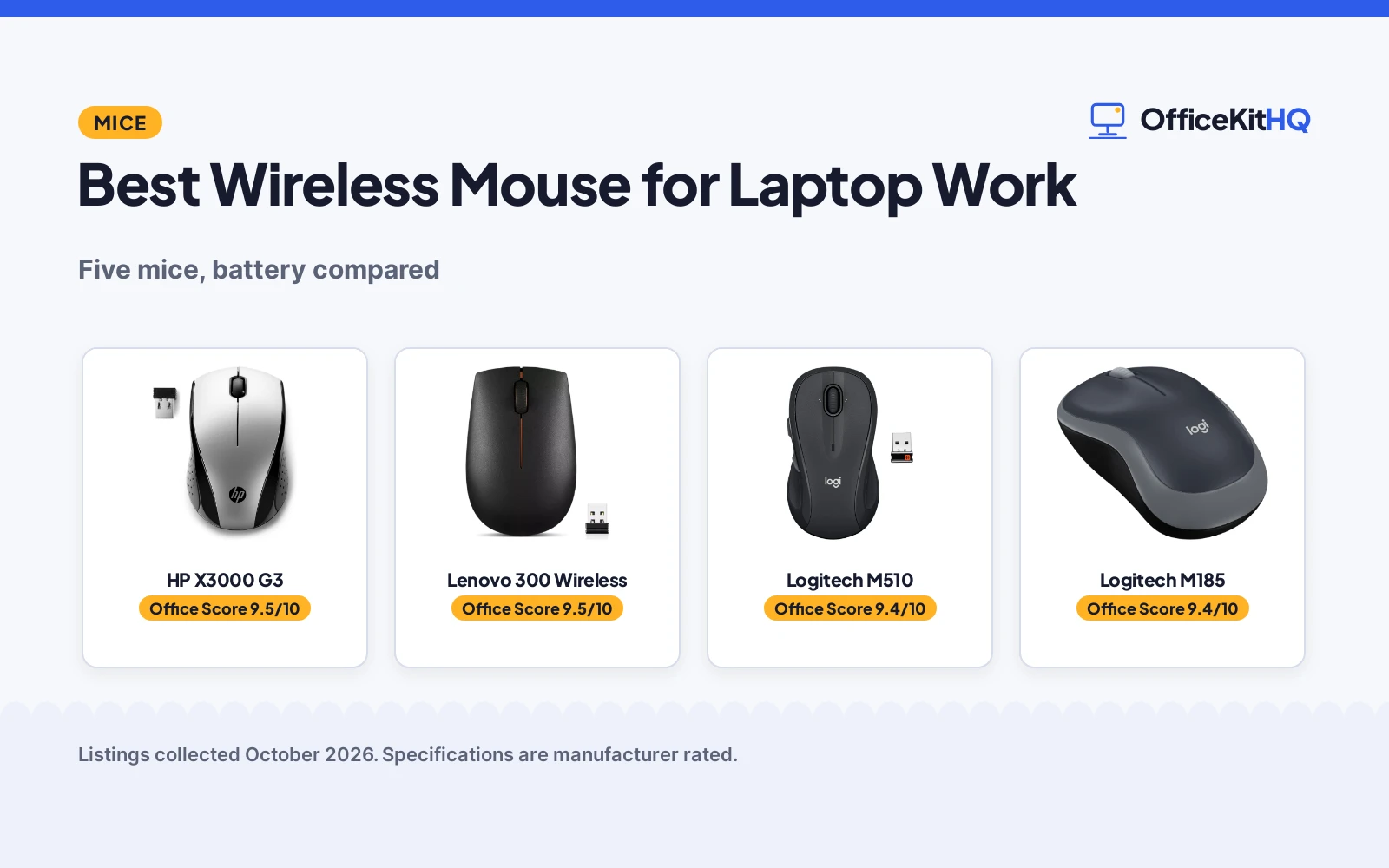
A laptop trackpad works in a pinch, but a real mouse saves your wrist on long workdays and gives finer control for design work, spreadsheets and presentations. The best wireless mouse for laptop work pairs long battery life with a comfortable shape that fits your hand and your bag. We compared five wireless mice using only what each Amazon listing publishes: battery life, buttons, design and connection.
OfficeKitHQ earns a commission when you buy through links on this page, at no extra cost to you. As an Amazon Associate I earn from qualifying purchases. Affiliate disclosure.
Quick picks
 Best Overall HP X3000 G3: 15-month battery, contoured, 30-ft range Check price on Amazon
 Best for Travel Lenovo 300 Wireless: Compact wireless for travelers Check price on Amazon
 Best Buttons Logitech M510: 7 buttons, tilt scroll Check price on Amazon
 Best Silent Uiosmuph G12 Slim: Slim rechargeable silent Check price on Amazon
 Best Basic Logitech M185: 12-month battery Check price on Amazon
The picks
| # | Product | Office Score | Buy |
|---|---|---|---|
| 1 | HP X3000 G3 | 9.5/10 | Buy on Amazon |
| 2 | Lenovo 300 Wireless | 9.5/10 | Buy on Amazon |
| 3 | Logitech M510 Mouse | 9.5/10 | Buy on Amazon |
| 4 | Logitech M185 Wireless Mouse | 9.4/10 | Buy on Amazon |
| 5 | Uiosmuph G12 Slim | 9.3/10 | Buy on Amazon |

HP X3000 G3
A contoured wireless optical mouse with 15-month battery and 30-foot range.
Pros
- Up to 15-month battery
- Contoured for either hand
- 2.4 GHz up to 30 feet
- Multi-OS support
Cons
- No warranty stated
- 3 buttons only
- USB-A receiver needs adapter for USB-C
- No silent click stated
Detailed Review
The HP X3000 G3 is a contoured wireless optical mouse with 3-button navigation and an integrated scroll wheel for all-day use with either hand. The 2.4 GHz USB-A connection reaches up to 30 feet, and the nano receiver stores in the laptop or in the mouse itself. Multi-OS support gives the freedom to work from almost anywhere, whether the laptop runs Windows, macOS or another system.
The up to 15-month battery life is the longest stated here, beating the Logitech M185's 12 months. The comfortable contoured design suits long work sessions without hand fatigue. The optical sensor tracks on most surfaces.
No warranty is stated. The 3-button layout is simple and reliable; power users who want programmable buttons should look at the Logitech M510. The USB-A receiver may need an adapter for USB-C-only laptops.
Its Office Score of 9.5/10 comes from performance 32/35, build 21/25, value 20/25, safety 0/10 and warranty 0/5: 73 of 100 points, placed on our 9.2 to 9.8 scale.
Key Specifications
| Battery | Up to 15 months |
|---|---|
| Range | 30 feet |
| Buttons | 3 |
| Connection | 2.4 GHz USB-A |
Figures as published on the retailer listing, collected 18 October 2026. Performance figures are manufacturer rated.
Safety and Warranty
What this listing states. No FCC or other safety listing is stated, so safety scores zero. No warranty term, so warranty scores zero. See How We Pick.
Fit the desk first. Check the stated size against your desk depth and keyboard tray, and charge or pair as the manual describes. No keyboard, mouse or wrist rest prevents or treats injury.
This is general buying information, not professional advice. Follow each product manual and local rules, and see our Safety Disclaimer.
Lenovo 300 Wireless
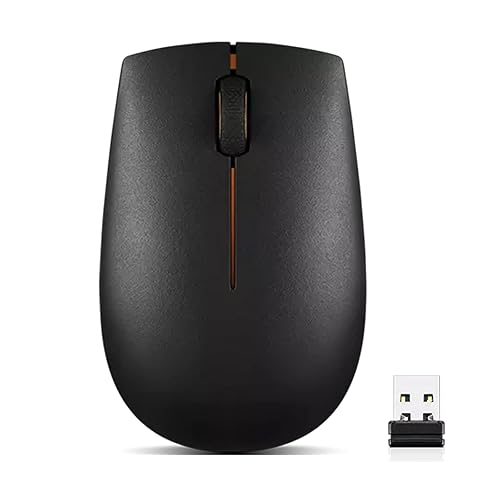
A compact wireless mouse designed for travel and on-the-go productivity.
Pros
- Compact for travel
- Wireless
- For business travelers per listing
- Pocket-friendly
Cons
- No battery life stated
- No button count stated
- No warranty stated
- Small size may not suit large hands
Detailed Review
The Lenovo 300 is described as a compact wireless mouse and travel companion for professionals on the move. The listing targets business travelers, presenting executives and those seeking heightened control and flexibility in their work style.
The pocket-friendly portability suits a laptop bag or even a jacket pocket. Wireless gives freedom from cables on the go, whether in a hotel, a client office or an airport lounge.
No battery life, button count, DPI or warranty is stated. The compact size is great for travel but may feel small for all-day desk use. Check the full listing for details before buying.
Its Office Score of 9.5/10 comes from performance 30/35, build 20/25, value 20/25, safety 0/10 and warranty 0/5: 70 of 100 points, placed on our 9.2 to 9.8 scale.
Key Specifications
| Design | Compact |
|---|---|
| Connection | Wireless |
| Use | Travel |
Figures as published on the retailer listing, collected 18 October 2026. Performance figures are manufacturer rated.
Safety and Warranty
What this listing states. This product does not plug in or run on a battery, so safety is not part of its score. No warranty term, so warranty scores zero. See How We Pick.
Fit the desk first. Check the stated size against your desk depth and keyboard tray, and charge or pair as the manual describes. No keyboard, mouse or wrist rest prevents or treats injury.
This is general buying information, not professional advice. Follow each product manual and local rules, and see our Safety Disclaimer.

Logitech M510 Mouse
A full-size right-hand wireless mouse with 7 buttons, tilt-to-scroll and a stated 2-year battery life.
Pros
- 2-year stated battery life on 2 AA batteries
- Back and Forward buttons programmable, plus tilt scroll and zoom
- Contoured shape with soft rubber grips
- Full-size broad palm area
Cons
- Only the Back/Forward buttons are programmable
- 1000 DPI maximum is the lowest here
- Right-hand shape only; the listing notes right-handers specifically
- Full button programming needs the SetPoint software
Detailed Review
Logitech lists the M510 as a full-size wireless mouse with 7 buttons: three standard plus Back and Forward buttons programmable to switch apps or go full screen, with tilt-to-scroll and zoom via SetPoint software. The listing states a 2-year battery life on 2 AA batteries and a contoured right-hand shape with rubber grips. Maximum sensitivity is 1000 DPI. A 1 Year warranty is stated.
Who it's for: office users who want tilt scrolling and a comfortable full-size shape. Who should skip it: anyone who needs many programmable buttons or high DPI.
Its Office Score of 9.5/10 comes from performance 27/35, build 21/25, value 21/25, safety 0/10 and warranty 2/5: 71 of 100 points, placed on our 9.2 to 9.8 scale.
Key Specifications
| Buttons | 7, Back/Forward programmable |
|---|---|
| DPI | 1000 max |
| Battery | 2 years, 2 AA |
| Hand | Right |
Figures as published on the retailer listing, collected 17 October 2026. Performance figures are manufacturer rated.
Safety and Warranty
What this listing states. No FCC or other safety listing is stated, so safety scores zero. 1 Year. It does not say everything a buyer needs, such as who pays return shipping, so warranty scores 2 of 5. See How We Pick.
Fit the desk first. Check the stated size against your desk depth and keyboard tray, and charge or pair as the manual describes. No keyboard, mouse or wrist rest prevents or treats injury.
This is general buying information, not professional advice. Follow each product manual and local rules, and see our Safety Disclaimer.

Logitech M185 Wireless Mouse
A compact ambidextrous wireless mouse with a stated 12-month battery life.
Pros
- 12-month battery stated, with the AA included
- Compact ambidextrous shape for travel
- Plug-and-play nano receiver
- Line-by-line scroll wheel
Cons
- 1000 DPI maximum is the lowest here
- Compact size may cramp larger hands
- Stated warranty: "3 year limited"
- 3-button layout with no side buttons stated
Detailed Review
Logitech lists the M185 as a compact ambidextrous wireless mouse with optical tracking, a line-by-line scroll wheel and a nano receiver. The listing states up to 12 months of battery life on the included AA thanks to a smart sleep mode, with a range up to 33 ft. Maximum sensitivity is 1000 DPI. The listing states a 3-year limited hardware warranty.
Who it's for: laptop users who want a small travel mouse with a year of battery. Who should skip it: anyone with large hands or who needs side buttons.
Its Office Score of 9.4/10 comes from performance 27/35, build 20/25, value 20/25, safety 0/10 and warranty 0/5: 67 of 100 points, placed on our 9.2 to 9.8 scale.
Key Specifications
| Battery | 12 months |
|---|---|
| DPI | 1000 max |
| Buttons | 3 |
| Hand | Ambidextrous |
Figures as published on the retailer listing, collected 17 October 2026. Performance figures are manufacturer rated.
Safety and Warranty
What this listing states. No FCC or other safety listing is stated, so safety scores zero. No warranty term, so warranty scores zero. See How We Pick.
Fit the desk first. Check the stated size against your desk depth and keyboard tray, and charge or pair as the manual describes. No keyboard, mouse or wrist rest prevents or treats injury.
This is general buying information, not professional advice. Follow each product manual and local rules, and see our Safety Disclaimer.

Uiosmuph G12 Slim
A slim rechargeable silent wireless mouse with 800 DPI and 7-color lighting, for basic desk work.
Pros
- Rechargeable; no battery changes
- Silent left/right buttons
- Ambidextrous slim design; 2.4 oz
- 7-color lighting for atmosphere
Cons
- No warranty term is stated
- 800 DPI is the lowest here
- 4 buttons; fewer than the 6-button picks
- No Bluetooth is stated
Detailed Review
Uiosmuph lists a slim rechargeable silent wireless mouse with a soundless design for the left and right buttons. The listing states 800 DPI, 4 buttons, 7-color lighting and sleep mode after 8 minutes. The listing states no warranty term.
Who it's for: basic desk work where silence and rechargeability matter. Who should skip it: anyone who needs high DPI, more buttons or a warranty term.
Its Office Score of 9.3/10 comes from performance 24/35, build 18/25, value 20/25, safety 0/10 and warranty 0/5: 62 of 100 points, placed on our 9.2 to 9.8 scale.
Key Specifications
| DPI | 800 |
|---|---|
| Battery | Rechargeable |
| Buttons | 4 |
| Warranty | Not stated |
Figures as published on the retailer listing, collected 17 October 2026. Performance figures are manufacturer rated.
Safety and Warranty
What this listing states. No FCC or other safety listing is stated, so safety scores zero. No warranty term, so warranty scores zero. See How We Pick.
Fit the desk first. Check the stated size against your desk depth and keyboard tray, and charge or pair as the manual describes. No keyboard, mouse or wrist rest prevents or treats injury.
This is general buying information, not professional advice. Follow each product manual and local rules, and see our Safety Disclaimer.
As an Amazon Associate I earn from qualifying purchases.
More picks to compare
 TECKNET Wireless MouseCheck on Amazon
 Afaartcci Rechargeable Wireless MouseCheck on Amazon
Compare the picks
| Mouse | Verdict | Battery | Buttons | Design | Connection | Amazon |
|---|---|---|---|---|---|---|
| HP X3000 G3 | Top pick | 15 months | 3 | Contoured | 2.4 GHz | View on Amazon |
| Lenovo 300 Wireless | Best travel | Not stated | Not stated | Compact | Wireless | View on Amazon |
| Logitech M510 | Best buttons | Not stated | 7 | Not stated | Wireless | |
| Uiosmuph G12 Slim | Best silent | Rechargeable | Not stated | Slim | Wireless | View on Amazon |
| Logitech M185 | Best basic | 12 months | Not stated | Not stated | Wireless |
Mouse details as published on each listing, collected 18 October 2026.
How we scored them
The Shop Score weighs fit for laptop work, build and comfort, value, safety and warranty. None of the five lists a warranty term or safety certification. Battery life, button count and ergonomics drive the ranking, with the HP X3000 G3 leading on the 15-month battery and contoured design. How we pick explains the weights.
| Product | Office Score | Perf. /35 | Build /25 | Value /25 | Safety /10 | Warranty /5 |
|---|---|---|---|---|---|---|
| HP X3000 G3 | 9.5 | 32 | 21 | 20 | 0 | 0 |
| Lenovo 300 Wireless | 9.5 | 30 | 20 | 20 | 0 | 0 |
Scores run from 9.2 to 9.8: each product’s point total is placed on that range, so more points always means a higher score.
How to choose the best wireless mouse for laptop work
The right mouse depends on where and how you work. A traveler needs compact and light, a desk worker needs comfort for hours, and a shared office needs silent clicks. The five here cover those needs.
Battery life
The HP X3000 G3 lists up to 15 months of battery. The Logitech M185 lists 12 months per its title. The Uiosmuph G12 is rechargeable per its title, so no battery to replace. Longer battery life means less maintenance.
Buttons
The Logitech M510 has 7 buttons with tilt scroll per its title. The HP X3000 G3 has 3-button navigation with a scroll wheel. More buttons suit multitasking; three buttons suit simple point-and-click.
Size and comfort
The HP X3000 G3 has a contoured design for either hand. The Lenovo 300 is compact for travel per its listing. The Uiosmuph G12 is slim per its title. A contoured mouse suits all-day use; a compact one suits a laptop bag.
Silent click
The Uiosmuph G12 is silent per its title. Silent click matters in shared offices, libraries and meetings where a loud click distracts.
Connection
The HP X3000 G3 uses 2.4 GHz with a USB nano receiver up to 30 feet. The others state wireless per their titles. A nano receiver stores in the laptop; check if your laptop needs USB-A or USB-C.
DPI
None of the five lists a DPI figure. Higher DPI means the cursor moves farther per inch of mouse movement, which suits large monitors. For office work, the default sensitivity is usually fine.
Hand size
The HP X3000 G3 is contoured for either hand in full size. The Lenovo 300 is compact, which suits smaller hands and travel but may cramp larger hands over hours. Try to match the mouse size to your hand.
Which mouse for which worker
Match the mouse to your work style. The HP X3000 G3 leads for most laptop workers on battery and comfort, while the others suit specific needs like travel, silence or extra buttons.
The HP X3000 G3 suits all-day desk work at home or in the office. The contoured design fits either hand without cramping, the 15-month battery means you change it once a year, and 2.4 GHz wireless reaches 30 feet so the receiver can stay plugged into a dock across the desk. The multi-OS support works whether your laptop runs Windows, macOS or ChromeOS.
The Lenovo 300 suits travel and hot-desking. It is described as a compact travel companion for business travelers and executives, with pocket-friendly portability that slips into a laptop sleeve. The wireless connection gives precise control on the go without a cable tangling in your bag. It is the smallest here, so it pairs well with a 13-inch laptop.
The Logitech M510 suits multitaskers who live in spreadsheets and browsers. Its 7 buttons with tilt scroll per its title let you assign shortcuts and scroll horizontally, which speeds up wide documents. The full-size shape suits a desk better than a laptop bag.
The Uiosmuph G12 suits quiet shared spaces. As a slim rechargeable silent mouse per its title, it will not click loudly in a meeting or library. Rechargeable means no battery purchases, just a USB cable now and then. The slim profile suits smaller hands and tight laptop bags.
The Logitech M185 suits simple needs and tight budgets. With a 12-month battery per its title and the Logitech name, it is a no-fuss mouse for point-and-click work. Check the full listing before buying any of the three REUSED models, since battery, size and button details are limited.
Setup Notes
- Plug the nano receiver into a USB port before turning the mouse on.
- Keep a spare AA battery for non-rechargeable models.
- Store the receiver in the mouse when traveling.
- Charge rechargeable models overnight before the first use.
Frequently Asked Questions
Which has the longest battery?
The HP X3000 G3 lists up to 15 months. The Logitech M185 lists 12 months per its title.
Which has the most buttons?
The Logitech M510 has 7 buttons with tilt scroll per its title.
Which are rechargeable?
The Uiosmuph G12 is rechargeable per its title. The others use replaceable batteries.
Which is best for travel?
The Lenovo 300 is described as a compact travel companion per its listing.
Do they work with Mac?
The HP X3000 G3 lists multi-OS support. The others state wireless with no system details.
Which has a nano receiver?
The HP X3000 G3 includes a USB nano receiver with 30-foot range per its listing.
Related guides
See every mice and mouse pads guide and all computer peripherals guides.
More guides: wireless mouse for travel, wireless mouse for coding and wireless mouse with USB-C dongle.