
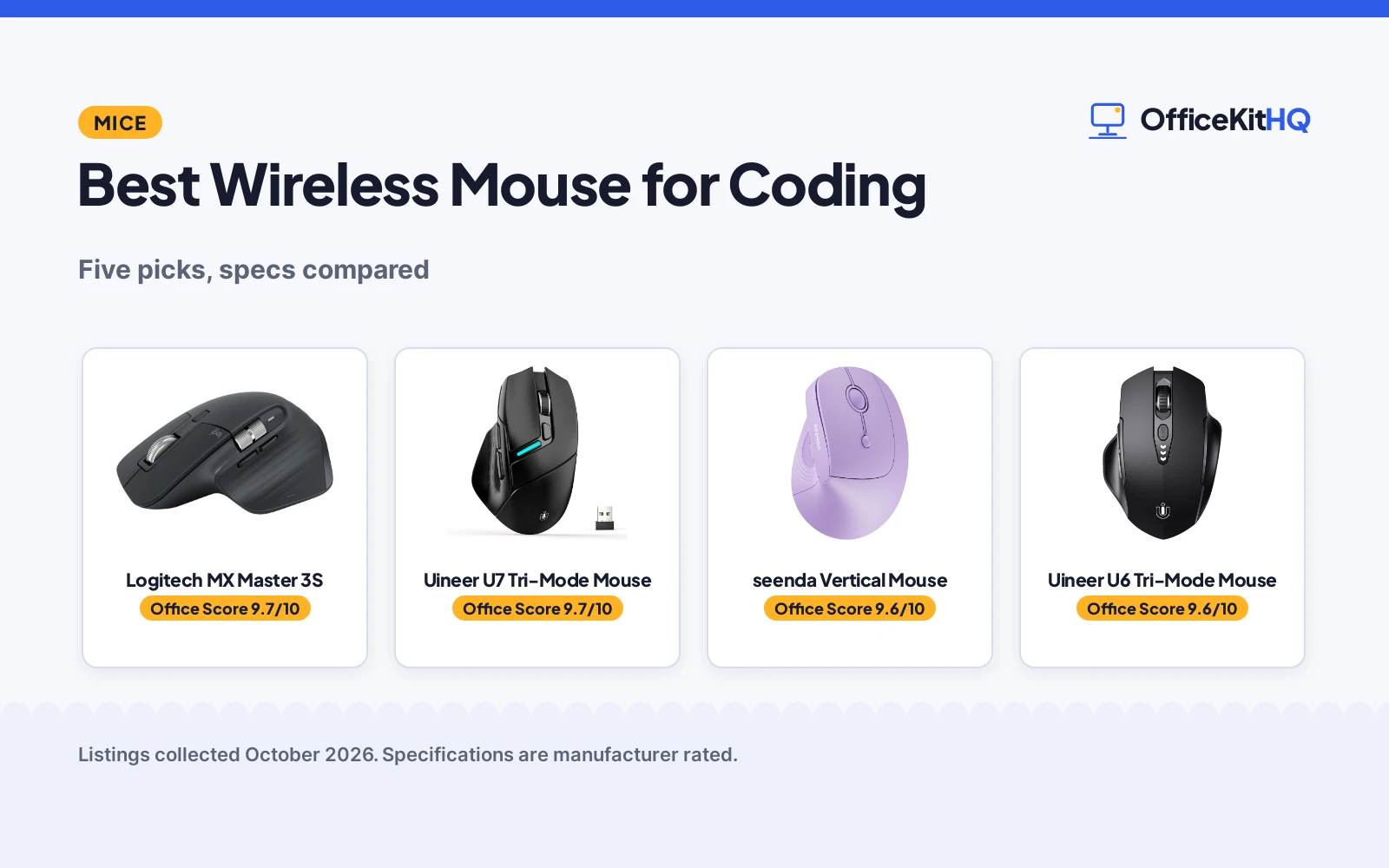
Eight hours of code means eight hours on a mouse, and the best wireless mouse for coding is the one with precise tracking, quiet clicks and enough buttons for your shortcuts. We compared five wireless mice by DPI, buttons, connectivity and warranty, using only what each listing publishes.
OfficeKitHQ earns a commission when you buy through links on this page, at no extra cost to you. As an Amazon Associate I earn from qualifying purchases. Affiliate disclosure.
Quick picks
 Best Overall Logitech MX Master 3S: 8000 DPI, 7 buttons, 2-year warranty, Flow Check price on Amazon
 Best High DPI Uineer U7 Tri-Mode Mouse: 12800 DPI, tri-mode plus wired, 2-year warranty Check price on Amazon
 Best Vertical seenda Vertical Mouse: 52° ergonomic, 3 devices, 2-year warranty Check price on Amazon
 Best Multi-Device Uineer U6 Tri-Mode Mouse: Tri-mode, 3-device switch, 1-year warranty Check price on Amazon
 Best Silent INPHIC M6P Silent Mouse: Silent clicks, 400mAh battery, 2400 DPI Check price on Amazon
The picks
| # | Product | Office Score | Buy |
|---|---|---|---|
| 1 | Logitech MX Master 3S | 9.7/10 | Buy on Amazon |
| 2 | Uineer U7 Tri-Mode Mouse | 9.7/10 | Buy on Amazon |
| 3 | seenda Vertical Mouse | 9.6/10 | Buy on Amazon |
| 4 | Uineer U6 Tri-Mode Mouse | 9.6/10 | Buy on Amazon |
| 5 | INPHIC M6P Silent Mouse | 9.6/10 | Buy on Amazon |

Logitech MX Master 3S
An 8000 DPI Bluetooth mouse with 7 programmable buttons, quiet clicks and a 2-year warranty.
Pros
- 8000 DPI any-surface tracking
- 7 programmable buttons
- Flow cross-computer control
- 2-year warranty
Cons
- Bluetooth only, no receiver or cable
- 141 g, heavier than others
- No 2.4G option
- Feature set may be overkill
Detailed Review
Logitech lists the MX Master 3S Bluetooth edition with an 8000 DPI sensor, 7 buttons, quiet clicks, MagSpeed scrolling and app-specific profiles in Logi Options+. The spec table gives a 70-day battery life, a 141-gram weight and a 2-year limited hardware warranty. It connects to up to 3 devices via Bluetooth and works on glass.
Who it's for: coders who want the most precise tracking, programmable buttons and Flow across computers. Who should skip it: anyone who needs a USB receiver or a charging cable in the box.
Its Office Score of 9.7/10 comes from performance 34/35, build 22/25, value 19/25, safety 7/10 and warranty 3/5: 85 of 100 points, placed on our 9.2 to 9.8 scale.
Key Specifications
| Sensor | 8000 DPI |
|---|---|
| Buttons | 7 |
| Battery | 70 days |
| Warranty | 2-year |
Figures as published on the retailer listing, collected 19 October 2026. Performance figures are manufacturer rated.
Safety and Warranty
What this listing states. Ergonomic design for natural wrist posture, quiet clicks, so safety scores 7 of 10. 2 Year Limited Hardware Warranty. It does not say everything a buyer needs, such as who pays return shipping, so warranty scores 3 of 5. See How We Pick.
Fit the desk first. Check the stated size against your desk depth and keyboard tray, and charge or pair as the manual describes. No keyboard, mouse or wrist rest prevents or treats injury.
This is general buying information, not professional advice. Follow each product manual and local rules, and see our Safety Disclaimer.

Uineer U7 Tri-Mode Mouse
A tri-mode wireless mouse with up to 12800 DPI, macro buttons and a 2-year warranty.
Pros
- 12800 DPI max
- Wired plus wireless modes
- 6 programmable macro buttons
- 2-year warranty
Cons
- RGB lighting may distract
- No stated battery life
- Dongle needed for 2.4G
- 3.53 oz
Detailed Review
Uineer lists the U7 with USB-A wired, Bluetooth 5.0 and 2.4G triple modes, 800 to 12800 DPI in 6 levels, 6 programmable macro buttons and silent clicks. The spec table gives a 3.53-ounce weight and a 2-year manufacturer warranty. The listing describes custom RGB indicator lights.
Who it's for: coders who want the highest DPI here and a wired fallback. Who should skip it: anyone who wants a receiver-free setup with no dongle.
Its Office Score of 9.7/10 comes from performance 32/35, build 20/25, value 21/25, safety 7/10 and warranty 3/5: 83 of 100 points, placed on our 9.2 to 9.8 scale.
Key Specifications
| DPI | 800-12800 |
|---|---|
| Modes | BT/2.4G/wired |
| Buttons | 6 |
| Warranty | 2-year |
Figures as published on the retailer listing, collected 19 October 2026. Performance figures are manufacturer rated.
Safety and Warranty
What this listing states. Ergonomic anti-slip design, silent clicks, so safety scores 7 of 10. 2-Year Manufacturer Warranty. It does not say everything a buyer needs, such as who pays return shipping, so warranty scores 3 of 5. See How We Pick.
Fit the desk first. Check the stated size against your desk depth and keyboard tray, and charge or pair as the manual describes. No keyboard, mouse or wrist rest prevents or treats injury.
This is general buying information, not professional advice. Follow each product manual and local rules, and see our Safety Disclaimer.

seenda Vertical Mouse
A 52-degree vertical mouse with 3-device switching and a 2-year warranty.
Pros
- 52° vertical ergonomic design
- 3-device switching
- Quiet clicks under 40 dB
- 2-year warranty
Cons
- AA battery not included
- 2400 DPI max
- Forward/back not supported on macOS
- Right-hand only
Detailed Review
seenda lists this 52-degree vertical mouse with dual Bluetooth and 2.4G for 3 devices, quiet clicks under 40 dB and 1000/1600/2400 DPI. The spec table gives a 116-gram weight, a 4.4 by 3 in size and a 2-year warranty. It runs on one AA battery, not included.
Who it's for: coders who want a vertical handshake grip for long sessions. Who should skip it: anyone who wants a rechargeable battery included.
Its Office Score of 9.6/10 comes from performance 30/35, build 20/25, value 20/25, safety 7/10 and warranty 3/5: 80 of 100 points, placed on our 9.2 to 9.8 scale.
Key Specifications
| Design | 52° vertical |
|---|---|
| DPI | 1000/1600/2400 |
| Devices | 3 |
| Warranty | 2-year |
Figures as published on the retailer listing, collected 19 October 2026. Performance figures are manufacturer rated.
Safety and Warranty
What this listing states. 52-degree vertical design, quiet clicks under 40 dB, so safety scores 7 of 10. 2 year warranty. It does not say everything a buyer needs, such as who pays return shipping, so warranty scores 3 of 5. See How We Pick.
Fit the desk first. Check the stated size against your desk depth and keyboard tray, and charge or pair as the manual describes. No keyboard, mouse or wrist rest prevents or treats injury.
This is general buying information, not professional advice. Follow each product manual and local rules, and see our Safety Disclaimer.

Uineer U6 Tri-Mode Mouse
A tri-mode mouse with 3-device switching, visible battery level and a 1-year warranty.
Pros
- Tri-mode connectivity
- 3-device switch
- Visible battery level
- 1-year warranty
Cons
- 2400 DPI max
- No silent click stated
- Yellow color only
- Sleeps after 8 minutes
Detailed Review
Uineer lists the U6 with tri-mode 2.4G and Bluetooth BT4.0 and BT 5.0, a 3-device switch, 800 to 2400 DPI and a visible battery level. The spec table gives a 3.53-ounce weight and a 1-year manufacturer warranty. The listing adds a 12-month replacement service for quality issues.
Who it's for: coders who switch between desktop, laptop and tablet. Who should skip it: anyone who wants more than 2400 DPI.
Its Office Score of 9.6/10 comes from performance 29/35, build 20/25, value 21/25, safety 7/10 and warranty 3/5: 80 of 100 points, placed on our 9.2 to 9.8 scale.
Key Specifications
| DPI | 800-2400 |
|---|---|
| Modes | BT/2.4G |
| Buttons | 6 |
| Warranty | 1-year |
Figures as published on the retailer listing, collected 19 October 2026. Performance figures are manufacturer rated.
Safety and Warranty
What this listing states. Ergonomic design, sleep mode after 8 minutes, so safety scores 7 of 10. 1-Year Manufacturer Warranty. It does not say everything a buyer needs, such as who pays return shipping, so warranty scores 3 of 5. See How We Pick.
Fit the desk first. Check the stated size against your desk depth and keyboard tray, and charge or pair as the manual describes. No keyboard, mouse or wrist rest prevents or treats injury.
This is general buying information, not professional advice. Follow each product manual and local rules, and see our Safety Disclaimer.

INPHIC M6P Silent Mouse
A silent-click rechargeable mouse with 400mAh battery and 2400 DPI.
Pros
- Silent clicks
- 400mAh rechargeable battery
- Wide thumb rest
- Battery level display
Cons
- No warranty term is stated
- 2400 DPI max
- Bluetooth 5.0 not for Windows 7/XP
- No multi-device switching stated
Detailed Review
INPHIC lists the M6P with silent clicks, a 400mAh rechargeable battery, 800 to 2400 DPI in 4 levels and a wide thumb rest. The spec table gives a 4.7 by 3.1 in size. The listing says it sleeps after 5 minutes and wakes on click.
Who it's for: coders who want silent clicks in shared spaces. Who should skip it: anyone who wants a stated warranty term.
Its Office Score of 9.6/10 comes from performance 28/35, build 20/25, value 21/25, safety 7/10 and warranty 0/5: 76 of 100 points, placed on our 9.2 to 9.8 scale.
Key Specifications
| DPI | 800-2400 |
|---|---|
| Battery | 400mAh |
| Buttons | 6 |
| Clicks | Silent |
Figures as published on the retailer listing, collected 19 October 2026. Performance figures are manufacturer rated.
Safety and Warranty
What this listing states. Ergonomic design with wide thumb rest, silent buttons, so safety scores 7 of 10. No warranty term, so warranty scores zero. See How We Pick.
Fit the desk first. Check the stated size against your desk depth and keyboard tray, and charge or pair as the manual describes. No keyboard, mouse or wrist rest prevents or treats injury.
This is general buying information, not professional advice. Follow each product manual and local rules, and see our Safety Disclaimer.
As an Amazon Associate I earn from qualifying purchases.
Compare the picks
| Mouse | Office Score | Max DPI | Buttons | Connectivity | Warranty | Amazon |
|---|---|---|---|---|---|---|
| Logitech MX Master 3S | 9.7/10 | 8000 | 7 | Bluetooth | 2-year | View on Amazon |
| Uineer U7 Tri-Mode Mouse | 9.7/10 | 12800 | 6 | BT/2.4G/wired | 2-year | View on Amazon |
| seenda Vertical Mouse | 9.6/10 | 2400 | 6 | Dual BT/2.4G | 2-year | View on Amazon |
| Uineer U6 Tri-Mode Mouse | 9.6/10 | 2400 | 6 | BT/2.4G | 1-year | View on Amazon |
| INPHIC M6P Silent Mouse | 9.6/10 | 2400 | 6 | 2.4G/BT | Not stated | View on Amazon |
Specifications are manufacturer rated as listed, collected 19 October 2026.
How we scored them
The Office Score weighs performance, build, value, safety and warranty. For a mouse, safety means stated safety-relevant features such as ergonomic design and quiet operation. Four of the five listings state a warranty term. How we pick explains the weights.
| Product | Office Score | Perf. /35 | Build /25 | Value /25 | Safety /10 | Warranty /5 |
|---|---|---|---|---|---|---|
| Logitech MX Master 3S | 9.7 | 34 | 22 | 19 | 7 | 3 |
| Uineer U7 Tri-Mode Mouse | 9.7 | 32 | 20 | 21 | 7 | 3 |
| seenda Vertical Mouse | 9.6 | 30 | 20 | 20 | 7 | 3 |
| Uineer U6 Tri-Mode Mouse | 9.6 | 29 | 20 | 21 | 7 | 3 |
| INPHIC M6P Silent Mouse | 9.6 | 28 | 20 | 21 | 7 | 0 |
Scores run from 9.2 to 9.8: each product’s point total is placed on that range, so more points always means a higher score.
How to choose the best wireless mouse for coding
Start with DPI and buttons
Max DPI runs from 2400 on three mice to 8000 on the Logitech and 12800 on the Uineer U7. For coding, precision matters more than raw DPI, but higher ceilings give more room to tune. Button counts run from 6 to 7; the Logitech and Uineer U7 add programmable buttons for shortcuts.
Check the connectivity
The Uineer U6 and U7 offer tri-mode Bluetooth and 2.4G, with the U7 adding a wired mode. The seenda switches between dual Bluetooth and 2.4G for 3 devices. The Logitech is Bluetooth only with no receiver or cable in the box.
| Mouse | Max DPI | Weight | Battery |
|---|---|---|---|
| Logitech MX Master 3S | 8000 | 141 g | 70 days |
| Uineer U7 Tri-Mode Mouse | 12800 | 3.53 oz | Not stated |
| seenda Vertical Mouse | 2400 | 116 g | AA, not included |
| Uineer U6 Tri-Mode Mouse | 2400 | 3.53 oz | Rechargeable |
| INPHIC M6P Silent Mouse | 2400 | Not stated | 400mAh |
Figures as stated in each listing’s spec table. Battery figures are the maker’s claims.
Consider the shape
The seenda’s 52-degree vertical design suits coders with wrist strain. The others are traditional shapes with ergonomic claims. Pair any of them with a good surface: see our mouse pad for wireless mouse picks.
Frequently Asked Questions
Which mouse has the highest DPI?
The Uineer U7 states up to 12800 DPI. The Logitech states 8000 DPI, and the other three state 2400 DPI.
Which mice state a warranty?
The Logitech, Uineer U7 and seenda state 2-year warranties, and the Uineer U6 states a 1-year warranty. The INPHIC listing states no warranty term.
Do any of these work on glass?
The Logitech states any-surface tracking, even glass. The other listings make no such claim.
Which is the quietest?
The Logitech states 90% less click noise and the seenda states clicks under 40 dB. The Uineer U7 and INPHIC state silent clicks without a figure.
Related guides
See every mouse guide and all computer peripherals guides.
More picks: see wireless mice for teachers, wireless mice for shooters and mouse pads for wireless mice.


