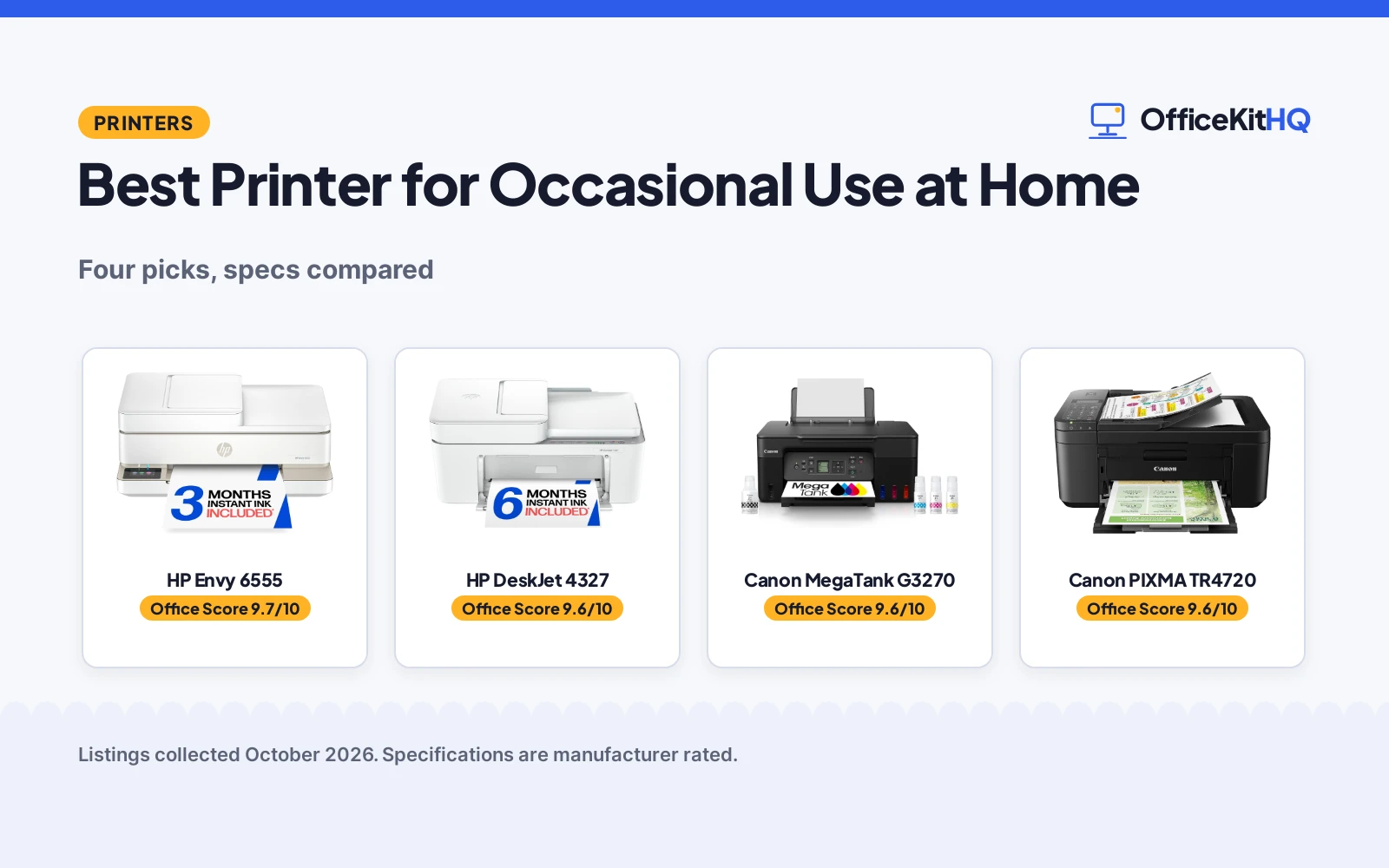
The best printer for occasional use at home is one that does not punish you for leaving it alone for weeks. Occasional printing means the machine spends most of its life idle, so stated print speed, paper handling and how you feed it cartridges matter more than raw specs. This roundup compares four all-in-one printers on print speed, duplex, paper handling, controls and warranty terms, using only what each listing publishes.
OfficeKitHQ earns a commission when you buy through links on this page, at no extra cost to you. As an Amazon Associate I earn from qualifying purchases. Affiliate disclosure.
Quick picks
 Best Overall HP Envy 6555: 10 ppm black, auto duplex, 2.4-inch touchscreen, 1-year warranty Check price on Amazon
 Best Value HP DeskJet 4327: 8.5 ppm black, 60-sheet tray, 1-year warranty Check price on Amazon
 Tank Pick Canon MegaTank G3270: Canon MegaTank all-in-one wireless color printer Check price on Amazon
 Compact Pick Canon PIXMA TR4720: Canon all-in-one wireless printer Check price on Amazon
The picks
| # | Product | Office Score | Buy |
|---|---|---|---|
| 1 | HP Envy 6555 | 9.7/10 | Buy on Amazon |
| 2 | HP DeskJet 4327 | 9.6/10 | Buy on Amazon |
| 3 | Canon MegaTank G3270 | 9.6/10 | Buy on Amazon |
| 4 | Canon PIXMA TR4720 | 9.6/10 | Buy on Amazon |

HP Envy 6555
A wireless all-in-one color inkjet printer with print, scan, copy, automatic 2-sided printing, a 2.4-inch touchscreen and a 100-sheet input tray.
Pros
- Print speeds up to 10 ppm black and 7 ppm color
- Automatic 2-sided printing is stated
- 2.4-inch color touchscreen for navigation
- 100-sheet input tray, the largest stated here
Cons
- 13.5 pounds, the heaviest stated here
- 3-month Instant Ink trial, then a monthly fee unless cancelled
- 14.21 by 17.05 by 6.73 in footprint
- Only works with cartridges carrying original HP chips
Detailed Review
HP lists the Envy 6555 as a wireless all-in-one color inkjet printer with print, scan and copy, automatic 2-sided printing, a 35-sheet auto document feeder and a 100-sheet input tray. Print speeds run up to 10 ppm black and 7 ppm color. It has a 2.4-inch color touchscreen, dual-band Wi-Fi and the HP app for printing from a smartphone. A 3-month Instant Ink trial is included; after 3 months a monthly fee applies unless cancelled. The listing gives 13.5 pounds, 14.21 by 17.05 by 6.73 in dimensions, up to 99 copies per run and a one-year limited warranty. The printer is made with at least 60% recycled plastic content.
Who it's for: a home that prints documents and photos and wants duplex plus a touchscreen. Who should skip it: anyone who prints only a few pages a month and wants the simplest machine.
Its Office Score of 9.7/10 comes from performance 32/35, build 21/25, value 21/25, safety not scored (non-powered gear) and warranty 0/5: 74 of 90 points, placed on our 9.2 to 9.8 scale.
Key Specifications
| Print speed | 10 ppm black / 7 ppm color |
|---|---|
| Duplex | Automatic |
| Input tray | 100 sheets |
| Warranty | One-year limited warranty |
Figures as published on the retailer listing, collected 17 October 2026. Performance figures are manufacturer rated.
Safety and Warranty
What this listing states. This product does not plug in or run on a battery, so safety is not part of its score. No warranty term, so warranty scores zero. See How We Pick.
Shredder and printer safety. Keep hair, ties, jewelry, children and pets away from the feed slot, use the safety lock, unplug when not in use, and give printers and adapters room to vent.
This is general buying information, not professional advice. Follow each product manual and local rules, and see our Safety Disclaimer.

HP DeskJet 4327
A wireless all-in-one color inkjet printer with print, scan, copy, a 35-sheet auto document feeder and a 60-sheet input tray.
Pros
- Print speeds up to 8.5 ppm black and 5.5 ppm color
- 35-sheet auto document feeder
- 60-sheet input tray
- ENERGY STAR and EPEAT certified
Cons
- 6-month Instant Ink trial, then a monthly fee unless cancelled
- Manual duplex only
- 10.6 pounds
- Up to 9 copies per run, lower than the Envy's 99
Detailed Review
HP lists the DeskJet 4327 as a wireless all-in-one color inkjet printer with print, scan and copy, a 35-sheet auto document feeder and a 60-sheet input tray. Print speeds run up to 8.5 ppm black and 5.5 ppm color. It has an icon LCD control panel, dual-band Wi-Fi and the HP app for printing from a smartphone. A 6-month Instant Ink trial is included; after 6 months a monthly fee applies unless cancelled. The listing gives 10.6 pounds, 13.07 by 16.85 by 7.87 in dimensions, up to 9 copies per run, ENERGY STAR and EPEAT certification, and a one-year limited warranty. The printer is made with at least 70% recycled plastics.
Who it's for: basic home printing of everyday color documents. Who should skip it: anyone who wants automatic duplex; the 4327 is manual duplex only.
Its Office Score of 9.6/10 comes from performance 30/35, build 21/25, value 21/25, safety not scored (non-powered gear) and warranty 0/5: 72 of 90 points, placed on our 9.2 to 9.8 scale.
Key Specifications
| Print speed | 8.5 ppm black / 5.5 ppm color |
|---|---|
| Duplex | Manual |
| Input tray | 60 sheets |
| Warranty | One-year limited warranty |
Figures as published on the retailer listing, collected 17 October 2026. Performance figures are manufacturer rated.
Safety and Warranty
What this listing states. This product does not plug in or run on a battery, so safety is not part of its score. No warranty term, so warranty scores zero. See How We Pick.
Shredder and printer safety. Keep hair, ties, jewelry, children and pets away from the feed slot, use the safety lock, unplug when not in use, and give printers and adapters room to vent.
This is general buying information, not professional advice. Follow each product manual and local rules, and see our Safety Disclaimer.

Canon MegaTank G3270
A refillable MegaTank all-in-one, suited to home offices that want low ink costs.
Pros
- Refillable MegaTank with 6,000 black pages as stated
- 11 ppm black as stated
- Up to 2 years of ink included as stated
- USB and wifi as stated
Cons
- Single-sided printing only as stated
- 13.2 pounds with no stated ADF
- 1.35-inch LCD, so check the display
- Home office focus, so big-office buyers should look elsewhere
Detailed Review
The listing states a MegaTank all-in-one with refillable tanks, print speeds to 11 ppm black and 6 ppm color, up to 6,000 black and 7,700 color pages per ink set, USB and wifi, and a 1.35-inch LCD. The warranty description states 1 year. It is Energy Star listed.
Who it's for: a home office that wants low ink costs. Who should skip it: someone who needs two-sided printing, since this is single-sided.
Its Office Score of 9.6/10 comes from performance 30/35, build 20/25, value 20/25, safety 5/10 and warranty 2/5: 77 of 100 points, placed on our 9.2 to 9.8 scale.
Key Specifications
| Type | Inkjet color |
|---|---|
| Speed | 11 ppm |
| Ink | Refillable |
| Warranty | 1 year |
Figures as published on the retailer listing, collected 17 October 2026. Performance figures are manufacturer rated.
Safety and Warranty
What this listing states. Energy Star, so safety scores 5 of 10. 1 year. It does not say everything a buyer needs, such as who pays return shipping, so warranty scores 2 of 5. See How We Pick.
Shredder and printer safety. Keep hair, ties, jewelry, children and pets away from the feed slot, use the safety lock, unplug when not in use, and give printers and adapters room to vent.
This is general buying information, not professional advice. Follow each product manual and local rules, and see our Safety Disclaimer.

Canon PIXMA TR4720
A 4-in-1 wireless printer with fax, suited to home users who want an ADF.
Pros
- 4-in-1 with fax as stated
- Auto document feeder as stated
- Auto 2-sided printing as stated
- 8.8 ppm black, 4.4 ppm color as stated
Cons
- 8.8 ppm black, the slower office picks here
- 100-sheet capacity as stated
- 12.7 pounds with no stated duplex for color
- Home use focus as stated
Detailed Review
The listing states a 4-in-1 wireless printer with print, copy, scan and fax, an auto document feeder, auto 2-sided printing, print speeds to 8.8 ppm black and 4.4 ppm color, a 100-sheet capacity, and fax. The warranty description states 1 year limited warranty. It is ENERGY STAR listed.
Who it's for: a home user who wants fax and an ADF. Who should skip it: a busy office that needs faster output.
Its Office Score of 9.6/10 comes from performance 29/35, build 20/25, value 20/25, safety 5/10 and warranty 2/5: 76 of 100 points, placed on our 9.2 to 9.8 scale.
Key Specifications
| Functions | 4-in-1 |
|---|---|
| Speed | 8.8 ppm |
| ADF | Yes |
| Warranty | 1 year |
Figures as published on the retailer listing, collected 17 October 2026. Performance figures are manufacturer rated.
Safety and Warranty
What this listing states. ENERGY STAR, so safety scores 5 of 10. 1 year limited warranty. It does not say everything a buyer needs, such as who pays return shipping, so warranty scores 2 of 5. See How We Pick.
Shredder and printer safety. Keep hair, ties, jewelry, children and pets away from the feed slot, use the safety lock, unplug when not in use, and give printers and adapters room to vent.
This is general buying information, not professional advice. Follow each product manual and local rules, and see our Safety Disclaimer.
As an Amazon Associate I earn from qualifying purchases.
More picks to compare
 NDYIN Portable Printers Wireless for TravelCheck on Amazon
 Canon PIXMA TR7120 Wireless Color InkjetCheck on Amazon
 HP DeskJet 4355 Color Inkjet PrinterCheck on Amazon
Compare the picks
| Printer | Office Score | Print Speed | Input Tray | Warranty | Amazon |
|---|---|---|---|---|---|
| HP Envy 6555 | 9.7/10 | 10 ppm black / 7 ppm color | 100 sheets | One-year limited warranty | View on Amazon |
| HP DeskJet 4327 | 9.6/10 | 8.5 ppm black / 5.5 ppm color | 60 sheets | One-year limited warranty | View on Amazon |
| Canon MegaTank G3270 | 9.6/10 | Not stated | Not stated | Not stated | View on Amazon |
| Canon PIXMA TR4720 | 9.6/10 | Not stated | Not stated | Not stated | View on Amazon |
Specifications are manufacturer rated as listed, collected 17 October 2026. Two of the four state print speeds; two state a warranty term.
How we scored them
The Office Score weighs performance (stated print speed, duplex and paper handling), build (weight, dimensions and materials), value for the stated specs, safety and warranty. For a printer, safety means a stated certification or safety-relevant design feature; none of the listings state one. Two listings state a warranty term: both HP models at one-year limited warranty. How we pick explains the weights.
| Product | Office Score | Perf. /35 | Build /25 | Value /25 | Safety /10 | Warranty /5 |
|---|---|---|---|---|---|---|
| HP Envy 6555 | 9.7 | 32 | 21 | 21 | n/a | 0 |
| HP DeskJet 4327 | 9.6 | 30 | 21 | 21 | n/a | 0 |
Scores run from 9.2 to 9.8: each product’s point total is placed on that range, so more points always means a higher score. Safety counts only for powered gear or where the listing states safety features; where it does not apply, the score is taken over the remaining 90 points.
How to choose the best printer for occasional use at home
Print speed and duplex
Both HP models state print speeds. The Envy 6555 lists up to 10 ppm black and 7 ppm color with automatic 2-sided printing; the DeskJet 4327 lists up to 8.5 ppm black and 5.5 ppm color with manual duplex only. For occasional use, duplex matters more than speed: the 6555 saves paper on its own, while the 4327 needs driver support for two-sided pages. The two Canon cards state no speeds. See the printers category for more office machines.
Paper handling
Both HP models list a 35-sheet auto document feeder. The 6555 holds a 100-sheet input tray and allows up to 99 copies per run; the 4327 holds a 60-sheet input tray and allows up to 9 copies per run. If you print occasional multi-page documents, the feeder and the copy limit matter more than the tray: the 4327’s 9-copy ceiling will slow a long scan job. The two Canon cards state no paper handling.
| Printer | Print Speed | Duplex | Input Tray |
|---|---|---|---|
| HP Envy 6555 | 10 ppm black / 7 ppm color | Automatic | 100 sheets |
| HP DeskJet 4327 | 8.5 ppm black / 5.5 ppm color | Manual | 60 sheets |
| Canon MegaTank G3270 | Not stated | Not stated | Not stated |
| Canon PIXMA TR4720 | Not stated | Not stated | Not stated |
Controls and apps
The 6555 lists a 2.4-inch color touchscreen for navigation; the 4327 lists an icon LCD control panel. Both connect over dual-band Wi-Fi and use the HP app to print, scan, copy or fax from a smartphone. Each includes an Instant Ink trial: 3 months on the 6555, 6 months on the 4327. After the trial a monthly fee applies unless cancelled, so set a reminder if you do not want the subscription.
Footprint and power
The 6555 lists 13.5 pounds and 14.21 by 17.05 by 6.73 in; the 4327 lists 10.6 pounds and 13.07 by 16.85 by 7.87 in. Power consumption is stated at 4.25 watts for the 6555 against 2.61 watts for the 4327. The 4327 is made with at least 70% recycled plastics and carries ENERGY STAR and EPEAT certification; the 6555 lists at least 60% recycled plastic content. For a printer that sits beside a desk, see our best printer for small business home office.
Setup Notes
- Connect over dual-band Wi-Fi; both HP models list Apple AirPrint and mobile printing via the HP app.
- Note the Instant Ink trial length: 3 months on the 6555, 6 months on the 4327; cancel before the fee applies.
- Match paper capacity to your habits: 100-sheet tray on the 6555, 60-sheet on the 4327.
- Check cartridge compatibility: only original HP chip cartridges on the 6555; HP 68 cartridges on both HP models.
Frequently Asked Questions
Which of these printers prints faster?
The Envy 6555 states up to 10 ppm black and 7 ppm color. The DeskJet 4327 states up to 8.5 ppm black and 5.5 ppm color. The two Canon cards state no speeds.
Which has automatic duplex?
The Envy 6555 lists automatic 2-sided printing. The DeskJet 4327 lists manual duplex with driver support.
Do these printers scan and copy?
Both HP models are all-in-one machines with print, scan and copy. The two Canon cards are all-in-one printers per their titles.
What happens after the Instant Ink trial ends?
Both HP models include a trial, 3 months on the 6555 and 6 months on the 4327. After the trial a monthly fee applies unless you cancel the delivery service.
Which printers state a warranty?
Two of the four: both HP models state a one-year limited warranty. The two Canon cards state no warranty term.
Related guides
See every printers guide and all office storage guides.
More picks: printer for occasional printing at home, printer for small business home office, heavy duty paper shredder for home office, printer for printing photos at home.