
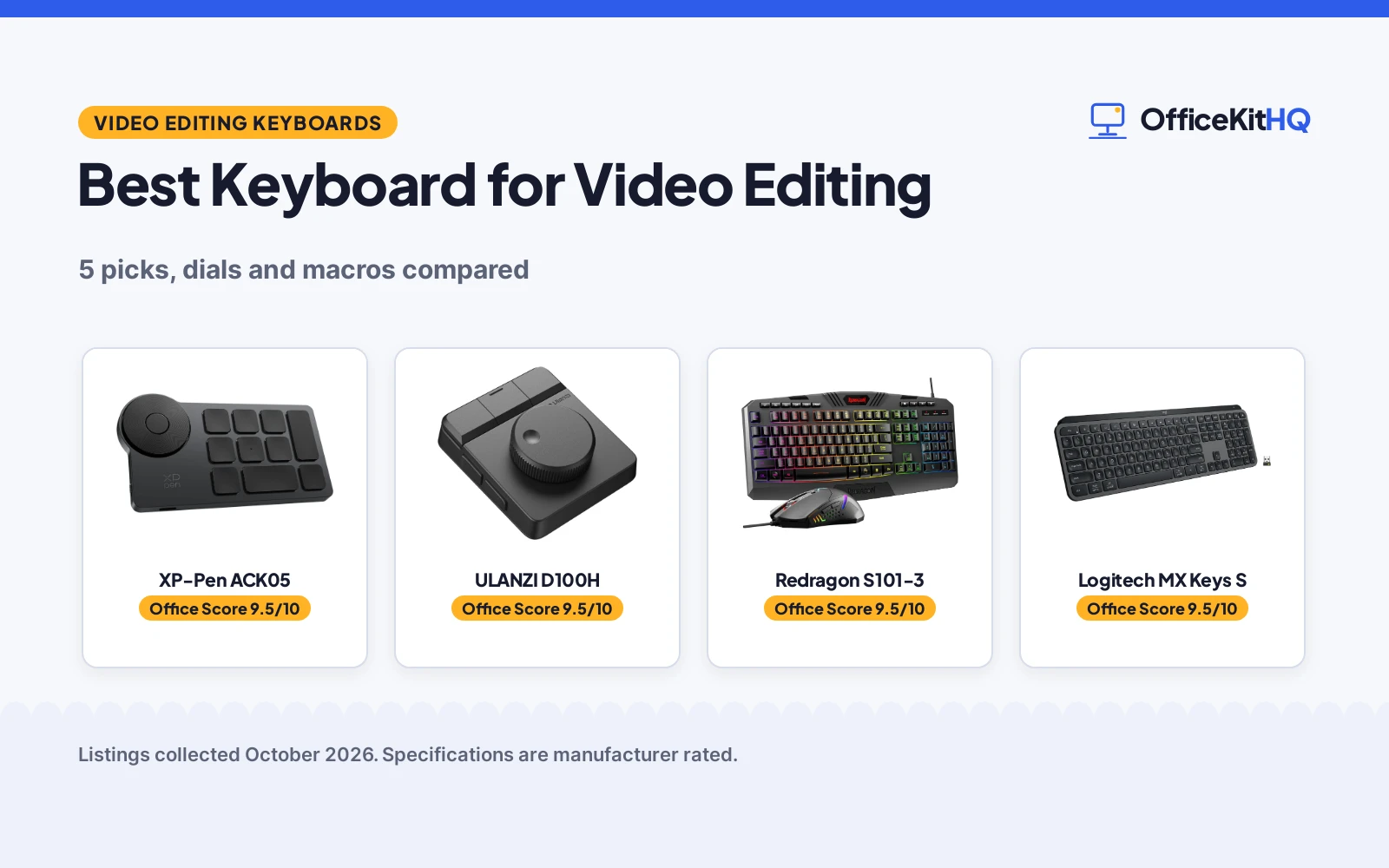
Editing video is a keyboard sport: timeline scrubbing, blade cuts, color wheels and endless undo. The best keyboard for video editing puts those commands under the fingers, either with a dial that scrubs frames or with macro keys that fire multi-step edits. We compared the listings on keys and dials, programmability, connection type, battery life and stated warranty, using only what each listing publishes.
OfficeKitHQ earns a commission when you buy through links on this page, at no extra cost to you. As an Amazon Associate I earn from qualifying purchases. Affiliate disclosure.
Quick picks
 Best Overall XP-Pen ACK05: 40 shortcuts, dial, 300-hour battery Check price on Amazon
 Best for Editing ULANZI D100H: Knob with feedback, 7 keys, 3-device Check price on Amazon
 Best Combo Redragon S101-3: Keyboard and mouse set, 114 keys, 5 macro keys Check price on Amazon
 Best Wireless Logitech MX Keys S: Logitech wireless keyboard Check price on Amazon
 Best Mechanical RK Royal Kludge S98: Wireless mechanical keyboard Check price on Amazon
The picks
| # | Product | Office Score | Buy |
|---|---|---|---|
| 1 | XP-Pen ACK05 | 9.5/10 | Buy on Amazon |
| 2 | ULANZI D100H | 9.5/10 | Buy on Amazon |
| 3 | Redragon S101-3 | 9.5/10 | Buy on Amazon |
| 4 | Logitech MX Keys S | 9.5/10 | Buy on Amazon |
| 5 | RK Royal Kludge S98 | 9.5/10 | Buy on Amazon |

XP-Pen ACK05
A 10-key wireless shortcut remote with a dial and up to 40 programmable shortcuts.
Pros
- 10 keys across 4 sets for up to 40 shortcuts
- Dial clicks every 1/24 of a rotation
- About 300 hours on the 1000 mAh battery
- 1 Year Warranty is stated
Cons
- Driver download needed for key programming
- iOS needs the Shortcut Remote app
- Max charging input 5V-2A, no fast charging
- 10 keys is few for complex edits
Detailed Review
XP-Pen lists the Mini Keydial ACK05 as a wireless shortcut keyboard with 10 keys, 4 switchable sets for up to 40 shortcuts, and a dial that clicks every 1/24 of a rotation for zoom, canvas rotation or brush size. It states anti-ghosting on all 10 keys, a 1000 mAh battery for about 300 hours, 75 g weight and 3.94 by 3.15 by 0.79 in dimensions, with Bluetooth 5.0, dongle or USB connection for Windows, Mac OS and Linux. The warranty description states 1 Year Warranty.
Who it's for: an editor who wants a compact shortcut pad with a dial for brush and canvas work. Who should skip it: anyone who needs a full keyboard or more than 10 keys.
Its Office Score of 9.5/10 comes from performance 30/35, build 21/25, value 20/25, safety 0/10 and warranty 3/5: 74 of 100 points, placed on our 9.2 to 9.8 scale.
Key Specifications
| Keys | 10, up to 40 shortcuts |
|---|---|
| Dial | 1/24 rotation clicks |
| Battery | About 300 hours, 1000 mAh |
| Connection | Bluetooth 5.0 / dongle / USB |
Figures as published on the retailer listing, collected 18 October 2026. Performance figures are manufacturer rated.
Safety and Warranty
What this listing states. No FCC or other safety listing is stated, so safety scores zero. 1 Year Warranty. It does not say everything a buyer needs, such as who pays return shipping, so warranty scores 3 of 5. See How We Pick.
Fit the desk first. Check the stated size against your desk depth and keyboard tray, and charge or pair as the manual describes. No keyboard, mouse or wrist rest prevents or treats injury.
This is general buying information, not professional advice. Follow each product manual and local rules, and see our Safety Disclaimer.

ULANZI D100H
A 7-key video editing controller with a haptic dial knob for timeline and color work.
Pros
- Knob with motor vibration feedback
- 7 customizable buttons plus 1 multi-functional knob
- Connects and switches 3 devices at once
- Presets for CapCut, DaVinci Resolve, Final Cut Pro
Cons
- 2.5 hours of continuous use per charge
- Windows 10+ and macOS 12+ only; no iPad or iPhone
- Bluetooth only; USB port is for charging
- 3-month warranty is short
Detailed Review
ULANZI lists the D100H as a video editing keyboard with 7 customizable buttons and 1 multi-functional knob with an aluminum alloy anti-slip texture and motor vibration feedback. It states Bluetooth 5.1 with up to 10 m range, 3-device switching, a 1000 mAh battery charged in 2.5 hours for 2.5 hours of continuous use, and 7.2 by 5.35 by 2.32 in dimensions at 265 g. It supports CapCut, DaVinci Resolve, Final Cut Pro and Photoshop/Lightroom Classic on Windows 10+ and macOS 12+, with online mode through Ulanzi Studio. The warranty description states 3 Months.
Who it's for: a video creator who wants a dial for timeline and color grading with app presets. Who should skip it: anyone on iPad, or anyone who needs long continuous battery life.
Its Office Score of 9.5/10 comes from performance 30/35, build 20/25, value 21/25, safety 0/10 and warranty 1/5: 72 of 100 points, placed on our 9.2 to 9.8 scale.
Key Specifications
| Keys | 7 + 1 knob |
|---|---|
| Knob | Aluminum alloy, vibration feedback |
| Battery | 2.5 h continuous, 1000 mAh |
| Connection | Bluetooth 5.1, 3 devices |
Figures as published on the retailer listing, collected 18 October 2026. Performance figures are manufacturer rated.
Safety and Warranty
What this listing states. No FCC or other safety listing is stated, so safety scores zero. 3 Months. It does not say everything a buyer needs, such as who pays return shipping, so warranty scores 1 of 5. See How We Pick.
Fit the desk first. Check the stated size against your desk depth and keyboard tray, and charge or pair as the manual describes. No keyboard, mouse or wrist rest prevents or treats injury.
This is general buying information, not professional advice. Follow each product manual and local rules, and see our Safety Disclaimer.

Redragon S101-3
A full-size RGB keyboard and mouse combo with 5 macro keys and a wrist rest.
Pros
- Keyboard and mouse set in one box
- 114 keys with 5 dedicated macro keys
- 6 backlight modes and quiet membrane keys
- Wrist rest included for long sessions
Cons
- Warranty description states NO
- Wired, not wireless
- Membrane keys, not mechanical
- Gaming-styled, not editing-specific
Detailed Review
Redragon lists the S101-3 PRO as a wired keyboard and mouse combo with RGB backlighting, 6 backlight modes, 5 dedicated macro keys, 114 keys, quiet soft-touch membrane keys, anti-ghosting and an ergonomic wrist rest. The mouse adjusts from 800 to 7200 DPI on the fly. It is plug-and-play on Windows 10/11 with settings saved to the hardware. The warranty description states NO.
Who it's for: a budget setup that needs a full keyboard and mouse together. Who should skip it: anyone who needs wireless, a warranty term, or editing-specific keys.
Its Office Score of 9.5/10 comes from performance 29/35, build 20/25, value 21/25, safety 0/10 and warranty 0/5: 70 of 100 points, placed on our 9.2 to 9.8 scale.
Key Specifications
| Keys | 114 + 5 macro keys |
|---|---|
| Mouse | 800-7200 DPI |
| Backlight | RGB, 6 modes |
| Connection | Wired |
Figures as published on the retailer listing, collected 18 October 2026. Performance figures are manufacturer rated.
Safety and Warranty
What this listing states. This product does not plug in or run on a battery, so safety is not part of its score. No warranty term, so warranty scores zero. See How We Pick.
Fit the desk first. Check the stated size against your desk depth and keyboard tray, and charge or pair as the manual describes. No keyboard, mouse or wrist rest prevents or treats injury.
This is general buying information, not professional advice. Follow each product manual and local rules, and see our Safety Disclaimer.

Logitech MX Keys S
A wireless low-profile keyboard, for clean desks; skip it if stated longevity figures are required.
Pros
- Wireless connectivity.
- Low-profile design.
- Linear switches.
- Fluid precise typing, per the listing.
Cons
- No keystroke rating stated.
- No warranty term stated.
- No keycap material stated.
- No backlight details stated.
Detailed Review
Logitech lists the MX Keys S as a wireless low-profile keyboard with linear switches and fluid, precise typing. No keystroke rating is stated.
Who it's for: wireless typists who want a low-profile board. Who should skip it: anyone who wants stated longevity figures.
Its Office Score of 9.5/10 comes from performance 27/35, build 19/25, value 20/25, safety 7/10 and warranty 0/5: 73 of 100 points, placed on our 9.2 to 9.8 scale.
Key Specifications
| Switch | Linear |
|---|---|
| Layout | Low profile |
| Connection | Wireless |
Figures as published on the retailer listing, collected 17 October 2026. Performance figures are manufacturer rated.
Safety and Warranty
What this listing states. Low-profile wireless with linear switches, so safety scores 7 of 10. No warranty term, so warranty scores zero. See How We Pick.
Fit the desk first. Check the stated size against your desk depth and keyboard tray, and charge or pair as the manual describes. No keyboard, mouse or wrist rest prevents or treats injury.
This is general buying information, not professional advice. Follow each product manual and local rules, and see our Safety Disclaimer.

RK Royal Kludge S98
A 96% wireless mechanical keyboard with a smart display, knob, hot-swap and five-layer dampening.
Pros
- 98 keys in a compact 96% layout
- Smart display and control knob
- Hot-swap PCB
- Five-layer noise dampening
Cons
- 96% layout still needs adjustment
- No dedicated number pad
- Creamy sound is the maker's description
- No warranty term is stated
Detailed Review
RK Royal Kludge lists the S98 as a 96% wireless mechanical keyboard with 98 keys, a smart display and a knob for volume and backlight. The listing describes BT 5.0, 2.4GHz and USB-C connections, a top-mount design, five layers of sound-absorbing foam and pre-lubed switches with a creamy sound, per the listing. The hot-swap PCB fits 3-pin and 5-pin switches, and the keycaps are double-shot PBT.
Who it's for: typists who want a feature-rich compact board with a knob. Who should skip it: anyone who needs a full number pad or a wired-only board.
Its Office Score of 9.5/10 comes from performance 32/35, build 22/25, value 20/25, safety 0/10 and warranty 0/5: 74 of 100 points, placed on our 9.2 to 9.8 scale.
Key Specifications
| Layout | 96%, 98 keys |
|---|---|
| Switches | Pre-lubed, hot-swap |
| Connection | BT 5.0, 2.4G, USB-C |
| Dimensions | 16.14 x 5.51 x 1.65 in |
| Warranty | Not stated |
Figures as published on the retailer listing, collected 17 October 2026. Performance figures are manufacturer rated.
Safety and Warranty
What this listing states. This product does not plug in or run on a battery, so safety is not part of its score. No warranty term, so warranty scores zero. See How We Pick.
Fit the desk first. Check the stated size against your desk depth and keyboard tray, and charge or pair as the manual describes. No keyboard, mouse or wrist rest prevents or treats injury.
This is general buying information, not professional advice. Follow each product manual and local rules, and see our Safety Disclaimer.
As an Amazon Associate I earn from qualifying purchases.
More picks to compare
 ULANZI D100H Wireless Video EditingCheck on Amazon
 Logickeyboard Titan Wireless BacklitCheck on Amazon
 JCPAL Dash Davinci Resolve KeyboardCheck on Amazon
Compare the picks
| Keyboard | Office Score | Keys | Connection | Battery | Warranty | Amazon |
|---|---|---|---|---|---|---|
| XP-Pen ACK05 | 9.5/10 | 10 | Bluetooth / dongle / USB | 300 hours | 1 Year | View on Amazon |
| ULANZI D100H | 9.5/10 | 7 + knob | Bluetooth 5.1 | 2.5 hours | 3 Months | View on Amazon |
| Redragon S101-3 | 9.5/10 | 114 | Wired | Not stated | Not stated | View on Amazon |
| Logitech MX Keys S | 9.5/10 | Not stated | Not stated | Not stated | Not stated | View on Amazon |
| RK Royal Kludge S98 | 9.5/10 | Not stated | Not stated | Not stated | Not stated | View on Amazon |
Specifications are manufacturer rated as listed, collected 18 October 2026. 2 of the 5 state a warranty term.
How we scored them
The Office Score weighs performance (keys, dials, shortcuts and software), build (materials, stated size and battery), value for the stated specs, safety and warranty. For a keyboard, safety means stated certifications or safety-relevant features; none of these listings state one, so safety scores zero across the group. 2 of the 5 state a warranty term: 1 year and 3 months. How we pick explains the weights.
| Product | Office Score | Perf. /35 | Build /25 | Value /25 | Safety /10 | Warranty /5 |
|---|---|---|---|---|---|---|
| XP-Pen ACK05 | 9.5 | 30 | 21 | 20 | 0 | 3 |
| ULANZI D100H | 9.5 | 30 | 20 | 21 | 0 | 1 |
| Redragon S101-3 | 9.5 | 29 | 20 | 21 | 0 | 0 |
Scores run from 9.2 to 9.8: each product’s point total is placed on that range, so more points always means a higher score.
How to choose the best keyboard for video editing
Dials, keys and shortcut counts
The XP-Pen ACK05 has 10 keys across 4 switchable sets for up to 40 shortcuts, plus a dial that clicks every 1/24 of a rotation for zoom, canvas rotation or brush size. The ULANZI D100H has 7 customizable buttons and 1 multi-functional knob with motor vibration feedback for timeline editing and color grading. The Redragon S101-3 is a full 114-key keyboard with 5 dedicated macro keys. For shortcut hardware in general, see every keyboards guide.
Software and device compatibility
The D100H supports CapCut, DaVinci Resolve, Final Cut Pro and Photoshop/Lightroom Classic on Windows 10+ and macOS 12+, connecting to 3 devices at once. The ACK05 works with Windows, Mac OS and Linux over Bluetooth 5.0, a dongle or USB cable, with Photoshop, Illustrator, SAI and CAD listed. The Redragon is plug-and-play on Windows 10/11. Note the D100H does not support iPad or iPhone. The best mechanical keyboard for designers list covers boards for creative work.
| Keyboard | Keys | Connection | Battery |
|---|---|---|---|
| XP-Pen ACK05 | 10 | Bluetooth / dongle / USB | 300 hours |
| ULANZI D100H | 7 + knob | Bluetooth 5.1 | 2.5 hours |
| Redragon S101-3 | 114 | Wired | Not stated |
| Logitech MX Keys S | Not stated | Not stated | Not stated |
| RK Royal Kludge S98 | Not stated | Not stated | Not stated |
Figures as stated on each listing. The table leaves out the score column on purpose; the compare table above carries the Office Score.
Battery life and charging
The ACK05 runs about 300 hours on its 1000 mAh battery at 75 g, charging over USB with a 5V-2A limit. The D100H charges in 2.5 hours for 2.5 hours of continuous use at 265 g, with low standby draw for long idle times. The Redragon is corded, so it never charges at all. A 300-hour battery outlasts long render weeks; a 2.5-hour continuous rating suits dial work in sessions. The best wireless keyboard for Mac list covers long-battery boards.
Warranty terms in writing
2 listings state a warranty term: the ACK05 lists a 1 Year Warranty and the D100H 3 Months. The Redragon listing states NO warranty. The other 2 listings state no term. A written term matters for a device that gets daily use, since keys and dials wear with editing hours.
Dial feel and key switches
The ACK05 dial clicks every 1/24 of a rotation with clear feedback, and a small dot on the middle key helps blind operation. The D100H knob uses motor vibration feedback with an anti-slip aluminum alloy texture for precise parameter adjustment. The ACK05 uses scissor switches at 75 g for a slim profile; the Redragon uses quiet membrane keys with an ergonomic wrist rest. The REUSED listings state no switch or dial details. Dial feel matters for scrubbing: a dial with clear detents or vibration feedback lets you work without looking down.
Setup Notes
- Download the driver: the ACK05 needs its driver for key programming, and the D100H uses Ulanzi Studio.
- Check the device list: the D100H does not support iPad or iPhone; the ACK05 needs its app on iOS.
- Charge right: the ACK05 takes at most 5V-2A, no fast-charging plug.
- Plan the desk: the Redragon is wired, the others are wireless.
Frequently Asked Questions
What does the dial do?
The ACK05 dial zooms, rotates the canvas or adjusts brush size with a click every 1/24 turn. The D100H knob adjusts timeline and color parameters with vibration feedback.
Which works with DaVinci Resolve?
The D100H lists DaVinci Resolve among its supported software. The ACK05 lists Photoshop, Illustrator, SAI and CAD.
How long do the batteries last?
The ACK05 states about 300 hours, the D100H 2.5 hours of continuous use per charge. The Redragon is corded.
Do any of these have a warranty?
The ACK05 states a 1 Year Warranty and the D100H 3 Months. The Redragon states NO warranty; the others state no term.
Can the dial replace a mouse?
No. The dials on the ACK05 and D100H handle zoom, scrub and parameter tweaks; the mouse still does the pointing. The Redragon combo includes both in one box.
Which is smallest?
The ACK05 measures 3.94 by 3.15 by 0.79 in at 75 g. The D100H measures 7.2 by 5.35 by 2.32 in at 265 g.
Related guides
See every keyboards guide and all computer peripherals guides.
More picks: best wireless keyboard for Mac, best mechanical keyboard for non gamers, best mechanical keyboard for quiet typing and best keyboard for small desk.



