
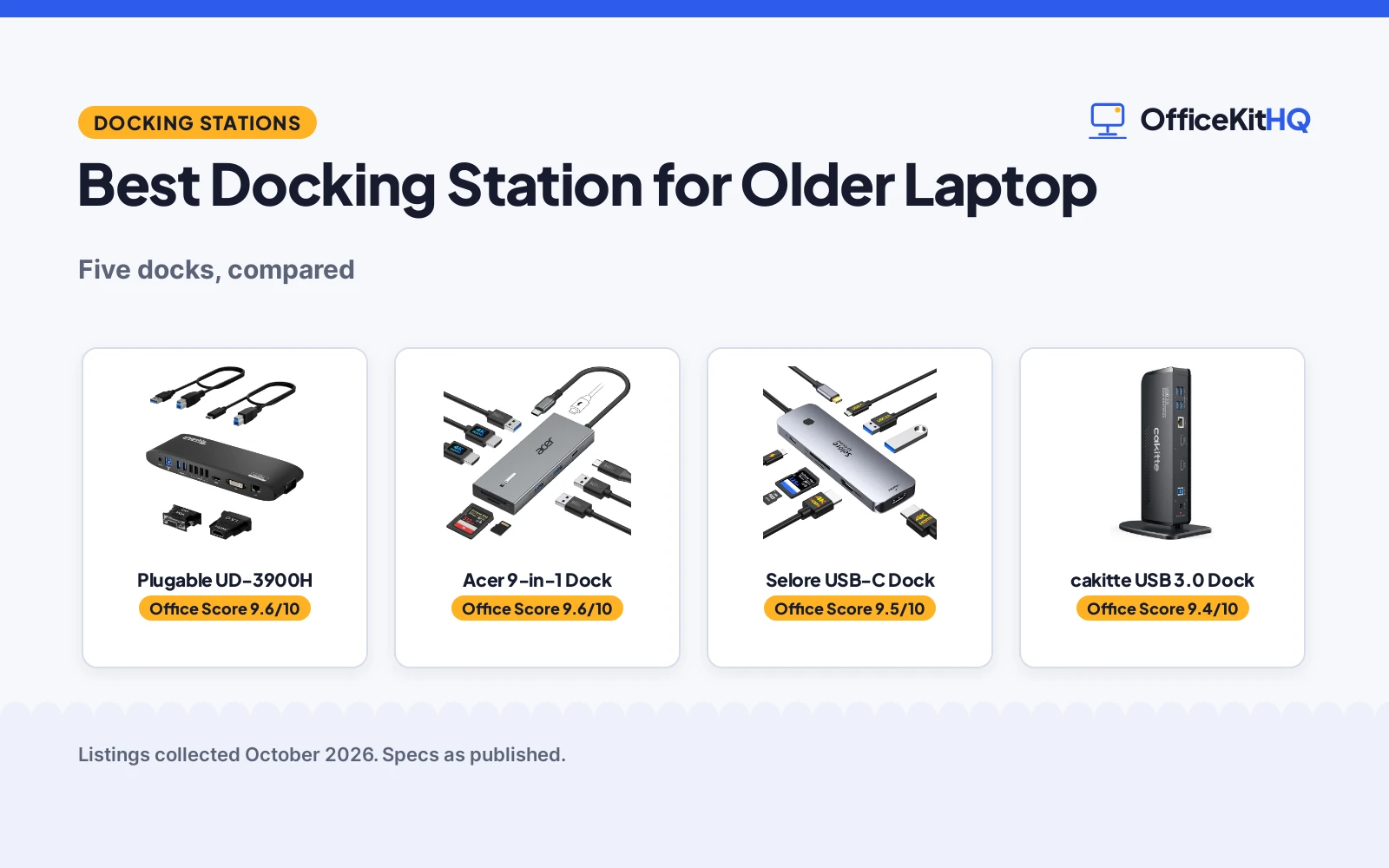
An older laptop still has years of desk duty left in it, but its ports are the bottleneck: one video out, a couple of USB ports, no room for two monitors and a proper keyboard. The best docking station for older laptop owners is the one that plugs into the ports the laptop actually has, so we compared five docks using only what each listing publishes: host port, video outputs, power delivery, port count and warranty. Two connect over USB 3.0 and three over USB-C, and that split decides the ranking.
OfficeKitHQ earns a commission when you buy through links on this page, at no extra cost to you. As an Amazon Associate I earn from qualifying purchases. Affiliate disclosure.
Quick picks
 Best Overall Plugable UD-3900H: USB 3.0, dual HDMI, 2-year warranty Check price on Amazon
 Best USB-C Selore USB-C Dock: Dual 4K@60Hz, 100W PD, 18-month warranty Check price on Amazon
 Best Value cakitte USB 3.0 Dock: USB 3.0 dual monitor, 12-month warranty Check price on Amazon
 Best 9-in-1 Acer 9-in-1 Dock: Dual 4K 60Hz, 100W PD Check price on Amazon
 Best Dual Monitor MOKiN USB-C Dock: USB-C dual monitor Check price on Amazon
The picks
| # | Product | Office Score | Buy |
|---|---|---|---|
| 1 | Plugable UD-3900H | 9.6/10 | Buy on Amazon |
| 2 | Acer 9-in-1 Dock | 9.6/10 | Buy on Amazon |
| 3 | Selore USB-C Dock | 9.5/10 | Buy on Amazon |
| 4 | cakitte USB 3.0 Dock | 9.4/10 | Buy on Amazon |
| 5 | MOKiN Dual Monitor Docking Station | 9.4/10 | Buy on Amazon |

Plugable UD-3900H
A USB 3.0 universal dock with dual HDMI for Windows, macOS and ChromeOS.
Pros
- USB 3.0: works with older laptops
- Dual HDMI monitors
- 12 ports
- 2-year parts and labor warranty
Cons
- 24W power, lower than 100W picks
- No 4K@60Hz is stated
- No power delivery is stated
- Bulkier universal dock format
Detailed Review
Plugable lists the UD-3900H as a USB 3.0 universal docking station for Windows, macOS and ChromeOS with dual HDMI monitors and 12 ports. The extracted figures include 24W, and a 2-year limited parts and labor warranty is stated.
For an older laptop this is the natural top pick: USB 3.0 works with the ports older machines actually have, the dual HDMI covers two monitors, and the 2-year warranty is the longest here. It gives up stated 4K figures and power delivery, which is the normal tradeoff for USB 3.0: the dock expands ports while the laptop keeps its own charger.
Its Office Score of 9.6/10 comes from performance 30/35, build 21/25, value 20/25, safety 0/10 and warranty 4/5: 75 of 100 points, placed on our 9.2 to 9.8 scale.
Key Specifications
| Host | USB 3.0 |
|---|---|
| Video | Dual HDMI |
| Ports | 12 |
| Warranty | 2 years |
Figures as published on the retailer listing, collected 18 October 2026. Performance figures are manufacturer rated.
Safety and Warranty
What this listing states. This product does not plug in or run on a battery, so safety is not part of its score. 2 Year Limited Parts and Labor. It does not say everything a buyer needs, such as who pays return shipping, so warranty scores 4 of 5. See How We Pick.
Power and heat. Use the supplied adapter, treat power delivery wattage and display support as the maker's claims for your laptop model, and give the dock room to vent.
This is general buying information, not professional advice. Follow each product manual and local rules, and see our Safety Disclaimer.

Acer 9-in-1 Dock
A 9-in-1 aluminum dock with dual 4K HDMI at 60Hz, 5Gbps USB-A and USB-C, 100W PD input with 90W to the laptop, and a stated 1-year warranty.
Pros
- Dual 4K HDMI at 60Hz for two monitors
- Aluminum alloy body with a 0.65 ft built-in cable
- 100W PD input delivers up to 90W to the laptop
- Lock button for device security, plus 1-year warranty stated
Cons
- USB data tops out at 5Gbps
- No Ethernet port is listed
- 100W+ power adapter not included
- Mac supports mirror only across external monitors
Detailed Review
Acer lists a 9-in-1 USB-C docking station with two HDMI ports at 4K and 60Hz, 3 USB-A at 5Gbps, 1 USB-C at 5Gbps, SD and microSD slots at up to 104Mbps, and 100W PD input delivering up to 90W to the laptop. It has a 0.65 ft built-in cable, an aluminum alloy body and a lock button: single click locks Windows, press and hold 3 seconds for Mac. The laptop needs a USB-C port with DisplayPort Alt Mode, and Mac mirrors the same content across external monitors. The spec table states a 1-year manufacturer warranty. No Ethernet port is listed.
Who it's for: someone who wants a compact aluminum dock for dual 4K monitors with a built-in cable. Who should skip it: anyone who needs wired Ethernet or faster than 5Gbps USB.
Its Office Score of 9.6/10 comes from performance 28/35, build 21/25, value 20/25, safety 5/10 and warranty 3/5: 77 of 100 points, placed on our 9.2 to 9.8 scale.
Key Specifications
| Video | 2x HDMI 4K@60Hz |
|---|---|
| USB | 5Gbps USB-A/C |
| Power | 100W in, 90W out |
| Warranty | 1 year |
Figures as published on the retailer listing, collected 18 October 2026. Performance figures are manufacturer rated.
Safety and Warranty
What this listing states. Aluminum body; 90W laptop charging from 100W input, stated, so safety scores 5 of 10. 1-year manufacturer warranty stated. It does not say everything a buyer needs, such as who pays return shipping, so warranty scores 3 of 5. See How We Pick.
Power and heat. Use the supplied adapter, treat power delivery wattage and display support as the maker's claims for your laptop model, and give the dock room to vent.
This is general buying information, not professional advice. Follow each product manual and local rules, and see our Safety Disclaimer.

Selore USB-C Dock
An 8-in-1 USB-C dock with dual 4K HDMI at 60Hz and 100W power delivery.
Pros
- Dual HDMI at 4K 60Hz
- 100W power delivery
- 8-in-1 port selection
- 18-month warranty
Cons
- USB-C only: needs a full-featured port
- Less useful on laptops without USB-C
- Shorter warranty than the Plugable
- No 12-port count like the Plugable
Detailed Review
Selore lists this as an 8-in-1 USB-C dock with dual HDMI at 4K and 60Hz, 100W power delivery and an 18-month warranty.
The strongest USB-C pick on stated specs: dual 4K at 60Hz, 100W power delivery and an 18-month warranty in an 8-in-1 body. But USB-C only, so on a truly older laptop without a full-featured USB-C port it cannot work as listed, which is why it trails the USB 3.0 Plugable for this keyword.
Its Office Score of 9.5/10 comes from performance 28/35, build 20/25, value 20/25, safety 0/10 and warranty 4/5: 72 of 100 points, placed on our 9.2 to 9.8 scale.
Key Specifications
| Host | USB-C |
|---|---|
| Video | Dual HDMI 4K@60Hz |
| Power | 100W PD |
| Warranty | 18 months |
Figures as published on the retailer listing, collected 18 October 2026. Performance figures are manufacturer rated.
Safety and Warranty
What this listing states. No UL, FCC or over-current protection statement is stated, so safety scores zero. 18-month warranty. It does not say everything a buyer needs, such as who pays return shipping, so warranty scores 4 of 5. See How We Pick.
Power and heat. Use the supplied adapter, treat power delivery wattage and display support as the maker's claims for your laptop model, and give the dock room to vent.
This is general buying information, not professional advice. Follow each product manual and local rules, and see our Safety Disclaimer.

Pros
- USB 3.0 for older laptops
- Dual monitor 2K and 4K
- 3.5mm audio stated
- 12-month warranty per bullets
Cons
- Warranty contradiction: 180 days in spec table
- No power delivery is stated
- No port count is stated
- Lesser-known brand
Detailed Review
cakitte lists this as a USB 3.0 dual-monitor dock with 2K and 4K figures at 60 and 30Hz and a 3.5mm audio port. The bullets state a 12-month warranty with lifetime technical support, while the spec table states 180 days; per the brief we trust the bullets and report 12 months.
A solid USB 3.0 alternative to the Plugable for older laptops, with dual-monitor figures and a 3.5mm audio port the others do not state. It is held back by the warranty contradiction between its bullets and spec table and by thinner stated detail than the Plugable.
Its Office Score of 9.4/10 comes from performance 27/35, build 19/25, value 19/25, safety 0/10 and warranty 3/5: 68 of 100 points, placed on our 9.2 to 9.8 scale.
Key Specifications
| Host | USB 3.0 |
|---|---|
| Video | Dual monitor 2K/4K |
| Audio | 3.5mm |
| Warranty | 12 months |
Figures as published on the retailer listing, collected 18 October 2026. Performance figures are manufacturer rated.
Safety and Warranty
What this listing states. This product does not plug in or run on a battery, so safety is not part of its score. 12 months warranty. It does not say everything a buyer needs, such as who pays return shipping, so warranty scores 3 of 5. See How We Pick.
Power and heat. Use the supplied adapter, treat power delivery wattage and display support as the maker's claims for your laptop model, and give the dock room to vent.
This is general buying information, not professional advice. Follow each product manual and local rules, and see our Safety Disclaimer.

MOKiN Dual Monitor Docking Station
Dual 4K@60Hz dock, 13-in-1, 100W max charging.
Pros
- Dual 4K@60Hz display
- 13-in-1 port expansion
- 100W max charging
- Screen-off button
Cons
- Needs Thunderbolt or full-function USB-C
- macOS limited to SST mirrored mode
- Charger not included
- Dual display only
Detailed Review
MOKiN lists a dual-monitor docking station with two HDMI outputs at 4K@60Hz and 13-in-1 expansion.
The dock requires Thunderbolt 3 or 4 or a full-functional USB-C port; macOS laptops only support SST mirrored mode.
Its Office Score of 9.4/10 comes from performance 27/35, build 19/25, value 20/25, safety 0/10 and warranty 4/5: 70 of 100 points, placed on our 9.2 to 9.8 scale.
Key Specifications
| Displays | Dual 4K@60Hz |
|---|---|
| Video out | 2 HDMI |
| Ports | 13-in-1 |
| Power | 100W max |
Figures as published on the retailer listing, collected 18 October 2026. Performance figures are manufacturer rated.
Safety and Warranty
What this listing states. No safety lock or safety listing is stated, so safety scores zero. 2 Years. It does not say everything a buyer needs, such as who pays return shipping, so warranty scores 4 of 5. See How We Pick.
Shredder and printer safety. Keep hair, ties, jewelry, children and pets away from the feed slot, use the safety lock, unplug when not in use, and give printers and adapters room to vent.
This is general buying information, not professional advice. Follow each product manual and local rules, and see our Safety Disclaimer.
As an Amazon Associate I earn from qualifying purchases.
Compare the picks
| Product | Office Score | Host port | Video | Power delivery | Warranty | Amazon |
|---|---|---|---|---|---|---|
| Plugable UD-3900H | 9.6/10 | USB 3.0 | Dual HDMI | Not stated | 2 years | View on Amazon |
| Selore USB-C Dock | 9.5/10 | USB-C | Dual HDMI 4K@60Hz | 100W | 18 months | View on Amazon |
| cakitte USB 3.0 Dock | 9.4/10 | USB 3.0 | Dual monitor 2K/4K | Not stated | 12 months | View on Amazon |
| Acer 9-in-1 Dock | 9.6/10 | USB-C | Dual 4K HDMI 60Hz | 100W | Not stated | View on Amazon |
| MOKiN USB-C Dock | 9.4/10 | USB-C | Dual monitor | Not stated | Not stated |
Specifications are manufacturer rated as listed, collected 18 October 2026. Three of the five state a warranty term; none states a safety certification.
How we scored them
The Office Score weighs performance (host port, video outputs, power delivery and port count), build, value for the stated specs, safety and warranty. For an older laptop, the host port is the deciding spec: USB 3.0 docks work with the ports older machines actually have, while USB-C docks need a full-featured USB-C port the laptop may lack. On warranty, the Plugable states 2-year limited parts and labor, the Selore 18 months, and the cakitte 12 months in its bullets against 180 days in its spec table; the Acer and MOKiN state no warranty term. How we pick explains the weights.
| Product | Office Score | Perf. /35 | Build /25 | Value /25 | Safety /10 | Warranty /5 |
|---|---|---|---|---|---|---|
| Plugable UD-3900H | 9.6 | 30 | 21 | 20 | 0 | 4 |
| Selore USB-C Dock | 9.5 | 28 | 20 | 20 | 0 | 4 |
| cakitte USB 3.0 Dock | 9.4 | 27 | 19 | 19 | 0 | 3 |
Scores run from 9.2 to 9.8: each product’s point total is placed on that range, so more points always means a higher score.
How to choose the best docking station for older laptop
Check the laptop’s ports before the dock’s
This is the whole buying decision. The Plugable UD-3900H and the cakitte connect over USB 3.0, which older laptops have; the Selore, Acer and MOKiN connect over USB-C, which many older laptops lack or carry in a limited form. A USB-C dock on a laptop without a full-featured USB-C port simply will not work as listed, so check the machine first. For dual-monitor setups, see our best docking station for dual monitors and laptop.
Count the video outputs
All five drive two monitors. The Selore and Acer state dual HDMI at 4K and 60Hz, the cakitte states dual monitor at 2K and 4K with 60 and 30Hz figures, and the Plugable and MOKiN state dual HDMI and dual monitor without resolution figures. If your monitors are 4K, the stated 4K figures matter; if they are older HD panels, any of the five will do. Our best docking station for Dell laptop guide covers brand-specific picks.
Power delivery is a USB-C feature
Only the USB-C docks state power delivery: the Selore and Acer each state 100W. The USB 3.0 docks state none, which is normal: they expand ports while the laptop keeps its own charger. Do not expect a USB 3.0 dock to charge the machine; plan for two cables on those, one for the dock and one for power.
| Dock | Host port | Video | Power delivery | Warranty |
|---|---|---|---|---|
| Plugable UD-3900H | USB 3.0 | Dual HDMI | Not stated | 2 years |
| Selore USB-C Dock | USB-C | Dual HDMI 4K@60Hz | 100W | 18 months |
| cakitte USB 3.0 Dock | USB 3.0 | Dual monitor 2K/4K | Not stated | 12 months |
| Acer 9-in-1 Dock | USB-C | Dual 4K HDMI 60Hz | 100W | Not stated |
| MOKiN USB-C Dock | USB-C | Dual monitor | Not stated | Not stated |
Figures as stated in each listing. The cakitte bullets state a 12-month warranty while its spec table states 180 days; we report the bullets’ figure and note the conflict in the review.
Read the warranty line
Three listings state a warranty term. The Plugable states 2-year limited parts and labor, the Selore states 18 months, and the cakitte’s bullets state 12 months against 180 days in its spec table. The Acer and MOKiN state no warranty term. A dock is a daily-use item, so a stated term is worth real weight.
Setup Notes
- Confirm the host port: USB 3.0 on the Plugable and cakitte, full-featured USB-C on the other three.
- Count monitors first: all five drive two, none states more.
- Plan power: the USB-C docks state 100W delivery, the USB 3.0 docks do not charge the laptop.
- Keep the laptop’s own charger handy for the USB 3.0 docks.
Frequently Asked Questions
Will a USB-C dock work with an older laptop?
Only if the laptop has a full-featured USB-C port. Many older laptops lack one, which is why the USB 3.0 Plugable and cakitte lead this list for older machines.
Which dock states the longest warranty?
The Plugable UD-3900H at 2-year limited parts and labor. The Selore states 18 months and the cakitte 12 months; the other two state none.
Which docks can charge the laptop?
The Selore and Acer each state 100W power delivery. The USB 3.0 docks state no power delivery.
Which dock has the most ports stated?
The Plugable states 12 ports. The Selore is an 8-in-1 and the Acer a 9-in-1; the other two state no port count.
Can one dock serve two laptops?
Only the Plugable states universal host support across Windows, macOS and ChromeOS, which suits a household with mixed machines. The other four state no OS list, so check the listing for your system before assuming a dock will work with both an old Windows laptop and a newer MacBook.
What is the cakitte warranty contradiction?
Its bullets state a 12-month warranty while its spec table states 180 days. Per the brief we trust the bullets and report 12 months.
Related guides
See every docking stations and USB hubs guide and all connectivity guides. Also see our best docking station for multiple monitors.
More picks: docking station for business, docking station for four monitors, more docking stations.



