
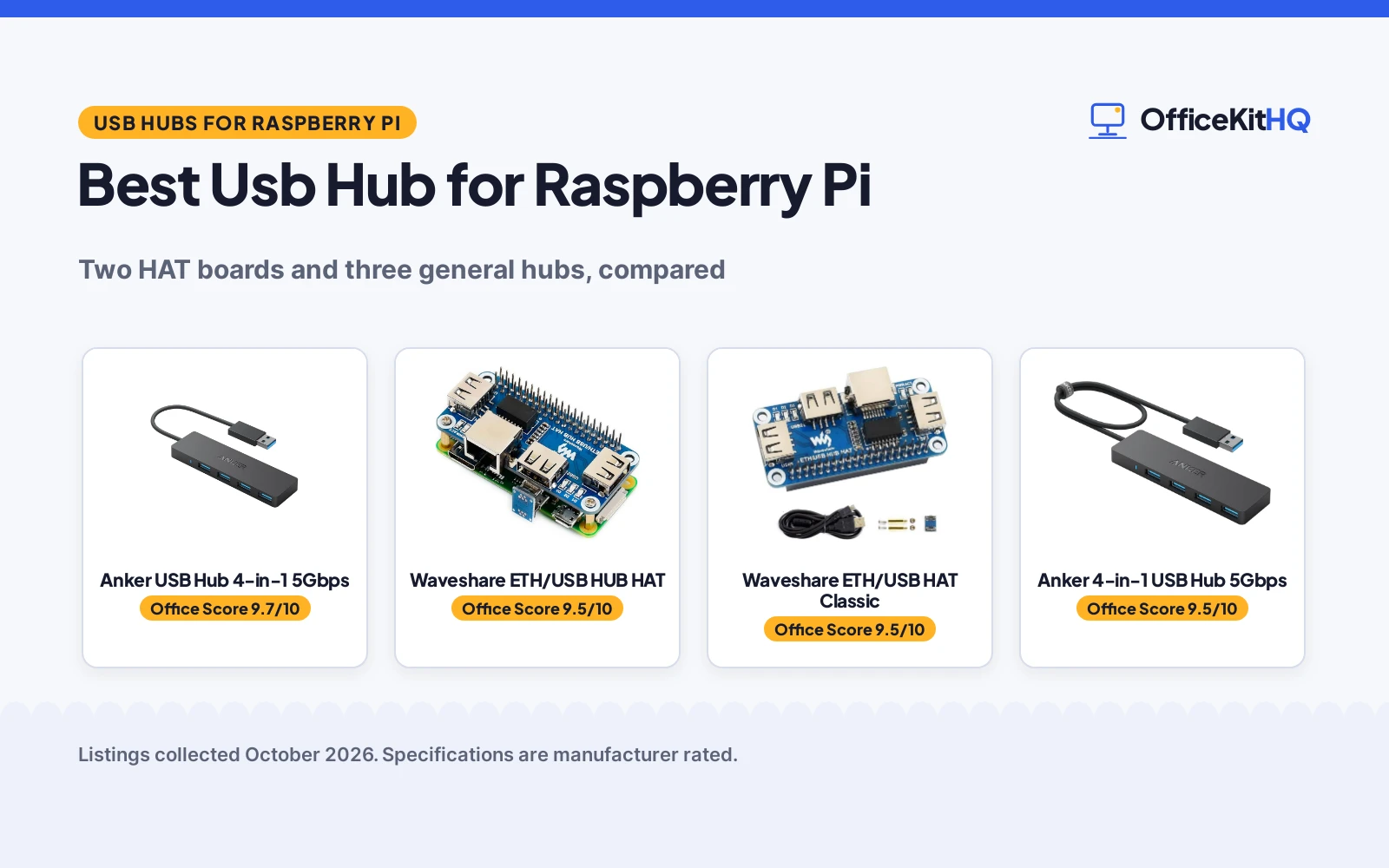
A Raspberry Pi on a desk collects dongles fast: a keyboard, a mouse, a flash drive, and suddenly the ports are gone. The best usb hub for raspberry pi adds the ports back, and for a Pi it pays to pick one that lists the Pi as a compatible device rather than a generic desktop hub. The HAT boards built for the Pi lead this guide, followed by general hubs for when raw speed matters more than the form factor.
OfficeKitHQ earns a commission when you buy through links on this page, at no extra cost to you. As an Amazon Associate I earn from qualifying purchases. Affiliate disclosure.
Quick picks
 Best Overall Waveshare ETH/USB HUB HAT: 3 USB ports plus RJ45 10/100M Ethernet on a HAT for Pi 5/4B/3B+/Zero 2W. Check price on Amazon
 Pi 4 and Earlier Waveshare ETH/USB HAT Classic: Same 3 USB + Ethernet HAT layout, listed for Pi 4B/3B+/3B/2B/Zero. Check price on Amazon
 Fastest Ports Anker USB Hub 4-in-1 5Gbps: 4-in-1 hub with 5Gbps data transfer. Check price on Amazon
 5Gbps Alternate Anker 4-in-1 USB Hub 5Gbps: 4-in-1 hub with 5Gbps data transfer. Check price on Amazon
 Slim 4-Port UGREEN USB 3.0 Hub 4-Port: Ultra-slim 4-port USB 3.0 hub. Check price on Amazon
The picks
| # | Product | Office Score | Buy |
|---|---|---|---|
| 1 | Anker 4-Port USB Hub | 9.7/10 | Buy on Amazon |
| 2 | Waveshare ETH/USB HUB HAT | 9.5/10 | Buy on Amazon |
| 3 | Waveshare ETH/USB HAT Classic | 9.5/10 | Buy on Amazon |
| 4 | Anker 4-Port USB Hub | 9.5/10 | Buy on Amazon |
| 5 | UGREEN 4-Port USB Hub | 9.5/10 | Buy on Amazon |

Anker 4-Port USB Hub
A 4-port USB 3.0 hub with 5Gbps speed, LED indicator and a 0.7 ft cable.
Pros
- Four USB 3.0 ports at 5Gbps
- LED indicator
- Heat resistant design stated
- 18-month warranty stated
Cons
- No charging support
- 0.7 ft cable is short
- No stated safety certification
- Four ports only
Detailed Review
Anker lists the 4-port hub as a USB 3.0 data hub with 5Gbps transfer, an LED indicator, a 0.7 ft cable and a 1.28 oz weight. The listing states charging is not supported and includes an 18-month warranty.
Who it's for: laptop users who want a compact hub. Who should skip it: anyone who needs more than four ports.
Its Office Score of 9.7/10 comes from performance 30/35, build 20/25, value 21/25, safety not scored (non-powered gear) and warranty 3/5: 74 of 90 points, placed on our 9.2 to 9.8 scale.
Key Specifications
| Ports | 4 |
|---|---|
| Speed | 5Gbps |
| Cable | 0.7 ft |
| Warranty | 18 months |
Figures as published on the retailer listing, collected 19 October 2026. Performance figures are manufacturer rated.
Safety and Warranty
What this listing states. This product does not plug in or run on a battery, so safety is not part of its score. 18-month warranty stated. It does not say everything a buyer needs, such as who pays return shipping, so warranty scores 3 of 5. See How We Pick.
Fit the desk first. Check the stated size against your desk depth and keyboard tray, and charge or pair as the manual describes. No keyboard, mouse or wrist rest prevents or treats injury.
This is general buying information, not professional advice. Follow each product manual and local rules, and see our Safety Disclaimer.

Waveshare ETH/USB HUB HAT
A HAT expansion board for the Raspberry Pi with 3 USB ports and an RJ45 10/100M Ethernet port based on the RTL8152B chip, 5V powered, sized 65mm by 30mm with 3.0mm mounting holes.
Pros
- 3 USB ports plus RJ45 10/100M Ethernet
- Lists Pi 5/4B/3B+/Zero 2W as compatible
- RTL8152B chip stated
- Onboard indicators for power, Ethernet and USB
Cons
- USB 2.0/1.1 only, no USB 3
- 10/100M Ethernet, no gigabit
- No warranty term is stated
- 0.09 kg rides on the HAT standoffs
Detailed Review
Waveshare's ETH/USB HUB HAT stacks onto the Pi and adds what the board lacks: 3 USB ports compatible with USB2.0/1.1 and an RJ45 10/100M Ethernet port based on the RTL8152B chip. The listing names Raspberry Pi 5/4B/3B+ and Zero 2W among the compatible models, with a board sized 65mm by 30mm to fit the Zero line and 3.0mm mounting holes. Onboard multi indicators monitor power, Ethernet and each USB port, the operating voltage is 5V, and the spec table marks it as Powered. It measures 2.54 by 1.18 by 0.19 in and weighs 0.09 kg.
Who it's for: a Pi that needs a stable wired Ethernet connection and more USB ports in one HAT. Who should skip it: anyone who needs USB 3 speeds or gigabit Ethernet.
Its Office Score of 9.5/10 comes from performance 30/35, build 21/25, value 21/25, safety 0/10 and warranty 0/5: 72 of 100 points, placed on our 9.2 to 9.8 scale.
Key Specifications
| Ports | 3x USB, 1x RJ45 |
|---|---|
| Ethernet | 10/100M, RTL8152B |
| USB | 2.0/1.1 |
| Voltage | 5V |
| Size | 65 x 30mm, 3.0mm holes |
| Weight | 0.09 kg |
Figures as published on the retailer listing, collected 21 October 2026. Performance figures are manufacturer rated.
Safety and Warranty
What this listing states. No UL, FCC or over-current protection statement is stated, so safety scores zero. No warranty term, so warranty scores zero. See How We Pick.
Power and heat. Use the supplied adapter, treat power delivery wattage and display support as the maker's claims for your laptop model, and give the dock room to vent.
This is general buying information, not professional advice. Follow each product manual and local rules, and see our Safety Disclaimer.

Waveshare ETH/USB HAT Classic
The same HAT formula as the first pick: 3 USB ports and an RJ45 10/100M Ethernet port on the RTL8152B chip, listed for Pi 4B/3B+/3B/2B and the Zero line, marked as Powered.
Pros
- 3 USB ports plus RJ45 10/100M Ethernet
- Wide Pi compatibility list, 4B down to Zero
- RTL8152B chip stated
- Marked as Powered in the spec table
Cons
- USB 2.0/1.1 only
- 10/100M Ethernet, no gigabit
- No warranty term is stated
- 0.06 kg still needs solid HAT mounting
Detailed Review
The second Waveshare HAT repeats the winning layout: 3 USB ports compatible with USB2.0/1.1 and an RJ45 10/100M port based on the RTL8152B Ethernet chip, with onboard multi indicators for power, Ethernet and each USB port. The compatible-devices list runs from Raspberry Pi 4B through 3B+, 3B and 2B down to the Zero, Zero W and Zero WH, and the board is sized to fit the Zero line. Dimensions are 2.56 by 1.18 by 1.18 in at 0.06 kg, and the spec table's additional features say Powered.
Who it's for: Pi 4B and earlier boards that need Ethernet plus USB in one HAT. Who should skip it: Pi 5 owners, since this listing does not name the Pi 5.
Its Office Score of 9.5/10 comes from performance 29/35, build 20/25, value 21/25, safety 0/10 and warranty 0/5: 70 of 100 points, placed on our 9.2 to 9.8 scale.
Key Specifications
| Ports | 3x USB, 1x RJ45 |
|---|---|
| Ethernet | 10/100M, RTL8152B |
| USB | 2.0/1.1 |
| Size | 2.56 x 1.18 x 1.18 in |
| Weight | 0.06 kg |
| Feature | Powered |
Figures as published on the retailer listing, collected 21 October 2026. Performance figures are manufacturer rated.
Safety and Warranty
What this listing states. This product does not plug in or run on a battery, so safety is not part of its score. No warranty term, so warranty scores zero. See How We Pick.
Power and heat. Use the supplied adapter, treat power delivery wattage and display support as the maker's claims for your laptop model, and give the dock room to vent.
This is general buying information, not professional advice. Follow each product manual and local rules, and see our Safety Disclaimer.

Anker 4-Port USB Hub
A slim 4-port USB 3.0 data hub with a heat-resistant design, suited to laptops and desktops needing simple port expansion.
Pros
- Heat-resistant design for durability
- 5Gbps data transfer, per the listing
- 18-month warranty with customer service
- 1.28 ounces, the lightest here
Cons
- Charging not supported, per the listing
- Bus-powered with no power input
- No individual port switches
- 18-month warranty, shorter than SABRENT and UGREEN
Detailed Review
The Anker AK-A7516012 keeps it simple: 4 USB-A 3.0 ports at up to 5Gbps over a 2 ft USB-A connector, in a heat-resistant plastic case weighing 1.28 ounces. The listing states an 18-month warranty and is explicit that charging is not supported; this is a data hub.
Who it is for: a laptop or desktop user who just needs four more ports for flash drives, keyboards and mice. Who should skip it: anyone with external hard drives, since it is bus-powered with no power input and no charging support.
Its Office Score of 9.5/10 comes from performance 24/35, build 19/25, value 20/25, safety 5/10 and warranty 3/5: 71 of 100 points, placed on our 9.2 to 9.8 scale.
Key Specifications
| Ports | 4 USB-A 3.0 |
|---|---|
| Data rate | 5Gbps |
| Cable | 2 ft USB-A connector |
| Design | Heat resistant |
| Weight | 1.28 ounces |
| Warranty | 18 months |
Figures as published on the retailer listing, collected 18 October 2026. Performance figures are manufacturer rated.
Safety and Warranty
What this listing states. Heat-resistant design, stated, so safety scores 5 of 10. 18-month warranty. It does not say everything a buyer needs, such as who pays return shipping, so warranty scores 3 of 5. See How We Pick.
Power and heat. Use the supplied adapter, treat power delivery wattage and display support as the maker's claims for your laptop model, and give the dock room to vent.
This is general buying information, not professional advice. Follow each product manual and local rules, and see our Safety Disclaimer.

UGREEN 4-Port USB Hub
An ultra-slim 4-port USB 3.0 hub with a short 0.5 ft cable, suited to travelers who want a pocketable expander.
Pros
- 24-month warranty service, longest here alongside SABRENT
- Ultra-slim at 0.4 inches thick and 33g
- 5Gbps transfer; the listing says a 10 GB file moves in 16.4 seconds
- Wide compatibility including Xbox and PS5
Cons
- 0.5 ft cable limits placement
- Bus-powered with no power input
- No individual port switches
- No charging support mentioned
Detailed Review
The UGREEN 25851 is the travel pick: 4 USB-A 3.0 ports at up to 5Gbps in a case just 0.4 inches thick and 33g, with a short 0.5 ft cable that keeps things tidy. The listing states a 24-month warranty service and plug-and-play support across Windows, macOS, Linux and Chrome OS.
Who it is for: a traveler or student who needs four extra ports in a jacket pocket. Who should skip it: anyone with multiple spinning hard drives, since it is bus-powered with no power input and the short cable limits desk placement.
Its Office Score of 9.5/10 comes from performance 26/35, build 19/25, value 21/25, safety 0/10 and warranty 4/5: 70 of 100 points, placed on our 9.2 to 9.8 scale.
Key Specifications
| Ports | 4 USB-A 3.0 |
|---|---|
| Data rate | 5Gbps |
| Cable | 0.5 ft |
| Thickness | 0.4 inches |
| Weight | 33 g |
| Warranty | 24 months service |
Figures as published on the retailer listing, collected 18 October 2026. Performance figures are manufacturer rated.
Safety and Warranty
What this listing states. This product does not plug in or run on a battery, so safety is not part of its score. 24-month warranty service. It does not say everything a buyer needs, such as who pays return shipping, so warranty scores 4 of 5. See How We Pick.
Power and heat. Use the supplied adapter, treat power delivery wattage and display support as the maker's claims for your laptop model, and give the dock room to vent.
This is general buying information, not professional advice. Follow each product manual and local rules, and see our Safety Disclaimer.
As an Amazon Associate I earn from qualifying purchases.
More picks to compare
 Waveshare 4 Port USB HUB HATCheck on Amazon
 StarTech.com StarTech 4-Port USB 2.0 HubCheck on Amazon
 LUSKINNO Micro USB OTG Hub with EthernetCheck on Amazon
 Yahboom 4 Port USB 3.0 HubCheck on Amazon
Compare the picks
| Model | Verdict | USB ports | Ethernet | Speed | Power | Amazon |
|---|---|---|---|---|---|---|
| Waveshare ETH/USB HUB HAT | Top pick | 3 | RJ45 10/100M | USB 2.0/1.1 | 5V, powered | View on Amazon |
| Waveshare ETH/USB HAT Classic | Pi 4 and earlier | 3 | RJ45 10/100M | USB 2.0/1.1 | Powered | View on Amazon |
| Anker USB Hub 4-in-1 5Gbps | Fastest ports | 4 | Not stated | 5Gbps | Not stated | |
| Anker 4-in-1 USB Hub 5Gbps | 5Gbps alternate | 4 | Not stated | 5Gbps | Not stated | |
| UGREEN USB 3.0 Hub 4-Port | Slim 4-port | 4 | Not stated | USB 3.0 | Not stated |
Specifications are manufacturer rated as listed, collected 21 October 2026. The two HAT boards are the only listings here that name Raspberry Pi models; the other three are general USB hubs ranked by their stated specs.
How we scored them
The Office Score weighs performance (Pi-specific design, port count, stated speed), build (stated materials and dimensions), value for the stated specs, safety and warranty. No listing here states a safety certification or a warranty term, so safety and warranty score zero across the board. The two Waveshare HATs lead on Pi-specific design: both name Raspberry Pi models and add Ethernet alongside USB. The three general hubs follow on speed and port count, with the 5Gbps Anker pair ahead of the ultra-slim UGREEN. How we pick explains the weights.
| Product | Office Score | Perf. /35 | Build /25 | Value /25 | Safety /10 | Warranty /5 |
|---|---|---|---|---|---|---|
| Waveshare ETH/USB HUB HAT | 9.5 | 30 | 21 | 21 | 0 | 0 |
| Waveshare ETH/USB HAT Classic | 9.5 | 29 | 20 | 21 | 0 | 0 |
Scores run from 9.2 to 9.8: each product’s point total is placed on that range, so more points always means a higher score.
How to choose the best usb hub for raspberry pi
Pick a HAT for a Pi, a hub for a desk
A HAT is a board that mounts on top of the Pi. The first Waveshare HAT measures 65mm by 30mm with 3.0mm mounting holes and is sized to fit the Zero line, while the second measures 2.56 by 1.18 by 1.18 in. A HAT keeps the whole setup compact: the hub rides with the Pi instead of trailing on a cable. A general hub like the Anker or UGREEN sits on the desk and works wherever a USB port is free, which suits a Pi that lives in a case or on a shelf away from the keyboard.
USB 2.0 vs 5Gbps
The two HATs are USB 2.0/1.1, which covers a keyboard, a mouse, a flash drive and most Pi peripherals. The Anker pair states 5Gbps data transfer, and the UGREEN states USB 3.0. Match the speed to the job: moving files to and from a drive is where 5Gbps shows, while everyday input devices never ask for it. Do not expect USB 3 from a HAT that lists USB 2.0.
| HAT | USB ports | Ethernet | Voltage | Size | Weight |
|---|---|---|---|---|---|
| Waveshare ETH/USB HUB HAT | 3, USB 2.0/1.1 | RJ45 10/100M, RTL8152B | 5V | 65 x 30mm, 3.0mm holes | 0.09 kg |
| Waveshare ETH/USB HUB HAT Classic | 3, USB 2.0/1.1 | RJ45 10/100M, RTL8152B | Not stated | 2.56 x 1.18 x 1.18 in | 0.06 kg |
Figures as stated in each listing. The first HAT is the only one of the two to state its operating voltage and millimeter dimensions.
Ethernet on the HAT
Both HATs add an RJ45 10/100M Ethernet port based on the RTL8152B chip, which the listings frame as the fix for when a stable wired Ethernet connection is needed. A Pi on Wi-Fi in a crowded room drops out; a wired port does not. If the Pi already has Ethernet onboard, the port is a spare; if it is a Zero-class board, the port is the reason to buy the HAT.
Powered matters
Both HAT spec tables mark the board as Powered, and the first states a 5V operating voltage. A powered hub feeds its ports from its own supply instead of leaning on the Pi, which matters when several peripherals plug in at once. The three general hubs state no power details, so plan the Pi’s own supply accordingly and keep the peripheral count modest on an unpowered hub.
Check the Pi model list
The first HAT names Raspberry Pi 5/4B/3B+ and Zero 2W among its compatible models. The second names Pi 4B, 3B+, 3B, 2B and the Zero, Zero W and Zero WH line. Buy the HAT whose list includes the board on the desk; the second HAT does not name the Pi 5, and the general hubs name no Pi at all.
Read the indicators
Both HATs carry onboard multi indicators for monitoring the status of power, Ethernet and each USB port. When a peripheral misbehaves, the indicators say at a glance whether the port has power and whether the link is up, which beats unplugging everything to find the fault. The general hubs state no indicators, so a dead port on those is diagnosed by swapping cables instead.
Frequently Asked Questions
Does a Raspberry Pi need a USB hub?
A Pi ships with few onboard USB ports, and a keyboard, mouse and drive fill them fast. The HATs here add 3 USB ports each, and the general hubs add 4 ports each. If the setup runs headless with no peripherals, no hub is needed; if it has a keyboard and a mouse, one is.
What is a HAT for Raspberry Pi?
A HAT is an expansion board that mounts on top of the Pi. The Waveshare listings are HAT boards sized for the Pi, with 3 USB ports and an RJ45 Ethernet port, plus onboard indicators for power, Ethernet and each USB port.
Can I use any USB hub with a Raspberry Pi?
The two Waveshare listings name Raspberry Pi models as compatible devices. The Anker and UGREEN listings state no Pi compatibility, so the HATs are the ones with Pi on the label. A general hub still plugs into any free USB port, but only the HATs claim the Pi in writing.
Do these hubs need external power?
Both HAT spec tables mark the board as Powered, and the first states a 5V operating voltage. The three general hubs state no power details. For a HAT, the powered marking is the listing’s answer; for the general hubs, the listing is silent, so keep the peripheral count modest.
Is USB 2.0 enough for a Pi hub?
The HATs list USB 2.0/1.1, which covers keyboards, mice and flash drives. The Anker hubs state 5Gbps and the UGREEN states USB 3.0 for faster transfers. Pick USB 2.0 for input devices and everyday Pi jobs, and 5Gbps when the job is moving large files.
Which USB hub is best for a Raspberry Pi 5?
The first Waveshare HAT is the only listing here that names the Raspberry Pi 5 as a compatible model, alongside 4B/3B+ and Zero 2W. The second HAT’s list stops at the Pi 4B. For a Pi 5, the first HAT is the one with the model on the label.
Related guides
See every docking station and USB hub guide. Also see our best powered USB hub for external hard drives, best USB hub for Home Assistant Green, best USB hub for keyboard and mouse and best USB hub for external drives.
More picks: docking stations and USB hubs, audio, power and connectivity.



