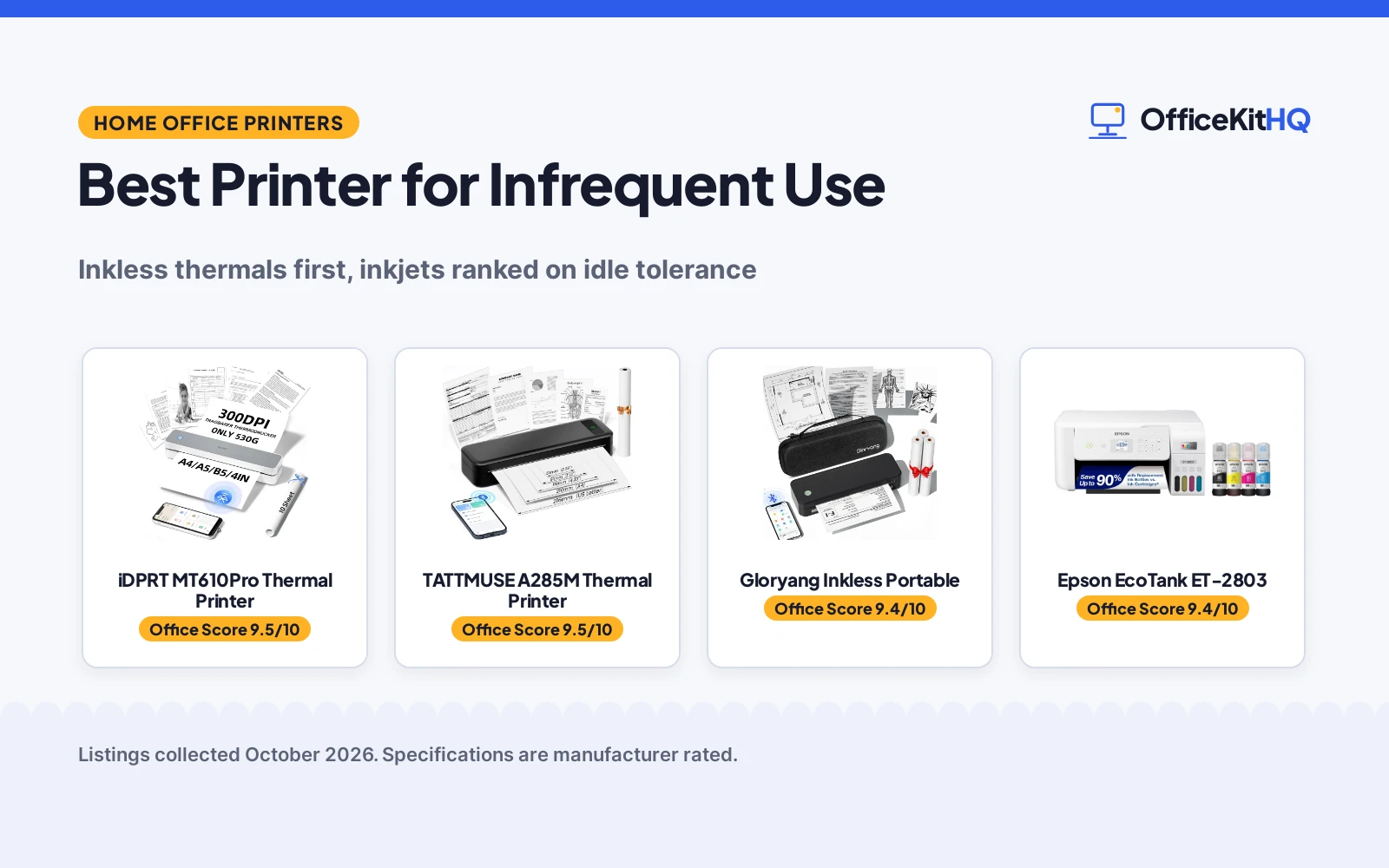
The best printer for infrequent use is the one that still prints after a month in a drawer, and that single requirement rearranges this list. Ink dries, cartridges clog, and the printer bought for occasional forms becomes a cleaning-cycle project. Thermal printers carry no ink at all, so three of the five picks here are inkless portables; the two inkjets rank below them, one a supertank that tolerates idle time better than cartridges do, one a simple wired Canon whose cartridge ink is exactly the maintenance an occasional printer wants to avoid. We compared stated engine type, resolution, battery, paper and connection, using only what each listing publishes; three listings publish title facts only.
OfficeKitHQ earns a commission when you buy through links on this page, at no extra cost to you. As an Amazon Associate I earn from qualifying purchases. Affiliate disclosure.
Quick picks
 Best Overall iDPRT MT610Pro Thermal Printer: inkless 300DPI thermal, 200 pages per charge Check price on Amazon
 Best Bundle Gloryang Inkless Portable: inkless thermal with carry case and 3 paper rolls Check price on Amazon
 Best Color Pick Epson EcoTank ET-2803: supertank all-in-one for bursty color printing Check price on Amazon
The picks
| # | Product | Office Score | Buy |
|---|---|---|---|
| 1 | iDPRT MT610Pro Thermal Printer | 9.5/10 | Buy on Amazon |
| 2 |  TATTMUSE A285M Thermal TATTMUSE A285M Thermal | 9.5/10 | Buy on Amazon |
| 3 | Gloryang PD-A4 | 9.4/10 | Buy on Amazon |
| 4 | Epson EcoTank ET-2803 | 9.4/10 | Buy on Amazon |
| 5 |  Canon PIXUS TS203 Canon PIXUS TS203 | 9.2/10 | Buy on Amazon |

iDPRT MT610Pro Thermal Printer
The iDPRT MT610Pro portable thermal printer, an inkless Bluetooth printer for US Letter, A4 and A5 paper at 300DPI, with a battery rated at 200 pages per charge.
Pros
- Inkless, nothing to dry out
- 300DPI thermal output
- 200 pages per charge stated
- Bluetooth plus USB-C
Cons
- Thermal paper only
- Monochrome output only
- Paper bought separately
- No warranty term stated
Detailed Review
The listing states an inkless thermal engine at 300DPI printing an A4 page in 4-6 seconds, Bluetooth pairing through the HerePrint app or USB-C to a computer, a 2000mAh battery handling 200 pages per charge and 4 hours of continuous use, at 510 g and 10.2 inches long. For infrequent use the inkless part is the whole story: there is no cartridge to clog or dry between jobs, so the printer that sits for a month prints the day it is picked up, provided thermal paper is on hand.
Who it is for: occasional document printers, forms, boarding passes, permission slips, who can live in black and white. Who should skip it: anyone printing color or photos, and anyone whose paper stock is plain office paper, which this engine cannot use.
Its Office Score of 9.5/10 comes from performance 30/35, build 19/25, value 21/25, safety 0/10 and warranty 0/5: 70 of 100 points, placed on our 9.2 to 9.8 scale.
Key Specifications
| Engine | Thermal, inkless |
|---|---|
| Resolution | 300DPI |
| Battery | 200 pages per charge |
| Paper | US Letter, A4, A5 thermal |
Figures as published on the retailer listing, collected 18 October 2026. Performance figures are manufacturer rated.
Safety and Warranty
What this listing states. No safety lock or safety listing is stated, so safety scores zero. No warranty term, so warranty scores zero. See How We Pick.
Shredder and printer safety. Keep hair, ties, jewelry, children and pets away from the feed slot, use the safety lock, unplug when not in use, and give printers and adapters room to vent.
This is general buying information, not professional advice. Follow each product manual and local rules, and see our Safety Disclaimer.

TATTMUSE A285M Thermal
A 1.5 lb inkless thermal printer, 7 ppm black and white, with a 1-year warranty.
Pros
- 1.5 pounds, portable as stated
- Inkless thermal, no ink or toner as stated
- Bluetooth and USB-C as stated
- Warranty Description: 1 Year
Cons
- Black and white printing only
- Thermal paper only, no regular copy paper
- 7 pages per minute, the slowest here
- Laptops need a downloaded driver first
Detailed Review
The listing states a portable inkless thermal printer at 1.5 pounds, printing 8.5 x 11 inch US Letter and A4 plus narrower thermal widths, at 7 pages per minute in black and white only. It connects via Bluetooth to phones and tablets or USB-C to laptops after a driver download, and the warranty description states 1 Year.
Who it's for: a traveler or occasional printer who wants zero maintenance. Who should skip it: someone who needs color, since this prints black and white only.
Its Office Score of 9.5/10 comes from performance 28/35, build 19/25, value 21/25, safety 0/10 and warranty 3/5: 71 of 100 points, placed on our 9.2 to 9.8 scale.
Key Specifications
| Weight | 1.5 lb |
|---|---|
| Speed | 7 ppm B&W |
| Color | Monochrome |
| Warranty | 1 Year |
Figures as published on the retailer listing, collected 17 October 2026. Performance figures are manufacturer rated.
Safety and Warranty
What this listing states. This product does not plug in or run on a battery, so safety is not part of its score. 1 Year. It does not say everything a buyer needs, such as who pays return shipping, so warranty scores 3 of 5. See How We Pick.
Shredder and printer safety. Keep hair, ties, jewelry, children and pets away from the feed slot, use the safety lock, unplug when not in use, and give printers and adapters room to vent.
This is general buying information, not professional advice. Follow each product manual and local rules, and see our Safety Disclaimer.

Gloryang PD-A4
A thermal travel printer with a carry case and three paper rolls, for iOS and Android printing on the go.
Pros
- Carry case and 3 thermal paper rolls included
- iOS and Android via the Jadens Printer app
- 1.75 lb and 1.7 in thick per the listing
- 1 year warranty is stated
Cons
- Thermal paper only; no regular paper
- Monochrome, print only
- Only Gloryang thermal paper is supported
- Spec table lists 3.1 lb against the 1.75 lb bullet
Detailed Review
Gloryang lists the PD-A4 as an inkless thermal printer that connects to iOS and Android over Bluetooth through the Jadens Printer app, with a driver for laptops. It states 300 dpi copy resolution and 203 dpi print resolution, 1.75 lb in the bullets against 3.1 lb in the spec table, 11 by 4 by 4 in at 1.7 in thick, and a built-in paper bin. The box includes 3 paper rolls, a carry case, a cable and a manual, and the warranty is 1 year.
Who it's for: someone who wants a travel printer with paper and a case in the box. Who should skip it: anyone who needs color or plain paper.
Its Office Score of 9.4/10 comes from performance 27/35, build 18/25, value 20/25, safety 0/10 and warranty 3/5: 68 of 100 points, placed on our 9.2 to 9.8 scale.
Key Specifications
| Resolution | 300 dpi copy, 203 dpi print |
|---|---|
| Item weight | 1.75 lb (bullets), 3.1 lb (spec table) |
| In the box | 3 paper rolls, carry case |
| Warranty | 1 year |
Figures as published on the retailer listing, collected 17 October 2026. Performance figures are manufacturer rated.
Safety and Warranty
What this listing states. This product does not plug in or run on a battery, so safety is not part of its score. 1 year warranty stated. It does not say everything a buyer needs, such as who pays return shipping, so warranty scores 3 of 5. See How We Pick.
Shredder and printer safety. Keep hair, ties, jewelry, children and pets away from the feed slot, use the safety lock, unplug when not in use, and give printers and adapters room to vent.
This is general buying information, not professional advice. Follow each product manual and local rules, and see our Safety Disclaimer.
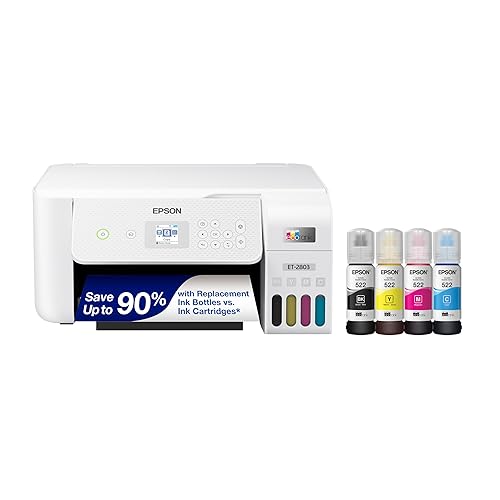
Epson EcoTank ET-2803
For the office tired of cartridges, this EcoTank uses refillable ink tanks with up to 4,500 black pages per ink set, though it prints at 10 ppm black.
Pros
- Refillable ink tanks with up to 4,500 pages in black and 7,500 in color per replacement ink set
- Up to 2 years of ink in the box, based on roughly 125 pages per month
- Prints, scans and copies with a flatbed scanner and a color display
- AirPrint and voice-activated printing are stated for phone and tablet printing
Cons
- 10 ppm black and 5 ppm color are mid-pack speeds here
- No automatic duplex is stated; the duplex field reads simplex
- No energy certification is stated
- 14.8 by 10 by 22.8 in footprint is deep for a small desk
Detailed Review
Epson lists the EcoTank ET-2803 as a cartridge-free color all-in-one with refillable ink tanks, print speeds of up to 10 ppm black and 5 ppm color, and a flatbed scanner with a color display. The listing states each replacement ink bottle set equals about 80 individual cartridges, with up to 4,500 pages in black and 7,500 in color, and up to 2 years of ink in the box based on roughly 125 pages per month. The spec table gives a 22.8 by 14.8 by 10 in footprint, an 8.8 lb item weight and a 12-watt power consumption, and the warranty description reads 1-year limited warranty.
Who it's for: a home office that prints steadily and wants to stop buying cartridges. Who should skip it: anyone who needs fast two-sided printing or a compact footprint.
Its Office Score of 9.4/10 comes from performance 27/35, build 21/25, value 21/25, safety 0/10 and warranty 3/5: 72 of 100 points, placed on our 9.2 to 9.8 scale.
Key Specifications
| Ink | Refillable tanks |
|---|---|
| Print speed | 10 ppm black, 5 ppm color |
| Tray | 100 sheets |
| Dimensions | 14.8 x 10 x 22.8 in |
Figures as published on the retailer listing, collected 17 October 2026. Performance figures are manufacturer rated.
Safety and Warranty
What this listing states. This product does not plug in or run on a battery, so safety is not part of its score. 1-year limited warranty. It does not say everything a buyer needs, such as who pays return shipping, so warranty scores 3 of 5. See How We Pick.
Shredder and printer safety. Keep hair, ties, jewelry, children and pets away from the feed slot, use the safety lock, unplug when not in use, and give printers and adapters room to vent.
This is general buying information, not professional advice. Follow each product manual and local rules, and see our Safety Disclaimer.

Canon PIXUS TS203
The Canon PIXUS TS203, a simple A4 color inkjet with a USB connection, print only, using 4 color hybrid inks with a pigment black.
Pros
- Simple print-only machine
- Pigment black for sharp text
- A4 and postcard sizes
- Compact at 2.5 kg
Cons
- Cartridge inkjet, idle-unfriendly
- USB connection only
- No duplex printing
- No warranty term stated
Detailed Review
The listing states a simple print-only inkjet: 4 color hybrid ink with a pigment black for sharp, dark text, a rear feed tray holding 60 sheets up to A4, speeds of 7.7 pages per minute in black and 4 in color at 600 dpi, USB connection only, no automatic duplex, and compatibility listed for Windows 10 / 8.1 / 7 SP1 or later and older Mac systems. As a machine it is honest and cheap to understand; for infrequent use its cartridge ink is the liability, since inkjets that sit are the ones that clog.
Who it is for: a wired desk that prints text and postcards in small runs on a simple machine. Who should skip it: anyone printing rarely from a phone, or anyone who wants the printer to wait months between jobs without ink maintenance.
Its Office Score of 9.2/10 comes from performance 20/35, build 16/25, value 14/25, safety 0/10 and warranty 0/5: 50 of 100 points, placed on our 9.2 to 9.8 scale.
Key Specifications
| Engine | 4 color inkjet |
|---|---|
| Speed | 7.7 ppm black, 4 color |
| Connection | USB only |
| Tray | 60 sheets, rear feed |
Figures as published on the retailer listing, collected 18 October 2026. Performance figures are manufacturer rated.
Safety and Warranty
What this listing states. This product does not plug in or run on a battery, so safety is not part of its score. No warranty term, so warranty scores zero. See How We Pick.
Shredder and printer safety. Keep hair, ties, jewelry, children and pets away from the feed slot, use the safety lock, unplug when not in use, and give printers and adapters room to vent.
This is general buying information, not professional advice. Follow each product manual and local rules, and see our Safety Disclaimer.
As an Amazon Associate I earn from qualifying purchases.
Compare the picks
| Printer | Verdict | Engine | Color | Idle Risk | Amazon |
|---|---|---|---|---|---|
| iDPRT MT610Pro Thermal Printer | Top pick | Thermal inkless | No | None, no ink | View on Amazon |
| Gloryang Inkless Portable | Bundle pick | Thermal inkless | No | None, no ink | |
| TATTMUSE A285M Thermal Printer | Compact pick | Thermal | No | None, no ink | |
| Epson EcoTank ET-2803 | Color pick | Supertank inkjet | Yes | Inkjet heads | View on Amazon |
| Canon PIXUS TS203 | Wired pick | Cartridge inkjet | Yes | Cartridge clogging | View on Amazon |
Specifications are manufacturer rated as listed, collected 18 October 2026. Listings that publish only a title show Not stated.
How we scored them
Scores weigh performance, build, value, safety and warranty against one job: printing occasionally without maintenance. The thermal engine is the performance story, since an inkless printer has nothing to dry out, and the iDPRT pairs it with the only full specification here: 300DPI, a 200 page battery, Bluetooth and USB-C. No listing states a certification, so safety scores zero throughout, and no listing states a warranty term, only limited warranty labels on the two full listings, so warranty scores zero as well. The ranking is therefore an idle-readiness ranking first and a features ranking second.
| Product | Office Score | Perf. /35 | Build /25 | Value /25 | Safety /10 | Warranty /5 |
|---|---|---|---|---|---|---|
| iDPRT MT610Pro Thermal Printer | 9.5 | 30 | 19 | 21 | 0 | 0 |
| Canon PIXUS TS203 | 9.2 | 20 | 16 | 14 | 0 | 0 |
Scores run from 9.2 to 9.8: each product’s point total is placed on that range, so more points always means a higher score.
How to choose the best printer for infrequent use
Start with the engine, not the features
For a printer used a few times a month, the engine decides whether it works on the day. Thermal engines print by heating coated paper, so there is no ink path to clog and no cartridge to replace; the trade is monochrome output on thermal paper only, which the iDPRT states plainly. The three thermal picks differ in what surrounds the engine: the iDPRT publishes its numbers, the Gloryang bundles a case and 3 paper rolls, and the TATTMUSE publishes its name alone. If your occasional printing is color, the EcoTank’s refillable tanks are the inkjet answer, holding ink in bulk rather than in small cartridges.
Paper is the thermal catch
Every thermal pick needs thermal paper in the right width, and the iDPRT’s listing is blunt that standard paper will not work and paper is bought separately, beyond the 10 starter sheets in its box. Keep a roll or a pack stored with the printer and the system is complete; run out and the printer is a paperweight until the order lands. The Gloryang’s bundled 3 rolls defer that day. Thermal prints also suit documents rather than archives: forms, passes, lists and receipts are the stated use cases across these listings, including the printer for cardstock shoppers’ opposite problem, heavy stock that no portable thermal can feed.
Connection decides the ritual
An occasional printer should connect the way you already work. The iDPRT pairs over Bluetooth to a phone app or by USB-C to a computer with a driver; the Epson states wireless in its title. The Canon is USB only, one cable to one computer, which is fine on a fixed desk and friction everywhere else. There is no scan or copy function on the Canon or the thermal picks; only the EcoTank is an all-in-one, which is the deciding fact if the rare job is sometimes a copy.
Frequently Asked Questions
Why do thermal printers suit infrequent use?
They use no ink. With no cartridges or nozzles, there is nothing to dry out or clog between jobs; the printer waits in a drawer and prints when charged and loaded.
Can a thermal printer print on plain paper?
No. The iDPRT listing states thermal paper only. Keep the right paper stored with the printer.
Is a supertank better than cartridges for occasional printing?
The EcoTank holds ink in refillable tanks rather than small cartridges, which suits bursty use and adds color, scanning and copying. It is still an inkjet, so it tolerates idle time rather than ignoring it.
Which pick prints in color?
Two: the Epson EcoTank ET-2803 and the Canon PIXUS TS203. The three thermal printers are monochrome.
Related guides
See every home office printer guide.