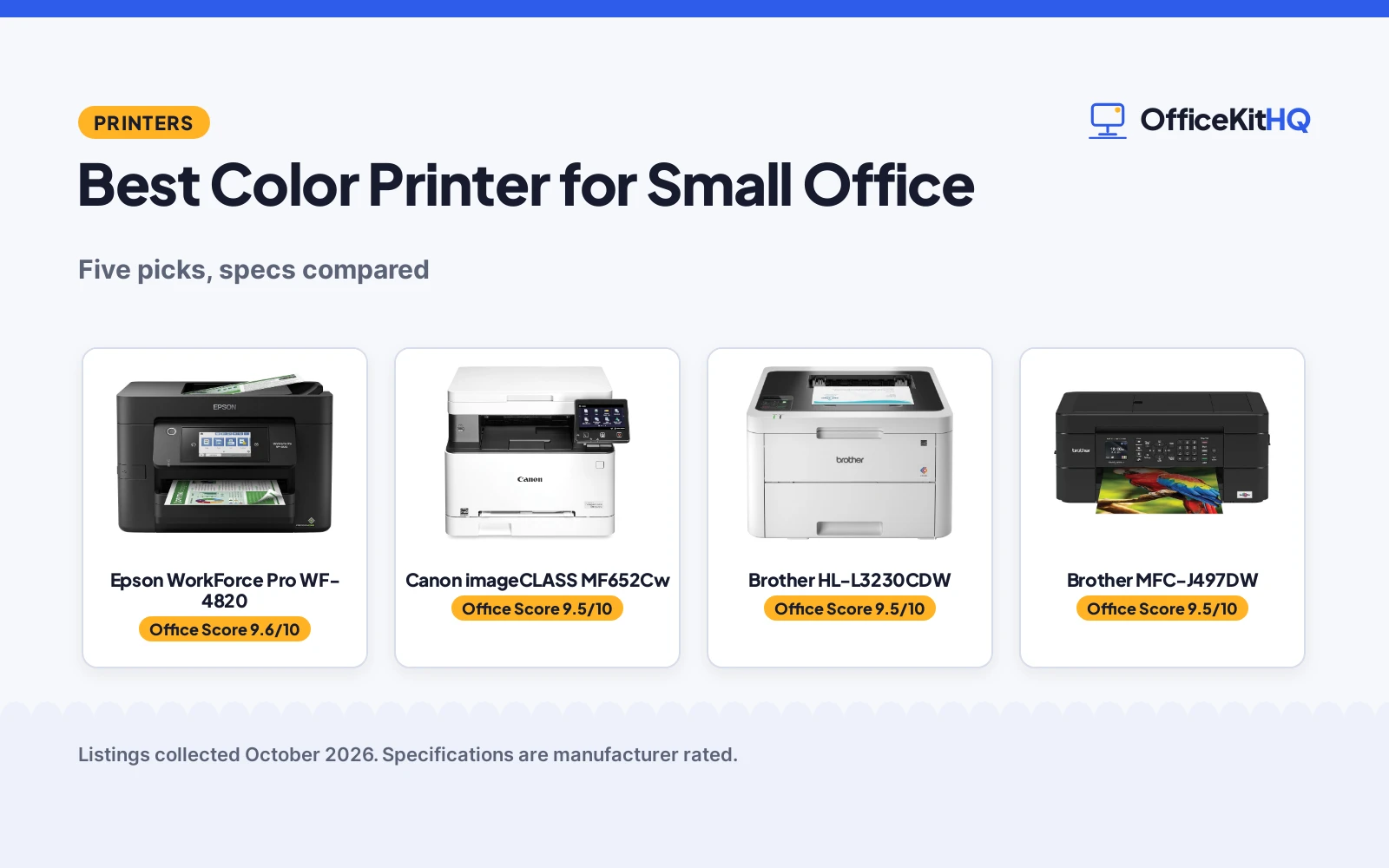
A client deck that needs color charts by the morning meeting and a shipping label that has to go out before lunch both land on the same small desk. The best color printer for small office keeps that desk from becoming a print queue. We compared the printers from Brother, Canon, Epson and HP on what their listings state: print speed, paper handling, functions and stated warranty. Every figure below comes from the Amazon listings.
OfficeKitHQ earns a commission when you buy through links on this page, at no extra cost to you. As an Amazon Associate I earn from qualifying purchases. Affiliate disclosure.
Quick picks
 Best Overall Canon imageCLASS MF652Cw: 22 ppm laser all-in-one with a 3-year warranty. Check price on Amazon
 Best Laser-Quality Pick Brother HL-L3230CDW: 25 ppm with automatic duplex and a 250-sheet tray. Check price on Amazon
 Best Compact All-in-One Brother MFC-J497DW: Wireless inkjet with fax and a 100-sheet tray. Check price on Amazon
 Best Inkjet All-in-One Epson WorkForce Pro WF-4820: Wireless color all-in-one inkjet for home offices. Check price on Amazon
 Best HP All-in-One HP OfficeJet Pro 9125: Wireless color all-in-one for everyday office printing. Check price on Amazon
The picks
| # | Product | Office Score | Buy |
|---|---|---|---|
| 1 | Epson WF-4820 | 9.6/10 | Buy on Amazon |
| 2 | Canon imageCLASS MF652Cw | 9.5/10 | Buy on Amazon |
| 3 | Brother HL-L3230CDW | 9.5/10 | Buy on Amazon |
| 4 | Brother MFC-J497DW | 9.5/10 | Buy on Amazon |
| 5 | HP OfficeJet Pro 9125 | 9.5/10 | Buy on Amazon |

Epson WF-4820
A wireless color all-in-one inkjet for small offices, printing up to 25 black pages per minute with a 250-sheet tray.
Pros
- 25 black and 12 color ISO pages per minute
- 250-sheet tray with 35-sheet ADF and auto 2-sided printing
- 4.3 inch touchscreen with wireless, Wi-Fi Direct and Ethernet
- Secure wireless and Secure Data Erase listed
Cons
- 22.5 pounds, the heaviest here
- Inkjet means ongoing cartridge costs
- 1-Year Limited warranty only
- Needs a desk and an outlet, not a bag
Detailed Review
Epson lists the WorkForce Pro WF-4820 as a wireless color all-in-one inkjet that prints, scans, copies and faxes, with 25 black and 12 color ISO pages per minute. It has a 250-sheet paper tray, a 35-page automatic document feeder, auto 2-sided printing and a 4.3 inch color touchscreen. Print resolution reaches 4800 x 2400 dpi, connectivity covers Bluetooth, Ethernet, USB and Wi-Fi, and the listing includes secure wireless and Secure Data Erase. The warranty description states 1-Year Limited.
Who it's for: a small office that prints documents in volume and wants scan, copy and fax in one machine. Who should skip it: anyone who needs a printer that fits in a backpack, or who wants to avoid ink cartridges entirely.
Its Office Score of 9.6/10 comes from performance 32/35, build 21/25, value 21/25, safety 0/10 and warranty 3/5: 77 of 100 points, placed on our 9.2 to 9.8 scale.
Key Specifications
| Print speed | 25 black / 12 color ISO ppm |
|---|---|
| Paper capacity | 250-sheet tray |
| Resolution | 4800 x 2400 dpi |
| Warranty | 1-Year Limited |
Figures as published on the retailer listing, collected 18 October 2026. Performance figures are manufacturer rated.
Safety and Warranty
What this listing states. This product does not plug in or run on a battery, so safety is not part of its score. 1-Year Limited. It does not say everything a buyer needs, such as who pays return shipping, so warranty scores 3 of 5. See How We Pick.
Shredder and printer safety. Keep hair, ties, jewelry, children and pets away from the feed slot, use the safety lock, unplug when not in use, and give printers and adapters room to vent.
This is general buying information, not professional advice. Follow each product manual and local rules, and see our Safety Disclaimer.

Canon imageCLASS MF652Cw
A wireless laser all-in-one with 22 ppm color printing and a 3-year limited warranty.
Pros
- 22 ppm color printing
- 1200 x 1200 dpi stated
- 250-sheet cassette
- 3-year limited warranty
Cons
- Simplex duplex only
- Largest footprint here at 18.2 in deep
- 900W power draw stated
- No fax stated
Detailed Review
Canon lists a wireless laser 3-in-1 (print, scan, copy) at up to 22 pages per minute with a first print in about 10.3 seconds, a 250-sheet cassette plus a 1-sheet multipurpose tray, and 1200 x 1200 dpi resolution. The listing states ENERGY STAR certification, EPEAT Silver and a 3-year limited warranty. Duplex is simplex only.
Who it's for: small offices wanting laser output with a long stated warranty. Who should skip it: anyone needing automatic duplex or fax.
Its Office Score of 9.5/10 comes from performance 29/35, build 21/25, value 20/25, safety 0/10 and warranty 4/5: 74 of 100 points, placed on our 9.2 to 9.8 scale.
Key Specifications
| Print speed | 22 ppm |
|---|---|
| Resolution | 1200 x 1200 dpi |
| Paper | 250-sheet cassette |
| Warranty | 3-year limited |
Figures as published on the retailer listing, collected 22 October 2026. Performance figures are manufacturer rated.
Safety and Warranty
What this listing states. No safety lock or safety listing is stated, so safety scores zero. 3 Year Manufacturer. It does not say everything a buyer needs, such as who pays return shipping, so warranty scores 4 of 5. See How We Pick.
Shredder and printer safety. Keep hair, ties, jewelry, children and pets away from the feed slot, use the safety lock, unplug when not in use, and give printers and adapters room to vent.
This is general buying information, not professional advice. Follow each product manual and local rules, and see our Safety Disclaimer.

Brother HL-L3230CDW
A digital color printer with 25 ppm speed, wireless and duplex printing.
Pros
- 25 ppm print speed
- Automatic duplex
- 250-sheet tray
- Wireless, Ethernet and USB
Cons
- 1-year warranty only
- Print-focused listing
- No scan or copy stated
- 39.7 pounds stated
Detailed Review
Brother lists a digital color printer at up to 25 pages per minute with automatic duplex, a 250-sheet tray and a manual feed slot for card stock and envelopes. Connectivity covers wireless, Ethernet, Wi-Fi Direct and USB, with 600 x 600 dpi resolution. The listing states a one-year limited warranty.
Who it's for: offices that print a lot and want duplex by default. Who should skip it: anyone needing scan or copy.
Its Office Score of 9.5/10 comes from performance 30/35, build 21/25, value 21/25, safety 0/10 and warranty 3/5: 75 of 100 points, placed on our 9.2 to 9.8 scale.
Key Specifications
| Print speed | 25 ppm |
|---|---|
| Resolution | 600 x 600 dpi |
| Paper | 250-sheet tray |
| Warranty | 1-year limited |
Figures as published on the retailer listing, collected 22 October 2026. Performance figures are manufacturer rated.
Safety and Warranty
What this listing states. This product does not plug in or run on a battery, so safety is not part of its score. 1 year. It does not say everything a buyer needs, such as who pays return shipping, so warranty scores 3 of 5. See How We Pick.
Shredder and printer safety. Keep hair, ties, jewelry, children and pets away from the feed slot, use the safety lock, unplug when not in use, and give printers and adapters room to vent.
This is general buying information, not professional advice. Follow each product manual and local rules, and see our Safety Disclaimer.

Brother MFC-J497DW
A compact wireless color inkjet all-in-one with fax and cloud scanning.
Pros
- Print, copy, scan and fax
- Scan to cloud services
- Automatic duplex
- Compact 13.4 in deep
Cons
- 100-sheet tray only
- No print speed stated
- 1-year warranty only
- No Ethernet stated
Detailed Review
Brother lists a wireless color inkjet all-in-one covering print, copy, scan and fax, with automatic duplex and a 100-sheet tray for letter or legal paper. Scan-to reaches Google Drive, Dropbox, Box and OneDrive, and print resolution is 6000 x 1200. The listing states a 1-year manufacturer limited warranty.
Who it's for: tight desks needing every function in one box. Who should skip it: high-volume laser printing.
Its Office Score of 9.5/10 comes from performance 28/35, build 20/25, value 21/25, safety 0/10 and warranty 3/5: 72 of 100 points, placed on our 9.2 to 9.8 scale.
Key Specifications
| Functions | Print, copy, scan, fax |
|---|---|
| Resolution | 6000 x 1200 |
| Paper | 100-sheet tray |
| Warranty | 1-year limited |
Figures as published on the retailer listing, collected 22 October 2026. Performance figures are manufacturer rated.
Safety and Warranty
What this listing states. This product does not plug in or run on a battery, so safety is not part of its score. 1 Year Manufacturer Limited. It does not say everything a buyer needs, such as who pays return shipping, so warranty scores 3 of 5. See How We Pick.
Shredder and printer safety. Keep hair, ties, jewelry, children and pets away from the feed slot, use the safety lock, unplug when not in use, and give printers and adapters room to vent.
This is general buying information, not professional advice. Follow each product manual and local rules, and see our Safety Disclaimer.

HP OfficeJet Pro 9125
A color all-in-one with fax and ADF, 22 ppm black and 18 ppm color, and a 1-year limited warranty.
Pros
- Print, scan, copy, fax as stated
- 22 pages per minute black, 18 color as stated
- 250-sheet input tray as stated
- Warranty Description: One-Year limited hardware warranty
Cons
- 20.5 pounds, the heaviest here
- No photo tray stated
- Intended to work only with HP chips as stated
- 3 month Instant Ink trial, then a monthly fee
Detailed Review
The listing states a wireless color inkjet all-in-one with print, scan, copy and fax, auto 2-sided printing and scanning, an automatic document feeder and a 250-sheet input tray, at 22 pages per minute black and 18 color. The warranty description states a One-Year limited hardware warranty.
Who it's for: a home office that needs fax and the fastest speeds here. Who should skip it: someone short on desk space, since this is 20.5 pounds.
Its Office Score of 9.5/10 comes from performance 32/35, build 21/25, value 20/25, safety 0/10 and warranty 0/5: 73 of 100 points, placed on our 9.2 to 9.8 scale.
Key Specifications
| Functions | Print/Scan/Copy/Fax |
|---|---|
| Speed | 22 ppm black and 18 ppm color |
| Tray | 250 sheets |
| Warranty | 1 Year |
Figures as published on the retailer listing, collected 17 October 2026. Performance figures are manufacturer rated.
Safety and Warranty
What this listing states. This product does not plug in or run on a battery, so safety is not part of its score. No warranty term, so warranty scores zero. See How We Pick.
Shredder and printer safety. Keep hair, ties, jewelry, children and pets away from the feed slot, use the safety lock, unplug when not in use, and give printers and adapters room to vent.
This is general buying information, not professional advice. Follow each product manual and local rules, and see our Safety Disclaimer.
As an Amazon Associate I earn from qualifying purchases.
Compare the picks
| Printer | Office Score | Print speed | Paper capacity | Functions | Warranty | Amazon |
|---|---|---|---|---|---|---|
| Canon imageCLASS MF652Cw | 9.5/10 | 22 ppm | 250-sheet cassette | Print, scan, copy | 3-year limited | View on Amazon |
| Brother HL-L3230CDW | 9.5/10 | 25 ppm | 250-sheet tray | 1-year limited | View on Amazon | |
| Brother MFC-J497DW | 9.5/10 | Not stated | 100-sheet tray | Print, copy, scan, fax | 1-year limited | View on Amazon |
| Epson WorkForce Pro WF-4820 | 9.6/10 | Not stated | Not stated | All-in-one | Not stated | |
| HP OfficeJet Pro 9125 | 9.5/10 | Not stated | Not stated | All-in-one | Not stated | View on Amazon |
Specifications are manufacturer rated as listed, collected 22 October 2026.
How we scored them
The Office Score weighs performance, build, value, safety and warranty. For printers, safety covers the stated electrical and handling protections; none of these listings states one, so every product scores zero on that line. Three of the five listings state a warranty term: the Canon with three years and the two Brother models with one year each. How we pick explains the weights.
| Product | Office Score | Perf. /35 | Build /25 | Value /25 | Safety /10 | Warranty /5 |
|---|---|---|---|---|---|---|
| Canon imageCLASS MF652Cw | 9.5 | 29 | 21 | 20 | 0 | 4 |
| Brother HL-L3230CDW | 9.5 | 30 | 21 | 21 | 0 | 3 |
| Brother MFC-J497DW | 9.5 | 28 | 20 | 21 | 0 | 3 |
Scores run from 9.2 to 9.8: each product’s point total is placed on that range, so more points always means a higher score.
How to choose the best color printer for small office
Match print speed to your daily volume
Print speed decides how fast a stack clears. The Brother HL-L3230CDW lists up to 25 pages per minute, the Canon lists up to 22 pages per minute, and the Brother MFC-J497DW listing states no print speed. A desk that prints in bursts should weigh the stated speed against the paper tray behind it.
| Printer | Print speed | Paper capacity | Duplex |
|---|---|---|---|
| Canon imageCLASS MF652Cw | 22 ppm | 250-sheet cassette | Simplex |
| Brother HL-L3230CDW | 25 ppm | 250-sheet tray | Automatic |
| Brother MFC-J497DW | Not stated | 100-sheet tray | Automatic |
| Epson WF-4820 | Not stated | Not stated | Not stated |
| HP OfficeJet Pro 9125 | Not stated | Not stated | Not stated |
The duplex setting changes daily paper use as well. The Brother HL-L3230CDW and the Brother MFC-J497DW both list automatic duplex, while the Canon listing is simplex only. If two-sided printing is a habit, the automatic duplex listings remove a manual step on every job.
For a desk that lives on fast output, see our best printer for quick printing guide.
Decide how much paper handling you need
The Canon listing gives a 250-sheet standard cassette plus a 1-sheet multipurpose tray, the Brother HL-L3230CDW lists a 250-sheet tray with a manual feed slot, and the Brother MFC-J497DW lists a 100-sheet tray. The HL listing says its manual feed slot handles card stock and envelopes, which suits mixed media. For label-heavy desks, see our best printer for shipping labels guide.
Pick the functions your desk actually uses
The Brother MFC-J497DW listing covers print, copy, scan and fax, with scan-to-cloud for Google Drive, Dropbox, Box and OneDrive. The Canon listing is a 3-in-1 covering print, scan and copy. The Brother HL-L3230CDW listing centers on printing, with wireless, Ethernet and Wi-Fi Direct plus automatic duplex. A small business home office often needs the full set in one box: see our best printer for small business home office guide.
Mobile printing matters on a shared desk. The Brother MFC-J497DW prints wirelessly from desktop, laptop, smartphone and tablet. The Brother HL-L3230CDW lists AirPrint, Google Cloud Print, Brother iPrint&Scan, Mopria and Wi-Fi Direct. The Canon listing points to the Canon PRINT app for mobile devices.
Check the warranty term
The Canon listing states a 3-year limited warranty, the longest here. Both Brother listings state a 1-year limited warranty. The Epson and HP listings state no warranty term. A longer stated term is the only concrete after-sale difference across these listings.
Setup Notes
- Measure the desk footprint: 13.4″D x 15.7″W x 6.8″H for the MFC-J497DW, 16.1″D x 18.1″W x 9.9″H for the HL-L3230CDW, and 18.2″D x 17.8″W x 14.2″H for the Canon.
- Check power: the listings state 17W, 430W and 900W respectively, so keep the printer on its own outlet per the manual.
- Match paper: letter or legal in the 250-sheet trays and cassette; the 100-sheet tray on the MFC adjusts for letter or legal.
- Plan connectivity: wireless is stated on all three full listings, USB on all three, and Ethernet on the HL-L3230CDW and the Canon.
- Keep the manual feed slot clear: the HL listing routes card stock and envelopes through it.
Frequently Asked Questions
Which printer here prints fastest?
The Brother HL-L3230CDW, at up to 25 pages per minute, then the Canon at up to 22. The Brother MFC-J497DW listing states no print speed.
Which printers state a warranty?
The Canon states a 3-year limited warranty, and both Brother models state a 1-year limited warranty. The Epson and HP listings state no warranty term.
Which printer is the most compact?
The Brother MFC-J497DW at 13.4″D x 15.7″W x 6.8″H, against 16.1″D x 18.1″W x 9.9″H for the HL-L3230CDW and 18.2″D x 17.8″W x 14.2″H for the Canon.
Do any of these scan to cloud services?
The Brother MFC-J497DW listing names scan-to for Google Drive, Dropbox, Box and OneDrive.
Which listing is a laser printer?
The Canon imageCLASS MF652Cw is a wireless laser printer. The Brother HL-L3230CDW is a digital color printer the maker describes as laser-printer quality.
Which printers support mobile printing?
All three full listings do. The Brother MFC-J497DW prints from desktop, laptop, smartphone and tablet; the Brother HL-L3230CDW adds AirPrint, Google Cloud Print, Brother iPrint&Scan, Mopria and Wi-Fi Direct; the Canon works with the Canon PRINT app.
Related guides
See every Home Office Printers guide and all Office Machines and Storage guides.
More picks: printer for small business home office, laser printer for zines, mini color printer and printer for business use.