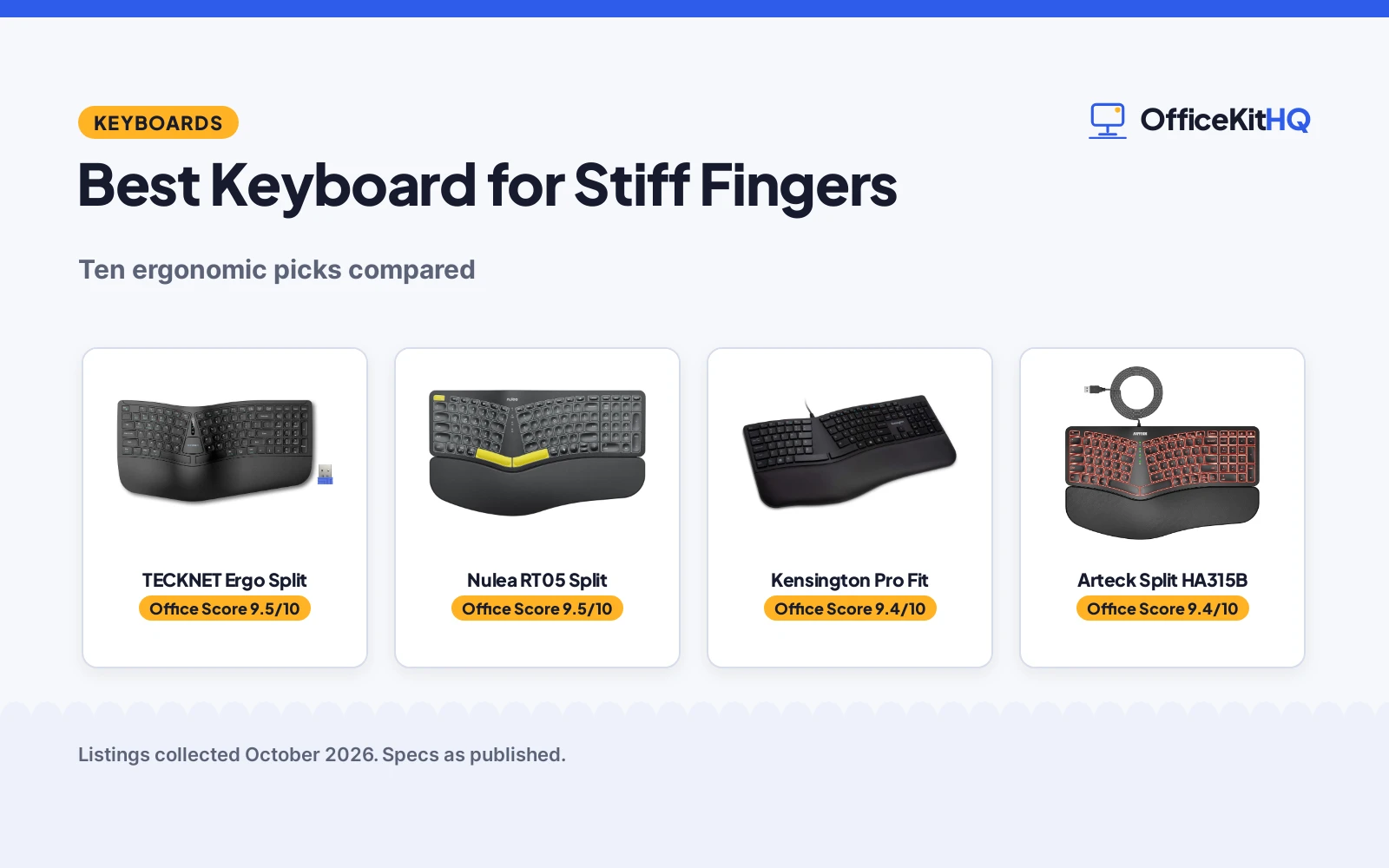
The best keyboard for stiff fingers is the one that lets sore hands type with less force and a neutral wrist angle, because key feel and hand position decide whether a long session ends in pain. A flat standard board forces the wrists into angles that ache by afternoon. We compared five ergonomic keyboards by split design, wrist rest, key feel, adjustability, connectivity and warranty term, using only what each listing publishes.
OfficeKitHQ earns a commission when you buy through links on this page, at no extra cost to you. As an Amazon Associate I earn from qualifying purchases. Affiliate disclosure.
Quick picks
 Best Overall TECKNET Ergo Split: Split, memory-foam rest, 4 tilts, 36-mo warranty Check price on Amazon
 Best Backlit Nulea RT05 Split: 7-color backlight, split, scissor switches Check price on Amazon
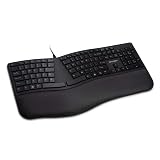 Sturdiest Kensington Pro Fit: Spill-proof, 3-year warranty, wrist cushion Check price on Amazon
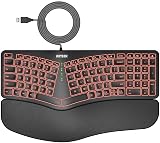 Best Wired Value Arteck Split HA315B: Split, backlit, 24-month warranty, plug-and-play Check price on Amazon
 Best Wireless Split Nulea RT07B Split: Split, scissor switches, 200-hr battery, USB-C Check price on Amazon
The picks
| # | Product | Office Score | Buy |
|---|---|---|---|
| 1 | TECKNET Ergo Split | 9.5/10 | Buy on Amazon |
| 2 | Nulea RT05 Split | 9.5/10 | Buy on Amazon |
| 3 | Kensington Pro Fit | 9.4/10 | Buy on Amazon |
| 4 | Arteck Split HA315B | 9.4/10 | Buy on Amazon |
| 5 | Nulea RT07B Split | 9.4/10 | Buy on Amazon |

TECKNET Ergo Split
Split ergonomic keyboard with a dual-density memory foam wrist rest, Bluetooth 5.0 and 2.4G, and four tilt angles.
Pros
- Split layout with curved key rows that follow finger motion
- Dual-density memory foam wrist rest stated
- Four tilt angles: 0, 1.2, 3 and 6.2 degrees
- 200-hour battery life and 4-hour full charge stated
Cons
- Warranty term contradicts itself: 36 months in bullets, 2 years in spec table
- Linear switches; no low-profile option stated
- 36-month term requires registration
- No backlight stated
Detailed Review
TECKNET's split keyboard pairs a curved key layout with a dual-density wrist rest: high-density foam below for support and slow-rebound memory foam on top. Four tilt angles (0, 1.2, 3 and 6.2 degrees) cover seated and standing desks, and it connects over Bluetooth 5.0 or 2.4G to up to four devices. The 500mAh battery is rated for 200 hours of use and recharges over USB-C in 4 hours.
One wrinkle: the bullets promise a 36-month warranty with registration, but the spec table says 2 years. Trust the bullets per our policy, and register the product. Who it's for: typists who want the most adjustability here. Who should skip it: anyone who wants a backlit board.
Its Office Score of 9.5/10 comes from performance 32/35, build 20/25, value 19/25, safety 0/10 and warranty 3/5: 74 of 100 points, placed on our 9.2 to 9.8 scale.
Key Specifications
| Design | Split, curved |
|---|---|
| Keys | 104, linear |
| Wrist rest | Dual-density memory foam |
| Tilt | 0, 1.2, 3, 6.2 deg |
| Battery | 500mAh, 200 hrs, USB-C |
| Warranty | 36 months (bullets) / 2 years (spec table) |
Figures as published on the retailer listing, collected 17 October 2026. Performance figures are manufacturer rated.
Safety and Warranty
What this listing states. No FCC or other safety listing is stated, so safety scores zero. 36-month warranty stated in bullets (registration required); spec table says 2 years. It does not say everything a buyer needs, such as who pays return shipping, so warranty scores 3 of 5. See How We Pick.
Fit the desk first. Check the stated size against your desk depth and keyboard tray, and charge or pair as the manual describes. No keyboard, mouse or wrist rest prevents or treats injury.
This is general buying information, not professional advice. Follow each product manual and local rules, and see our Safety Disclaimer.

Nulea RT05 Split
Split, splayed and curved wireless keyboard with wrist rest, 7-color backlight and USB-C charging.
Pros
- Split, splayed and curved design for neutral wrist posture
- Scissor-switch keys for low travel
- 7-color backlight with 3 brightness levels
- 2-year warranty stated
Cons
- Plastic enclosure
- Backlight turns off below 10% battery
- No mouse included
- 101 keys rather than a full 104-key layout
Detailed Review
The Nulea RT05 uses a split, splayed and curved layout with a wrist rest and scissor-switch keys, a combination aimed at keeping wrists neutral. Four tilt legs give three tilt levels, and the 7-color backlight has three brightness levels. It connects over Bluetooth or 2.4G to three devices and recharges over USB-C from a 2000mAh battery.
The backlight switches off when the battery drops below 10%, so heavy backlight users will charge more often. Who it's for: wireless typists who type in dim rooms. Who should skip it: anyone who wants a bundled mouse.
Its Office Score of 9.5/10 comes from performance 30/35, build 20/25, value 19/25, safety 0/10 and warranty 3/5: 72 of 100 points, placed on our 9.2 to 9.8 scale.
Key Specifications
| Design | Split, splayed, curved |
|---|---|
| Keys | 101, scissor-switch |
| Backlight | 7 colors, 3 levels |
| Battery | 2000mAh, USB-C |
| Warranty | 2 years |
Figures as published on the retailer listing, collected 17 October 2026. Performance figures are manufacturer rated.
Safety and Warranty
What this listing states. No FCC or other safety listing is stated, so safety scores zero. 2-year warranty stated. It does not say everything a buyer needs, such as who pays return shipping, so warranty scores 3 of 5. See How We Pick.
Fit the desk first. Check the stated size against your desk depth and keyboard tray, and charge or pair as the manual describes. No keyboard, mouse or wrist rest prevents or treats injury.
This is general buying information, not professional advice. Follow each product manual and local rules, and see our Safety Disclaimer.

Kensington Pro Fit
Wired ergonomic keyboard with built-in wrist cushion, reverse tilt and spill-proof keys.
Pros
- Built-in wrist cushion for neutral hand alignment
- Spill-proof keys meeting MIL-STD-810H Method 504.3
- Adjustable reverse tilt
- 3-year warranty stated
Cons
- Not a split design
- Wired only; no wireless option
- No backlight stated
- 2.2 lb stated weight
Detailed Review
Kensington's Pro Fit is the only board here from a legacy office brand, and it shows in the build: spill-proof keys meeting MIL-STD-810H Method 504.3 for resistance to cleaning solvents, a built-in wrist cushion and adjustable reverse tilt. The keys are low-noise, and it is a wired USB plug-and-play board.
It is not a split keyboard, so the ergonomic benefit comes from the wrist cushion and tilt rather than hand separation. At a stated 2.2 pounds it is the heaviest board here. Who it's for: office workers who want a sturdy, wipeable board with a 3-year warranty. Who should skip it: anyone who needs wireless.
Its Office Score of 9.4/10 comes from performance 27/35, build 21/25, value 18/25, safety 0/10 and warranty 3/5: 69 of 100 points, placed on our 9.2 to 9.8 scale.
Key Specifications
| Design | Standard ergonomic |
|---|---|
| Keys | 104, linear, low-noise |
| Wrist rest | Built-in cushion |
| Spill resistance | MIL-STD-810H 504.3 |
| Weight | 2.2 lb |
| Warranty | 3 years |
Figures as published on the retailer listing, collected 17 October 2026. Performance figures are manufacturer rated.
Safety and Warranty
What this listing states. This product does not plug in or run on a battery, so safety is not part of its score. 3-year warranty stated. It does not say everything a buyer needs, such as who pays return shipping, so warranty scores 3 of 5. See How We Pick.
Fit the desk first. Check the stated size against your desk depth and keyboard tray, and charge or pair as the manual describes. No keyboard, mouse or wrist rest prevents or treats injury.
This is general buying information, not professional advice. Follow each product manual and local rules, and see our Safety Disclaimer.
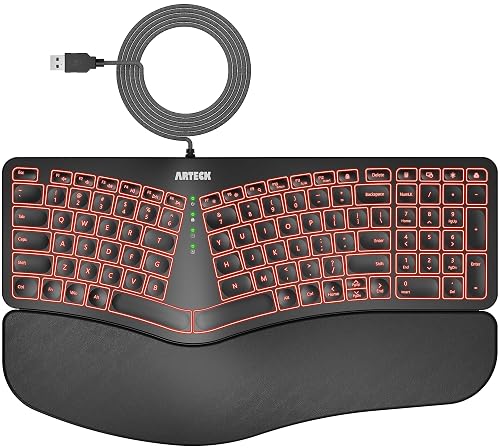
Arteck Split HA315B
Wired split keyboard with cushioned palm rest and 7-color backlight.
Pros
- Split design with cushioned wrist and palm rest
- 7-color backlight with 3 brightness levels
- Wired plug-and-play; no charging or batteries
- 24-month warranty stated
Cons
- Wired only
- Key count differs: 104 buttons vs 101 keys in spec table
- No wireless option
- Marketed for Windows; Mac support not stated
Detailed Review
The Arteck is a wired split keyboard with a cushioned wrist and palm rest and a 7-color backlight with three brightness levels. Setup is a 1.8-meter USB cable with no drivers, and the low-profile keys suit a light touch.
One inconsistency: the spec table lists 104 buttons but 101 keys. The 24-month warranty is generous for a wired board. Who it's for: desk-bound typists who want split ergonomics without charging. Who should skip it: anyone who needs wireless or Mac-specific keys.
Its Office Score of 9.4/10 comes from performance 28/35, build 18/25, value 21/25, safety 0/10 and warranty 3/5: 70 of 100 points, placed on our 9.2 to 9.8 scale.
Key Specifications
| Design | Split |
|---|---|
| Keys | 104 buttons / 101 keys (spec table) |
| Backlight | 7 colors, 3 levels |
| Cable | 1.8 m USB |
| Warranty | 24 months |
Figures as published on the retailer listing, collected 17 October 2026. Performance figures are manufacturer rated.
Safety and Warranty
What this listing states. This product does not plug in or run on a battery, so safety is not part of its score. 24-month warranty stated. It does not say everything a buyer needs, such as who pays return shipping, so warranty scores 3 of 5. See How We Pick.
Fit the desk first. Check the stated size against your desk depth and keyboard tray, and charge or pair as the manual describes. No keyboard, mouse or wrist rest prevents or treats injury.
This is general buying information, not professional advice. Follow each product manual and local rules, and see our Safety Disclaimer.

Nulea RT07B Split
Split wireless keyboard with cushioned wrist rest, scissor-switch keys and USB-C charging.
Pros
- Split layout stated to reduce forearm twisting
- Soft cushioned palm rest
- Scissor-switch keys with rapid rebound stated
- 200-hour battery life stated
Cons
- 12-month warranty only
- No backlight stated
- No adjustable tilt stated
- No mouse included
Detailed Review
The RT07B is Nulea's second split board here: a split layout with a soft cushioned palm rest and scissor-switch keys stated for stability and rapid rebound. Dual-mode Bluetooth and 2.4G cover laptops and PCs, and the battery is rated for 200 hours.
There is no backlight and no stated tilt adjustment, and the warranty is 12 months. Who it's for: wireless split-keyboard fans who don't need backlighting. Who should skip it: backlight users, who should look at the RT05 instead.
Its Office Score of 9.4/10 comes from performance 29/35, build 19/25, value 19/25, safety 0/10 and warranty 2/5: 69 of 100 points, placed on our 9.2 to 9.8 scale.
Key Specifications
| Design | Split |
|---|---|
| Keys | 104, scissor-switch |
| Wrist rest | Cushioned palm rest |
| Battery | 200 hrs, USB-C |
| Warranty | 12 months |
Figures as published on the retailer listing, collected 17 October 2026. Performance figures are manufacturer rated.
Safety and Warranty
What this listing states. No FCC or other safety listing is stated, so safety scores zero. 12-month warranty stated. It does not say everything a buyer needs, such as who pays return shipping, so warranty scores 2 of 5. See How We Pick.
Fit the desk first. Check the stated size against your desk depth and keyboard tray, and charge or pair as the manual describes. No keyboard, mouse or wrist rest prevents or treats injury.
This is general buying information, not professional advice. Follow each product manual and local rules, and see our Safety Disclaimer.
As an Amazon Associate I earn from qualifying purchases.
Compare the picks
| Keyboard | Office Score | Layout | Wrist rest | Connectivity | Warranty | Amazon |
|---|---|---|---|---|---|---|
| TECKNET Ergo Split | 9.5/10 | Split, curved | Memory foam | BT 5.0 + 2.4G | 36 months | View on Amazon |
| Nulea RT05 Split | 9.5/10 | Split, splayed | Cushioned | BT + 2.4G | 2 years | View on Amazon |
| Kensington Pro Fit | 9.4/10 | Standard | Built-in cushion | Wired USB | 3 years | View on Amazon |
| Arteck Split HA315B | 9.4/10 | Split | Cushioned palm rest | Wired USB | 24 months | View on Amazon |
| Nulea RT07B Split | 9.4/10 | Split | Cushioned palm rest | BT + 2.4G | 12 months | View on Amazon |
Specifications are manufacturer rated as listed, collected 17 October 2026. All five state a warranty term, from 12 months to 36 months.
How we scored them
The Office Score weighs performance (split design, wrist support, key feel and adjustability for sore fingers), build (materials, battery and connectivity), value for the stated specs, safety and warranty. No listing states a safety certification, so no safety points were awarded. All five state a warranty term. How we pick explains the weights.
| Product | Office Score | Perf. /35 | Build /25 | Value /25 | Safety /10 | Warranty /5 |
|---|---|---|---|---|---|---|
| TECKNET Ergo Split | 9.5 | 32 | 20 | 19 | 0 | 3 |
| Nulea RT05 Split | 9.5 | 30 | 20 | 19 | 0 | 3 |
| Kensington Pro Fit | 9.4 | 27 | 21 | 18 | 0 | 3 |
| Arteck Split HA315B | 9.4 | 28 | 18 | 21 | 0 | 3 |
| Nulea RT07B Split | 9.4 | 29 | 19 | 19 | 0 | 2 |
Scores run from 9.2 to 9.8: each product’s point total is placed on that range, so more points always means a higher score.
How to choose the best keyboard for stiff fingers
Split, wave or standard: pick the layout
Four of the five use a split layout that lets the hands rest at shoulder width with less forearm twisting, while the Kensington keeps a standard layout with other comfort features. A wrist rest matters as much as the layout: all five state one.
| Keyboard | Layout | Wrist rest | Tilt |
|---|---|---|---|
| TECKNET Ergo Split | Split, curved | Memory foam | 4 angles |
| Nulea RT05 Split | Split, splayed | Cushioned | 3 levels |
| Kensington Pro Fit | Standard | Built-in cushion | Reverse tilt |
| Arteck Split HA315B | Split | Cushioned palm rest | Not stated |
| Nulea RT07B Split | Split | Cushioned palm rest | Not stated |
Layout and rest as stated in each listing. Tilt figures use each listing’s own wording.
Key feel and noise
Scissor-switch keys on the two Nulea splits need short travel, and the TECKNET and Kensington list linear switches. A wrist rest for laptop can add support to any of them.
Wired, wireless and batteries
Three of the five are wireless: the TECKNET and both Nuleas run on Bluetooth and/or 2.4G. The Arteck and Kensington are wired USB, which means no charging ever. Battery types vary: the Nulea RT05 has a 2000mAh cell, the TECKNET a 500mAh cell rated for 200 hours, and the Nulea RT07B is rated for 200 hours with USB-C charging.
Read the warranty line, not the headline
Every listing states a warranty term. The TECKNET bullets claim 36 months with registration while its spec table says 2 years; we trust the bullets, but register the board. The Kensington states 3 years and the Arteck 24 months; the rest state 12 months or 1 year. A stated term beats a vague promise when keys start sticking. See all keyboard guides for more.
Frequently Asked Questions
Is a split keyboard better for stiff fingers?
Split designs let the hands rest at shoulder width with less forearm twisting; four of the five here use a split layout. The Nulea, Arteck and TECKNET models pair the split with a wrist rest.
What key type is easiest on sore fingers?
Scissor-switch keys (both Nulea splits) need less travel than tall keys. The listings state the switch type where given.
Which of these are wired?
The Arteck and the Kensington are wired USB as stated, so there is no charging and no dongle.
Which has the longest warranty?
The TECKNET bullets state 36 months with registration, though its spec table says 2 years. The Kensington states 3 years.
Related guides
See every keyboard guide and all keyboards for working from home guides.
More picks: keyboards for sore wrists and thumbs, keyboards for visually impaired, ergonomic wrist rests for laptop.