
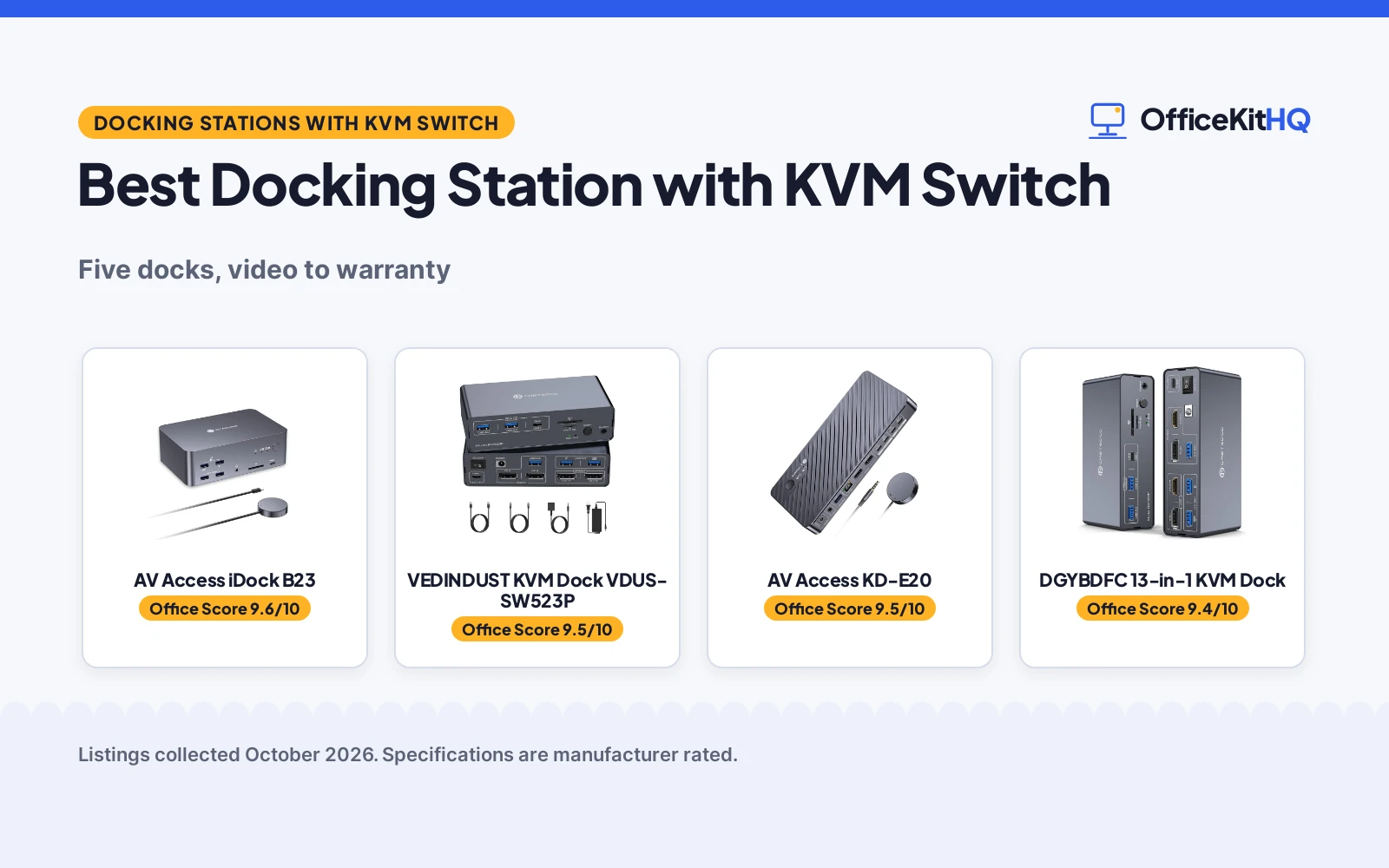
A 9 a.m. call starts in five minutes, the laptop is running everything off one hub, and the second monitor keeps blinking. The best docking station with kvm switch fixes that kind of morning: one dock drives two monitors, charges the laptop and shares the keyboard and mouse, then switches it all to a second computer with one button. We compared five KVM docks by video output, PD charging, USB speed, switching method and warranty, using only what each listing publishes.
OfficeKitHQ earns a commission when you buy through links on this page, at no extra cost to you. As an Amazon Associate I earn from qualifying purchases. Affiliate disclosure.
Quick picks
 Best Overall VEDINDUST KVM Dock VDUS-SW523P: 4K@120Hz DP, 10Gbps USB and 100W PD with a 2-year warranty Check price on Amazon
 Best 13-in-1 DGYBDFC 13-in-1 KVM Dock: 13 ports, HDMI 4K60 plus DP 4K120, aluminum case Check price on Amazon
 Best Dual HDMI DXchip Dual HDMI KVM Dock: Dual 4K@60Hz HDMI, 4-port USB 3.0 hub, cross-platform Check price on Amazon
 Best 8K Triple AV Access iDock B23: 8K triple monitor support with 100W PD and 10Gbps USB Check price on Amazon
 Best 11-in-1 AV Access KD-E20: 11-in-1 KVM dock with 100W PD per PC Check price on Amazon
The picks
| # | Product | Office Score | Buy |
|---|---|---|---|
| 1 | AV Access iDock B23 | 9.6/10 | Buy on Amazon |
| 2 | VEDINDUST KVM Dock VDUS-SW523P | 9.5/10 | Buy on Amazon |
| 3 | AV Access KD-E20 | 9.5/10 | Buy on Amazon |
| 4 | DGYBDFC 13-in-1 KVM Dock | 9.4/10 | Buy on Amazon |
| 5 | DXchip Dual HDMI KVM Dock | 9.4/10 | Buy on Amazon |

AV Access iDock B23
A triple-monitor KVM docking station for one USB-C laptop and one desktop, with 8K@60Hz on the desktop side, 100W power delivery, 10Gbps USB, 1GbE and a 1-year warranty.
Pros
- USB-C laptop plus desktop on 3 monitors
- 100W power delivery over one cable
- 10Gbps USB, 1GbE and SDXC reader
- 1-year warranty and 30-day hassle-free return
Cons
- Laptop side tops out at 4K@60Hz
- MacBooks mirrored only, no extended mode
- Spec table says HDMI 2.0 against 8K bullets
- Needs desk space for the dock body
Detailed Review
The AV Access iDock B23 is the only docking station here: one USB-C laptop and one desktop share three monitors, a keyboard, mouse, network, audio and USB peripherals, switched by a top button or wired remote. The desktop side supports up to 8K@60Hz, 4K@165Hz or 1080p@480Hz, while the laptop side supports up to 4K@60Hz over a single USB-C cable with 100W power delivery. Two USB-A 3.2 and one USB-C 3.2 port run at 10Gbps, three more USB-A at 5Gbps, with 1Gb Ethernet that stays live on both computers, an SDXC reader and a 3.5mm headset jack.
One contradiction: the spec table lists HDMI 2.0 as the connectivity protocol, which does not line up with the 8K@60Hz and 4K@165Hz claims; the bullets win on capabilities. MacBooks get mirrored displays only. Who it's for: a laptop-plus-desktop desk that needs charging, networking and fast USB in one box. Who should skip it: anyone needing 8K from the laptop side.
Its Office Score of 9.6/10 comes from performance 33/35, build 21/25, value 20/25, safety 0/10 and warranty 3/5: 77 of 100 points, placed on our 9.2 to 9.8 scale.
Key Specifications
| Monitors / computers | 3 / 2 (USB-C laptop + desktop) |
|---|---|
| Max resolution | 8K@60Hz desktop, 4K@60Hz laptop |
| Power delivery | 100W over USB-C |
| USB | 3x 10Gbps, 3x 5Gbps |
| Network | 1Gb Ethernet, live on both PCs |
| Extras | SDXC reader, 3.5mm headset jack |
| Warranty | 1-year, 30-day return |
Figures as published on the retailer listing, collected 22 October 2026. Performance figures are manufacturer rated.
Safety and Warranty
What this listing states. No safety listing or safety feature is stated, so safety scores zero. 1-year warranty and 30-day hassle-free return. It does not say everything a buyer needs, such as who pays return shipping, so warranty scores 3 of 5. See How We Pick.
Follow the manual. Assemble and use the product as the maker describes, stay under any stated capacity, and read the manual before first use.
This is general buying information, not professional advice. Follow each product manual and local rules, and see our Safety Disclaimer.

VEDINDUST KVM Dock VDUS-SW523P
A KVM docking station for two monitors and two computers with 4K@120Hz DisplayPort, 100W PD, 10Gbps USB and a 2-year warranty.
Pros
- Dual 4K@120Hz DisplayPort output for two monitors
- 100W PD reverse charging through the laptop Thunderbolt port
- Two switching methods: front-panel button and wired desktop controller
- 2-year warranty stated in the spec table
Cons
- The included adapter supports 72W; a 20V 6A adapter is needed for full 100W PD
- Keyboard hotkey switching is not supported
- DisplayPort cables are not included in the box
- The spec table lists 120 watts while the bullets describe 100W PD
Detailed Review
The VEDINDUST VDUS-SW523P is a KVM docking station that lets a laptop and a desktop share two monitors, one keyboard, one mouse and other USB peripherals, switching between the two computers without replugging. The listing claims dual 3840x2160@120Hz over DisplayPort 1.4, USB 3.2 Gen 2 at 10Gbps, SD and Micro SD slots, and 100W PD reverse charging when the rear USB-C input connects to a Thunderbolt port. Two numbers need care: the included 20V 3.6A adapter supports 72W, so full 100W needs a 20V 6A adapter bought separately, and the spec table lists 120 watts against the bullets’ 100W PD. Switching is by front-panel button or the included wired desktop controller, with an LED showing the active PC; keyboard hotkeys are not supported.
Who it's for: a two-computer desk where both machines need dual 4K monitors at high refresh. Who should skip it: anyone who wants hotkey switching or a full 100W charge from the included adapter.
Its Office Score of 9.5/10 comes from performance 30/35, build 21/25, value 20/25, safety 0/10 and warranty 3/5: 74 of 100 points, placed on our 9.2 to 9.8 scale.
Key Specifications
| Video | 2x DisplayPort, 4K@120Hz |
|---|---|
| Power | 100W PD (72W adapter included) |
| USB | USB 3.2 Gen 2, 10Gbps |
| Size | 5.55 x 2.95 x 1.5 in |
Figures as published on the retailer listing, collected 22 October 2026. Performance figures are manufacturer rated.
Safety and Warranty
What this listing states. No UL, FCC or over-current protection statement is stated, so safety scores zero. 2 year. It does not say everything a buyer needs, such as who pays return shipping, so warranty scores 3 of 5. See How We Pick.
Power and heat. Use the supplied adapter, treat power delivery wattage and display support as the maker's claims for your laptop model, and give the dock room to vent.
This is general buying information, not professional advice. Follow each product manual and local rules, and see our Safety Disclaimer.

AV Access KD-E20
An 11-in-1 KVM docking station for two laptops with dual 4K HDMI and 100W PD charging for each PC.
Pros
- 100W PD charging to each laptop at the same time
- EDID emulation with 2-3 second switching by button or wired remote
- 11-in-1: 3 USB 3.0, 2 USB 2.0, USB-C, 1G ethernet, SD slot and 2 HDMI outputs
- 1-year warranty with 30-day hassle-free returns stated
Cons
- MacOS supports mirror mode only; no extended mode on Mac
- Spec table describes an electrical switch, not a dock, so its figures are unusable
- The original laptop adapter is required for the 100W charging
- Some USB-C laptops with integrated graphics may not do dual 4K
Detailed Review
The AV Access KD-E20 is an 11-in-1 KVM dock: two USB-C laptops, two HDMI monitors at up to 4K@60Hz (also 2560x1440@144Hz and 1080P@240Hz/165Hz), 100W PD to each PC at once, 5Gbp/s data, a gigabit port shared by both laptops, EDID emulation and 2-3 second switching from a front button or wired remote. Flag one oddity: the spec table describes an ON-OFF-ON electrical switch with a 28.2 watt-hour rating and says it is not compatible with desktop towers, which has nothing to do with a KVM dock, so the review trusts the title and bullets and ignores that table. MacOS is mirror-only, and the original laptop adapter must plug into the charging-marked port.
Who it's for: a two-laptop desk that needs fast switching and full charging from the dock. Who should skip it: Mac users who need extended mode, or anyone put off by the garbled spec table.
Its Office Score of 9.5/10 comes from performance 28/35, build 20/25, value 21/25, safety 0/10 and warranty 3/5: 72 of 100 points, placed on our 9.2 to 9.8 scale.
Key Specifications
| Ports | 11-in-1, 3 USB 3.0, 2 USB 2.0, USB-C |
|---|---|
| Displays | Dual 4K@60Hz, 2 HDMI |
| Charging | 100W PD per PC |
| Warranty | 1-year, 30-day returns |
Figures as published on the retailer listing, collected 18 October 2026. Performance figures are manufacturer rated.
Safety and Warranty
What this listing states. No UL, FCC or over-current protection statement is stated, so safety scores zero. 1-year warranty with 30-day hassle-free returns. It does not say everything a buyer needs, such as who pays return shipping, so warranty scores 3 of 5. See How We Pick.
Power and heat. Use the supplied adapter, treat power delivery wattage and display support as the maker's claims for your laptop model, and give the dock room to vent.
This is general buying information, not professional advice. Follow each product manual and local rules, and see our Safety Disclaimer.

DGYBDFC 13-in-1 KVM Dock
A 13-in-1 KVM docking station with HDMI and DisplayPort outputs, 100W PD and 10Gbps USB in an aluminum case.
Pros
- 13-in-1 ports: 2x USB 3.0, 2x 10Gbps USB 3.2, SD and Micro SD slots
- HDMI at 4K60Hz plus DisplayPort at 4K120Hz for dual monitors
- 100W PD pass-through charging for the laptop
- Aluminum alloy case; plug and play with no drivers
Cons
- The included adapter is 72W, not the full 100W PD
- MacBook and Mac OS devices only support copy mode
- Keyboard hotkey switching is not supported
- No warranty term is stated
Detailed Review
The DGYBDFC is a 13-in-1 KVM docking station that lets a USB-C laptop and a desktop share two monitors, a keyboard and a mouse, switching with a front-panel select button or an external wired controller. Video runs over one HDMI port at 4K60Hz and one DisplayPort at 4K120Hz, and the listing notes the laptop needs a Thunderbolt 3, 4 or 5 port. The 100W PD claim sits next to a 72W included adapter, so full-rate charging needs a stronger supply. Peripherals get 2x USB 3.0 plus 2x 10Gbps USB 3.2 ports, an SD slot and a Micro SD slot; the USB-C port labeled Data handles data only, no PD or video.
Who it's for: a mixed laptop and desktop desk that needs both HDMI and DisplayPort outputs. Who should skip it: Mac users who need extended dual monitors, and anyone counting on the full 100W from the box.
Its Office Score of 9.4/10 comes from performance 29/35, build 20/25, value 20/25, safety 0/10 and warranty 0/5: 69 of 100 points, placed on our 9.2 to 9.8 scale.
Key Specifications
| Video | HDMI 4K60Hz + DP 4K120Hz |
|---|---|
| Power | 100W PD (72W adapter included) |
| Ports | 13-in-1 |
| Switching | Panel button + wired controller |
Figures as published on the retailer listing, collected 22 October 2026. Performance figures are manufacturer rated.
Safety and Warranty
What this listing states. No UL, FCC or over-current protection statement is stated, so safety scores zero. No warranty term, so warranty scores zero. See How We Pick.
Power and heat. Use the supplied adapter, treat power delivery wattage and display support as the maker's claims for your laptop model, and give the dock room to vent.
This is general buying information, not professional advice. Follow each product manual and local rules, and see our Safety Disclaimer.

DXchip Dual HDMI KVM Dock
A dual-HDMI KVM docking station with 4K@60Hz dual display, a 4-port USB 3.0 hub and 100W PD for laptop and desktop.
Pros
- Dual 4K@60Hz HDMI with 4:4:4 color, plus 2K@120Hz and 1080p@144Hz modes
- 4-port USB 3.0 hub at 5Gbps for keyboard, mouse, printer and drives
- Works with Windows, macOS, Linux and Chrome OS
- Panel button and wired remote switching with LED indicators
Cons
- The 100W PD port delivers 73 to 80W of actual charging power
- M1 and M2 Macs only support mirror mode or one extended screen
- Dell laptops with proprietary PD may show a low-battery warning
- No warranty term is stated
Detailed Review
The DXchip KVM202CH combines a USB-C docking station with a 2-computer, 2-monitor KVM switch, driving dual 4K@60Hz HDMI displays with 4:4:4 color and adding a 4-port USB 3.0 hub at 5Gbps. Switching runs through a panel button or the included wired remote, with LEDs showing the active computer. The listing is unusually frank about power: the 100W PD port delivers 73 to 80W after cable and internal losses, and it warns that Dell laptops with proprietary PD protocols may show a low-battery charging warning that does not affect actual charging. The laptop USB-C port must support DP Alt Mode, and M1 and M2 Macs are limited to mirror mode or one extended screen for lack of MST support.
Who it's for: a cross-platform desk that needs dual HDMI and honest power figures. Who should skip it: M1 or M2 Mac users who need two extended screens, and anyone who needs the full 100W at the laptop.
Its Office Score of 9.4/10 comes from performance 29/35, build 19/25, value 20/25, safety 0/10 and warranty 0/5: 68 of 100 points, placed on our 9.2 to 9.8 scale.
Key Specifications
| Video | 2x HDMI, 4K@60Hz |
|---|---|
| USB | 4x USB 3.0, 5Gbps |
| Power | 100W PD (73-80W actual) |
| OS | Windows, macOS, Linux, Chrome OS |
Figures as published on the retailer listing, collected 22 October 2026. Performance figures are manufacturer rated.
Safety and Warranty
What this listing states. No UL, FCC or over-current protection statement is stated, so safety scores zero. No warranty term, so warranty scores zero. See How We Pick.
Power and heat. Use the supplied adapter, treat power delivery wattage and display support as the maker's claims for your laptop model, and give the dock room to vent.
This is general buying information, not professional advice. Follow each product manual and local rules, and see our Safety Disclaimer.
As an Amazon Associate I earn from qualifying purchases.
Compare the picks
| Docking Station | Office Score | Video | Power | USB | Warranty | Amazon |
|---|---|---|---|---|---|---|
| VEDINDUST KVM Dock VDUS-SW523P | 9.5/10 | 2x DP, 4K@120Hz | 100W PD (72W adapter) | USB 3.2 Gen 2, 10Gbps | 2 year | View on Amazon |
| DGYBDFC 13-in-1 KVM Dock | 9.4/10 | HDMI 4K60 + DP 4K120 | 100W PD (72W adapter) | 2x USB 3.0 + 2x 10Gbps | Not stated | View on Amazon |
| DXchip Dual HDMI KVM Dock | 9.4/10 | 2x HDMI, 4K@60Hz | 100W PD (73-80W actual) | 4x USB 3.0, 5Gbps | Not stated | View on Amazon |
| AV Access iDock B23 | 9.6/10 | 8K triple (title) | 100W PD (title) | 10Gbps (title) | Not stated | View on Amazon |
| AV Access KD-E20 | 9.5/10 | Not stated | 100W PD per PC (title) | Not stated | Not stated | View on Amazon |
Specifications are manufacturer rated as listed, collected 22 October 2026.
How we scored them
The Office Score weighs performance (video output, switching and ports), build, value, safety and warranty. For a KVM dock, safety would mean a stated surge or overcurrent protection, and none of the five listings names one, so no safety points were given. Only the VEDINDUST states a warranty term, 2 year.
| Product | Office Score | Perf. /35 | Build /25 | Value /25 | Safety /10 | Warranty /5 |
|---|---|---|---|---|---|---|
| VEDINDUST KVM Dock VDUS-SW523P | 9.5 | 30 | 21 | 20 | 0 | 3 |
| DGYBDFC 13-in-1 KVM Dock | 9.4 | 29 | 20 | 20 | 0 | 0 |
| DXchip Dual HDMI KVM Dock | 9.4 | 29 | 19 | 20 | 0 | 0 |
Scores run from 9.2 to 9.8: each product’s point total is placed on that range, so more points always means a higher score.
How to choose the best docking station with kvm switch
Count the monitors and computers
Three of the five state the classic KVM layout: two monitors and two computers sharing one keyboard and mouse. The VEDINDUST, DGYBDFC and DXchip all describe a work laptop plus a personal or desktop computer trading places on the same screens. The two AV Access titles do not state monitor or computer counts, so check the full listing before assuming the same layout.
Match the video spec
Video is where these docks differ most, so best docking station with kvm switch is a video-first search: pick the outputs before the ports. The VEDINDUST drives two DisplayPort monitors at up to 4K@120Hz. The DGYBDFC splits the pair: HDMI at 4K60Hz and DisplayPort at 4K120Hz. The DXchip uses dual HDMI at 4K@60Hz with 4:4:4 color, plus 2K@120Hz and 1080p@144Hz modes. The iDock B23 title claims 8K triple monitor support, the highest stated figure here.
| Dock | Video outputs | Top stated mode |
|---|---|---|
| VEDINDUST VDUS-SW523P | 2x DisplayPort | 4K@120Hz |
| DGYBDFC 13-in-1 | HDMI + DisplayPort | 4K120Hz (DP) |
| DXchip KVM202CH | 2x HDMI | 4K@60Hz |
| AV Access iDock B23 | Not stated | 8K triple (title) |
| AV Access KD-E20 | Not stated | Not stated |
Read the fine print on 100W PD
Three listings claim 100W PD, but the details vary. The VEDINDUST ships a 20V 3.6A adapter that supports 72W; the listing says a 20V 6A adapter is needed for full 100W. The DGYBDFC also includes a 72W adapter alongside its 100W PD claim. The DXchip is the most candid: its 100W PD port delivers 73 to 80W of actual charging power after cable and internal losses. See the docking station for dual 4K monitors picks for more high-resolution options.
Check the switching method
The VEDINDUST, DGYBDFC and DXchip all switch with a front-panel button or an included wired controller, with an LED showing the active computer. Two of them state plainly that keyboard hotkey switching is not supported, so if you switch dozens of times a day, plan on reaching for the button or the remote. For bigger monitor walls, see the KVM switch for 3 monitors guide; the docking station for home office roundup covers non-KVM docks.
Setup Notes
- Measure the desk first: the VEDINDUST is 5.55 by 2.95 by 1.5 inches, and each wired controller needs a clear spot within reach.
- Plan power: the VEDINDUST and DGYBDFC ship 72W adapters, so full 100W PD needs a 20V 6A adapter bought separately.
- Bring your own DisplayPort cables for the VEDINDUST; the box includes USB-C and USB 3.0 cables but no DP cables.
- Check the laptop port: the VEDINDUST needs a Thunderbolt port for reverse PD charging, and the DGYBDFC needs Thunderbolt 3, 4 or 5.
Frequently Asked Questions
How do you use a docking station with 2 monitors?
Connect both monitors to the dock’s video outputs, plug the laptop into the dock’s USB-C input, and attach the keyboard and mouse to the dock’s USB ports. The VEDINDUST, DGYBDFC and DXchip all describe this layout for two monitors shared between two computers.
What is a docking station in a computer setup?
It is a hub that expands one laptop port into monitors, USB peripherals, card readers and charging. A KVM docking station adds a switch, so two computers share the same monitors and peripherals without replugging cables.
How do you switch between two computers on a KVM dock?
Press the front-panel button or the included wired controller; an LED shows which computer is active. The VEDINDUST and DGYBDFC listings state that keyboard hotkey switching is not supported.
Will a KVM dock charge a laptop at the full 100W?
Not always with the included adapter. The VEDINDUST and DGYBDFC ship 72W adapters, and the DXchip states its 100W PD port delivers 73 to 80W of actual charging power.
Do KVM docks work with Macs?
Partly. The DGYBDFC listing says MacBook and Mac OS devices only support copy mode. The DXchip says M1 and M2 Macs only support mirror mode or one extended screen because of the lack of MST support.
Related guides
See every docking stations and USB hubs guide and all audio, power and connectivity guides. Also see the best docking station for Dell laptop.
More picks: browse dual 4K monitor docks, 3-monitor KVM switches and home office docks.



