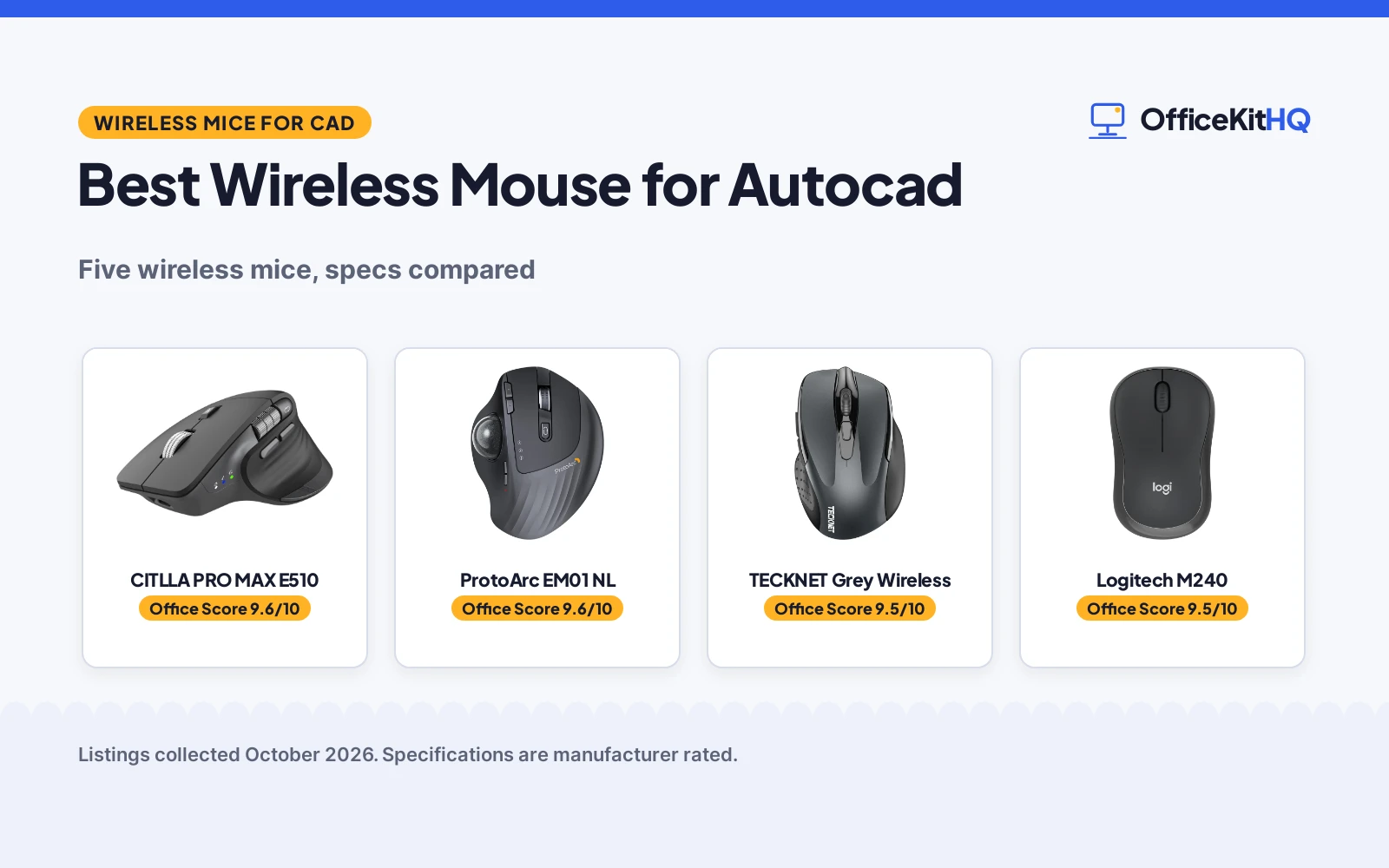
The drawing is due, the model is heavy, and the cursor keeps drifting past the snap point. A CAD session like that is no place for a mouse that loses tracking on a desk mat or needs new batteries mid-afternoon. We compared five wireless mice for the best wireless mouse for autocad shortlist, ranking them by stated DPI, multi-device switching, rechargeable or battery power, button count and warranty term, using only what each listing publishes.
OfficeKitHQ earns a commission when you buy through links on this page, at no extra cost to you. As an Amazon Associate I earn from qualifying purchases. Affiliate disclosure.
Quick picks
 Best Overall CITLLA PRO MAX E510: 4800 DPI in 5 levels, flying scroll and thumb wheel, 3-device switch, USB-C recharge. Check price on Amazon
 Best Trackball ProtoArc EM01 NL: 0-20° adjustable thumb trackball, 3-device wireless, silent clicks, 2-year warranty. Check price on Amazon
 Best 6-Button Pick TECKNET Grey Wireless: Bluetooth 5.0 plus 2.4G, 4800 DPI and 6 buttons. Check price on Amazon
 Best Rechargeable TECKNET Rechargeable: Rechargeable wireless mouse with 4800 DPI. Check price on Amazon
 Best Compact Logitech M240: Compact silent Bluetooth mouse for small desks. Check price on Amazon
The picks
| # | Product | Office Score | Buy |
|---|---|---|---|
| 1 | CITLLA PRO MAX E510 | 9.6/10 | Buy on Amazon |
| 2 | ProtoArc EM01 NL | 9.6/10 | Buy on Amazon |
| 3 | TECKNET Grey Bluetooth Mouse | 9.5/10 | Buy on Amazon |
| 4 | Logitech M240 | 9.5/10 | Buy on Amazon |
| 5 | TECKNET BT Rechargeable Mouse | 9.4/10 | Buy on Amazon |

CITLLA PRO MAX E510
An ergonomic wireless mouse with 4800 DPI in five levels, a flying scroll wheel, a thumb wheel for horizontal scrolling and three-device switching.
Pros
- 4800 DPI across five levels is the highest stated here
- Flying scroll wheel plus a dedicated thumb wheel for horizontal scrolling
- Three-device switching over dual Bluetooth and 2.4G with one click
- USB-C charging with up to 60 days of use per charge, per the listing
Cons
- Spec table says two AA batteries are required, contradicting the rechargeable bullets
- Spec table lists a 3200 DPI maximum against the title's 4800 DPI
- Return to Desktop button works on Windows only
- The two-year term states no service or coverage details
Detailed Review
CITLLA lists the PRO MAX E510 as an ergonomic wireless mouse with 4800 DPI across five levels, a metal flying scroll wheel, a dedicated thumb wheel for horizontal scrolling, and three-device switching over dual Bluetooth plus a 2.4G receiver. The bullets describe USB-C charging with up to 60 days of use per charge, near-silent clicks, seven buttons and a one-touch Return to Desktop button for Windows, with compatibility across Windows, Mac, ChromeOS, Linux, iPadOS and Android. Two contradictions need flagging: the title and bullets state 4800 DPI while the spec table lists a 3200 DPI maximum, and the bullets describe recharging while the spec table says two AA batteries are required. The title and bullets agree with each other on DPI, so we report 4800 and read the table as the listing's own inconsistency; the power story stays unclear, so the score reflects it.
Who it's for: a CAD user who wants the highest stated DPI here, horizontal scrolling for wide sheets and three-device switching in one mouse. Who should skip it: anyone who needs a clear answer on whether it recharges or takes AA batteries.
Its Office Score of 9.6/10 comes from performance 32/35, build 21/25, value 22/25, safety 0/10 and warranty 3/5: 78 of 100 points, placed on our 9.2 to 9.8 scale.
Key Specifications
| DPI | 4800, five levels |
|---|---|
| Device switching | 3 devices, dual Bluetooth + 2.4G |
| Battery | Up to 60 days per charge, USB-C |
| Buttons | 7 |
Figures as published on the retailer listing, collected 18 October 2026. Performance figures are manufacturer rated.
Safety and Warranty
What this listing states. No FCC or other safety listing is stated, so safety scores zero. 2 Year. It does not say everything a buyer needs, such as who pays return shipping, so warranty scores 3 of 5. See How We Pick.
Fit the desk first. Check the stated size against your desk depth and keyboard tray, and charge or pair as the manual describes. No keyboard, mouse or wrist rest prevents or treats injury.
This is general buying information, not professional advice. Follow each product manual and local rules, and see our Safety Disclaimer.

ProtoArc EM01 NL
A wireless thumb trackball mouse with a 0-20° adjustable angle, three-device switching and 5 DPI steps up to 1600 DPI.
Pros
- 0-20° hinge adjusts the trackball angle to the hand
- Thumb trackball moves the cursor without moving the arm, per the listing
- Three-device switching over Bluetooth and 2.4G with one button
- 5 DPI steps up to 1600 adjust cursor speed
Cons
- Scroll wheel and side buttons are not silent, per the listing
- One to two week learning curve is stated for trackball use
- Ball and rollers need cleaning after long use or accuracy drops, per the listing
- 0.35 kg is the heaviest stated weight in this group
Detailed Review
ProtoArc lists the EM01 NL as a wireless thumb trackball mouse with a 0-20° hinge that adjusts the ball angle, three-device wireless over Bluetooth and 2.4G with a one-button switch, and 5 DPI steps up to 1600. The listing states quiet left and right clicks while noting the scroll wheel and side buttons are not silent, a built-in rechargeable battery with a Type C cable in the box, six buttons and a 2-year warranty. It also states a one to two week learning curve and says to clean the ball and its three white rollers after long use, since accuracy and smoothness drop otherwise. Title, bullets and spec table agree on the 1600 DPI maximum, so no contradiction to report.
Who it's for: someone with a crowded desk who wants cursor control without moving the arm, and who is willing to spend a week or two adapting. Who should skip it: anyone who wants a traditional mouse with no learning curve.
Its Office Score of 9.6/10 comes from performance 30/35, build 21/25, value 21/25, safety 0/10 and warranty 3/5: 75 of 100 points, placed on our 9.2 to 9.8 scale.
Key Specifications
| Trackball | Thumb control, 0-20° adjustable angle |
|---|---|
| DPI | up to 1600, 5 steps |
| Wireless | Bluetooth + 2.4G, 3 devices |
| Battery | Rechargeable, Type C cable included |
Figures as published on the retailer listing, collected 18 October 2026. Performance figures are manufacturer rated.
Safety and Warranty
What this listing states. No FCC or other safety listing is stated, so safety scores zero. 2 Year Warranty. It does not say everything a buyer needs, such as who pays return shipping, so warranty scores 3 of 5. See How We Pick.
Fit the desk first. Check the stated size against your desk depth and keyboard tray, and charge or pair as the manual describes. No keyboard, mouse or wrist rest prevents or treats injury.
This is general buying information, not professional advice. Follow each product manual and local rules, and see our Safety Disclaimer.

TECKNET Grey Bluetooth Mouse
A grey Bluetooth 5.0 mouse with 2.4G mode, 6 DPI levels to 4800, 6 buttons and a stated 36-month warranty.
Pros
- 6 DPI levels up to 4800, the widest range here
- Bluetooth 5.0/3.0 plus 2.4G with two-device switching
- 36-month warranty is stated (registration required)
- Silent clicks for shared spaces
Cons
- 2 AAA batteries are not included
- Side buttons are not silent
- Side buttons are not compatible with macOS
- No rechargeable option
Detailed Review
TECKNET lists this grey mouse with Bluetooth 5.0/3.0 and 2.4G USB-A connections, two-device switching, 6 DPI levels (4800/3200/2400/1600/1200/800), 6 buttons and silent clicks. The listing states a 10 m range, wide OS compatibility with Windows, macOS, Chrome and Linux, and 2 AAA batteries (not included) with automatic sleep. The bullets state a 36-month warranty with registration required, and the spec table agrees on 36 months.
Who it's for: someone who wants the widest DPI range here with a long stated warranty. Who should skip it: Mac users who need the side buttons, or anyone who wants rechargeable power.
Its Office Score of 9.5/10 comes from performance 29/35, build 20/25, value 21/25, safety 0/10 and warranty 4/5: 74 of 100 points, placed on our 9.2 to 9.8 scale.
Key Specifications
| Bluetooth | 5.0/3.0 + 2.4G |
|---|---|
| Max DPI | 4800 |
| Buttons | 6 |
| Warranty | 36-month |
Figures as published on the retailer listing, collected 18 October 2026. Performance figures are manufacturer rated.
Safety and Warranty
What this listing states. This product does not plug in or run on a battery, so safety is not part of its score. 36 Months Warranty (Registered Only). It does not say everything a buyer needs, such as who pays return shipping, so warranty scores 4 of 5. See How We Pick.
Fit the desk first. Check the stated size against your desk depth and keyboard tray, and charge or pair as the manual describes. No keyboard, mouse or wrist rest prevents or treats injury.
This is general buying information, not professional advice. Follow each product manual and local rules, and see our Safety Disclaimer.

Logitech M240
A compact silent Bluetooth mouse with 1000 DPI and an 18-month battery, for quiet spaces.
Pros
- 90% reduced click sound; silent
- 18-month battery life
- Compact ambidextrous Bluetooth; no dongle
- 1 year limited hardware warranty
Cons
- 1000 DPI is low and not adjustable
- 3 buttons; no side buttons
- No multi-device switching stated
- No rechargeable option is stated
Detailed Review
Logitech lists a compact silent Bluetooth wireless mouse with pair-and-play connection and no dongle. The listing states 1000 DPI, 3 buttons, an 18-month battery with auto sleep and a 1 year limited hardware warranty. No contradictions in the listing.
Who it's for: quiet spaces and travelers who want a name brand. Who should skip it: anyone who needs high DPI or side buttons.
Its Office Score of 9.5/10 comes from performance 28/35, build 20/25, value 20/25, safety 0/10 and warranty 3/5: 71 of 100 points, placed on our 9.2 to 9.8 scale.
Key Specifications
| DPI | 1000 |
|---|---|
| Battery | 18 months |
| Weight | 73.8 g |
| Warranty | 1 year |
Figures as published on the retailer listing, collected 17 October 2026. Performance figures are manufacturer rated.
Safety and Warranty
What this listing states. No FCC or other safety listing is stated, so safety scores zero. The spec table states a 1 year limited hardware warranty. It does not say everything a buyer needs, such as who pays return shipping, so warranty scores 3 of 5. See How We Pick.
Fit the desk first. Check the stated size against your desk depth and keyboard tray, and charge or pair as the manual describes. No keyboard, mouse or wrist rest prevents or treats injury.
This is general buying information, not professional advice. Follow each product manual and local rules, and see our Safety Disclaimer.

TECKNET BT Rechargeable Mouse
A right-hand wireless mouse that recharges over USB, with 3 months stated per charge and 4800 DPI.
Pros
- Rechargeable: 1.5 to 2 hours for a full charge
- 3 months stated per charge at 2 hours of daily use
- Dual-device Bluetooth and 2.4G with easy switch
- 4800 DPI with 6 adjustable levels and silent click
Cons
- 3 months is the shortest stated term here
- Suited to small to medium hands per the listing
- Connection may go unstable when the battery is low, per the listing
- Stated warranty: "36 Months Warranty" (registered only)
Detailed Review
TECKNET lists a Bluetooth and 2.4G wireless mouse that connects to two devices with a switch, with 6 adjustable DPI levels up to 4800 and 6 buttons. The listing states 3 months of use per charge at 2 hours daily, recharging in 1.5 to 2 hours over the included cable, and warns the connection may go unstable when the battery runs low. The mouse suits small to medium hands. The listing states a 36-month warranty (registered only).
Who it's for: someone who wants rechargeable power and two-device switching. Who should skip it: anyone with large hands or who wants the longest battery term.
Its Office Score of 9.4/10 comes from performance 26/35, build 20/25, value 20/25, safety 0/10 and warranty 0/5: 66 of 100 points, placed on our 9.2 to 9.8 scale.
Key Specifications
| Battery | 3 months, rechargeable |
|---|---|
| DPI | 4800 max |
| Buttons | 6 |
| Hand | Right |
Figures as published on the retailer listing, collected 17 October 2026. Performance figures are manufacturer rated.
Safety and Warranty
What this listing states. No FCC or other safety listing is stated, so safety scores zero. No warranty term, so warranty scores zero. See How We Pick.
Fit the desk first. Check the stated size against your desk depth and keyboard tray, and charge or pair as the manual describes. No keyboard, mouse or wrist rest prevents or treats injury.
This is general buying information, not professional advice. Follow each product manual and local rules, and see our Safety Disclaimer.
As an Amazon Associate I earn from qualifying purchases.
More picks to compare
 Logitech M720 Triathalon Full SizeCheck on Amazon
 Uineer Bluetooth MouseCheck on Amazon
Compare the picks
| Mouse | Office Score | DPI | Device switching | Buttons | Warranty | Amazon |
|---|---|---|---|---|---|---|
| CITLLA PRO MAX E510 | 9.6/10 | 4800 | 3 devices | 7 | 2 years | View on Amazon |
| ProtoArc EM01 NL | 9.6/10 | 1600 | 3 devices | 6 | 2 years | View on Amazon |
| TECKNET Grey Wireless | 9.5/10 | 4800 | Not stated | 6 | Not stated | |
| TECKNET Rechargeable | 9.4/10 | 4800 | Not stated | Not stated | Not stated | |
| Logitech M240 | 9.5/10 | Not stated | Not stated | Not stated | Not stated | View on Amazon |
Specifications are manufacturer rated as listed, collected 18 October 2026. Three of the five state 4800 DPI, two state three-device switching, and two state a warranty term.
How we scored them
The Office Score weighs performance (stated DPI steps, device switching, scroll features and button count), build (materials and item weight), value for the stated specs, safety and warranty. For a mouse, safety covers stated safety-relevant features or certifications, and no listing here states any, so safety scores zero across the board. Two listings state a warranty term: the ProtoArc at two years and the CITLLA at two years. How we pick explains the weights.
| Product | Office Score | Perf. /35 | Build /25 | Value /25 | Safety /10 | Warranty /5 |
|---|---|---|---|---|---|---|
| CITLLA PRO MAX E510 | 9.6 | 32 | 21 | 22 | 0 | 3 |
| ProtoArc EM01 NL | 9.6 | 30 | 21 | 21 | 0 | 3 |
Scores run from 9.2 to 9.8: each product’s point total is placed on that range, so more points always means a higher score.
How to choose the best wireless mouse for autocad
DPI and precision for CAD work
CAD work lives in fine cursor moves: snapping to endpoints, tracing polylines, nudging vertices. The CITLLA states 4800 DPI across five levels, the highest stated here, with a flying scroll wheel and a dedicated thumb wheel for horizontal scrolling that suits long timelines and wide sheets. The ProtoArc takes a different path with a thumb trackball and 5 DPI steps up to 1600, which the listing says keeps the wrist stable during long sessions. The two TECKNET mice both state 4800 DPI without listing DPI steps, and the Logitech M240 states no DPI figure at all. Note the CITLLA listing’s own inconsistency: the title and bullets state 4800 DPI while the spec table lists a 3200 DPI maximum, so read the table figure as a listing error and go by the title and bullets.
| Mouse | DPI | Device switching | Power |
|---|---|---|---|
| CITLLA PRO MAX E510 | 4800 | 3 devices | USB-C recharge |
| ProtoArc EM01 NL | 1600 | 3 devices | Rechargeable |
| TECKNET Grey Wireless | 4800 | Not stated | Not stated |
| TECKNET Rechargeable | 4800 | Not stated | Rechargeable |
| Logitech M240 | Not stated | Not stated | Not stated |
Figures as stated in each listing. The CITLLA spec table also lists a 3200 DPI maximum that conflicts with the title and bullets; see the review.
Switching between machines
Many CAD users split time between a workstation and a laptop. The CITLLA and the ProtoArc each state three-device switching, the CITLLA over dual Bluetooth plus a 2.4G receiver and the ProtoArc over Bluetooth and 2.4G with a one-button switch. The TECKNET Grey states Bluetooth 5.0 and 2.4G without saying how many devices it pairs with, and the TECKNET Rechargeable and Logitech M240 state no switching count. If your workflow jumps between machines, the stated three-device picks are the ones with the feature in writing. Pair the winner with a mouse pad that suits your desk, and see our best wireless keyboard for home office guide for the other half of the desk setup.
Rechargeable or replaceable power
Nothing ends a session faster than a dead mouse. The CITLLA describes USB-C charging with up to 60 days of use per charge, though its spec table also says two AA batteries are required, which contradicts the rechargeable story, so confirm with the seller which power source you actually get. The ProtoArc and the TECKNET Rechargeable both describe rechargeable power, the ProtoArc with a Type C cable in the box. The TECKNET Grey and the Logitech M240 state no power details at all.
Trackball or traditional mouse
The ProtoArc is the only trackball here: a 0-20° hinge adjusts the ball angle to the hand, and the cursor moves by thumb instead of arm. The listing states a one to two week learning curve and says to clean the ball and its three white rollers after long use or accuracy drops. The other four are traditional optical mice. A trackball suits a crowded desk where arm room is tight; a traditional mouse suits anyone who wants no learning curve at all. Whichever you choose, the best mouse pad guide covers surfaces that keep optical sensors tracking cleanly.
Setup Notes
- Keep the 2.4G receiver in a front USB port; only the CITLLA states a range, 10 meters.
- Charge the rechargeable picks over USB-C before the first workday; the CITLLA claims up to 60 days per charge.
- No assembly is stated for any pick; each lists a ready-to-pair wireless connection.
- Clean the ProtoArc trackball and its three white rollers after long use, per the listing, or accuracy drops.
- Keep the Type C cable from the ProtoArc and CITLLA boxes with the receiver so a low battery never ends a session.
Frequently Asked Questions
Which mouse here is best for precise CAD cursor work?
The CITLLA states 4800 DPI across five levels plus a flying scroll wheel and a dedicated thumb wheel for horizontal scrolling. The ProtoArc offers a thumb trackball with 5 DPI steps up to 1600 for fine moves without arm motion.
Can these mice switch between several computers?
The CITLLA and the ProtoArc each state three-device switching. The TECKNET Grey states Bluetooth 5.0 and 2.4G without a device count, and the other two state no switching figure.
Which picks recharge instead of using disposable batteries?
The ProtoArc and the TECKNET Rechargeable describe rechargeable power. The CITLLA describes USB-C charging, but its spec table also says two AA batteries are required, so confirm the power source with the seller before buying.
What warranty terms are stated?
The ProtoArc states a 2-year warranty and the CITLLA states a 2-year term. The other three listings state no warranty term.
Which is the most compact mouse here?
The Logitech M240 is the only pick with compact in its title, and it states silent clicks. The CITLLA lists a 4.6 by 2.6 in footprint; the others state no dimensions.
Related guides
See every Mice and Mouse Pads guide and all Monitor Mounts, Keyboards and Mice guides.
More picks: wireless keyboard, mouse pad and desk mat.