
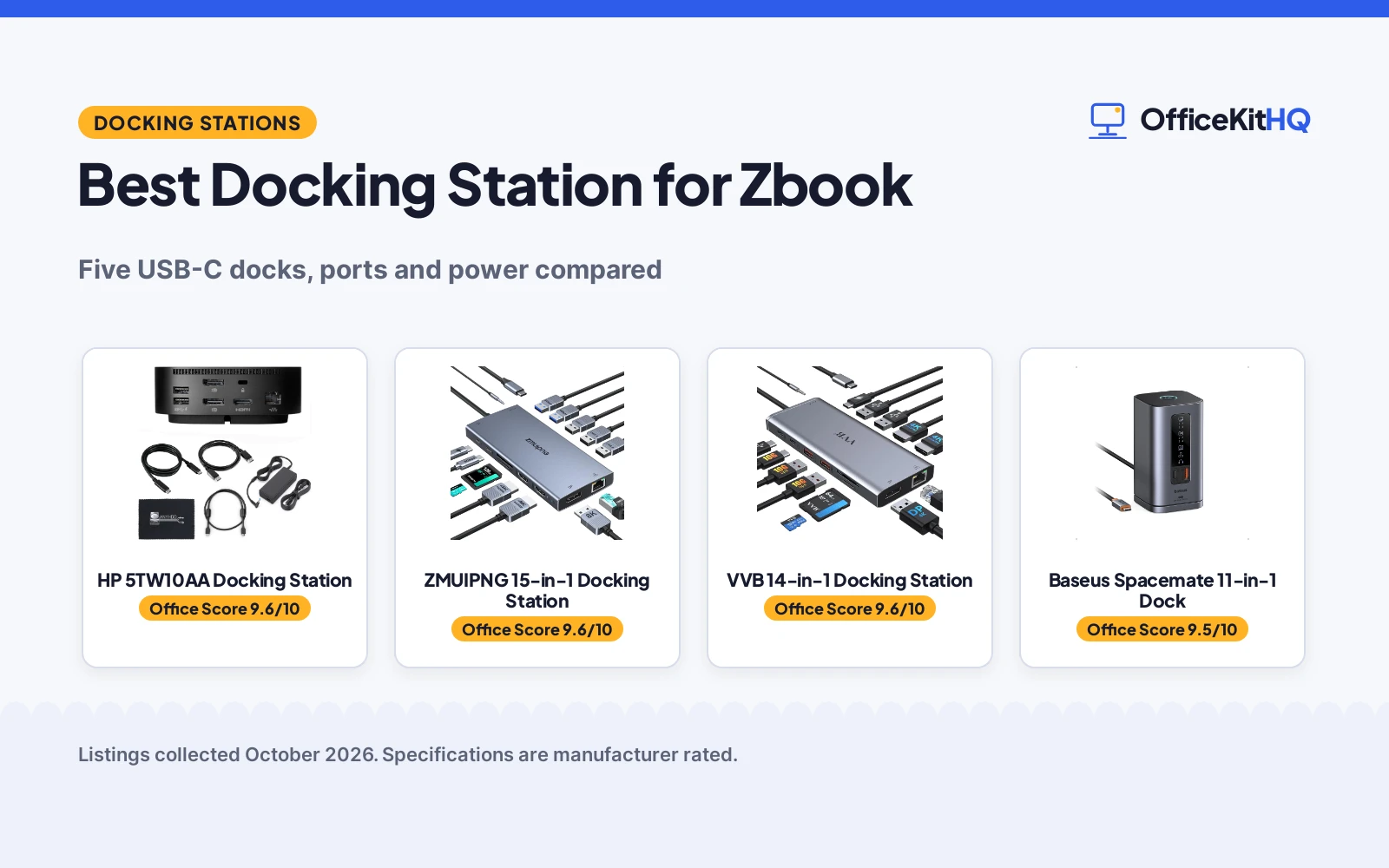
The 9 a.m. call starts in five minutes, the webcam is dim, and the Zbook is running everything off a single cable: two monitors, the headset, the wired network, and charging. A docking station is the one box that makes that setup sane, and the best docking station for Zbook is the one that matches an HP laptop’s ports, power draw and monitor count. We compared five USB-C docking stations by stated port count, display outputs, power delivery and warranty. Every figure below comes from the Amazon listings, not from our own measurements.
OfficeKitHQ earns a commission when you buy through links on this page, at no extra cost to you. As an Amazon Associate I earn from qualifying purchases. Affiliate disclosure.
Quick picks
 Best for Zbook HP 5TW10AA Docking Station: HP dock with 120W adapter included and a 3-year warranty stated. Check price on Amazon
 Best Triple Display Baseus Spacemate 11-in-1 Dock: 11-in-1 with 2 HDMI and 2 DP at 4K@60Hz, 100W PD. Check price on Amazon
 Most Ports ZMUIPNG 15-in-1 Docking Station: 15-in-1 with dual 4K HDMI, 8K DisplayPort and 100W PD. Check price on Amazon
The picks
| # | Product | Office Score | Buy |
|---|---|---|---|
| 1 | HP 5TW10AA Docking Station | 9.6/10 | Buy on Amazon |
| 2 | ZMUIPNG 15-in-1 Dock | 9.6/10 | Buy on Amazon |
| 3 |  VVB 14-in-1 Dock VVB 14-in-1 Dock | 9.6/10 | Buy on Amazon |
| 4 | Baseus Spacemate 11-in-1 Dock | 9.5/10 | Buy on Amazon |
| 5 |  Anker Nano A83C3 Anker Nano A83C3 | 9.5/10 | Buy on Amazon |

HP 5TW10AA Docking Station
HP dock with a 120W adapter in the box, dual monitor outputs and a stated 3-year warranty, built for HP laptops.
Pros
- 120W power adapter included in the bundle
- Lists up to three displays through HDMI and DisplayPort
- 3-year warranty stated, the longest of the picks
- 9 ports including 5 USB, Gigabit Ethernet and audio
Cons
- Renewed unit, not new
- Compatibility list names EliteBook models, not Zbook by name
- 4.8 by 4.8 by 1.8 inches takes more desk depth than vertical docks
- Listing advises a firmware update if compatibility issues appear
Detailed Review
The renewed HP 5TW10AA bundle centers on the dock plus a 120W adapter, an HDMI cable, a DisplayPort cable, USB-C and a microfiber cloth. The listing counts 9 ports: powered USB 3.0, USB-C, a USB-C power port, audio, SuperSpeed USB 3.0, network, DisplayPort and HDMI, with Gigabit Ethernet for wired networking. It lists up to three displays and names HP EliteBook models among its compatible devices.
The listing describes a compact design that saves desk space and asks buyers to confirm USB-C or Thunderbolt compatibility before purchase, with a firmware update as the fix for issues. The spec table states a 3-year warranty, the longest term among the picks, and the 4.8 by 4.8 by 1.8 inch, 23.98 oz body. As a renewed unit it trades new-in-box certainty for the HP-specific fit and the adapter in the box.
Its Office Score of 9.6/10 comes from performance 30/35, build 21/25, value 20/25, safety 0/10 and warranty 4/5: 75 of 100 points, placed on our 9.2 to 9.8 scale.
Key Specifications
| Ports | 9 |
|---|---|
| USB ports | 5 |
| Video outputs | HDMI, DisplayPort, up to three displays |
| Power adapter | 120W included |
| Size | 4.8 x 4.8 x 1.8 in |
| Weight | 23.98 oz |
| Warranty | 3 Years |
Figures as published on the retailer listing, collected 20 October 2026. Performance figures are manufacturer rated.
Safety and Warranty
What this listing states. No UL, FCC or over-current protection statement is stated, so safety scores zero. 3 Years. It does not say everything a buyer needs, such as who pays return shipping, so warranty scores 4 of 5. See How We Pick.
Power and heat. Use the supplied adapter, treat power delivery wattage and display support as the maker's claims for your laptop model, and give the dock room to vent.
This is general buying information, not professional advice. Follow each product manual and local rules, and see our Safety Disclaimer.

ZMUIPNG 15-in-1 Dock
A 15-in-1 dock with dual 4K HDMI, an 8K DisplayPort, a screen-off privacy button, 100W PD and a stated 1-year warranty.
Pros
- DisplayPort up to 8K at 30Hz, the highest resolution stated here
- Screen-off button and compatibility detection lamp
- 15 ports including SD/microSD and 3.5mm mic/audio
- 1Gbps Ethernet and 100W PD charging
Cons
- USB data tops out at 5Gbps, slower than the 10Gbps docks here
- Charger is not included; needs a 100W adapter
- Requires Thunderbolt 3/4 or full-featured USB-C; a laptop HDMI port alone will not work
- macOS supports mirror mode only
Detailed Review
ZMUIPNG lists a 15-in-1 USB-C docking station with two 4K HDMI ports and a DisplayPort up to 8K at 30Hz, triple display on Windows at 4K from DP1.4. It lists 3 USB 3.0 at 5Gbps, 2 USB 2.0, 1 USB-C 3.0, 100W PD, 1Gbps Ethernet, SD/microSD readers and 3.5mm mic/audio. A screen-off button protects the displays and a detection lamp shows compatibility. The package has the dock and manual only; the charger is not included and a 100W adapter is needed. The spec table states a 1-year manufacturer warranty. Note: it needs Thunderbolt 3/4 or a full-featured USB-C port; the listing says a laptop HDMI port alone is not compatible.
Who it's for: someone who wants an 8K-capable DisplayPort and a privacy button for shared spaces. Who should skip it: anyone whose laptop lacks Thunderbolt or full-featured USB-C.
Its Office Score of 9.6/10 comes from performance 30/35, build 20/25, value 21/25, safety 4/10 and warranty 3/5: 78 of 100 points, placed on our 9.2 to 9.8 scale.
Key Specifications
| Video | 2x HDMI 4K, DP 8K@30Hz |
|---|---|
| USB data | 5Gbps |
| Power | 100W PD |
| Warranty | 1 year |
Figures as published on the retailer listing, collected 18 October 2026. Performance figures are manufacturer rated.
Safety and Warranty
What this listing states. Heat resistant stated, so safety scores 4 of 10. 1-year manufacturer warranty stated. It does not say everything a buyer needs, such as who pays return shipping, so warranty scores 3 of 5. See How We Pick.
Power and heat. Use the supplied adapter, treat power delivery wattage and display support as the maker's claims for your laptop model, and give the dock room to vent.
This is general buying information, not professional advice. Follow each product manual and local rules, and see our Safety Disclaimer.

VVB 14-in-1 Dock
A 14-in-1 aluminum dock with dual 4K HDMI, a 4K DisplayPort, triple-display support on Windows and 100W PD.
Pros
- 14 ports, the most here, including DisplayPort 4K and two HDMI 4K
- Dual and triple display support for Windows, up to 4K@60Hz single
- 10Gbps USB 3.1 ports plus a 3.5mm mic/audio jack
- 100W PD input with 87W safe power out, plus Gigabit Ethernet
Cons
- Charging cable and adapter are not included
- MacBooks only show the same image on external monitors
- 1-year warranty is the briefest term here
- The listing warns that incompatible USB-C devices cannot use the HDMI or DisplayPort
Detailed Review
VVB lists a 14-in-1 aluminum dock with two 4K HDMI ports, a 4K DisplayPort, 100W PD, Gigabit Ethernet, an SD/TF reader and a 3.5mm mic/audio jack, with USB data up to 10Gbps. It supports dual and triple displays on Windows: single HDMI 1 or DisplayPort up to 4K@60Hz, dual at 4K@30Hz and 1080p, triple at 1080p. The spec table gives a 3.15 x 0.65 x 6.22 in footprint and a 1-year warranty. The listing notes that MacBooks only mirror on external monitors and that the charging cable and adapter are not included.
Who it's for: a Windows user who wants the most ports and a triple-display option. Who should skip it: anyone who needs the charger in the box or extended displays on a Mac.
Its Office Score of 9.6/10 comes from performance 33/35, build 21/25, value 21/25, safety 0/10 and warranty 3/5: 78 of 100 points, placed on our 9.2 to 9.8 scale.
Key Specifications
| Ports | 14 |
|---|---|
| Video | Dual 4K + DP |
| Power | 100W in / 87W out |
| Warranty | 1 year |
Figures as published on the retailer listing, collected 18 October 2026. Performance figures are manufacturer rated.
Safety and Warranty
What this listing states. No UL, FCC or over-current protection statement is stated, so safety scores zero. 1 Year. It does not say everything a buyer needs, such as who pays return shipping, so warranty scores 3 of 5. See How We Pick.
Power and heat. Use the supplied adapter, treat power delivery wattage and display support as the maker's claims for your laptop model, and give the dock room to vent.
This is general buying information, not professional advice. Follow each product manual and local rules, and see our Safety Disclaimer.

Baseus Spacemate 11-in-1 Dock
11-in-1 vertical dock with triple display support, 10Gbps USB and 100W PD, but the power adapter is not included.
Pros
- Triple display: 1-2 monitors at 4K 60Hz, three at 4K 30Hz
- 2 HDMI plus 2 DisplayPort, three 10Gbps USB ports, Gigabit Ethernet
- Vertical 2.6 by 2.6 by 4.8 inch body saves desk space
- LED screen shows live ports; one-touch screen lock button
Cons
- Power adapter is not included; needs your own 100W USB-C adapter
- Charges the laptop at up to 85W, and laptops needing more than 100W charge slowly
- Triple display works on Windows; macOS extends to only one external monitor
- 1 year manufacture warranty is the shortest stated term here
Detailed Review
The Baseus Spacemate is the port-count leader: 11 ports with 2 HDMI and 2 DisplayPort outputs, one or two monitors at 4K and 60Hz each and all three together at 4K and 30Hz. The listing adds three 10Gbps USB ports (1 USB-C, 2 USB-A), a USB-A 2.0 port for the mouse, Gigabit Ethernet at 1Gbps, a 3.5mm headset jack and 100W PD. It needs a full-featured USB-C port with DisplayPort Alt Mode and names Dell, HP, Lenovo, Asus and Acer as supported brands.
The vertical aluminum body measures 2.6 by 2.6 by 4.8 inches on a magnetic swivel base, with a built-in LED screen showing live ports and a one-touch screen lock for Windows. The catch is power: the adapter is not included, the laptop charges at up to 85W with a 100W adapter attached, and the listing warns that laptops needing more than 100W will charge slowly. The spec table states a 1 year manufacture warranty.
Its Office Score of 9.5/10 comes from performance 32/35, build 21/25, value 19/25, safety 0/10 and warranty 2/5: 74 of 100 points, placed on our 9.2 to 9.8 scale.
Key Specifications
| Ports | 11 |
|---|---|
| Video outputs | 2 x HDMI + 2 x DP, triple display |
| Resolution | 4K@60Hz (1-2 monitors), 4K@30Hz (3 monitors) |
| USB data | 10Gbps (1 USB-C, 2 USB-A) |
| Power | 100W PD, up to 85W to laptop, adapter not included |
| Size | 2.6 x 2.6 x 4.8 in |
| Warranty | 1 year manufacture |
Figures as published on the retailer listing, collected 20 October 2026. Performance figures are manufacturer rated.
Safety and Warranty
What this listing states. No UL, FCC or over-current protection statement is stated, so safety scores zero. 1 year manufacture. It does not say everything a buyer needs, such as who pays return shipping, so warranty scores 2 of 5. See How We Pick.
Power and heat. Use the supplied adapter, treat power delivery wattage and display support as the maker's claims for your laptop model, and give the dock room to vent.
This is general buying information, not professional advice. Follow each product manual and local rules, and see our Safety Disclaimer.

Pros
- Detachable 6-in-1 hub covers travel without a second purchase
- 100W charging with a 140W adapter included
- Plug and play with no drivers needed
- Compact 3.74 by 1.57 by 5.51 in body
Cons
- Triple display tops out at 1080p@60Hz, the lowest here
- macOS supports mirrored mode only on multiple displays
- 18-month warranty is the briefest stated term here
- No stated smart display or fan cooling
Detailed Review
Anker lists the Nano (A83C3) as a 13-in-1 docking station with a detachable 6-in-1 USB-C hub for travel. The listing states triple display over 2 HDMI and 1 DisplayPort at up to 4K@60Hz single, dual 2K@60Hz or triple 1080p@60Hz, 100W laptop charging with a 140W adapter included, 10Gbps USB-C data, Gigabit Ethernet, 3.5mm audio and SD/TF slots. Setup is plug and play with no drivers, and macOS supports mirrored mode only on multiple displays. An 18-month warranty is stated.
Who it's for: someone who wants one dock for the desk and a detachable hub for travel. Who should skip it: anyone who needs triple 4K or three extended Mac displays.
Its Office Score of 9.5/10 comes from performance 27/35, build 20/25, value 21/25, safety 0/10 and warranty 3/5: 71 of 100 points, placed on our 9.2 to 9.8 scale.
Key Specifications
| Displays | Triple 1080p@60Hz |
|---|---|
| Charging | 100W PD |
| Design | Detachable 6-in-1 hub |
| Warranty | 18 months |
Figures as published on the retailer listing, collected 18 October 2026. Performance figures are manufacturer rated.
Safety and Warranty
What this listing states. No UL, FCC or over-current protection statement is stated, so safety scores zero. 18-month warranty. It does not say everything a buyer needs, such as who pays return shipping, so warranty scores 3 of 5. See How We Pick.
Power and heat. Use the supplied adapter, treat power delivery wattage and display support as the maker's claims for your laptop model, and give the dock room to vent.
This is general buying information, not professional advice. Follow each product manual and local rules, and see our Safety Disclaimer.
As an Amazon Associate I earn from qualifying purchases.
Compare the picks
| Dock | Office Score | Ports | Displays | Power | Size | Warranty | Amazon |
|---|---|---|---|---|---|---|---|
| HP 5TW10AA Docking Station | 9.6/10 | 9 | Up to three | 120W adapter included | 4.8 x 4.8 x 1.8 in | 3 Years | View on Amazon |
| Baseus Spacemate 11-in-1 Dock | 9.5/10 | 11 | Triple, 4K@60Hz | 100W PD, 85W to laptop | 2.6 x 2.6 x 4.8 in | 1 year manufacture | View on Amazon |
| ZMUIPNG 15-in-1 Docking Station | 9.6/10 | 15-in-1 | Dual 4K HDMI, 8K DP | 100W PD | Not stated | Not stated | |
| VVB 14-in-1 Docking Station | 9.6/10 | 14-in-1 | Dual HDMI, DP | 100W PD | Not stated | Not stated | |
| Anker Nano Docking Station | 9.5/10 | 13-in-1 | Not stated | 100W | Not stated | Not stated |
Specifications are manufacturer rated as listed, collected 20 October 2026. Two of the five state a warranty term.
How we scored them
The Office Score weighs performance (stated ports, display outputs and power delivery), build, value, safety and warranty. For docks, safety would mean a stated electrical safety certification, and none of the five listings names one, so no safety points were given. Only the HP dock states a warranty, 3 years, and the Baseus dock states 1 year manufacture. Our scoring method is explained on the site’s how-we-pick page.
| Product | Office Score | Perf. /35 | Build /25 | Value /25 | Safety /10 | Warranty /5 |
|---|---|---|---|---|---|---|
| HP 5TW10AA Docking Station | 9.6 | 30 | 21 | 20 | 0 | 4 |
| Baseus Spacemate 11-in-1 Dock | 9.5 | 32 | 21 | 19 | 0 | 2 |
Scores run from 9.2 to 9.8: each product’s point total is placed on that range, so more points always means a higher score.
How to choose the best docking station for zbook
Match the dock to HP first
A Zbook is an HP mobile workstation, so HP compatibility is the first filter. The renewed HP 5TW10AA dock is built for HP laptops and lists EliteBook models among its compatible devices, which makes it the natural first look. The Baseus dock also names HP among the brands it works with, alongside Dell, Lenovo, Asus and Acer. The three remaining picks are generic USB-C docks, which suit a Zbook only if its USB-C port supports DisplayPort Alt Mode.
Count the monitors
Two monitors is the common Zbook desk setup, and three is the stretch goal. The Baseus dock drives three external monitors, with one or two at 4K and 60Hz each and all three together at 4K and 30Hz. The HP dock lists up to three displays through its HDMI and DisplayPort outputs. The ZMUIPNG and VVB docks list dual HDMI, with ZMUIPNG adding an 8K DisplayPort, and the Anker Nano is a 13-in-1 without a stated monitor count. Buy the monitor count you have today, not the one you might add later.
Check the power math
A dock that cannot feed the laptop is just a hub with extra steps. The HP dock ships with a 120W adapter in the box. The Baseus dock charges the laptop at up to 85W, but only when you connect your own 100W USB-C adapter, which is not included, and the listing warns that laptops needing more than 100W will charge slowly. The ZMUIPNG, VVB and Anker Nano listings all state 100W PD. If the Zbook is a high-draw workstation model, favor the 120W adapter in the box.
One more option worth knowing
The Anker 13-in-1 dock did not make the ranked picks, but it is a solid alternative: the listing states triple display with 2 HDMI and 1 DisplayPort, 10Gbps USB-C and 5Gbps USB-A data ports, Gigabit Ethernet, SD and TF slots, 85W charging with a 135W adapter included, and an 18-month warranty. Consider it if you want the adapter in the box and Anker’s longer warranty term.
Setup Notes
- Measure the desk first: the Baseus dock stands 2.6 by 2.6 by 4.8 inches on a magnetic base, while the HP dock is a flat 4.8 by 4.8 by 1.8 inches.
- Plan power before the dock arrives: the HP dock includes its 120W adapter, while the Baseus dock needs a 100W USB-C adapter of your own.
- Confirm the Zbook’s USB-C port supports DisplayPort Alt Mode for the generic docks, or Thunderbolt for the HP dock.
- The HP dock bundle lists an HDMI cable, a DisplayPort cable and USB-C in the box, so the monitors connect on day one.
Frequently Asked Questions
Will these docks work with a Zbook?
The HP 5TW10AA dock is built for HP laptops and lists EliteBook models among its compatible devices, so it is the closest match for a Zbook. The Baseus dock names HP among its supported brands. For the three generic docks, the Zbook’s USB-C port needs to support DisplayPort Alt Mode.
Do I need Thunderbolt for a docking station?
Not necessarily. The Baseus dock needs a full-featured USB-C port with DisplayPort Alt Mode, which the listing notes nearly every Thunderbolt 3 or 4 laptop has. The HP dock’s notes ask you to confirm USB-C or Thunderbolt compatibility and to update the dock firmware if you run into issues.
How many monitors can these docks drive?
The Baseus dock drives three external monitors: one or two at 4K and 60Hz each, or all three at 4K and 30Hz. The HP dock lists up to three displays. The ZMUIPNG and VVB docks list dual HDMI outputs.
Does the dock charge the laptop?
The HP dock ships with a 120W adapter. The Baseus dock charges at up to 85W when you connect your own 100W USB-C adapter, which is not included. The ZMUIPNG, VVB and Anker Nano listings state 100W PD.
What should I check before buying a dock for a Zbook?
Check the USB-C port for DisplayPort Alt Mode or Thunderbolt support, match the power figure to the laptop (the listings state 85W to 120W across the picks), and count the monitors against the dock’s stated outputs. See our docking stations and USB hubs hub for the full category.
Related guides
See every docking station and USB hub guide. Also see our best quality USB hub for laptop, best docking station with power and best USB hub for file transfer.



