
The best hdmi adapter for laptop is the link between a laptop and the larger display on the desk, and it decides whether a video call fills the monitor or stays trapped on a small screen. A home desk with a monitor waiting beside the laptop needs that link to just work when the call starts. We compared the adapters in this guide by output resolution, refresh rate, extra ports, charging support and warranty term, using only what each listing publishes.
OfficeKitHQ earns a commission when you buy through links on this page, at no extra cost to you. As an Amazon Associate I earn from qualifying purchases. Affiliate disclosure.
Quick picks
 Best Overall Mindorlen NXA009-L9: HDMI 2.1, 4K output, 10 Gbps USB and 27W charging in one small hub Check price on Amazon
 Best 4K at 60Hz Anker 310: 4K at 60Hz output, braided-nylon cable and aluminum casing Check price on Amazon
 Best Charging Hub Acer ODK3A0: 4K at 30Hz, 100W charging and a USB-A 3.0 port in one hub Check price on Amazon
 Best for USB-A Laptops KUPOISHE KPS-0037: USB-A to HDMI for older laptops, 1080p output, 36-month warranty Check price on Amazon
 Best Audio Sync Mindorlen HDMI-USB-C: 4K at 30Hz with audio synced to video, mirror and extended modes Check price on Amazon
The picks
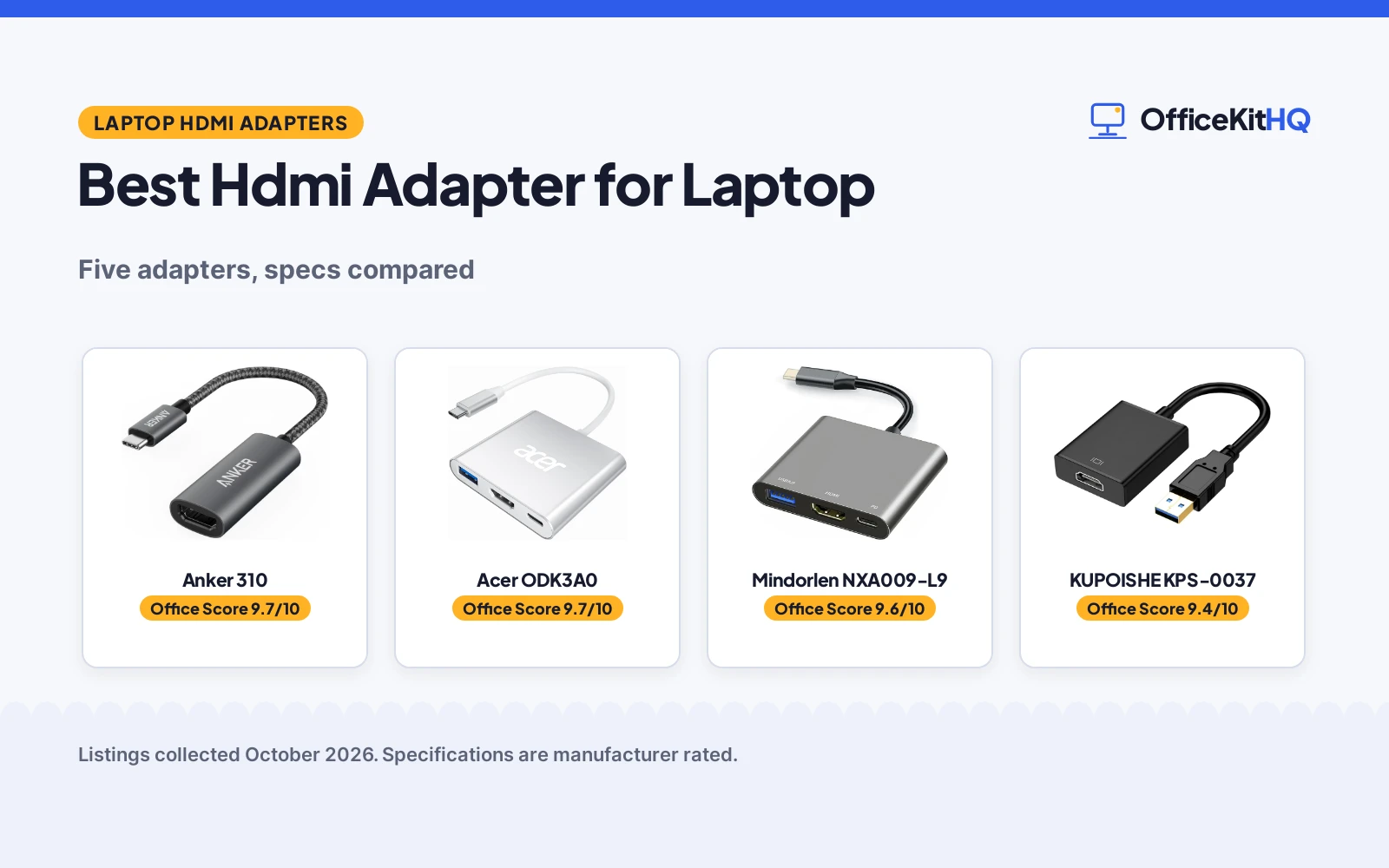
| # | Product | Office Score | Buy |
|---|---|---|---|
| 1 | Anker 310 | 9.7/10 | Buy on Amazon |
| 2 | Acer ODK3A0 | 9.7/10 | Buy on Amazon |
| 3 | Mindorlen NXA009-L9 | 9.6/10 | Buy on Amazon |
| 4 | KUPOISHE KPS-0037 | 9.4/10 | Buy on Amazon |
| 5 | Mindorlen HDMI-USB-C | 9.4/10 | Buy on Amazon |

Anker 310
A single-port USB-C to HDMI adapter with 4K output at 60Hz, an aluminum casing, a braided-nylon cable and an 18-month warranty.
Pros
- 4K output at 60Hz, the highest refresh rate stated here
- Braided-nylon cable built for daily twists and tugs
- Aluminum casing for greater heat dissipation
- Plug and play with no installation necessary
Cons
- No charging or Power Delivery support
- Only one port, with no USB or charging passthrough
- Spec table lists 18 watts while the bullets state no charging
- No cable length stated in the listing
Detailed Review
Anker lists the 310 as a USB-C to HDMI adapter that turns a laptop USB-C port into an HDMI port, with 4K output at 60Hz, a lightweight aluminum casing for greater heat dissipation and a reinforced braided-nylon cable. The adapter measures 1.97 by 0.85 by 0.45 in and weighs 18.14 g, and the listing states support for USB-C DP Alt mode, USB4 and Thunderbolt connections. One contradiction: the spec table lists 18 watts nominal power, while the bullets state the product does not support charging or Power Delivery, so treat it as a video-only adapter. The listing states an 18-month warranty.
Who it's for: someone who wants the smoothest stated 4K output for video and calls, with no need for charging passthrough. Who should skip it: anyone who wants to charge the laptop through the same adapter.
Its Office Score of 9.7/10 comes from performance 30/35, build 22/25, value 21/25, safety 5/10 and warranty 4/5: 82 of 100 points, placed on our 9.2 to 9.8 scale.
Key Specifications
| Output | 4K at 60Hz |
|---|---|
| Connector | USB-C to HDMI |
| Size | 1.97 by 0.85 by 0.45 in |
| Weight | 18.14 g |
Figures as published on the retailer listing, collected 24 October 2026. Performance figures are manufacturer rated.
Safety and Warranty
What this listing states. Aluminum casing for greater heat dissipation, so safety scores 5 of 10. 18-month warranty. It does not say everything a buyer needs, such as who pays return shipping, so warranty scores 4 of 5. See How We Pick.
Power and heat. Use the supplied adapter, treat power delivery wattage and display support as the maker's claims for your laptop model, and give the dock room to vent.
This is general buying information, not professional advice. Follow each product manual and local rules, and see our Safety Disclaimer.

Acer ODK3A0
A 3-in-1 USB-C hub with 4K output at 30Hz, a 100W charging port and a USB-A 3.0 port with transfer at up to 5 Gbps.
Pros
- 100W charging, the highest charging figure stated here
- 5 Gbps transfer, stated as 10 times faster than USB 2.0 at 480 Mbps
- Aluminum housing for durability and heat dissipation
- Works across Windows, ChromeOS, Linux and macOS X 10.5 or higher
Cons
- 4K output capped at 30Hz, below the 60Hz Anker
- USB-C port must support DisplayPort Alternate Mode
- USB-A port does not support charging
- Not compatible with Lightning-port iPads, portable monitors and other listed devices
Detailed Review
Acer lists the ODK3A0 as a 3-in-1 USB-C hub with an HDMI 4K at 30Hz output port, a charging port with 100W power delivery and a USB-A 3.0 port with transfer at up to 5 Gbps. The silver aluminum housing measures 9.84 by 2 by 0.4 in and weighs 44 g, and the listing states compatibility with Windows, ChromeOS, Linux and macOS X 10.5 or higher. Two nits: the spec table lists both 2 total USB ports and 3 ports overall, and the 9.84 in length sits oddly with the compact, lightweight description, so check the length against the desk space before buying. The listing states a 1-year warranty.
Who it's for: someone who wants one hub to drive a display, charge the laptop and move files. Who should skip it: anyone who needs 4K above 30Hz or whose laptop USB-C port lacks DisplayPort Alternate Mode.
Its Office Score of 9.7/10 comes from performance 32/35, build 21/25, value 21/25, safety 5/10 and warranty 3/5: 82 of 100 points, placed on our 9.2 to 9.8 scale.
Key Specifications
| Output | 4K at 30Hz |
|---|---|
| Charging | 100W |
| Data transfer | 5 Gbps |
| Weight | 44 g |
Figures as published on the retailer listing, collected 24 October 2026. Performance figures are manufacturer rated.
Safety and Warranty
What this listing states. Aluminum housing for heat dissipation, so safety scores 5 of 10. 1-year warranty. It does not say everything a buyer needs, such as who pays return shipping, so warranty scores 3 of 5. See How We Pick.
Power and heat. Use the supplied adapter, treat power delivery wattage and display support as the maker's claims for your laptop model, and give the dock room to vent.
This is general buying information, not professional advice. Follow each product manual and local rules, and see our Safety Disclaimer.

Mindorlen NXA009-L9
A compact multiport adapter with HDMI 2.1 output at 4K, a 27W charging port, USB 3.0 and USB 2.0 ports, and a three-year warranty.
Pros
- HDMI 2.1 output at 4K, backward compatible with HDMI 2.0
- 10 Gbps transfer through the USB 3.1 Gen 1 port
- 27W charging port for laptops, tablets and smartphones
- Aluminum alloy shell in a 2.3 by 2.1 by 0.4 in body
Cons
- No refresh rate stated for the 4K output
- Cable figures do not match: 130mm paired with 0.5 inch
- Spec table port totals disagree: 2 total USB ports against 4 ports overall
- Gray is the only color stated
Detailed Review
Mindorlen lists the NXA009-L9 as a USB-C to HDMI multiport adapter with an HDMI 2.1 port that is backward compatible with HDMI 2.0, 4K output, and compatibility with 2K, 1080p and 720p. The gray aluminum alloy shell measures 2.3 by 2.1 by 0.4 in, the USB 3.0 port supports 10 Gbps transfer, and the USB-C charging port states 27W. Two figures in the listing do not line up: the bullets pair a 130mm cable with 0.5 inch, and the spec table lists both 2 total USB ports and 4 ports overall, so count on the port types the bullets name rather than the totals. The listing states a one-year return and a three-year warranty.
Who it's for: someone who wants video, charging and data ports in one small adapter for a laptop bag. Who should skip it: anyone who needs a stated refresh rate for the 4K output or a longer cable figure they can trust.
Its Office Score of 9.6/10 comes from performance 32/35, build 21/25, value 21/25, safety 5/10 and warranty 0/5: 79 of 100 points, placed on our 9.2 to 9.8 scale.
Key Specifications
| Output | 4K, HDMI 2.1 |
|---|---|
| Data transfer | 10 Gbps |
| Charging | 27W |
| Size | 2.3 by 2.1 by 0.4 in |
Figures as published on the retailer listing, collected 24 October 2026. Performance figures are manufacturer rated.
Safety and Warranty
What this listing states. Aluminum alloy shell stated, so safety scores 5 of 10. No warranty term, so warranty scores zero. See How We Pick.
Power and heat. Use the supplied adapter, treat power delivery wattage and display support as the maker's claims for your laptop model, and give the dock room to vent.
This is general buying information, not professional advice. Follow each product manual and local rules, and see our Safety Disclaimer.

KUPOISHE KPS-0037
A USB to HDMI adapter for Windows laptops and desktops that adds an extra display at 1920 by 1080 resolution over USB 3.0 or USB 2.0.
Pros
- Works from USB 3.0 or USB 2.0 ports, so older laptops qualify
- 1920 by 1080 output with mirror and extended modes
- Hot-plugging after the driver install
- 36-month warranty stated in the bullets
Cons
- 1080p only, with no 4K output stated
- Driver install required before use
- Warranty description contradicts itself: one year in the spec table against 36 months in the bullets
- No USB-C support, so laptops with only USB-C ports cannot use it
Detailed Review
KUPOISHE lists the KPS-0037 as a USB to HDMI adapter that connects a PC to a TV, monitor or projector over USB, with 1920 by 1080 resolution over USB 3.0 or USB 2.0 and mirror or extended modes. The adapter measures 10 by 1.5 by 0.5 in and weighs 0.02 kg, and the listing states hot-plugging after a driver install. The warranty line contradicts itself: the bullets state a 36-month warranty while the spec table warranty description says one year, and the bullets are more specific, so we score the 36-month term.
Who it's for: someone with an older Windows laptop that has USB-A ports and no USB-C. Who should skip it: anyone who needs 4K output or a driver-free setup.
Its Office Score of 9.4/10 comes from performance 26/35, build 19/25, value 20/25, safety 0/10 and warranty 5/5: 70 of 100 points, placed on our 9.2 to 9.8 scale.
Key Specifications
| Output | 1920 by 1080 |
|---|---|
| Connector | USB to HDMI |
| Ports | 1 |
| Size | 10 by 1.5 by 0.5 in |
Figures as published on the retailer listing, collected 24 October 2026. Performance figures are manufacturer rated.
Safety and Warranty
What this listing states. This product does not plug in or run on a battery, so safety is not part of its score. 36-month warranty, so warranty scores 5 of 5. See How We Pick.
Power and heat. Use the supplied adapter, treat power delivery wattage and display support as the maker's claims for your laptop model, and give the dock room to vent.
This is general buying information, not professional advice. Follow each product manual and local rules, and see our Safety Disclaimer.

Mindorlen HDMI-USB-C
A USB-C to HDMI adapter with 4K output at 30Hz, audio synced to the video, and mirror and extended display modes in a metal shell.
Pros
- 4K at 30Hz plus 2K, 1080p and 720p modes stated
- Audio travels with the video, with no extra audio cable
- Mirror and extended display modes
- Plug and play with no drivers or software
Cons
- No warranty term stated, only Extended, Limited
- No USB ports or charging port stated
- 4K output capped at 30Hz
- Spec table lists 4 ports while the bullets describe one HDMI output
Detailed Review
Mindorlen lists this adapter as a USB-C to HDMI adapter with 4K output at 30Hz, 2K at 75Hz and 60Hz, 1080p at 120Hz and 60Hz, and 720p at 120Hz, 100Hz and 60Hz, with audio synced to the video and mirror and extended modes. The gray metal shell measures 0.7 by 2 by 8 in, and the listing states plug and play with no drivers or software. One oddity: the spec table lists 4 ports while the bullets describe a single HDMI output, so treat it as a single-output adapter. The spec table warranty type reads Extended, Limited with no term, so warranty scores zero.
Who it's for: someone who wants video and audio over one cable to a TV or monitor, with no extra gear. Who should skip it: anyone who wants a warranty term, extra USB ports or charging.
Its Office Score of 9.4/10 comes from performance 29/35, build 20/25, value 20/25, safety 3/10 and warranty 0/5: 72 of 100 points, placed on our 9.2 to 9.8 scale.
Key Specifications
| Output | 4K at 30Hz |
|---|---|
| Audio | Synced with video |
| Modes | Mirror and extended |
| Size | 0.7 by 2 by 8 in |
Figures as published on the retailer listing, collected 24 October 2026. Performance figures are manufacturer rated.
Safety and Warranty
What this listing states. Metal shell stated, so safety scores 3 of 10. No warranty term, so warranty scores zero. See How We Pick.
Power and heat. Use the supplied adapter, treat power delivery wattage and display support as the maker's claims for your laptop model, and give the dock room to vent.
This is general buying information, not professional advice. Follow each product manual and local rules, and see our Safety Disclaimer.
As an Amazon Associate I earn from qualifying purchases.
Compare the picks
| Adapter | Office Score | Output | Extra ports | Charging | Warranty | Amazon |
|---|---|---|---|---|---|---|
| Anker 310 | 9.7/10 | 4K at 60Hz | None stated | Not supported | 18 months | View on Amazon |
| Acer ODK3A0 | 9.7/10 | 4K at 30Hz | USB-A 3.0 | 100W | 1 year | View on Amazon |
| Mindorlen NXA009-L9 | 9.6/10 | 4K | USB 3.0, USB 2.0 | 27W | Not stated as a term | View on Amazon |
| KUPOISHE KPS-0037 | 9.4/10 | 1080p | None stated | Not stated | 36 months | View on Amazon |
| Mindorlen HDMI-USB-C | 9.4/10 | 4K at 30Hz | None stated | Not stated | Not stated as a term | View on Amazon |
Specifications are manufacturer rated as listed, collected 24 October 2026. 3 of the 5 state a warranty term; 4 state a metal or aluminum casing.
How we scored them
The Office Score weighs performance (output resolution, refresh rate, extra ports and charging), build (casing material and size), value for the stated specs, safety and warranty. For an adapter, safety means a stated metal or aluminum casing, which the Anker and Acer listings tie to heat dissipation; 4 of the 5 state one, and the KUPOISHE states no casing material. 3 of the 5 state a warranty term: the Anker at 18 months, the Acer at 1 year and the KUPOISHE at 36 months. How we pick explains the weights.
| Product | Office Score | Perf. /35 | Build /25 | Value /25 | Safety /10 | Warranty /5 |
|---|---|---|---|---|---|---|
| Anker 310 | 9.7 | 30 | 22 | 21 | 5 | 4 |
| Acer ODK3A0 | 9.7 | 32 | 21 | 21 | 5 | 3 |
| Mindorlen NXA009-L9 | 9.6 | 32 | 21 | 21 | 5 | 0 |
| KUPOISHE KPS-0037 | 9.4 | 26 | 19 | 20 | 0 | 5 |
| Mindorlen HDMI-USB-C | 9.4 | 29 | 20 | 20 | 3 | 0 |
Scores run from 9.2 to 9.8: each product’s point total is placed on that range, so more points always means a higher score.
How to choose the best hdmi adapter for laptop
Match the port on the laptop
The port on the laptop decides the shortlist. The Acer listing says the USB-C port must support DisplayPort Alternate Mode, and the Anker listing states support for USB-C DP Alt mode, USB4 and Thunderbolt connections, so a laptop with a full-featured USB-C port can use either. The KUPOISHE is the exception: it connects over USB 3.0 or USB 2.0, so it suits an older laptop without USB-C. If the laptop has both port types, a hub such as the Acer or the Mindorlen NXA009 adds charging and data alongside the video output; a single-output adapter such as the Anker or the Mindorlen HDMI-USB-C keeps the desk setup simpler. A USB hub with HDMI is the wider version of the same idea when the desk needs more than video.
Pick the resolution and refresh rate the display needs
Resolution and refresh rate decide how the picture looks. The Anker states 4K at 60Hz, the Acer and the Mindorlen HDMI-USB-C state 4K at 30Hz, and the Mindorlen NXA009 states 4K without a refresh rate figure. The KUPOISHE states 1920 by 1080, which suits an extra monitor for documents and calls rather than a large display for video. The table below lines up the output figures so the pick matches the display it will drive.
| Adapter | Output | Refresh rate | Charging |
|---|---|---|---|
| Mindorlen NXA009-L9 | 4K | Not stated | 27W |
| Anker 310 | 4K | 60Hz | Not supported |
| Acer ODK3A0 | 4K | 30Hz | 100W |
| KUPOISHE KPS-0037 | 1920 by 1080 | Not stated | Not stated |
| Mindorlen HDMI-USB-C | 4K | 30Hz | Not stated |
Figures as stated in each listing. Refresh rate is the figure that decides how smooth motion looks on the display; a higher figure suits video and fast-moving content.
Count the extra ports before buying
A hub and a single-output adapter serve different desks. The Mindorlen NXA009 adds a USB 3.0 port, a USB 2.0 port and a charging port beside the HDMI output, and the Acer adds a USB-A 3.0 port and a charging port, so a mouse, keyboard or flash drive can plug in without another hub. The Anker, the KUPOISHE and the Mindorlen HDMI-USB-C each state a single output, so they suit a desk where the laptop already has the ports it needs. If the desk needs two monitors from one laptop, a docking station for a laptop and 2 monitors is the next step up from an adapter.
Plan power and cable length
Charging separates the hubs from the video-only adapters. The Acer states 100W charging and notes that the charger and cable should be rated 45W or more, while the Mindorlen NXA009 states 27W charging. The Anker states it does not support charging or Power Delivery, so the laptop charger stays plugged in separately. Cable length also deserves a check: the Mindorlen NXA009 listing pairs a 130mm cable with 0.5 inch, figures that do not match, so measure the gap between the laptop and the display before counting on the fit. A HDMI cable for cable management helps keep the run from the adapter to the display tidy.
Frequently Asked Questions
Does the laptop need a particular USB-C port for these adapters?
The Acer listing says the USB-C port must support DisplayPort Alternate Mode, and the Anker listing states support for USB-C DP Alt mode, USB4 and Thunderbolt connections. The KUPOISHE is the exception: it connects over USB 3.0 or USB 2.0 instead, so it suits laptops without USB-C.
Which adapter here outputs 4K at 60Hz?
The Anker 310 states 4K output at 60Hz. The Acer and the Mindorlen HDMI-USB-C state 4K at 30Hz, and the Mindorlen NXA009 states 4K output without a refresh rate.
Can any of these adapters charge the laptop while it outputs video?
The Acer hub states 100W charging through its Type-C port, and the Mindorlen NXA009 states 27W charging. The Anker states it does not support charging or Power Delivery.
What if the laptop has only USB-A ports?
The KUPOISHE connects over USB 3.0 or USB 2.0 and outputs 1920 by 1080 resolution, with mirror and extended modes. It needs a driver installed first, and the listing states hot-plugging after that install.
Which adapter states the longest warranty?
The KUPOISHE states a 36-month warranty in its bullets, the longest term here. The Anker states 18 months and the Acer states 1 year.
Related guides
See every docking station and USB hub guide and all audio, power and connectivity guides. Also see our best USB hub with HDMI. Also see our best docking station for laptop and 2 monitors. Also see our best HDMI cable for cable management.
More picks: docking stations and USB hubs, computer speakers, surge protectors and cable management.



