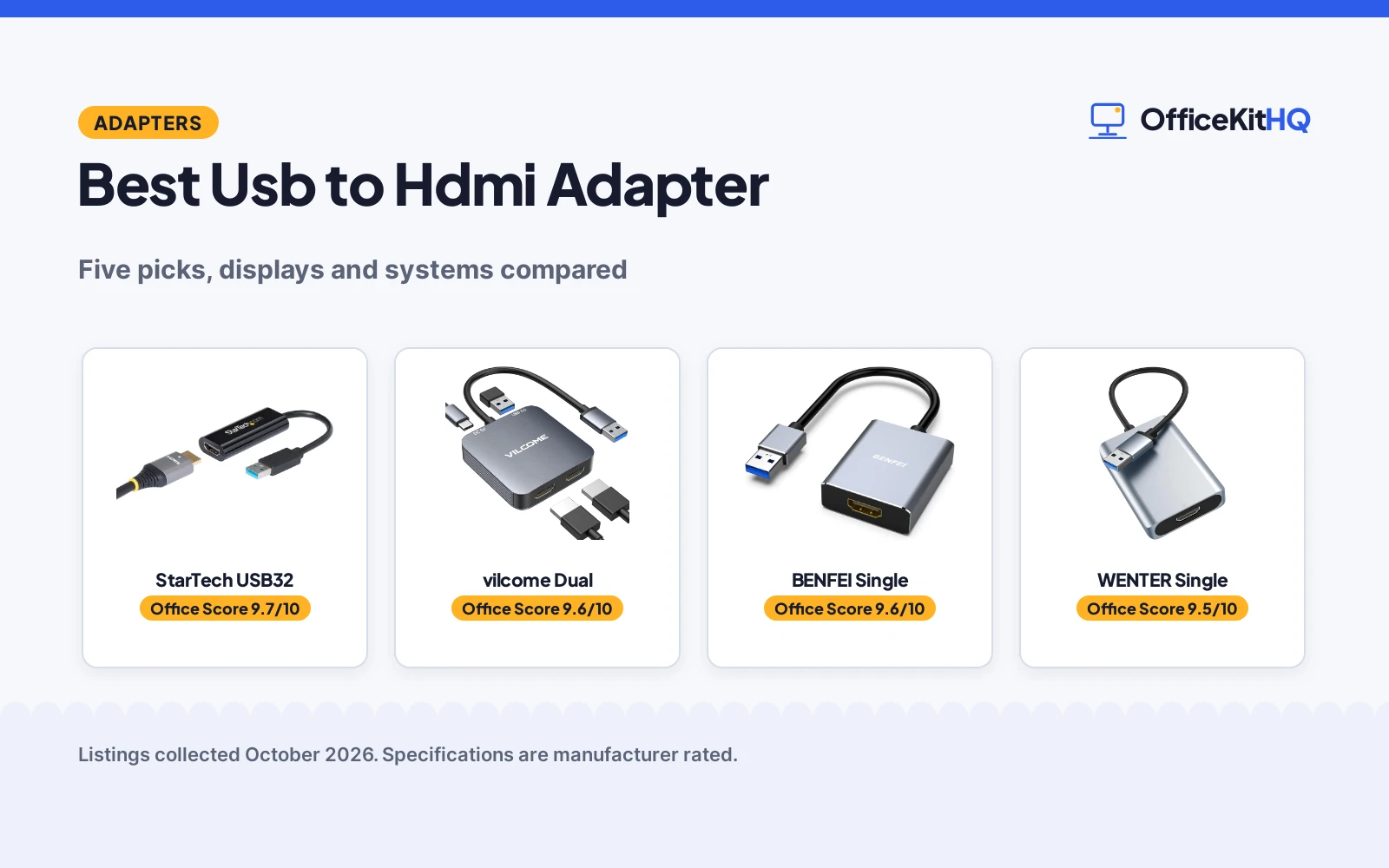
A laptop with no HDMI port and a monitor with nothing else will not talk to each other, and the best usb to hdmi adapter is the one that turns a spare USB port into a second screen without a new computer. We compared five USB to HDMI adapters, from a single-display Windows-only converter to a dual-display adapter, on stated displays, resolution, systems, driver setup and warranty term, using only what each listing publishes.
OfficeKitHQ earns a commission when you buy through links on this page, at no extra cost to you. As an Amazon Associate I earn from qualifying purchases. Affiliate disclosure.
Quick picks
 Top Pick StarTech USB32: Windows converter with 1920 by 1200 output and 2-year term Check price on Amazon
 Best Dual Display vilcome Dual: Dual HDMI adapter with 5Gbps port and 2-year term Check price on Amazon
 Best Chip Pick BENFEI Single: Adapter with MS9132 chip and uncompressed output Check price on Amazon
 Best Drivers Pick WENTER Single: Adapter with pre-installed drivers and 60Hz output Check price on Amazon
 Best Portable Pick Luxentis Single: Lightweight adapter with Windows and Mac support Check price on Amazon
The picks
| # | Product | Office Score | Buy |
|---|---|---|---|
| 1 | StarTech USB32 | 9.7/10 | Buy on Amazon |
| 2 | vilcome Dual | 9.6/10 | Buy on Amazon |
| 3 | BENFEI Single | 9.6/10 | Buy on Amazon |
| 4 | WENTER Single | 9.5/10 | Buy on Amazon |
| 5 | Luxentis Single | 9.4/10 | Buy on Amazon |
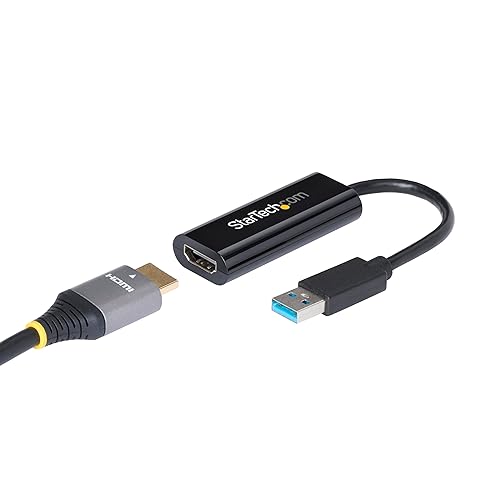
StarTech USB32
A USB-A 3.0 to HDMI converter at 1080p60, with a 5Gbps connection, 2-channel audio and a 2-year warranty.
Pros
- 1920 by 1200 at 60Hz video stated
- USB 5Gbps connection stated
- 2-channel audio through HDMI stated
- 2-year warranty stated
Cons
- Windows only, no macOS, ChromeOS or Linux stated
- Administrator rights required to install drivers stated
- Single monitor only, no dual display stated
- 2.4 inch cable length with no extension stated
Detailed Review
The listing states a USB-A 3.0 to HDMI converter with 1920 by 1200 video at 60Hz, a USB 5Gbps connection, 2-channel audio through HDMI and a 2.4 inch cable length. It states Windows X86, X64 and ARM platforms only, with no macOS, ChromeOS or Linux support, and administrator rights required to install drivers. It states a RoHS certification and a 2-year warranty. It states USB bus power with no extra power supply required.
Who it's for: a Windows desk that wants a single extra monitor with a stated certification. Who should skip it: anyone on Mac, ChromeOS or Linux, since this adapter states Windows only.
Its Office Score of 9.7/10 comes from performance 30/35, build 21/25, value 21/25, safety 7/10 and warranty 4/5: 83 of 100 points, placed on our 9.2 to 9.8 scale.
Key Specifications
| Displays | Single monitor |
|---|---|
| Resolution | 1920 x 1200, 60Hz |
| Connection | USB 5Gbps |
| Audio | 2-channel |
Figures as published on the retailer listing, collected 25 October 2026. Performance figures are manufacturer rated.
Safety and Warranty
What this listing states. RoHS certification stated, so safety scores 7 of 10. 2 Year. It does not say everything a buyer needs, such as who pays return shipping, so warranty scores 4 of 5. See How We Pick.
Surge protector limits. Look for a UL 1449 listing, never plug one strip into another, keep the total load under the stated rating, and replace the unit after a major surge or when its indicator says protection has ended.
This is general buying information, not professional advice. Follow each product manual and local rules, and see our Safety Disclaimer.

vilcome Dual
A USB 3.0 to dual HDMI adapter with 2 HDMI ports, a USB 3.0 port and a USB-C power port.
Pros
- 2 HDMI ports for dual displays stated
- 1920 by 1080 at 60Hz on both displays stated
- 5Gbps data transfer on the USB 3.0 port stated
- 2-year warranty stated
Cons
- MacOS only supports mirror mode stated
- iOS, Linux and Unix systems not supported stated
- USB-C port supplies power only, no data stated
- Driver installation required stated
Detailed Review
The listing states a USB 3.0 to dual HDMI adapter with 2 HDMI ports, 1 USB 3.0 port at up to 5Gbps and 1 USB-C power port. It states Windows 11, 10, 8, 8.1 and 7, Mac OS 10.15 and later, Chrome OS and Android 5.1 and later, with MacOS limited to mirror mode and iOS, Linux and Unix not supported. It states resolutions up to 1920 by 1080 at 60Hz and 3D display support, plus an aluminum alloy casing. It states a 2-year warranty. No safety certification is stated, so this article marks it as not stated.
Who it's for: a desk that wants two external monitors from one USB port. Who should skip it: anyone who needs extended mode on Mac, since this adapter states mirror mode only on MacOS.
Its Office Score of 9.6/10 comes from performance 32/35, build 22/25, value 21/25, safety 0/10 and warranty 4/5: 79 of 100 points, placed on our 9.2 to 9.8 scale.
Key Specifications
| Displays | Dual HDMI |
|---|---|
| Resolution | 1920 x 1080, 60Hz |
| Data | 5Gbps |
| Power | USB-C power only |
Figures as published on the retailer listing, collected 25 October 2026. Performance figures are manufacturer rated.
Safety and Warranty
What this listing states. This product does not plug in or run on a battery, so safety is not part of its score. 2 year. It does not say everything a buyer needs, such as who pays return shipping, so warranty scores 4 of 5. See How We Pick.
Surge protector limits. Look for a UL 1449 listing, never plug one strip into another, keep the total load under the stated rating, and replace the unit after a major surge or when its indicator says protection has ended.
This is general buying information, not professional advice. Follow each product manual and local rules, and see our Safety Disclaimer.

BENFEI Single
A USB 3.0 to HDMI adapter with an MS9132 chip, uncompressed output and an 18-month warranty.
Pros
- 1080p at 60Hz output stated
- MS9132 chip with uncompressed output stated
- Aluminum case for heat dissipation stated
- 18-month warranty stated
Cons
- Title states Not for Mac, despite Mac mentions in bullets
- USB 2.0 port limits resolution to 800 by 600 at 60Hz stated
- Driver download required on Windows 7 and 8 stated
- No safety certification is stated
Detailed Review
The listing states a USB 3.0 to HDMI adapter with an MS9132 chip, uncompressed video output, 1080p at 60Hz and an aluminum case. Its title states Not for Mac, while its bullets describe Mac use and point Mac users to an alternative product; this article follows the title and treats it as a Windows pick. It states Windows 11 plug-and-play setup, built-in drivers on Windows 10, and driver downloads on Windows 7 and 8. It states an 18-month warranty. No safety certification is stated, so this article marks it as not stated.
Who it's for: a Windows desk that wants uncompressed 1080p output with a stated chip. Who should skip it: anyone on Mac, since the title states Not for Mac.
Its Office Score of 9.6/10 comes from performance 30/35, build 21/25, value 21/25, safety 0/10 and warranty 4/5: 76 of 100 points, placed on our 9.2 to 9.8 scale.
Key Specifications
| Displays | Single display |
|---|---|
| Resolution | 1080p, 60Hz |
| Chip | MS9132 |
| Case | Aluminum |
Figures as published on the retailer listing, collected 25 October 2026. Performance figures are manufacturer rated.
Safety and Warranty
What this listing states. This product does not plug in or run on a battery, so safety is not part of its score. 18-month Warranty. It does not say everything a buyer needs, such as who pays return shipping, so warranty scores 4 of 5. See How We Pick.
Surge protector limits. Look for a UL 1449 listing, never plug one strip into another, keep the total load under the stated rating, and replace the unit after a major surge or when its indicator says protection has ended.
This is general buying information, not professional advice. Follow each product manual and local rules, and see our Safety Disclaimer.

WENTER Single
A USB 3.0 to HDMI adapter with pre-installed drivers, 1080p at 60Hz and a 6-month warranty.
Pros
- 1920 by 1080 at 60Hz output stated
- Pre-installed drivers for convenient setup stated
- Extend and mirror modes through Windows settings stated
- Windows 10, 8, 8.1, 7 and XP support stated
Cons
- Windows systems only, no Mac support stated
- 6-month warranty is the smallest term stated here
- No safety certification is stated
- Grey finish with no further build detail stated
Detailed Review
The listing states a USB 3.0 to HDMI adapter with 1920 by 1080 resolution at 60Hz, extend and mirror modes through Windows display settings, and simultaneous video and audio through HDMI. It states pre-installed drivers with on-screen instructions and support for Windows 10, 8, 8.1, 7 and XP. It states a 6-month warranty. No Mac support and no safety certification are stated, so this article marks them as not stated.
Who it's for: a Windows desk that wants pre-installed drivers with no download step. Who should skip it: anyone on Mac, since this adapter states Windows systems only.
Its Office Score of 9.5/10 comes from performance 29/35, build 20/25, value 21/25, safety 0/10 and warranty 2/5: 72 of 100 points, placed on our 9.2 to 9.8 scale.
Key Specifications
| Displays | Single display |
|---|---|
| Resolution | 1920 x 1080, 60Hz |
| Drivers | Pre-installed |
| Systems | Windows only |
Figures as published on the retailer listing, collected 25 October 2026. Performance figures are manufacturer rated.
Safety and Warranty
What this listing states. This product does not plug in or run on a battery, so safety is not part of its score. 6 Months. It does not say everything a buyer needs, such as who pays return shipping, so warranty scores 2 of 5. See How We Pick.
Surge protector limits. Look for a UL 1449 listing, never plug one strip into another, keep the total load under the stated rating, and replace the unit after a major surge or when its indicator says protection has ended.
This is general buying information, not professional advice. Follow each product manual and local rules, and see our Safety Disclaimer.

Luxentis Single
A USB 3.0 to HDMI adapter with 1080p at 60Hz, Windows and Mac support and a portable build.
Pros
- 1080p at 60Hz output stated
- Windows and Mac OS support stated
- Extend and mirror modes stated
- Lightweight and portable build stated
Cons
- No warranty term is stated
- No safety certification is stated
- Linux, Vista, Chrome and Firestick not supported stated
- USB 2.0 port recommends 720p only stated
Detailed Review
The listing states a USB 3.0 to HDMI adapter with 1080p at 60Hz, extend and mirror modes, and Windows 11, 10, 8.1, 8, 7 and XP support plus Mac OS use. It states Linux, Vista, Chrome and Firestick are not supported, and 720p is recommended on a USB 2.0 port. It states a built-in driver that installs from a drive letter after connection, with a restart required. No warranty term and no safety certification are stated, so this article marks them as not stated.
Who it's for: a Windows or Mac laptop bag that wants a portable single-display adapter. Who should skip it: anyone who needs a stated warranty term, since this adapter states none.
Its Office Score of 9.4/10 comes from performance 28/35, build 20/25, value 20/25, safety 0/10 and warranty 0/5: 68 of 100 points, placed on our 9.2 to 9.8 scale.
Key Specifications
| Displays | Single display |
|---|---|
| Resolution | 1080p, 60Hz |
| Systems | Windows, Mac |
| Build | Lightweight portable |
Figures as published on the retailer listing, collected 25 October 2026. Performance figures are manufacturer rated.
Safety and Warranty
What this listing states. This product does not plug in or run on a battery, so safety is not part of its score. No warranty term, so warranty scores zero. See How We Pick.
Surge protector limits. Look for a UL 1449 listing, never plug one strip into another, keep the total load under the stated rating, and replace the unit after a major surge or when its indicator says protection has ended.
This is general buying information, not professional advice. Follow each product manual and local rules, and see our Safety Disclaimer.
As an Amazon Associate I earn from qualifying purchases.
More picks to compare
 Amazon Basics USB-C HDMIUSB-C to HDMI adapter, 4K at 60Hz, plug and playCheck on Amazon
 FAWETTY Charger CableUSB to HDMI charging cable, 3.3 feet, gold-platedCheck on Amazon
 Reborn USB HDMI AdapterUSB to HDMI adapter, 1080p at 60Hz, 2-year warrantyCheck on Amazon
 Znoogrn USB HDMI CableUSB-A to HDMI cable, 6.6 feet, 4K support statedCheck on Amazon
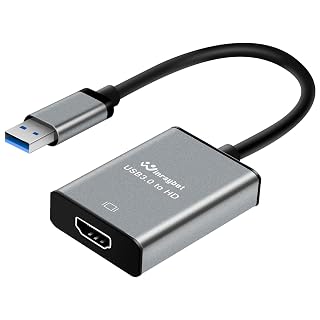 WinRaybot USB HDMI AdapterUSB to HDMI adapter, 1080p at 60Hz, 1-year warrantyCheck on Amazon
Compare the picks
| Adapter | Office Score | Displays | Resolution | Systems | Warranty | Amazon |
|---|---|---|---|---|---|---|
| StarTech USB32 | 9.7/10 | Single monitor | 1920 x 1200, 60Hz | Windows only | 2 years | View on Amazon |
| vilcome Dual | 9.6/10 | Dual HDMI | 1920 x 1080, 60Hz | Windows, Mac, Chrome, Android | 2 years | View on Amazon |
| BENFEI Single | 9.6/10 | Single display | 1080p, 60Hz | Windows, Not for Mac | 18 months | View on Amazon |
| WENTER Single | 9.5/10 | Single display | 1920 x 1080, 60Hz | Windows only | 6 months | View on Amazon |
| Luxentis Single | 9.4/10 | Single display | 1080p, 60Hz | Windows, Mac | Not stated | View on Amazon |
Specifications are manufacturer rated as listed, collected 25 October 2026. Resolution and system figures are stated per listing, not shared across listings.
How we scored them
The Office Score weighs performance, build, value, safety and warranty. For an adapter, safety means a stated safety certification, and warranty means a concrete term in years or months. How we pick explains the weights.
| Product | Office Score | Perf. /35 | Build /25 | Value /25 | Safety /10 | Warranty /5 |
|---|---|---|---|---|---|---|
| StarTech USB32 | 9.7 | 30 | 21 | 21 | 7 | 4 |
| vilcome Dual | 9.6 | 32 | 22 | 21 | 0 | 4 |
| BENFEI Single | 9.6 | 30 | 21 | 21 | 0 | 4 |
| WENTER Single | 9.5 | 29 | 20 | 21 | 0 | 2 |
| Luxentis Single | 9.4 | 28 | 20 | 20 | 0 | 0 |
Scores run from 9.2 to 9.8: each product’s point total is placed on that range, so more points always means a higher score.
How to choose the best usb to hdmi adapter
Single display versus dual display
Display counts stated here are one display on the StarTech, WENTER, BENFEI and Luxentis adapters, and two displays on the vilcome adapter. The vilcome listing states 2 HDMI ports plus 1 USB 3.0 port and 1 USB-C power port, with resolutions up to 1920 by 1080 at 60Hz on both displays. The other four state a single HDMI output each. For a two-monitor desk, the vilcome is the only stated dual-display pick here; for a single extra monitor, any of the other four will do. For a full dock, our docking station with 3 HDMI ports guide covers docks.
Systems and drivers: Windows, Mac and the limits
System support differs sharply and must be read per listing. The StarTech listing states Windows only, with no macOS, ChromeOS or Linux support, and administrator rights required to install drivers. The WENTER listing states Windows 10, 8, 8.1, 7 and XP with pre-installed drivers. The vilcome listing states Windows, Mac OS 10.15 and later, Chrome OS and Android 5.1 and later, but MacOS only supports mirror mode. The Luxentis listing states Windows and Mac OS use without issues, but not Linux, Vista, Chrome or Firestick. The BENFEI title states Not for Mac while its bullets describe Mac use and point Mac users to an alternative product; this article follows the title and treats the BENFEI as a Windows pick. For a laptop setup, our HDMI adapter for laptop guide covers laptop options.
Resolution on USB 3.0 versus USB 2.0
All five state 1080p at 60Hz on a USB 3.0 port. The BENFEI listing states the resolution drops to 800 by 600 at 60Hz on a USB 2.0 port, and the Luxentis listing states 720p is recommended on a USB 2.0 port. The StarTech listing states 1920 by 1200 at 60Hz with 2-channel audio through HDMI. A USB 3.0 port is required for the stated full resolution on every pick here, so check the port before ordering.
| Adapter | Displays stated | Resolution stated | Systems stated |
|---|---|---|---|
| StarTech USB32 | Single monitor | 1920 x 1200, 60Hz | Windows only |
| vilcome Dual | Dual HDMI | 1920 x 1080, 60Hz | Windows, Mac, Chrome, Android |
| BENFEI Single | Single display | 1080p, 60Hz | Windows, Not for Mac |
| WENTER Single | Single display | 1920 x 1080, 60Hz | Windows only |
| Luxentis Single | Single display | 1080p, 60Hz | Windows, Mac |
Figures as stated in each listing’s title and bullets; a system claim stated on one listing is never applied to another.
Setup Notes
- Check the system first: Windows only, Windows plus Mac, or wider support are stated here.
- Use a USB 3.0 port for the stated 1080p at 60Hz resolution.
- For two monitors, the vilcome is the only stated dual-display pick here.
- For Mac use, note the vilcome mirror-mode limit stated on MacOS.
Frequently Asked Questions
How to use a HDMI adapter?
Connect the adapter to a USB port, install the driver the listing requires, then connect the HDMI display. The StarTech listing states administrator rights are required to install drivers, the WENTER listing states pre-installed drivers, and the vilcome listing states auto-driver install on Windows. All five state 1080p at 60Hz on a USB 3.0 port.
Do USB to HDMI adapters need drivers?
Yes, every listing here states a driver is required. The StarTech and BENFEI listings state a Windows driver is required, the WENTER listing states pre-installed drivers with on-screen instructions, and the vilcome listing states auto-driver install on Windows with a manual driver install on other systems. No listing here states a driver-free setup.
Do USB to HDMI adapters work on Mac?
It depends on the listing. The vilcome listing states Mac OS 10.15 and later with mirror mode only, and the Luxentis listing states Mac OS users can use it without issues. The StarTech listing states Windows only with no macOS support, the WENTER listing states Windows systems only, and the BENFEI title states Not for Mac.
What resolution do USB to HDMI adapters give?
All five state 1080p at 60Hz on a USB 3.0 port, and the StarTech states 1920 by 1200 at 60Hz. On a USB 2.0 port, the BENFEI states 800 by 600 at 60Hz and the Luxentis states 720p is recommended. Use a USB 3.0 port for the stated full resolution.
Can one adapter run two monitors?
Only the vilcome listing here states two HDMI ports for two external monitors at up to 1920 by 1080 at 60Hz each. The other four state a single HDMI output each. For two monitors from one adapter, the vilcome is the only stated pick here.
Related guides
See every docking stations and USB hubs guide and all audio, power and connectivity guides.
More picks: docking stations and USB hubs, HDMI adapter for laptop, docking station with 3 HDMI ports.