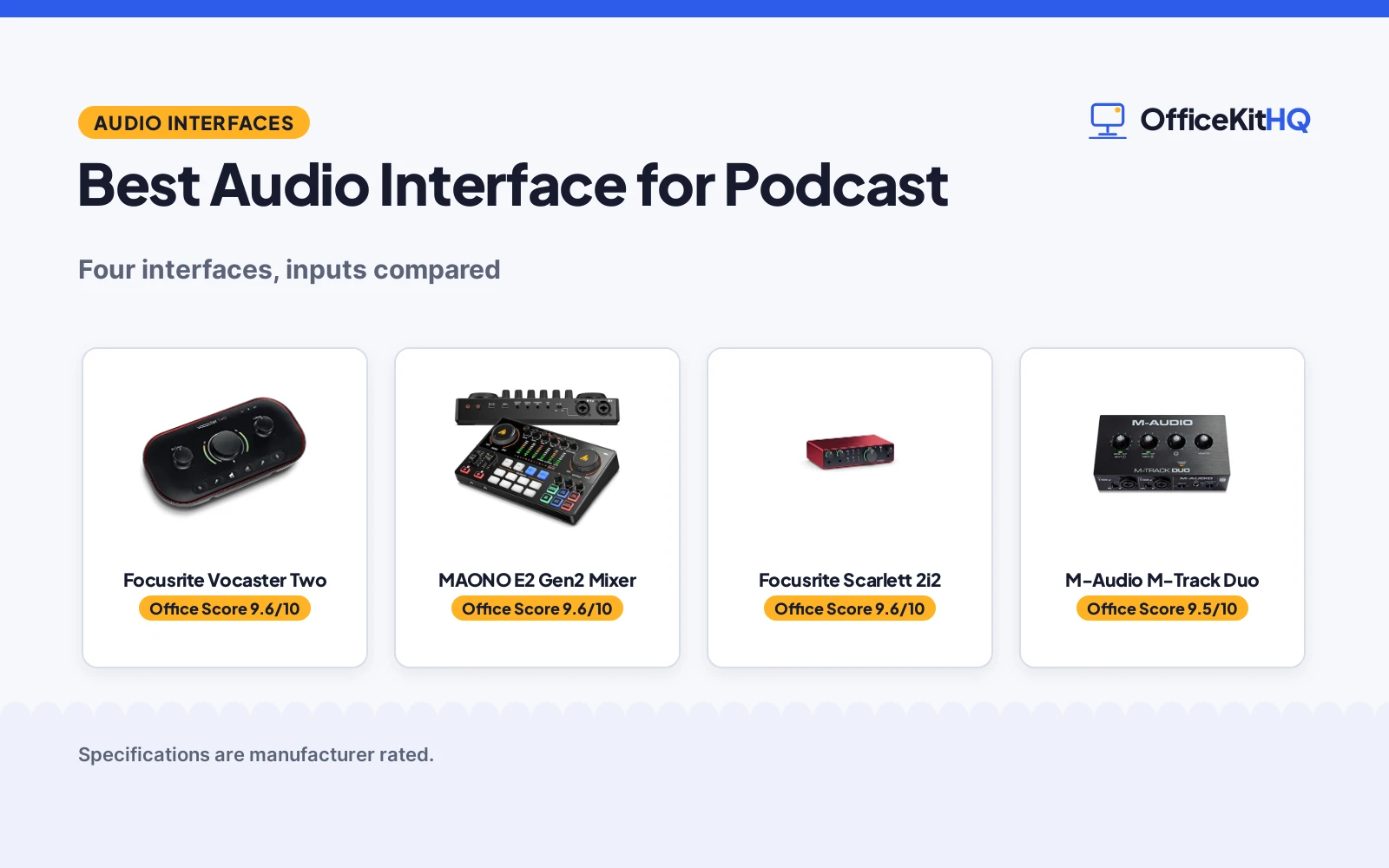
A morning call starts with a host and a guest talking over each other, and the best audio interface for podcast recording is the one that gives each voice its own input and a mute button within reach. This guide compares audio interfaces by mic inputs, gain, connections and warranty, using only what each maker lists.
OfficeKitHQ earns a commission when you buy through links on this page, at no extra cost to you. As an Amazon Associate I earn from qualifying purchases. Affiliate disclosure.
Quick picks
 Best Overall Focusrite Vocaster Two: Over 70dB gain, Auto Gain, two mics and two headphones Check price on Amazon
 Best Bundle MAONO E2 Gen2 Mixer: Two XLR inputs, 60dB gain, loopback and 8 sound effects Check price on Amazon
 Two-Preamp Option Focusrite Scarlett 2i2: Two mic preamps with 24-bit 192kHz recording over USB-C Check price on Amazon
 USB Option M-Audio M-Track Duo: A USB audio interface Check price on Amazon
Our desk picks
| # | Product | Office Score | Buy |
|---|---|---|---|
| 1 | Focusrite Vocaster Two | 9.6/10 | Buy on Amazon |
| 2 | MAONO E2 Gen2 Mixer | 9.6/10 | Buy on Amazon |
| 3 | Focusrite Scarlett 2i2 | 9.6/10 | Buy on Amazon |
| 4 | M-AUDIO M-Track Duo | 9.5/10 | Buy on Amazon |

Focusrite Vocaster Two
A podcasting interface for a host and a guest, with two mic inputs, two headphone outputs, Auto Gain and Enhance.
Pros
- Over 70dB of gain, no booster needed
- Auto Gain sets the level at the push of a button
- Two mics and two headphone outputs for host and guest
- Bluetooth phone connectivity for calls and music
Cons
- Two mic inputs only
- Only four Enhance presets
- 4.45 by 8.84 inch footprint needs desk space
- Two headphone outputs only
Detailed Review
The maker lists a podcasting interface for a host and a guest with two mic inputs and two headphone outputs, over 70dB of gain, Auto Gain, Enhance with four podcaster-approved presets, and a mute button for coughs and interruptions. It connects to a phone by Bluetooth or a TRRS cable, and it sends audio to a camera with a TRS cable. It weighs 1.83 pounds, and a 3-year manufacturer warranty is stated.
Who it's for: a host and a guest who want Auto Gain and a separate headphone output each. Who should skip it: anyone who wants sound effects, reverb or a built-in battery.
Its Office Score of 9.6/10 comes from performance 30/35, build 21/25, value 21/25, safety 3/10 and warranty 3/5: 78 of 100 points, placed on our 9.2 to 9.8 scale.
Key Specifications
| Inputs | 2 mic, 2 headphone |
|---|---|
| Gain | Over 70dB |
| Connection | Bluetooth, TRRS |
| Warranty | 3 years |
These specs mirror the retailer listing as of 18 November 2026; performance figures are stated by the brand.
Safety and Warranty
What this listing states. Mute button to cut coughs and interruptions stated, so safety scores 3 of 10. A 3-year manufacturer warranty is stated. It does not say everything a buyer needs, such as who pays return shipping, so warranty scores 3 of 5. See How We Pick.
Protect your hearing. Keep volume moderate during long calls, take breaks, and treat noise cancelling and battery figures as the maker's claims.
This is general buying information, not professional advice. Follow each product manual and local rules, and see our Safety Disclaimer.

MAONO E2 Gen2 Mixer
An all-in-one podcast bundle with two XLR combo inputs, 60dB gain preamps, loopback, Bluetooth and eight custom sound effects.
Pros
- Two XLR combo inputs with 60dB gain preamps
- Loopback for live streaming with one computer
- Eight custom sound effects with up to 20 seconds each
- Built-in 1500mA battery with up to 8 hours of use
Cons
- 1-year warranty is shorter than the 3-year term here
- Does not support phone charging or power delivery
- 9.64 by 6.18 inch size needs desk space
- Heavier than the Vocaster at 1.83 pounds
Detailed Review
The maker lists a podcast equipment bundle with two XLR combo inputs and preamps offering up to 60dB of gain, loopback, Bluetooth, and USB-C and 3.5mm ports. It has eight custom sound effect buttons with up to 20 seconds of recording each, six preset reverbs, pitch-changing effects, a one-touch mute button and a monitoring button. The built-in 1500mA battery offers up to 8 hours of use, and the package includes the interface, a USB cable, a 3.5mm audio cable and a user manual. A 1-year warranty is stated.
Who it's for: podcasters who want a bundle with sound effects, reverb and loopback for live streaming. Who should skip it: anyone who wants a simple two-mic interface with a longer warranty.
Its Office Score of 9.6/10 comes from performance 32/35, build 21/25, value 21/25, safety 3/10 and warranty 2/5: 79 of 100 points, placed on our 9.2 to 9.8 scale.
Key Specifications
| Inputs | 2 XLR combo |
|---|---|
| Gain | 60dB |
| Battery | 1500mA, up to 8 hours |
| Warranty | 1 year |
These specs mirror the retailer listing as of 18 November 2026; performance figures are stated by the brand.
Safety and Warranty
What this listing states. One-touch mute button stated, so safety scores 3 of 10. A 1-year warranty is stated. It does not say everything a buyer needs, such as who pays return shipping, so warranty scores 2 of 5. See How We Pick.
Protect your hearing. Keep volume moderate during long calls, take breaks, and treat noise cancelling and battery figures as the maker's claims.
This is general buying information, not professional advice. Follow each product manual and local rules, and see our Safety Disclaimer.

Focusrite Scarlett 2i2
A USB-C interface with 2 mic preamps, 2 Hi-Z instrument inputs, 24-bit/192kHz recording, a 120dB dynamic range, Auto Gain, Clip Safe and Air modes.
Pros
- 120dB dynamic range with 24-bit/192kHz recording
- Auto Gain sets the level and Clip Safe prevents clipping
- Air modes lift vocals and guitars in the mix
- Includes Pro Tools Intro+, Ableton Live Lite, Cubase LE and Hitmaker Expansion
Cons
- Phantom power is not stated on the listing
- No headphone output count is stated
- No loopback feature is stated, unlike the MAONO
- No monitor outputs are described in the listing
Detailed Review
Focusrite lists the Scarlett 2i2 4th Gen as a USB-C interface with 2 mic preamps, 2 Hi-Z instrument inputs, 24-bit/192kHz recording and a 120dB dynamic range. Auto Gain sets the level, Clip Safe prevents clipping, and Air mode adds presence. The box includes Pro Tools Intro+, Ableton Live Lite, Cubase LE and Hitmaker Expansion, and the spec table gives a 7.09 by 3.9 by 1.79 in footprint and a 3 year manufacturer warranty.
Who it's for: a home recorder who wants Auto Gain and Clip Safe with a stated 120dB dynamic range and a 3-year warranty. Who should skip it: anyone who needs a stated 48V phantom power figure or loopback.
Its Office Score of 9.6/10 comes from performance 33/35, build 22/25, value 21/25, safety 0/10 and warranty 4/5: 80 of 100 points, placed on our 9.2 to 9.8 scale.
Key Specifications
| Resolution | 24-bit/192kHz |
|---|---|
| Dynamic range | 120dB |
| Inputs | 2 mic preamps, 2 Hi-Z |
| Dimensions | 7.09 x 3.9 x 1.79 in |
Figures as published on the retailer listing, collected 11 November 2026. Performance figures are manufacturer rated.
Safety and Warranty
What this listing states. This product does not plug in or run on a battery, so safety is not part of its score. 3 year manufacturer. It does not say everything a buyer needs, such as who pays return shipping, so warranty scores 4 of 5. See How We Pick.
Protect your hearing. Keep volume moderate during long calls, take breaks, and treat noise cancelling and battery figures as the maker's claims.
This is general buying information, not professional advice. Follow each product manual and local rules, and see our Safety Disclaimer.
M-AUDIO M-Track Duo
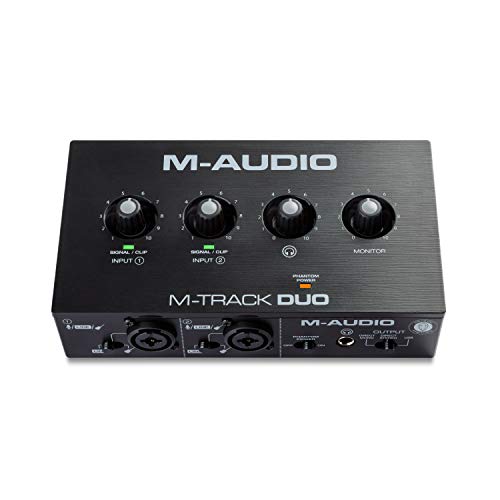
A two-input USB interface with dual combo XLR inputs, 48kHz resolution and zero-latency monitoring for recording and streaming.
Pros
- Two combo XLR/Line/Instrument inputs with phantom power
- 1/4 inch headphone output and stereo 1/4 inch outputs
- USB/Direct switch for zero-latency monitoring
- Includes MPC Beats software from Akai Professional
Cons
- 48kHz resolution, lower than the 192kHz picks here
- 1-year warranty, tied for the lowest term here
- No MIDI connection is stated
- No gain figure is stated for the Crystal Preamps
Detailed Review
M-AUDIO lists the M-Track Duo as a USB interface with two combo XLR/Line/Instrument inputs with phantom power and 48kHz audio resolution. The listing states a 1/4 inch headphone output, stereo 1/4 inch outputs, a USB/Direct switch for zero-latency monitoring and MPC Beats software from Akai Professional. The listing states a 1-year manufacturer warranty and a 0.66 lb body.
Who it's for: a recorder who needs two mics or a mic and a guitar on one portable interface. Who should skip it: anyone who needs 192kHz resolution, since this interface records at 48kHz.
Its Office Score of 9.5/10 comes from performance 29/35, build 20/25, value 21/25, safety 0/10 and warranty 2/5: 72 of 100 points, placed on our 9.2 to 9.8 scale.
Key Specifications
| Inputs | 2 combo XLR/Line |
|---|---|
| Resolution | 48kHz |
| Headphone | 1/4 inch output |
| Weight | 0.66 lb |
Figures as published on the retailer listing, collected 10 November 2026. Performance figures are manufacturer rated.
Safety and Warranty
What this listing states. This product does not plug in or run on a battery, so safety is not part of its score. 1-year manufacturer warranty stated. It does not say everything a buyer needs, such as who pays return shipping, so warranty scores 2 of 5. See How We Pick.
Protect your hearing. Keep volume moderate during long calls, take breaks, and treat noise cancelling and battery figures as the maker's claims.
This is general buying information, not professional advice. Follow each product manual and local rules, and see our Safety Disclaimer.
As an Amazon Associate I earn from qualifying purchases.
Specs compared
| Audio Interface | Office Score | Mic Inputs | Gain | Connection | Warranty | Amazon |
|---|---|---|---|---|---|---|
| Focusrite Vocaster Two | 9.6/10 | 2 mic inputs | Over 70dB | Bluetooth, TRRS | 3 years | View on Amazon |
| MAONO E2 Gen2 Mixer | 9.6/10 | 2 XLR inputs | 60dB | USB-C, Bluetooth, 3.5mm | 1 year | View on Amazon |
| Focusrite Scarlett 2i2 | 9.6/10 | 2 mic preamps | Not stated | USB-C | Not stated | View on Amazon |
| M-Audio M-Track Duo | 9.5/10 | Not stated | Not stated | USB | Not stated | View on Amazon |
Dimensions, weight limits and ranges are the maker’s ratings as each listing gives them, collected 18 November 2026.
How to choose the best audio interface for podcast
Count the mic inputs
Two mic inputs suit a host and a guest, and the MAONO, Vocaster and Scarlett each give two. The MAONO gives two XLR combo inputs, the Vocaster gives two mic inputs with two headphone outputs, and the Scarlett gives two mic preamps. The M-Track Duo is a USB interface with two inputs in its name. If the show has only one voice, two inputs still leave room for a guest later.
| Interface | Mic inputs | Gain |
|---|---|---|
| Focusrite Vocaster Two | 2 mic inputs | Over 70dB |
| MAONO E2 Gen2 Mixer | 2 XLR inputs | 60dB |
| Focusrite Scarlett 2i2 | 2 mic preamps | Not stated |
| M-Audio M-Track Duo | Not stated | Not stated |
Gain and Auto Gain
Gain sets how much the interface lifts a microphone, and the figures here run from 60dB on the MAONO preamps to over 70dB on the Vocaster mic inputs. The MAONO preamps deliver up to 60dB of gain for dynamic microphones, and the maker states that no external preamp is needed. The Vocaster adds Auto Gain, which sets the level at the push of a button, and Enhance with four podcaster-approved presets that reveal the quality of the voice. If the microphone is a dynamic model, the higher gain figure matters more than the number of presets.
Loopback, Bluetooth and sound effects
The MAONO is the only pick here with loopback, which lets a live stream run with just one computer, and it is also the only pick with sound effects: eight custom sound effect buttons with up to 20 seconds of recording each, six preset reverbs and pitch-changing effects. Both the MAONO and the Vocaster connect a phone by Bluetooth, and the MAONO also takes a phone through its AUX-IN and USB-C ports. The Vocaster sends audio to a camera with a single TRS cable, which suits a show that also records video. See the best audio interface for beginners guide for a simpler starting point, and the best boom arm for podcasting guide for holding the microphone.
Battery, size and warranty
The MAONO is the only pick here with a battery: a built-in 1500mA battery offers up to 8 hours of use, so the interface keeps working away from an outlet. The MAONO measures 9.64 by 6.18 by 2.16 inches, while the Vocaster measures 4.45 by 8.84 by 1.99 inches and weighs 1.83 pounds. Warranty terms run from 1 year on the MAONO to 3 years on the Vocaster, and the Scarlett and M-Track state no warranty term. See the best audio interface for home recording guide for interfaces that stay on a desk.
Setup Notes
- Check the desk space: the MAONO measures 9.64 by 6.18 inches and the Vocaster measures 4.45 by 8.84 inches.
- Plan the cables: the MAONO package includes a USB cable and a 3.5mm audio cable, and the Vocaster connects a phone by Bluetooth or a TRRS cable.
- Match the inputs: both full-data interfaces give two mic inputs, and the Scarlett gives two mic preamps.
- Plan power: the MAONO battery offers up to 8 hours of use, and the interface does not support phone charging or power delivery.
- Check the warranty line: the Vocaster states 3 years and the MAONO states 1 year.
FAQ
How many mic inputs do I need for a podcast?
Two inputs suit a host and a guest, and the MAONO, Vocaster and Scarlett each give two. The M-Track Duo is a USB interface with two inputs in its name.
What does Auto Gain do on the Vocaster?
Auto Gain sets the level at the push of a button: push the button, start talking, and Auto Gain does the rest. The Vocaster also offers Enhance with four podcaster-approved presets.
Does the MAONO interface work with a phone?
Yes, it connects to phones and computers through USB-C and 3.5mm ports, and Bluetooth adds background music. It does not support phone charging or power delivery.
How long does the MAONO battery last?
The built-in 1500mA battery offers up to 8 hours of use.
Can I use the Vocaster with a camera?
Yes, it sends audio straight to a camera with a single TRS cable.
Score breakdown
The Office Score weighs performance, build, value, safety and warranty. For audio interfaces, safety means a stated mute control that cuts the audio when needed. Two of the four state a mute button, and two of the four state a warranty term. How we pick explains the weights.
| Product | Office Score | Perf. /35 | Build /25 | Value /25 | Safety /10 | Warranty /5 |
|---|---|---|---|---|---|---|
| Focusrite Vocaster Two | 9.6 | 30 | 21 | 21 | 3 | 3 |
| MAONO E2 Gen2 Mixer | 9.6 | 32 | 21 | 21 | 3 | 2 |
Office Scores run on a short 9.2 to 9.8 scale. We place each item’s weighted point total on it in proportion, so a larger total is always shown as a larger score.
More for your workspace
See every audio, power and connectivity guide. Also see best audio interface for beginners. Also see best audio interface for home recording. Also see best boom arm for podcasting. Also see best stream deck for podcasting. Also see best USB microphone for vocals.
More picks: headsets, computer speakers and docking stations and USB hubs.