A laptop webcam flattens a stream, and the best capture card for mac is the one that brings a console or camera feed into the Mac without lag. We compared five capture cards: two VIXLW cards, a UGREEN card, an Acer card and a Guermok card. Inputs run from 4K30 to 4K60, and three of the five state a warranty term. The VIXLW V316B leads on input rates, loop-out and warranty.
OfficeKitHQ earns a commission when you buy through links on this page, at no extra cost to you. As an Amazon Associate I earn from qualifying purchases. Affiliate disclosure.
Quick picks
 Best Overall VIXLW V316B-FR Capture Card: 4K60 loop-out, 1080p120/144Hz input and lifetime warranty Check price on Amazon
 Best Build UGREEN 15389 Capture Card: Aluminum alloy with EMI shielding and a 24-month warranty Check price on Amazon
 Best Dual USB Acer OCB5B0 Capture Card: USB-A and USB-C ports and a 3.5 mm mic-in Check price on Amazon
 Best Compact Guermok GM-29A Capture Card: 4K30 input with USB-C and a compact silver body Check price on Amazon
 Best Adapter VIXLW U168-1 Capture Card: 4K30 input, 2K30 capture and a USB-C adapter included Check price on Amazon
Our desk picks
| # | Product | Office Score | Buy |
|---|---|---|---|
| 1 | VIXLW V316B-FR Capture Card | 9.7/10 | Buy on Amazon |
| 2 | UGREEN 15389 Capture Card | 9.7/10 | Buy on Amazon |
| 3 | Acer OCB5B0 Capture Card | 9.5/10 | Buy on Amazon |
| 4 | Guermok GM-29A Capture Card | 9.5/10 | Buy on Amazon |
| 5 | VIXLW U168-1 Capture Card | 9.5/10 | Buy on Amazon |

VIXLW V316B-FR Capture Card
A 4K HDMI capture card with 4K60 loop-out, 1080P60 capture and a 3.5 mm mic input.
Pros
- 4K60 loop-out with 1080P60 and 2K30 capture
- HDMI input supports 4K30/60Hz and 1080p120/144Hz
- 3.5 mm mic input for external commentary
- Lifetime warranty is stated
Cons
- Does not support 4K120/144Hz input
- Does not record party chats
- OBS Studio needs a restart after audio setup
- Ships with a USB-A cable and adapter, not a native USB-C cable
Detailed Review
The maker lists a 4K HDMI capture card with 4K60 loop-out, capture up to 1080P60 and 2K30, and USB 3.0 output with YUY2. HDMI input supports 4K30/60Hz and 1080p120/144Hz, and a 3.5 mm mic input takes external commentary from a microphone headset. The aluminum alloy body needs no driver or external power, and a lifetime warranty is stated.
Who it's for: Mac users who want 4K60 loop-out and the highest input rates here. Who should skip it: anyone who needs 4K120/144Hz input or party chat recording.
Its Office Score of 9.7/10 comes from performance 32/35, build 22/25, value 21/25, safety 5/10 and warranty 5/5: 85 of 100 points, placed on our 9.2 to 9.8 scale.
Key Specifications
| Input | 4K60 |
|---|---|
| Capture | 1080P60 |
| Loop-out | 4K60 |
| Mic-in | 3.5 mm |
These specs mirror the retailer listing as of 19 November 2026; performance figures are stated by the brand.
Safety and Warranty
What this listing states. Aluminum alloy body with strong heat dissipation for stable capture, so safety scores 5 of 10. Lifetime warranty, so warranty scores 5 of 5. See How We Pick.
Follow the manual. Assemble and use the product as the maker describes, stay under any stated capacity, and read the manual before first use.
This is general buying information, not professional advice. Follow each product manual and local rules, and see our Safety Disclaimer.
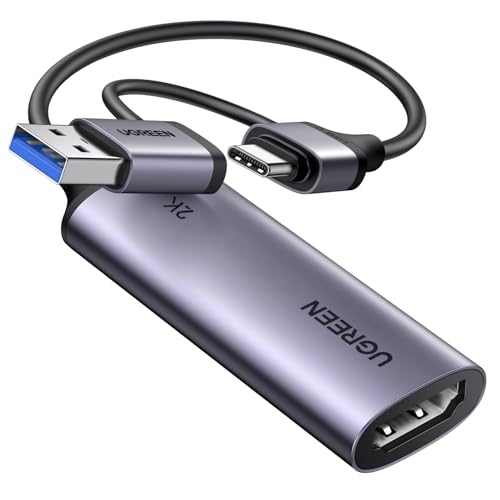
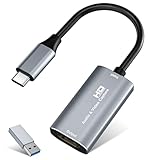
UGREEN 15389 Capture Card
A 4K input capture card with 2K30 and 1080P60 output, USB-A and USB-C ports and EMI shielding.
Pros
- 4K30 input with 2K30 and 1080P60 output
- USB 3.0 at 5 Gbps for low-delay transfer
- Aluminum alloy casing with EMI shielding
- 24-month warranty service is stated
Cons
- Only HDMI input sources are supported
- HDCP must be off on Switch, Xbox, PS5 and PS4
- iPadOS 17 or later is required for USB-C iPad use
- 2K output needs source and capture device to support 2K
Detailed Review
The maker lists a 4K30 input capture card with 2K30 and 1080P60 output over USB 3.0 at 5 Gbps. USB-A and USB-C ports cover phones, tablets, laptops and desktops, and the aluminum alloy casing shields against EMI. The built-in cable uses tinned copper conductors, and a 24-month warranty service is stated.
Who it's for: Mac users who want USB-A and USB-C ports with EMI shielding. Who should skip it: anyone who needs loop-out or a mic input.
Its Office Score of 9.7/10 comes from performance 30/35, build 22/25, value 21/25, safety 7/10 and warranty 3/5: 83 of 100 points, placed on our 9.2 to 9.8 scale.
Key Specifications
| Input | 4K30 |
|---|---|
| Capture | 1080P60 |
| USB | 3.0, 5 Gbps |
| Warranty | 24 months |
These specs mirror the retailer listing as of 19 November 2026; performance figures are stated by the brand.
Safety and Warranty
What this listing states. Aluminum alloy casing with EMI shielding for stable signal transmission, so safety scores 7 of 10. 24 Months Warranty Service by UGREEN. It does not say everything a buyer needs, such as who pays return shipping, so warranty scores 3 of 5. See How We Pick.
Follow the manual. Assemble and use the product as the maker describes, stay under any stated capacity, and read the manual before first use.
This is general buying information, not professional advice. Follow each product manual and local rules, and see our Safety Disclaimer.

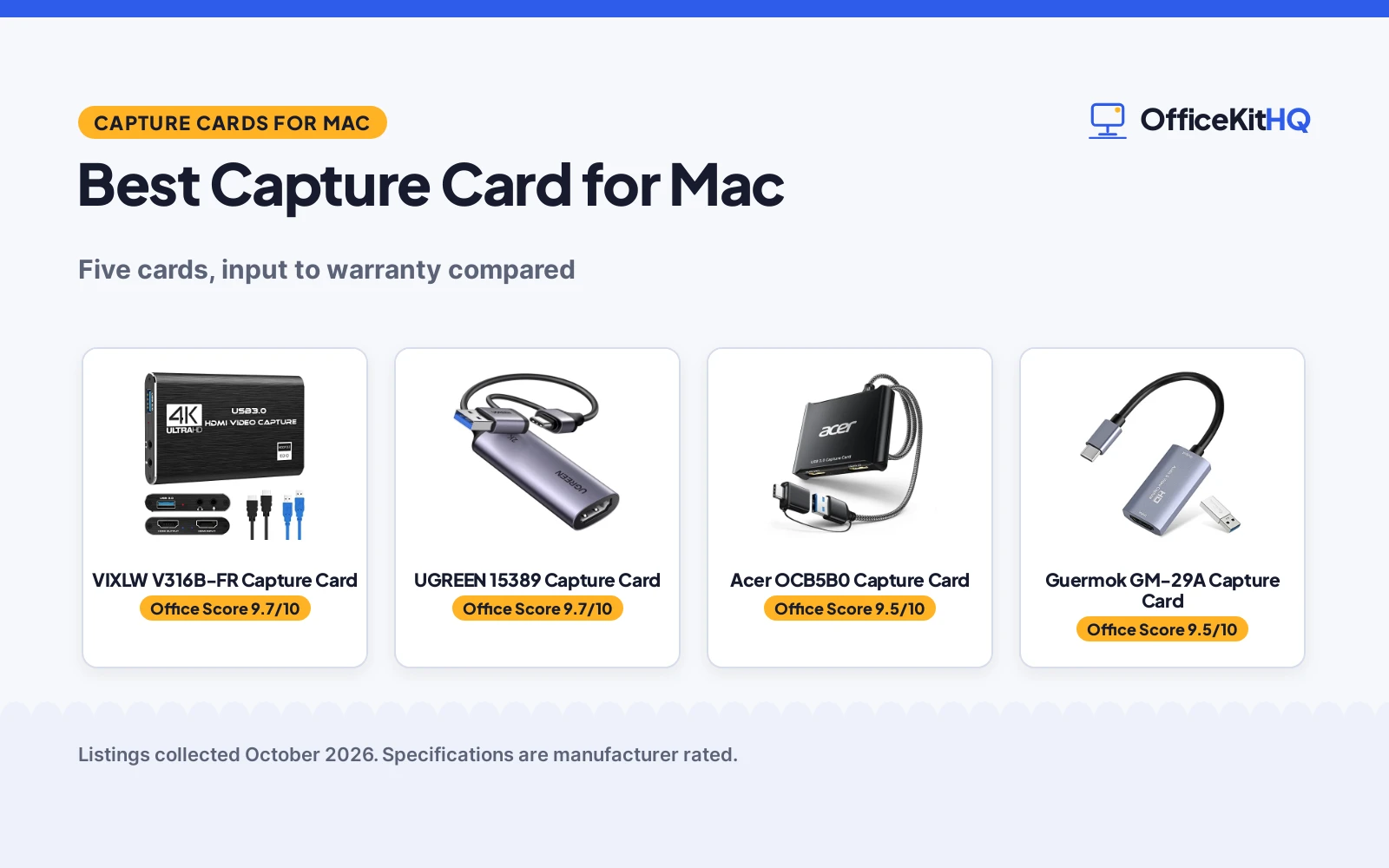
Acer OCB5B0 Capture Card
A USB 3.0 HDMI capture card with 4K loop-out, 1080P60 output and a 3.5 mm mic input.
Pros
- 4K loop-out with 1080P60 output
- YUY2 output for richer colors than MJPEG
- 3.5 mm mic input for headsets and mics
- USB Type-A and Type-C ports included
Cons
- 1-year warranty, shorter than the UGREEN 24-month term
- 1080P60 is the highest capture resolution stated
- Captures at 1080P60 while the input and loop-out run at 4K
- Mic input fits most 3.5 mm devices, not all
Detailed Review
The maker lists a USB 3.0 HDMI capture card with 4K input, 4K loop-out and 1080P60 output with YUY2. A 3.5 mm mic input takes a headset or mic for commentary, and USB Type-A and Type-C ports cover Mac and PC. No driver or external power is needed, and a 1-year warranty is stated.
Who it's for: Mac users who want a mic input with dual USB ports. Who should skip it: anyone who needs 2K30 capture or a longer warranty.
Its Office Score of 9.5/10 comes from performance 29/35, build 21/25, value 21/25, safety 0/10 and warranty 3/5: 74 of 100 points, placed on our 9.2 to 9.8 scale.
Key Specifications
| Input | 4K |
|---|---|
| Capture | 1080P60 |
| Loop-out | 4K |
| Warranty | 1 year |
These specs mirror the retailer listing as of 19 November 2026; performance figures are stated by the brand.
Safety and Warranty
What this listing states. No safety listing or safety feature is stated, so safety scores zero. 1 year warranty. It does not say everything a buyer needs, such as who pays return shipping, so warranty scores 3 of 5. See How We Pick.
Follow the manual. Assemble and use the product as the maker describes, stay under any stated capacity, and read the manual before first use.
This is general buying information, not professional advice. Follow each product manual and local rules, and see our Safety Disclaimer.
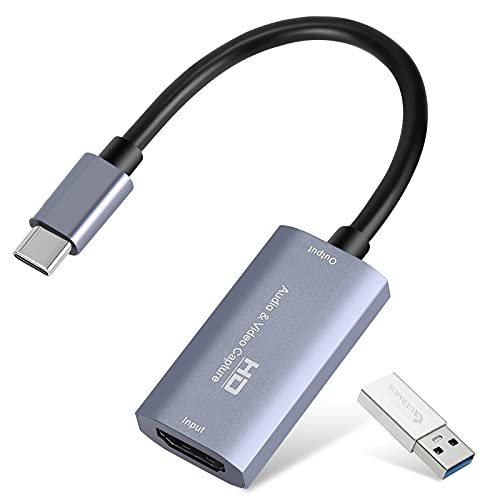
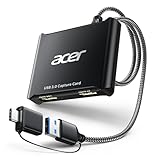
Guermok GM-29A Capture Card
A 4K USB 3.0 capture card with 1080P60 and 2K30 output and a USB-C connection.
Pros
- 4K30 input with 2K30 and 1080P60 output
- USB-C and USB 3.0 interfaces
- Aluminum alloy body with heat dissipation
- No driver or external power supply needed
Cons
- No warranty term is stated
- Capture use only, not direct screen casting to a monitor or TV
- Video input via USB-C to HDMI conversion may cause signal loss
- USB 3.0 port is needed for full bandwidth and resolution
Detailed Review
The maker lists a 4K USB 3.0 capture card with 4K30 input and output up to 2K30 or 1080P60. Type-C and USB interfaces cover Mac, iPad, Windows and Linux, and the aluminum alloy body dissipates heat. No driver or external power supply is needed.
Who it's for: Mac users who want a compact USB-C capture card for streaming and meetings. Who should skip it: anyone who needs a stated warranty or loop-out.
Its Office Score of 9.5/10 comes from performance 29/35, build 21/25, value 20/25, safety 5/10 and warranty 0/5: 75 of 100 points, placed on our 9.2 to 9.8 scale.
Key Specifications
| Input | 4K30 |
|---|---|
| Capture | 1080P60 |
| USB | USB-C, USB 3.0 |
| Body | Aluminum alloy |
These specs mirror the retailer listing as of 19 November 2026; performance figures are stated by the brand.
Safety and Warranty
What this listing states. Aluminum alloy body with strong heat dissipation, so safety scores 5 of 10. No warranty term, so warranty scores zero. See How We Pick.
Follow the manual. Assemble and use the product as the maker describes, stay under any stated capacity, and read the manual before first use.
This is general buying information, not professional advice. Follow each product manual and local rules, and see our Safety Disclaimer.

VIXLW U168-1 Capture Card
A 4K USB 3.0 capture card with 2K30 and 1080P60 recording and a USB-C adapter.
Pros
- 4K30 input with 2K30 and 1080P60 recording
- Aluminum alloy shell with heat dissipation
- Dual-channel audio capture in real time
- USB 3.0 to USB-C adapter included
Cons
- Tablet OTG function must be enabled before connecting
- HDMI device should be checked with a monitor first
- 4K30 input is lower than the 4K60 input of the VIXLW V316B
- Ships with a USB 3.0 to USB-C adapter, not a native USB-C cable
Detailed Review
The maker lists a 4K USB 3.0 capture card with 4K30 input and recording at 2K30 or 1080P60. The aluminum alloy shell dissipates heat, and dual-channel audio captures in real time. A USB 3.0 to USB-C adapter is included, and no driver or external power is needed.
Who it's for: Mac users who want 4K30 input with a USB-C adapter in the box. Who should skip it: anyone who needs a mic input or 4K60 loop-out.
Its Office Score of 9.5/10 comes from performance 28/35, build 21/25, value 20/25, safety 5/10 and warranty 0/5: 74 of 100 points, placed on our 9.2 to 9.8 scale.
Key Specifications
| Input | 4K30 |
|---|---|
| Capture | 1080P60 |
| USB | USB 3.0, Type-C |
| Body | Aluminum alloy |
These specs mirror the retailer listing as of 19 November 2026; performance figures are stated by the brand.
Safety and Warranty
What this listing states. Aluminum alloy shell with stable heat dissipation, so safety scores 5 of 10. No warranty term, so warranty scores zero. See How We Pick.
Follow the manual. Assemble and use the product as the maker describes, stay under any stated capacity, and read the manual before first use.
This is general buying information, not professional advice. Follow each product manual and local rules, and see our Safety Disclaimer.
As an Amazon Associate I earn from qualifying purchases.
More picks to compare
 VIXLW Carbon Capture Card4K30 input with 2K30 and 1080P60 captureCheck on Amazon
 Papeaso HU-03C Capture Card4K input with 1080P60 capture and a 2-year warrantyCheck on Amazon
 Bytebridges 4K Capture Card4K60 input with 4K30 passthrough and mic supportCheck on Amazon
 Elgato Cam Link 4K1080p60 or 4K30/60 streaming from a cameraCheck on Amazon
 Herfair 4K Capture Card4K30 input with a 100W PD port and USB 3.0 portCheck on Amazon
Specs compared
| Capture Card | Office Score | Input | Capture | Loop-out | Mic-in | Warranty | Amazon |
|---|---|---|---|---|---|---|---|
| VIXLW V316B-FR Capture Card | 9.7/10 | 4K60 | 1080P60 | 4K60 | 3.5 mm | Lifetime | View on Amazon |
| UGREEN 15389 Capture Card | 9.7/10 | 4K30 | 1080P60 | Not stated | Not stated | 24 months | View on Amazon |
| Acer OCB5B0 Capture Card | 9.5/10 | 4K | 1080P60 | 4K | 3.5 mm | 1 year | View on Amazon |
| Guermok GM-29A Capture Card | 9.5/10 | 4K30 | 1080P60 | Not stated | Not stated | Not stated | View on Amazon |
| VIXLW U168-1 Capture Card | 9.5/10 | 4K30 | 1080P60 | Not stated | Not stated | Not stated | View on Amazon |
Dimensions, weight limits and ranges are the maker’s ratings as each listing gives them, collected 19 November 2026. Three of the five state a warranty term; four state an aluminum alloy body.
How to choose the best capture card for mac
Start with input and capture resolution
Input resolution is the signal the card accepts, and capture resolution is the video it records. The VIXLW V316B takes 4K60 input and captures up to 1080P60 and 2K30, while the UGREEN, Guermok and VIXLW U168-1 take 4K30 input and capture at 2K30 or 1080P60. The Acer takes 4K input and captures at 1080P60 only. The VIXLW V316B also takes 1080p120/144Hz input, which the others do not state. Match the input to the console or camera you feed it, and match the capture resolution to the stream or recording you publish.
| Capture Card | Input | Capture | Loop-out |
|---|---|---|---|
| VIXLW V316B-FR | 4K60 | 1080P60 | 4K60 |
| UGREEN 15389 | 4K30 | 1080P60 | Not stated |
| Acer OCB5B0 | 4K | 1080P60 | 4K |
| Guermok GM-29A | 4K30 | 1080P60 | Not stated |
| VIXLW U168-1 | 4K30 | 1080P60 | Not stated |
Figures as stated in each listing. Input is the highest HDMI signal the card accepts; capture is the highest resolution it records over USB.
Loop-out and mic input
Loop-out sends the signal to a monitor or TV while the card captures it, so you play on the big screen and record on the Mac. The VIXLW V316B has 4K60 loop-out and the Acer has 4K loop-out, while the UGREEN, Guermok and VIXLW U168-1 state no loop-out. A mic input matters when commentary goes with the gameplay: the VIXLW V316B and the Acer each have a 3.5 mm mic input, and the VIXLW V316B takes a microphone headset only. If you stream with a separate microphone, loop-out matters more than mic-in; if you commentate on the game, pick a card with both.
Ports, plug-and-play and compatibility
All five cards run over USB 3.0 and need no driver or external power supply. The UGREEN and Acer carry both USB-A and USB-C ports, the VIXLW V316B ships with a USB-A cable and a USB-A to USB-C adapter, and the Guermok and VIXLW U168-1 use Type-C with a USB 3.0 adapter in the box. All five work with macOS and OBS Studio, and all five list Switch, PS4, PS5, Xbox and cameras among their sources. The UGREEN needs HDCP off on Switch, Xbox, PS5 and PS4, and the Guermok is for capture use only, not direct screen casting to a monitor or TV. See our best webcam for OBS guide for the camera side of the setup.
Size, casing and warranty
Four of the five cards state an aluminum alloy body, which the makers link to heat dissipation. The VIXLW V316B measures 3.0 by 2.0 by 1.0 inches, the Acer measures 6.3 by 5.2 by 0.6 inches. The Guermok and VIXLW U168-1 are the compact picks, built to sit in a bag for outdoor streaming. Warranty splits the group: the VIXLW V316B states a lifetime warranty, the UGREEN states 24 months, the Acer states 1 year, and the Guermok and VIXLW U168-1 state no warranty term. A card that runs hot in a long session earns its keep from the casing, not the warranty.
FAQ
How do you use a capture card on a Mac?
Connect the card to the Mac over USB 3.0, connect the console or camera to the card over HDMI, and open capture software such as OBS Studio. All five cards here need no driver or external power supply, and all five work with macOS and OBS Studio.
Which capture card here has 4K60 loop-out?
The VIXLW V316B, with 4K60 loop-out and 4K60 input. The Acer has 4K loop-out. The UGREEN, Guermok and VIXLW U168-1 state no loop-out.
Which capture cards here have a mic input?
The VIXLW V316B and the Acer, each with a 3.5 mm mic input. The VIXLW V316B takes a microphone headset only and does not record party chats. The UGREEN, Guermok and VIXLW U168-1 state no mic input.
Which capture card here has the longest warranty?
The VIXLW V316B, with a lifetime warranty. The UGREEN states a 24-month warranty service, and the Acer states a 1-year warranty. The Guermok and VIXLW U168-1 state no warranty term.
Which capture cards here capture at 2K30?
The VIXLW V316B, the UGREEN, the Guermok and the VIXLW U168-1, each capturing at 2K30 or 1080P60. The Acer captures at 1080P60 only, with no 2K30 mode stated.
Score breakdown
The Office Score weighs performance (input resolution, capture resolution, loop-out and mic input), build (casing, heat dissipation and ports), value for the stated specs, safety and warranty. For a capture card, safety means stated heat dissipation and EMI shielding; the VIXLW cards, Guermok and UGREEN state one, and the Acer states none. Three listings state a warranty term: VIXLW at lifetime, UGREEN at 24 months and Acer at 1 year. How we pick explains the weights.
| Product | Office Score | Perf. /35 | Build /25 | Value /25 | Safety /10 | Warranty /5 |
|---|---|---|---|---|---|---|
| VIXLW V316B-FR Capture Card | 9.7 | 32 | 22 | 21 | 5 | 5 |
| UGREEN 15389 Capture Card | 9.7 | 30 | 22 | 21 | 7 | 3 |
| Acer OCB5B0 Capture Card | 9.5 | 29 | 21 | 21 | 0 | 3 |
| Guermok GM-29A Capture Card | 9.5 | 29 | 21 | 20 | 5 | 0 |
| VIXLW U168-1 Capture Card | 9.5 | 28 | 21 | 20 | 5 | 0 |
Office Scores run on a short 9.2 to 9.8 scale. We place each item’s weighted point total on it in proportion, so a larger total is always shown as a larger score.
More for your workspace
See every streaming gear guide and all home studio guides. Also see our best webcam for OBS. Also see our best webcam for Mac Mini M4. Also see our best webcam for live selling. Also see our best USB microphone.
More picks: webcams for Mac Mini M4, and USB microphones.