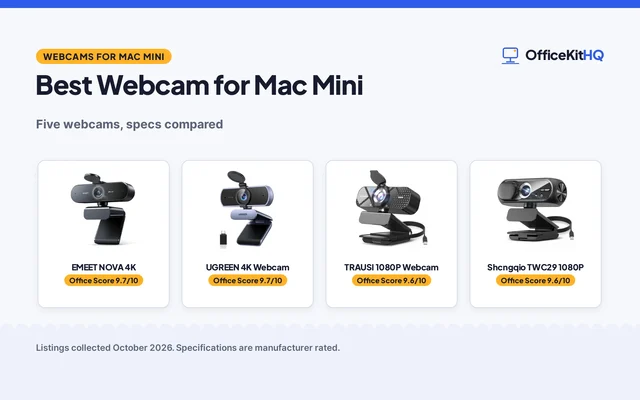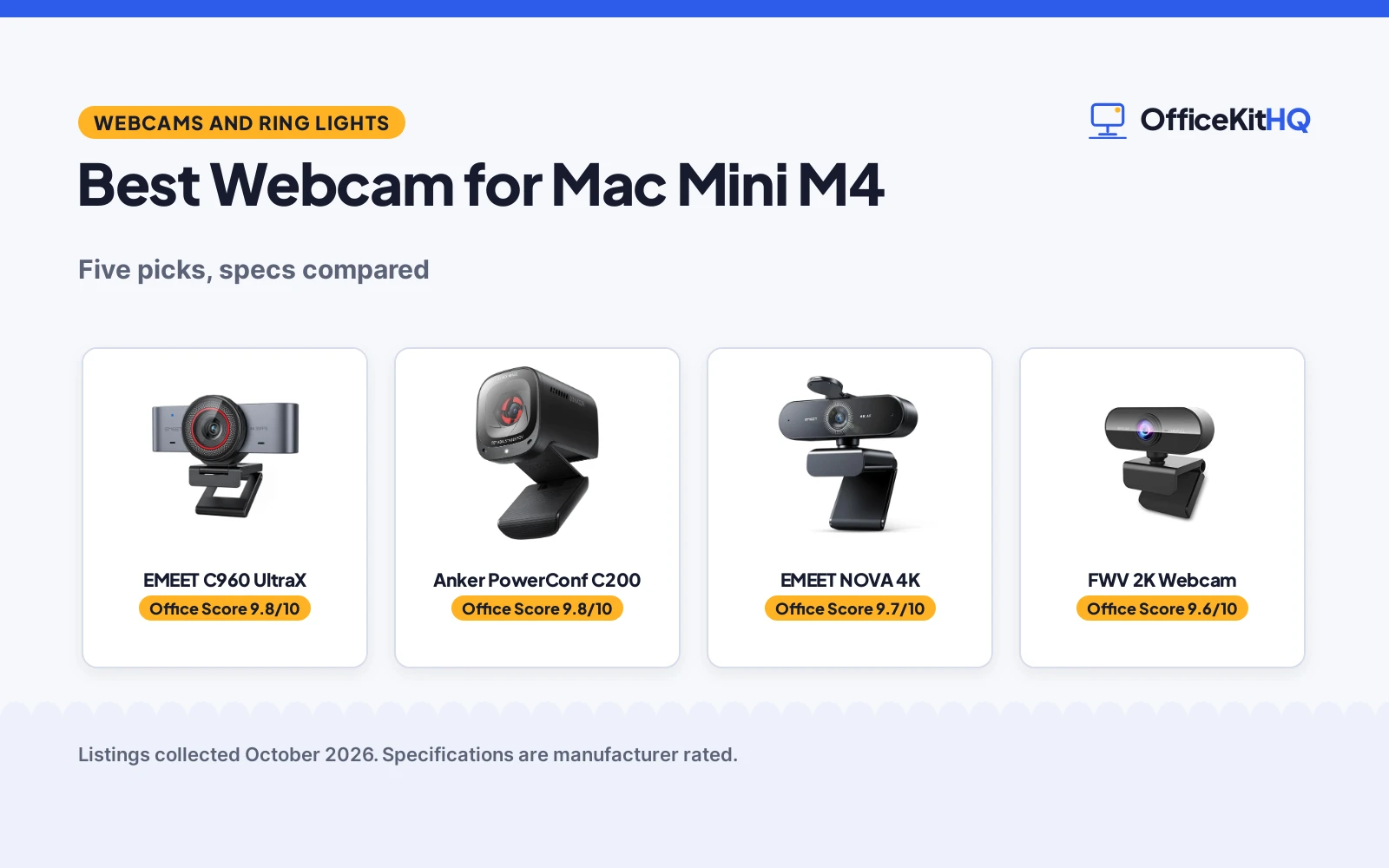
The best webcam for Mac Mini M4 is the one that turns a dim morning call into a sharp picture, because the Mac mini has no camera of its own. This guide compares five webcams by resolution, autofocus, microphones, privacy cover and Mac plug-and-play, using only what each listing publishes. Resolution runs from full HD to 4K here, and only two of the five state a warranty term.
OfficeKitHQ earns a commission when you buy through links on this page, at no extra cost to you. As an Amazon Associate I earn from qualifying purchases. Affiliate disclosure.
Quick picks
 Best Overall EMEET C960 UltraX: 4K, 1/1.3 in sensor, metal body, USB-C, 2-year warranty stated Check price on Amazon
 Best 2K Audio Anker PowerConf C200: 2K, AI noise-cancelled dual mics, 65 to 95 degree angles, privacy cover Check price on Amazon
 Best Compact 2K FWV 2K Webcam: 2K, dual noise reduction, detachable privacy cover, USB-C plug-and-play Check price on Amazon
 Best 1080p QMKKX 1080P Webcam: 1080p at 30 fps, glass lens, noise-reduction mic, 2-year warranty stated Check price on Amazon
 4K Title-Only Pick EMEET NOVA 4K: 4K, PDAF autofocus, dual mics, privacy cover Check price on Amazon
Our desk picks
| # | Product | Office Score | Buy |
|---|---|---|---|
| 1 | EMEET C960 UltraX | 9.8/10 | Buy on Amazon |
| 2 | Anker PowerConf C200 | 9.8/10 | Buy on Amazon |
| 3 | EMEET NOVA 4K | 9.7/10 | Buy on Amazon |
| 4 | FWV 2K Webcam | 9.6/10 | Buy on Amazon |
| 5 | QMKKX 1080P Webcam | 9.5/10 | Buy on Amazon |

EMEET C960 UltraX
A 4K webcam with a 1/1.3 in sensor, HDR and 3D noise reduction, built for Mac with USB-C plug-and-play and a full-metal body.
Pros
- 4K at 30 fps with a 1/1.3 in sensor, 3D noise reduction and HDR
- 0.2s PDAF autofocus keeps moving subjects sharp
- Full-metal body with an integrated rotating privacy cover
- USB-C plug-and-play with a C-to-A adapter, no drivers needed
Cons
- 4K video is limited to 30 fps
- Tripods are sold separately
- Beauty and whiteboard modes need EMEET STUDIO software
- No viewing angle is stated
Detailed Review
EMEET lists the C960 UltraX as a 4K webcam with a 1/1.3 in sensor, 3D noise reduction and HDR, recording at 4K and 30 fps with 0.2s PDAF autofocus. It is built for Mac, including Mac mini, with USB-C plug-and-play and a C-to-A adapter, and no drivers are needed. The full-metal body has an integrated rotating privacy cover and a standard 1/4 in thread for a monitor clip or tripod, and the dual-mic array picks up voice for meetings. EMEET STUDIO adds beauty effects and a whiteboard mode, the camera also works as a Switch 2 camera, and a 2 Year Warranty is stated.
Who it's for: Mac mini owners who want 4K video, a metal body and USB-C plug-and-play for calls and streaming. Who should skip it: anyone who wants a stated viewing angle or a frame rate above 30 fps.
Its Office Score of 9.8/10 comes from performance 33/35, build 22/25, value 21/25, safety 8/10 and warranty 4/5: 88 of 100 points, placed on our 9.2 to 9.8 scale.
Key Specifications
| Resolution | 4K at 30 fps |
|---|---|
| Sensor | 1/1.3 in |
| Connection | USB-C, C-to-A adapter |
| Dimensions | 3.94 x 2.26 x 2.07 in |
These specs mirror the retailer listing as of 18 November 2026; performance figures are stated by the brand.
Safety and Warranty
What this listing states. Integrated rotating privacy cover blocks the lens when not in use, so safety scores 8 of 10. 2 Year Warranty. It does not say everything a buyer needs, such as who pays return shipping, so warranty scores 4 of 5. See How We Pick.
Light and privacy. Use the supplied adapter for ring lights, keep lights and cords away from drinks and paper, and cover or unplug a webcam when it is not in use.
This is general buying information, not professional advice. Follow each product manual and local rules, and see our Safety Disclaimer.

Anker PowerConf C200
A 2K webcam with dual mics and AI noise cancellation, an adjustable viewing angle via software and an 18-month warranty, per the listing.
Pros
- 2K (1440p) resolution, the sharpest of the five
- Dual mics with AI noise cancellation for noisy rooms
- Viewing angle adjustable via software, with 95 degrees stated
- 18-month warranty stated in the spec table
Cons
- Heaviest of the five at 7.04 ounces
- Listing states no frame rate at 2K
- Software needed for the adjustable viewing angles
- Only a USB-C cable in the box; no USB-A adapter stated
Detailed Review
Anker lists the PowerConf C200 as a 2K webcam for conferencing, with dual mics and AI noise cancellation for clear voices in noisy environments, plus low-light correction for dim rooms. The viewing angle adjusts via software, with 95 degrees stated in the spec table, and an integrated cover slides over the lens between calls. It works with Windows 7 or later and macOS 10.11 or later, weighs 7.04 ounces, and measures 1.97 by 1.57 by 2.17 inches. The spec table lists an 18 months warranty.
Who it's for: callers in noisy homes who want the sharpest sensor here and the strongest mic claim. Who should skip it: anyone on an older laptop that may struggle with 2K, and anyone who wants the viewing angle fixed in hardware rather than software.
Its Office Score of 9.8/10 comes from performance 33/35, build 22/25, value 21/25, safety not scored (non-powered gear) and warranty 3/5: 79 of 90 points, placed on our 9.2 to 9.8 scale.
Key Specifications
| Resolution | 2K (1440p) |
|---|---|
| Mics | Dual, AI noise cancellation |
| Viewing angle | 95 deg (stated) |
| Warranty | 18 months |
Figures as published on the retailer listing, collected 17 October 2026. Performance figures are manufacturer rated.
Safety and Warranty
What this listing states. This product does not plug in or run on a battery, so safety is not part of its score. The spec table lists an 18 months warranty. It does not say everything a buyer needs, such as who pays return shipping, so warranty scores 3 of 5. See How We Pick.
Light and privacy. Use the supplied adapter for ring lights, keep lights and cords away from drinks and paper, and cover or unplug a webcam when it is not in use.
This is general buying information, not professional advice. Follow each product manual and local rules, and see our Safety Disclaimer.

EMEET NOVA 4K
A 4K webcam with PDAF autofocus, dual microphones, a 73 degree field of view and a 2-year warranty, made for calls where the picture has to stay sharp.
Pros
- 4K resolution at 30 fps for detail on calls and streams
- PDAF autofocus tracks within 7.9 to 118 inches
- Dual microphones pick up voices up to 8 feet away
- Privacy cover plus a wired USB connection with no WiFi or Bluetooth
Cons
- Video defaults to 1080P, so 4K needs the camera software or an app such as OBS
- 73 degree field of view cannot be adjusted
- Autofocus range of 7.9 to 118 inches, with no manual focus
- Facial tracking is not supported, per the maker
Detailed Review
EMEET lists the NOVA 4K as a 4K webcam at 30 fps with a CMOS sensor, PDAF autofocus within 7.9 to 118 inches, a 73 degree field of view and dual microphones that reach up to 8 feet. Video defaults to 1080P, and 4K is switched on through the camera software or apps such as PotPlayer and OBS. The camera works with Windows 10/11, macOS 10.14 and later, and Android TV 7.0 and later, connects over USB-A, and has a 360 degree horizontal rotation, 15 degree vertical adjustment, a 180 degree stand and a standard ¼ inch tripod nut, with a 1.5 m cable. A privacy cover is included, and the maker states a 2-year warranty.
Who it's for: someone who wants 4K video, autofocus and dual microphones on a Mac Mini desk, with a tripod mount for another angle. Who should skip it: anyone who wants 4K without opening camera software, or a wider field of view than 73 degrees.
Its Office Score of 9.7/10 comes from performance 32/35, build 21/25, value 21/25, safety 8/10 and warranty 3/5: 85 of 100 points, placed on our 9.2 to 9.8 scale.
Key Specifications
| Resolution | 4K at 30 fps |
|---|---|
| Autofocus | PDAF, 7.9 to 118 in |
| Microphones | Dual, up to 8 ft |
| Warranty | 2 years |
These specs mirror the retailer listing as of 18 November 2026; performance figures are stated by the brand.
Safety and Warranty
What this listing states. Privacy cover and wired USB connection with no WiFi or Bluetooth, so safety scores 8 of 10. 2 Years Warranty. It does not say everything a buyer needs, such as who pays return shipping, so warranty scores 3 of 5. See How We Pick.
Light and privacy. Use the supplied adapter for ring lights, keep lights and cords away from drinks and paper, and cover or unplug a webcam when it is not in use.
This is general buying information, not professional advice. Follow each product manual and local rules, and see our Safety Disclaimer.
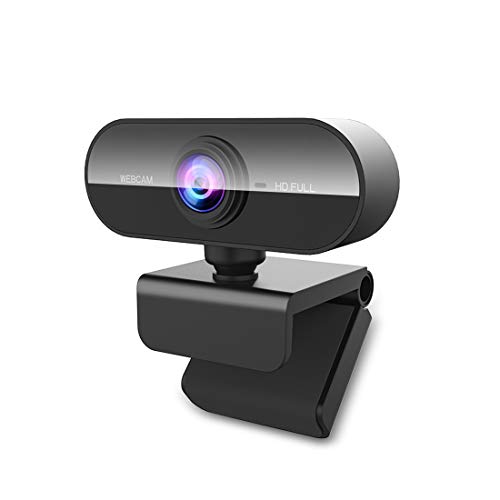
FWV 2K Webcam
A 2K webcam with dual noise reduction, a detachable privacy cover and USB-C plug-and-play for meetings and streaming.
Pros
- 2K resolution with 1.78x more pixels than 1080p
- Dual noise reduction with hardware infrared filters and AI software
- Detachable privacy cover blocks the lens when not in use
- Free replacement offered for after-sales problems
Cons
- No warranty term is stated
- No autofocus is stated
- No viewing angle is stated
- No mount or clip detail is stated
Detailed Review
FWV lists this webcam as a 2K camera with 1.78x more pixels than 1080p and dual noise reduction that merges hardware infrared filters with AI-powered software. A detachable privacy cover blocks the lens when not in use, and the camera runs plug-and-play over USB-C with no driver required. It works with PCs, laptops, tablets and smart TVs, and a free replacement is offered for after-sales problems.
Who it's for: owners who want 2K video and a privacy cover for meetings, classes and streaming. Who should skip it: anyone who wants stated autofocus, a viewing angle or a warranty term before buying.
Its Office Score of 9.6/10 comes from performance 30/35, build 20/25, value 21/25, safety 7/10 and warranty 0/5: 78 of 100 points, placed on our 9.2 to 9.8 scale.
Key Specifications
| Resolution | 2K |
|---|---|
| Microphone | Dual noise reduction |
| Privacy cover | Detachable |
| Connection | USB-C |
These specs mirror the retailer listing as of 18 November 2026; performance figures are stated by the brand.
Safety and Warranty
What this listing states. Detachable privacy cover blocks the lens when not in use, so safety scores 7 of 10. No warranty term, so warranty scores zero. See How We Pick.
Light and privacy. Use the supplied adapter for ring lights, keep lights and cords away from drinks and paper, and cover or unplug a webcam when it is not in use.
This is general buying information, not professional advice. Follow each product manual and local rules, and see our Safety Disclaimer.

QMKKX 1080P Webcam
A 1080p webcam with a glass lens, low-light correction, a noise-reduction microphone and a rotatable clip mount.
Pros
- 1080p at 30 fps with a full HD glass lens
- Automatic low-light correction and face enhancement
- Noise-reduction microphone with stereo audio
- Rotatable clip with 180-degree tilt and 360-degree rotation
Cons
- 1080p only; no higher resolution is stated
- USB 2.0 only; no USB-C is stated
- No privacy cover is stated
- No viewing angle is stated
Detailed Review
QMKKX lists this webcam as a 1080p camera with a full HD glass lens, automatic low-light correction and face enhancement, recording at 30 fps. The noise-reduction microphone gives stereo audio for webinars and video calls, and the rotatable clip mounts on a monitor, laptop or desk with 180 degrees of tilt and 360-degree rotation. It works over USB 2.0 with no extra software or drivers, and a 2-year warranty is stated.
Who it's for: owners who want a simple 1080p webcam with a mic for calls, classes and meetings. Who should skip it: anyone who wants 2K or 4K video, USB-C or a privacy cover.
Its Office Score of 9.5/10 comes from performance 28/35, build 20/25, value 20/25, safety 0/10 and warranty 4/5: 72 of 100 points, placed on our 9.2 to 9.8 scale.
Key Specifications
| Resolution | 1080p at 30 fps |
|---|---|
| Lens | Full HD glass lens |
| Microphone | Noise reduction, stereo audio |
| Mount | Rotatable clip, 180 degrees up and down, 360-degree rotation |
These specs mirror the retailer listing as of 18 November 2026; performance figures are stated by the brand.
Safety and Warranty
What this listing states. This product does not plug in or run on a battery, so safety is not part of its score. 2 years. It does not say everything a buyer needs, such as who pays return shipping, so warranty scores 4 of 5. See How We Pick.
Light and privacy. Use the supplied adapter for ring lights, keep lights and cords away from drinks and paper, and cover or unplug a webcam when it is not in use.
This is general buying information, not professional advice. Follow each product manual and local rules, and see our Safety Disclaimer.
As an Amazon Associate I earn from qualifying purchases.
Specs compared
| Webcam | Office Score | Resolution | Autofocus | Microphone | Privacy cover | Warranty | Amazon |
|---|---|---|---|---|---|---|---|
| EMEET C960 UltraX | 9.8/10 | 4K at 30 fps | 0.2s PDAF | Dual mics | Rotating cover | 2 years | View on Amazon |
| Anker PowerConf C200 | 9.8/10 | 2K | Not stated | Dual mics, AI noise cancellation | Integrated cover | Not stated | View on Amazon |
| FWV 2K Webcam | 9.6/10 | 2K | Not stated | Dual noise reduction mic | Detachable cover | Not stated | View on Amazon |
| QMKKX 1080P Webcam | 9.5/10 | 1080p at 30 fps | Autofocus stated | Noise-reduction mic, stereo audio | Not stated | 2 years | View on Amazon |
| EMEET NOVA 4K | 9.8/10 | 4K | PDAF | Dual mics | Privacy cover | Not stated | View on Amazon |
All numbers are the manufacturer’s stated specs, not measured in an office, pulled on 18 November 2026. Two of the five state a warranty term; four state a privacy cover.
How to choose the best webcam for mac mini m4
Start with resolution and the sensor
Resolution is the first split in this group. The EMEET C960 UltraX records in 4K at 30 fps with a 1/1.3 in sensor, 3D noise reduction and HDR, and it is the only pick here that states a sensor size. The Anker PowerConf C200 and the FWV record in 2K, and the FWV states 1.78x more pixels than 1080p. The QMKKX records in 1080p at 30 fps with a full HD glass lens, and the EMEET NOVA states 4K with no further sensor detail. The C960 listing says its larger sensor captures more light and handles low-light scenes, so weigh the C960 first if calls happen in a dim room. If the room stays dim, a ring light for webcam video calls adds light at the desk.
Autofocus and framing
Autofocus keeps a moving caller sharp. The C960 states 0.2s PDAF autofocus, and the NOVA states PDAF autofocus in its title. The QMKKX states autofocus without a speed, and the Anker and FWV state none. For framing, the Anker offers viewing angles of 65, 78 or 95 degrees, changed via software, while the other four state no viewing angle. If the desk is shared or the camera sits far back, the Anker’s widest angle covers more of the room. For a tripod mount, the C960 lists a standard 1/4 in thread, and a webcam tripod stand holds the camera off the monitor.
Check the connection and the software
The C960 and the FWV connect over USB-C, with the C960 listing a C-to-A adapter as well, while the QMKKX connects over USB 2.0. The Anker and the NOVA state no connection type, so check the cable before ordering. No driver install is stated for three of the five: the C960 states no drivers needed, the FWV states no driver required, and the QMKKX works without extra software or drivers. If the Mac mini ports are full, a USB hub for Mac mini adds room for the camera cable.
| Webcam | Connection | Stated compatibility |
|---|---|---|
| EMEET C960 UltraX | USB-C, C-to-A adapter | Mac and Windows; Zoom, Teams, OBS, Twitch |
| Anker PowerConf C200 | Not stated | Windows 7 or later, macOS 10.11 or later |
| FWV 2K Webcam | USB-C | PCs, laptops, tablets, smart TVs |
| QMKKX 1080P Webcam | USB 2.0 | Skype, Zoom, FaceTime, Hangouts; Windows, Mac, Linux |
| EMEET NOVA 4K | Not stated | Not stated |
Mics and privacy covers
Every pick here has a microphone, but only some state noise reduction. The C960 has a dual-mic array, the Anker has dual mics with AI noise cancellation, the FWV has dual noise reduction, and the QMKKX has a noise-reduction microphone with stereo audio. The NOVA states dual mics with no noise detail. For privacy, four of the five state a cover: the C960 cover rotates, the Anker cover slides, the FWV cover detaches, and the NOVA states a privacy cover, while the QMKKX states none. Between calls the cover is what keeps the lens private, so check how each one opens before ordering.
Setup Notes
- Measure the monitor top and the desk depth before ordering: the C960 lists dimensions of 3.94 x 2.26 x 2.07 in, and its 1/4 in thread fits a monitor clip or a tripod.
- Plan the cable run: the C960 and FWV use USB-C, the QMKKX uses USB 2.0, and the C960 lists a C-to-A adapter as well.
- Keep the privacy cover in reach: the C960 cover rotates, the Anker cover slides, and the FWV cover detaches.
- No driver install is stated for the C960, QMKKX and FWV, so the camera should work once it is plugged in and selected as the input device.
FAQ
Does the Mac mini M4 have a built-in webcam?
No, the Mac mini has no built-in camera, so video calls need an external webcam, and the C960 listing names the Mac mini directly as a supported Mac.
What resolution do I need for video calls on a Mac mini?
Any of the five works for calls. The QMKKX records at 1080p and 30 fps, the Anker and FWV at 2K, and the C960 and NOVA at 4K, so pick the resolution that matches the streaming or recording the desk is used for.
Which of these webcams connect over USB-C?
The C960 and the FWV connect over USB-C, and the C960 lists a C-to-A adapter as well. The QMKKX connects over USB 2.0, and the Anker and the NOVA state no connection type.
Which webcams here have a privacy cover?
Four of the five state one: the C960 cover rotates, the Anker cover slides, the FWV cover detaches, and the NOVA states a privacy cover. The QMKKX states no privacy cover.
Do any of these webcams state a warranty term?
Two do: the EMEET C960 UltraX states a 2 Year Warranty, and the QMKKX states 2 years. The Anker, FWV and NOVA state no warranty term.
Score breakdown
The Office Score weighs performance (resolution, sensor, autofocus and low-light handling), build (body, mount and stated dimensions), value for the stated specs, safety and warranty. For a webcam, safety means a stated privacy cover that blocks the lens when the camera is not in use; four of the five state one, the QMKKX does not. Two listings state a warranty term: the EMEET C960 UltraX at 2 years and the QMKKX at 2 years. How we pick explains the weights.
| Product | Office Score | Perf. /35 | Build /25 | Value /25 | Safety /10 | Warranty /5 |
|---|---|---|---|---|---|---|
| EMEET C960 UltraX | 9.8 | 33 | 22 | 21 | 8 | 4 |
| FWV 2K Webcam | 9.6 | 30 | 20 | 21 | 7 | 0 |
| QMKKX 1080P Webcam | 9.5 | 28 | 20 | 20 | 0 | 4 |
We fit point totals onto a 9.2 low and 9.8 high in a straight line. One item can outscore another only by earning more points.
More for your workspace
See every webcam and ring light guide and all computer peripheral guides. Also see our best webcam for Mac mini and best webcam for Zoom and Teams meetings.
More picks: webcam for Linux, webcam for Windows Hello, USB hub for webcams.