The best docking station for Asus Zenbook is the dock that turns a slim laptop into a full desk setup the moment the cable goes in, with monitors, keyboard, mouse and wired network all waking up together. A Zenbook on its own leaves you juggling adapters and a tangle of cables every time you sit down to work. The docks below were compared by display support, charging, USB ports and warranty term, using only what each listing publishes.
OfficeKitHQ earns a commission when you buy through links on this page, at no extra cost to you. As an Amazon Associate I earn from qualifying purchases. Affiliate disclosure.
Quick picks
 Best Overall 4URPC DSC020: Triple 4K@144Hz DisplayPort, 6 USB ports, 100W PD, 2-year warranty Check price on Amazon
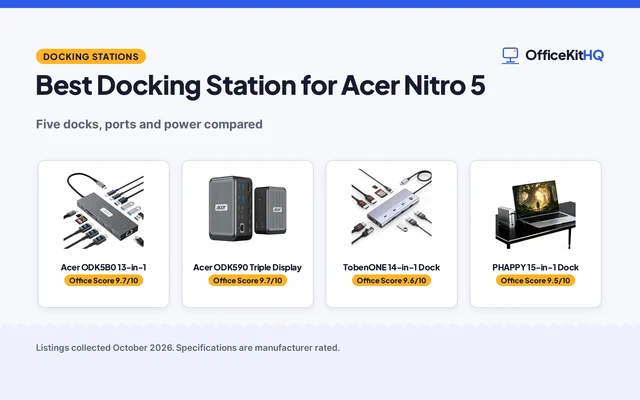
 Best 15-in-1 Pick PHAPPY 15-in-1 Dock: Triple 4K@60Hz, 10Gbps ports, rotating base, 12-month warranty Check price on Amazon
 Best ASUS Dock ASUS DC301: Triple 4K, 90W charging, 150W adapter and stand included Check price on Amazon
 Best for 150W Charging ASUS DC300: Triple 4K display, 6 USB ports, SD reader, 150W over USB-C Check price on Amazon
 Also Consider WAVLINK DisplayLink Dock: 3 monitors, 100W PD, 3 HDMI and 2 DisplayPort outputs Check price on Amazon
Our desk picks
| # | Product | Office Score | Buy |
|---|---|---|---|
| 1 | 4URPC DSC020 | 9.6/10 | Buy on Amazon |
| 2 | WAVLINK WL-UG63PD25 | 9.6/10 | Buy on Amazon |
| 3 | PHAPPY 15-in-1 Dock | 9.5/10 | Buy on Amazon |
| 4 | ASUS DC301 | 9.5/10 | Buy on Amazon |
| 5 | ASUS DC300 | 9.4/10 | Buy on Amazon |

4URPC DSC020
A 14-in-1 USB-C dock with triple-monitor support, a 4K@144Hz DisplayPort, 6 USB ports, Gigabit Ethernet and 100W power delivery, backed by a 2-year warranty.
Pros
- Triple-monitor output with a 4K@144Hz DisplayPort and dual 4K@60Hz HDMI ports
- 100W power delivery input with 85W output to the laptop
- 6 USB ports at up to 5Gbps plus Gigabit Ethernet, SD and microSD slots and 3.5mm audio
- 2-year warranty with lifetime technical support stated
Cons
- No power adapter included; the maker says to use a 65W or higher adapter
- Triple-monitor output is stated for Windows laptops with DP 1.4 only
- The maker reserves 10 to 15W of the 100W input for the dock itself
- At 8.5 by 3.5 by 1.5 in, the body takes a wide patch of desk
Detailed Review
4URPC lists this dock as a 14-in-1 USB-C hub for Windows 10/11, ChromeOS and Linux laptops with a full-featured USB-C, USB4 or Thunderbolt 3/4 port. The DisplayPort supports up to 8K@30Hz or 4K@144Hz on a single screen, while the two HDMI ports support dual displays at 4K@60Hz each, and triple-monitor output is stated for Windows laptops with DP 1.4. It carries 6 USB ports at up to 5Gbps, a 1000Mbps Ethernet port, SD and microSD slots, 3.5mm audio and an independent power switch in an aluminum alloy body. It supports 100W power delivery input, and the maker says to use a 65W or higher adapter, which is not included. The maker gives two output figures, 85W and 87W, for the power the laptop receives; check before ordering.
Who it's for: a Zenbook owner who wants three screens, fast USB and wired networking from one dock, and who already owns a 65W or higher adapter. Who should skip it: anyone who needs the adapter in the box, or who runs a system outside Windows 10/11, ChromeOS and Linux.
Its Office Score of 9.6/10 comes from performance 33/35, build 22/25, value 21/25, safety 0/10 and warranty 4/5: 80 of 100 points, placed on our 9.2 to 9.8 scale.
Key Specifications
| Displays | 3 monitors; DP up to 4K@144Hz, HDMI 4K@60Hz |
|---|---|
| Power delivery | 100W PD input, 85W output |
| USB ports | 6 at up to 5Gbps |
| Warranty | 2 years |
These specs mirror the retailer listing as of 20 November 2026; performance figures are stated by the brand.
Safety and Warranty
What this listing states. No UL, FCC or over-current protection statement is stated, so safety scores zero. 2-year warranty. It does not say everything a buyer needs, such as who pays return shipping, so warranty scores 4 of 5. See How We Pick.
Power and heat. Use the supplied adapter, treat power delivery wattage and display support as the maker's claims for your laptop model, and give the dock room to vent.
This is general buying information, not professional advice. Follow each product manual and local rules, and see our Safety Disclaimer.

WAVLINK WL-UG63PD25
A DisplayLink dock with 3 monitors at 4K 60Hz plus 2K 60Hz plus 2K 60Hz, 100W power delivery, a 130W power adapter in the box, 6 10Gbps USB ports and gigabit ethernet.
Pros
- 3 monitors at 4K 60Hz plus 2K 60Hz plus 2K 60Hz, the highest triple-display resolution here
- 130W power adapter included in the box
- 6 USB ports at 10Gbps: 2 USB-C and 4 USB-A
- 3 HDMI and 2 DisplayPort outputs, plus gigabit ethernet
Cons
- DisplayLink driver installation is required
- MacBook M1 to M5 needs the DisplayLink driver
- Does not support USB-A laptops or gaming consoles
- Not recommended for gaming or HDCP-protected 4K streaming
Detailed Review
WAVLINK lists the WL-UG63PD25 as a DisplayLink docking station with 3 monitors: 4K 60Hz on HDMI plus 2K 60Hz on HDMI and DisplayPort plus 2K 60Hz on HDMI and DisplayPort. It states 100W power delivery, a 130W power adapter in the box, 6 USB ports at 10Gbps (2 USB-C and 4 USB-A), gigabit ethernet and a 2-year warranty. The listing says driver installation is required, MacBook M1 to M5 needs the DisplayLink driver, and it does not support USB-A laptops or gaming consoles. It also says the dock is not recommended for gaming or HDCP-protected 4K streaming. The spec table gives 8.78 by 3.58 by 1.14 in and a 0.82 lb weight.
Who it's for: a Windows desk with 3 monitors that wants the highest triple-display resolution here and a power adapter in the box. Who should skip it: anyone on a USB-A laptop or a gaming console, or anyone who wants driverless setup or 4K streaming with HDCP.
Its Office Score of 9.6/10 comes from performance 32/35, build 21/25, value 20/25, safety 0/10 and warranty 3/5: 76 of 100 points, placed on our 9.2 to 9.8 scale.
Key Specifications
| Displays | Triple, 4K plus 2K plus 2K |
|---|---|
| Power delivery | 100W, 130W adapter included |
| USB ports | 6x 10Gbps, 2 USB-C, 4 USB-A |
| Weight | 0.82 lb |
Figures as published on the retailer listing, collected 10 November 2026. Performance figures are manufacturer rated.
Safety and Warranty
What this listing states. No UL, FCC or over-current protection statement is stated, so safety scores zero. 2-year warranty. It does not say everything a buyer needs, such as who pays return shipping, so warranty scores 3 of 5. See How We Pick.
Power and heat. Use the supplied adapter, treat power delivery wattage and display support as the maker's claims for your laptop model, and give the dock room to vent.
This is general buying information, not professional advice. Follow each product manual and local rules, and see our Safety Disclaimer.

PHAPPY 15-in-1 Dock
A 15-in-1 USB-C dock with triple 4K@60Hz display output, 10Gbps USB ports, Gigabit Ethernet and a 360-degree rotating base, with a 12-month warranty.
Pros
- Triple 4K@60Hz output through 2 HDMI ports and 1 DisplayPort
- 10Gbps USB-C and USB-A data ports plus 10/100/1000Mbps Ethernet
- 360-degree rotatable head and detachable base for cable routing
- Aluminum alloy shell with a USB-C 4.0 cable included
Cons
- Listed for Asus TUF Gaming laptops rather than Zenbook models
- Triple-display extension is stated for Windows users
- 12-month warranty is shorter than the 2-year term on the 4URPC
- At 4.8 by 1.65 by 5.12 in, the base needs a wide patch of desk
Detailed Review
PHAPPY lists this 15-in-1 dock for Asus TUF Gaming laptops, with triple-monitor output through 2 HDMI ports and 1 DisplayPort, each at 4K@60Hz, and extension across three screens stated for Windows users. It carries Gigabit Ethernet, 10Gbps USB-C and USB-A data ports, USB 3.0/2.0, 3.5mm audio and SD/TF card readers, all through a single USB-C cable, in an aluminum alloy shell with a 360-degree rotatable head and detachable base. The box includes a USB-C 4.0 cable and the maker states a 12-month warranty.
Who it's for: an Asus laptop owner who wants three 4K screens and a base that swivels for cable routing. Who should skip it: a Zenbook owner who wants a dock listed for Zenbook models, or anyone who needs a stated charging wattage.
Its Office Score of 9.5/10 comes from performance 29/35, build 21/25, value 20/25, safety 0/10 and warranty 3/5: 73 of 100 points, placed on our 9.2 to 9.8 scale.
Key Specifications
| Displays | 3 monitors at 4K@60Hz |
|---|---|
| Data transfer | 10Gbps USB ports |
| Ethernet | Gigabit, 10/100/1000Mbps |
| Warranty | 12 months |
These specs mirror the retailer listing as of 20 November 2026; performance figures are stated by the brand.
Safety and Warranty
What this listing states. No UL, FCC or over-current protection statement is stated, so safety scores zero. 12-month warranty. It does not say everything a buyer needs, such as who pays return shipping, so warranty scores 3 of 5. See How We Pick.
Power and heat. Use the supplied adapter, treat power delivery wattage and display support as the maker's claims for your laptop model, and give the dock room to vent.
This is general buying information, not professional advice. Follow each product manual and local rules, and see our Safety Disclaimer.

ASUS DC301
An ASUS 12-in-1 dock with triple 4K display output, 90W charging over USB-C, 10Gbps transfer and a 150W adapter in the box.
Pros
- Triple 4K display through HDMI 2.0 and 2 DisplayPort 1.4 ports
- 90W charging over USB-C with a 150W adapter included
- Transfer up to 10Gbps across USB-C, USB-A, HDMI, DP, RJ45, 3.5mm and SD
- Wake-on-LAN, PXE boot and a one-touch alarm clock for business use
Cons
- No warranty term is stated
- Compatibility is stated for Windows 10 and later only
- The included USB-C cable is 3.3 ft, short for a distant dock placement
- The maker does not promise an English instruction manual
Detailed Review
ASUS lists the DC301 as a 12-in-1 dock with triple 4K display output through HDMI 2.0 and 2 DisplayPort 1.4 ports, 90W charging over USB-C and transfer up to 10Gbps. The port mix covers USB-C, USB-A, HDMI, DisplayPort, RJ45, a 3.5mm jack and an SD reader, and the maker lists Wake-on-LAN, PXE boot and a one-touch alarm clock. The box holds the dock, a 3.3 ft USB-C cable, a stand, a 150W adapter, a power cord and an instruction manual, and the maker states compatibility with Windows 10 and later. No warranty term is stated.
Who it's for: a business user who wants an ASUS dock with triple 4K, 90W charging and the adapter in the box. Who should skip it: anyone who needs a stated warranty term, or who runs a system outside Windows 10 and later.
Its Office Score of 9.5/10 comes from performance 30/35, build 21/25, value 20/25, safety 0/10 and warranty 0/5: 71 of 100 points, placed on our 9.2 to 9.8 scale.
Key Specifications
| Displays | 3 monitors at 4K |
|---|---|
| Charging | 90W over USB-C |
| Transfer | Up to 10Gbps |
| In the box | 150W adapter, stand, 3.3 ft cable |
These specs mirror the retailer listing as of 20 November 2026; performance figures are stated by the brand.
Safety and Warranty
What this listing states. No UL, FCC or over-current protection statement is stated, so safety scores zero. No warranty term, so warranty scores zero. See How We Pick.
Power and heat. Use the supplied adapter, treat power delivery wattage and display support as the maker's claims for your laptop model, and give the dock room to vent.
This is general buying information, not professional advice. Follow each product manual and local rules, and see our Safety Disclaimer.

ASUS DC300
An ASUS triple-display dock with 4K output at 3840 x 2160, 6 USB ports, an SD card reader and 150W charging over USB-C.
Pros
- 3 displays supported at 4K, 3840 x 2160
- 150W charging capability over USB-C
- 6 USB ports plus an SD memory card reader
- Wired connection for mouse, keyboard, monitor and notebook
Cons
- No warranty term is stated
- No Ethernet port is stated
- No audio jack is stated
- No transfer speed is stated for the 6 USB ports
Detailed Review
ASUS lists the DC300 as a triple-display docking station with 4K output at 3840 x 2160, 150W charging capability and a USB-C connection. It carries 6 USB ports and an SD memory card reader, and the maker lists support for a mouse, keyboard, monitor and notebook over a wired connection. No warranty term is stated.
Who it's for: an ASUS laptop owner who wants three 4K screens and 150W charging with a simple port mix. Who should skip it: anyone who needs wired Ethernet, an audio jack or a stated warranty term.
Its Office Score of 9.4/10 comes from performance 28/35, build 19/25, value 19/25, safety 0/10 and warranty 0/5: 66 of 100 points, placed on our 9.2 to 9.8 scale.
Key Specifications
| Displays | 3 at 4K, 3840 x 2160 |
|---|---|
| Charging | 150W |
| USB ports | 6 |
| Card reader | SD |
These specs mirror the retailer listing as of 20 November 2026; performance figures are stated by the brand.
Safety and Warranty
What this listing states. No UL, FCC or over-current protection statement is stated, so safety scores zero. No warranty term, so warranty scores zero. See How We Pick.
Power and heat. Use the supplied adapter, treat power delivery wattage and display support as the maker's claims for your laptop model, and give the dock room to vent.
This is general buying information, not professional advice. Follow each product manual and local rules, and see our Safety Disclaimer.
As an Amazon Associate I earn from qualifying purchases.
Specs compared
| Docking Station | Office Score | Displays | Charging | USB Ports | Warranty | Amazon |
|---|---|---|---|---|---|---|
| 4URPC DSC020 | 9.6/10 | 3, DP 4K@144Hz | 100W PD, 85W out | 6 at 5Gbps | 2-year | View on Amazon |
| PHAPPY 15-in-1 Dock | 9.5/10 | 3 at 4K@60Hz | Not stated | 10Gbps | 12-month | View on Amazon |
| ASUS DC301 | 9.5/10 | 3 at 4K | 90W | 10Gbps | Not stated | View on Amazon |
| ASUS DC300 | 9.4/10 | 3 at 4K | 150W | 6 | Not stated | View on Amazon |
| WAVLINK DisplayLink Dock | 9.6/10 | 3 | 100W PD | Not stated | Not stated |
Dimensions, weight limits and ranges are the maker’s ratings as each listing gives them, collected 20 November 2026. Two of the five state a warranty term; none states a safety certification.
How to choose the best docking station for asus zenbook
Count the displays first
Every dock here states support for 3 monitors, so the choice is about resolution and refresh rate, not count. The 4URPC runs its DisplayPort at up to 4K@144Hz, with the two HDMI ports at 4K@60Hz each, and the PHAPPY runs all three outputs at 4K@60Hz. The ASUS DC301 and DC300 each state triple 4K display, and the WAVLINK states 3 monitors through DisplayLink. If your Zenbook runs Windows with DP 1.4, the 4URPC triple-monitor output applies, and the PHAPPY states triple-display extension for Windows users. Check the port on your Zenbook before counting on three screens, and see do I need a docking station if you are unsure a dock suits your desk.
Match the charging to your Zenbook
Charging is where these docks split apart. The 4URPC takes 100W power delivery input and sends 85W to the laptop, but the adapter is not included and the maker says to use a 65W or higher adapter. The ASUS DC301 charges at 90W over USB-C and ships with a 150W adapter, while the ASUS DC300 states 150W charging capability and the WAVLINK states 100W power delivery. The PHAPPY states no charging wattage at all, so a buyer who wants the dock to charge the laptop should look elsewhere in this group. A dock that cannot charge the laptop still works as a hub, but it leaves the Zenbook charger on the desk. See the best docking station with power delivery guide for more docks built around charging.
Check the port mix, not just the port count
A dock with 6 USB ports is no help if the ports you need are video outputs, so read the mix. The 4URPC pairs a DisplayPort with 2 HDMI ports and 6 USB ports at up to 5Gbps, plus Gigabit Ethernet, SD and microSD slots and 3.5mm audio. The PHAPPY pairs 2 HDMI ports with 1 DisplayPort, 10Gbps USB-C and USB-A ports, Gigabit Ethernet, SD/TF readers and 3.5mm audio. The ASUS DC301 covers USB-C, USB-A, HDMI, DisplayPort, RJ45, a 3.5mm jack and an SD reader with transfer up to 10Gbps, while the DC300 keeps it simpler with 6 USB ports and an SD reader. The WAVLINK gives 3 HDMI ports and 2 DisplayPort outputs and states no USB detail. The table below lines up the video and data ports for each dock.
| Dock | Video outputs | USB and data | Network, card and audio |
|---|---|---|---|
| 4URPC DSC020 | DisplayPort, 2 HDMI | 6 ports at up to 5Gbps | Gigabit Ethernet, SD and microSD, 3.5mm audio |
| PHAPPY 15-in-1 Dock | 2 HDMI, 1 DisplayPort | 10Gbps USB-C and USB-A | Gigabit Ethernet, SD/TF, 3.5mm audio |
| ASUS DC301 | HDMI 2.0, 2 DisplayPort 1.4 | Up to 10Gbps | RJ45, 3.5mm jack, SD reader |
| ASUS DC300 | 3 displays | 6 USB ports | SD reader |
| WAVLINK DisplayLink Dock | 3 HDMI, 2 DisplayPort | Not stated | Not stated |
Figures as stated in each listing. If most of your desk runs on wired network and cards, the 4URPC and PHAPPY cover the most ground; if you only need screens and USB, the DC300 is enough. USB hub types explains the difference between a hub and a full dock.
Mind the operating system and the cable
Not every dock here speaks to every system. The 4URPC lists Windows 10/11, ChromeOS and Linux on laptops with a full-featured USB-C, USB4 or Thunderbolt 3/4 port, and its triple-monitor output is stated for Windows laptops with DP 1.4. The DC301 states compatibility with Windows 10 and later, and the PHAPPY states triple-display extension for Windows users. The DC300 and WAVLINK state no operating system, so check the port and system on your Zenbook before ordering. On cables, the PHAPPY includes a USB-C 4.0 cable and the DC301 includes a 3.3 ft USB-C cable, while the 4URPC needs a 65W or higher adapter that is not included. A short cable keeps the dock close to the laptop, so measure the run from laptop to dock before you buy. See docking station setup for the steps once the box arrives.
Read the warranty line
Only two of the five state a warranty term. The 4URPC states a 2-year warranty with lifetime technical support, and the PHAPPY states a 12-month warranty. The ASUS DC301, DC300 and WAVLINK state no warranty term, which is worth knowing before you rely on the dock daily. A longer stated term is not a promise about how long the dock lasts, but it is the only written cover the maker offers.
Setup Notes
- Measure the dock footprint first: the 4URPC is 8.5 by 3.5 by 1.5 in and the PHAPPY base is 4.8 by 1.65 by 5.12 in.
- Plan power before the dock arrives: the 4URPC needs a 65W or higher adapter that is not included, while the DC301 ships with a 150W adapter.
- Check the cable run: the DC301 includes a 3.3 ft USB-C cable and the PHAPPY includes a USB-C 4.0 cable.
- Confirm the port on the Zenbook: the 4URPC needs a full-featured USB-C, USB4 or Thunderbolt 3/4 port, and triple-monitor output is stated for Windows laptops with DP 1.4.
FAQ
Will these docks work with any Asus Zenbook?
They connect over USB-C, but the port and system matter. The 4URPC needs a full-featured USB-C, USB4 or Thunderbolt 3/4 port and lists Windows 10/11, ChromeOS and Linux. The DC301 states compatibility with Windows 10 and later, and the PHAPPY is listed for Asus TUF Gaming laptops, so check the USB-C port on your Zenbook before ordering.
How many monitors can I run from one of these docks?
All five state support for 3 monitors. The 4URPC runs one DisplayPort at up to 4K@144Hz with two HDMI ports at 4K@60Hz each, and the PHAPPY runs all three outputs at 4K@60Hz. Triple-monitor output on the 4URPC is stated for Windows laptops with DP 1.4.
Do these docks charge the laptop?
Four of the five state charging. The 4URPC takes 100W power delivery input and sends 85W to the laptop, with a 65W or higher adapter needed and not included. The DC301 charges at 90W with a 150W adapter in the box, the DC300 states 150W charging, and the WAVLINK states 100W power delivery. The PHAPPY states no charging wattage.
What is the difference between the ASUS DC300 and DC301?
The DC301 adds 90W charging, 10Gbps transfer, Wake-on-LAN and PXE boot, and ships with a 150W adapter, a stand and a 3.3 ft USB-C cable. The DC300 states 150W charging, 6 USB ports and an SD reader at 4K, 3840 x 2160. Neither states a warranty term.
Which dock has the longest stated warranty?
The 4URPC, at 2 years with lifetime technical support. The PHAPPY states 12 months. The DC301, DC300 and WAVLINK state no warranty term.
Score breakdown
The Office Score weighs performance (display support, charging and transfer speed), build (port mix, materials and what is in the box), value for the stated specs, safety and warranty. For a docking station, safety means a stated safety certification or protection claim on the listing; none of the five states one, so safety adds nothing to any dock here. Two listings state a warranty term: the 4URPC at 2 years and the PHAPPY at 12 months. How we pick explains the weights.
| Product | Office Score | Perf. /35 | Build /25 | Value /25 | Safety /10 | Warranty /5 |
|---|---|---|---|---|---|---|
| 4URPC DSC020 | 9.6 | 33 | 22 | 21 | 0 | 4 |
| PHAPPY 15-in-1 Dock | 9.5 | 29 | 21 | 20 | 0 | 3 |
| ASUS DC301 | 9.5 | 30 | 21 | 20 | 0 | 0 |
| ASUS DC300 | 9.4 | 28 | 19 | 19 | 0 | 0 |
Office Scores run on a short 9.2 to 9.8 scale. We place each item’s weighted point total on it in proportion, so a larger total is always shown as a larger score.
More for your workspace
See every docking stations and USB hubs guide and all Audio, Power and Connectivity guides. Also see our best docking station for HP Spectre x360. Also see our best USB hub for HP laptop.
More picks: headsets, monitor arms and stands, standing desks.