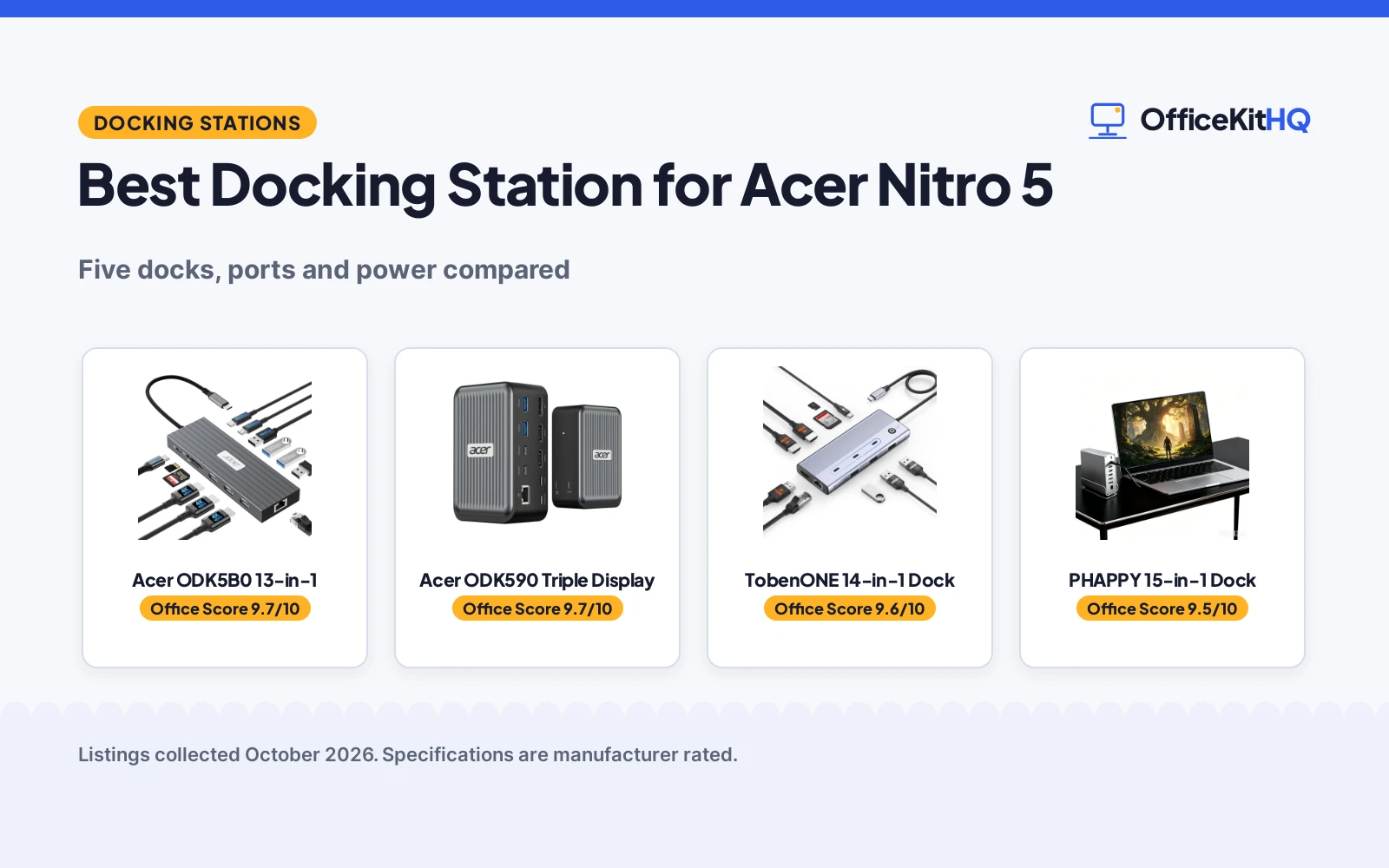
The best docking station for acer nitro 5 is the dock that turns a laptop into a full desk setup: monitors up, keyboard and mouse live, wired internet steady, and the laptop charging while it all runs. A Nitro 5 on its own leaves most of that to dongles and a tangle of cables behind the desk. We compared the USB-C docking stations in this roundup by video outputs, data speed, power delivery, Ethernet and warranty term, using only what each maker publishes.
OfficeKitHQ earns a commission when you buy through links on this page, at no extra cost to you. As an Amazon Associate I earn from qualifying purchases. Affiliate disclosure.
Quick picks
 Best Overall Acer ODK5B0 13-in-1: 3 HDMI at 4K 60Hz, 10Gbps ports, 85W laptop charging Check price on Amazon
 Best 8K DisplayPort Acer ODK590 Triple Display: 8K DisplayPort at 30Hz, 4K HDMI at 60Hz, 100W PD input Check price on Amazon
 Best Travel Size TobenONE 14-in-1 Dock: 0.37 lb, 7.28 in long, 6 USB ports, one-key screen lock Check price on Amazon
 Best Rotating Base PHAPPY 15-in-1 Dock: 360-degree rotating base, 15 ports, aluminum chassis Check price on Amazon
 Also Considered Aoyvsktv 14-in-1 Dock: Dual HDMI and VGA with 100W PD, few details published Check price on Amazon
Our desk picks
| # | Product | Office Score | Buy |
|---|---|---|---|
| 1 | Acer ODK5B0 13-in-1 | 9.7/10 | Buy on Amazon |
| 2 | Acer ODK590 Triple Display | 9.7/10 | Buy on Amazon |
| 3 | TobenONE 14-in-1 Dock | 9.6/10 | Buy on Amazon |
| 4 | PHAPPY 15-in-1 Dock | 9.5/10 | Buy on Amazon |
| 5 | Aoyvsktv 14-in-1 Dock | 9.5/10 | Buy on Amazon |

Acer ODK5B0 13-in-1
A 13-in-1 dock with 3 HDMI ports at 4K and 60Hz, 10Gbps data ports and 100W power delivery with 85W to the laptop.
Pros
- 3 HDMI ports each run 4K at 60Hz, with dual displays at 4K and 60Hz each
- 2 USB-C ports and 1 USB-A port run at 10Gbps, plus 2 USB-A ports at 5Gbps
- 100W PD input delivers 85W to the laptop during long sessions
- SD and MicroSD slots run at 104Mbps for card transfers
Cons
- 100W charger and cable are not included, so they must be bought separately
- USB ports are data-only and do not charge external devices
- macOS mirrors the same content across all external monitors
- Triple display resolution drops the third screen to 1080P at 60Hz
Detailed Review
Acer lists the ODK5B0 as a 13-in-1 USB-C docking station with 3 HDMI ports at 4K and 60Hz, 2 USB-C ports at 10Gbps, 1 USB-A port at 10Gbps, 2 USB-A ports at 5Gbps, 1 USB-A port at 480Mbps, 1 Gbps Ethernet and SD and MicroSD slots at 104Mbps. Power delivery runs at 100W input with 85W to the laptop, and the maker notes a 100W or stronger charger and cable are required and not included. Dual displays run at 4K and 60Hz each, while triple displays run at 4K and 60Hz plus 4K and 60Hz plus 1080P at 60Hz. The laptop USB-C port must support DisplayPort Alt Mode, and the maker notes HDMI 2.0 or higher for best results. Model ODK5B0 carries a 1-year manufacturer warranty.
Who it's for: someone who wants three HDMI monitors at 4K and 60Hz with 85W laptop charging. Who should skip it: anyone who needs the charger in the box or a Mac setup that extends across three monitors.
Its Office Score of 9.7/10 comes from performance 32/35, build 21/25, value 21/25, safety 8/10 and warranty 3/5: 85 of 100 points, placed on our 9.2 to 9.8 scale.
Key Specifications
| Video outputs | 3 HDMI, 4K at 60Hz |
|---|---|
| USB data | 10Gbps USB-C and USB-A |
| Power delivery | 100W in, 85W to laptop |
| Ethernet | 1 Gbps |
These specs mirror the retailer listing as of 20 November 2026; performance figures are stated by the brand.
Safety and Warranty
What this listing states. 100W PD input with 85W laptop output and 1 Gbps Ethernet are stated, so safety scores 8 of 10. 1 Year Manufacturer warranty. It does not say everything a buyer needs, such as who pays return shipping, so warranty scores 3 of 5. See How We Pick.
Power and heat. Use the supplied adapter, treat power delivery wattage and display support as the maker's claims for your laptop model, and give the dock room to vent.
This is general buying information, not professional advice. Follow each product manual and local rules, and see our Safety Disclaimer.

Acer ODK590 Triple Display
A triple-display dock with 2 HDMI ports at 4K and 60Hz, an 8K DisplayPort at 30Hz and 100W power delivery.
Pros
- DisplayPort runs 8K at 30Hz, the highest resolution stated here
- 2 HDMI ports run 4K at 60Hz alongside the DisplayPort
- 4 USB-C ports include 2 at 10Gbps, and 1 USB-C port gives 30W charging
- 100W PD input keeps the laptop charged while 3 monitors run
Cons
- Only 55W reaches the laptop from the 100W input
- 100W adapter and cable are not included
- macOS mirrors the same content across all external monitors
- Third display drops to 1080P at 60Hz in the stated triple layout
Detailed Review
Acer lists the ODK590 as a triple-display docking station with 2 HDMI ports at 4K and 60Hz, 1 DisplayPort at 8K and 30Hz, 4 USB-C ports, 2 USB-A ports at 5Gbps and 1 Gbps Ethernet. The USB-C ports run at 2 at 10Gbps and 2 at 5Gbps, with one 5Gbps port giving 30W charging to a connected device. Power delivery runs at 100W input with 55W to the laptop, and the maker notes a 100W or stronger adapter and cable are required and not included. Triple displays run at 4K and 60Hz plus 4K and 60Hz plus 1080P at 60Hz. The laptop USB-C port must support DisplayPort Alt Mode, and the maker notes HDMI 2.0 or higher for best results. Model ODK590 carries a 1-year manufacturer warranty.
Who it's for: someone who wants an 8K DisplayPort beside two 4K HDMI monitors. Who should skip it: anyone who needs more than 55W to the laptop or a charger in the box.
Its Office Score of 9.7/10 comes from performance 32/35, build 21/25, value 20/25, safety 8/10 and warranty 3/5: 84 of 100 points, placed on our 9.2 to 9.8 scale.
Key Specifications
| Video outputs | 2 HDMI 4K, 1 DP 8K |
|---|---|
| USB data | 10Gbps USB-C |
| Power delivery | 100W in, 55W to laptop |
| Ethernet | 1 Gbps |
These specs mirror the retailer listing as of 20 November 2026; performance figures are stated by the brand.
Safety and Warranty
What this listing states. 100W PD input with 55W laptop output and a 30W USB-C port are stated, so safety scores 8 of 10. 1 Year Manufacturer warranty. It does not say everything a buyer needs, such as who pays return shipping, so warranty scores 3 of 5. See How We Pick.
Power and heat. Use the supplied adapter, treat power delivery wattage and display support as the maker's claims for your laptop model, and give the dock room to vent.
This is general buying information, not professional advice. Follow each product manual and local rules, and see our Safety Disclaimer.

TobenONE 14-in-1 Dock
A 14-in-1 dock sized for travel, with 3 HDMI ports, 6 USB ports, 100W power delivery and a one-key screen lock.
Pros
- 0.37 lb and 7.28 in long, the most portable stated dock here
- 3 HDMI ports support triple and dual 4K display output
- 100W PD input delivers 87W to the laptop
- One-key screen lock blacks out every connected monitor
Cons
- Power adapter is not included, so the power supply is a separate purchase
- USB ports run at 5Gbps, below the 10Gbps ports on the Acer docks
- The maker does not recommend it for Mac users
- No DisplayPort output is stated, so all three monitors use HDMI
Detailed Review
TobenONE lists this 14-in-1 dock as a smartphone-sized unit for travel, with 3 HDMI ports, 6 USB ports, 100W power delivery, Gigabit Ethernet and SD and MicroSD card slots, all through one USB-C cable. The USB ports run at 5Gbps, and power delivery runs at 100W input with 87W to the laptop. A one-key screen lock blacks out every connected monitor at one press. The dock measures 7.28 by 4.33 by 0.79 in and weighs 0.37 lb, runs plug-and-play without driver installation, and suits Windows and Chrome OS laptops with full-featured USB-C ports. The power adapter is not included. A 2-year warranty is stated.
Who it's for: someone who carries the dock between home and office and wants triple 4K monitors with 87W charging. Who should skip it: anyone on a Mac, or anyone who needs 10Gbps data ports.
Its Office Score of 9.6/10 comes from performance 30/35, build 20/25, value 20/25, safety 7/10 and warranty 3/5: 80 of 100 points, placed on our 9.2 to 9.8 scale.
Key Specifications
| Video outputs | 3 HDMI, 4K |
|---|---|
| USB data | 5Gbps USB-A and USB-C |
| Power delivery | 100W in, 87W to laptop |
| Size | 7.28 x 4.33 x 0.79 in |
These specs mirror the retailer listing as of 20 November 2026; performance figures are stated by the brand.
Safety and Warranty
What this listing states. 100W PD input with 87W laptop output and a one-key screen lock are stated, so safety scores 7 of 10. 2 Year Warranty. It does not say everything a buyer needs, such as who pays return shipping, so warranty scores 3 of 5. See How We Pick.
Power and heat. Use the supplied adapter, treat power delivery wattage and display support as the maker's claims for your laptop model, and give the dock room to vent.
This is general buying information, not professional advice. Follow each product manual and local rules, and see our Safety Disclaimer.

PHAPPY 15-in-1 Dock
A 15-in-1 dock with a 360-degree rotating base, 2 HDMI ports and a DisplayPort, all at 4K and 60Hz, in an aluminum chassis.
Pros
- 2 HDMI ports and 1 DisplayPort each run 4K at 60Hz for triple displays
- 360-degree rotatable head and detachable base suit any desk angle
- Aluminum alloy shell aids heat dissipation during long sessions
- USB-C 4.0 cable is included in the box
Cons
- No power delivery charging figure is stated for the laptop
- SD and TF card reader speeds are not stated
- 4.8 by 5.12 in footprint is wider than the travel-sized TobenONE
- Windows-only triple display extension is stated; Mac behavior is not stated
Detailed Review
PHAPPY lists this 15-in-1 dock with 2 HDMI ports at 4K and 60Hz, 1 DisplayPort at 4K and 60Hz, 10Gbps USB-C and USB-A data ports, Gigabit Ethernet at 10, 100 and 1000Mbps, a 3.5mm audio jack and SD and TF card readers. The aluminum alloy shell aids heat dissipation, and the 360-degree rotatable head and detachable base swivel for cable runs. The dock measures 4.8 by 1.65 by 5.12 in, and the box holds the dock, the rotatable base, a USB-C 4.0 cable and a user manual. A 12-month warranty is stated.
Who it's for: someone who wants triple 4K monitors on a rotating base with the cable included. Who should skip it: anyone who needs the dock to charge the laptop.
Its Office Score of 9.5/10 comes from performance 29/35, build 21/25, value 20/25, safety 0/10 and warranty 3/5: 73 of 100 points, placed on our 9.2 to 9.8 scale.
Key Specifications
| Video outputs | 2 HDMI 4K, 1 DP 4K |
|---|---|
| USB data | 10Gbps USB-C and USB-A |
| Ethernet | Gigabit, 10/100/1000Mbps |
| Size | 4.8 x 1.65 x 5.12 in |
These specs mirror the retailer listing as of 20 November 2026; performance figures are stated by the brand.
Safety and Warranty
What this listing states. No UL, FCC or over-current protection statement is stated, so safety scores zero. 12-month warranty. It does not say everything a buyer needs, such as who pays return shipping, so warranty scores 3 of 5. See How We Pick.
Power and heat. Use the supplied adapter, treat power delivery wattage and display support as the maker's claims for your laptop model, and give the dock room to vent.
This is general buying information, not professional advice. Follow each product manual and local rules, and see our Safety Disclaimer.

Aoyvsktv 14-in-1 Dock
A 14-in-1 USB-C dock with dual HDMI, VGA, 10Gbps USB ports and 100W power delivery.
Pros
- 14 ports including 2 HDMI, VGA, USB-C and 5 USB-A ports
- 2 HDMI ports at 4K at 30Hz and VGA at 1080P at 60Hz
- USB-C 3.1 and USB-A 3.1 ports at 10Gbps
- 3.5mm audio and mic port plus SD and TF card slots
Cons
- Triple displays drop to 1080P at 60Hz on every output
- PD port charges up to 85W while the hub consumes 15W
- PD Type-C port does not support data transfer
- MacOS only supports mirrored displays
Detailed Review
The Aoyvsktv is a 14-in-1 USB-C dock with 2 HDMI ports at 4K at 30Hz, 1 VGA port at 1080P, 1 USB-C 3.1 port and 1 USB-A 3.1 port at 10Gbps, 2 USB-A 3.0 ports, 2 USB-A 2.0 ports, 100W power delivery, 1000Mbps Ethernet, SD and TF card slots and a 3.5mm audio and mic port. It supports up to three monitor outputs; a single HDMI port reaches 4K at 30Hz, and two or three outputs run at 1080P at 60Hz. The PD port charges a device up to 85W while the hub consumes 15W, and the PD port does not support data transfer. The maker gives two monitor counts, two and three; the port breakdown supports up to three outputs. The dock weighs 0.22 pounds and measures 5.63 by 2.2 by 0.63 inches. A 1 year warranty is stated.
Who it's for: someone who wants the most ports in one dock, including VGA and a mic port, for a Windows laptop. Who should skip it: anyone who needs triple 4K displays or a PD port that also moves data.
Its Office Score of 9.5/10 comes from performance 30/35, build 21/25, value 20/25, safety 0/10 and warranty 3/5: 74 of 100 points, placed on our 9.2 to 9.8 scale.
Key Specifications
| Ports | 14-in-1 |
|---|---|
| Displays | Up to 3 monitors |
| Power | 100W PD, 85W to device |
| Weight | 0.22 lb |
These specs mirror the retailer listing as of 19 November 2026; performance figures are stated by the brand.
Safety and Warranty
What this listing states. No UL, FCC or over-current protection statement is stated, so safety scores zero. A 1 year warranty is stated. It does not say everything a buyer needs, such as who pays return shipping, so warranty scores 3 of 5. See How We Pick.
Power and heat. Use the supplied adapter, treat power delivery wattage and display support as the maker's claims for your laptop model, and give the dock room to vent.
This is general buying information, not professional advice. Follow each product manual and local rules, and see our Safety Disclaimer.
As an Amazon Associate I earn from qualifying purchases.
More picks to compare
 Acer 16-in-1 DisplayLink DockTriple 4K at 60Hz with a 130W adapter included, for desks needing 16 ports.Check on Amazon
Specs compared
| Dock | Office Score | Video outputs | USB data | Power delivery | Ethernet | Warranty | Amazon |
|---|---|---|---|---|---|---|---|
| Acer ODK5B0 13-in-1 | 9.7/10 | 3 HDMI, 4K at 60Hz | 10Gbps USB-C and USB-A | 100W in, 85W to laptop | 1 Gbps | 1 year | View on Amazon |
| Acer ODK590 Triple Display | 9.7/10 | 2 HDMI 4K, 1 DP 8K | 10Gbps USB-C, 5Gbps USB-A | 100W in, 55W to laptop | 1 Gbps | 1 year | View on Amazon |
| TobenONE 14-in-1 Dock | 9.6/10 | 3 HDMI, 4K | 5Gbps USB-A and USB-C | 100W in, 87W to laptop | 1 Gbps | 2 years | View on Amazon |
| PHAPPY 15-in-1 Dock | 9.5/10 | 2 HDMI 4K, 1 DP 4K | 10Gbps USB-C and USB-A | Not stated | 1 Gbps | 12 months | View on Amazon |
| Aoyvsktv 14-in-1 Dock | 9.5/10 | Dual HDMI, VGA | Not stated | 100W PD | Not stated | Not stated | View on Amazon |
We quote these figures from each listing as the brand rates them; captured 20 November 2026. Four of the five state a warranty term; four state 100W power delivery input.
How to choose the best docking station for acer nitro 5
Count the monitors first
Every full-data dock here runs triple displays. The Acer ODK5B0 gives 3 HDMI ports at 4K and 60Hz, with dual displays at 4K and 60Hz each and the third screen at 1080P and 60Hz in the stated triple layout. The Acer ODK590 pairs 2 HDMI ports at 4K and 60Hz with a DisplayPort at 8K and 30Hz, and the PHAPPY gives 2 HDMI ports plus a DisplayPort, each at 4K and 60Hz. The TobenONE states triple and dual 4K display output across 3 HDMI ports. The Aoyvsktv states dual HDMI plus VGA. If the desk already has monitors with HDMI inputs, the 3-HDMI docks need no adapters; if a monitor takes DisplayPort, the ODK590 or the PHAPPY fits it directly. Docking station types explains the port mix in plain terms.
Check the charging numbers
Four of the five docks state 100W power delivery input. The Acer ODK5B0 delivers 85W to the laptop, the TobenONE delivers 87W, and the Acer ODK590 delivers 55W while its spare USB-C port gives 30W to a connected device. The Aoyvsktv states 100W PD with no laptop output figure. The PHAPPY states no power delivery figure at all, so it cannot be counted on to charge the laptop. Both Acer docks need a 100W or stronger adapter and cable, neither of which is included, and the TobenONE also ships without a power adapter. A dock that charges the laptop keeps the desk tidy; a dock that does not means the laptop charger stays on the desk too.
Match the ports to the desk
Data speed decides how the dock feels with drives and card readers attached. The table below lines up the USB data figures each maker states.
| Dock | USB-C data | USB-A data | Card reader |
|---|---|---|---|
| Acer ODK5B0 13-in-1 | 10Gbps | 10Gbps and 5Gbps | SD and MicroSD at 104Mbps |
| Acer ODK590 Triple Display | 10Gbps and 5Gbps | 5Gbps | Not stated |
| TobenONE 14-in-1 Dock | 5Gbps | 5Gbps | SD and MicroSD |
| PHAPPY 15-in-1 Dock | 10Gbps | 10Gbps | SD and TF |
| Aoyvsktv 14-in-1 Dock | Not stated | Not stated | Not stated |
Count the peripherals before choosing. The TobenONE gives 6 USB ports for keyboard, mouse and drives at once, the Acer ODK5B0 gives 6 USB ports across its mix of speeds, and the PHAPPY gives 10Gbps data ports plus a 3.5mm audio jack for a headset. A docking station with power delivery is the pick when the laptop must charge through the same cable.
Measure the footprint
The TobenONE measures 7.28 by 4.33 by 0.79 in and weighs 0.37 lb, and the maker calls it smartphone-sized for travel. The PHAPPY measures 4.8 by 1.65 by 5.12 in with a 360-degree rotating head and a detachable base that swivels for cable runs. The Acer docks state no dimensions, so their desk fit cannot be checked from the figures given. Leave room behind the dock for the HDMI and Ethernet cables to bend without strain, and keep the dock where its ports stay within reach.
Read the warranty line
Four listings state a warranty term. The TobenONE states 2 years, the PHAPPY states 12 months, and both Acer docks state a 1-year manufacturer warranty. The Aoyvsktv states no warranty term. A term that covers the dock itself is worth more than a support promise, so read the line before ordering. Do I need a docking station covers the wider question of whether a dock earns its desk space.
Setup Notes
- Measure the dock footprint against the desk: the TobenONE is 7.28 by 4.33 in and the PHAPPY is 4.8 by 5.12 in at the base.
- Check the laptop USB-C port supports DisplayPort Alt Mode before ordering; both Acer docks state it as a requirement.
- Plan power first: the Acer docks need a 100W or stronger adapter and cable, and the TobenONE ships with no adapter included.
- Run HDMI cables rated 2.0 or higher for 4K at 60Hz, per the Acer notes, and leave slack behind the dock for the Ethernet cable.
FAQ
Will these docks work with an Acer Nitro 5?
The PHAPPY title names the Acer Nitro 5 directly. The Acer docks and the TobenONE connect over USB-C and state DisplayPort Alt Mode support, so the laptop USB-C port must support video output. Check that port on the Nitro 5 before ordering.
How many monitors can I run from these docks?
The four full-data docks each state triple display output: the Acer ODK5B0 and the TobenONE across 3 HDMI ports, and the Acer ODK590 and the PHAPPY across 2 HDMI ports plus a DisplayPort. The Aoyvsktv states dual HDMI plus VGA.
Do these docks charge the laptop?
Four state 100W power delivery input. The Acer ODK5B0 delivers 85W to the laptop, the TobenONE delivers 87W and the Acer ODK590 delivers 55W. The PHAPPY states no power delivery figure, and the chargers and cables for the Acer docks and the TobenONE are not included.
What Ethernet speed do the docks offer?
The four full-data docks each state Gigabit Ethernet: the Acer docks at 1 Gbps, the TobenONE as Gigabit Ethernet and the PHAPPY at 10, 100 and 1000Mbps. The Aoyvsktv states no Ethernet port.
Which dock travels best?
The TobenONE states 0.37 lb and measures 7.28 by 4.33 by 0.79 in, and the maker calls it smartphone-sized for travel. The PHAPPY measures 4.8 by 1.65 by 5.12 in with a detachable base. The Acer docks state no dimensions or weight.
Score breakdown
The Office Score weighs performance (video outputs, data speed and power delivery), build (chassis, size and weight), value for the stated specs, safety and warranty. For a docking station, safety means the stated power delivery input and laptop output figures the maker publishes; the Acer docks and the TobenONE state them, the PHAPPY and the Aoyvsktv do not. Four listings state a warranty term: TobenONE at 2 years, PHAPPY at 12 months and both Acer docks at 1 year. How we pick explains the weights.
| Product | Office Score | Perf. /35 | Build /25 | Value /25 | Safety /10 | Warranty /5 |
|---|---|---|---|---|---|---|
| Acer ODK5B0 13-in-1 | 9.7 | 32 | 21 | 21 | 8 | 3 |
| Acer ODK590 Triple Display | 9.7 | 32 | 21 | 20 | 8 | 3 |
| TobenONE 14-in-1 Dock | 9.6 | 30 | 20 | 20 | 7 | 3 |
| PHAPPY 15-in-1 Dock | 9.5 | 29 | 21 | 20 | 0 | 3 |
Score placement follows the weighted total: the lowest totals read 9.2, the highest 9.8, and everything between keeps its order.
More for your workspace
See every docking stations and USB hubs guide and all audio, power and connectivity guides. Also see our best docking station for MSI gaming laptop. Also see our best docking station for Lenovo Legion. Also see our docking station setup. Also see our best USB-C hub for iPad.
More picks: docking station for ThinkPad X1 Carbon, docking station for XPS 15, docking station for Dell XPS 13.