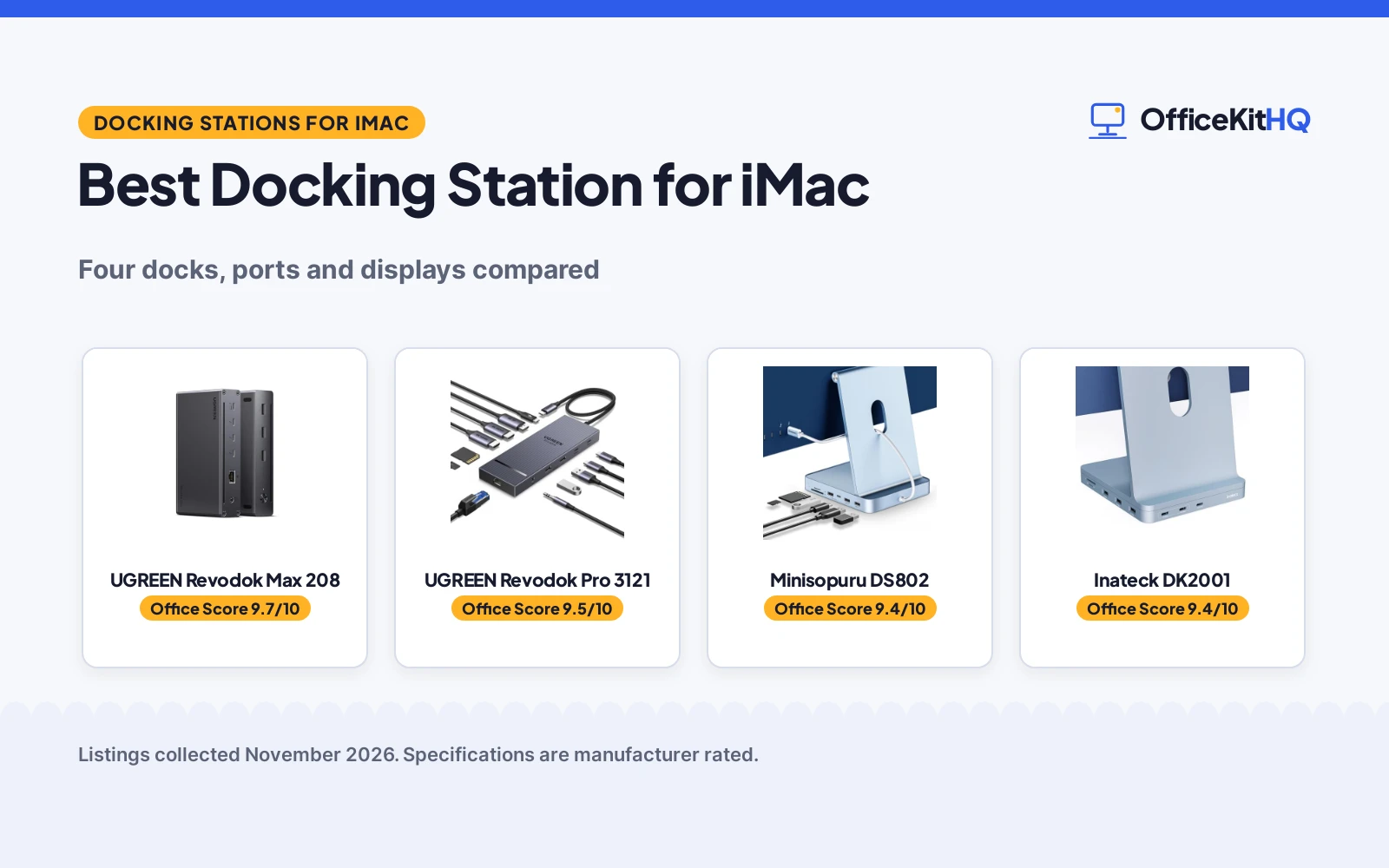
The best docking station for iMac solves the clutter that gathers behind a tidy desk: a cable for the drive, a cable for the card reader, a cable for the phone, and nowhere sensible to plug any of them. An iMac leaves little room for that tangle, so the right dock puts ports and storage within reach and keeps the desk clear for work. This article compares docks made for the iMac and docks built for heavy desktop use, using only what each maker publishes about ports, displays, data speed, charging and warranty.
OfficeKitHQ earns a commission when you buy through links on this page, at no extra cost to you. As an Amazon Associate I earn from qualifying purchases. Affiliate disclosure.
Quick picks
 Best Overall UGREEN Revodok Max 208: 40Gbps Thunderbolt 4, dual 4K at 60Hz, 85W charging, 2-year warranty Check price on Amazon
 Most Ports UGREEN Revodok Pro 3121: 12 ports, triple 4K, 100W PD, but macOS shows mirrored displays only Check price on Amazon
 Best iMac Fit Minisopuru DS802: Made for 24-inch iMac, M.2 SSD enclosure, 10Gbps, 7 ports Check price on Amazon
 Best Compact Hub Inateck DK2001: USB 3.2 Gen 2, NVMe enclosure, 3 USB-A and 2 USB-C ports Check price on Amazon
Our desk picks
| # | Product | Office Score | Buy |
|---|---|---|---|
| 1 | UGREEN Revodok Max 208 | 9.7/10 | Buy on Amazon |
| 2 | UGREEN Revodok Pro 3121 | 9.5/10 | Buy on Amazon |
| 3 | Minisopuru DS802 | 9.4/10 | Buy on Amazon |
| 4 | Inateck DK2001 | 9.4/10 | Buy on Amazon |

UGREEN Revodok Max 208
A Thunderbolt 4 dock with 3 downstream Thunderbolt 4 ports, 40Gbps transfer, dual 4K at 60Hz and 85W charging from the included 140W GaN charger.
Pros
- 3 Thunderbolt 4 ports move data at up to 40Gbps
- Dual 4K at 60Hz, or a single 8K at 30Hz display on Windows
- 85W charging from the included 140W GaN charger
- A 2-year warranty term is stated
Cons
- At 9.5 by 9.5 by 2.5 in, it takes far more desk space than the iMac hubs here
- No SSD enclosure for storage expansion
- Macs with basic M chips extend to a single 4K at 60Hz display
- The dock must be connected to the charger to work
Detailed Review
UGREEN lists the Revodok Max 208 as an 8-in-1 Thunderbolt 4 dock with 3 Thunderbolt 4 ports at 40Gbps and 15W each, 3 USB-A 3.2 ports at 10Gbps, a gigabit ethernet port and a 140W DC power port. It extends to two 4K at 60Hz displays or a single 8K at 30Hz display for Windows laptops, and to two 4K at 60Hz displays or a single 4K at 60Hz display for MacBooks with Pro or Max chips. With the included 140W GaN charger it charges a laptop at up to 85W while working. The maker lists compatibility with Thunderbolt 4, Thunderbolt 3, USB4 and USB-C computers and tablets, including MacBooks running macOS 11.4 and above and Windows laptops running Windows 10 and above, and notes that it is not compatible with Mac mini 2018.
Who it's for: someone with a Pro or Max Mac who wants dual 4K displays, 40Gbps transfer and 85W charging from a single dock. Who should skip it: anyone using a basic M-chip Mac who wants more than one external 4K display, or anyone short on desk space.
Its Office Score of 9.7/10 comes from performance 33/35, build 22/25, value 20/25, safety 8/10 and warranty 3/5: 86 of 100 points, placed on our 9.2 to 9.8 scale.
Key Specifications
| Display | Dual 4K at 60Hz |
|---|---|
| Data speed | 40Gbps |
| Charging | 85W |
| Ports | 8-in-1 |
These specs mirror the retailer listing as of 20 November 2026; performance figures are stated by the brand.
Safety and Warranty
What this listing states. Thunderbolt 4 ports with 40Gbps transfer are stated, so safety scores 8 of 10. 2-year warranty. It does not say everything a buyer needs, such as who pays return shipping, so warranty scores 3 of 5. See How We Pick.
Power and heat. Use the supplied adapter, treat power delivery wattage and display support as the maker's claims for your laptop model, and give the dock room to vent.
This is general buying information, not professional advice. Follow each product manual and local rules, and see our Safety Disclaimer.

UGREEN Revodok Pro 3121
A 12-in-1 dock with 2 HDMI ports, a DP port, triple 4K support, 10Gbps USB-C ports, 100W PD charging and a 1000Mbps ethernet port.
Pros
- 12-in-1 port set covers 2 HDMI, DP, USB-C, USB-A, card slots, ethernet and audio
- Triple 4K support: single 4K at 120Hz, dual 4K at 60Hz and triple 4K at 30Hz
- 100W PD charging, with up to 85W pass-through for a laptop
- SD/TF card reader runs at 104MB/s and ethernet at 1000Mbps
Cons
- On macOS it supports mirroring mode only, so all external displays show identical content
- The maker does not recommend it for Mac users who need extended mode
- The 100W PD port only supports charging, not data transfer or video output
- Not compatible with smartphones or tablets
Detailed Review
UGREEN lists the Revodok Pro 3121 as a 12-in-1 dock with 2 HDMI ports, 1 DP port, 2 10Gbps USB-C 3.2 ports, 2 USB-A 2.0 data ports, an SD/TF 3.0 card reader, 100W PD charging and a 3.5mm audio port. It supports single-screen 4K at 120Hz, dual-screen 4K at 60Hz and triple-screen 4K at 30Hz. The 100W PD port supports up to 85W USB-C pass-through charging for a laptop, reserving 15W for other port operations, and the maker states that a 100W-rated USB-C PD charger and a 100W-rated USB-C cable are needed for optimal charging. The ethernet port runs at 1000Mbps, the SD/TF slot at 104MB/s, and the 3.5mm audio supports 192KHz 24bit output. The maker states that on macOS the dock supports mirroring mode only, with all external displays showing identical content.
Who it's for: someone who wants the widest port set here and triple 4K displays on Windows, or an iMac user happy with mirrored displays. Who should skip it: anyone on macOS who needs extended mode with different content on each display.
Its Office Score of 9.5/10 comes from performance 29/35, build 21/25, value 21/25, safety 0/10 and warranty 3/5: 74 of 100 points, placed on our 9.2 to 9.8 scale.
Key Specifications
| Ports | 12-in-1 |
|---|---|
| Display | Triple 4K |
| Data speed | 10Gbps |
| Charging | 100W PD |
These specs mirror the retailer listing as of 20 November 2026; performance figures are stated by the brand.
Safety and Warranty
What this listing states. No UL, FCC or over-current protection statement is stated, so safety scores zero. 2-year warranty. It does not say everything a buyer needs, such as who pays return shipping, so warranty scores 3 of 5. See How We Pick.
Power and heat. Use the supplied adapter, treat power delivery wattage and display support as the maker's claims for your laptop model, and give the dock room to vent.
This is general buying information, not professional advice. Follow each product manual and local rules, and see our Safety Disclaimer.

Minisopuru DS802
A 7-in-1 hub made for the 24-inch iMac, with an M.2 SSD enclosure, 10Gbps data, 4 USB ports and SD/TF card slots in an aluminum body.
Pros
- Designed as a natural extension of the 24-inch iMac, in blue aluminum
- M.2 SSD enclosure adds storage, supporting M.2 NVMe or SATA SSDs
- 10Gbps on the USB-C 3.2 Gen2 and USB-A 3.2 ports
- SD/TF simultaneous reading and writing is stated
Cons
- No warranty term is stated
- The SSD is not included
- The two USB-A 2.0 ports run at 480Mbps, far below the 10Gbps ports
- Adds a visible base under the iMac stand
Detailed Review
Minisopuru lists the DS802 as a 7-in-1 hub for the 24-inch iMac M1, M3, M4, M5 and M6, with an M.2 SSD enclosure, 10Gbps data, 4 USB ports and SD/TF card slots. The ports are 1 USB-C 3.2 Gen2 at 10Gbps, 1 USB-A 3.2 at 10Gbps and 2 USB-A 2.0 at 480Mbps, plus an SD/TF card reader with simultaneous reading and writing. The enclosure takes M.2 NVMe or M.2 SATA SSDs, and the SSD is not included. The maker gives two maximum capacities for the enclosure, 4TB and 2TB; check before ordering. The aluminum body is stated to dissipate heat, and non-slip pads and a removable bottom plate sit on the underside.
Who it's for: someone with a 24-inch iMac who wants extra storage and ports in a hub that sits under the stand. Who should skip it: anyone who needs display output or charging from the dock, or anyone who wants the SSD included in the box.
Its Office Score of 9.4/10 comes from performance 28/35, build 21/25, value 20/25, safety 0/10 and warranty 0/5: 69 of 100 points, placed on our 9.2 to 9.8 scale.
Key Specifications
| Ports | 7-in-1 |
|---|---|
| Data speed | 10Gbps |
| SSD enclosure | M.2 NVMe or SATA |
| Material | Aluminum alloy |
These specs mirror the retailer listing as of 20 November 2026; performance figures are stated by the brand.
Safety and Warranty
What this listing states. No UL, FCC or over-current protection statement is stated, so safety scores zero. No warranty term, so warranty scores zero. See How We Pick.
Power and heat. Use the supplied adapter, treat power delivery wattage and display support as the maker's claims for your laptop model, and give the dock room to vent.
This is general buying information, not professional advice. Follow each product manual and local rules, and see our Safety Disclaimer.

Inateck DK2001
A hub for the 24-inch iMac with 3 USB-A ports, 2 USB-C ports, SD and Micro SD slots and an NVMe SSD enclosure at the base.
Pros
- USB 3.2 Gen 2 standard, stated as twice as fast as USB 3.0
- NVMe SSD enclosure at the bottom adds capacity for expansion and backup
- 3 USB-A ports, 2 USB-C ports, an SD slot and a Micro SD slot
- A screw and screwdriver are included for fitting the SSD
Cons
- No warranty term is stated
- No video output is included, so it cannot add a monitor
- Fits the 24-inch iMac with M1, M3 and M4 chips, so it does not cover other sizes
- The pack includes a single USB cable, so a spare cable is not in the box
Detailed Review
Inateck lists the DK2001 as a docking station for the 24-inch iMac with M1, M3 and M4 chips, with USB 3.2 Gen 2, 3 USB-A ports, 2 USB-C ports, an SD card slot and a Micro SD card slot. The maker states that the USB 3.2 Gen 2 standard gives a theoretical transfer speed twice as fast as USB 3.0. An NVMe SSD enclosure sits at the bottom of the dock for capacity expansion and data backup, and the hub can recharge a smartphone and tablet. The pack includes the DK2001, a USB cable, a screw and a screwdriver. The body measures 5.12 by 5.75 by 0.67 in and weighs 0.49 lb, in blue.
Who it's for: someone with a 24-inch iMac who wants more USB ports, card slots and an SSD enclosure in a light, compact hub. Who should skip it: anyone who needs display output, charging wattage in writing, or a warranty term.
Its Office Score of 9.4/10 comes from performance 27/35, build 20/25, value 20/25, safety 0/10 and warranty 0/5: 67 of 100 points, placed on our 9.2 to 9.8 scale.
Key Specifications
| Ports | 3 USB-A, 2 USB-C |
|---|---|
| Card slots | SD and Micro SD |
| Item weight | 0.49 lb |
| Dimensions | 5.12 by 5.75 by 0.67 in |
These specs mirror the retailer listing as of 20 November 2026; performance figures are stated by the brand.
Safety and Warranty
What this listing states. No UL, FCC or over-current protection statement is stated, so safety scores zero. No warranty term, so warranty scores zero. See How We Pick.
Power and heat. Use the supplied adapter, treat power delivery wattage and display support as the maker's claims for your laptop model, and give the dock room to vent.
This is general buying information, not professional advice. Follow each product manual and local rules, and see our Safety Disclaimer.
As an Amazon Associate I earn from qualifying purchases.
Specs compared
| Docking Station | Office Score | Ports | Display | Data speed | Charging | Warranty | Amazon |
|---|---|---|---|---|---|---|---|
| UGREEN Revodok Max 208 | 9.7/10 | 8-in-1 | Dual 4K at 60Hz | 40Gbps | 85W | 2 years | View on Amazon |
| UGREEN Revodok Pro 3121 | 9.5/10 | 12-in-1 | Triple 4K, macOS mirrors only | 10Gbps | 100W PD | 2 years | View on Amazon |
| Minisopuru DS802 | 9.4/10 | 7-in-1 | Not stated | 10Gbps | Not stated | Not stated | View on Amazon |
| Inateck DK2001 | 9.4/10 | 3 USB-A, 2 USB-C | Not stated | USB 3.2 Gen 2 | Phone and tablet charging | Not stated | View on Amazon |
All numbers are the manufacturer’s stated specs, not measured in an office, pulled on 20 November 2026. Two of the four state a warranty term; one states Thunderbolt 4.
How to choose the best docking station for iMac
Start with the iMac in front of you
Two hubs here were made for the 24-inch iMac: the Minisopuru DS802, listed for the iMac M1, M3, M4, M5 and M6, and the Inateck DK2001, listed for the 24-inch iMac with M1, M3 and M4 chips. Both sit under the stand and add ports and an SSD enclosure. The two UGREEN docks are general docks for USB-C and Thunderbolt computers, so they suit an iMac with a spare Thunderbolt or USB-C port and a desk with room for a larger box. Check the stated fit before ordering, since the DS802 embedded design is listed for the 24-inch iMac only.
Count ports before counting displays
Port counts run from 7 on the DS802 to 12 on the Revodok Pro 3121, with the Revodok Max 208 at 8 and the DK2001 at 3 USB-A ports and 2 USB-C ports plus card slots. Display support is where the choice narrows: the 3121 gives triple 4K on Windows but mirrors only on macOS, and the 208 gives dual 4K at 60Hz for Pro and Max Macs but a single 4K at 60Hz display for Macs with basic M chips. A Thunderbolt cable types guide helps when matching a cable to the 40Gbps ports on the 208, and a USB hub types guide covers the simpler USB-C hubs.
| Docking Station | Display | Data speed | Charging |
|---|---|---|---|
| UGREEN Revodok Max 208 | Dual 4K at 60Hz | 40Gbps | 85W |
| UGREEN Revodok Pro 3121 | Triple 4K, macOS mirrors only | 10Gbps | 100W PD |
| Minisopuru DS802 | Not stated | 10Gbps | Not stated |
| Inateck DK2001 | Not stated | USB 3.2 Gen 2 | Phone and tablet charging |
Figures as stated in each listing. Display support is the limiting factor on macOS: mirroring on the 3121 and a single external 4K display for MacBooks with basic M chips on the 208.
Storage, charging and card slots
Two docks add storage: the DS802 takes M.2 NVMe or M.2 SATA SSDs, and the DK2001 has an NVMe SSD enclosure at the bottom of the dock. The DS802 SSD is not included, so the drive is a separate purchase. Charging differs sharply: the 208 charges a laptop at up to 85W from its included 140W GaN charger, the 3121 offers 100W PD with up to 85W pass-through, and the DK2001 recharges a smartphone and tablet. Card readers are on three of the four: SD and TF on the DS802 and the 3121, SD and Micro SD on the DK2001, with the 3121 SD/TF slot stated at 104MB/s.
Read the warranty line
Two listings state a warranty term, both UGREEN docks at 2 years. The DS802 and the DK2001 state no warranty term, so the warranty score for both is zero and the 2-year term is the only written cover here. A warranty term matters most on a dock that stays plugged in all day, since ports and power delivery do the daily work. Check the stated term before ordering. The DK2001 pack includes a screw and screwdriver for fitting the SSD, which is worth keeping with the dock.
Setup Notes
- Measure the space under the iMac stand: the DK2001 measures 5.12 by 5.75 by 0.67 in, and the Revodok Max 208 measures 9.5 by 9.5 by 2.5 in.
- Fit the SSD before sliding a hub under the iMac, since the DS802 enclosure sits under a removable bottom plate and the DK2001 enclosure sits at the bottom of the dock.
- Connect the Revodok Max 208 to its 140W charger before use, since the dock must be connected to the charger to work, and use a 100W-rated PD charger and cable with the Revodok Pro 3121 for optimal charging.
- Plan for mirrored displays on the 3121 with macOS, and for a single 4K at 60Hz display from a basic M-chip MacBook on the 208.
FAQ
Which docking station suits a 24-inch iMac best?
The Minisopuru DS802 and the Inateck DK2001 were made for the 24-inch iMac, and both add an SSD enclosure. The UGREEN Revodok Max 208 ranks first here on ports, display support and charging, but Macs with basic M chips extend to a single 4K at 60Hz display on it.
Can the UGREEN Revodok Pro 3121 extend displays on an iMac?
No. The maker states that on macOS the dock supports mirroring mode only, so all external displays show identical content. It is not recommended for Mac users who need extended mode with different content on each display.
How fast is data transfer on these docks?
The Revodok Max 208 moves data at up to 40Gbps over Thunderbolt 4. The DS802 and the Revodok Pro 3121 state 10Gbps on their USB-C ports, and the DK2001 states USB 3.2 Gen 2, with a theoretical transfer speed twice as fast as USB 3.0.
Which docks add storage to an iMac?
The DS802 takes M.2 NVMe or M.2 SATA SSDs, and the DK2001 has an NVMe SSD enclosure at the bottom of the dock. The DS802 SSD is not included. The maker gives two maximum capacities for the DS802 enclosure, 4TB and 2TB; check before ordering.
Which of these docks state a warranty term?
Both UGREEN docks state a 2-year warranty. The DS802 and the DK2001 state no warranty term.
Score breakdown
The Office Score weighs performance (ports, display support and data speed), build (materials, size and item weight), value for the stated specs, safety and warranty. For a docking station, safety means a stated certification or safety feature on the listing; the UGREEN Revodok Max 208 states Thunderbolt 4, and the other three state no certification. Two listings state a warranty term: both UGREEN docks at 2 years. How we pick explains the weights.
| Product | Office Score | Perf. /35 | Build /25 | Value /25 | Safety /10 | Warranty /5 |
|---|---|---|---|---|---|---|
| UGREEN Revodok Max 208 | 9.7 | 33 | 22 | 20 | 8 | 3 |
| UGREEN Revodok Pro 3121 | 9.5 | 29 | 21 | 21 | 0 | 3 |
| Minisopuru DS802 | 9.4 | 28 | 21 | 20 | 0 | 0 |
| Inateck DK2001 | 9.4 | 27 | 20 | 20 | 0 | 0 |
We fit point totals onto a 9.2 low and 9.8 high in a straight line. One item can outscore another only by earning more points.
More for your workspace
See every docking stations and USB hubs guide and all audio, power and connectivity guides. Also see our best docking station for MacBook Pro. Also see our best USB hub for MacBook. Also see our USB hub types. Also see our Thunderbolt cable types. Also see our best wireless mouse for iMac.
More picks: docking station for MacBook Pro, USB hub for MacBook, wireless mouse for iMac.