The best wireless mouse for iMac pairs in a moment, glides across the desk and stays quiet through a morning of calls. A cursor that stalls halfway across the screen turns a simple drag into a chore, while a loud click fills a quiet room. This roundup compares wireless mice for iMac by connection, quiet clicks, charging and size, using only what each maker publishes.
OfficeKitHQ earns a commission when you buy through links on this page, at no extra cost to you. As an Amazon Associate I earn from qualifying purchases. Affiliate disclosure.
Quick picks
 Best Overall TENMOS M18: Tri-mode Bluetooth 5.1 and 2.4G, USB-C charging, silent clicks Check price on Amazon
 Best Renewed Apple Magic Mouse A1296: Laser tracking, touch surface, 90-day supplier-backed warranty Check price on Amazon
 Best for Mac Macally Bluetooth Mouse: Bluetooth up to 30 feet, quiet clicks, USB-C charging, slim shape Check price on Amazon
 Seven Buttons Logitech M510: 7 buttons and tilt scroll for extra controls Check price on Amazon
 Four Buttons Amazon Basics Mouse: 4-button ambidextrous shape for either hand Check price on Amazon
Our desk picks
| # | Product | Office Score | Buy |
|---|---|---|---|
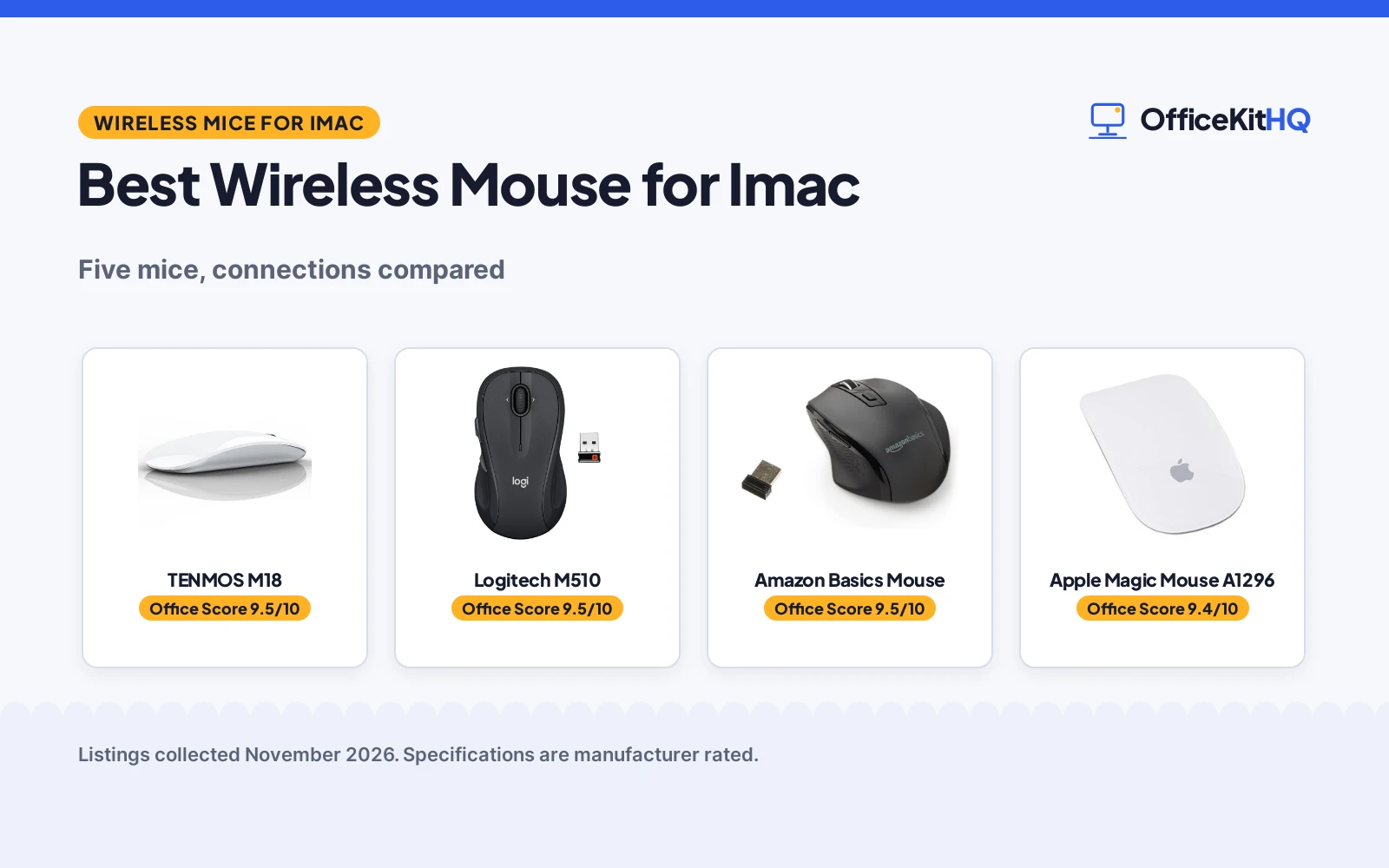
| 1 | TENMOS M18 | 9.5/10 | Buy on Amazon |
| 2 | Logitech M510 Mouse | 9.5/10 | Buy on Amazon |
| 3 | 4-button AA | 9.5/10 | Buy on Amazon |
| 4 | Apple Magic Mouse A1296 | 9.4/10 | Buy on Amazon |
| 5 | Macally Bluetooth Mouse | 9.4/10 | Buy on Amazon |

TENMOS M18
A tri-mode mouse that controls three devices over Bluetooth 5.1, Bluetooth 5.0 or 2.4G, with USB-C charging and silent clicks.
Pros
- Controls three devices over Bluetooth 5.1, Bluetooth 5.0 or 2.4G
- USB-C charging with a built-in rechargeable battery
- Sleeps after 8 minutes idle and wakes with any click
- Ships with a USB receiver and a USB-C adapter for USB-A or USB-C ports
Cons
- No warranty term is stated
- White is the only color listed
- Mode switching needs the button on the underside of the mouse
- USB-C connection needs the receiver plugged into the adapter first
Detailed Review
TENMOS lists the M18 as a tri-mode wireless mouse that controls three devices, switching between Bluetooth 5.1, Bluetooth 5.0 and 2.4G with a mode switch button on the bottom of the mouse. It charges over USB-C from a built-in rechargeable battery, sleeps after 8 minutes of inactivity and wakes with any click, and the left and right buttons use a quiet click. The maker lists compatibility with Windows, macOS, iPadOS, ChromeOS and Linux, and the box includes a USB receiver and a USB-C adapter for computers with USB-A or USB-C ports. The stated size is 4.4 by 2.3 by 0.1 in.
Who it's for: Mac and PC users who switch between three devices and want silent clicks with USB-C charging. Who should skip it: anyone who wants a stated warranty term or a color other than white.
Its Office Score of 9.5/10 comes from performance 30/35, build 21/25, value 21/25, safety 0/10 and warranty 0/5: 72 of 100 points, placed on our 9.2 to 9.8 scale.
Key Specifications
| Connection | Bluetooth 5.1, Bluetooth 5.0, 2.4G |
|---|---|
| Size | 4.4 x 2.3 x 0.1 in |
| Charging | USB-C, built-in rechargeable battery |
| Sleep | After 8 minutes idle |
These specs mirror the retailer listing as of 18 November 2026; performance figures are stated by the brand.
Safety and Warranty
What this listing states. No FCC or other safety listing is stated, so safety scores zero. No warranty term, so warranty scores zero. See How We Pick.
Fit the desk first. Check the stated size against your desk depth and keyboard tray, and charge or pair as the manual describes. No keyboard, mouse or wrist rest prevents or treats injury.
This is general buying information, not professional advice. Follow each product manual and local rules, and see our Safety Disclaimer.

Logitech M510 Mouse
A full-size right-hand wireless mouse with 7 buttons, tilt-to-scroll and a stated 2-year battery life.
Pros
- 2-year stated battery life on 2 AA batteries
- Back and Forward buttons programmable, plus tilt scroll and zoom
- Contoured shape with soft rubber grips
- Full-size broad palm area
Cons
- Only the Back/Forward buttons are programmable
- 1000 DPI maximum is the lowest here
- Right-hand shape only; the listing notes right-handers specifically
- Full button programming needs the SetPoint software
Detailed Review
Logitech lists the M510 as a full-size wireless mouse with 7 buttons: three standard plus Back and Forward buttons programmable to switch apps or go full screen, with tilt-to-scroll and zoom via SetPoint software. The listing states a 2-year battery life on 2 AA batteries and a contoured right-hand shape with rubber grips. Maximum sensitivity is 1000 DPI. A 1 Year warranty is stated.
Who it's for: office users who want tilt scrolling and a comfortable full-size shape. Who should skip it: anyone who needs many programmable buttons or high DPI.
Its Office Score of 9.5/10 comes from performance 27/35, build 21/25, value 21/25, safety 0/10 and warranty 2/5: 71 of 100 points, placed on our 9.2 to 9.8 scale.
Key Specifications
| Buttons | 7, Back/Forward programmable |
|---|---|
| DPI | 1000 max |
| Battery | 2 years, 2 AA |
| Hand | Right |
Figures as published on the retailer listing, collected 17 October 2026. Performance figures are manufacturer rated.
Safety and Warranty
What this listing states. No FCC or other safety listing is stated, so safety scores zero. 1 Year. It does not say everything a buyer needs, such as who pays return shipping, so warranty scores 2 of 5. See How We Pick.
Fit the desk first. Check the stated size against your desk depth and keyboard tray, and charge or pair as the manual describes. No keyboard, mouse or wrist rest prevents or treats injury.
This is general buying information, not professional advice. Follow each product manual and local rules, and see our Safety Disclaimer.

4-button AA
A 4-button ambidextrous wireless mouse with 33 ft range and 1 AA battery.
Pros
- 33 ft range stated
- Ambidextrous stated
- AA included stated
- Comfort stated
Cons
- 4 buttons only
- No DPI stated
- No warranty stated
- AA needed
Detailed Review
The listing states a 4-button ambidextrous wireless mouse with 2.4 GHz connection, 33 ft range, optical tracking and 1 AA battery included, designed for prolonged use without strain. No warranty term is stated, so warranty scores zero.
Who it's for: shared desks. Who should skip it: anyone who wants 6 buttons.
Its Office Score of 9.5/10 comes from performance 29/35, build 21/25, value 21/25, safety 0/10 and warranty 0/5: 71 of 100 points, placed on our 9.2 to 9.8 scale.
Key Specifications
| Buttons | 4 |
|---|---|
| Range | 33 ft |
| Battery | 1 AA |
Figures as published on the retailer listing, collected 20 October 2026. Performance figures are manufacturer rated.
Safety and Warranty
What this listing states. No FCC or other safety listing is stated, so safety scores zero. No warranty term, so warranty scores zero. See How We Pick.
Fit the desk first. Check the stated size against your desk depth and keyboard tray, and charge or pair as the manual describes. No keyboard, mouse or wrist rest prevents or treats injury.
This is general buying information, not professional advice. Follow each product manual and local rules, and see our Safety Disclaimer.
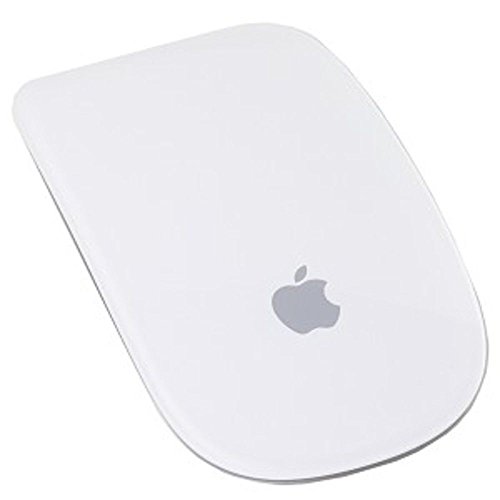
Apple Magic Mouse A1296
A renewed Apple laser mouse with Bluetooth, a touch-sensitive top shell and a 90-day supplier-backed warranty.
Pros
- Laser tracking rated at 20 times the performance of standard optical tracking
- Touch-sensitive technology is stated for the top shell
- 90-day supplier-backed warranty is stated
- Top-shell design matches other Apple products
Cons
- Renewed and pre-owned, with generic packaging and accessories
- 6.0 in length is the longest mouse here
- White is the only color listed
- Pairs over Bluetooth, so a device without Bluetooth cannot use it
Detailed Review
Apple lists the Magic Mouse A1296 as a renewed Bluetooth laser mouse with a touch-sensitive top shell and miniature sensors. The maker rates laser tracking at 20 times the performance of standard optical tracking, and the top-shell design matches other Apple products. Renewed products are pre-owned, inspected by Amazon-qualified suppliers, with a full diagnostic check, replacement of defective parts and a thorough cleaning process, and packaging and accessories may be generic. The stated size is 6.0 by 3.5 by 2.5 in, and all products on Amazon Renewed come with a minimum 90-day supplier-backed warranty.
Who it's for: Apple-device owners who want the Magic Mouse shape with a stated 90-day warranty. Who should skip it: anyone who wants a new-in-box mouse, a stated charging method or a color other than white.
Its Office Score of 9.4/10 comes from performance 28/35, build 20/25, value 18/25, safety 0/10 and warranty 2/5: 68 of 100 points, placed on our 9.2 to 9.8 scale.
Key Specifications
| Tracking | Laser, 20 times standard optical |
|---|---|
| Size | 6.0 x 3.5 x 2.5 in |
| Connection | Bluetooth |
| Warranty | 90 days limited |
These specs mirror the retailer listing as of 18 November 2026; performance figures are stated by the brand.
Safety and Warranty
What this listing states. No FCC or other safety listing is stated, so safety scores zero. 90-day supplier-backed warranty. It does not say everything a buyer needs, such as who pays return shipping, so warranty scores 2 of 5. See How We Pick.
Fit the desk first. Check the stated size against your desk depth and keyboard tray, and charge or pair as the manual describes. No keyboard, mouse or wrist rest prevents or treats injury.
This is general buying information, not professional advice. Follow each product manual and local rules, and see our Safety Disclaimer.

Macally Bluetooth Mouse
A slim Bluetooth mouse made for Apple devices, with quiet clicks, a range of up to 30 feet and USB-C charging.
Pros
- Bluetooth range of up to 30 feet from the device
- Clicks rated up to 90% quieter, with silicone membranes under the buttons
- Rechargeable battery with a USB-C charging cable
- Slim shape suits right- or left-handed use
Cons
- No warranty term is stated
- White is the only color listed
- The quiet-click claim excludes the scroll wheel
- Needs a Bluetooth-enabled device to pair
Detailed Review
Macally lists this mouse as a slim Bluetooth mouse designed for Apple devices, including MacBook Pro, MacBook Air, iPad and iMac, and it also pairs with a PC. The maker states a Bluetooth range of up to 30 feet, noise-reducing silicone membranes under the buttons and clicks up to 90% quieter, with the scroll wheel excluded. It uses a rechargeable battery with a USB-C charging cable, and the slim shape suits right- or left-handed use.
Who it's for: Mac users who want a slim, quiet Bluetooth mouse with USB-C charging. Who should skip it: anyone who wants a stated warranty term, a USB receiver or a color other than white.
Its Office Score of 9.4/10 comes from performance 29/35, build 20/25, value 20/25, safety 0/10 and warranty 0/5: 69 of 100 points, placed on our 9.2 to 9.8 scale.
Key Specifications
| Connection | Bluetooth, up to 30 feet |
|---|---|
| Clicks | Up to 90% quieter |
| Charging | USB-C, rechargeable battery |
| Color | White |
These specs mirror the retailer listing as of 18 November 2026; performance figures are stated by the brand.
Safety and Warranty
What this listing states. No FCC or other safety listing is stated, so safety scores zero. No warranty term, so warranty scores zero. See How We Pick.
Fit the desk first. Check the stated size against your desk depth and keyboard tray, and charge or pair as the manual describes. No keyboard, mouse or wrist rest prevents or treats injury.
This is general buying information, not professional advice. Follow each product manual and local rules, and see our Safety Disclaimer.
As an Amazon Associate I earn from qualifying purchases.
More picks to compare
 Macally Bluetooth Mouse SilverSilver version with 30-foot Bluetooth range and quiet clicks for Mac desks.Check on Amazon
 Afaartcci Rechargeable MouseDual-mode Bluetooth and receiver mouse with silent clicks for travel.Check on Amazon
 Apple Magic MouseMulti-Touch surface mouse with about a month of use between charges.Check on Amazon
Specs compared
| Mouse | Office Score | Connection | Quiet clicks | Charging | Size | Warranty | Amazon |
|---|---|---|---|---|---|---|---|
| TENMOS M18 | 9.5/10 | Bluetooth 5.1, 5.0 and 2.4G | Silent clicks | USB-C rechargeable | 4.4 x 2.3 x 0.1 in | Not stated | View on Amazon |
| Apple Magic Mouse A1296 | 9.4/10 | Bluetooth | Not stated | Not stated | 6.0 x 3.5 x 2.5 in | 90 days | View on Amazon |
| Macally Bluetooth Mouse | 9.4/10 | Bluetooth | Up to 90% quieter clicks | USB-C rechargeable | Not stated | Not stated | View on Amazon |
| Logitech M510 | 9.5/10 | Wireless | Not stated | Not stated | Not stated | Not stated | |
| Amazon Basics Mouse | 9.5/10 | Wireless | Not stated | Not stated | Not stated | Not stated |
We quote these figures from each listing as the brand rates them; captured 18 November 2026. One of the five states a warranty term; none states a safety certification.
How to choose the best wireless mouse for imac
Start with the connection
Connection decides how the mouse talks to the iMac. The TENMOS M18 covers the most ground, with Bluetooth 5.1, Bluetooth 5.0 and 2.4G in one mouse, so it can control three devices and switch between them with the mode switch button on the bottom. The Macally pairs over Bluetooth with a range of up to 30 feet, and the Apple Magic Mouse A1296 pairs over Bluetooth. A wireless mouse guide explains the connection types in more depth. Match the connection to the ports on the desk: the TENMOS ships with a USB receiver and a USB-C adapter, so it fits computers with USB-A or USB-C ports.
Quiet clicks and size
Click noise matters in a shared room or on a call. The Macally rates its clicks up to 90% quieter, with silicone membranes under the buttons, though the scroll wheel is excluded from that claim. The TENMOS states silent clicks for the left and right buttons. Size is the other half of fit: the TENMOS measures 4.4 by 2.3 by 0.1 in, while the Apple measures 6.0 by 3.5 by 2.5 in, the longest and tallest mouse here. A slim mouse suits a small hand or a shallow desk; a longer mouse gives more palm room.
Charging and sleep
Two of the five charge over USB-C: the TENMOS and the Macally both use a rechargeable battery with a USB-C cable, so one cable can serve the mouse and a laptop. The TENMOS adds a sleep mode after 8 minutes idle, waking with any click, which saves battery between charges. The Apple states no charging method, so check the power setup before ordering. A wireless mouse battery guide covers battery sizes and charging in more depth.
| Mouse | Connection | Charging | Size |
|---|---|---|---|
| TENMOS M18 | Bluetooth 5.1, 5.0 and 2.4G | USB-C rechargeable | 4.4 x 2.3 x 0.1 in |
| Apple Magic Mouse A1296 | Bluetooth | Not stated | 6.0 x 3.5 x 2.5 in |
| Macally Bluetooth Mouse | Bluetooth, up to 30 feet | USB-C rechargeable | Not stated |
| Logitech M510 | Wireless | Not stated | Not stated |
| Amazon Basics Mouse | Wireless | Not stated | Not stated |
Figures as stated by each maker. Size is listed as length by width by height; a smaller footprint leaves more room for a keyboard and a notebook.
Read the warranty line
Only one mouse here states a warranty term. The Apple Magic Mouse A1296 comes with a minimum 90-day supplier-backed warranty through Amazon Renewed. The TENMOS, the Macally, the Logitech and the Amazon Basics state no warranty term, so the buyer carries the risk after purchase. A stated term is worth checking before ordering, since it decides who pays when a button or a scroll wheel stops working.
Setup Notes
- Measure the desk space against the stated sizes: the TENMOS at 4.4 by 2.3 in and the Apple at 6.0 by 3.5 in.
- Keep the USB-C charging cable near the desk, since the TENMOS and the Macally both charge over USB-C.
- Pair over Bluetooth before the first work session, and keep the TENMOS receiver and USB-C adapter together for USB-C ports.
- Check the mode switch on the underside of the TENMOS before expecting it to control three devices.
FAQ
Which wireless mouse here connects to three devices?
The TENMOS M18 connects to three devices over Bluetooth 5.1, Bluetooth 5.0 and 2.4G, switching with the mode switch button on the bottom of the mouse.
How quiet are the clicks on these mice?
The Macally rates its clicks up to 90% quieter, with silicone membranes under the buttons and the scroll wheel excluded. The TENMOS states silent clicks for the left and right buttons without a figure.
Do any of these mice charge over USB-C?
Two do: the TENMOS M18 and the Macally Bluetooth Mouse both use a rechargeable battery with a USB-C cable. The Apple Magic Mouse A1296 states no charging method.
Which mouse states a warranty?
The Apple Magic Mouse A1296 states a minimum 90-day supplier-backed warranty through Amazon Renewed. The other four state no warranty term.
What size is the TENMOS M18?
The stated size is 4.4 by 2.3 by 0.1 in. The Apple Magic Mouse A1296 measures 6.0 by 3.5 by 2.5 in, the largest mouse here.
Score breakdown
The Office Score weighs performance (connection range, device switching, quiet clicks and tracking), build (size, shape and stated materials), value for the stated specs, safety and warranty. For a mouse, safety means a stated safety certification or safety-relevant feature from the maker; none of the five states one. One mouse here states a warranty term: the Apple Magic Mouse A1296 at 90 days. How we pick explains the weights.
| Product | Office Score | Perf. /35 | Build /25 | Value /25 | Safety /10 | Warranty /5 |
|---|---|---|---|---|---|---|
| TENMOS M18 | 9.5 | 30 | 21 | 21 | 0 | 0 |
| Apple Magic Mouse A1296 | 9.4 | 28 | 20 | 18 | 0 | 2 |
| Macally Bluetooth Mouse | 9.4 | 29 | 20 | 20 | 0 | 0 |
Score placement follows the weighted total: the lowest totals read 9.2, the highest 9.8, and everything between keeps its order.
More for your workspace
See every mice and mouse pads guide and all monitor mounts, keyboards and mice guides. Also see best wireless mouse for MacBook Pro. Also see best wireless mouse for MacBook Air. Also see best gaming mouse for MacBook. Also see best keyboard for Mac and Windows. Also see desk mat setup. Also see best wireless mouse for Dell laptop.
More picks: wireless mouse for MacBook Air, wireless mouse for MacBook Pro, gaming mouse for MacBook.