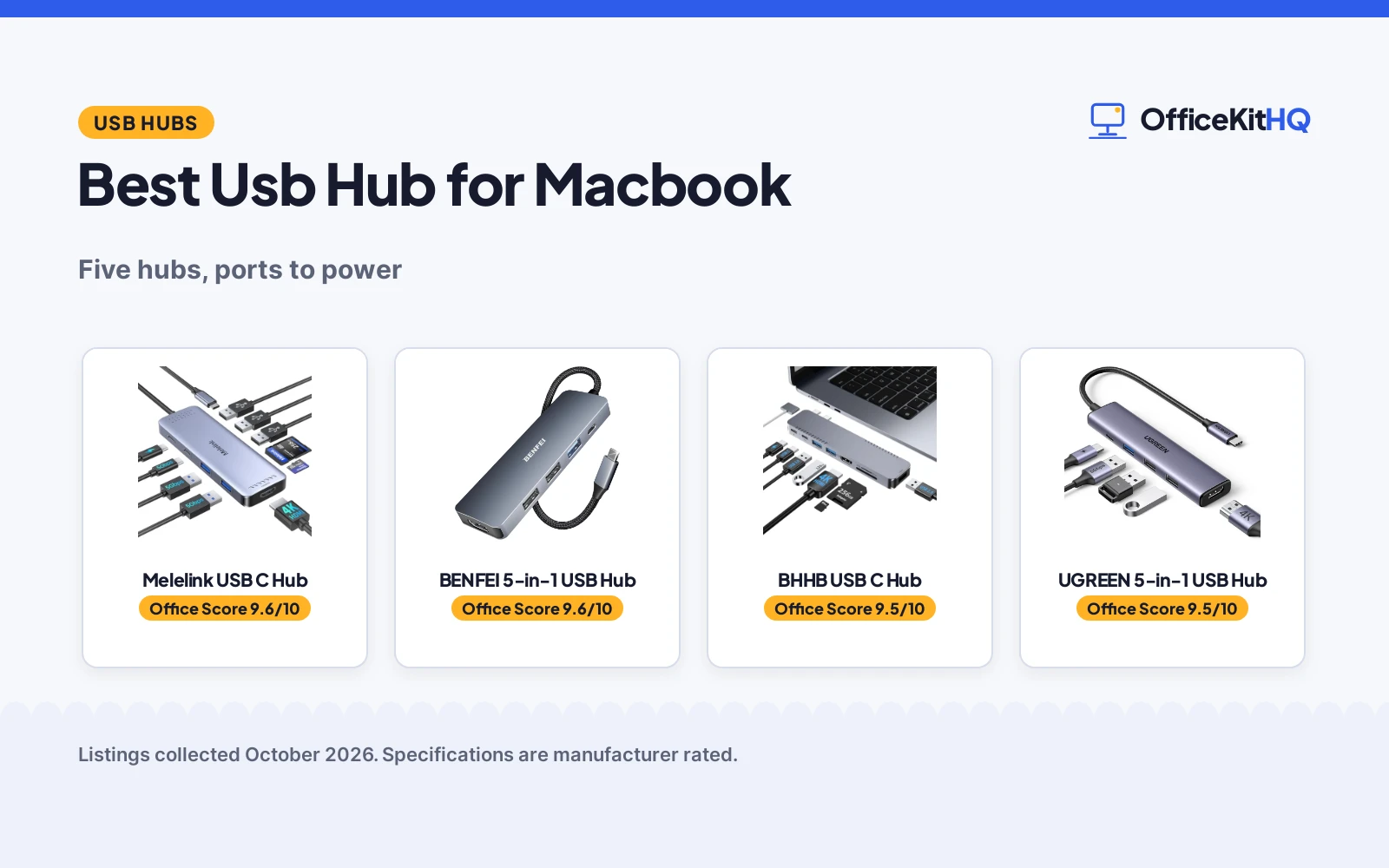
When the morning call starts, the webcam is dim and the laptop is running everything off a hub, the best usb hub for macbook is the one that adds the ports the MacBook left out and keeps the laptop charged through the workday. This guide compares five USB C hubs by ports, video output, power delivery, data speed and warranty, using only what each maker states.
OfficeKitHQ earns a commission when you buy through links on this page, at no extra cost to you. As an Amazon Associate I earn from qualifying purchases. Affiliate disclosure.
Quick picks
 Best Overall Melelink USB C Hub: 10-in-1, 4K@60Hz HDMI, 100W PD, 6 USB ports, card reader Check price on Amazon
 Best Thunderbolt BHHB USB C Hub: Thunderbolt 40 Gbps, 5K@60Hz, dual monitor, 100W PD Check price on Amazon
 Best 18-Month Warranty QAJOPFN USB C Hub: 4 USB 3.0 ports, 5 Gbps, aluminum case, 18-month warranty Check price on Amazon
 Basic 5-in-1 with PD BENFEI 5-in-1 USB Hub: 5-in-1 with 4K HDMI and 100W Power Delivery Check price on Amazon
 Basic 5-in-1 HDMI UGREEN 5-in-1 USB Hub: 5-in-1 with 4K HDMI Check price on Amazon
Our desk picks
| # | Product | Office Score | Buy |
|---|---|---|---|
| 1 | Melelink USB C Hub | 9.6/10 | Buy on Amazon |
| 2 | BENFEI USB C Hub 5-in-1 | 9.6/10 | Buy on Amazon |
| 3 | BHHB USB C Hub | 9.5/10 | Buy on Amazon |
| 4 | UGREEN 5-in-1 Hub | 9.5/10 | Buy on Amazon |
| 5 | QAJOPFN USB C Hub | 9.4/10 | Buy on Amazon |

Melelink USB C Hub
A 10-in-1 USB C hub with 4K@60Hz HDMI, 100W PD, 6 USB ports and an SD/TF card reader for MacBook Pro and Air.
Pros
- 10-in-1 with 6 USB ports, 4K@60Hz HDMI and an SD/TF card reader
- 100W PD charging while peripherals stay connected
- USB 3.0 ports at 5Gbps and USB 2.0 ports at 480Mbps
- Works with MacBook Pro and Air 2018 to 2025, M1 to M4
Cons
- Only 1 HDD/SSD can be connected at a time
- Does not support the Apple USB Super Drive
- HDMI needs a USB-C port that supports video output
- USB-C data port is not for video output
Detailed Review
Melelink lists a 10-in-1 USB C hub with a 4K@60Hz HDMI port, 2 USB 3.0 ports, 3 USB 2.0 ports, a USB-C data port, 100W PD charging and an SD/TF card reader. The HDMI output runs at 3840 by 2160 and downscales to 2K@120Hz and 1080P, and it mirrors or extends the laptop screen on monitors, TVs and projectors with HDMI ports. The USB 3.0 ports run at 5Gbps and the USB 2.0 ports run at 480Mbps, and the hub connects keyboards, mice, USB drives and hard disks. It works with MacBook Pro and Air from 2018 to 2025 with M1 to M4 chips, plus iMac, iPad Pro and iPhone 15 Pro and Pro Max. The maker gives two USB port counts, 6 and 5; check before ordering.
Who it's for: MacBook Pro and Air users who want 4K@60Hz video, 100W charging and a card reader in one hub. Who should skip it: anyone who needs more than 1 hard drive connected, or anyone whose USB-C port does not support video output.
Its Office Score of 9.6/10 comes from performance 33/35, build 21/25, value 21/25, safety 0/10 and warranty 2/5: 77 of 100 points, placed on our 9.2 to 9.8 scale.
Key Specifications
| Ports | 10-in-1 |
|---|---|
| Video | 4K@60Hz HDMI |
| Power | 100W PD |
| Data | 5Gbps USB 3.0 |
These specs mirror the retailer listing as of 18 November 2026; performance figures are stated by the brand.
Safety and Warranty
What this listing states. No UL, FCC or over-current protection statement is stated, so safety scores zero. 1 Year Manufacturer. It does not say everything a buyer needs, such as who pays return shipping, so warranty scores 2 of 5. See How We Pick.
Power and heat. Use the supplied adapter, treat power delivery wattage and display support as the maker's claims for your laptop model, and give the dock room to vent.
This is general buying information, not professional advice. Follow each product manual and local rules, and see our Safety Disclaimer.

BENFEI USB C Hub 5-in-1
A 5-in-1 USB-C hub with certified 4K HDMI, 100W power delivery and 3 USB-A ports, suited to mobile offices.
Pros
- Certified 4K HDMI, per the listing
- 100W power delivery
- 3 USB-A ports
- 18-month warranty, per the listing
Cons
- No USB-C data port is stated
- No Ethernet port
- No SD card reader is stated
- Silicone cable may attract dust
Detailed Review
The BENFEI is a 5-in-1 USB-C hub with certified 4K HDMI, 100W power delivery and 3 USB-A ports, on a super-soft silicone woven cable. The 18-month warranty with 24-hour response is stated, per the listing.
The port mix is video, power and USB-A only: no USB-C data port, no Ethernet and no SD reader are stated. The silicone cable is a comfort feature, though it may attract dust in a bag.
Best for mobile offices that need HDMI, charging and USB-A through one port.
Its Office Score of 9.6/10 comes from performance 30/35, build 21/25, value 20/25, safety 4/10 and warranty 3/5: 78 of 100 points, placed on our 9.2 to 9.8 scale.
Key Specifications
| HDMI | 4K, certified |
|---|---|
| Power delivery | 100W |
| USB-A | 3 ports |
| Warranty | 18 months |
Figures as published on the retailer listing, collected 21 October 2026. Performance figures are manufacturer rated.
Safety and Warranty
What this listing states. Certified 4K HDMI is stated; no safety certification is stated, so safety scores 4 of 10. 18-month. It does not say everything a buyer needs, such as who pays return shipping, so warranty scores 3 of 5. See How We Pick.
Power and heat. Use the supplied adapter, treat power delivery wattage and display support as the maker's claims for your laptop model, and give the dock room to vent.
This is general buying information, not professional advice. Follow each product manual and local rules, and see our Safety Disclaimer.

BHHB USB C Hub
An 8-in-2 USB C hub with 4K@30Hz HDMI, a Thunderbolt 4/3 port at 5K@60Hz, dual monitor support and 100W PD for MacBook Pro and Air.
Pros
- Thunderbolt 4/3 port at up to 40 Gbps with 5K@60Hz video
- Dual monitor display, with 2 external displays on M4 and M5 chips
- 100W PD with 85W of charging power for the laptop
- SD and TF cards can be read at the same time
Cons
- No warranty term is stated
- Not compatible with MacBook Neo
- Not compatible with MacBooks that have a bottom case installed
- M1, M2 and M3 chips do not support 2 external monitors
Detailed Review
BHHB lists an 8-in-2 USB C hub for MacBook Pro 13 to 16 inches from 2016 to 2026 and MacBook Air from 2018 to 2026 with M1 to M5 chips. The HDMI port runs at 4K@30Hz, the Thunderbolt 4/3 port supports 5K@60Hz, and the hub supports dual monitor display to mirror or extend the laptop screen on a TV, monitor or projector. The M4 and M5 chips support 2 external displays at the same time, while the M1, M2 and M3 chips do not. It provides 100W PD, with 85W of charging power for the laptop and 15W reserved for connected peripherals, and it reads SD and TF cards at the same time at up to 104 m/s. The hub is plug and play with no drivers, and it will not block the MagSafe port.
Who it's for: MacBook Pro and Air users who want Thunderbolt speed, dual monitors and 100W charging in one hub. Who should skip it: anyone with a MacBook Neo, a bottom case on the MacBook, or an M1, M2 or M3 chip who wants 2 external monitors.
Its Office Score of 9.5/10 comes from performance 32/35, build 21/25, value 21/25, safety 0/10 and warranty 0/5: 74 of 100 points, placed on our 9.2 to 9.8 scale.
Key Specifications
| Ports | 8-in-2 |
|---|---|
| Video | 4K@30Hz HDMI |
| Thunderbolt | 40 Gbps |
| Power | 100W PD |
These specs mirror the retailer listing as of 18 November 2026; performance figures are stated by the brand.
Safety and Warranty
What this listing states. No UL, FCC or over-current protection statement is stated, so safety scores zero. No warranty term, so warranty scores zero. See How We Pick.
Power and heat. Use the supplied adapter, treat power delivery wattage and display support as the maker's claims for your laptop model, and give the dock room to vent.
This is general buying information, not professional advice. Follow each product manual and local rules, and see our Safety Disclaimer.

Pros
- 4K HDMI port for an external display
- 100W USB-C power delivery
- Three USB-A data ports: one at 5Gbps and two at 480Mbps
- 24-month warranty; aluminum enclosure
Cons
- Five ports is the fewest here
- No display refresh rate is stated for the HDMI
- No safety certifications are stated on the listing
- The listing gives few details beyond the port list
Detailed Review
The listing states a 5-in-1 USB C hub with a 4K HDMI port, a 100W USB-C PD port, one 5Gbps USB-A data port and two 480Mbps USB-A ports. It measures 4.79 inches long by 1.09 inches wide by 0.47 inches high, weighs 91 g, uses an aluminum enclosure, and lists compatibility with MacBook Pro and Air M5 through M1. A 24-month warranty is stated.
Who it's for: a MacBook Air user who wants a simple hub for one screen and basic peripherals. Who should skip it: someone who needs more ports or a stated 4K refresh rate.
Its Office Score of 9.5/10 comes from performance 28/35, build 20/25, value 19/25, safety 0/10 and warranty 4/5: 71 of 100 points, placed on our 9.2 to 9.8 scale.
Key Specifications
| Ports | 5 |
|---|---|
| Display | 4K HDMI |
| Power | 100W PD |
| Size | 4.79 x 1.09 x 0.47 in, 91 g |
Figures as published on the retailer listing, collected 21 October 2026. Performance figures are manufacturer rated.
Safety and Warranty
What this listing states. No UL, FCC or over-current protection statement is stated, so safety scores zero. 24 month. It does not say everything a buyer needs, such as who pays return shipping, so warranty scores 4 of 5. See How We Pick.
Power and heat. Use the supplied adapter, treat power delivery wattage and display support as the maker's claims for your laptop model, and give the dock room to vent.
This is general buying information, not professional advice. Follow each product manual and local rules, and see our Safety Disclaimer.

QAJOPFN USB C Hub
A 4-port USB C to USB A 3.0 hub with 5Gbps data transfer, OTG support and an aluminum alloy case for MacBook Pro and Air.
Pros
- 4 USB 3.0 ports from one Type-C port
- Data transfer at up to 5Gbps, 10 times faster than USB 2.0
- OTG support for phones and iPad Pro
- Aluminum alloy case, lightweight and portable
Cons
- Does not support charging and display functions
- Devices over 900mA total current cannot be connected
- No card reader, unlike the Melelink and BHHB hubs
- Only 4 ports, against 10-in-1 on the Melelink
Detailed Review
QAJOPFN lists a 4-port USB C to USB A 3.0 hub that expands one Type-C port into 4 USB ports for MacBook Pro and Air, laptops, keyboards, mice and flash drives. It supports USB 3.0 with data transfer at up to 5Gbps, 10 times faster than USB 2.0, and it needs no drivers, just plug and play. The OTG function connects mice, keyboards, flash drives and card readers to a Type-C phone or iPad Pro. The case is aluminum alloy, lightweight and portable, and the maker states 18 months of warranty service.
Who it's for: MacBook Pro and Air users who want a simple 4-port USB expander with OTG for phones and iPad Pro. Who should skip it: anyone who wants charging, a display output or a card reader in the hub.
Its Office Score of 9.4/10 comes from performance 23/35, build 20/25, value 20/25, safety 0/10 and warranty 3/5: 66 of 100 points, placed on our 9.2 to 9.8 scale.
Key Specifications
| Ports | 4 ports |
|---|---|
| Data | 5Gbps USB 3.0 |
| Case | Aluminum alloy |
| Current | 900mA total |
These specs mirror the retailer listing as of 18 November 2026; performance figures are stated by the brand.
Safety and Warranty
What this listing states. No UL, FCC or over-current protection statement is stated, so safety scores zero. 18 months warranty service. It does not say everything a buyer needs, such as who pays return shipping, so warranty scores 3 of 5. See How We Pick.
Power and heat. Use the supplied adapter, treat power delivery wattage and display support as the maker's claims for your laptop model, and give the dock room to vent.
This is general buying information, not professional advice. Follow each product manual and local rules, and see our Safety Disclaimer.
As an Amazon Associate I earn from qualifying purchases.
Specs compared
| Hub | Office Score | Ports | Video | Power | Warranty | Amazon |
|---|---|---|---|---|---|---|
| Melelink USB C Hub | 9.6/10 | 10-in-1 | 4K@60Hz | 100W PD | 1 year | View on Amazon |
| BHHB USB C Hub | 9.5/10 | 8-in-2 | 4K@30Hz | 100W PD | Not stated | View on Amazon |
| QAJOPFN USB C Hub | 9.4/10 | 4 ports | Not stated | Not stated | 18 months | View on Amazon |
| BENFEI 5-in-1 USB Hub | 9.6/10 | 5-in-1 | 4K HDMI | 100W PD | Not stated | |
| UGREEN 5-in-1 USB Hub | 9.5/10 | 5-in-1 | 4K HDMI | Not stated | Not stated |
We quote these figures from each listing as the brand rates them; captured 18 November 2026. Two of the five state a warranty term, and none states a safety certification.
How to choose the best usb hub for macbook
Count the ports and the port types
Port count is the first figure to check, because a hub that runs out of ports leaves a device unplugged. Melelink lists a 10-in-1 hub with 6 USB ports, BHHB lists an 8-in-2 hub, QAJOPFN lists 4 USB ports, and BENFEI and UGREEN list 5-in-1 hubs. Melelink lists 2 USB 3.0 ports, 3 USB 2.0 ports and a USB-C data port, while QAJOPFN lists 4 USB-A 3.0 ports from one Type-C port. For the port types in plain terms, see usb hub types.
Video output: 4K at 60Hz or 30Hz
Melelink lists HDMI at 4K@60Hz with downscaling to 2K@120Hz and 1080P, while BHHB lists HDMI at 4K@30Hz and a Thunderbolt 4/3 port at 5K@60Hz. BHHB supports dual monitor display to mirror or extend the laptop screen, and the M4 and M5 chips support 2 external displays at the same time while the M1, M2 and M3 chips do not. Melelink lists mirror or extend on monitors, TVs and projectors with HDMI ports, and its USB-C port must support video output for the adapter to work. BENFEI and UGREEN list 4K HDMI. For a hub built around two monitors, see best docking station for macbook pro.
Power delivery and data speed
Melelink and BHHB list 100W PD, while QAJOPFN states that it does not support charging. BHHB provides 85W of charging power for the laptop with 15W reserved for connected peripherals. On data speed, BHHB lists Thunderbolt 4/3 at up to 40 Gbps, USB A 3.0 and USB C at up to 5 Gbps, and USB A 2.0 at up to 480 Mbit/s. Melelink lists USB 3.0 at 5Gbps and USB 2.0 at 480Mbps, and QAJOPFN lists USB 3.0 at up to 5Gbps, 10 times faster than USB 2.0. QAJOPFN also states a limit of 900mA total current for connected devices.
| Hub | Ports | Video | Power |
|---|---|---|---|
| Melelink USB C Hub | 10-in-1 | 4K@60Hz | 100W PD |
| BHHB USB C Hub | 8-in-2 | 4K@30Hz | 100W PD |
| QAJOPFN USB C Hub | 4 ports | Not stated | Not stated |
| BENFEI 5-in-1 USB Hub | 5-in-1 | 4K HDMI | 100W PD |
| UGREEN 5-in-1 USB Hub | 5-in-1 | 4K HDMI | Not stated |
Figures as stated by each maker.
Fit for the MacBook in hand
Melelink lists MacBook Pro and Air from 2018 to 2025 with M1 to M4 chips, plus iMac, iPad Pro and iPhone 15 Pro and Pro Max. BHHB lists MacBook Pro 13 to 16 inches from 2016 to 2026 and MacBook Air from 2018 to 2026 with M1 to M5 chips, and it states that it is not compatible with MacBook Neo and not compatible with MacBooks that have a bottom case installed. BHHB also states that it will not block the MagSafe port. QAJOPFN and BHHB state plug and play with no drivers, while Melelink states nothing about drivers. For a hub for the smaller MacBook, see best usb hub for macbook air.
Setup Notes
- Check that the MacBook USB-C port supports video output before ordering an HDMI hub.
- Keep the power cable near the desk, since the Melelink and BHHB hubs charge the laptop at up to 100W.
- Put the laptop in a charging state before moving files to an external hard drive on the BHHB hub.
- Check the total current of the devices on the QAJOPFN hub against its 900mA limit.
FAQ
How many ports do these hubs add?
Melelink lists a 10-in-1 hub with 6 USB ports, BHHB lists an 8-in-2 hub, QAJOPFN lists 4 USB ports, and BENFEI and UGREEN list 5-in-1 hubs.
Which hubs charge the MacBook?
Melelink lists 100W PD charging, and BHHB lists 100W PD with 85W of charging power for the laptop. QAJOPFN states that it does not support charging.
Can I connect two monitors?
BHHB supports dual monitor display, and the M4 and M5 chips support 2 external displays at the same time while the M1, M2 and M3 chips do not. Melelink mirrors or extends one screen through HDMI.
Do these hubs need drivers?
QAJOPFN and BHHB state plug and play with no drivers. Melelink states nothing about drivers.
Which hubs state a warranty?
Melelink states 1 year and QAJOPFN states 18 months of warranty service. BHHB, BENFEI and UGREEN state no warranty term.
Score breakdown
The Office Score weighs performance (ports, video output, power delivery and data speed), build, value for the stated specs, safety and warranty. For a hub, safety means a stated safety certification, and none of these listings states one, so safety scores zero for every pick. Two of the five state a warranty term: Melelink states 1 year and QAJOPFN states 18 months of warranty service. How we pick explains the weights.
| Product | Office Score | Perf. /35 | Build /25 | Value /25 | Safety /10 | Warranty /5 |
|---|---|---|---|---|---|---|
| Melelink USB C Hub | 9.6 | 33 | 21 | 21 | 0 | 2 |
| BHHB USB C Hub | 9.5 | 32 | 21 | 21 | 0 | 0 |
| QAJOPFN USB C Hub | 9.4 | 23 | 20 | 20 | 0 | 3 |
Score placement follows the weighted total: the lowest totals read 9.2, the highest 9.8, and everything between keeps its order.
More for your workspace
See every docking stations and usb hubs guide and all audio, power and connectivity guides.
More picks: best usb hub with ethernet, best docking station for two monitors and laptop and docking station types.