
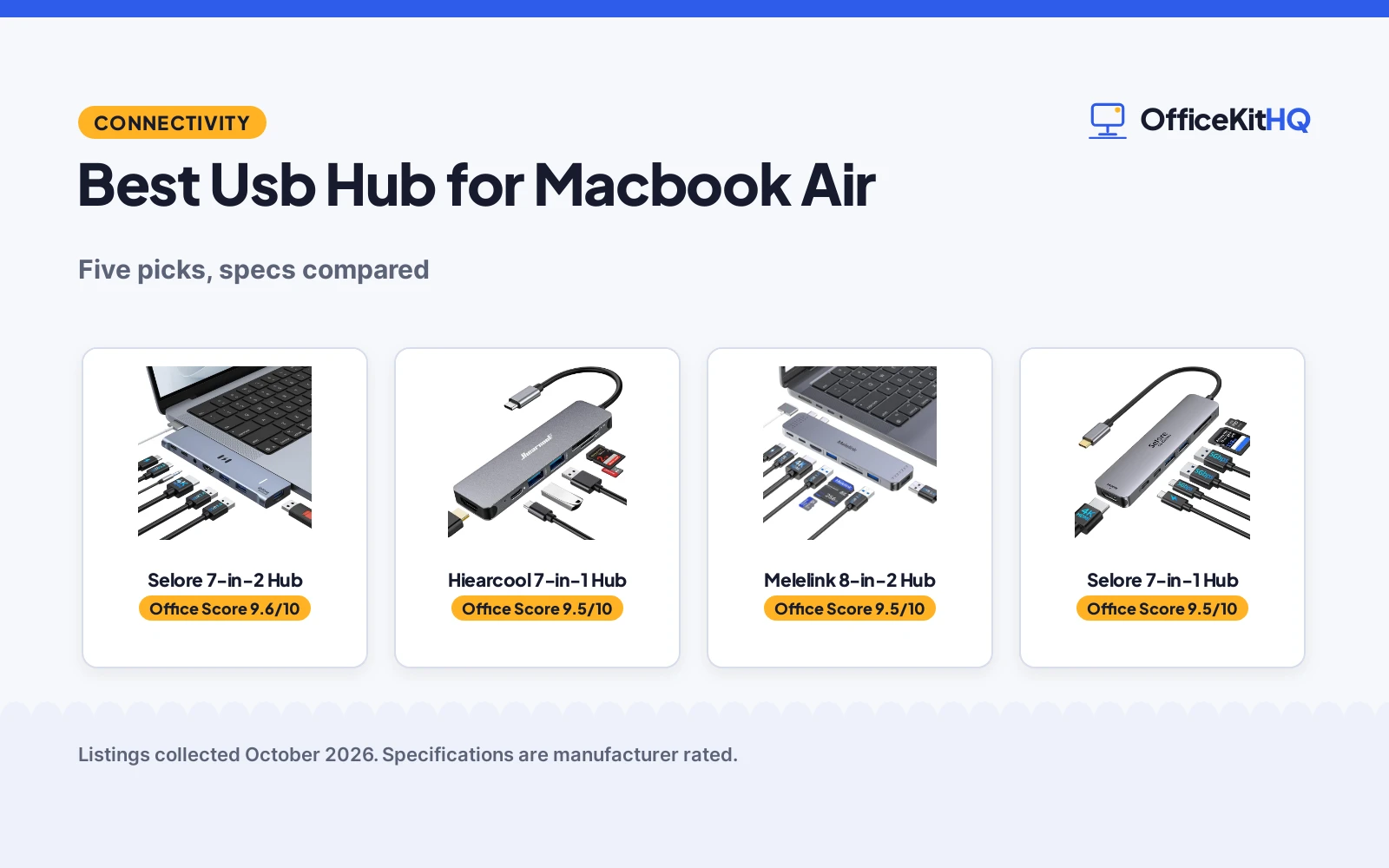
Finding the best usb hub for macbook air setups starts with a familiar morning scene: a video call on a kitchen-table desk, the Air running everything through a small dongle while a second monitor waits for a port that is not free. MacBook Air users live on a handful of USB-C ports, so the right hub decides what the desk can do. We compared five USB-C hubs by ports, display support, charging and size, using only what each listing publishes.
OfficeKitHQ earns a commission when you buy through links on this page, at no extra cost to you. As an Amazon Associate I earn from qualifying purchases. Affiliate disclosure.
Quick picks
 Best Overall Selore 7-in-2 Hub: Dual monitor, Thunderbolt 3, 100W PD Check price on Amazon
 Best Travel Pick Hiearcool 7-in-1 Hub: 1.8 ounces, aluminum, 2-year warranty Check price on Amazon
 Best Thunderbolt Melelink 8-in-2 Hub: 40Gbps, 5K@60Hz, 100W in and 85W out Check price on Amazon
 Best Value Selore 7-in-1 Hub: 4K@60Hz, 100W PD, 2-year warranty Check price on Amazon
 Best Compact UGREEN 5-in-1 Hub: 5 ports, 4K HDMI, 24-month warranty Check price on Amazon
The picks
| # | Product | Office Score | Buy |
|---|---|---|---|
| 1 | Selore 7-in-2 Hub | 9.6/10 | Buy on Amazon |
| 2 | Hiearcool 7-in-1 Hub | 9.5/10 | Buy on Amazon |
| 3 | Melelink 8-in-2 Hub | 9.5/10 | Buy on Amazon |
| 4 | Selore 7-in-1 Hub | 9.5/10 | Buy on Amazon |
| 5 | UGREEN 5-in-1 Hub | 9.5/10 | Buy on Amazon |
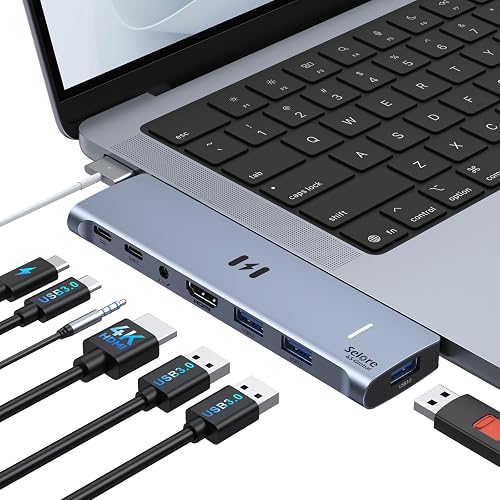
Selore 7-in-2 Hub
A dual-plug 7-in-2 hub with dual-monitor and Thunderbolt 3 support for MacBook Air.
Pros
- Dual monitors: HDMI at 4K@60Hz and Thunderbolt 3 at 5K@60Hz
- Thunderbolt 3 with 100W power delivery, 40Gbps data and 15W downstream charging
- Dual-plug design for the left-side USB-C ports without blocking MagSafe
- 18-month product warranty, per the bullets
Cons
- M1/M2 chips get a single display only; M3 needs Clamshell Mode for dual
- Not compatible with MacBook Pro cases
- The spec table says 2 Year Manufacturer, contradicting the bullets' 18 months
- No safety certifications are stated on the listing
Detailed Review
The listing states a 7-in-2 hub engineered for MacBook Air and MacBook Pro 13 to 16 inches from 2018 to 2025, with a dual-plug design for the left-side USB-C ports that does not block the MagSafe cable. It expands to one HDMI at 4K@60Hz, one Thunderbolt 3/4, three USB-A, one USB-C data port and 3.5mm audio, with dual-monitor mirror or extend mode. The Thunderbolt 3 port supports up to 100W power delivery for laptop charging or 15W downstream charging for phones, data transfer up to 40Gbps, and 5K@60Hz display output. The bullets state an 18-month product warranty, while the spec table says 2 Year Manufacturer; the bullets win. It is not compatible with MacBook Pro cases.
Who it's for: a MacBook Air user who wants two monitors and Thunderbolt speed in one hub. Who should skip it: an M1/M2 user who needs two extended displays, or anyone with a case on the MacBook Pro.
Its Office Score of 9.6/10 comes from performance 33/35, build 21/25, value 20/25, safety 0/10 and warranty 4/5: 78 of 100 points, placed on our 9.2 to 9.8 scale.
Key Specifications
| Ports | 7-in-2 |
|---|---|
| Display | HDMI 4K@60Hz, Thunderbolt 3 5K@60Hz |
| Power | 100W PD, 15W downstream |
| Warranty | 18-month, per bullets |
Figures as published on the retailer listing, collected 21 October 2026. Performance figures are manufacturer rated.
Safety and Warranty
What this listing states. No UL, FCC or over-current protection statement is stated, so safety scores zero. Selore supports 18-month product warranty. It does not say everything a buyer needs, such as who pays return shipping, so warranty scores 4 of 5. See How We Pick.
Power and heat. Use the supplied adapter, treat power delivery wattage and display support as the maker's claims for your laptop model, and give the dock room to vent.
This is general buying information, not professional advice. Follow each product manual and local rules, and see our Safety Disclaimer.

Hiearcool 7-in-1 Hub
A travel-light 7-in-1 hub with 4K@30Hz HDMI and 100W pass-through charging.
Pros
- 4K@30Hz HDMI plus 100W USB-C PD pass-through charging
- 5Gbps USB 3.0 ports and SD/TF card readers
- Aluminum build at 1.8 ounces for travel
- 2-year warranty
Cons
- HDMI tops out at 4K@30Hz, not 60Hz
- Single display output only
- No safety certifications are stated on the listing
- The card readers add ports a non-photographer may not use
Detailed Review
The listing states a 7-in-1 USB C hub with 4K@30Hz HDMI, 100W PD pass-through charging, 5Gbps USB 3.0 ports and SD/TF card readers in an aluminum plug-and-play design. It measures 4.17 inches long by 1.4 inches wide by 0.34 inches high and weighs 1.8 ounces, and the maker lists compatibility with MacBook M5 through M1 plus Dell, HP, Lenovo, Microsoft and Asus. A 2-year warranty is stated.
Who it's for: a traveler who wants a light hub for presentations and photo cards. Who should skip it: someone who needs 4K at 60Hz or two monitors.
Its Office Score of 9.5/10 comes from performance 29/35, build 21/25, value 20/25, safety 0/10 and warranty 4/5: 74 of 100 points, placed on our 9.2 to 9.8 scale.
Key Specifications
| Ports | 7 |
|---|---|
| Display | 4K@30Hz HDMI |
| Power | 100W PD pass-through |
| Size | 4.17 x 1.4 x 0.34 in, 1.8 oz |
Figures as published on the retailer listing, collected 21 October 2026. Performance figures are manufacturer rated.
Safety and Warranty
What this listing states. No UL, FCC or over-current protection statement is stated, so safety scores zero. Warranty Description: 2 years. It does not say everything a buyer needs, such as who pays return shipping, so warranty scores 4 of 5. See How We Pick.
Power and heat. Use the supplied adapter, treat power delivery wattage and display support as the maker's claims for your laptop model, and give the dock room to vent.
This is general buying information, not professional advice. Follow each product manual and local rules, and see our Safety Disclaimer.

Melelink 8-in-2 Hub
An 8-in-2 hub with Thunderbolt 3, dual-monitor support and 100W charging.
Pros
- Thunderbolt 3 with 40Gbps data transfer and 5K@60Hz display
- HDMI at 4K@60Hz with dual-monitor mirror or extend
- 100W power in with 85W output to the laptop
- SD and microSD readers at up to 104Mb/s
Cons
- M1 chips do not support two external monitors; one shows a blackout screen
- Will not fit if there is a case at the bottom of the MacBook
- 1-year manufacturer warranty is the shortest here
- No safety certifications are stated on the listing
Detailed Review
The listing states an 8-in-2 hub for 13 to 16 inch MacBook Pro and MacBook Air with one HDMI port at 4K@60Hz, a Thunderbolt 3 port at 5K@60Hz, USB 3.0 and USB-C ports and USB 2.0, plus SD and microSD card readers. The Thunderbolt 3 port supports 40Gbps data transfer, 5K@60Hz display and 100W PD charging with 85W output to the laptop. It supports dual-monitor mirror or extend, except on M1 chips where one monitor shows a blackout screen. It weighs 0.1 kg and carries a 1-year manufacturer warranty. It is not compatible with the Apple USB SuperDrive.
Who it's for: a user who wants Thunderbolt speed and dual monitors on a newer chip. Who should skip it: an M1 user who needs two working monitors, or anyone with a bottom case.
Its Office Score of 9.5/10 comes from performance 32/35, build 21/25, value 19/25, safety 0/10 and warranty 4/5: 76 of 100 points, placed on our 9.2 to 9.8 scale.
Key Specifications
| Ports | 8-in-2 |
|---|---|
| Display | HDMI 4K@60Hz, Thunderbolt 3 5K@60Hz |
| Power | 100W in, 85W out |
| Weight | 0.1 kg |
Figures as published on the retailer listing, collected 21 October 2026. Performance figures are manufacturer rated.
Safety and Warranty
What this listing states. No UL, FCC or over-current protection statement is stated, so safety scores zero. 1 Year Manufacturer. It does not say everything a buyer needs, such as who pays return shipping, so warranty scores 4 of 5. See How We Pick.
Power and heat. Use the supplied adapter, treat power delivery wattage and display support as the maker's claims for your laptop model, and give the dock room to vent.
This is general buying information, not professional advice. Follow each product manual and local rules, and see our Safety Disclaimer.

Selore 7-in-1 Hub
A 7-in-1 hub with 4K@60Hz HDMI and 100W power delivery for MacBook Air.
Pros
- HDMI at 4K@60Hz for mirror or extend
- 100W power in with 87W output for safety
- 5Gbps data on USB-C and USB-A ports
- 2-year manufacturer warranty; 20 g
Cons
- Single HDMI output; no dual-monitor support is stated
- Supports only one hard drive; not compatible with the Apple USB SuperDrive
- No safety certifications are stated on the listing
- The 87W output is below the 100W input
Detailed Review
The listing states a 7-in-1 USB C hub with one 4K@60Hz HDMI port, two USB 3.0 ports, one USB-C data port, one 100W PD port and a microSD/SD card reader slot. The HDMI port mirrors or extends the screen at 4K UHD 60Hz, and data moves at up to 5Gbps. Power in is 100W while power out is limited to 87W for safety, for continuous laptop charging. It weighs 20 g and carries a 2-year manufacturer warranty. It supports one hard drive and is not compatible with the Apple USB SuperDrive.
Who it's for: a MacBook Air user who wants one 4K screen and solid charging in a tiny hub. Who should skip it: someone who needs two monitors or multiple hard drives.
Its Office Score of 9.5/10 comes from performance 30/35, build 20/25, value 19/25, safety 0/10 and warranty 4/5: 73 of 100 points, placed on our 9.2 to 9.8 scale.
Key Specifications
| Ports | 7-in-1 |
|---|---|
| Display | 4K@60Hz HDMI |
| Power | 100W in, 87W out |
| Weight | 20 g |
Figures as published on the retailer listing, collected 21 October 2026. Performance figures are manufacturer rated.
Safety and Warranty
What this listing states. No UL, FCC or over-current protection statement is stated, so safety scores zero. 2 Year Manufacturer. It does not say everything a buyer needs, such as who pays return shipping, so warranty scores 4 of 5. See How We Pick.
Power and heat. Use the supplied adapter, treat power delivery wattage and display support as the maker's claims for your laptop model, and give the dock room to vent.
This is general buying information, not professional advice. Follow each product manual and local rules, and see our Safety Disclaimer.

Pros
- 4K HDMI port for an external display
- 100W USB-C power delivery
- Three USB-A data ports: one at 5Gbps and two at 480Mbps
- 24-month warranty; aluminum enclosure
Cons
- Five ports is the fewest here
- No display refresh rate is stated for the HDMI
- No safety certifications are stated on the listing
- The listing gives few details beyond the port list
Detailed Review
The listing states a 5-in-1 USB C hub with a 4K HDMI port, a 100W USB-C PD port, one 5Gbps USB-A data port and two 480Mbps USB-A ports. It measures 4.79 inches long by 1.09 inches wide by 0.47 inches high, weighs 91 g, uses an aluminum enclosure, and lists compatibility with MacBook Pro and Air M5 through M1. A 24-month warranty is stated.
Who it's for: a MacBook Air user who wants a simple hub for one screen and basic peripherals. Who should skip it: someone who needs more ports or a stated 4K refresh rate.
Its Office Score of 9.5/10 comes from performance 28/35, build 20/25, value 19/25, safety 0/10 and warranty 4/5: 71 of 100 points, placed on our 9.2 to 9.8 scale.
Key Specifications
| Ports | 5 |
|---|---|
| Display | 4K HDMI |
| Power | 100W PD |
| Size | 4.79 x 1.09 x 0.47 in, 91 g |
Figures as published on the retailer listing, collected 21 October 2026. Performance figures are manufacturer rated.
Safety and Warranty
What this listing states. No UL, FCC or over-current protection statement is stated, so safety scores zero. 24 month. It does not say everything a buyer needs, such as who pays return shipping, so warranty scores 4 of 5. See How We Pick.
Power and heat. Use the supplied adapter, treat power delivery wattage and display support as the maker's claims for your laptop model, and give the dock room to vent.
This is general buying information, not professional advice. Follow each product manual and local rules, and see our Safety Disclaimer.
As an Amazon Associate I earn from qualifying purchases.
Compare the picks
| Hub | Office Score | Ports | HDMI | Power | Warranty | Amazon |
|---|---|---|---|---|---|---|
| Selore 7-in-2 Hub | 9.6/10 | 7-in-2 | 4K@60Hz + 5K@60Hz | 100W PD | 18-month | View on Amazon |
| Hiearcool 7-in-1 Hub | 9.5/10 | 7 | 4K@30Hz | 100W PD | 2-year | View on Amazon |
| Melelink 8-in-2 Hub | 9.5/10 | 8-in-2 | 4K@60Hz | 100W in / 85W out | 1-year | View on Amazon |
| Selore 7-in-1 Hub | 9.5/10 | 7-in-1 | 4K@60Hz | 100W in / 87W out | 2-year | View on Amazon |
| UGREEN 5-in-1 Hub | 9.5/10 | 5 | 4K | 100W PD | 24-month | View on Amazon |
Specifications are manufacturer rated as listed, collected 21 October 2026.
How we scored them
The Office Score weighs performance, build, value, safety and warranty. For hubs, safety means stated protections such as surge or thermal safeguards; none of the five listings states any, so safety scored zero throughout. All five listings state a warranty term: 18 months, 2 years, 24 months and 1 year across the picks. How we pick explains the weights.
| Product | Office Score | Perf. /35 | Build /25 | Value /25 | Safety /10 | Warranty /5 |
|---|---|---|---|---|---|---|
| Selore 7-in-2 Hub | 9.6 | 33 | 21 | 20 | 0 | 4 |
| Hiearcool 7-in-1 Hub | 9.5 | 29 | 21 | 20 | 0 | 4 |
| Melelink 8-in-2 Hub | 9.5 | 32 | 21 | 19 | 0 | 4 |
| Selore 7-in-1 Hub | 9.5 | 30 | 20 | 19 | 0 | 4 |
| UGREEN 5-in-1 Hub | 9.5 | 28 | 20 | 19 | 0 | 4 |
Scores run from 9.2 to 9.8: each product’s point total is placed on that range, so more points always means a higher score.
How to choose the best usb hub for macbook air
Check the chip before the hub
Dual-monitor support depends on the MacBook chip, and the Selore 7-in-2 listing spells it out: M1 and M2 chips get a single display only, M3 gets dual display only in Clamshell Mode with the lid closed, and M4, M5 and Intel chips get full dual extended displays. The Melelink notes the same limit for M1 chips, where one of two monitors shows a blackout screen. Verify the chip model before ordering, because no hub can outrun the chip’s own display limit. For simpler needs, see USB hubs for tablets.
Match the display outputs to the monitors
The Selore 7-in-2 pairs HDMI at 4K@60Hz with Thunderbolt 3 at 5K@60Hz for mirror or extend mode across two monitors. The Melelink matches that pairing: HDMI 4K@60Hz and Thunderbolt 3 at 5K@60Hz. The Selore 7-in-1 and Hiearcool each offer a single HDMI, at 4K@60Hz and 4K@30Hz respectively. Decide how many screens the desk holds before paying for a second output that stays dark. For older screens, see docking stations with VGA.
Plan power and fit
Four of the five hubs support 100W power delivery: the Hiearcool, UGREEN, Selore 7-in-2 (with 15W downstream for phones) and Melelink, whose output to the laptop is 85W while the Selore 7-in-1 limits power out to 87W for safety. On fit, the Selore 7-in-2 uses a dual-plug design for the left-side USB-C ports that does not block the MagSafe cable, but it is not compatible with MacBook Pro cases, and the Melelink will not fit if there is a case at the bottom of the MacBook. Measure the laptop and its case before choosing the dual-plug designs.
Setup Notes
- Verify the MacBook chip first: M1/M2 get one display, M3 needs Clamshell Mode for two, M4/M5/Intel get full dual.
- The Selore 7-in-2 is not compatible with MacBook Pro cases; the Melelink will not fit with a bottom case installed.
- Only one hard drive at a time on the Selore 7-in-1 and Melelink; neither supports the Apple USB SuperDrive.
- Thunderbolt 3 data transfer reaches 40Gbps on the Selore 7-in-2 and Melelink; the others list 5Gbps.
Frequently Asked Questions
Which hub supports two monitors?
The Selore 7-in-2 and Melelink support dual monitors: HDMI at 4K@60Hz plus Thunderbolt 3 at 5K@60Hz, within the MacBook chip’s own limits.
Which hub is the lightest?
The Selore 7-in-1 lists 20 g, the lightest stated here. The Hiearcool lists 1.8 ounces and the Melelink lists 0.1 kg.
Do these hubs charge the MacBook?
Four support 100W power delivery. The Melelink outputs 85W to the laptop and the Selore 7-in-1 limits power out to 87W for safety.
Which listings state a warranty?
All five: Selore 7-in-2 at 18 months, Hiearcool at 2 years, Melelink at 1 year, Selore 7-in-1 at 2 years, and UGREEN at 24 months.
Why does the Selore 7-in-2 list two warranty terms?
Its bullets state an 18-month product warranty while its spec table says 2 Year Manufacturer. This article uses the bullets, per the listing’s own hierarchy.
Related guides
See every docking stations and USB hubs guide and all audio, power and connectivity guides.
More picks: USB hubs for desktops, USB hubs with ethernet, keyboards for small desks.



