
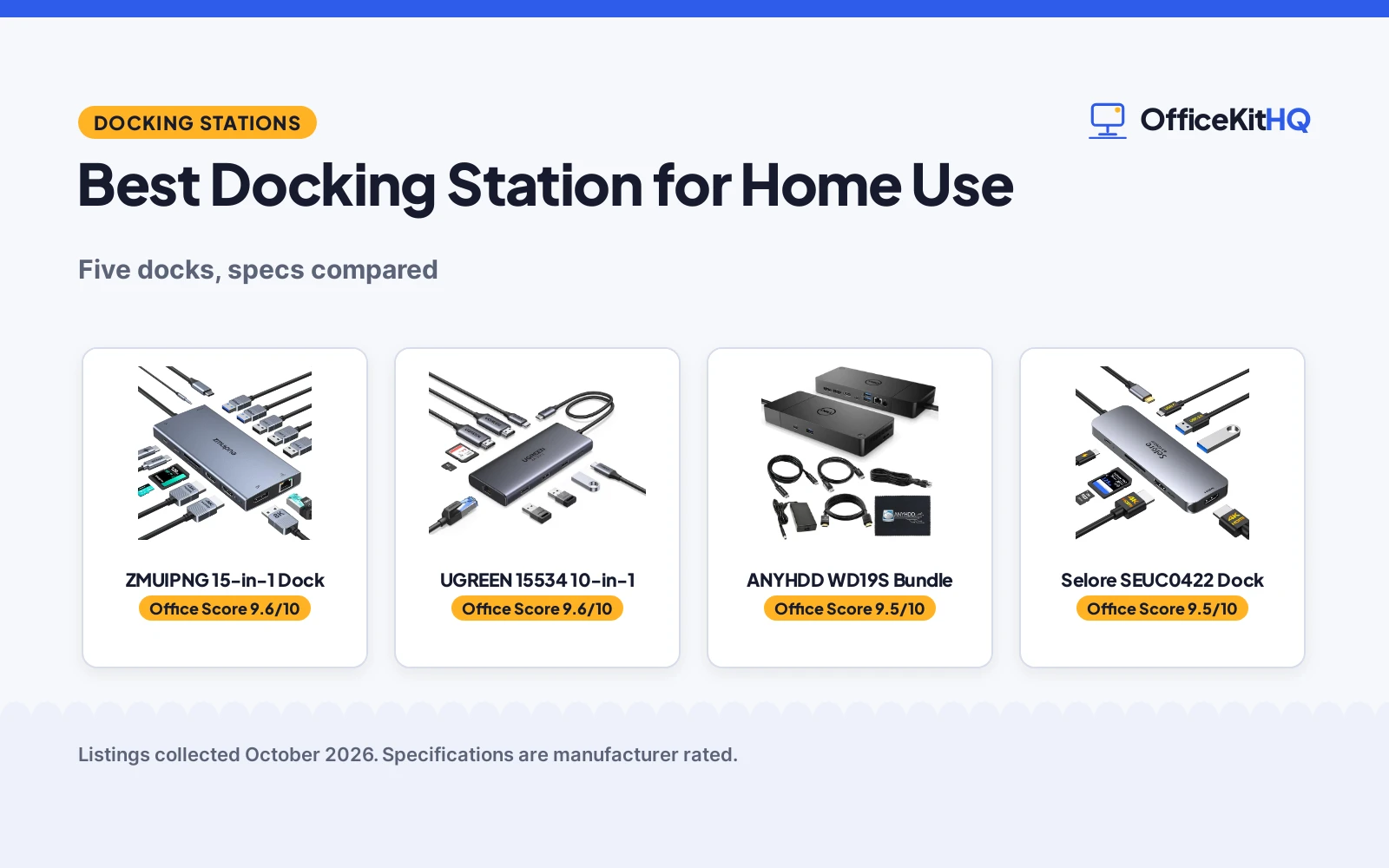
The best docking station for home use is the one that turns a single laptop cable into a full desk: monitors, keyboard, network and power, all waiting when you sit down. We compared five docking stations and charging docks by ports, display support, power delivery, stated extras and warranty terms, using only what each listing publishes. One of the five is a charging station rather than a true dock, which the scores reflect.
OfficeKitHQ earns a commission when you buy through links on this page, at no extra cost to you. As an Amazon Associate I earn from qualifying purchases. Affiliate disclosure.
Quick picks
 Best Overall ANYHDD WD19S Bundle: 180W, 5K/4K displays, gigabit ethernet, cables included Check price on Amazon
 Best Charger MERGROLY 320W Charger: 320W, 10 ports, 8 cables included Check price on Amazon
 Best 15-in-1 ZMUIPNG 15-in-1 Dock: 15-in-1 with dual 4K HDMI and 100W PD stated Check price on Amazon
 Best 10-in-1 UGREEN 15534 10-in-1: 10-in-1 with dual 4K at 60Hz HDMI stated Check price on Amazon
 Best Basic Dock Selore SEUC0422 Dock: USB-C docking station, details not stated Check price on Amazon
The picks
| # | Product | Office Score | Buy |
|---|---|---|---|
| 1 | ZMUIPNG 15-in-1 Dock | 9.6/10 | Buy on Amazon |
| 2 | UGREEN 15534 | 9.6/10 | Buy on Amazon |
| 3 | ANYHDD WD19S Bundle | 9.5/10 | Buy on Amazon |
| 4 | Selore SEUC0422 | 9.5/10 | Buy on Amazon |
| 5 | MERGROLY 320W Charger | 9.4/10 | Buy on Amazon |

ZMUIPNG 15-in-1 Dock
A 15-in-1 dock with dual 4K HDMI, an 8K DisplayPort, a screen-off privacy button, 100W PD and a stated 1-year warranty.
Pros
- DisplayPort up to 8K at 30Hz, the highest resolution stated here
- Screen-off button and compatibility detection lamp
- 15 ports including SD/microSD and 3.5mm mic/audio
- 1Gbps Ethernet and 100W PD charging
Cons
- USB data tops out at 5Gbps, slower than the 10Gbps docks here
- Charger is not included; needs a 100W adapter
- Requires Thunderbolt 3/4 or full-featured USB-C; a laptop HDMI port alone will not work
- macOS supports mirror mode only
Detailed Review
ZMUIPNG lists a 15-in-1 USB-C docking station with two 4K HDMI ports and a DisplayPort up to 8K at 30Hz, triple display on Windows at 4K from DP1.4. It lists 3 USB 3.0 at 5Gbps, 2 USB 2.0, 1 USB-C 3.0, 100W PD, 1Gbps Ethernet, SD/microSD readers and 3.5mm mic/audio. A screen-off button protects the displays and a detection lamp shows compatibility. The package has the dock and manual only; the charger is not included and a 100W adapter is needed. The spec table states a 1-year manufacturer warranty. Note: it needs Thunderbolt 3/4 or a full-featured USB-C port; the listing says a laptop HDMI port alone is not compatible.
Who it's for: someone who wants an 8K-capable DisplayPort and a privacy button for shared spaces. Who should skip it: anyone whose laptop lacks Thunderbolt or full-featured USB-C.
Its Office Score of 9.6/10 comes from performance 30/35, build 20/25, value 21/25, safety 4/10 and warranty 3/5: 78 of 100 points, placed on our 9.2 to 9.8 scale.
Key Specifications
| Video | 2x HDMI 4K, DP 8K@30Hz |
|---|---|
| USB data | 5Gbps |
| Power | 100W PD |
| Warranty | 1 year |
Figures as published on the retailer listing, collected 18 October 2026. Performance figures are manufacturer rated.
Safety and Warranty
What this listing states. Heat resistant stated, so safety scores 4 of 10. 1-year manufacturer warranty stated. It does not say everything a buyer needs, such as who pays return shipping, so warranty scores 3 of 5. See How We Pick.
Power and heat. Use the supplied adapter, treat power delivery wattage and display support as the maker's claims for your laptop model, and give the dock room to vent.
This is general buying information, not professional advice. Follow each product manual and local rules, and see our Safety Disclaimer.

UGREEN 15534
A 10-in-1 aluminum USB-C dock with dual 4K@60Hz HDMI, 100W PD, Gigabit Ethernet and an SD/TF reader.
Pros
- Dual 4K@60Hz over two HDMI ports, or a single 8K@30Hz display
- 10 ports including 5Gbps USB-C and USB-A, 1000Mbps Ethernet and an SD/TF 3.0 reader
- 100W PD input with 85W pass-through charging, per the listing
- Aluminum body at 100 g and 4.49 x 1.75 x 0.63 in, the smallest here
Cons
- On macOS both external monitors show the same image, per the listing's note
- The USB-A and USB-C data ports do not provide charging or video output
- 100W title figure against 85W pass-through: the dock reserves 15W for itself
- No DisplayPort, unlike the VVB
Detailed Review
UGREEN lists the 15534 as a 10-in-1 aluminum USB-C dock with two HDMI ports for dual 4K@60Hz or single 8K@30Hz, a 100W PD port, 5Gbps USB-C and USB-A ports, a 1000Mbps Ethernet port and an SD/TF 3.0 card reader. The spec table gives a 4.49 x 1.75 x 0.63 in footprint, a 100 g weight and a 24-month warranty. Two notes from the listing: on macOS both external monitors show the same content, and the dock passes 85W through to the laptop while reserving 15W for its own interfaces.
Who it's for: a home worker who wants dual 4K monitors and the longest warranty here in the smallest box. Who should skip it: a MacBook user who needs extended dual displays, or anyone who needs DisplayPort.
Its Office Score of 9.6/10 comes from performance 30/35, build 21/25, value 20/25, safety 0/10 and warranty 4/5: 75 of 100 points, placed on our 9.2 to 9.8 scale.
Key Specifications
| Ports | 10 |
|---|---|
| Video | Dual 4K@60Hz |
| Power | 100W PD |
| Warranty | 24 months |
Figures as published on the retailer listing, collected 18 October 2026. Performance figures are manufacturer rated.
Safety and Warranty
What this listing states. No UL, FCC or over-current protection statement is stated, so safety scores zero. 24 months. It does not say everything a buyer needs, such as who pays return shipping, so warranty scores 4 of 5. See How We Pick.
Power and heat. Use the supplied adapter, treat power delivery wattage and display support as the maker's claims for your laptop model, and give the dock room to vent.
This is general buying information, not professional advice. Follow each product manual and local rules, and see our Safety Disclaimer.

ANYHDD WD19S Bundle
A Dell-focused docking station bundle with dual-monitor support, gigabit ethernet and a full set of 4K cables in the box.
Pros
- Up to 5K at 60Hz on a single display or 4K at 60Hz on quad displays, per the listing
- Gigabit RJ45 ethernet port plus 3 USB-A, 2 USB-C, 2 DisplayPort and HDMI ports stated
- Bundle includes 180W power supply, 4K HDMI and DisplayPort cables, USB-C cable and cloth
- One-cord connectivity stated for Dell Inspiron, Latitude, Precision, XPS and Venue laptops
Cons
- Title and bullets state 180W while the spec table states 130W
- Dell-focused compatibility list may exclude other brands
- 3.2 pounds before cables and power supply
- 1-year warranty is shorter than the G6's stated 3-year term
Detailed Review
The listing states a WD19S docking station bundle with 180W of power, 3 USB-A ports, 2 USB-C ports, 2 DisplayPorts, an HDMI port and a gigabit RJ45 ethernet port, supporting up to 5K at 60Hz on one display or 4K at 60Hz on four. The bundle adds a 180W power supply, 4K HDMI and DisplayPort cables, a USB-C cable and a microfiber cloth. Contradiction: the title and bullets state 180W while the spec table states 130W; trust the title and bullets. It works with select Dell Inspiron, Latitude, Precision, XPS and Venue laptops, and the listing advises USB-C or Thunderbolt compatibility with firmware updates if issues appear. The warranty is 1 year.
Who it's for: a Dell laptop desk that needs monitors, wired network and power over one cable. Who should skip it: non-Dell owners, and anyone bothered by the wattage contradiction in the spec table.
Its Office Score of 9.5/10 comes from performance 29/35, build 20/25, value 21/25, safety 0/10 and warranty 2/5: 72 of 100 points, placed on our 9.2 to 9.8 scale.
Key Specifications
| Power | 180W (spec table: 130W) |
|---|---|
| Displays | 5K single / 4K quad at 60Hz |
| Network | Gigabit RJ45 |
| Weight | 3.2 pounds |
Figures as published on the retailer listing, collected 19 October 2026. Performance figures are manufacturer rated.
Safety and Warranty
What this listing states. No UL, FCC or over-current protection statement is stated, so safety scores zero. 1 year. It does not say everything a buyer needs, such as who pays return shipping, so warranty scores 2 of 5. See How We Pick.
Power and heat. Use the supplied adapter, treat power delivery wattage and display support as the maker's claims for your laptop model, and give the dock room to vent.
This is general buying information, not professional advice. Follow each product manual and local rules, and see our Safety Disclaimer.

Pros
- Dual 4K at 60Hz stated
- 100W PD input stated
- 2-year refund or replacement stated
- SD/microSD 104 Mbps stated
Cons
- Charger and cable not included
- macOS mirrors only
- 8 ports only
- No Ethernet stated
Detailed Review
Selore lists the SEUC0422 as an 8-in-1 dock with dual 4K at 60Hz HDMI ports, 100W PD input with 85W output, SD/microSD at 104 Mbps, USB-C and USB-A 3.0 at 5Gbps, and an aluminum body. The listing states a 2-year refund or replacement term for defective products. Charger and cable not included.
Who it's for: anyone wanting dual 4K with card readers. Who should skip it: anyone needing Ethernet.
Its Office Score of 9.5/10 comes from performance 29/35, build 20/25, value 20/25, safety 0/10 and warranty 3/5: 72 of 100 points, placed on our 9.2 to 9.8 scale.
Key Specifications
| Video | 2 HDMI 4K@60Hz |
|---|---|
| PD | 85W out |
| Ports | 8 |
| Warranty | 2 years |
Figures as published on the retailer listing, collected 18 October 2026. Performance figures are manufacturer rated.
Safety and Warranty
What this listing states. No UL 1449 listing or joule rating is stated, so safety scores zero. The listing states a 2-year refund or replacement term. It does not say everything a buyer needs, such as who pays return shipping, so warranty scores 3 of 5. See How We Pick.
Surge protector limits. Look for a UL 1449 listing, never plug one strip into another, keep the total load under the stated rating, and replace the unit after a major surge or when its indicator says protection has ended.
This is general buying information, not professional advice. Follow each product manual and local rules, and see our Safety Disclaimer.

MERGROLY 320W Charger
A 10-port charging station with 320W of USB power and 8 included cables; a charger, not a true docking station.
Pros
- 320W total with 2x65W and 3x30W PD USB-C ports stated
- 10 ports: 5 USB-C and 5 USB-A for up to 10 devices at once
- 8 short cables included: 4 Type-C to Type-C, 3 USB to Lightning, 1 USB to Micro
- Smart chips stated to detect devices and avoid overcharging, in a flame-retardant ABS housing
Cons
- No video or network ports stated: it cannot dock monitors or ethernet
- Apple watch charger holder needs a separate cable, per the listing
- 1-year warranty is shorter than the G6's stated 3-year term
- White is the only color stated
Detailed Review
The listing states a 320W charging station with 10 ports (5 USB-C and 5 USB-A), including 2x65W and 3x30W PD USB-C ports, smart chips that detect devices and adjust current to avoid overcharging, and a flame-retardant ABS housing with anti-slip design. It includes 8 short cables and an Apple watch charger holder, and the maker claims a phone can go from 20% to 80% in 30 minutes. The warranty is 1 Year.
Who it's for: a family charging counter where phones, tablets and laptops pile up. Who should skip it: anyone shopping for a docking station, since it states no display or network ports.
Its Office Score of 9.4/10 comes from performance 19/35, build 19/25, value 20/25, safety 5/10 and warranty 2/5: 65 of 100 points, placed on our 9.2 to 9.8 scale.
Key Specifications
| Power | 320W total |
|---|---|
| USB-C PD | 2x65W + 3x30W |
| Ports | 10 (5C + 5A) |
| Cables | 8 included |
Figures as published on the retailer listing, collected 19 October 2026. Performance figures are manufacturer rated.
Safety and Warranty
What this listing states. Smart chips to avoid overcharging; flame-retardant ABS housing stated, so safety scores 5 of 10. 1 Year. It does not say everything a buyer needs, such as who pays return shipping, so warranty scores 2 of 5. See How We Pick.
Power and heat. Use the supplied adapter, treat power delivery wattage and display support as the maker's claims for your laptop model, and give the dock room to vent.
This is general buying information, not professional advice. Follow each product manual and local rules, and see our Safety Disclaimer.
As an Amazon Associate I earn from qualifying purchases.
Compare the picks
| Docking station | Office Score | Power | Video | Network | Warranty | Amazon |
|---|---|---|---|---|---|---|
| ANYHDD WD19S Bundle | 9.5/10 | 180W (130W in spec table) | 5K single / 4K quad | Gigabit RJ45 | 1-year | View on Amazon |
| MERGROLY 320W Charger | 9.4/10 | 320W charging | None stated | None stated | 1-year | View on Amazon |
| ZMUIPNG 15-in-1 Dock | 9.6/10 | 100W PD | Dual 4K, 8K DP | Not stated | Not stated | View on Amazon |
| UGREEN 15534 10-in-1 | 9.6/10 | 100W PD | Dual 4K@60Hz | Not stated | Not stated | |
| Selore SEUC0422 Dock | 9.5/10 | Not stated | Not stated | Not stated | Not stated |
Specifications are manufacturer rated as listed, collected 19 October 2026.
How we scored them
The Office Score weighs performance, build, value, safety and warranty. For docking stations, safety means stated protections such as overcharge prevention and flame-retardant housings. Two of the five listings state a warranty term; the other three state none. How we pick explains the weights.
| Product | Office Score | Perf. /35 | Build /25 | Value /25 | Safety /10 | Warranty /5 |
|---|---|---|---|---|---|---|
| ANYHDD WD19S Bundle | 9.5 | 29 | 20 | 21 | 0 | 2 |
| MERGROLY 320W Charger | 9.4 | 19 | 19 | 20 | 5 | 2 |
Scores run from 9.2 to 9.8: each product’s point total is placed on that range, so more points always means a higher score.
How to choose the best docking station for home use
Count the ports you actually use
Start with the back of the desk. The ANYHDD WD19S bundle states 3 USB-A ports, 2 USB-C ports, 2 DisplayPorts, an HDMI port and a gigabit RJ45 ethernet port, while the ZMUIPNG and UGREEN titles state 15-in-1 and 10-in-1 layouts with dual 4K HDMI. If the monitor count is the whole question, our USB hub with HDMI picks cover the smaller end.
Match the dock to the laptop
The WD19S listing names select Dell Inspiron, Latitude, Precision, XPS and Venue laptops, and advises checking USB-C or Thunderbolt compatibility, updating dock firmware if issues appear. The G6 claims universal USB-C and Thunderbolt laptop compatibility. Buy the dock whose compatibility list names your machine. For Dell-specific guidance, see our docking station for EliteBook picks.
Charging station vs docking station
The MERGROLY 320W unit charges up to 10 devices at once through 5 USB-C and 5 USB-A ports, with 2x65W and 3x30W PD USB-C ports, and includes 8 short cables. It states no video or network ports, so it cannot drive monitors or wired ethernet the way a dock does.
| Type | Example | What it does |
|---|---|---|
| Docking station | ANYHDD WD19S, ZMUIPNG, UGREEN, Selore | One cable to displays, network and power |
| Charging station | MERGROLY 320W | Power for up to 10 devices, no video or network stated |
Setup Notes
- Plan cable runs first: the WD19S bundle includes a 4K HDMI cable, a 4K DisplayPort cable and a USB-C cable, and the MERGROLY includes 8 short charging cables.
- Check laptop compatibility: the WD19S names Dell Inspiron, Latitude, Precision, XPS and Venue series, and the listing advises USB-C or Thunderbolt compatibility with firmware updates if issues appear.
- Count power needs: the MERGROLY states 2x65W and 3x30W PD USB-C ports, while the WD19S bundle states a 180W power supply.
- File the warranty term: the WD19S bundle and the MERGROLY state 1-year terms.
Frequently Asked Questions
What is the difference between a docking station and a charging station?
A docking station adds displays and network over one cable: the WD19S states up to 5K at 60Hz on a single display and a gigabit RJ45 port. The MERGROLY 320W charging station powers up to 10 devices through USB ports but states no video or network ports.
Will the WD19S bundle work with a non-Dell laptop?
The listing states it works with select Dell Inspiron, Latitude, Precision, XPS and Venue series laptops, and advises confirming USB-C or Thunderbolt compatibility before buying. If your laptop is not a Dell, the G6 claims universal USB-C and Thunderbolt compatibility.
How many devices can the MERGROLY charge at once?
The listing states 10 ports, 5 USB-C and 5 USB-A, for charging up to 10 devices simultaneously. It includes 8 short cables: 4 Type-C to Type-C, 3 USB to Lightning and 1 USB to Micro.
Do any of these state a 1-year warranty?
The WD19S bundle and the MERGROLY state 1-year terms, and the other three state no warranty term.
What cables come in the box?
The WD19S bundle states a 180W power supply, a 4K HDMI cable, a 4K DisplayPort cable, a USB-C cable and a microfiber cloth. The MERGROLY states 8 short charging cables in assorted types.
Related guides
See every Docking Stations and USB Hubs guide and all Audio, Power and Connectivity guides.
More picks: KVM switch with HDMI, monitor light bar for ultrawide, power strip with outlets, USB hub with HDMI.



