The best docking station for hp zbook laptops is the one that turns a crowded desk into a calm one, because a laptop that runs a monitor, a keyboard and a network cable should not leave a screen dark on a morning call. This roundup compares docking stations by power delivery, video outputs, ports, stated compatibility and warranty term, using only what each maker publishes. The picks range from a Thunderbolt dock that names ZBook models outright to a USB-C dock that keeps the desk simple.
OfficeKitHQ earns a commission when you buy through links on this page, at no extra cost to you. As an Amazon Associate I earn from qualifying purchases. Affiliate disclosure.
Quick picks
 Best Overall PowerHOOD Thunderbolt Dock G2: 230W power, dual 4K video, ZBook G3 to G8 named Check price on Amazon
 Best HP Dock HP USB-C Dock G5 5TW10AA: 2 DisplayPort plus HDMI, Gigabit Ethernet, 1-year warranty Check price on Amazon
 100W USB-C Pick HP Docking Station 100W: 100W power with USB-C, HDMI and DisplayPort Check price on Amazon
 Dell USB-C Pick Dell Pro Dock WD25: USB-C dock with 100W power delivery Check price on Amazon
Our desk picks
| # | Product | Office Score | Buy |
|---|---|---|---|
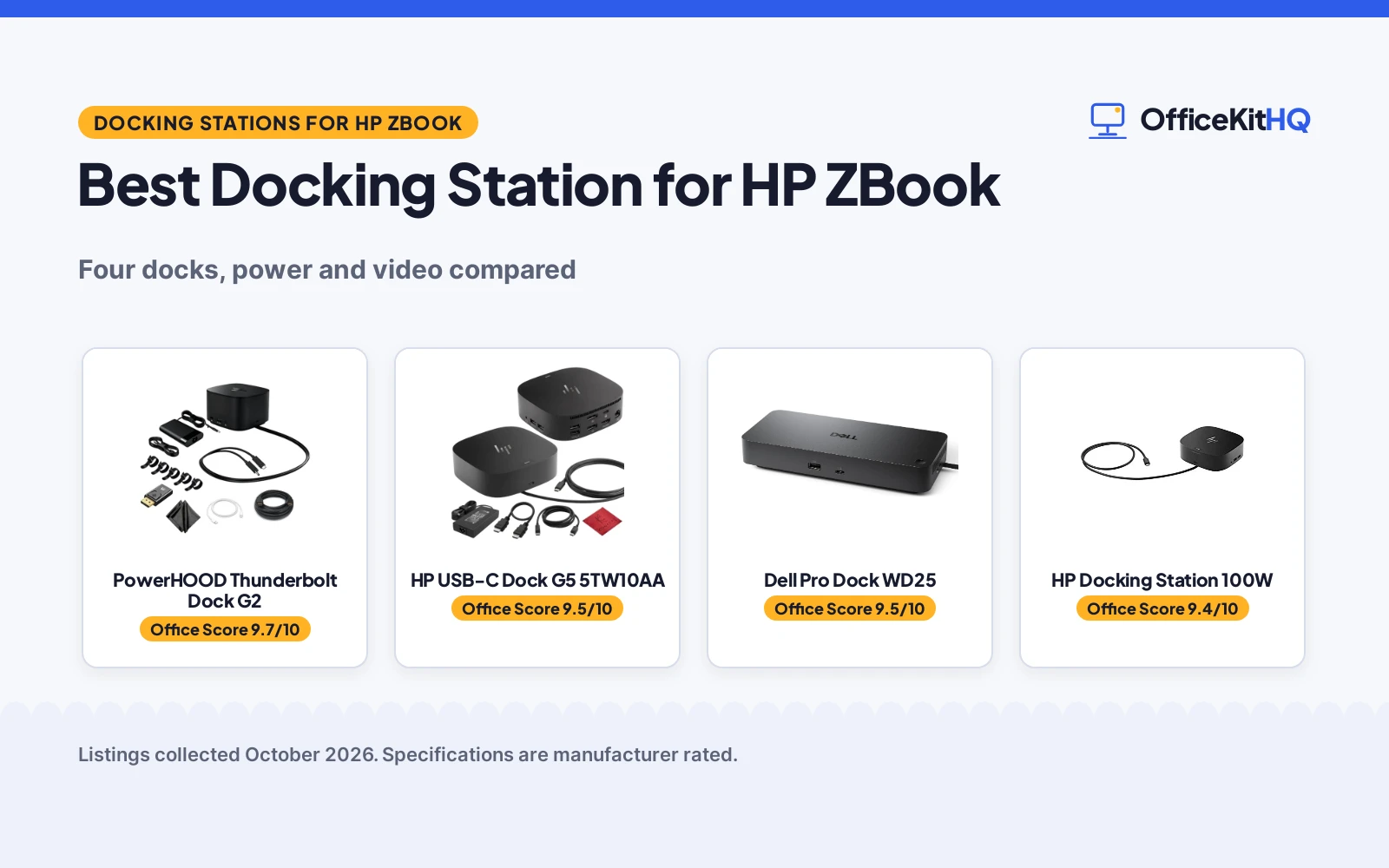
| 1 | PowerHOOD Thunderbolt Dock G2 | 9.7/10 | Buy on Amazon |
| 2 | HP USB-C Dock G5 5TW10AA | 9.5/10 | Buy on Amazon |
| 3 | Dell Pro WD25 Docking Station | 9.5/10 | Buy on Amazon |
| 4 | HP Docking Station | 9.4/10 | Buy on Amazon |
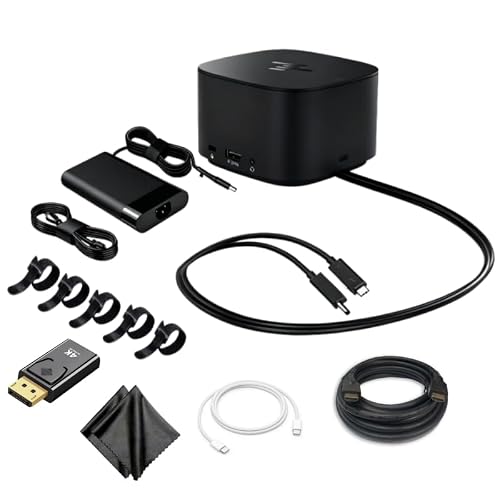
PowerHOOD Thunderbolt Dock G2
A 230W Thunderbolt dock that names ZBook 15 and 17 from G3 to G8, drives dual 4K displays, and adds Gigabit Ethernet with a combo cable.
Pros
- 230W power delivery covers high-performance ZBook and Omen laptops, per the maker
- Dual 4K output over DisplayPort and VGA, plus USB-C data and Gigabit Ethernet
- Stated compatibility names ZBook 15 and 17 G3 to G8 and ZBook Studio G3, G4 and G5
- UL Certified, FCC and RoHS Compliant design, with HP-certified firmware
Cons
- Heaviest dock here at 4.5 pounds, so it suits a fixed desk rather than a bag
- No HDMI port is stated, so a monitor that only takes HDMI needs an adapter
- 14-day money-back term and 30-day exchange service are short next to a 1-year warranty
- Needs a laptop with Thunderbolt 3 or USB-C PD to use the stated features
Detailed Review
PowerHOOD lists this dock as a Thunderbolt Dock G2 with a 230W Slim Smart AC Adapter (TPN-DA12) and a combo cable that covers 7.4 by 5.0 mm barrel and USB-C PD power inputs. The maker names HP Thunderbolt Dock G2 models 3TR87AA#ABA, 2UK37AA, 3YE87AA, Y0K80AA and 696695-001, and states compatibility with the HP Thunderbolt Dock G4 and USB-C Dock G5 series, plus ZBook 15 and 17 G3 to G8, ZBook Studio G3, G4 and G5, EliteBook 830 and 850 G5 to G10, ProBook 470, Envy 15 and 17, and Spectre x360 15. Dual 4K output runs over DisplayPort and VGA, with USB 3.0 and USB 3.1 ports, USB-C data transfer and Gigabit Ethernet. Enterprise features are stated as HP-certified firmware, LAN Wake on Dock, MAC Address Pass-Through and PXE Boot Support, and the design is stated as UL Certified, FCC and RoHS Compliant. The maker lists a 4.5 pound item weight and dimensions of 4.75 by 3.98 by 1.77 inches, with a 14-day money-back term and 30-day exchange service.
Who it's for: someone with a ZBook 15 or 17 who wants dual 4K displays, 230W charging and enterprise features from a dock that names their exact model. Who should skip it: anyone whose laptop lacks Thunderbolt 3 or USB-C PD, or who needs an HDMI port on the dock itself.
Its Office Score of 9.7/10 comes from performance 30/35, build 21/25, value 20/25, safety 9/10 and warranty 2/5: 82 of 100 points, placed on our 9.2 to 9.8 scale.
Key Specifications
| Power | 230W |
|---|---|
| Video | Dual 4K, DisplayPort and VGA |
| Item weight | 4.5 pounds |
| Dimensions | 4.75 by 3.98 by 1.77 inches |
These specs mirror the retailer listing as of 19 November 2026; performance figures are stated by the brand.
Safety and Warranty
What this listing states. UL Certified, FCC and RoHS Compliant design with HP-certified firmware, so safety scores 9 of 10. 14-Days money-back guarantee and 30-Days exchange service. It does not say everything a buyer needs, such as who pays return shipping, so warranty scores 2 of 5. See How We Pick.
Power and heat. Use the supplied adapter, treat power delivery wattage and display support as the maker's claims for your laptop model, and give the dock room to vent.
This is general buying information, not professional advice. Follow each product manual and local rules, and see our Safety Disclaimer.

HP USB-C Dock G5 5TW10AA
An HP USB-C dock with 2 DisplayPort and 1 HDMI for dual monitors, Gigabit Ethernet, and a 1-year warranty.
Pros
- 2 DisplayPort plus 1 HDMI cover dual monitors without an adapter
- Gigabit Ethernet is stated for a wired network connection
- 1-year warranty is stated, the longest term named in this group
- 4.8 by 4.8 by 1.8 inch footprint keeps the dock close to the laptop
Cons
- Stated power is rated at 100, below the 230W PowerHOOD
- No ZBook model is named in the stated compatibility list
- No safety certification is stated
- No VGA port is stated, so an older VGA-only monitor needs an adapter
Detailed Review
HP lists the 5TW10AA G5 Dock as a dual monitor and charging dock with 2 DisplayPort, 1 HDMI, 1 USB 3.0, 1 USB-C, 1 super speed USB 3.0, 1 audio port and 1 network port, plus Gigabit Ethernet. The maker states compatibility with the Elite x2 G4, EliteBook 735 G6, 745 G6, 830 G6 and 850 G6, EliteBook x360 1040 G6, mobile thin Client MT45, and ProBook 445R G6, 640 G5 and 650 G5, and rates the energy supply at 100. The maker gives two power figures, 100 and 120W; check before ordering. The maker lists a 4.8 by 4.8 by 1.8 inch footprint, a 1.5 pound item weight and a 1 year warranty.
Who it's for: someone with a named EliteBook or ProBook who wants dual monitors over DisplayPort and HDMI with a wired network and a 1-year warranty. Who should skip it: anyone with a ZBook, since no ZBook model is named in the stated compatibility list, or anyone who needs 230W charging.
Its Office Score of 9.5/10 comes from performance 28/35, build 20/25, value 20/25, safety 0/10 and warranty 3/5: 71 of 100 points, placed on our 9.2 to 9.8 scale.
Key Specifications
| Power | 100 |
|---|---|
| Video | 2 DisplayPort, 1 HDMI |
| Ports | USB-C, USB 3.0, audio, network |
| Dimensions | 4.8 by 4.8 by 1.8 inches |
These specs mirror the retailer listing as of 19 November 2026; performance figures are stated by the brand.
Safety and Warranty
What this listing states. No UL, FCC or over-current protection statement is stated, so safety scores zero. 1 year. It does not say everything a buyer needs, such as who pays return shipping, so warranty scores 3 of 5. See How We Pick.
Power and heat. Use the supplied adapter, treat power delivery wattage and display support as the maker's claims for your laptop model, and give the dock room to vent.
This is general buying information, not professional advice. Follow each product manual and local rules, and see our Safety Disclaimer.

Dell Pro WD25 Docking Station
A Dell USB-C docking station with 100W power delivery, DisplayPort and HDMI, and a stated 3-year limited hardware warranty.
Pros
- 3-year limited hardware warranty, the only stated term here.
- 100W power delivery to Dell and non-Dell PCs, per the listing.
- DisplayPort and HDMI for external monitors, per the title.
- USB-C cable that routes left or right, per the description.
Cons
- The listing states no port count.
- No dual-4K claim is stated for two monitors.
- The 100W power is lower than the Anker Prime's 160W total.
- No Ethernet port is stated in the title or description.
Detailed Review
Who it's for: buyers who want the longest stated warranty. The listing states 100W power delivery, DisplayPort and HDMI outputs, and a 3-year limited hardware warranty.
Who should skip it: anyone who needs a stated port count or dual-4K specs; neither is given. The 100W power trails the Anker Prime's 160W total.
Its Office Score of 9.5/10 comes from performance 29/35, build 21/25, value 20/25, safety 0/10 and warranty 4/5: 74 of 100 points, placed on our 9.2 to 9.8 scale.
Key Specifications
| Power | 100W power delivery |
|---|---|
| Video | DisplayPort, HDMI |
| Warranty | 3-Year Limited Hardware Warranty |
Figures as published on the retailer listing, collected 18 October 2026. Performance figures are manufacturer rated.
Safety and Warranty
What this listing states. No safety listing or safety feature is stated, so safety scores zero. 3-Year Limited Hardware Warranty. It does not say everything a buyer needs, such as who pays return shipping, so warranty scores 4 of 5. See How We Pick.
Follow the manual. Assemble and use the product as the maker describes, stay under any stated capacity, and read the manual before first use.
This is general buying information, not professional advice. Follow each product manual and local rules, and see our Safety Disclaimer.
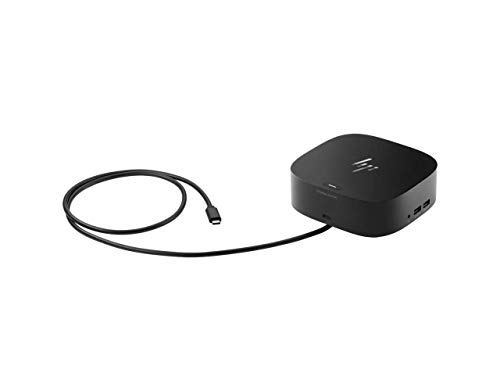
HP Docking Station
An HP docking station with 100W power, USB-C, HDMI and DisplayPort for a single external display.
Pros
- 100W power for charging the laptop
- HDMI and DisplayPort outputs for a monitor
- 6 USB ports with 4 USB 3.0 ports
- Network through RJ-45 for a wired connection
Cons
- No warranty term is stated
- Single external display only, not multiple monitors
- Measures 6.77 by 6.18 by 7.56 inches, larger than the G5 docks
- Weighs 3.34 pounds, heavier than a compact dock
Detailed Review
The maker lists an HP docking station with 100W power, a USB-C connection, 6 USB ports with 4 USB 3.0 ports, network through RJ-45, HDMI and DisplayPort. It connects a single external display at up to 2560 by 1600 and measures 6.77 by 6.18 by 7.56 inches at 3.34 pounds. The maker gives two USB 3.0 counts, 4 and 3; check before ordering.
Who it's for: HP laptop owners who want a wired dock with many USB ports for a single monitor. Who should skip it: buyers who want multiple monitors or a stated warranty term.
Its Office Score of 9.4/10 comes from performance 26/35, build 20/25, value 19/25, safety 0/10 and warranty 0/5: 65 of 100 points, placed on our 9.2 to 9.8 scale.
Key Specifications
| Power | 100W |
|---|---|
| Video | HDMI, DisplayPort |
| Display | Single display up to 2560 x 1600 |
| Size | 6.77 x 6.18 x 7.56 in |
These specs mirror the retailer listing as of 19 November 2026; performance figures are stated by the brand.
Safety and Warranty
What this listing states. No UL, FCC or over-current protection statement is stated, so safety scores zero. No warranty term, so warranty scores zero. See How We Pick.
Power and heat. Use the supplied adapter, treat power delivery wattage and display support as the maker's claims for your laptop model, and give the dock room to vent.
This is general buying information, not professional advice. Follow each product manual and local rules, and see our Safety Disclaimer.
As an Amazon Associate I earn from qualifying purchases.
Specs compared
| Docking station | Office Score | Power | Video outputs | Ports | Warranty | Amazon |
|---|---|---|---|---|---|---|
| PowerHOOD Thunderbolt Dock G2 | 9.7/10 | 230W | Dual 4K, DisplayPort and VGA | USB-C, USB-A, Gigabit Ethernet | 14-day money-back and 30-day exchange | View on Amazon |
| HP USB-C Dock G5 5TW10AA | 9.5/10 | 100 | 2 DisplayPort, 1 HDMI | USB-C, USB 3.0, audio, network | 1 year | View on Amazon |
| HP Docking Station 100W | 9.5/10 | 100W | HDMI and DisplayPort | USB-C | Not stated | |
| Dell Pro Dock WD25 | 9.5/10 | 100W | Not stated | USB-C | Not stated |
All numbers are the manufacturer’s stated specs, not measured in an office, pulled on 19 November 2026. Two of the four state a warranty term, and one states safety certifications.
How to choose the best docking station for hp zbook
Match the power figure to the laptop
Power delivery is the first figure to match, because it decides whether the dock charges the laptop while it drives the desk. The PowerHOOD states 230W with a Slim Smart AC Adapter, and the maker says that covers high-performance ZBook and Omen laptops. The HP G5 is rated at 100, and the HP Docking Station 100W and the Dell Pro Dock WD25 state 100W. Check the laptop’s own power need against the dock’s stated figure, and see every docking station and USB hub guide for more on the category.
Count the video outputs before the monitors
Video outputs decide how many monitors the desk can run, and the four docks differ sharply here. The PowerHOOD states dual 4K display output over DisplayPort and VGA. The HP G5 states dual monitors over 2 DisplayPort and 1 HDMI. The HP Docking Station 100W states HDMI and DisplayPort, and the Dell Pro Dock WD25 states no video outputs.
| Docking station | Power | Video outputs |
|---|---|---|
| PowerHOOD Thunderbolt Dock G2 | 230W | Dual 4K, DisplayPort and VGA |
| HP USB-C Dock G5 5TW10AA | 100 | 2 DisplayPort, 1 HDMI |
| HP Docking Station 100W | 100W | HDMI and DisplayPort |
| Dell Pro Dock WD25 | 100W | Not stated |
Match the dock’s stated outputs to the monitors on the desk before ordering.
Check the compatibility list for the exact model
A dock that fits one HP laptop may not fit another, so read the stated compatibility list for the exact model. The PowerHOOD names ZBook 15 and 17 from G3 to G8, ZBook Studio G3, G4 and G5, EliteBook 830 and 850 from G5 to G10, ProBook 470, Envy 15 and 17, and Spectre x360 15, plus HP Thunderbolt Dock G2 models 3TR87AA#ABA, 2UK37AA, 3YE87AA, Y0K80AA and 696695-001. The HP G5 names the Elite x2 G4, EliteBook 735 G6, 745 G6, 830 G6 and 850 G6, EliteBook x360 1040 G6, mobile thin Client MT45, and ProBook 445R G6, 640 G5 and 650 G5, with no ZBook model named. The HP Docking Station 100W and the Dell Pro Dock WD25 state no model list, so a buyer who needs a named match should weigh that before ordering.
Plan the cables and the power
A dock only calms a desk when its cables have somewhere to go. The PowerHOOD comes with a combo cable that covers 7.4 by 5.0 mm barrel and USB-C PD power inputs, and states LAN Wake on Dock, MAC Address Pass-Through and PXE Boot Support for enterprise desks. The HP G5 states Gigabit Ethernet with a network port for a wired connection. Keep the power adapter near an outlet, route the network cable away from the monitor cables, and see surge protectors and cable management and docking station setup for the rest of the desk.
Setup Notes
- Measure the desk depth first: the PowerHOOD lists 4.75 by 3.98 by 1.77 inches and the HP G5 lists 4.8 by 4.8 by 1.8 inches.
- Put the power adapter near an outlet: the PowerHOOD comes with a 230W Slim Smart AC Adapter, while the HP G5 is rated at 100.
- Route the combo cable before the monitors: the PowerHOOD cable covers 7.4 by 5.0 mm barrel and USB-C PD inputs.
- Leave a network cable in reach: the PowerHOOD and the HP G5 both state Gigabit Ethernet.
FAQ
Which docking station here delivers the most power?
The PowerHOOD Thunderbolt Dock G2, at 230W. The HP G5 is rated at 100, and the HP Docking Station 100W and the Dell Pro Dock WD25 state 100W.
Which of these docks supports dual 4K displays?
The PowerHOOD states dual 4K display output over DisplayPort and VGA. The HP G5 states dual monitors over 2 DisplayPort and 1 HDMI without a 4K figure, and the other two state no video resolution.
Does the HP USB-C Dock G5 work with a ZBook?
No ZBook model is named in its stated compatibility list, which names EliteBook and ProBook models and the Elite x2 G4. The PowerHOOD names ZBook 15 and 17 from G3 to G8 and ZBook Studio G3, G4 and G5.
What ports does the HP G5 dock offer?
The maker lists 1 USB 3.0, 1 USB-C, 1 super speed USB 3.0, 1 audio port, 1 network port, 2 DisplayPort and 1 HDMI, plus Gigabit Ethernet.
Which docks state a warranty term?
The HP G5 states 1 year, and the PowerHOOD states a 14-day money-back term and 30-day exchange service. The HP Docking Station 100W and the Dell Pro Dock WD25 state no warranty term.
Score breakdown
The Office Score weighs performance (power delivery, video outputs, ports and stated compatibility), build (footprint, item weight and stated construction), value for the stated specs, safety and warranty. For a docking station, safety means stated certifications such as UL, FCC and RoHS, plus stated power protections and certified firmware. Only the PowerHOOD states safety certifications. Two listings state a warranty term: the HP G5 at 1 year and the PowerHOOD with a 14-day money-back term and 30-day exchange service. How we pick explains the weights.
| Product | Office Score | Perf. /35 | Build /25 | Value /25 | Safety /10 | Warranty /5 |
|---|---|---|---|---|---|---|
| PowerHOOD Thunderbolt Dock G2 | 9.7 | 30 | 21 | 20 | 9 | 2 |
| HP USB-C Dock G5 5TW10AA | 9.5 | 28 | 20 | 20 | 0 | 3 |
We fit point totals onto a 9.2 low and 9.8 high in a straight line. One item can outscore another only by earning more points.
More for your workspace
See every docking station and USB hub guide and all audio, power and connectivity guides. Also see best docking station for HP laptop multiple monitors, best docking station for Dell, docking station types, docking station setup, Thunderbolt cable types and do I need a docking station.
More picks: computer speakers, headsets, surge protectors and cable management.