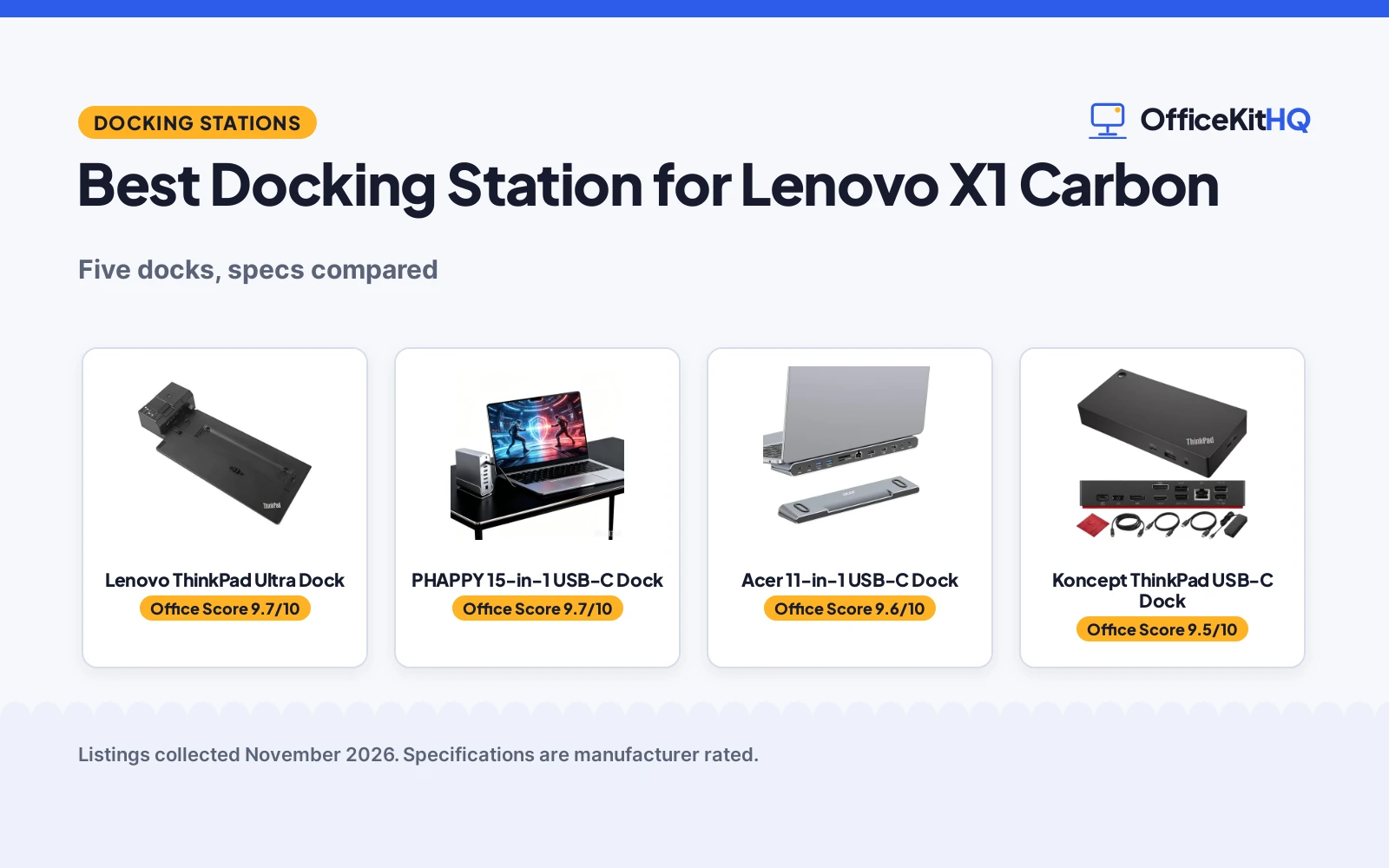
A morning call starts with a dim webcam and a laptop running everything off one hub, and the best docking station for Lenovo X1 Carbon turns that tangle into one cable to the monitors, the keyboard and the network. The five docks here range from Lenovo’s own mechanical docks to USB-C docks with triple monitor support, compared on stated monitors, video outputs, power delivery and warranty terms. The Lenovo Ultra dock leads on stated ports and warranty, while the PHAPPY dock leads on monitor resolution.
OfficeKitHQ earns a commission when you buy through links on this page, at no extra cost to you. As an Amazon Associate I earn from qualifying purchases. Affiliate disclosure.
Quick picks
 Best Overall Lenovo ThinkPad Ultra Dock: 135W adapter, 3 monitors and a 3 year warranty Check price on Amazon
 Most Ports PHAPPY 15-in-1 USB-C Dock: 15-in-1 with triple 4K at 60Hz and a rotatable base Check price on Amazon
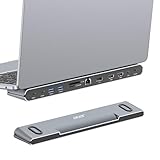 Best with Stand Acer 11-in-1 USB-C Dock: 8K DP, dual 4K HDMI and 100W power in a stand Check price on Amazon
 Lenovo Renewed Pick Lenovo ThinkPad Pro Dock: Certified refurbished Pro dock with a 135W adapter Check price on Amazon
 USB-C Pick Koncept ThinkPad USB-C Dock: 90W USB-C dock with dual monitor support Check price on Amazon
Our desk picks
| # | Product | Office Score | Buy |
|---|---|---|---|
| 1 | Lenovo ThinkPad Ultra Dock | 9.7/10 | Buy on Amazon |
| 2 | PHAPPY 15-in-1 USB-C Dock | 9.7/10 | Buy on Amazon |
| 3 | Acer 11-in-1 USB-C Dock | 9.6/10 | Buy on Amazon |
| 4 | Koncept 40AY0090US USB-C Dock | 9.5/10 | Buy on Amazon |
| 5 | Lenovo ThinkPad Pro Dock | 9.3/10 | Buy on Amazon |

Lenovo ThinkPad Ultra Dock
Lenovo's mechanical Ultra dock for the X1 Carbon Gen 6 and other listed ThinkPads, with a 135W adapter and support for 3 monitors.
Pros
- 135W Slim tip AC adapter included in the box
- Supports 3 monitors through 2 DisplayPort, HDMI 2.0 and VGA
- 4 USB Gen2 ports at 10Gbps plus 2 USB-C ports
- 3 year limited warranty, the longest here
Cons
- Mechanical dock fits only the listed ThinkPad models, including X1 Carbon Gen 6
- 14.9 by 6.3 inch footprint takes real desk space
- VGA port adds a legacy connection most modern monitors no longer use
- No 4K video output is stated, unlike the PHAPPY and Acer docks
Detailed Review
This mechanical dock is made for the X1 Carbon Gen 6 and the other listed ThinkPads, including the T480, T580, L480, L580, P52s, T480s and X280. It supports 3 monitors through 2 DisplayPort ports, 1 HDMI 2.0 port and 1 VGA port, with 4 USB Gen2 ports at 10Gbps, 2 USB-C ports at 10Gbps, Gigabit Ethernet and a stereo and mic combo audio port. The box includes the Ultra dock, a 135W Slim tip AC adapter with a 2 pin power cord, 2 locking keys and a set up poster. It also lists PXE Boot, Wake-On LAN, Mac address pass-through and an optional master key lock. The maker states a 3 year limited warranty, and the dock weighs 1.79 lb.
Who it's for: X1 Carbon Gen 6 owners who want Lenovo's own mechanical dock with 3 monitor support and a 3 year warranty. Who should skip it: owners of X1 Carbon generations outside the listed models, who need a USB-C dock instead.
Its Office Score of 9.7/10 comes from performance 32/35, build 22/25, value 20/25, safety 7/10 and warranty 4/5: 85 of 100 points, placed on our 9.2 to 9.8 scale.
Key Specifications
| Monitors | 3 |
|---|---|
| Video outputs | 2x DisplayPort, HDMI 2.0, VGA |
| USB ports | 4x USB Gen2, 2x USB-C |
| Power adapter | 135W |
These specs mirror the retailer listing as of 18 November 2026; performance figures are stated by the brand.
Safety and Warranty
What this listing states. 2 locking keys and optional master key lock stated, so safety scores 7 of 10. 3 years limited warranty stated. It does not say everything a buyer needs, such as who pays return shipping, so warranty scores 4 of 5. See How We Pick.
Power and heat. Use the supplied adapter, treat power delivery wattage and display support as the maker's claims for your laptop model, and give the dock room to vent.
This is general buying information, not professional advice. Follow each product manual and local rules, and see our Safety Disclaimer.

PHAPPY 15-in-1 USB-C Dock
A 15-in-1 USB-C dock for X1 Carbon 5th to 12th Gen laptops, with triple 4K at 60Hz, 10Gbps ports and a rotatable base.
Pros
- Triple 4K at 60Hz across 2 HDMI and 1 DP
- 15-in-1 with Gigabit Ethernet, SD and TF card readers
- 10Gbps USB-C and USB-A data ports
- Aluminum alloy shell with a 360-degree rotatable base
Cons
- No power adapter is included in the box
- Only a 12-month warranty, shorter than the Ultra dock's 3 years
- No VGA port for older monitors
- The 360-degree base needs desk space to swivel
Detailed Review
This 15-in-1 USB-C dock is made for the ThinkPad X1 Carbon 5th to 12th Gen and other listed ThinkPads, including the T14, T15, T16, E14, E15, E16, P14s, P15v, P16v, L14, L13, L16 and L15. It runs triple displays with 2 4K at 60Hz HDMI ports and 1 4K at 60Hz DP port, and it adds Gigabit Ethernet, 10Gbps USB-C and USB-A data ports, USB 3.0 and 2.0, 3.5mm audio and SD and TF card readers. The shell is premium aluminum alloy, and the 360-degree rotatable head and detachable base swivel for cable routing. The box includes the dock, the rotatable base, a USB-C 4.0 cable and a user manual, and the maker states a 12-month warranty.
Who it's for: X1 Carbon owners from the 5th to the 12th Gen who want triple 4K monitors from one USB-C cable. Who should skip it: buyers who want a stated charging wattage or a power adapter in the box.
Its Office Score of 9.7/10 comes from performance 33/35, build 22/25, value 21/25, safety 5/10 and warranty 3/5: 84 of 100 points, placed on our 9.2 to 9.8 scale.
Key Specifications
| Monitors | 3 at 4K at 60Hz |
|---|---|
| Video outputs | 2x HDMI 4K at 60Hz, 1x DP 4K at 60Hz |
| Ports | 15-in-1 |
| Warranty | 12 months |
These specs mirror the retailer listing as of 18 November 2026; performance figures are stated by the brand.
Safety and Warranty
What this listing states. Aluminum alloy shell with heat dissipation stated, so safety scores 5 of 10. 12-month warranty stated. It does not say everything a buyer needs, such as who pays return shipping, so warranty scores 3 of 5. See How We Pick.
Power and heat. Use the supplied adapter, treat power delivery wattage and display support as the maker's claims for your laptop model, and give the dock room to vent.
This is general buying information, not professional advice. Follow each product manual and local rules, and see our Safety Disclaimer.

Acer 11-in-1 USB-C Dock
An 11-in-1 USB-C dock that doubles as a laptop stand, with 8K DP, dual 4K HDMI and 100W power delivery.
Pros
- Single 8K at 30Hz on DP, or dual 4K at 60Hz on HDMI
- Doubles as a laptop stand with anti-slip silicone pads
- 100W input with 85W delivered to the laptop
- Detachable USB-C cable for flexible placement
Cons
- 100W or higher power adapter and cable are not included
- Triple display mode drops the third monitor to 1080P at 60Hz
- macOS mirrors the same content across all external monitors
- 40 cm long, so it needs a wide desk
Detailed Review
This 11-in-1 USB-C dock includes 2 HDMI ports at 4K at 60Hz, 1 DP port at up to 8K at 30Hz, 2 USB-C ports at 10Gbps, 2 USB-A ports at 5Gbps, a 1 Gbps Ethernet port, PD at 100W and SD and MicroSD slots at 104Mbps. It works as a laptop stand as well as a dock, with anti-slip silicone pads, and the USB-C cable detaches. It supports up to 100W input and delivers 85W to the laptop, while the laptop's USB-C port must support power delivery and DisplayPort Alt Mode. The maker states a 1 year manufacturer warranty. Note that a 100W or higher power adapter and cable are not included.
Who it's for: X1 Carbon owners who want a dock and a laptop stand in one unit with 8K DP output. Who should skip it: buyers who want the power adapter in the box or triple 4K without a resolution drop.
Its Office Score of 9.6/10 comes from performance 30/35, build 21/25, value 21/25, safety 4/10 and warranty 3/5: 79 of 100 points, placed on our 9.2 to 9.8 scale.
Key Specifications
| Monitors | 3 |
|---|---|
| Video outputs | 2x HDMI 4K at 60Hz, DP 8K at 30Hz |
| Power | 100W input, 85W to laptop |
| Ports | 11-in-1 |
These specs mirror the retailer listing as of 18 November 2026; performance figures are stated by the brand.
Safety and Warranty
What this listing states. Anti-slip silicone pads keep the device stable, so safety scores 4 of 10. 1 Year Manufacturer warranty stated. It does not say everything a buyer needs, such as who pays return shipping, so warranty scores 3 of 5. See How We Pick.
Power and heat. Use the supplied adapter, treat power delivery wattage and display support as the maker's claims for your laptop model, and give the dock room to vent.
This is general buying information, not professional advice. Follow each product manual and local rules, and see our Safety Disclaimer.

Koncept 40AY0090US USB-C Dock
A USB-C dock with 90W power delivery, dual monitor support with 4K display, and HDMI and DisplayPort cables included.
Pros
- 90W power delivery is stated for charging while connected
- HDMI and DisplayPort cables are included in the box
- Dual monitor support with 4K display is stated
- USB-C cable is included for high-speed data transfer and energy supply
Cons
- No dimensions are stated, so the footprint cannot be checked before ordering
- No port counts are stated beyond HDMI, DisplayPort and USB-C
- No Ethernet port is stated
- 90W is lower than the 230W stated for the workstation dock here
Detailed Review
Koncept lists the 40AY0090US as a USB-C dock for a dual monitor setup with 4K display support and 90W power delivery. The maker states HDMI and DisplayPort connectivity, included HDMI and DisplayPort cables, a USB-C cable for high-speed data transfer and energy supply, and a microfiber cleaning cloth. No dimensions are stated, and the maker states a 1 year warranty.
Who it's for: someone with a standard ThinkPad who wants 90W charging and the cables in the box. Who should skip it: anyone who needs a stated footprint, Ethernet or workstation power.
Its Office Score of 9.5/10 comes from performance 28/35, build 20/25, value 20/25, safety 0/10 and warranty 2/5: 70 of 100 points, placed on our 9.2 to 9.8 scale.
Key Specifications
| Power delivery | 90W |
|---|---|
| Display | Dual monitor, 4K |
| Cables included | HDMI, DisplayPort, USB-C |
| Dimensions | Not stated |
These specs mirror the retailer listing as of 18 November 2026; performance figures are stated by the brand.
Safety and Warranty
What this listing states. No UL, FCC or over-current protection statement is stated, so safety scores zero. 1 year warranty stated. It does not say everything a buyer needs, such as who pays return shipping, so warranty scores 2 of 5. See How We Pick.
Power and heat. Use the supplied adapter, treat power delivery wattage and display support as the maker's claims for your laptop model, and give the dock room to vent.
This is general buying information, not professional advice. Follow each product manual and local rules, and see our Safety Disclaimer.

Lenovo ThinkPad Pro Dock
A certified refurbished Lenovo Pro dock for the X1 Carbon Gen 6, with a 135W adapter and a 90 day warranty.
Pros
- Certified refurbished to look and work like new
- 135W AC adapter with 2 pin power cord included
- 2 locking keys included in the box
- Made for the X1 Carbon Gen 6 and the other listed ThinkPads
Cons
- Only a 90 day limited warranty, the shortest here
- Refurbished unit may arrive in a generic box
- 3.75 lb, the heaviest stated weight here
- Mechanical dock fits only the listed ThinkPad models
Detailed Review
This certified refurbished Pro dock is made for the X1 Carbon Gen 6 and the other listed ThinkPads, including the P52s, L580, L480, T580, P580p, T480s, T480 and X280. The refurbishing process includes a functionality check, basic cleaning, inspection and repackaging, and the product is certified to look and work like new. The box includes the Pro dock, a 135W AC adapter with a 2 pin power cord, 2 locking keys, a set up poster and Lenovo publications and documentation. The maker states a 90 day limited warranty, and the dock weighs 3.75 lb.
Who it's for: X1 Carbon Gen 6 owners who want Lenovo's Pro dock as a certified refurbished unit. Who should skip it: buyers who want a new unit or a warranty longer than 90 days.
Its Office Score of 9.3/10 comes from performance 21/35, build 18/25, value 18/25, safety 4/10 and warranty 1/5: 62 of 100 points, placed on our 9.2 to 9.8 scale.
Key Specifications
| Power adapter | 135W |
|---|---|
| Warranty | 90 days |
| Weight | 3.75 lb |
| Fits | X1 Carbon Gen 6 |
These specs mirror the retailer listing as of 18 November 2026; performance figures are stated by the brand.
Safety and Warranty
What this listing states. 2 locking keys stated, so safety scores 4 of 10. 90 days limited warranty stated. It does not say everything a buyer needs, such as who pays return shipping, so warranty scores 1 of 5. See How We Pick.
Power and heat. Use the supplied adapter, treat power delivery wattage and display support as the maker's claims for your laptop model, and give the dock room to vent.
This is general buying information, not professional advice. Follow each product manual and local rules, and see our Safety Disclaimer.
As an Amazon Associate I earn from qualifying purchases.
More picks to compare
 Lenovo USB-C 7-in-1 HubA 7-in-1 USB-C hub with 4K HDMI for travel use.Check on Amazon
Specs compared
| Dock | Office Score | Monitors | USB data | Power | Warranty | Amazon |
|---|---|---|---|---|---|---|
| Lenovo ThinkPad Ultra Dock | 9.7/10 | 3 | 10Gbps USB and USB-C | 135W adapter | 3 years | View on Amazon |
| PHAPPY 15-in-1 USB-C Dock | 9.7/10 | 3 | 10Gbps USB-C and USB-A | Not stated | 1 year | View on Amazon |
| Acer 11-in-1 USB-C Dock | 9.6/10 | 3 | 10Gbps USB-C, 5Gbps USB-A | 100W input, 85W to laptop | 1 year | View on Amazon |
| Lenovo ThinkPad Pro Dock | 9.3/10 | Not stated | Not stated | 135W adapter | 90 days | View on Amazon |
| Koncept ThinkPad USB-C Dock | 9.5/10 | 2 | Not stated | 90W | Not stated |
Specs reflect manufacturer claims on each product listing (as of 18 November 2026).
How to choose the best docking station for Lenovo X1 Carbon
Match the dock to your X1 Carbon generation
The generation decides the dock type. The Lenovo Ultra and Pro docks are mechanical docks made for the X1 Carbon Gen 6 and the other listed ThinkPads, including the T480, T580, L480, L580, P52s, T480s and X280. The PHAPPY dock is a USB-C dock made for the X1 Carbon 5th to 12th Gen, so it covers far more generations through one cable. The Acer dock is a USB-C dock that needs a laptop port with DisplayPort Alt Mode and power delivery, and the Koncept dock is a USB-C dock with dual monitor support. Check the generation in the dock’s compatibility list before ordering. Also see the best docking station for Lenovo ThinkPad guide for more ThinkPad docks.
Count monitors and resolutions
Monitor count and resolution separate the USB-C docks from the mechanical docks. The Ultra dock supports 3 monitors through 2 DisplayPort ports, 1 HDMI 2.0 port and 1 VGA port. The PHAPPY dock runs triple displays at 4K at 60Hz on 2 HDMI ports and 1 DP port. The Acer dock runs a single display up to 8K at 30Hz on DP or 4K at 60Hz on HDMI, and dual displays at 4K at 60Hz, while triple displays allocate resolutions by monitor, typically 4K at 60Hz plus 4K at 60Hz plus 1080P at 60Hz. The Koncept dock supports dual monitors. See docking station types for how the port counts map to monitors.
Power delivery and the adapter in the box
Power decides whether the dock charges the laptop while it drives the monitors. The Ultra and Pro docks include a 135W adapter with a 2 pin power cord. The Acer dock supports up to 100W input and delivers 85W to the laptop, but a 100W or higher power adapter and cable are not included. The Koncept dock gives 90W over USB-C. The PHAPPY dock names no charging wattage and no adapter in the box, so check its power delivery before ordering. See do I need a docking station for how to weigh power against ports.
Ports, card readers and the stand
Ports decide what else leaves the desk. The Ultra dock gives 4 USB Gen2 ports at 10Gbps, 2 USB-C ports at 10Gbps, Gigabit Ethernet and a stereo and mic combo audio port. The PHAPPY dock gives 10Gbps USB-C and USB-A data ports, Gigabit Ethernet, 3.5mm audio and SD and TF card readers. The Acer dock gives 2 USB-C ports at 10Gbps, 2 USB-A ports at 5Gbps, a 1 Gbps Ethernet port and SD and MicroSD slots at 104Mbps, and it doubles as a laptop stand with anti-slip silicone pads. The Pro dock includes 2 locking keys, and the Ultra dock adds an optional master key lock.
Read the warranty lines closely
Warranty terms differ more than the port counts do. The Ultra dock states a 3 year limited warranty, the Acer dock states a 1 year manufacturer warranty, the PHAPPY dock states a 12-month warranty, and the Pro dock states a 90 day limited warranty. No warranty term is given for the Koncept dock. A longer stated term matters more on a mechanical dock, since the dock connector takes wear every time the laptop seats, and it matters on a refurbished unit, since the Pro dock carries the shortest term here.
Setup Notes
- Check the generation: the Ultra and Pro docks list the X1 Carbon Gen 6, while the PHAPPY dock lists the 5th to 12th Gen.
- Count the cables: the Acer dock needs a 100W or higher adapter and cable, which are not included, while the Ultra and Pro docks include a 135W adapter.
- Measure the desk: the Ultra dock is 14.9 by 6.3 inches, and the Acer dock is 40 cm long.
- Check the monitor count: the Ultra, PHAPPY and Acer docks support 3 monitors, while the Koncept dock supports 2.
- Check the warranty term: the Ultra dock states 3 years, the Acer dock 1 year, the PHAPPY dock 12 months and the Pro dock 90 days.
FAQ
Which dock here fits the most X1 Carbon generations?
The PHAPPY dock, which lists the X1 Carbon 5th to 12th Gen. The Ultra and Pro docks list the X1 Carbon Gen 6 only.
Which docks include a power adapter?
The Ultra and Pro docks include a 135W adapter with a 2 pin power cord. The Acer dock needs a 100W or higher adapter and cable, which are not included, and no adapter is named in the box for the PHAPPY dock.
Can the Acer dock run three monitors at 4K?
Not all three. Triple displays allocate resolutions by monitor, typically 4K at 60Hz plus 4K at 60Hz plus 1080P at 60Hz, so the third monitor runs at 1080P.
Is the Lenovo Pro dock new?
No, it is certified refurbished, certified to look and work like new, and it may arrive in a generic box. It carries a 90 day limited warranty.
Do these docks work with other ThinkPads?
Yes, the listed ones do. The Ultra and Pro docks list the T480, T580, L480, L580, P52s, T480s and X280, and the PHAPPY dock lists the T14, T15, T16, E14, E15, E16, P14s, P15v, P16v, L14, L13, L16 and L15.
Score breakdown
The Office Score weighs performance, build, value, safety and warranty. For a docking station, safety means locking hardware, stable placement and stated protections, so a dock that states none scores zero on that line. Four of the five docks state a warranty term. How we pick explains the weights.
| Product | Office Score | Perf. /35 | Build /25 | Value /25 | Safety /10 | Warranty /5 |
|---|---|---|---|---|---|---|
| Lenovo ThinkPad Ultra Dock | 9.7 | 32 | 22 | 20 | 7 | 4 |
| PHAPPY 15-in-1 USB-C Dock | 9.7 | 33 | 22 | 21 | 5 | 3 |
| Acer 11-in-1 USB-C Dock | 9.6 | 30 | 21 | 21 | 4 | 3 |
| Lenovo ThinkPad Pro Dock | 9.3 | 21 | 18 | 18 | 4 | 1 |
The scale opens at 9.2 and closes at 9.8; between those marks, weighted points translate linearly into the score you see.
More for your workspace
See every Docking Stations and USB Hubs guide and all Audio, Power and Connectivity guides.
More picks: docking station for Lenovo ThinkPad, docking station types, docking station setup, do I need a docking station.