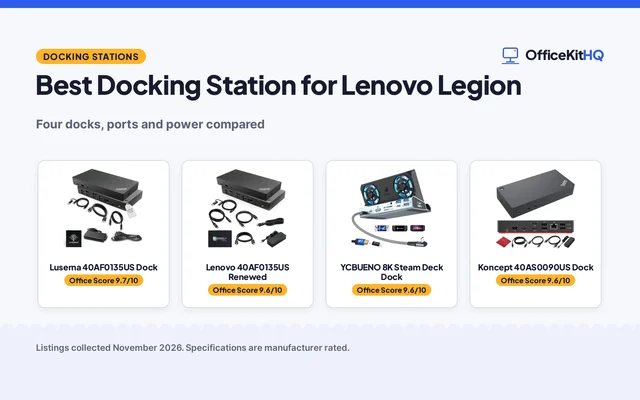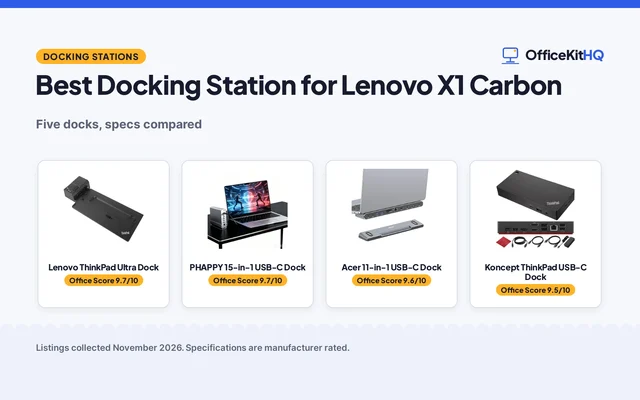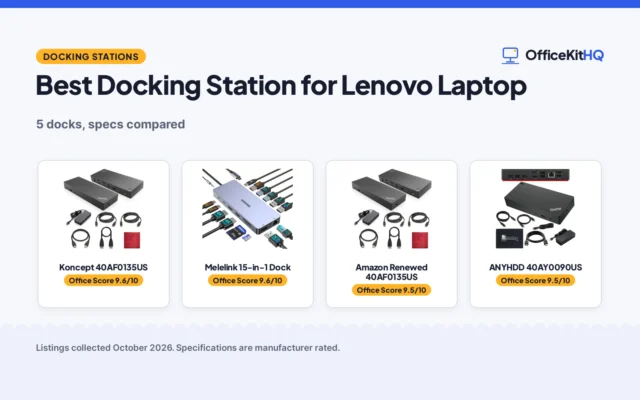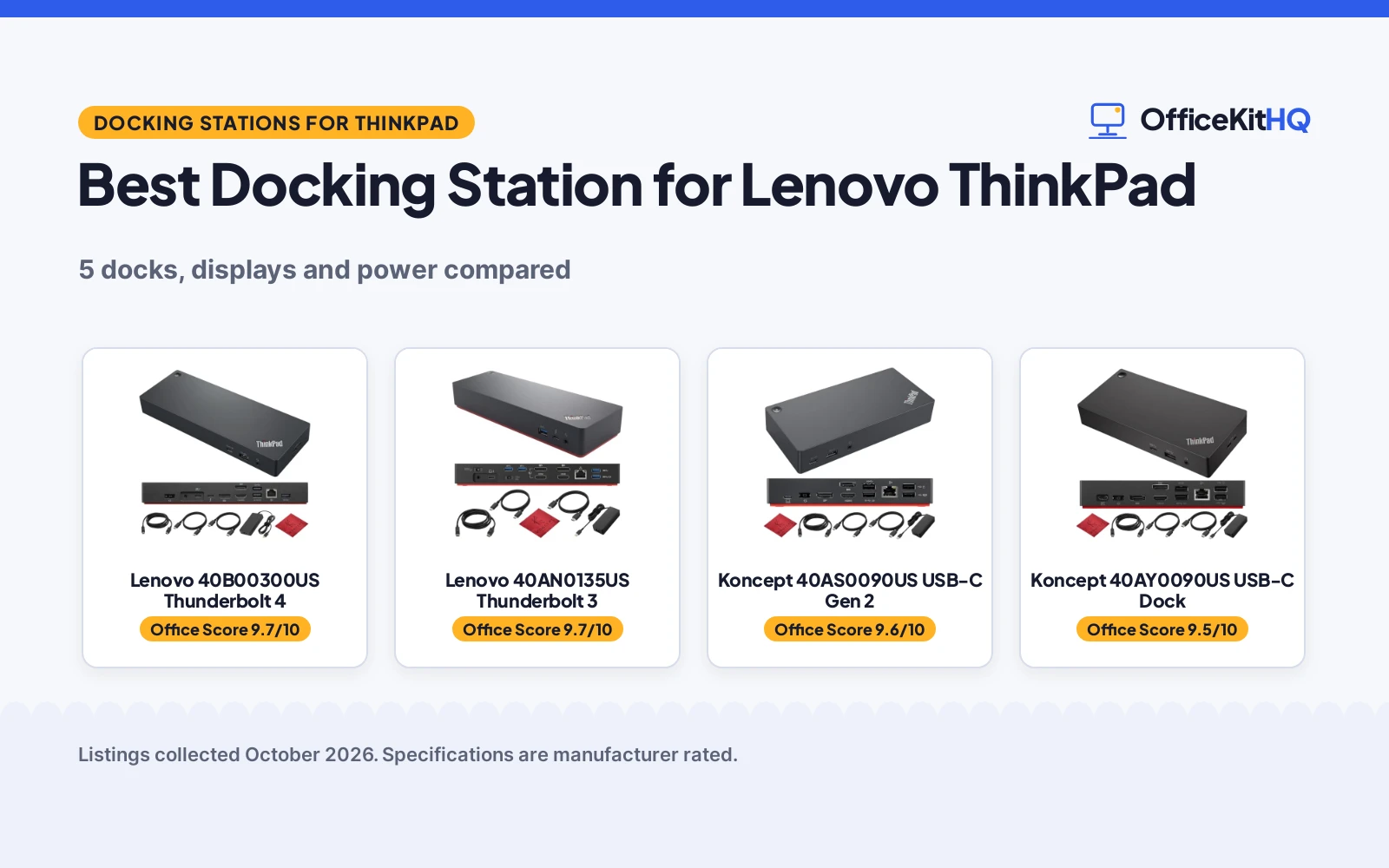
The best docking station for Lenovo ThinkPad laptops is the dock that ends the morning scramble of cables, a dim webcam and a laptop running everything through a hub that already carries each peripheral. A dock that matches the laptop ports, the monitors on the desk and the power the workstation needs turns a crowded desk into a calm one. This article compares 5 docks by display support, power delivery, USB ports, Ethernet and warranty term, using only what each listing publishes.
OfficeKitHQ earns a commission when you buy through links on this page, at no extra cost to you. As an Amazon Associate I earn from qualifying purchases. Affiliate disclosure.
Quick picks
 Best Overall Lenovo 40B00300US Thunderbolt 4: One 8K or up to four 4K monitors, 300W adapter, up to 230W delivery Check price on Amazon
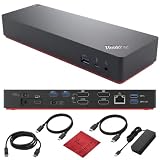 Best Thunderbolt 3 Lenovo 40AN0135US Thunderbolt 3: Dual 4K through 2 HDMI and 2 DisplayPort, 10Gbps USB, lock slot Check price on Amazon
 Best Cables Included Koncept 40AS0090US USB-C Gen 2: HDMI, DisplayPort and USB-C cables in the box, 10Gbps USB Check price on Amazon
 Best 90W Pick Koncept 40AY0090US USB-C Dock: 90W delivery, dual monitor 4K support, cables included Check price on Amazon
 Dual Monitor Renewed Amazon Renewed 40AF0135US: Dual monitor dock with HDMI, DisplayPort and 135W power Check price on Amazon
Our desk picks
| # | Product | Office Score | Buy |
|---|---|---|---|
| 1 | Lenovo 40B00300US Thunderbolt 4 | 9.7/10 | Buy on Amazon |
| 2 | Lenovo 40AN0135US Thunderbolt 3 | 9.7/10 | Buy on Amazon |
| 3 | Koncept 40AS0090US USB-C Gen 2 | 9.6/10 | Buy on Amazon |
| 4 | Koncept 40AY0090US USB-C Dock | 9.5/10 | Buy on Amazon |
| 5 | Amazon Renewed 40AF0135US | 9.5/10 | Buy on Amazon |

Lenovo 40B00300US Thunderbolt 4
A Thunderbolt 4 dock with a 300W adapter delivering up to 230W, support for one 8K or up to four 4K monitors, and a wide port set for a ThinkPad workstation.
Pros
- Supports one 8K or up to four 4K monitors through 2 DisplayPorts and 1 HDMI
- 300W adapter delivers up to 230W to compatible ThinkPad workstations
- 4 USB-A 3.2 Gen 2 ports plus 1 USB-C and 1 Thunderbolt 4 port
- Gigabit Ethernet and a 3.5mm audio port are stated
Cons
- Only 1 HDMI port is stated, so an additional monitor needs DisplayPort
- Needs a laptop with USB-C or Thunderbolt support, per the compatibility note
- No HDMI cable is stated in the box, unlike the 2 docks that include cables
- No security-lock slot is stated, unlike the Thunderbolt 3 dock here
Detailed Review
Koncept lists the 40B00300US as a dual-monitor Thunderbolt dock with 2 DisplayPorts and 1 HDMI supporting one 8K or up to four 4K monitors. The maker states a 300W adapter capable of delivering up to 230W to compatible ThinkPad workstations, 4 USB-A 3.2 Gen 2 ports, 1 USB-C port, 1 Thunderbolt 4 port, a Gigabit Ethernet jack and a 3.5mm audio port. The stated dimensions are 6.0 by 3.0 by 1.0 inches, and the maker states a 1 year warranty.
Who it's for: someone running a ThinkPad workstation with several monitors and hungry peripherals. Who should skip it: anyone whose laptop lacks USB-C or Thunderbolt support, or who needs no more than a monitor and a hub.
Its Office Score of 9.7/10 comes from performance 33/35, build 22/25, value 21/25, safety 8/10 and warranty 2/5: 86 of 100 points, placed on our 9.2 to 9.8 scale.
Key Specifications
| Display support | One 8K or up to four 4K |
|---|---|
| Power delivery | 300W adapter, up to 230W |
| USB ports | 4 USB-A, 1 USB-C, 1 Thunderbolt 4 |
| Dimensions | 6.0 x 3.0 x 1.0 in |
These specs mirror the retailer listing as of 18 November 2026; performance figures are stated by the brand.
Safety and Warranty
What this listing states. Thunderbolt 4 certification stated, so safety scores 8 of 10. 1 year warranty stated. It does not say everything a buyer needs, such as who pays return shipping, so warranty scores 2 of 5. See How We Pick.
Power and heat. Use the supplied adapter, treat power delivery wattage and display support as the maker's claims for your laptop model, and give the dock room to vent.
This is general buying information, not professional advice. Follow each product manual and local rules, and see our Safety Disclaimer.

Lenovo 40AN0135US Thunderbolt 3
A Thunderbolt 3 Gen 2 dock with dual 4K support through 2 HDMI and 2 DisplayPort outputs, 10Gbps USB ports and a security-lock slot.
Pros
- Dual 4K display support through 2 HDMI and 2 DisplayPort outputs
- USB 3.1 Gen 2 ports run at 10Gbps, with an always-on USB port stated
- 10/100/1000 Ethernet port and a 3.5mm audio connector are stated
- Security-lock slot stated for a shared desk
Cons
- Largest footprint here at 8.6 by 3.5 by 1.2 inches
- Thunderbolt 3, not Thunderbolt 4, so newer docks state wider display support
- Only 1 Thunderbolt 3 port is stated for the laptop link
- Windows 7 and Windows 10 support is stated, with no newer system named
Detailed Review
Lenovo lists the 40AN0135US as a Thunderbolt 3 Dock Gen 2 with dual 4K display support through 2 HDMI and 2 DisplayPort outputs and 1 high-speed Thunderbolt 3 port. The maker states 4 USB 3.1 Gen 2 ports at 10Gbps with always-on USB, USB 2.0 ports, a 1 USB-C port with data and 5V 3A, a 10/100/1000 RJ-45 Ethernet port, a 3.5mm audio connector and a security-lock slot. The stated dimensions are 8.6 by 3.5 by 1.2 inches, the maker states a 1 year warranty, and the listing states a 30-day return policy.
Who it's for: someone with a Thunderbolt 3 ThinkPad and dual 4K monitors who wants a lock slot on a shared desk. Who should skip it: anyone who needs Thunderbolt 4 or a smaller dock.
Its Office Score of 9.7/10 comes from performance 30/35, build 21/25, value 21/25, safety 8/10 and warranty 2/5: 82 of 100 points, placed on our 9.2 to 9.8 scale.
Key Specifications
| Display support | Dual 4K, 2 HDMI, 2 DisplayPort |
|---|---|
| USB | 4 USB 3.1 Gen 2 at 10Gbps |
| Ethernet | 10/100/1000 RJ-45 |
| Dimensions | 8.6 x 3.5 x 1.2 in |
These specs mirror the retailer listing as of 18 November 2026; performance figures are stated by the brand.
Safety and Warranty
What this listing states. Thunderbolt 3 certification stated; security-lock slot stated, so safety scores 8 of 10. 1 year warranty stated. It does not say everything a buyer needs, such as who pays return shipping, so warranty scores 2 of 5. See How We Pick.
Power and heat. Use the supplied adapter, treat power delivery wattage and display support as the maker's claims for your laptop model, and give the dock room to vent.
This is general buying information, not professional advice. Follow each product manual and local rules, and see our Safety Disclaimer.

Koncept 40AS0090US USB-C Gen 2
A renewed USB-C Gen 2 dock with 2 DisplayPort and 2 HDMI outputs, 10Gbps USB ports and HDMI, DisplayPort and USB-C cables in the box.
Pros
- HDMI, DisplayPort and USB-C cables are included in the box
- 2 DisplayPort 1.2 and 2 HDMI ports suit a multi-monitor setup
- USB 3.1 Gen 2 Type-C and Type-A ports run at 10Gbps
- 10/100/1000 Ethernet and a stereo/mic combo audio port are stated
Cons
- Renewed, so the dock is not a new unit
- No wattage figure is stated for power delivery
- 6.73 by 3.15 by 1.28 inches is wider than the Thunderbolt 4 dock here
- Only 1 USB-C port is stated, so another USB-C device needs a hub
Detailed Review
Koncept lists the 40AS0090US as a renewed ThinkPad docking station with 2 DisplayPort 1.2 ports, 2 HDMI ports, 1 USB 3.1 Gen 2 Type-C port, 3 USB 3.1 Gen 2 Type-A ports and 2 USB 2.0 Type-A ports. The maker states 10Gbps USB 3.1 Gen 2 ports with always-on USB, a multi-purpose USB-C port with data and 5V 3A, a 10/100/1000 Ethernet port and a stereo/mic combo audio port. The package includes a Lenovo dock, 1 HDMI cable, 1 DisplayPort cable, a USB-C cable and a microfiber cleaning cloth. The stated dimensions are 6.73 by 3.15 by 1.28 inches, and the maker states a 1 year warranty.
Who it's for: someone who wants the cables in the box and a renewed dock with dual display outputs. Who should skip it: anyone who wants a new unit or a stated wattage figure.
Its Office Score of 9.6/10 comes from performance 28/35, build 20/25, value 20/25, safety 7/10 and warranty 2/5: 77 of 100 points, placed on our 9.2 to 9.8 scale.
Key Specifications
| Display | 2 DisplayPort, 2 HDMI |
|---|---|
| USB | 3 USB-A Gen 2, 1 USB-C, 2 USB 2.0 |
| Cables included | HDMI, DisplayPort, USB-C |
| Dimensions | 6.73 x 3.15 x 1.28 in |
These specs mirror the retailer listing as of 18 November 2026; performance figures are stated by the brand.
Safety and Warranty
What this listing states. Thunderbolt 3 certification stated, so safety scores 7 of 10. 1 year warranty stated. It does not say everything a buyer needs, such as who pays return shipping, so warranty scores 2 of 5. See How We Pick.
Power and heat. Use the supplied adapter, treat power delivery wattage and display support as the maker's claims for your laptop model, and give the dock room to vent.
This is general buying information, not professional advice. Follow each product manual and local rules, and see our Safety Disclaimer.

Koncept 40AY0090US USB-C Dock
A USB-C dock with 90W power delivery, dual monitor support with 4K display, and HDMI and DisplayPort cables included.
Pros
- 90W power delivery is stated for charging while connected
- HDMI and DisplayPort cables are included in the box
- Dual monitor support with 4K display is stated
- USB-C cable is included for high-speed data transfer and energy supply
Cons
- No dimensions are stated, so the footprint cannot be checked before ordering
- No port counts are stated beyond HDMI, DisplayPort and USB-C
- No Ethernet port is stated
- 90W is lower than the 230W stated for the workstation dock here
Detailed Review
Koncept lists the 40AY0090US as a USB-C dock for a dual monitor setup with 4K display support and 90W power delivery. The maker states HDMI and DisplayPort connectivity, included HDMI and DisplayPort cables, a USB-C cable for high-speed data transfer and energy supply, and a microfiber cleaning cloth. No dimensions are stated, and the maker states a 1 year warranty.
Who it's for: someone with a standard ThinkPad who wants 90W charging and the cables in the box. Who should skip it: anyone who needs a stated footprint, Ethernet or workstation power.
Its Office Score of 9.5/10 comes from performance 28/35, build 20/25, value 20/25, safety 0/10 and warranty 2/5: 70 of 100 points, placed on our 9.2 to 9.8 scale.
Key Specifications
| Power delivery | 90W |
|---|---|
| Display | Dual monitor, 4K |
| Cables included | HDMI, DisplayPort, USB-C |
| Dimensions | Not stated |
These specs mirror the retailer listing as of 18 November 2026; performance figures are stated by the brand.
Safety and Warranty
What this listing states. No UL, FCC or over-current protection statement is stated, so safety scores zero. 1 year warranty stated. It does not say everything a buyer needs, such as who pays return shipping, so warranty scores 2 of 5. See How We Pick.
Power and heat. Use the supplied adapter, treat power delivery wattage and display support as the maker's claims for your laptop model, and give the dock room to vent.
This is general buying information, not professional advice. Follow each product manual and local rules, and see our Safety Disclaimer.

Amazon Renewed 40AF0135US
A renewed dual-display dock with the same port set as the Koncept listing, 135W power and a stated weight of 1.1 pounds.
Pros
- 2 HDMI ports and 2 DisplayPort 1.2 ports for a dual-display desk
- 7 USB ports, with USB 3.1 Gen 2 ports at 10Gbps stated in the bullets
- 135W power stated in the spec table, with a 1 year warranty stated
- Item weight of 1.1 pounds is stated, which the Koncept listing for the same model does not state
Cons
- No dimensions are stated in this listing, unlike the Koncept listing for the same model
- No safety certification or protection feature is stated
- Always-On USB and 5V 3A are stated for the USB-C port, but no further power detail is given for the other ports
Detailed Review
Amazon Renewed lists this 40AF0135US dock with the same dual-display port set as the Koncept listing: 2 DisplayPort 1.2 ports, 2 HDMI ports, 1 USB 3.1 Gen 2 Type-C port, 3 USB 3.1 Gen 2 Type-A ports, 2 USB 2.0 Type-A ports and 1 Gigabit Ethernet port, with 14 ports and 7 USB ports in the spec table. The package list includes the dock, an adapter listed as Original Lenovo 135, 1 HDMI cable, 1 DisplayPort cable, a USB-C to A cable and a USB-C to C cable, and the spec table states a weight of 1.1 pounds and a 1 year warranty. One discrepancy: the spec table names Lenovo as the brand and Koncept as the manufacturer, while the listing brand is Amazon Renewed, so the brand line does not line up across the listing.
Who it's for: a Lenovo laptop user who wants the dual-display port set and a stated weight. Who should skip it: anyone who needs stated dimensions, a safety certification, or a clear brand line in the listing.
Its Office Score of 9.5/10 comes from performance 30/35, build 21/25, value 20/25, safety 0/10 and warranty 3/5: 74 of 100 points, placed on our 9.2 to 9.8 scale.
Key Specifications
| Total ports | 14 |
|---|---|
| USB ports | 7 |
| HDMI ports | 2 |
| Item weight | 1.1 pounds |
Figures as published on the retailer listing, collected 28 October 2026. Performance figures are manufacturer rated.
Safety and Warranty
What this listing states. No UL, FCC or over-current protection statement is stated, so safety scores zero. 1 year warranty. It does not say everything a buyer needs, such as who pays return shipping, so warranty scores 3 of 5. See How We Pick.
Power and heat. Use the supplied adapter, treat power delivery wattage and display support as the maker's claims for your laptop model, and give the dock room to vent.
This is general buying information, not professional advice. Follow each product manual and local rules, and see our Safety Disclaimer.
As an Amazon Associate I earn from qualifying purchases.
Specs compared
| Dock | Office Score | Displays | Power delivery | USB ports | Warranty | Amazon |
|---|---|---|---|---|---|---|
| Lenovo 40B00300US Thunderbolt 4 | 9.7/10 | One 8K or up to four 4K | 300W, up to 230W | 4 USB-A, 1 USB-C, 1 Thunderbolt 4 | 1 year | View on Amazon |
| Lenovo 40AN0135US Thunderbolt 3 | 9.7/10 | Dual 4K | Not stated | 4 USB 3.1 Gen 2, 1 USB-C | 1 year | View on Amazon |
| Koncept 40AS0090US USB-C Gen 2 | 9.6/10 | 2 DisplayPort, 2 HDMI | Not stated | 3 USB-A, 1 USB-C, 2 USB 2.0 | 1 year | View on Amazon |
| Koncept 40AY0090US USB-C Dock | 9.5/10 | Dual monitor, 4K | 90W | USB-C stated | 1 year | View on Amazon |
| Amazon Renewed 40AF0135US | 9.5/10 | Dual monitor | 135W | Not stated | Not stated | View on Amazon |
Specs reflect manufacturer claims on each product listing (as of 18 November 2026). 4 of the 5 state a warranty term; 3 state a Thunderbolt certification.
How to choose the best docking station for Lenovo ThinkPad
Count the monitors first
Display support decides the shortlist, and the numbers differ sharply. The 40B00300US supports one 8K or up to four 4K monitors through 2 DisplayPorts and 1 HDMI, while the 40AN0135US supports dual 4K through 2 HDMI and 2 DisplayPort outputs. The 40AS0090US pairs 2 DisplayPort 1.2 ports with 2 HDMI ports for a multi-monitor setup, the 40AY0090US states dual monitor support with 4K display, and the 40AF0135US is a dual monitor dock with HDMI and DisplayPort. Match the count to the monitors already on the desk, and check whether each screen needs HDMI or DisplayPort before ordering. Readers comparing Lenovo docks more broadly can start with the best docking station for Lenovo laptop guide.
Match power delivery to the workstation
Power delivery decides whether the laptop charges while it works. The 40B00300US includes a 300W adapter capable of delivering up to 230W to compatible ThinkPad workstations, the 40AF0135US states 135W power, and the 40AY0090US states 90W. The 40AN0135US and 40AS0090US state no wattage figure, though the 40AN0135US states a USB-C port with data and 5V 3A. Before ordering, verify that the laptop supports USB-C or Thunderbolt, as the maker notes for the 40B00300US, and note that updating the dock firmware often resolves connectivity problems.
Count the ports and check the cables in the box
Port counts decide how much stays plugged in. The 40B00300US states 4 USB-A 3.2 Gen 2 ports, 1 USB-C port and 1 Thunderbolt 4 port; the 40AN0135US states 4 USB 3.1 Gen 2 ports at 10Gbps with always-on USB, plus USB 2.0 ports and 1 USB-C port; the 40AS0090US states 3 USB 3.1 Gen 2 Type-A ports, 2 USB 2.0 Type-A ports and 1 USB 3.1 Gen 2 Type-C port. Ethernet is stated on 3 of the 5 docks: the 40AN0135US and 40AS0090US state a 10/100/1000 port, and the 40B00300US states a Gigabit Ethernet jack. The 40AS0090US and 40AY0090US include HDMI and DisplayPort cables in the box, so those 2 need no extra cable for the monitors. A USB hub for a standing desk can add ports where a dock runs short.
Check the footprint and the warranty line
Footprint matters on a small desk, and only 3 of the 5 docks state dimensions. The 40B00300US states 6.0 by 3.0 by 1.0 inches, the 40AS0090US states 6.73 by 3.15 by 1.28 inches, and the 40AN0135US states 8.6 by 3.5 by 1.2 inches. The 40B00300US, 40AN0135US, 40AS0090US and 40AY0090US state a 1 year warranty; the renewed 40AF0135US states no warranty term. The 40AN0135US also states a 30-day return policy.
| Dock | Dimensions | Power delivery | Warranty |
|---|---|---|---|
| Lenovo 40B00300US Thunderbolt 4 | 6.0 x 3.0 x 1.0 in | 300W, up to 230W | 1 year |
| Lenovo 40AN0135US Thunderbolt 3 | 8.6 x 3.5 x 1.2 in | Not stated | 1 year |
| Koncept 40AS0090US USB-C Gen 2 | 6.73 x 3.15 x 1.28 in | Not stated | 1 year |
| Koncept 40AY0090US USB-C Dock | Not stated | 90W | 1 year |
| Amazon Renewed 40AF0135US | Not stated | 135W | Not stated |
Dimensions and power figures are as stated by each maker.
Setup Notes
- Measure the desk against the stated footprint: 6.0 by 3.0 inches for the 40B00300US, 6.73 by 3.15 inches for the 40AS0090US and 8.6 by 3.5 inches for the 40AN0135US.
- Place the 300W adapter for the 40B00300US where its cable reaches the laptop, and compare the 90W and 135W figures with the power the laptop needs.
- Use the included HDMI and DisplayPort cables with the 40AS0090US and 40AY0090US, and keep a DisplayPort cable handy for an additional monitor on the 40B00300US.
- Confirm the laptop supports USB-C or Thunderbolt before ordering, and update the dock firmware if the connection drops, as the maker suggests for the 40B00300US.
FAQ
Which dock here supports the most monitors?
The 40B00300US supports one 8K or up to four 4K monitors through 2 DisplayPorts and 1 HDMI. The 40AN0135US supports dual 4K through 2 HDMI and 2 DisplayPort, and the 40AS0090US, 40AY0090US and 40AF0135US are dual monitor docks.
What power delivery do these docks state?
The 40B00300US states a 300W adapter delivering up to 230W, the 40AY0090US states 90W, and the 40AF0135US states 135W power. The 40AN0135US and 40AS0090US state no wattage figure.
Which dock has the smallest stated footprint?
The 40B00300US states 6.0 by 3.0 by 1.0 inches. The 40AS0090US states 6.73 by 3.15 by 1.28 inches and the 40AN0135US states 8.6 by 3.5 by 1.2 inches. The 40AY0090US and 40AF0135US state no dimensions.
Does every pick state a warranty term?
4 of the 5 state a 1 year warranty: the 40B00300US, 40AN0135US, 40AS0090US and 40AY0090US. The renewed 40AF0135US states no warranty term.
Can a Thunderbolt 4 dock work with a laptop that only has USB-C?
Verify that the laptop supports USB-C or Thunderbolt before ordering; the maker notes that updating the dock firmware often resolves connectivity problems.
Score breakdown
The Office Score weighs performance (display support, power delivery and port count), build (stated footprint, port layout and cables in the box), value for the stated specs, safety and warranty. For a docking station, safety means a stated Thunderbolt certification or a security-lock slot; the 40B00300US, 40AN0135US and 40AS0090US state a Thunderbolt certification, and the 40AN0135US also states a security-lock slot, while the other 2 state neither. 4 listings state a warranty term, each at 1 year. How we pick explains the weights.
| Product | Office Score | Perf. /35 | Build /25 | Value /25 | Safety /10 | Warranty /5 |
|---|---|---|---|---|---|---|
| Lenovo 40B00300US Thunderbolt 4 | 9.7 | 33 | 22 | 21 | 8 | 2 |
| Lenovo 40AN0135US Thunderbolt 3 | 9.7 | 30 | 21 | 21 | 8 | 2 |
| Koncept 40AS0090US USB-C Gen 2 | 9.6 | 28 | 20 | 20 | 7 | 2 |
| Koncept 40AY0090US USB-C Dock | 9.5 | 28 | 20 | 20 | 0 | 2 |
The scale opens at 9.2 and closes at 9.8; between those marks, weighted points translate linearly into the score you see.
More for your workspace
See every docking stations and USB hubs guide and all audio, power and connectivity guides. Also see the best docking station for teachers. Also see the best docking station for musicians.
More picks: HDMI cable for 4K monitor, power strip for dual monitors, USB hub with external power.