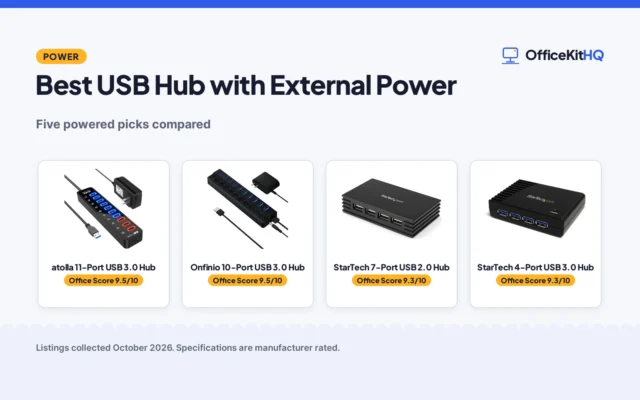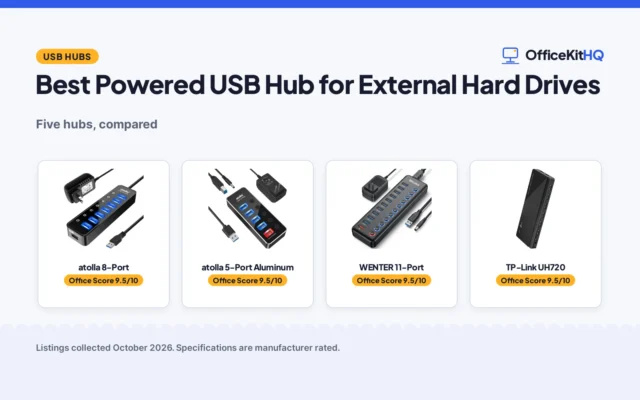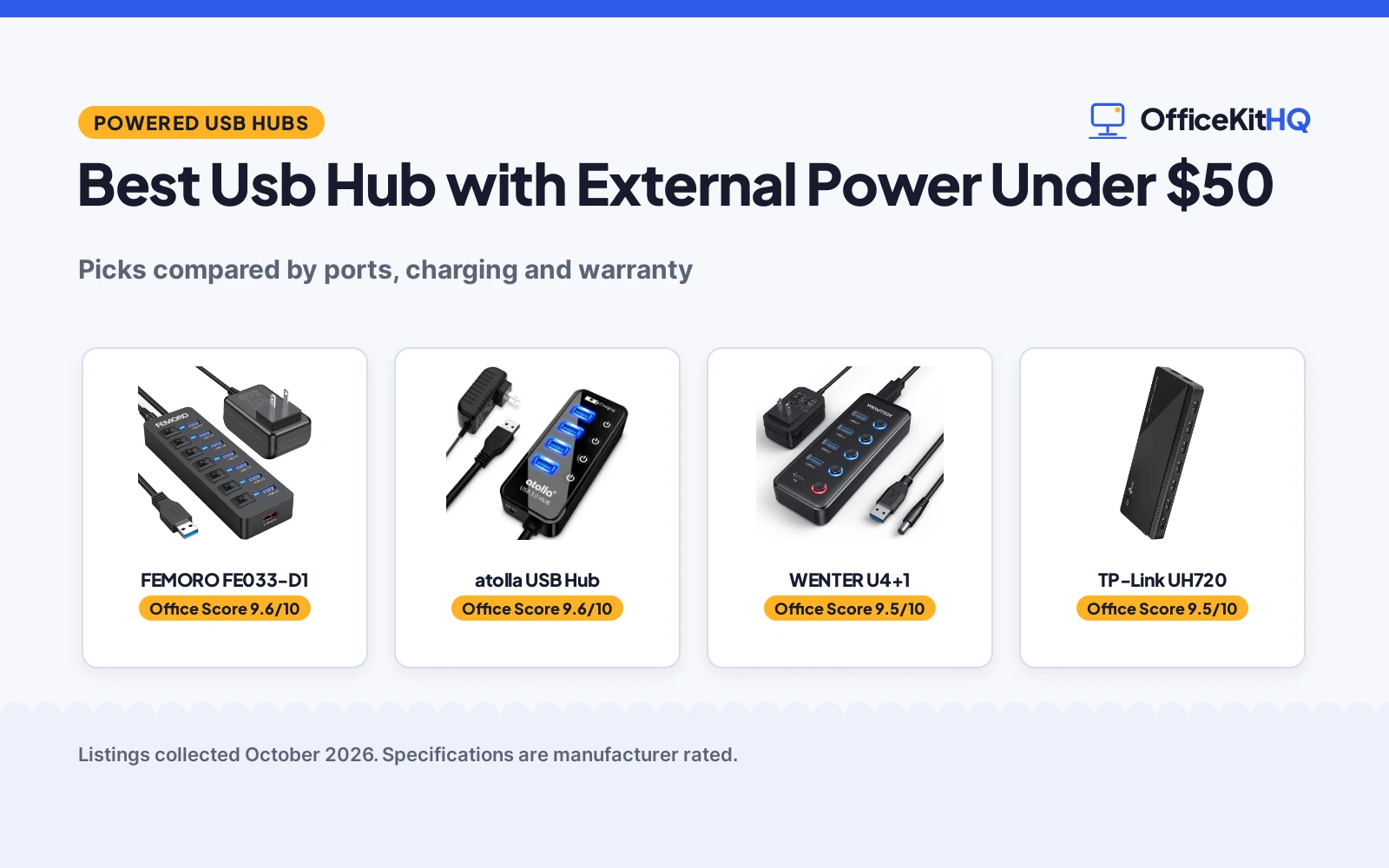
A laptop running everything off a hub leaves a desk short of ports, with a printer, a drive and a phone charger all competing for the same sockets, and the best usb hub with external power under 50 is the hub type this guide compares. We compared powered hubs by data ports, charging ports, transfer speed, switches, cable length and warranty term, using only what each listing publishes. The picks below range from a hub with a dedicated charging port and individual switches to listings that state little beyond the title.
OfficeKitHQ earns a commission when you buy through links on this page, at no extra cost to you. As an Amazon Associate I earn from qualifying purchases. Affiliate disclosure.
Quick picks
 Best Overall FEMORO FE033-D1: 7 data ports plus 1 charging port, 5Gbps, 12W charging Check price on Amazon
 Longest Warranty WENTER U4+1: 4 data ports plus 1 charging port, 5Gbps, 24-month warranty Check price on Amazon
 Also Listed TP-Link UH720: 7 data ports and 2 charging ports, per its title Check price on Amazon
 Title-Only Pick atolla USB Hub: Powered hub with individual switches and a charging port Check price on Amazon
Our desk picks
| # | Product | Office Score | Buy |
|---|---|---|---|
| 1 | FEMORO FE033-D1 | 9.6/10 | Buy on Amazon |
| 2 | atolla Powered USB Hub | 9.6/10 | Buy on Amazon |
| 3 | WENTER U4+1 | 9.5/10 | Buy on Amazon |
| 4 | TP-Link UH720 | 9.5/10 | Buy on Amazon |

FEMORO FE033-D1
A powered hub with 7 data ports and 1 charging port, 5Gbps transfer, individual switches and a built-in current protection device.
Pros
- 7 data ports plus 1 charging port cover a desk of peripherals
- 5Gbps transfer speed stated for the data ports
- Individual switches with a blue LED per port
- Built-in current protection device stated for the hub and connected devices
Cons
- Charging port does not support data transfer
- No warranty term is stated
- No dimensions are stated
- Only 1 charging port against 7 data ports
Detailed Review
FEMORO lists a powered hub with 7 data ports and 1 charging port, transfer at 5Gbps, individual switches with a blue LED per port, a 5V/3A power adapter, a 4ft cable and a 5ft adapter cable, plus a built-in current protection device. The spec table lists Number of Ports as 7 and Total Usb Ports as 8; the title and bullets reconcile the figures as 7 data ports plus 1 charging port. Each data interface provides 900mA, and the charging port provides up to 12W but does not support data transfer.
Who it's for: a desk with a printer, a keyboard and a drive connected, plus a device to charge, where per-port switches help. Who should skip it: anyone who needs a stated warranty term or a charging port that also moves data.
Its Office Score of 9.6/10 comes from performance 30/35, build 21/25, value 21/25, safety 8/10 and warranty 0/5: 80 of 100 points, placed on our 9.2 to 9.8 scale.
Key Specifications
| Data ports | 7 |
|---|---|
| Charging port | 1, 12W |
| Transfer speed | 5Gbps |
| Item weight | 0.26 kg |
Figures as published on the retailer listing, collected 29 October 2026. Performance figures are manufacturer rated.
Safety and Warranty
What this listing states. Built-in current protection device stated, so safety scores 8 of 10. No warranty term, so warranty scores zero. See How We Pick.
Power and heat. Use the supplied adapter, treat power delivery wattage and display support as the maker's claims for your laptop model, and give the dock room to vent.
This is general buying information, not professional advice. Follow each product manual and local rules, and see our Safety Disclaimer.

atolla Powered USB Hub
A powered 4-port USB 3.0 hub with a 5V/3A adapter, individual on-off switches and a charging port, suited to running multiple external hard drives at once.
Pros
- Powered design with 5V/3A adapter, the most reliable here for multiple HDDs
- Individual illuminated on-off switches for each port
- Charging port delivers up to 2.4A for phones and tablets
- 18-month warranty stated in the listing
Cons
- Bulkier than bus-powered hubs at 4.25 by 1.69 by 0.91 inches
- Needs a wall outlet for the power adapter
- No 10Gbps option for external SSDs
Detailed Review
The atolla CH-204U3-K is the only powered hub here, and that is what matters for multiple external hard drives. The listing gives 4 USB 3.0 data ports syncing at up to 5Gbps, a separate charging port rated up to 2.4A, and a 5V/3A AC power adapter in the box. Four illuminated individual switches control each data port, and the 65 cm cable reaches from a desktop tower to a desk.
Who it is for: anyone running two or more spinning hard drives, or a drive plus peripherals, who wants stable power without dropouts. Who should skip it: a traveler who wants the smallest possible hub, since the adapter and 4.25 by 1.69 by 0.91 inch case take up real bag space.
Its Office Score of 9.6/10 comes from performance 33/35, build 22/25, value 21/25, safety 0/10 and warranty 3/5: 79 of 100 points, placed on our 9.2 to 9.8 scale.
Key Specifications
| Ports | 4 USB 3.0 data + 1 charging port |
|---|---|
| Data rate | 5Gbps |
| Power | 5V/3A AC adapter included |
| Cable | 65 cm |
| Dimensions | 4.25 x 1.69 x 0.91 inches |
| Warranty | 18 months |
Figures as published on the retailer listing, collected 18 October 2026. Performance figures are manufacturer rated.
Safety and Warranty
What this listing states. No UL, FCC or over-current protection statement is stated, so safety scores zero. 18-month warranty. It does not say everything a buyer needs, such as who pays return shipping, so warranty scores 3 of 5. See How We Pick.
Power and heat. Use the supplied adapter, treat power delivery wattage and display support as the maker's claims for your laptop model, and give the dock room to vent.
This is general buying information, not professional advice. Follow each product manual and local rules, and see our Safety Disclaimer.

WENTER U4+1
A powered hub with 4 data ports, 1 Type-C charging port, individual switches and a 24-month warranty.
Pros
- 4 data ports plus a dedicated Type-C charging port
- 5Gbps transfer speed stated
- Individual on/off switches with an LED per port
- 24-month warranty stated, the only warranty term in this group
Cons
- Charging port does not support data transfer
- Listing warns it may not power some high-power devices such as external hard drives
- No per-port current figure is stated
- Fewer data ports than the 7-port picks
Detailed Review
WENTER lists a powered hub with 4 data ports and 1 Type-C charging port, transfer at 5Gbps, individual switches with an LED per port, a 5V/3A power adapter, a 100cm USB cable and a 120cm power cable. The title calls it a 5-port hub; the bullets reconcile the figure as 4 data ports plus 1 charging port. The listing states a 24-month warranty, and it warns that the hub may not provide enough power for high-power devices such as some external hard drives.
Who it's for: a desk that needs a Type-C charging port, per-port switches and a stated warranty term. Who should skip it: anyone who needs 7 data ports or a charging port that also moves data.
Its Office Score of 9.5/10 comes from performance 28/35, build 20/25, value 21/25, safety 0/10 and warranty 4/5: 73 of 100 points, placed on our 9.2 to 9.8 scale.
Key Specifications
| Data ports | 4 |
|---|---|
| Charging port | 1 Type-C, up to 2.4 amps |
| Transfer speed | 5Gbps |
| Cables | 100cm USB, 120cm power |
Figures as published on the retailer listing, collected 29 October 2026. Performance figures are manufacturer rated.
Safety and Warranty
What this listing states. No UL, FCC or over-current protection statement is stated, so safety scores zero. 24-month warranty. It does not say everything a buyer needs, such as who pays return shipping, so warranty scores 4 of 5. See How We Pick.
Power and heat. Use the supplied adapter, treat power delivery wattage and display support as the maker's claims for your laptop model, and give the dock room to vent.
This is general buying information, not professional advice. Follow each product manual and local rules, and see our Safety Disclaimer.

TP-Link UH720
A powered USB hub with 7 data ports, 2 charging ports and circuit protections, for drives plus phone and tablet charging.
Pros
- 7 data ports plus 2 smart charging ports
- 12V/4A adapter, the strongest here
- Overheat, overload, overvoltage and short circuit protections
- Built-in surge protector
Cons
- No warranty term is stated
- No individual port switches stated
- Bulkier than the 4-port options
- Charging ports do not carry data
Detailed Review
TP-Link lists the UH720 as 7 USB 3.0 data ports plus 2 smart charging ports, with speeds up to 5Gbps and a 12V/4A power adapter. The bullets describe multiple circuit protections and a built-in surge protector keeping devices and data safe. No warranty term is stated.
Who it's for: someone who wants the strongest adapter and protection statements. Who should skip it: anyone who needs individual port switches or a stated warranty.
Its Office Score of 9.5/10 comes from performance 30/35, build 22/25, value 21/25, safety 0/10 and warranty 0/5: 73 of 100 points, placed on our 9.2 to 9.8 scale.
Key Specifications
| Ports | 7 data + 2 charging |
|---|---|
| Speed | 5Gbps |
| Adapter | 12V/4A |
| Warranty | Not stated |
Figures as published on the retailer listing, collected 18 October 2026. Performance figures are manufacturer rated.
Safety and Warranty
What this listing states. No UL, FCC or over-current protection statement is stated, so safety scores zero. No warranty term, so warranty scores zero. See How We Pick.
Power and heat. Use the supplied adapter, treat power delivery wattage and display support as the maker's claims for your laptop model, and give the dock room to vent.
This is general buying information, not professional advice. Follow each product manual and local rules, and see our Safety Disclaimer.
As an Amazon Associate I earn from qualifying purchases.
More picks to compare
 Adesso AUH-3070PSuits a desk needing 7 ports, a power adapter and a 2ft cable.Check on Amazon
Specs compared
| Hub | Office Score | Data ports | Charging ports | Transfer speed | Cable | Warranty | Amazon |
|---|---|---|---|---|---|---|---|
| FEMORO FE033-D1 | 9.6/10 | 7 | 1 | 5Gbps | 4ft | Not stated | View on Amazon |
| WENTER U4+1 | 9.5/10 | 4 | 1 | 5Gbps | 100cm | 24 months | View on Amazon |
| TP-Link UH720 | 9.5/10 | 7 | 2 | Not stated | Not stated | Not stated | View on Amazon |
| atolla USB Hub | 9.6/10 | Not stated | Stated | USB 3.0 | Not stated | Not stated |
Specs reflect manufacturer claims on each product listing (as of 29 October 2026). The WENTER states a 24-month warranty term, and the FEMORO states a built-in current protection device.
How to choose the best usb hub with external power under 50
Count data ports before charging ports
A printer, a keyboard and a drive each need a data port, while a phone or a headset needs a charging port, so the split matters more than the total. The FEMORO and the TP-Link each list 7 data ports, while the WENTER lists 4 data ports. Charging ports run to 2 on the TP-Link, 1 on the FEMORO and 1 Type-C port on the WENTER. For a desk built around a printer, see the best usb hub for printer guide, which compares hubs for that use.
Check what the charging port can and cannot do
On the FEMORO and the WENTER, the charging port does not support data transfer, so a drive plugged into it will not connect. The FEMORO charging port provides up to 12W, while the WENTER charging port delivers a charge of up to 2.4 amps from a 5V/3A adapter. Both hubs pair the charging port with a 5V/3A power adapter, which is the external power that keeps data ports free for peripherals.
Measure cable length against the outlet
Cable length decides where the hub can sit, and the stated lengths here mix centimetres and feet, so compare them as listed. The WENTER lists a 100cm USB cable and a 120cm power cable, while the FEMORO lists a 4ft cable and a 5ft adapter cable. The TP-Link and the atolla state no cable length, so their reach cannot be planned from the listing. A hub for a raised desk needs the same check; see the best usb hub for standing desk guide for that layout.
| Hub | Data ports | Charging ports | Cable |
|---|---|---|---|
| FEMORO FE033-D1 | 7 | 1 | 4ft, 5ft adapter |
| WENTER U4+1 | 4 | 1 Type-C | 100cm, 120cm power |
| TP-Link UH720 | 7 | 2 | Not stated |
| atolla USB Hub | Not stated | Stated | Not stated |
Figures as stated in each listing; cable lengths are quoted as listed, without conversion.
Read switches and warranty before buying
Individual switches let a port be turned off without unplugging the device, and the FEMORO, the WENTER and the atolla all list individual switches. Only the WENTER states a warranty term, at 24 months, while the FEMORO, the TP-Link and the atolla state no warranty term. A hub with switches suits a desk where devices are swapped often; see the best usb hub with switches guide for more switched hubs.
Match the hub to the devices on the desk
The FEMORO and the WENTER both list a keyboard, a mouse, a printer, hard drives and a USB flash drive among the devices their data ports support, and the FEMORO adds a USB fan to that list. A hub chosen for a printer and a drive therefore needs enough data ports for both, plus a charging port for a tablet, a camera, a phone, a watch or a Bluetooth headset, which are the devices the WENTER charging port is described for. Count the wired devices, then check the charging port against the devices that only need power.
Setup Notes
- Count the devices that need a data port and the devices that need a charging port before choosing a port split.
- Measure the run from the hub to the outlet against the stated cable lengths: 100cm and 120cm on the WENTER, 4ft and 5ft on the FEMORO.
- Plan a spare outlet for the 5V/3A power adapter that the FEMORO and the WENTER list.
- Remember that the charging ports on the FEMORO and the WENTER do not support data transfer.
- Keep a switched hub where its switches stay within reach.
FAQ
Can the charging port transfer data on these hubs?
No. The FEMORO and the WENTER both state that the charging port does not support data transfer, so data devices belong on the data ports. The TP-Link and the atolla state no transfer rule for their charging ports.
How many data ports do these hubs offer?
The FEMORO and the TP-Link each list 7 data ports, and the WENTER lists 4 data ports. The atolla states no port count.
Which hub states a warranty term?
The WENTER states a 24-month warranty. The FEMORO, the TP-Link and the atolla state no warranty term.
Do these hubs connect a printer and a keyboard?
The FEMORO and the WENTER list a keyboard, a mouse and a printer among the devices their data ports support. The TP-Link and the atolla state no device list beyond the title.
What cable lengths are stated?
The WENTER lists a 100cm USB cable and a 120cm power cable, and the FEMORO lists a 4ft cable and a 5ft adapter cable. The TP-Link and the atolla state no cable length.
Score breakdown
The Office Score weighs performance, build, value, safety and warranty. For a powered hub, safety means a stated protection device or certification on the listing; the FEMORO states a built-in current protection device, and the other picks state none. The WENTER states a 24-month warranty, and the other picks state no warranty term. How we pick explains the weights.
| Product | Office Score | Perf. /35 | Build /25 | Value /25 | Safety /10 | Warranty /5 |
|---|---|---|---|---|---|---|
| FEMORO FE033-D1 | 9.6 | 30 | 21 | 21 | 8 | 0 |
| WENTER U4+1 | 9.5 | 28 | 20 | 21 | 0 | 4 |
The scale opens at 9.2 and closes at 9.8; between those marks, weighted points translate linearly into the score you see.
More for your workspace
See every docking stations and USB hubs guide and all audio, power and connectivity guides. Also see our best usb hub for external drives. Also see our best usb hub with power delivery. Also see our best powered usb hub charger.
More picks: surge protectors and cable management, cable management for power bricks, power strip for dual monitors.