
The best docking station for Steam Deck turns a handheld into a desktop setup, with a monitor, keyboard and mouse attached and power flowing in while you play. A dock that only charges, or a dock that drops the picture when the handheld works hard, wastes the desk space it sits on. We compared docking stations for the Steam Deck by video output, charging, USB ports, Ethernet and warranty term, using only what each listing publishes.
OfficeKitHQ earns a commission when you buy through links on this page, at no extra cost to you. As an Amazon Associate I earn from qualifying purchases. Affiliate disclosure.
Quick picks
 Best Overall YCBUENO 8K Dock: 8K@30Hz and 4K@144Hz video, 140W charging, dual fans, cables included Check price on Amazon
 Best Foldable Stand UGREEN 9-in-1 Dock: Foldable stand, 4K@60Hz, 10Gbps USB, 24-month warranty stated Check price on Amazon
 Best Aluminum Build Hortore 6-in-1 Alloy: Aluminum build, surge protection, 100W charging, 3-year coverage Check price on Amazon
- Best Surge Protection Hortore 6-in-1 Dock: Surge protection, 100W charging and 3-year replacement coverage Check price on Amazon
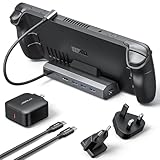 Best Charger Included JSAUX 6-in-1 Dock: 65W charger included, 4K@120Hz video, 100W charging, Gigabit Ethernet Check price on Amazon
Our desk picks
| # | Product | Office Score | Buy |
|---|---|---|---|
| 1 | YCBUENO 8K Dock | 9.6/10 | Buy on Amazon |
| 2 | UGREEN 9-in-1 Dock | 9.6/10 | Buy on Amazon |
| 3 | Hortore 6-in-1 Alloy | 9.5/10 | Buy on Amazon |
| 4 | Hortore 6-in-1 Dock | 9.5/10 | Buy on Amazon |
| 5 | JSAUX 6-in-1 Dock | 9.5/10 | Buy on Amazon |

YCBUENO 8K Dock
A 12-in-1 docking station with 8K@30Hz and 4K@144Hz video, 140W PD 3.1 charging, dual 5 cm cooling fans and a device slot for handhelds up to 27 mm thick.
Pros
- 8K@30Hz and 4K@144Hz HDMI 2.1 video
- 140W PD 3.1 charging, with 65W or more external power required
- Dual 5 cm cooling fans with an RGB ring
- 1.5 m 8K HDMI cable and Type-C extender included
Cons
- 1-year warranty, the shortest term here
- Needs an external power supply of 65W or more
- Device slot fits handhelds up to 27 mm thick
- Switch 1 and 2 support video and charging but not data transfer
Detailed Review
The YCBUENO dock is the 12-in-1 pick here: HDMI 2.1 at 8K@30Hz and 4K@144Hz, PD 3.1 charging at up to 140W, Gigabit Ethernet, USB 3.2 ports, SD and TF card slots and a 3.5 mm audio jack. Two 5 cm fans pull heat away from the handheld, and the built-in slot fits devices up to 27 mm thick, including Steam Deck, ROG Ally, Legion Go and Nintendo Switch 1 and 2. The box includes a 1.5 m 8K HDMI cable, a Type-C extension cable and a 40Gbps converter head, and the maker states a 1-year warranty.
Who it's for: anyone who wants the highest video output and charging in this guide, with cooling fans and cables in the box. Who should skip it: anyone who needs a dock that works without an external power supply of 65W or more.
Its Office Score of 9.6/10 comes from performance 33/35, build 22/25, value 22/25, safety 0/10 and warranty 2/5: 79 of 100 points, placed on our 9.2 to 9.8 scale.
Key Specifications
| Video | 8K@30Hz, 4K@144Hz |
|---|---|
| Charging | 140W PD 3.1 |
| Ports | 12-in-1 |
| Cooling | Dual 5 cm fans |
| Included | 1.5 m 8K HDMI cable, Type-C extender |
| Warranty | 1-year warranty |
These specs mirror the retailer listing as of 18 November 2026; performance figures are stated by the brand.
Safety and Warranty
What this listing states. No UL, FCC or over-current protection statement is stated, so safety scores zero. 1-year warranty. It does not say everything a buyer needs, such as who pays return shipping, so warranty scores 2 of 5. See How We Pick.
Power and heat. Use the supplied adapter, treat power delivery wattage and display support as the maker's claims for your laptop model, and give the dock room to vent.
This is general buying information, not professional advice. Follow each product manual and local rules, and see our Safety Disclaimer.

UGREEN 9-in-1 Dock
A 9-in-1 docking station with a foldable stand, 4K@60Hz HDMI, Gigabit Ethernet, 100W charging and 10Gbps USB 3.2 ports.
Pros
- Foldable stand leaves the heat outlet clear
- 4K@60Hz HDMI, with 2K@144Hz and 1080p@240Hz also listed
- Two 10Gbps USB 3.2 ports, one USB-A and one USB-C
- 24-month warranty stated
Cons
- Steam Deck charges at up to 45W, not 100W
- Video output tops out at 4K@60Hz
- Not compatible with Switch 2
- Only one USB-C 3.2 port, so a second USB-C device needs an adapter
Detailed Review
The UGREEN dock is a 9-in-1 station with a foldable stand made of two panels, so the back panel does not block the heat outlet of the handheld. It gives 4K@60Hz HDMI, Gigabit Ethernet, 100W charging, two 10Gbps USB 3.2 ports and two USB-A 2.0 ports, plus TF and SD card slots. The maker states a 24-month warranty.
Who it's for: anyone who wants a dock with a stand that keeps the handheld cool and upright on the desk. Who should skip it: anyone who needs 8K video or a dock that works with Switch 2.
Its Office Score of 9.6/10 comes from performance 32/35, build 21/25, value 20/25, safety 0/10 and warranty 3/5: 76 of 100 points, placed on our 9.2 to 9.8 scale.
Key Specifications
| Video | 4K@60Hz |
|---|---|
| Charging | 100W PD |
| USB | 2x USB 3.2 10Gbps, 2x USB-A 2.0 |
| Stand | Foldable, two panels |
| Warranty | 24 months |
These specs mirror the retailer listing as of 18 November 2026; performance figures are stated by the brand.
Safety and Warranty
What this listing states. No UL, FCC or over-current protection statement is stated, so safety scores zero. 24-Month Warranty. It does not say everything a buyer needs, such as who pays return shipping, so warranty scores 3 of 5. See How We Pick.
Power and heat. Use the supplied adapter, treat power delivery wattage and display support as the maker's claims for your laptop model, and give the dock room to vent.
This is general buying information, not professional advice. Follow each product manual and local rules, and see our Safety Disclaimer.

Hortore 6-in-1 Alloy
A 6-in-1 docking station with 4K@60Hz HDMI, Gigabit Ethernet, 3 USB-A 3.0 ports and 100W charging, in an aluminum alloy build with surge protection.
Pros
- Aluminum alloy construction
- Surge protection and smart power management
- 100W PD 3.0 charging for Turbo modes
- 3-year replacement coverage stated
Cons
- Video output tops out at 4K@60Hz
- Only 3 USB-A ports, with no USB-C port stated
- 6-in-1, so fewer ports than the 9-in-1 and 12-in-1 docks here
- Only one video output, so a second monitor needs another dock
Detailed Review
The Hortore alloy dock is a 6-in-1 station with 4K@60Hz HDMI, Gigabit Ethernet at 1000Mbps, 3 USB-A 3.0 ports and a 100W PD 3.0 charging port. The body is aluminum alloy with a compact, desk-friendly footprint, and built-in smart power management and surge protection guard the connected equipment. The maker states 3-year replacement coverage.
Who it's for: anyone who wants a metal dock with surge protection and long coverage for a single-monitor desk. Who should skip it: anyone who needs more than one video output or faster USB ports.
Its Office Score of 9.5/10 comes from performance 27/35, build 21/25, value 19/25, safety 4/10 and warranty 3/5: 74 of 100 points, placed on our 9.2 to 9.8 scale.
Key Specifications
| Video | 4K@60Hz |
|---|---|
| Charging | 100W PD 3.0 |
| USB | 3x USB-A 3.0 |
| Ethernet | 1000Mbps |
| Build | Aluminum alloy |
| Warranty | 3-year replacement coverage |
These specs mirror the retailer listing as of 18 November 2026; performance figures are stated by the brand.
Safety and Warranty
What this listing states. Built-in smart power management and surge protection, so safety scores 4 of 10. 3-year replacement coverage. It does not say everything a buyer needs, such as who pays return shipping, so warranty scores 3 of 5. See How We Pick.
Power and heat. Use the supplied adapter, treat power delivery wattage and display support as the maker's claims for your laptop model, and give the dock room to vent.
This is general buying information, not professional advice. Follow each product manual and local rules, and see our Safety Disclaimer.
Hortore 6-in-1 Dock
A 6-in-1 docking station with 4K@60Hz HDMI 2.0, Gigabit Ethernet, 3 USB-A 3.0 ports at 5Gbps and 100W charging, with surge protection.
Pros
- HDMI 2.0 at 4K@60Hz
- Surge protection and smart power management
- 100W PD 3.0 charging for Turbo modes
- 3-year replacement coverage stated
Cons
- Video output tops out at 4K@60Hz
- USB-A 3.0 ports run at 5Gbps
- 6-in-1, so fewer ports than the 9-in-1 and 12-in-1 docks here
- Only one video output, so a second monitor needs another dock
Detailed Review
The Hortore dock is a 6-in-1 station with HDMI 2.0 at 4K@60Hz, Gigabit Ethernet at 1000Mbps, 3 USB-A 3.0 ports at 5Gbps and a 100W PD 3.0 charging port. Built-in smart power management and surge protection guard the connected equipment, and the maker states 3-year replacement coverage.
Who it's for: anyone who wants a compact dock with surge protection and long coverage for a single-monitor desk. Who should skip it: anyone who needs more than one video output or faster USB ports.
Its Office Score of 9.5/10 comes from performance 27/35, build 20/25, value 19/25, safety 4/10 and warranty 3/5: 73 of 100 points, placed on our 9.2 to 9.8 scale.
Key Specifications
| Video | 4K@60Hz HDMI 2.0 |
|---|---|
| Charging | 100W PD 3.0 |
| USB | 3x USB-A 3.0, 5Gbps |
| Ethernet | 1000Mbps |
| Warranty | 3-year replacement coverage |
These specs mirror the retailer listing as of 18 November 2026; performance figures are stated by the brand.
Safety and Warranty
What this listing states. Built-in smart power management and surge protection, so safety scores 4 of 10. 3-year replacement coverage. It does not say everything a buyer needs, such as who pays return shipping, so warranty scores 3 of 5. See How We Pick.
Power and heat. Use the supplied adapter, treat power delivery wattage and display support as the maker's claims for your laptop model, and give the dock room to vent.
This is general buying information, not professional advice. Follow each product manual and local rules, and see our Safety Disclaimer.

JSAUX 6-in-1 Dock
A 6-in-1 docking station with 4K@120Hz HDMI 2.1, Gigabit Ethernet, 100W charging and 3 USB 3.0 ports, with a 65W charger in the box.
Pros
- 4K@120Hz HDMI 2.1 output
- 65W charger included in the box
- 100W PD charging for Turbo modes
- Works with Steam Deck, ROG Ally, Legion Go and MSI Claw
Cons
- No warranty term is stated
- 65W charger may fall short in extended 30W Turbo sessions with many peripherals
- Not for ROG XBOX Ally or XBOX Ally X
- 6-in-1, so fewer ports than the 9-in-1 and 12-in-1 docks here
Detailed Review
The JSAUX dock is a 6-in-1 station with HDMI 2.1 at 4K@120Hz, Gigabit Ethernet, 100W PD charging and 3 USB A 3.0 ports. The box includes a 65W PD charger, a USB-C to USB-C cable and plug adapters for European and UK outlets, and the dock works with Steam Deck, ROG Ally and Ally X, Legion Go and Go S and MSI Claw. The maker states no warranty term.
Who it's for: anyone who wants a dock with a charger in the box and 4K@120Hz video for a 4K monitor. Who should skip it: anyone who needs a warranty term stated or a dock for the ROG XBOX Ally.
Its Office Score of 9.5/10 comes from performance 30/35, build 21/25, value 20/25, safety 0/10 and warranty 0/5: 71 of 100 points, placed on our 9.2 to 9.8 scale.
Key Specifications
| Video | 4K@120Hz HDMI 2.1 |
|---|---|
| Charging | 100W PD |
| USB | 3x USB-A 3.0 |
| Ethernet | Gigabit |
| Included | 65W charger, USB-C cable |
| Dimensions | 1.26 x 4.29 x 6.02 in |
These specs mirror the retailer listing as of 18 November 2026; performance figures are stated by the brand.
Safety and Warranty
What this listing states. No UL, FCC or over-current protection statement is stated, so safety scores zero. No warranty term, so warranty scores zero. See How We Pick.
Power and heat. Use the supplied adapter, treat power delivery wattage and display support as the maker's claims for your laptop model, and give the dock room to vent.
This is general buying information, not professional advice. Follow each product manual and local rules, and see our Safety Disclaimer.
As an Amazon Associate I earn from qualifying purchases.
Specs compared
| Docking station | Office Score | Video output | Charging | USB ports | Ethernet | Amazon |
|---|---|---|---|---|---|---|
| YCBUENO 8K Dock | 9.6/10 | 8K@30Hz, 4K@144Hz | 140W PD 3.1 | 1x USB 3.0, 1x USB 3.2, 2x USB 2.0 | Gigabit | View on Amazon |
| UGREEN 9-in-1 Dock | 9.6/10 | 4K@60Hz | 100W PD | 1x USB-A 3.2, 1x USB-C 3.2, 2x USB-A 2.0 | Gigabit | View on Amazon |
| Hortore 6-in-1 Alloy | 9.5/10 | 4K@60Hz | 100W PD 3.0 | 3x USB-A 3.0 | 1000Mbps | View on Amazon |
| Hortore 6-in-1 Dock | 9.5/10 | 4K@60Hz | 100W PD 3.0 | 3x USB-A 3.0 | 1000Mbps | View on Amazon |
| JSAUX 6-in-1 Dock | 9.5/10 | 4K@120Hz | 100W PD | 3x USB-A 3.0 | Gigabit | View on Amazon |
We quote these figures from each listing as the brand rates them; captured 18 November 2026. Four of the five state a warranty term; two state surge protection.
How to choose the best docking station for steam deck
Start with video output and your monitor
Video output decides what the monitor shows. The YCBUENO dock lists HDMI 2.1 at 8K@30Hz and 4K@144Hz, with 2K@240Hz, VRR, ALLM and HDR also listed. The JSAUX dock lists HDMI 2.1 at 4K@120Hz, while the UGREEN and both Hortore docks list 4K@60Hz. Match the dock to the monitor: a monitor that runs at 4K@60Hz needs nothing more than the 4K@60Hz docks, while a monitor with a higher refresh rate needs the YCBUENO or the JSAUX. The docking station types guide explains the ports in more detail.
Check charging against the handheld
Charging decides whether the handheld keeps up during long sessions. The YCBUENO dock supports up to 140W PD 3.1 charging, while the other four support up to 100W PD charging. The JSAUX box includes a 65W charger, and the maker notes that extended sessions in 30W Turbo Mode with many peripherals connected may call for a 100W charger. The UGREEN listing notes that the Steam Deck charges at up to 45W and the ROG Ally at up to 65W. The YCBUENO dock needs an external power supply of 65W or more; without it, the console charges at a slow rate.
Count the USB ports and the card slots
Ports decide what else plugs in. The YCBUENO dock is 12-in-1, with 1 USB 3.0 port at 10Gbps, 1 USB 3.2 port, 2 USB 2.0 ports, SD and TF card slots and a 3.5 mm audio jack. The UGREEN dock has two 10Gbps USB 3.2 ports, one USB-A and one USB-C, plus two USB-A 2.0 ports and TF and SD slots. Both Hortore docks and the JSAUX dock have 3 USB-A 3.0 ports each. If the desk already has a keyboard, a mouse and an external drive, count them before choosing, and keep a port free for the next device.
Read the warranty line, not the headline
Warranty terms vary more than the ports do. Both Hortore docks state 3-year replacement coverage, the UGREEN states a 24-month warranty, and the YCBUENO states a 1-year warranty. The JSAUX listing states no warranty term. A longer term does not change what the dock does on the desk, but it does change what happens when the dock stops working, so read the term before ordering. The docking station setup guide covers the first connection.
Setup Notes
- Video: match the dock to the monitor: 8K@30Hz and 4K@144Hz on the YCBUENO, 4K@120Hz on the JSAUX, 4K@60Hz on the UGREEN and both Hortore docks.
- Power: the YCBUENO dock needs an external power supply of 65W or more, and the JSAUX box includes a 65W charger.
- Space: the JSAUX dock measures 1.26 x 4.29 x 6.02 in; leave room beside it for the cables and the handheld.
- Fit: the YCBUENO slot fits devices up to 27 mm thick, and the UGREEN stand folds to leave the heat outlet clear.
- Warranty: check the term before ordering: 1 year, 24 months, 3 years, or no term stated.
FAQ
Will these docks work with a ROG Ally?
Most of them do. The JSAUX dock works with the ROG Ally and Ally X, but not with the ROG XBOX Ally or XBOX Ally X. The YCBUENO dock works with the ROG Ally and Ally X, the UGREEN dock works with the ROG Ally, ROG X and ROG Xbox Ally, and both Hortore docks work with the ROG Ally. For a closer look at Ally docks, see the best docking station for Ally X guide.
Do I need a separate charger for the dock?
It depends on the dock. The JSAUX box includes a 65W charger. The YCBUENO dock needs an external power supply of 65W or more, and charges at a slow rate without it. For the other docks, check the power supply that comes in the box before ordering.
Can I use a Steam Deck dock with a laptop?
The YCBUENO dock works as a full USB-C hub for most laptops, tablets and phones, and the UGREEN dock works with USB-C devices such as the iPad Pro and Air and the Surface Pro 8 and Go 3. The JSAUX dock lists SteamOS and Windows handhelds, so check the device list before ordering.
What video output do I need for a 4K monitor?
Any of the five docks here drives a 4K monitor: the YCBUENO at up to 4K@144Hz, the JSAUX at up to 4K@120Hz, and the UGREEN and both Hortore docks at up to 4K@60Hz. Pick the higher output only when the monitor and the games use the extra refresh rate.
Do these docks have Ethernet?
Yes. Each of the five docks here states Gigabit Ethernet: the YCBUENO, UGREEN and JSAUX docks state Gigabit Ethernet, and both Hortore docks state a 1000Mbps Gigabit Ethernet port.
Which dock has the longest warranty?
Both Hortore docks state 3-year replacement coverage, the longest term here. The UGREEN states a 24-month warranty, the YCBUENO states a 1-year warranty, and the JSAUX listing states no warranty term.
Score breakdown
The Office Score weighs performance (video output, charging, USB ports and Ethernet), build (materials, size and weight), value for the stated specs, safety and warranty. For a docking station, safety means stated surge protection or a stated safety certification; only the two Hortore docks state surge protection. Four of the five state a warranty term: YCBUENO at 1 year, UGREEN at 24 months, and both Hortore docks at 3 years. How we pick explains the weights.
| Product | Office Score | Perf. /35 | Build /25 | Value /25 | Safety /10 | Warranty /5 |
|---|---|---|---|---|---|---|
| YCBUENO 8K Dock | 9.6 | 33 | 22 | 22 | 0 | 2 |
| UGREEN 9-in-1 Dock | 9.6 | 32 | 21 | 20 | 0 | 3 |
| Hortore 6-in-1 Alloy | 9.5 | 27 | 21 | 19 | 4 | 3 |
| Hortore 6-in-1 Dock | 9.5 | 27 | 20 | 19 | 4 | 3 |
| JSAUX 6-in-1 Dock | 9.5 | 30 | 21 | 20 | 0 | 0 |
Score placement follows the weighted total: the lowest totals read 9.2, the highest 9.8, and everything between keeps its order.
More for your workspace
See every Docking Stations and USB Hubs guide and all Audio, Power and Connectivity guides.
More picks: docking stations for handhelds, docking stations for Ally X, USB hubs for gaming, docking stations for small desks.