
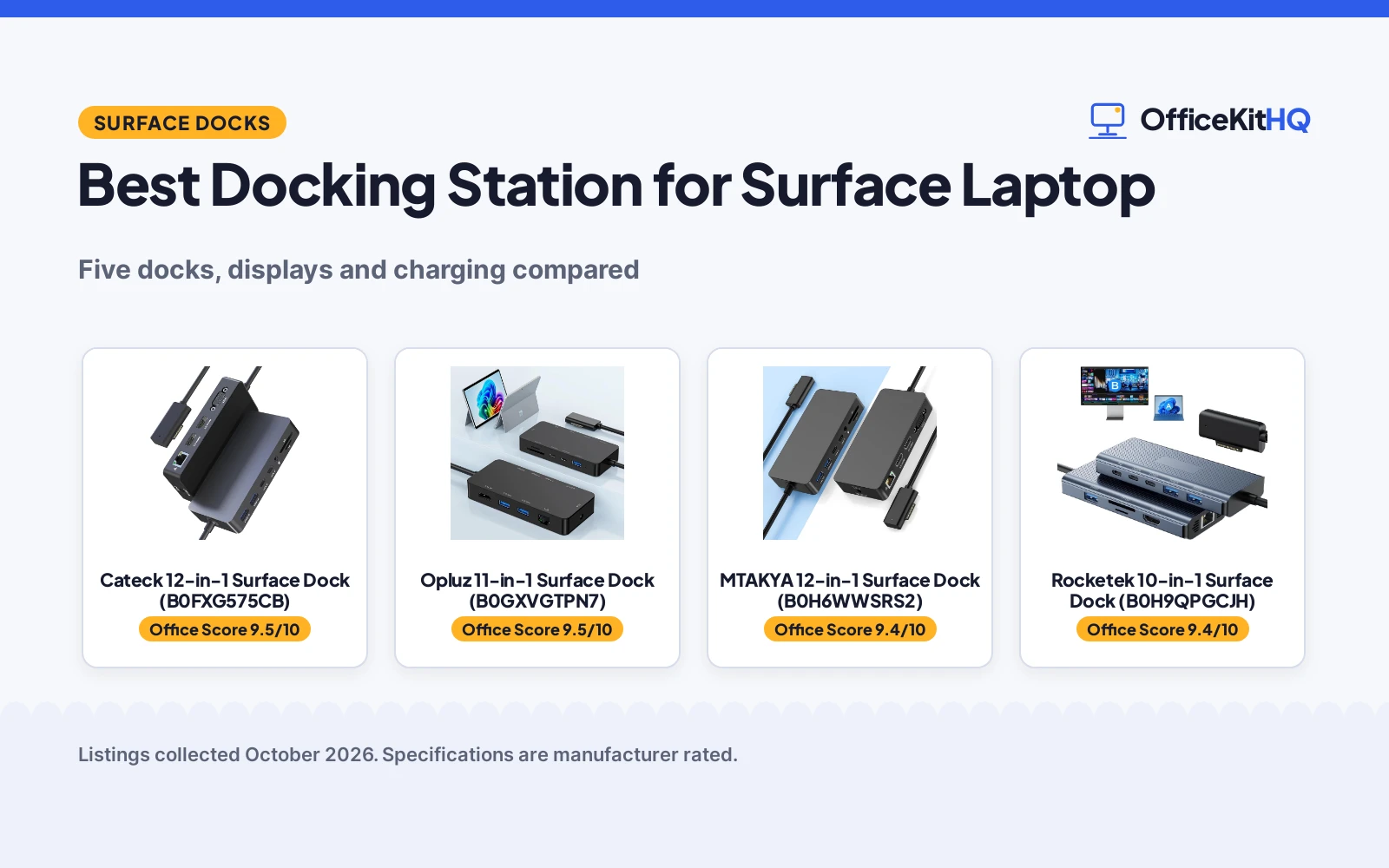
A Surface Laptop earns its keep at a desk with real monitors, but a single port does not run a workstation. The best docking station for surface laptop setups adds triple-display video, wired Ethernet, USB ports and charging through the Surface Connect port. We compared five docks on their stated displays, Ethernet speed, USB mix, charging power and warranty.
OfficeKitHQ earns a commission when you buy through links on this page, at no extra cost to you. As an Amazon Associate I earn from qualifying purchases. Affiliate disclosure.
Quick picks
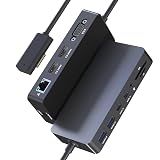 Best Overall Cateck 12-in-1 Surface Dock (B0FXG575CB): Dual 4K@30Hz HDMI plus VGA triple display, aluminum body, 72W charger Check price on Amazon
 Best Triple-Display Value MTAKYA 12-in-1 Surface Dock (B0H6WWSRS2): Dual 4K@30Hz plus VGA in a 4.96 in body with a 24-month warranty Check price on Amazon
 Smoothest Single Display Opluz 11-in-1 Surface Dock (B0GXVGTPN7): 4K@60Hz HDMI, gigabit Ethernet and a 24-month warranty Check price on Amazon
 Best Gigabit Pick Rocketek 10-in-1 Surface Dock (B0H9QPGCJH): 1000Mbps Ethernet with 65W PD charging and a 24-month warranty Check price on Amazon
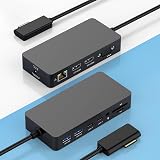 Best Broad Compatibility Rocketek 12-in-1 Surface Dock (B0GX5QNSCR): Triple display from Pro 3 to Laptop 7 with 100W of power Check price on Amazon
The picks
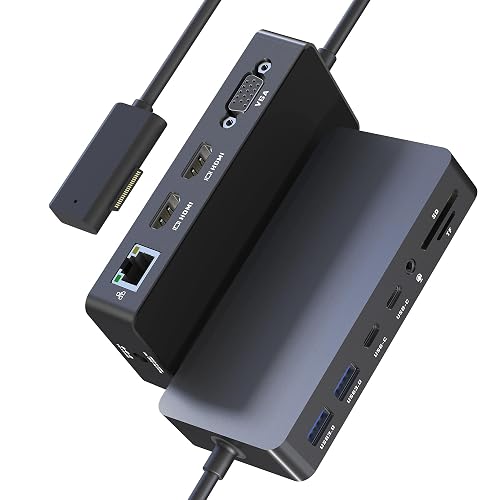
Cateck 12-in-1 Surface Dock (B0FXG575CB)
A 12-in-1 Surface dock with dual 4K@30Hz HDMI plus VGA, an aluminum body and a 72W charger.
Pros
- Dual 4K@30Hz HDMI plus 1080p VGA for triple displays
- Aluminum enclosure
- 72W charging adapter included (15V/4.8A)
- SD/TF slots supporting up to 2TB at 104MB/s
Cons
- Ethernet is 100Mbps, not gigabit
- Bullets state an 18-month warranty while the spec table says 2 Year
- VGA tops out at 1080p
- USB-C ports are data ports, not video or charging
Detailed Review
The Cateck is the polished triple-display pick: dual 4K@30Hz HDMI outputs plus a 1080p VGA port for three monitors at once, in an aluminum enclosure with a 72W charger in the box. It also packs 2 USB-A 3.0 and 2 USB-C ports at 5Gbps, SD/TF slots good for up to 2TB, a 100Mbps Ethernet port and a 3.5mm audio jack. One listing wrinkle: the bullets state an 18-month warranty while the spec table says 2 Year, so we go with the bullets' 18 months.
Who it's for: a Surface Laptop or Pro owner who wants triple 4K-capable displays in a metal dock with the charger included. Who should skip it: anyone who needs gigabit Ethernet, since this one is 100Mbps.
Its Office Score of 9.5/10 comes from performance 28/35, build 21/25, value 20/25, safety 0/10 and warranty 3/5: 72 of 100 points, placed on our 9.2 to 9.8 scale.
Key Specifications
| Video | Dual 4K@30Hz HDMI + 1080p VGA, triple display |
|---|---|
| USB | 2x USB-A 3.0 + 2x USB-C, 5Gbps |
| Ethernet | 100Mbps |
| Charging | 72W adapter included |
| Card slots | SD/TF, up to 2TB, 104MB/s |
| Enclosure | Aluminum |
| Warranty | 18-month per bullets (spec table says 2 Year) |
Figures as published on the retailer listing, collected 22 October 2026. Performance figures are manufacturer rated.
Safety and Warranty
What this listing states. No safety listing or safety feature is stated, so safety scores zero. 18-month worry-free warranty. It does not say everything a buyer needs, such as who pays return shipping, so warranty scores 3 of 5. See How We Pick.
Follow the manual. Assemble and use the product as the maker describes, stay under any stated capacity, and read the manual before first use.
This is general buying information, not professional advice. Follow each product manual and local rules, and see our Safety Disclaimer.

Opluz 11-in-1 Surface Dock (B0GXVGTPN7)
An 11-in-1 Surface dock with 4K@60Hz HDMI, gigabit Ethernet, five USB ports and a 72W charger.
Pros
- 4K@60Hz HDMI, the smoothest refresh stated here
- 1000Mbps gigabit Ethernet
- 3x USB-A 3.0 plus 2x USB-C, all 5Gbps
- 24-month warranty stated in the bullets
Cons
- Single HDMI port, no triple-display setup
- Bullets state a 24-month warranty while the spec table says 1
- No enclosure material is stated
- No VGA fallback for older monitors
Detailed Review
The Opluz trades a second HDMI for the smoothest refresh in the group: its single HDMI port drives 4K at 60Hz, backed by gigabit Ethernet, three USB-A 3.0 and two USB-C ports at 5Gbps, an SD/TF 3.0 slot at 104MB/s and a 72W Surface charger in the box. The warranty needs a note: the bullets state a 24-month hassle-free warranty while the spec table says 1, so we use the bullets' 24 months.
Who it's for: a Surface owner with one good 4K monitor who wants 60Hz, gigabit wired networking and the longest warranty here. Who should skip it: anyone planning a triple-monitor desk, since there is only one HDMI port.
Its Office Score of 9.5/10 comes from performance 27/35, build 20/25, value 19/25, safety 0/10 and warranty 4/5: 70 of 100 points, placed on our 9.2 to 9.8 scale.
Key Specifications
| Video | 4K@60Hz HDMI, single port |
|---|---|
| USB | 3x USB-A 3.0 + 2x USB-C, 5Gbps |
| Ethernet | 1000Mbps |
| Charging | 72W adapter included |
| Card slots | SD/TF 3.0, 104MB/s |
| Warranty | 24-month per bullets (spec table says 1) |
Figures as published on the retailer listing, collected 22 October 2026. Performance figures are manufacturer rated.
Safety and Warranty
What this listing states. No safety listing or safety feature is stated, so safety scores zero. 24-month hassle-free manufacturer's warranty. It does not say everything a buyer needs, such as who pays return shipping, so warranty scores 4 of 5. See How We Pick.
Follow the manual. Assemble and use the product as the maker describes, stay under any stated capacity, and read the manual before first use.
This is general buying information, not professional advice. Follow each product manual and local rules, and see our Safety Disclaimer.

MTAKYA 12-in-1 Surface Dock (B0H6WWSRS2)
A compact 12-in-1 Surface dock with dual 4K@30Hz HDMI plus VGA, a 72W adapter and a 24-month warranty.
Pros
- Dual 4K@30Hz HDMI plus 1080p@60Hz VGA for triple displays
- 72W power adapter included
- 24-month warranty in the spec table
- Compact 4.96 x 2.36 x 0.86 in body
Cons
- Ethernet is 100Mbps, not gigabit
- USB-C ports support data only, no video output or charging
- No enclosure material is stated
- Not compatible with the 12-inch Surface Pro or devices without Surface Connect
Detailed Review
The MTAKYA is the compact triple-display option: dual 4K@30Hz HDMI plus a 1080p@60Hz VGA port for three external monitors, with a 72W adapter included and a 24-month warranty stated in the spec table. The 4.96 by 2.36 by 0.86 in body takes little desk space, and it carries 2 USB-A 3.0, 2 USB-C data ports, SD/TF slots at 104MB/s, 100Mbps Ethernet and a 3.5mm audio jack. Note the fine print: the USB-C ports handle data only, not video or charging.
Who it's for: a Surface owner who wants triple displays in the smallest dock here with a 24-month warranty. Who should skip it: anyone who needs USB-C video output or gigabit Ethernet.
Its Office Score of 9.4/10 comes from performance 27/35, build 19/25, value 19/25, safety 0/10 and warranty 4/5: 69 of 100 points, placed on our 9.2 to 9.8 scale.
Key Specifications
| Video | Dual 4K@30Hz HDMI + 1080p@60Hz VGA, triple display |
|---|---|
| USB | 2x USB-A 3.0 + 2x USB-C data only, 5Gbps |
| Ethernet | 100Mbps |
| Charging | 72W adapter included |
| Size | 4.96 x 2.36 x 0.86 in |
| Warranty | 24-month warranty |
Figures as published on the retailer listing, collected 22 October 2026. Performance figures are manufacturer rated.
Safety and Warranty
What this listing states. No safety listing or safety feature is stated, so safety scores zero. 24-month warranty. It does not say everything a buyer needs, such as who pays return shipping, so warranty scores 4 of 5. See How We Pick.
Follow the manual. Assemble and use the product as the maker describes, stay under any stated capacity, and read the manual before first use.
This is general buying information, not professional advice. Follow each product manual and local rules, and see our Safety Disclaimer.

Rocketek 10-in-1 Surface Dock (B0H9QPGCJH)
A 10-in-1 Surface dock with 4K@30Hz HDMI, gigabit Ethernet, five USB ports and 65W PD charging.
Pros
- 1000Mbps gigabit Ethernet
- 65W PD charging
- 3x USB-A 3.0 plus 2x USB-C at 5Gbps
- SD/TF slots supporting up to 2TB at 104MB/s
Cons
- Single 4K@30Hz HDMI, the lowest refresh here
- Bullets state a 24-month warranty while the spec table says 2
- No VGA port for older monitors
- No enclosure material is stated
Detailed Review
The Rocketek 10-in-1 pairs gigabit Ethernet with 65W PD charging, plus three USB-A 3.0 and two USB-C ports at 5Gbps and SD/TF slots rated up to 2TB at 104MB/s. Its single HDMI output runs 4K at 30Hz, which the listing says can extend or mirror across up to three monitors. Warranty note: the bullets state a 24-month worry-free warranty while the spec table says 2, so we use the bullets' 24 months.
Who it's for: a Surface owner who wants gigabit networking and PD charging with plenty of USB ports. Who should skip it: anyone who needs dual 4K outputs or a 60Hz refresh.
Its Office Score of 9.4/10 comes from performance 26/35, build 19/25, value 19/25, safety 0/10 and warranty 4/5: 68 of 100 points, placed on our 9.2 to 9.8 scale.
Key Specifications
| Video | 4K@30Hz HDMI, single port |
|---|---|
| USB | 3x USB-A 3.0 + 2x USB-C, 5Gbps |
| Ethernet | 1000Mbps |
| Charging | 65W PD adapter included |
| Card slots | SD/TF, up to 2TB, 104MB/s |
| Warranty | 24-month per bullets (spec table says 2) |
Figures as published on the retailer listing, collected 22 October 2026. Performance figures are manufacturer rated.
Safety and Warranty
What this listing states. No safety listing or safety feature is stated, so safety scores zero. 24-month worry-free warranty. It does not say everything a buyer needs, such as who pays return shipping, so warranty scores 4 of 5. See How We Pick.
Follow the manual. Assemble and use the product as the maker describes, stay under any stated capacity, and read the manual before first use.
This is general buying information, not professional advice. Follow each product manual and local rules, and see our Safety Disclaimer.
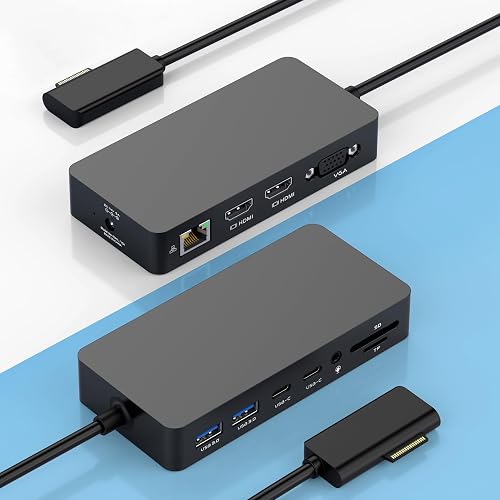
Rocketek 12-in-1 Surface Dock (B0GX5QNSCR)
A 12-in-1 Surface dock with dual 4K@30Hz HDMI plus VGA triple display, 100W power and a 12-month warranty.
Pros
- Dual 4K@30Hz HDMI plus 1080p@60Hz VGA for triple displays
- 100W power per the spec table
- Broad Surface compatibility from Pro 3 to Laptop 7
- SD/TF slots at up to 104MB/s
Cons
- Ethernet is 100Mbps, not gigabit
- 12-month warranty, shorter than most here
- No enclosure material is stated
- Triple display needs the Surface screen turned off
Detailed Review
The Rocketek 12-in-1 covers the full triple-display layout: dual 4K@30Hz HDMI plus a 1080p@60Hz VGA port, with the note that the Surface screen has to be turned off to reach three external displays. The spec table lists 100W of power, and it carries 2 USB-C data ports and 2 USB-A 3.0 ports, SD/TF slots at up to 104MB/s, a 100Mbps Ethernet port, a 3.5mm audio jack and a DC power port. The bullets state a 12-month worry-free warranty.
Who it's for: a Surface owner who wants triple displays and broad compatibility across old and new Surface models. Who should skip it: anyone who wants gigabit Ethernet or a longer warranty.
Its Office Score of 9.4/10 comes from performance 26/35, build 19/25, value 18/25, safety 0/10 and warranty 3/5: 66 of 100 points, placed on our 9.2 to 9.8 scale.
Key Specifications
| Video | Dual 4K@30Hz HDMI + 1080p@60Hz VGA, triple display |
|---|---|
| USB | 2x USB-C data + 2x USB-A 3.0, 5Gbps |
| Ethernet | 100Mbps |
| Power | 100W per spec table |
| Card slots | SD/TF, 104MB/s |
| Warranty | 12-month per bullets |
Figures as published on the retailer listing, collected 22 October 2026. Performance figures are manufacturer rated.
Safety and Warranty
What this listing states. No safety listing or safety feature is stated, so safety scores zero. 12-month worry-free service and warranty. It does not say everything a buyer needs, such as who pays return shipping, so warranty scores 3 of 5. See How We Pick.
Follow the manual. Assemble and use the product as the maker describes, stay under any stated capacity, and read the manual before first use.
This is general buying information, not professional advice. Follow each product manual and local rules, and see our Safety Disclaimer.
As an Amazon Associate I earn from qualifying purchases.
More picks to compare
 clickfish Surface Laptop 6/5/4/3 Hub DockingCheck on Amazon
 Derwav Surface Pro Docking StationCheck on Amazon
 SHOWAIST Surface Thunderbolt 4 Docking StationCheck on Amazon
Compare the picks
| Dock | Office Score | Displays | Ethernet | USB ports | Charging | Card slots | Warranty | Amazon |
|---|---|---|---|---|---|---|---|---|
| Cateck 12-in-1 Surface Dock (B0FXG575CB) | 9.5/10 | Dual 4K@30Hz + VGA | 100Mbps | 2x USB-A 3.0 + 2x USB-C | 72W | SD/TF 2TB | 18-month | View on Amazon |
| Opluz 11-in-1 Surface Dock (B0GXVGTPN7) | 9.5/10 | 4K@60Hz, single | 1000Mbps | 3x USB-A 3.0 + 2x USB-C | 72W | SD/TF | 24-month | View on Amazon |
| MTAKYA 12-in-1 Surface Dock (B0H6WWSRS2) | 9.4/10 | Dual 4K@30Hz + VGA | 100Mbps | 2x USB-A 3.0 + 2x USB-C data | 72W | SD/TF | 24-month | View on Amazon |
| Rocketek 10-in-1 Surface Dock (B0H9QPGCJH) | 9.4/10 | 4K@30Hz, single | 1000Mbps | 3x USB-A 3.0 + 2x USB-C | 65W PD | SD/TF 2TB | 24-month | View on Amazon |
| Rocketek 12-in-1 Surface Dock (B0GX5QNSCR) | 9.4/10 | Dual 4K@30Hz + VGA | 100Mbps | 2x USB-A 3.0 + 2x USB-C data | 100W | SD/TF | 12-month | View on Amazon |
Specifications are manufacturer rated as listed, collected 22 October 2026. Display figures are the maker’s stated resolutions and refresh rates; where a listing’s bullets and spec table disagree on the warranty, the review uses the bullets.
How we scored them
Each dock gets an Office Score from five parts: performance, build, value, safety and warranty, weighted into the score shown on its card. Safety counts only when the listing states safety-relevant features or certifications, and no dock here states any, so safety is zero across the board. Warranty counts only when the listing states a concrete term. Every number below comes from the listing itself; where a listing does not state something, we write “Not stated”.
How to choose the best docking station for surface laptop
Count the displays first
Three docks here offer triple-display output: the Cateck, MTAKYA and Rocketek 12-in-1 with dual 4K@30Hz HDMI plus VGA. The single-HDMI docks are the Opluz at 4K@60Hz and the Rocketek 10-in-1 at 4K@30Hz. Read the fine print: the Rocketek 12-in-1 needs the Surface screen turned off for three external displays.
Ethernet speed matters for calls
Two docks state gigabit Ethernet: the Opluz and Rocketek 10-in-1 at 1000Mbps. The Cateck, MTAKYA and Rocketek 12-in-1 state 100Mbps. If your workday is video calls and large file transfers, the gigabit group is the safer pick.
Check what the USB-C ports actually do
Not every USB-C port carries video or power. The MTAKYA bullets state its USB-C ports support data transfer only, not video output or charging. The Cateck and Opluz list their USB-C ports as data ports too, so plan your monitor connections around the HDMI and VGA outputs.
Charging power
The Rocketek 12-in-1 lists 100W of power, the Cateck, Opluz and MTAKYA list 72W adapters, and the Rocketek 10-in-1 lists 65W PD charging. A bigger adapter matters when the dock also feeds hungry USB drives and accessories.
Frequently Asked Questions
Do these docks work with Surface Pro too?
All five do: the Cateck, Opluz, MTAKYA, Rocketek 10-in-1 and Rocketek 12-in-1 listings all name Surface Pro models alongside Surface Laptop.
Can I run three external monitors?
Three docks state triple-display support: the Cateck, MTAKYA and Rocketek 12-in-1 over dual HDMI plus VGA. The Rocketek 12-in-1 notes that the Surface screen has to be turned off to reach three external displays.
Which docks have gigabit Ethernet?
The Opluz and Rocketek 10-in-1 state 1000Mbps Ethernet. The Cateck, MTAKYA and Rocketek 12-in-1 state 100Mbps.
Which dock charges with the most power?
The Rocketek 12-in-1 lists 100W, followed by the 72W adapters on the Cateck, Opluz and MTAKYA, and 65W PD on the Rocketek 10-in-1.
Which docks state the longest warranty?
The Opluz, MTAKYA and Rocketek 10-in-1 state 24 months. The Cateck states 18 months per its bullets, and the Rocketek 12-in-1 states 12 months.
Related guides
See our best docking station for home office roundup and the best USB hub for gaming guide. For multi-monitor desks, see the best triple monitor mount and the best KVM switch for 3 monitors.
More picks: USB hubs, triple monitor mounts, KVM switches.



