
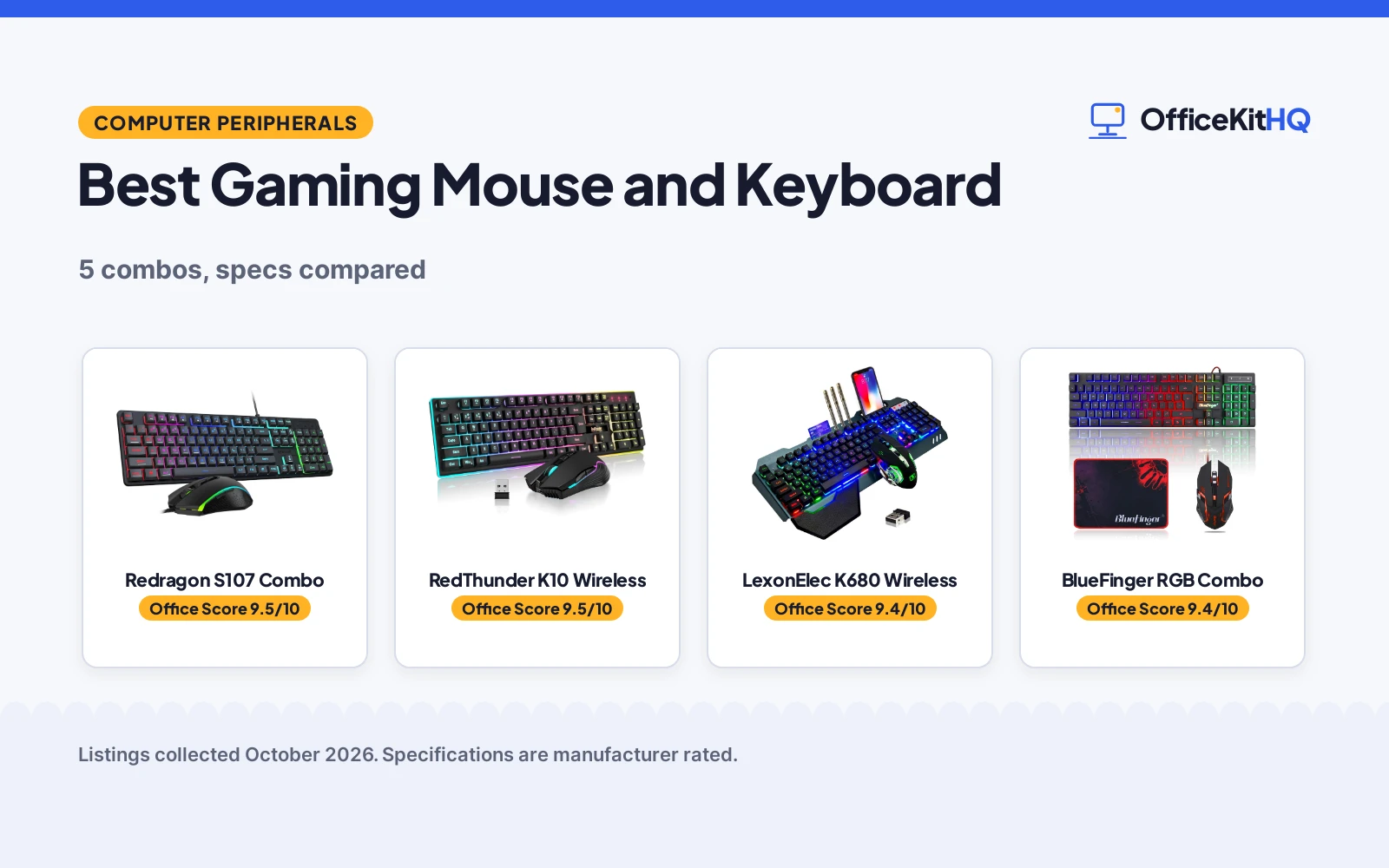
The best gaming mouse and keyboard is the combo that disappears under your hands: keys that land where your fingers expect them and a mouse that tracks exactly where you look. We compared 5 gaming keyboard and mouse combos on DPI range, connection, backlight, build and warranty as each listing states them. Every pick here is a keyboard-plus-mouse set, so there is no separate pairing to figure out.
OfficeKitHQ earns a commission when you buy through links on this page, at no extra cost to you. As an Amazon Associate I earn from qualifying purchases. Affiliate disclosure.
Quick picks
 Best Overall Redragon S107 Combo: 10000 DPI via software, 1000Hz polling, 25-key anti-ghosting, 36-month warranty. Check price on Amazon
 Best Wireless RedThunder K10 Wireless: 2.4G wireless, 3000mAh keyboard and 800mAh mouse, metal cover, 1 year warranty. Check price on Amazon
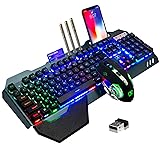 Best Build LexonElec K680 Wireless: Aluminum alloy panel, removable hand rest and phone bracket, 2.4G wireless. Check price on Amazon
 Best with Pad BlueFinger RGB Combo: Adds an 11.8 x 9.8 in mouse pad; 19 non-conflict keys, wired RGB. Check price on Amazon
 Best Wired Value MageGee K1 Combo: Blue switches, 104 keys, RGB with 8 colors and 5 modes, 3200 DPI mouse. Check price on Amazon
The picks
| # | Product | Office Score | Buy |
|---|---|---|---|
| 1 | Redragon S107 Combo | 9.5/10 | Buy on Amazon |
| 2 | RedThunder K10 Wireless | 9.5/10 | Buy on Amazon |
| 3 | LexonElec K680 Wireless | 9.4/10 | Buy on Amazon |
| 4 | BlueFinger RGB Combo | 9.4/10 | Buy on Amazon |
| 5 | MageGee K1 Combo | 9.4/10 | Buy on Amazon |

Redragon S107 Combo
A wired 104-key RGB combo with 25-key anti-ghosting and a mouse reaching 10000 DPI via software, backed by a 36-month warranty.
Pros
- Mouse reaches 10000 DPI via software, 5000 on the DPI button
- 1000Hz polling rate adjustable in the Redragon software
- 25-key anti-ghosting on the keyboard
- 36-month warranty stated in the bullets, the longest here
Cons
- Bullets promise 36 months while the spec table says 2; we trust the bullets
- Wired only, no wireless option
- Software needed for the full DPI and macro features
- No safety certification stated
Detailed Review
The Redragon S107 pairs a 104-key RGB keyboard with 6 lighting modes and 25-key anti-ghosting with a mouse that adjusts to 5000 DPI on the button and up to 10000 DPI through the Redragon software, which also sets polling up to 1000Hz. The keyboard adds 12 multimedia keys, a foldable stand and floating keycaps. Note the warranty mismatch: the bullets promise a 36-month warranty while the spec table says 2; we trust the bullets.
Who it's for: gamers who want software control over DPI, polling and macros with the longest stated warranty here. Who should skip it: anyone who wants wireless, because this combo is wired only.
Its Office Score of 9.5/10 comes from performance 30/35, build 20/25, value 20/25, safety 0/10 and warranty 4/5: 74 of 100 points, placed on our 9.2 to 9.8 scale.
Key Specifications
| Keys | 104 |
|---|---|
| Mouse DPI | 5000 button, 10000 software |
| Polling | 1000Hz |
| Backlight | RGB, 6 modes |
Figures as published on the retailer listing, collected 23 October 2026. Performance figures are manufacturer rated.
Safety and Warranty
What this listing states. This product does not plug in or run on a battery, so safety is not part of its score. 36-month warranty. It does not say everything a buyer needs, such as who pays return shipping, so warranty scores 4 of 5. See How We Pick.
Fit the desk first. Check the stated size against your desk depth and keyboard tray, and charge or pair as the manual describes. No keyboard, mouse or wrist rest prevents or treats injury.
This is general buying information, not professional advice. Follow each product manual and local rules, and see our Safety Disclaimer.

RedThunder K10 Wireless
A 2.4G wireless 104-key combo with 3000mAh keyboard and 800mAh mouse batteries, a metal keyboard cover and a 1 year warranty.
Pros
- 2.4G wireless with a shared nano receiver
- 3000mAh keyboard and 800mAh mouse batteries per the bullets
- Frosted metal keyboard cover
- 1 year warranty stated
Cons
- Title says 3800mAh while the bullets say 3000mAh and 800mAh; we trust the bullets
- 8 hours stated for light use only
- The spec table lists an AZERTY layout
- No safety certification stated
Detailed Review
The RedThunder K10 is a 2.4G wireless combo with a 3000mAh keyboard battery and an 800mAh mouse battery, rated for 8 hours of light use, with sleep after 2 minutes idle. The mouse runs 3200DPI with 7D buttons, the keyboard has a frosted metal cover and 10 000 000 keystroke keys. Note the battery mismatch: the title says 3800mAh while the bullets say 3000mAh for the keyboard and 800mAh for the mouse; we trust the bullets. The spec table lists an AZERTY layout.
Who it's for: gamers who want a wireless set with a metal keyboard cover and a stated 1 year warranty. Who should skip it: anyone who needs heavy daily use on one charge, at 8 hours stated for light use.
Its Office Score of 9.5/10 comes from performance 28/35, build 21/25, value 20/25, safety 0/10 and warranty 2/5: 71 of 100 points, placed on our 9.2 to 9.8 scale.
Key Specifications
| Connection | 2.4G wireless |
|---|---|
| Battery | 3000mAh keyboard, 800mAh mouse |
| Mouse DPI | 3200 |
| Keys | 104, 10 000 000 keystrokes |
Figures as published on the retailer listing, collected 23 October 2026. Performance figures are manufacturer rated.
Safety and Warranty
What this listing states. No FCC or other safety listing is stated, so safety scores zero. 1 Year. It does not say everything a buyer needs, such as who pays return shipping, so warranty scores 2 of 5. See How We Pick.
Fit the desk first. Check the stated size against your desk depth and keyboard tray, and charge or pair as the manual describes. No keyboard, mouse or wrist rest prevents or treats injury.
This is general buying information, not professional advice. Follow each product manual and local rules, and see our Safety Disclaimer.

LexonElec K680 Wireless
A 2.4G wireless combo with an aluminum alloy panel, removable hand rest and phone bracket.
Pros
- Aluminum alloy brushed panel
- Removable hand rest and phone bracket
- 3000mAh keyboard and 800mAh mouse batteries
- Sleep after 5 minutes idle, any key wakes
Cons
- No warranty term stated
- Mouse tops out at 2400 DPI
- No safety certification stated
- 17.9 in wide keyboard needs desk space
Detailed Review
The LexonElec K680 is a 2.4G wireless combo with an aluminum alloy brushed panel, a removable hand rest and a phone bracket on the keyboard. The keyboard carries a 3000mAh battery and the mouse 800mAh, with sleep after 5 minutes idle. The mouse adjusts through 4 DPI speeds from 800 to 2400. Keyboard dimensions are 17.9 x 6.8 x 1.7 in and the mouse is 4.9 x 2.5 x 1.5 in.
Who it's for: gamers who want an aluminum panel, a hand rest and a phone bracket in a wireless set. Who should skip it: anyone who wants a stated warranty or higher than 2400 DPI.
Its Office Score of 9.4/10 comes from performance 27/35, build 21/25, value 20/25, safety 0/10 and warranty 0/5: 68 of 100 points, placed on our 9.2 to 9.8 scale.
Key Specifications
| Connection | 2.4G wireless |
|---|---|
| Battery | 3000mAh keyboard, 800mAh mouse |
| Mouse DPI | 800-2400, 4 speeds |
| Keyboard size | 17.9 x 6.8 x 1.7 in |
Figures as published on the retailer listing, collected 23 October 2026. Performance figures are manufacturer rated.
Safety and Warranty
What this listing states. No FCC or other safety listing is stated, so safety scores zero. No warranty term, so warranty scores zero. See How We Pick.
Fit the desk first. Check the stated size against your desk depth and keyboard tray, and charge or pair as the manual describes. No keyboard, mouse or wrist rest prevents or treats injury.
This is general buying information, not professional advice. Follow each product manual and local rules, and see our Safety Disclaimer.

BlueFinger RGB Combo
A wired RGB combo that adds an 11.8 x 9.8 in mouse pad, with 19 non-conflict keys.
Pros
- 11.8 x 9.8 in mouse pad included, unique here
- 19 non-conflict keys
- Steel plate in the keyboard
- 61 in keyboard and 59 in mouse braided cables
Cons
- The spec table lists a warranty of 2 with no unit; we treat it as not stated
- Mouse tops out at 2000 DPI
- Wired only
- No safety certification stated
Detailed Review
The BlueFinger is the only combo here that includes a mouse pad, an 11.8 x 9.8 in cloth pad with a rubber base. The wired 104-key keyboard has RGB backlighting, a steel plate and 19 non-conflict keys; the mouse adjusts from 800 to 2000 DPI with 4 breathing light colors. Cables are 61 in for the keyboard and 59 in for the mouse. The spec table lists a warranty of 2 with no unit, so we treat it as no stated warranty.
Who it's for: anyone setting up from scratch who wants the pad in the box. Who should skip it: anyone who wants wireless or a stated warranty term.
Its Office Score of 9.4/10 comes from performance 26/35, build 19/25, value 21/25, safety 0/10 and warranty 0/5: 66 of 100 points, placed on our 9.2 to 9.8 scale.
Key Specifications
| Keys | 104, 19 non-conflict |
|---|---|
| Mouse DPI | 800-2000 |
| Mouse pad | 11.8 x 9.8 in |
| Cables | 61 in keyboard, 59 in mouse |
Figures as published on the retailer listing, collected 23 October 2026. Performance figures are manufacturer rated.
Safety and Warranty
What this listing states. This product does not plug in or run on a battery, so safety is not part of its score. No warranty term, so warranty scores zero. See How We Pick.
Fit the desk first. Check the stated size against your desk depth and keyboard tray, and charge or pair as the manual describes. No keyboard, mouse or wrist rest prevents or treats injury.
This is general buying information, not professional advice. Follow each product manual and local rules, and see our Safety Disclaimer.

MageGee K1 Combo
A wired 104-key combo with blue switches, RGB backlighting and a 6-level DPI mouse.
Pros
- Blue switches stated in the spec table
- RGB with 8 colors and 5 modes
- Mouse with 6 DPI levels (600/800/1200/1600/2400/3200)
- Plug and play with no driver needed
Cons
- Spec table says White LED while the bullets describe RGB; we trust the bullets
- No warranty term stated
- Wired only
- No safety certification stated
Detailed Review
The MageGee K1 is a wired 104-key combo with blue switches, RGB backlighting with 8 colors and 5 modes, and a mouse with 6 levels (600/800/1200/1600/2400/3200). The keyboard needs no drivers and works across Windows, Mac and Linux per the listing. Note the backlight mismatch: the spec table says White LED while the bullets and title describe RGB; we trust the bullets.
Who it's for: gamers who want clicky blue switches and a driver-free wired set. Who should skip it: anyone who wants wireless or a stated warranty.
Its Office Score of 9.4/10 comes from performance 26/35, build 19/25, value 20/25, safety 0/10 and warranty 0/5: 65 of 100 points, placed on our 9.2 to 9.8 scale.
Key Specifications
| Keys | 104, blue switch |
|---|---|
| Mouse DPI | 3200 max, 6 levels |
| Backlight | RGB, 8 colors, 5 modes |
| Connection | Wired |
Figures as published on the retailer listing, collected 23 October 2026. Performance figures are manufacturer rated.
Safety and Warranty
What this listing states. This product does not plug in or run on a battery, so safety is not part of its score. No warranty term, so warranty scores zero. See How We Pick.
Fit the desk first. Check the stated size against your desk depth and keyboard tray, and charge or pair as the manual describes. No keyboard, mouse or wrist rest prevents or treats injury.
This is general buying information, not professional advice. Follow each product manual and local rules, and see our Safety Disclaimer.
As an Amazon Associate I earn from qualifying purchases.
More picks to compare
 AULA T102 Wired ComboFor gamers who want a metal panel, phone bracket and 1200-7200 DPI mouse.Check on Amazon
 MSI Forge GK110 ComboFor gamers who want 12800 DPI, a volume wheel and 20-million-click switches.Check on Amazon
 Logitech G413 SE + G502 BundleFor gamers who want PBT keycaps, 25600 DPI and 11 programmable buttons.Check on Amazon
Compare the picks
| Combo | Office Score | Connection | Mouse DPI | Keyboard | Backlight | Warranty | Amazon |
|---|---|---|---|---|---|---|---|
| Redragon S107 Combo | 9.5/10 | Wired | 10000 (software) | 104 keys | RGB, 6 modes | 36 months | View on Amazon |
| RedThunder K10 Wireless | 9.5/10 | 2.4G wireless | 3200 | 104 keys | Rainbow | 1 year | View on Amazon |
| LexonElec K680 Wireless | 9.4/10 | 2.4G wireless | 800-2400 | 104 keys | Rainbow | Not stated | View on Amazon |
| BlueFinger RGB Combo | 9.4/10 | Wired | 800-2000 | 104 keys | RGB | Not stated | View on Amazon |
| MageGee K1 Combo | 9.4/10 | Wired | 3200 max | 104 keys, blue switch | RGB, 8 colors | Not stated | View on Amazon |
Specifications are manufacturer rated as listed, collected 23 October 2026.
How we scored them
The Office Score weighs performance, build, value, safety and warranty. For input gear, safety means stated electrical or material certifications, and none of these listings names one, so every combo scores zero on safety. Two listings state a warranty term, the Redragon at 36 months and the RedThunder at 1 year. How we pick explains the weights.
| Product | Office Score | Perf. /35 | Build /25 | Value /25 | Safety /10 | Warranty /5 |
|---|---|---|---|---|---|---|
| Redragon S107 Combo | 9.5 | 30 | 20 | 20 | 0 | 4 |
| RedThunder K10 Wireless | 9.5 | 28 | 21 | 20 | 0 | 2 |
| LexonElec K680 Wireless | 9.4 | 27 | 21 | 20 | 0 | 0 |
| BlueFinger RGB Combo | 9.4 | 26 | 19 | 21 | 0 | 0 |
| MageGee K1 Combo | 9.4 | 26 | 19 | 20 | 0 | 0 |
Scores run from 9.2 to 9.8: each product’s point total is placed on that range, so more points always means a higher score.
How to choose the best gaming mouse and keyboard
Wired vs 2.4G wireless
Two of the 5 combos cut the cord: the RedThunder K10 and the LexonElec K680 both run on 2.4G wireless with a 3000mAh keyboard battery and an 800mAh mouse battery. The RedThunder rates 8 hours of light use and sleeps after 2 minutes idle; the LexonElec sleeps after 5 minutes idle. The other 3 are wired and never need charging. If the same desk doubles as a work desk, see our gaming mouse for office picks.
DPI and what it means
DPI sets how far the cursor moves per inch of mouse travel. Ranges here include 6 levels up to 3200 on the MageGee, 800 to 2000 on the BlueFinger, 800 to 2400 on the LexonElec and a fixed 3200 on the RedThunder, while the Redragon reaches 5000 on the DPI button and 10000 through its software. Higher DPI suits high-resolution monitors and twitch shooters; lower DPI suits precise work.
Backlight and build
All 5 keyboards light up: RGB with 8 colors and 5 modes on the MageGee, rainbow effects on the RedThunder, LexonElec and BlueFinger, and 6 RGB modes on the Redragon. Build standouts are the LexonElec aluminum alloy panel with a removable hand rest and phone bracket, and the RedThunder frosted metal cover. For a keyboard-first upgrade, see our wireless keyboard for home office picks.
The mouse pad question
Only the BlueFinger includes a mouse pad, an 11.8 x 9.8 in cloth pad with a rubber base. The other 4 listings do not state one. A pad is not required, but the mouse tracks more consistently on cloth than on a bare desk. Our large mouse pad guide covers bigger surfaces.
| Combo | Connection | Mouse DPI | Battery |
|---|---|---|---|
| Redragon S107 Combo | Wired | 5000 / 10000 software | Not stated |
| RedThunder K10 Wireless | 2.4G wireless | 3200 | 3000mAh / 800mAh |
| LexonElec K680 Wireless | 2.4G wireless | 800-2400 | 3000mAh / 800mAh |
| BlueFinger RGB Combo | Wired | 800-2000 | Not stated |
| MageGee K1 Combo | Wired | 3200 max | Not stated |
Setup Notes
- Measure the desk first: the LexonElec keyboard is 17.9 x 6.8 in, so check it fits beside the monitor stand.
- Both wireless sets share one nano receiver between keyboard and mouse; the RedThunder receiver ships in the bottom of the mouse.
- Charge before the first session: RedThunder says 8 hours, and both wireless sets sleep when idle.
- Cable reach on the wired sets: BlueFinger lists a 61 in keyboard cable and a 59 in mouse cable.
Frequently Asked Questions
What is the best keyboard and mouse combo for gaming?
It depends on the desk. The Redragon S107 leads here on software control and warranty, the RedThunder K10 is the wireless pick with a metal cover, and the BlueFinger is the only one that includes a mouse pad.
Is a mouse pad necessary for gaming?
Not strictly, but tracking is more consistent on cloth than on a bare desk. Only the BlueFinger of these 5 includes one, an 11.8 x 9.8 in pad.
What is a good mouse for gaming?
Look for adjustable DPI and a shape that fits the hand. These combos range from 3200 max on the MageGee to 10000 via software on the Redragon, and the RedThunder mouse adds 7D buttons.
How long do wireless combos last on a charge?
The RedThunder K10 states 8 hours of light use with sleep after 2 minutes idle. The LexonElec K680 states no battery life figure and sleeps after 5 minutes idle.
Do I need software for these combos?
Only the Redragon ships customization software, for macros, DPI, polling rate and lighting. The other 4 are plug and play with no driver needed.
Related guides
See every computer peripheral guide and all mice and mouse pad guides.
More picks: gaming mouse for office, gaming mouse for shaky desk, RGB mechanical keyboard, large mouse pad.


