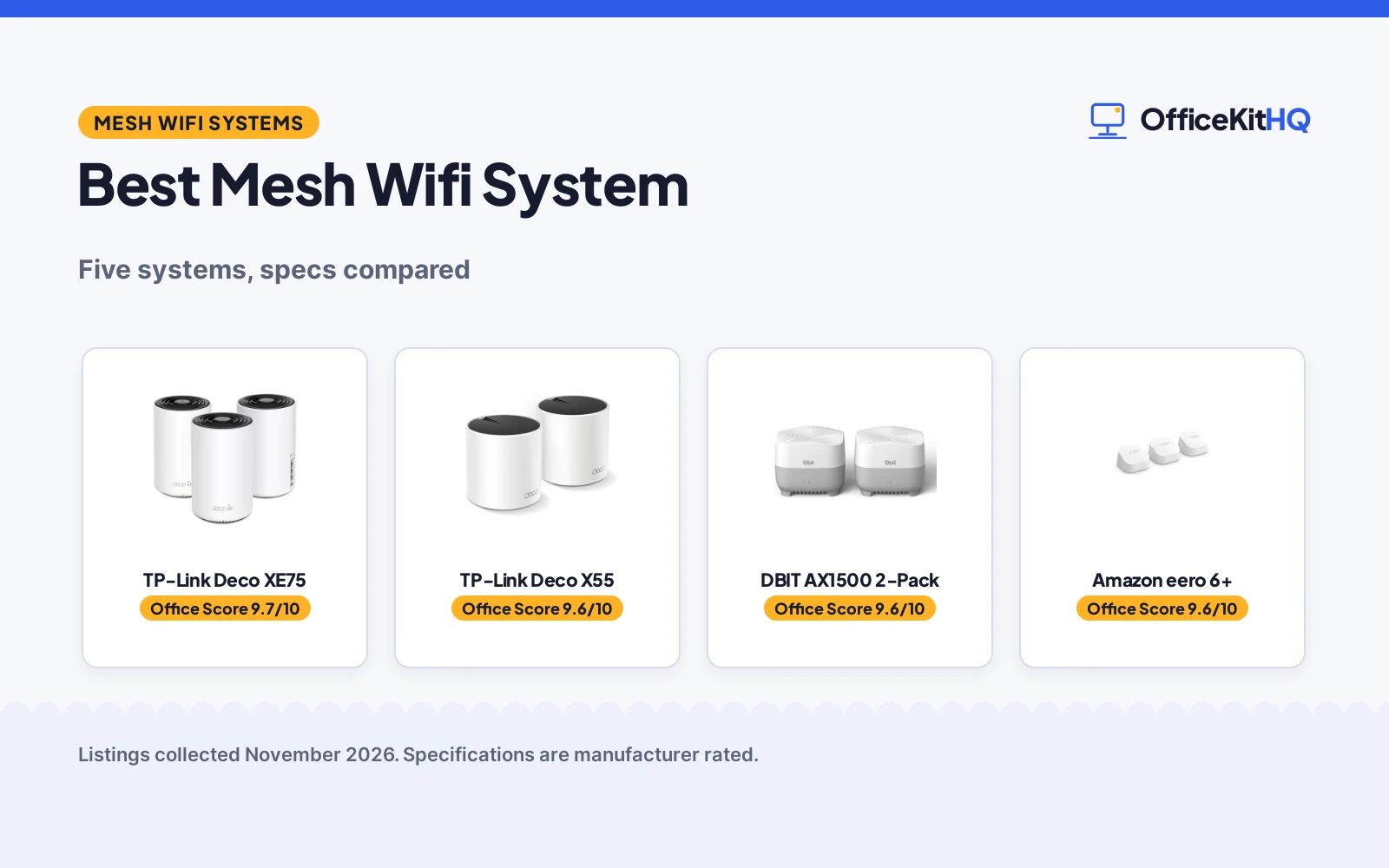
The morning call freezes on a dim webcam while the laptop buffers in the back room, and the best mesh wifi system is the one that keeps every room on the same network. This guide compares five mesh systems on what each listing states: coverage, device count, speed, Ethernet ports and warranty terms. Two-packs and 3-packs both appear here, and the ranking follows the stated figures.
OfficeKitHQ earns a commission when you buy through links on this page, at no extra cost to you. As an Amazon Associate I earn from qualifying purchases. Affiliate disclosure.
Quick picks
 Best Overall TP-Link Deco XE75: tri-band WiFi 6E to 5,400 Mbps, 7,200 sq ft and 200 devices Check price on Amazon
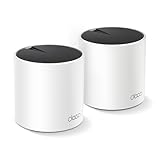 Best 2-Pack TP-Link Deco X55: AX3000 WiFi 6, 4,500 sq ft, 150 devices and 3 gigabit ports per unit Check price on Amazon
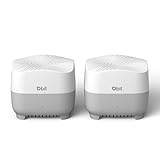 Most Gigabit Ports DBIT AX1500 2-Pack: 4 gigabit ports per unit, AX1500 speeds and 3,900 sq ft of coverage Check price on Amazon
 Renewed 3-Pack Netgear Nighthawk MK73: AX3000 3-pack with 1 router and 2 satellites, 3 Gbps speeds Check price on Amazon
 Smart Home Hub Amazon eero 6+: 3-pack mesh system with gigabit speeds and a smart home hub Check price on Amazon
Our desk picks
| # | Product | Office Score | Buy |
|---|---|---|---|
| 1 | TP-Link Deco XE75 | 9.7/10 | Buy on Amazon |
| 2 | TP-Link Deco X55 | 9.6/10 | Buy on Amazon |
| 3 | DBIT AX1500 2-Pack | 9.6/10 | Buy on Amazon |
| 4 | Amazon eero 6+ | 9.6/10 | Buy on Amazon |
| 5 | Netgear Nighthawk MK73 | 9.4/10 | Buy on Amazon |

TP-Link Deco XE75
A tri-band WiFi 6E 3-pack with a 6 GHz band, speeds up to 5,400 Mbps, coverage up to 7,200 sq ft and room for 200 devices.
Pros
- Tri-band WiFi 6E with a 6 GHz band for backhaul or WiFi 6E devices
- Speeds up to 5,400 Mbps across three bands
- Covers up to 7,200 sq ft for 200 devices
- WPA3 and HomeShield security with Alexa voice control for guest Wi-Fi
Cons
- No Ethernet port count is stated
- The 6 GHz band is for WiFi 6E devices, so older devices stay on the other bands
- Needs a separate modem for most internet service providers
- Three units need three outlets and three spots in the home
Detailed Review
TP-Link lists the Deco XE75 as a tri-band WiFi 6E system with a brand-new 6 GHz band, speeds up to 5,400 Mbps and coverage up to 7,200 sq ft for 200 devices. The 6 GHz band works as a backhaul by default and can switch to network mode for WiFi 6E devices, and the system uses AI-driven mesh that learns the network environment. It works with Alexa for guest Wi-Fi voice commands, includes HomeShield security with basic parental controls, and works with all internet service providers with a modem required for most.
Who it's for: a home that wants the highest speeds and widest coverage here, with a 6 GHz band for WiFi 6E devices. Who should skip it: a reader with a small home or few devices, since the 3-pack covers up to 7,200 sq ft.
Its Office Score of 9.7/10 comes from performance 32/35, build 21/25, value 21/25, safety 7/10 and warranty 3/5: 84 of 100 points, placed on our 9.2 to 9.8 scale.
Key Specifications
| Speed | Up to 5,400 Mbps, tri-band WiFi 6E |
|---|---|
| Coverage | Up to 7,200 sq ft |
| Devices | 200 |
| Warranty | 2 year manufacturer |
These specs mirror the retailer listing as of 21 November 2026; performance figures are stated by the brand.
Safety and Warranty
What this listing states. WPA3 and TP-Link HomeShield security stated, so safety scores 7 of 10. 2 year manufacturer warranty stated. It does not say everything a buyer needs, such as who pays return shipping, so warranty scores 3 of 5. See How We Pick.
Follow the manual. Assemble and use the product as the maker describes, stay under any stated capacity, and read the manual before first use.
This is general buying information, not professional advice. Follow each product manual and local rules, and see our Safety Disclaimer.

TP-Link Deco X55
An AX3000 WiFi 6 2-pack covering up to 4,500 sq ft for 150 devices, with 3 gigabit ports per unit and Ethernet backhaul.
Pros
- Covers up to 4,500 sq ft for up to 150 devices
- 3 gigabit Ethernet ports per unit, 6 in a 2-pack
- Supports wired Ethernet backhaul for better speeds
- HomeShield security with parental controls and quality of service
Cons
- No 6 GHz band; WiFi 6 only
- A modem is required for most internet service providers
- No WPA3 is stated
- 150 devices is fewer than the 200 devices the largest pick here supports
Detailed Review
TP-Link lists the Deco X55 as an AX3000 WiFi 6 mesh system in a 2-pack, covering up to 4,500 sq ft for up to 150 devices. Each unit has 3 gigabit Ethernet ports, 6 in a 2-pack, and the system supports wired Ethernet backhaul. The Deco app guides setup in minutes, AI-driven mesh learns the network environment, and HomeShield adds basic network security, quality of service and parental controls at no cost.
Who it's for: a home that wants WiFi 6 coverage with plenty of wired ports and no extra units. Who should skip it: a reader who wants a 6 GHz band or coverage past 4,500 sq ft.
Its Office Score of 9.6/10 comes from performance 30/35, build 21/25, value 21/25, safety 5/10 and warranty 3/5: 80 of 100 points, placed on our 9.2 to 9.8 scale.
Key Specifications
| Speed | AX3000 WiFi 6 (2,402 Mbps plus 574 Mbps) |
|---|---|
| Coverage | Up to 4,500 sq ft |
| Devices | 150 |
| Ports | 3 gigabit ports per unit |
These specs mirror the retailer listing as of 21 November 2026; performance figures are stated by the brand.
Safety and Warranty
What this listing states. TP-Link HomeShield security service stated, so safety scores 5 of 10. 2 year manufacturer warranty stated. It does not say everything a buyer needs, such as who pays return shipping, so warranty scores 3 of 5. See How We Pick.
Follow the manual. Assemble and use the product as the maker describes, stay under any stated capacity, and read the manual before first use.
This is general buying information, not professional advice. Follow each product manual and local rules, and see our Safety Disclaimer.

DBIT AX1500 2-Pack
An AX1500 WiFi 6 2-pack covering up to 3,900 sq ft for 120 or more devices, with 4 gigabit ports per unit and WPA3-SAE security.
Pros
- 4 gigabit Ethernet ports per unit, the most here
- Covers up to 3,900 sq ft for 120 or more devices
- WPA3-SAE encryption with an isolated guest network
- Parental controls and one-click networking with the Mesh button
Cons
- AX1500 speeds are the slowest stated here
- A modem is required; compatibility varies by ISP plan
- No 6 GHz band is stated
- The 1 year warranty is shorter than the 2 year terms here
Detailed Review
DBIT lists the AX1500 as a dual-band WiFi 6 system with combined speeds up to 1,500 Mbps, 300 Mbps on 2.4 GHz and 1,201 Mbps on 5 GHz, covering up to 3,900 sq ft for 120 or more devices. Each node includes 4 gigabit Ethernet ports, and the system uses WPA3-SAE encryption with an isolated guest network, parental controls and smart roaming. Setup runs through the mobile app or web GUI, and a new node joins through the Mesh button.
Who it's for: a home that wants the most wired ports per unit and simple app setup on WiFi 6. Who should skip it: a reader who wants the highest speeds here, since the AX1500 tops out at 1,500 Mbps.
Its Office Score of 9.6/10 comes from performance 29/35, build 20/25, value 21/25, safety 5/10 and warranty 2/5: 77 of 100 points, placed on our 9.2 to 9.8 scale.
Key Specifications
| Speed | Up to 1,500 Mbps, dual-band |
|---|---|
| Coverage | Up to 3,900 sq ft |
| Devices | 120+ |
| Ports | 4 gigabit ports per unit |
These specs mirror the retailer listing as of 21 November 2026; performance figures are stated by the brand.
Safety and Warranty
What this listing states. WPA3-SAE encryption and isolated guest network stated, so safety scores 5 of 10. 1 Year Manufacturer warranty stated. It does not say everything a buyer needs, such as who pays return shipping, so warranty scores 2 of 5. See How We Pick.
Follow the manual. Assemble and use the product as the maker describes, stay under any stated capacity, and read the manual before first use.
This is general buying information, not professional advice. Follow each product manual and local rules, and see our Safety Disclaimer.

Amazon eero 6+
A WiFi 6 mesh system, gigabit speeds, a built-in smart home hub, coverage up to 4,500 sq ft.
Pros
- Built-in smart home hub for Thread and Zigbee devices, Alexa
- Supports an extra 160 MHz radio channel
- Compact unit, 3.94 x 3.82 x 2.6 inches, 0.69 pounds
- TrueMesh routes traffic to reduce drop-offs and dead spots
Cons
- No warranty term is stated
- Covers up to 4,500 sq ft, the smallest coverage here
- Online security and extra management features need a separate subscription
Detailed Review
Amazon lists the eero 6+ as a WiFi 6 system with speeds up to a gigabit, covering up to 4,500 sq ft, connecting 75+ devices in a 3-pack. It supports an extra 160 MHz radio channel; TrueMesh routes traffic to reduce drop-offs and dead spots. The built-in smart home hub connects Thread and Zigbee devices with Alexa; the eero app guides setup and manages the network from anywhere. It measures 3.94 x 3.82 x 2.6 inches and weighs 0.69 pounds, with NumberOfItems as 1 while the title lists a 3-pack, so trust the title over the spec table. No warranty term is stated.
Who it's for: homes that want a compact WiFi 6 system with a built-in smart home hub. Who should skip it: anyone who needs a warranty term or WiFi 7 speeds.
Its Office Score of 9.6/10 comes from performance 28/35, build 20/25, value 21/25, safety 7/10 and warranty 0/5: 76 of 100 points, placed on our 9.2 to 9.8 scale.
Key Specifications
| WiFi | WiFi 6 |
|---|---|
| Speed | Up to a gigabit |
| Coverage | Up to 4,500 sq ft |
| Devices | 75+ |
These specs mirror the retailer listing as of 13 November 2026; performance figures are stated by the brand.
Safety and Warranty
What this listing states. Automatic updates and online security features, so safety scores 7 of 10. No warranty term, so warranty scores zero. See How We Pick.
Follow the manual. Assemble and use the product as the maker describes, stay under any stated capacity, and read the manual before first use.
This is general buying information, not professional advice. Follow each product manual and local rules, and see our Safety Disclaimer.

Netgear Nighthawk MK73
A renewed Nighthawk AX3000 3-pack with 1 router and 2 satellites at 3 Gbps, with a 90 day limited warranty.
Pros
- AX3000 speeds at 3 Gbps in a 3-pack
- 1 router and 2 satellites in the box
- Dual-band WiFi 6 for a mesh network
- Three units for multi-room coverage
Cons
- Certified renewed, not new
- Only a 90 day limited warranty
- No coverage or device count is stated
- No port count or security feature is stated
Detailed Review
Netgear lists the Nighthawk MK73 as a dual-band AX3000 mesh system at 3 Gbps, in a 3-pack with 1 router and 2 satellites. The unit is certified renewed, and the warranty is 90 days limited. It measures 12.0 by 22.0 by 12.0 inches and weighs 1.0 pound, with no coverage, device count, port count or security feature stated.
Who it's for: a reader who wants an AX3000 3-pack and accepts a renewed unit with a short warranty. Who should skip it: a reader who wants a new unit, a stated coverage figure or a longer warranty.
Its Office Score of 9.4/10 comes from performance 26/35, build 19/25, value 19/25, safety 0/10 and warranty 1/5: 65 of 100 points, placed on our 9.2 to 9.8 scale.
Key Specifications
| Speed | 3 Gbps, dual-band AX3000 |
|---|---|
| Pack | 3-pack: 1 router, 2 satellites |
| Warranty | 90 days limited warranty |
| Size | 12.0 x 22.0 x 12.0 in |
These specs mirror the retailer listing as of 21 November 2026; performance figures are stated by the brand.
Safety and Warranty
What this listing states. This product does not plug in or run on a battery, so safety is not part of its score. 90 days limited warranty stated. It does not say everything a buyer needs, such as who pays return shipping, so warranty scores 1 of 5. See How We Pick.
Follow the manual. Assemble and use the product as the maker describes, stay under any stated capacity, and read the manual before first use.
This is general buying information, not professional advice. Follow each product manual and local rules, and see our Safety Disclaimer.
As an Amazon Associate I earn from qualifying purchases.
More picks to compare
 TP-Link Deco BE25WiFi 7 2-pack covering up to 4,600 sq ft with 2.5G ports.Check on Amazon
Specs compared
| System | Office Score | Coverage | Devices | Speed | Ports | Warranty | Amazon |
|---|---|---|---|---|---|---|---|
| TP-Link Deco XE75 | 9.7/10 | 7,200 sq ft | 200 | 5,400 Mbps | Not stated | 2 years | View on Amazon |
| TP-Link Deco X55 | 9.6/10 | 4,500 sq ft | 150 | AX3000 | 3 per unit | 2 years | View on Amazon |
| DBIT AX1500 2-Pack | 9.6/10 | 3,900 sq ft | 120+ | 1,500 Mbps | 4 per unit | 1 year | View on Amazon |
| Netgear Nighthawk MK73 | 9.4/10 | Not stated | Not stated | 3 Gbps | Not stated | 90 days | View on Amazon |
| Amazon eero 6+ | 9.6/10 | Not stated | Not stated | Gigabit | Not stated | Not stated | View on Amazon |
Specs reflect manufacturer claims on each product listing (as of 21 November 2026). Four of the five state a warranty term; three state WPA3 or HomeShield security.
How to choose the best mesh wifi system
Start with coverage, not speed
Coverage decides how many units a home needs. The Deco XE75 covers up to 7,200 sq ft, the Deco X55 covers up to 4,500 sq ft, and the DBIT covers up to 3,900 sq ft. The Nighthawk MK73 and the eero 6+ state no coverage figure, so they suit a reader who already knows the layout they must cover. Measure the rooms the nodes must reach, then match the figure to the home, since a system that is short on coverage leaves the far rooms to fend for themselves.
Count devices and ports
Device count and ports decide whether the system keeps up with a busy home. The XE75 supports 200 devices, the X55 supports 150 devices, and the DBIT supports 120 or more devices. For wired gear, the DBIT gives 4 gigabit ports per unit and the X55 gives 3 gigabit ports per unit, 6 in a 2-pack. The XE75, MK73 and eero state no port count, so check the wired devices on the desk before ordering. For the wired side of the setup, see the best mesh wifi system with ethernet ports guide and the best ethernet cable for home office guide.
| System | Coverage | Devices | Ports per unit |
|---|---|---|---|
| TP-Link Deco XE75 | 7,200 sq ft | 200 | Not stated |
| TP-Link Deco X55 | 4,500 sq ft | 150 | 3 gigabit |
| DBIT AX1500 2-Pack | 3,900 sq ft | 120+ | 4 gigabit |
| Netgear Nighthawk MK73 | Not stated | Not stated | Not stated |
| Amazon eero 6+ | Not stated | Not stated | Not stated |
WiFi 6, 6E and the 6 GHz band
WiFi 6 is the baseline here, and WiFi 6E adds the 6 GHz band. The X55, DBIT and MK73 are WiFi 6 systems, while the XE75 is a tri-band WiFi 6E system with a 6 GHz band that works as a backhaul by default and can switch to network mode for WiFi 6E devices. The 6 GHz band is for WiFi 6E traffic, so older devices stay on the other bands. A home with WiFi 6E phones and laptops gains the most from the XE75, while a home on older devices does fine on WiFi 6.
Read the warranty line, and check for renewed units
Warranty terms run from 90 days to 2 years here. The X55 and XE75 state a 2 year manufacturer warranty, the DBIT states a 1 year manufacturer warranty, and the MK73 states a 90 day limited warranty. The MK73 is also a certified renewed unit, not a new one, so its short warranty matters twice as much. The eero 6+ states no warranty term at all, so there is nothing in writing to fall back on.
Setup Notes
- Measure the rooms the nodes must cover and check the stated coverage: 7,200, 4,500 and 3,900 sq ft here.
- Place each node within reach of an outlet and keep the modem close to the first unit, since a modem is required for most internet service providers.
- Count the wired devices and check the port count per unit: 3 on the X55 and 4 on the DBIT.
- Check the warranty term before ordering: 2 years, 1 year and 90 days are stated here, and the MK73 is a renewed unit.
FAQ
Which mesh wifi system is best?
The Deco XE75 leads here on stated speed, coverage and device count: up to 5,400 Mbps, 7,200 sq ft and 200 devices. The Deco X55 suits a smaller home with 4,500 sq ft and 150 devices.
How does a mesh wifi system work?
Each system uses two or three units, and devices switch between nodes as you move through the home. The XE75 uses AI-driven mesh that learns the network environment, and the DBIT uses smart roaming to switch devices between nodes without dropped connections.
How do I set up a Deco mesh wifi system?
The Deco app helps you set up the network in minutes with visual guidance, and the DBIT app or web GUI does the same for its system. A modem is required for most internet service providers, so keep the modem by the first unit.
Is a mesh system wireless?
Yes. The nodes link over Wi-Fi, with the XE75 able to use its 6 GHz band as a backhaul between nodes. The X55 also supports wired Ethernet backhaul through its 3 gigabit ports per unit.
Do mesh systems work with Spectrum?
Yes. The X55 and XE75 both list Spectrum among the internet service providers they work with, with a modem required for most providers.
Score breakdown
The Office Score weighs performance, build, value, safety and warranty. For a mesh system, safety means WPA3 encryption, HomeShield security and guest network controls the listing actually states; a system that states none scores zero on that line. Four of the five systems state a warranty term, from 90 days to 2 years. How we pick explains the weights.
| Product | Office Score | Perf. /35 | Build /25 | Value /25 | Safety /10 | Warranty /5 |
|---|---|---|---|---|---|---|
| TP-Link Deco XE75 | 9.7 | 32 | 21 | 21 | 7 | 3 |
| TP-Link Deco X55 | 9.6 | 30 | 21 | 21 | 5 | 3 |
| DBIT AX1500 2-Pack | 9.6 | 29 | 20 | 21 | 5 | 2 |
| Netgear Nighthawk MK73 | 9.4 | 26 | 19 | 19 | 0 | 1 |
The scale opens at 9.2 and closes at 9.8; between those marks, weighted points translate linearly into the score you see.
More for your workspace
See every Storage and Network guide and all Office Tech guides. Also see our best mesh wifi for home. Also see our best mesh wi-fi systems. Also see our what wifi extender do i need.
More picks: surge protector for wifi router, cable management box for wifi router, outlet timer for wifi router.