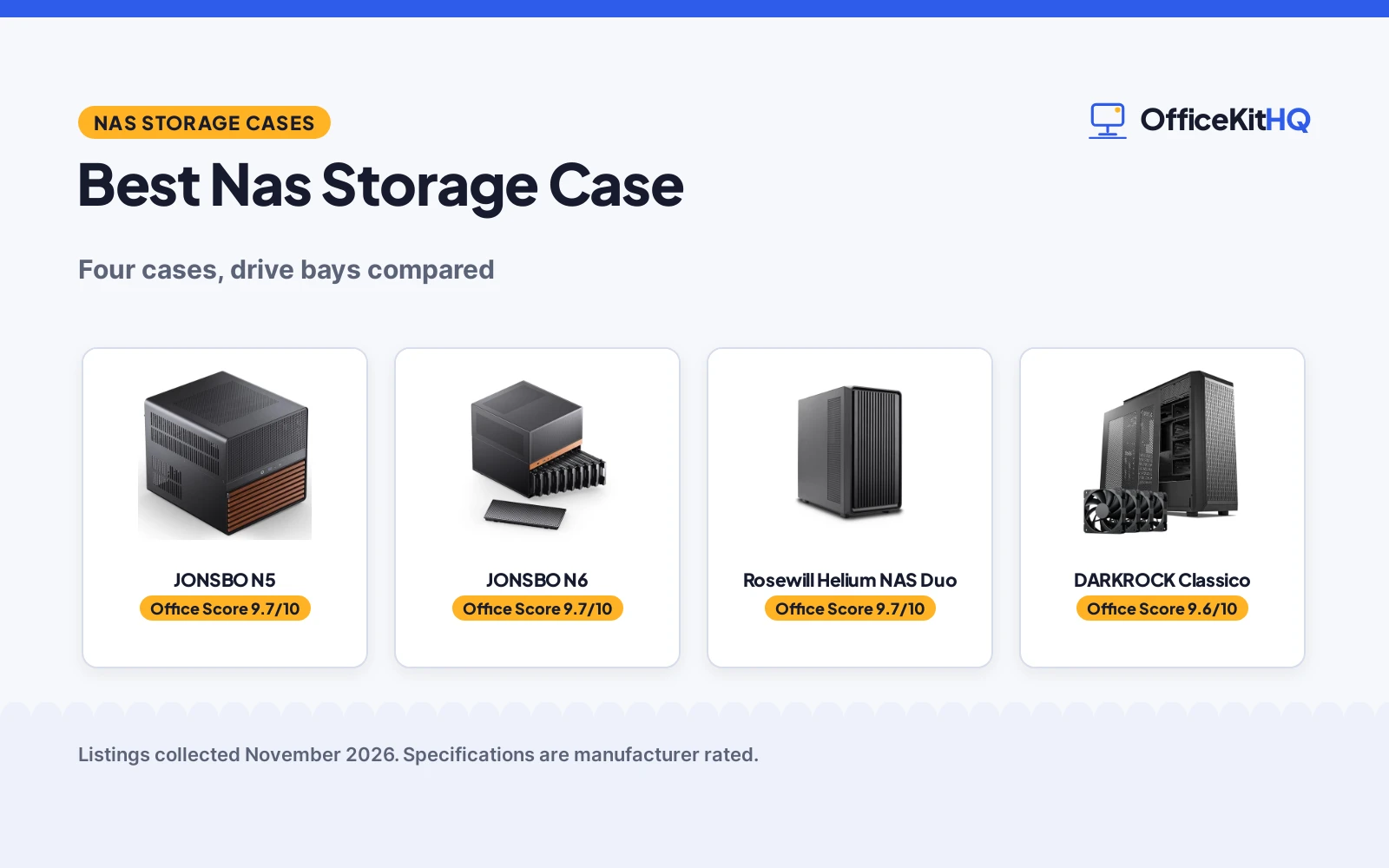
The best nas storage case is the box that turns a loose pile of drives into a home server that sits quietly beside a desk, with cables routed and air moving instead of drives stacked on a shelf. A spare room desk can hold a monitor, a keyboard and a hub, yet the drives that hold family photos and work files still need a home of their own. This roundup compares the cases below by drive bays, cooling, motherboard fit, graphics card clearance and warranty term, using only what each listing publishes.
OfficeKitHQ earns a commission when you buy through links on this page, at no extra cost to you. As an Amazon Associate I earn from qualifying purchases. Affiliate disclosure.
Quick picks
 Best Overall JONSBO N5: 12 hot-swap HDD bays plus 4 SSD bays, 4 GPU support, 2-year warranty Check price on Amazon
 Best Compact Hot-Swap JONSBO N6: 9 hot-swap bays, ATX or SFX power supply, 2-year warranty Check price on Amazon
 Best Airflow Rosewill Helium NAS Duo: Mesh panel with 4 x 140mm PWM fans and 360mm AIO support Check price on Amazon
 Most Drives DARKROCK Classico: 10 HDD bays plus 3 SSD bays with mesh front and side panel Check price on Amazon
Our desk picks
| # | Product | Office Score | Buy |
|---|---|---|---|
| 1 | JONSBO N5 | 9.7/10 | Buy on Amazon |
| 2 | JONSBO N6 | 9.7/10 | Buy on Amazon |
| 3 | Rosewill Helium NAS Duo | 9.7/10 | Buy on Amazon |
| 4 | DARKROCK Classico | 9.6/10 | Buy on Amazon |

JONSBO N5
A large NAS case with 12 hot-swap bays for 3.5 in drives plus 4 bays for 2.5 in SSDs, room for 4 graphics cards and E-ATX boards up to 330mm.
Pros
- 12 hot-swap bays for 3.5 in drives plus 4 bays for 2.5 in SSDs is the largest bay count here
- Supports 4 graphics cards and E-ATX boards up to 330mm
- 3 fans built in with front, right and rear mounting positions stated
- 2-year manufacturer warranty matches the longest term stated here
Cons
- Case size of 355 x 403 x 350mm needs a deep shelf or desk opening
- An ATX power supply of 170mm or longer cuts front disk slots from 12 to 8
- Graphics card support of 325mm to 350mm is shorter than the 390mm on the Rosewill
- Fitting 4 graphics cards leaves AIO clearance to check before ordering
Detailed Review
JONSBO lists the N5 as a NAS case for home servers with 12 hot-swap bays for 3.5 in drives and 4 bays for 2.5 in SSDs, with side installation for the SSDs. It takes ITX, M-ATX, ATX and E-ATX boards up to 330mm, supports 4 graphics cards, and gives graphics card support of 325mm to 350mm with CPU cooler support under 160mm. Cooling comes from 3 fans built in, with front, right and rear positions for 120mm fans, and AIO support of 240. The front panel lists a USB3.2 Gen2 Type-C port and a USB3.0 port, the case has 8 PCI slots, and the stated size is 355 x 403 x 350mm. The maker states a 2 Year Manufacturer warranty.
Who it's for: someone building a large home server who wants the most drive bays here and room for 4 graphics cards. Who should skip it: anyone short on shelf depth or planning a long ATX power supply with all 12 front disk slots in use.
Its Office Score of 9.7/10 comes from performance 32/35, build 22/25, value 21/25, safety 7/10 and warranty 4/5: 86 of 100 points, placed on our 9.2 to 9.8 scale.
Key Specifications
| Drive bays | 12 x 3.5 in HDD + 4 x 2.5 in SSD |
|---|---|
| Graphics card | 325mm to 350mm |
| Motherboard | ITX, M-ATX, ATX, E-ATX |
| Case size | 355 x 403 x 350mm |
These specs mirror the retailer listing as of 21 November 2026; performance figures are stated by the brand.
Safety and Warranty
What this listing states. 3 fans built in with front, right and rear fan positions stated, so safety scores 7 of 10. 2 Year Manufacturer. It does not say everything a buyer needs, such as who pays return shipping, so warranty scores 4 of 5. See How We Pick.
Anchor it. Anchor tall bookshelves and file cabinets to the wall with the supplied hardware or an anti-tip kit, load the lowest shelves and drawers first, and open one drawer at a time.
This is general buying information, not professional advice. Follow each product manual and local rules, and see our Safety Disclaimer.
JONSBO N6
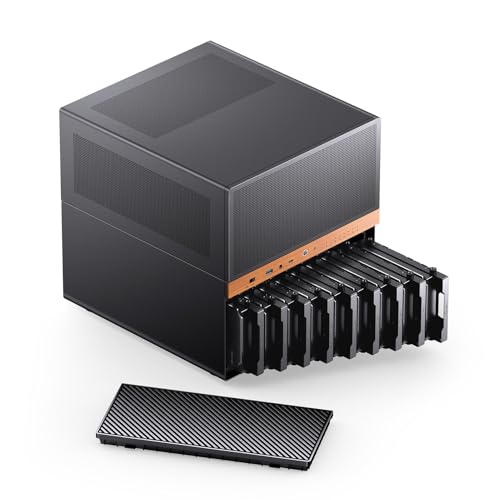
A compact NAS case with 9 hot-swap drive bays, a walnut veneer front, 2 fans pre-installed and support for ATX or SFX power supplies.
Pros
- 9 hot-swap drive bays with a removable HDD cage and a one-piece top cover
- Supports ATX power supplies up to 220mm and SFX power supplies up to 100mm in 3 positions
- Black walnut veneer and steel construction in a 305 x 353 x 318mm case
- 2-year manufacturer warranty matches the longest term stated here
Cons
- Graphics card support tops out at 320mm, below the 325mm to 350mm on the N5 and the 390mm on the Rosewill
- Takes ITX and M-ATX boards only, so larger ATX boards do not fit
- Only 2 fans come pre-installed, with the remaining fan positions left to fill
- CPU cooler support tops out at 160mm
Detailed Review
JONSBO lists the N6 as a NAS case with 9 hot-swap drive bays, a one-piece top cover that removes for access and a removable HDD cage. It takes ITX and M-ATX boards, supports ATX power supplies up to 220mm and SFX power supplies up to 100mm in 3 installation positions, and gives CPU cooler support of 65mm to 160mm with AIO support of 240. The front panel lists a USB3.2 Gen2 Type-C port and a USB3.0 port, the case has 4 PCI slots, and the stated size is 305 x 353 x 318mm, including a 6mm base. The maker gives two GPU figures, 305mm and 275mm to 320mm; check before ordering. The maker states a 2 Year Manufacturer warranty.
Who it's for: someone who wants hot-swap bays and flexible power supply mounting in a compact walnut-front case. Who should skip it: anyone fitting a full ATX board or a graphics card longer than 320mm.
Its Office Score of 9.7/10 comes from performance 30/35, build 22/25, value 21/25, safety 7/10 and warranty 4/5: 84 of 100 points, placed on our 9.2 to 9.8 scale.
Key Specifications
| Drive bays | 9 bays, hot-swap |
|---|---|
| Graphics card | 275mm to 320mm |
| Motherboard | ITX, M-ATX |
| Case size | 305 x 353 x 318mm |
These specs mirror the retailer listing as of 21 November 2026; performance figures are stated by the brand.
Safety and Warranty
What this listing states. 2 fans pre-installed with multiple fan mounting positions stated, so safety scores 7 of 10. 2 Year Manufacturer. It does not say everything a buyer needs, such as who pays return shipping, so warranty scores 4 of 5. See How We Pick.
Anchor it. Anchor tall bookshelves and file cabinets to the wall with the supplied hardware or an anti-tip kit, load the lowest shelves and drawers first, and open one drawer at a time.
This is general buying information, not professional advice. Follow each product manual and local rules, and see our Safety Disclaimer.

Rosewill Helium NAS Duo
An ATX mid tower case with 8 bays for 3.5 in drives, a mesh panel, 4 PWM fans of 140mm and a USB 3.2 Type-C front port.
Pros
- 8 bays for 3.5 in drives with a mesh panel for airflow
- 4 PWM fans of 140mm come with the case
- Supports 360mm AIO coolers and graphics cards up to 390mm
- Takes ATX, Micro ATX, Mini-ITX and BTF motherboards
Cons
- 8 drive bays is the smallest bay count here
- No hot-swap bays are stated
- 1-year warranty, while the two JONSBO cases state 2 years
- Front panel lists a USB 3.2 Type-C port with no USB-A port stated
Detailed Review
Rosewill lists the Helium NAS Duo as an ATX mid tower case for DIY NAS builds and media servers, with 8 bays for 3.5 in hard drives. A mesh panel pairs with 4 PWM fans of 140mm, and the case supports ATX, Micro ATX, Mini-ITX and BTF motherboards with 360mm AIO liquid coolers. The front panel lists a USB 3.2 Type-C port, graphics card support runs to 390mm, CPU cooler height runs to 180mm, and the stated size is 18.5 x 9.09 x 18.48 in at 15.0 lb. The maker states a 1 Year Warranty.
Who it's for: someone starting a first NAS build who wants strong airflow and room for a long graphics card. Who should skip it: anyone who needs hot-swap bays or more than 8 drive bays.
Its Office Score of 9.7/10 comes from performance 30/35, build 21/25, value 21/25, safety 7/10 and warranty 2/5: 81 of 100 points, placed on our 9.2 to 9.8 scale.
Key Specifications
| Drive bays | 8 x 3.5 in HDD |
|---|---|
| Cooling | 4 x 140mm PWM fans, mesh panel |
| Graphics card | 390mm |
| Motherboard | ATX, Micro ATX, Mini-ITX, BTF |
These specs mirror the retailer listing as of 21 November 2026; performance figures are stated by the brand.
Safety and Warranty
What this listing states. Mesh panel and 4 x 140mm PWM fans are stated, so safety scores 7 of 10. 1 Year Warranty. It does not say everything a buyer needs, such as who pays return shipping, so warranty scores 2 of 5. See How We Pick.
Anchor it. Anchor tall bookshelves and file cabinets to the wall with the supplied hardware or an anti-tip kit, load the lowest shelves and drawers first, and open one drawer at a time.
This is general buying information, not professional advice. Follow each product manual and local rules, and see our Safety Disclaimer.

DARKROCK Classico
An ATX NAS case with 10 bays for 3.5 in drives plus 3 bays for 2.5 in SSDs, a mesh front and side panel, 4 fans of 120mm and a vertical GPU mount.
Pros
- 10 bays for 3.5 in drives plus 3 bays for 2.5 in SSDs
- Mesh front and side panel with 4 fans of 120mm
- Supports a 360mm radiator on the top and front
- Vertical GPU mount stated for showing the graphics card and limiting sag
Cons
- No graphics card length is stated
- No motherboard list is stated
- Front panel lists USB 3.0 with no Type-C port stated
- 1-year warranty, while the two JONSBO cases state 2 years
Detailed Review
DARKROCK lists the Classico as an ATX NAS case with 10 bays for 3.5 in drives plus 3 bays for 2.5 in SSDs, for thirteen drives in all. A mesh front and side panel pairs with 4 fans of 120mm, and the case supports a 360mm radiator on the top and front. A vertical GPU mount is stated, and the front panel lists USB 3.0. The stated size is 18.3 x 9.06 x 18.78 in. The maker states a 1 YEAR warranty.
Who it's for: someone who wants thirteen drive bays with mesh airflow and a vertical GPU mount. Who should skip it: anyone who needs stated graphics card clearance or a Type-C front port.
Its Office Score of 9.6/10 comes from performance 29/35, build 20/25, value 20/25, safety 7/10 and warranty 2/5: 78 of 100 points, placed on our 9.2 to 9.8 scale.
Key Specifications
| Drive bays | 10 x 3.5 in HDD + 3 x 2.5 in SSD |
|---|---|
| Cooling | 4 x 120mm fans, mesh front and side panel |
| Radiator | 360mm, top and front |
| Case size | 18.3 x 9.06 x 18.78 in |
These specs mirror the retailer listing as of 21 November 2026; performance figures are stated by the brand.
Safety and Warranty
What this listing states. Mesh front and side panel with 4 x 120mm fans are stated, so safety scores 7 of 10. 1 YEAR. It does not say everything a buyer needs, such as who pays return shipping, so warranty scores 2 of 5. See How We Pick.
Anchor it. Anchor tall bookshelves and file cabinets to the wall with the supplied hardware or an anti-tip kit, load the lowest shelves and drawers first, and open one drawer at a time.
This is general buying information, not professional advice. Follow each product manual and local rules, and see our Safety Disclaimer.
As an Amazon Associate I earn from qualifying purchases.
Specs compared
| NAS Storage Case | Office Score | Drive bays | Cooling | Motherboard | Graphics card | Warranty | Amazon |
|---|---|---|---|---|---|---|---|
| JONSBO N5 | 9.7/10 | 12 x 3.5 in HDD + 4 x 2.5 in SSD | 3 fans built in | ITX, M-ATX, ATX, E-ATX | 325mm to 350mm | 2 years | View on Amazon |
| JONSBO N6 | 9.7/10 | 9 bays, hot-swap | 2 fans pre-installed | ITX, M-ATX | 275mm to 320mm | 2 years | View on Amazon |
| Rosewill Helium NAS Duo | 9.7/10 | 8 x 3.5 in HDD | 4 x 140mm PWM fans | ATX, Micro ATX, Mini-ITX, BTF | 390mm | 1 year | View on Amazon |
| DARKROCK Classico | 9.6/10 | 10 x 3.5 in HDD + 3 x 2.5 in SSD | 4 x 120mm fans | Not stated | Not stated | 1 year | View on Amazon |
All numbers are the manufacturer’s stated specs, not measured in an office, pulled on 21 November 2026. All four listings state a warranty term: the two JONSBO cases at 2 years and the Rosewill and DARKROCK at 1 year.
How to choose the best nas storage case
Count the bays before anything else
Drive bays decide how far a build can grow. The JONSBO N5 lists 12 bays for 3.5 in drives plus 4 bays for 2.5 in SSDs, the DARKROCK Classico lists 10 bays for 3.5 in drives plus 3 bays for 2.5 in SSDs, the JONSBO N6 lists 9 hot-swap bays and the Rosewill Helium NAS Duo lists 8 bays for 3.5 in drives. Hot-swap bays matter when a drive needs to slide out without opening the whole case: the N5 and N6 state hot-swap bays, while the Rosewill and DARKROCK listings do not state hot-swap. For a build that groups drives together, see best nas storage with raid.
Match the board, the cooler and the graphics card
Board fit splits this group in two. The N5 takes ITX, M-ATX, ATX and E-ATX boards up to 330mm, the Rosewill takes ATX, Micro ATX, Mini-ITX and BTF boards, the N6 takes ITX and M-ATX boards only, and the DARKROCK listing states no motherboard list. Graphics card clearance runs from 390mm on the Rosewill to 325mm to 350mm on the N5 and 275mm to 320mm on the N6, with no length stated for the DARKROCK. CPU cooler height runs to 180mm on the Rosewill, under 160mm on the N5 and 65mm to 160mm on the N6.
| Case | Motherboard | Graphics card | CPU cooler |
|---|---|---|---|
| JONSBO N5 | ITX, M-ATX, ATX, E-ATX | 325mm to 350mm | Under 160mm |
| JONSBO N6 | ITX, M-ATX | 275mm to 320mm | 65mm to 160mm |
| Rosewill Helium NAS Duo | ATX, Micro ATX, Mini-ITX, BTF | 390mm | 180mm |
| DARKROCK Classico | Not stated | Not stated | Not stated |
Figures are as stated by each maker. Measure the board, cooler and graphics card against these figures before ordering.
Cooling is the part that protects the drives
Drives run warm in a closed box, so fan count and panel design carry real weight here. The Rosewill pairs a mesh panel with 4 PWM fans of 140mm, the DARKROCK pairs a mesh front and side panel with 4 fans of 120mm, the N5 has 3 fans built in with front, right and rear positions, and the N6 comes with 2 fans pre-installed and mounting positions for more. Liquid cooling support also varies: the Rosewill supports a 360mm AIO, the DARKROCK supports a 360mm radiator on the top and front, the N5 supports AIO units of 240, and the N6 supports AIO units of 240.
Measure the box against the shelf
Case size decides whether a build fits the spot beside a desk. The N5 lists 355 x 403 x 350mm, the N6 lists 305 x 353 x 318mm, the Rosewill lists 18.5 x 9.09 x 18.48 in and the DARKROCK lists 18.3 x 9.06 x 18.78 in. Check the depth of the shelf or desk opening as well as the height, and leave room behind the case for cables and for the front panel ports: the Rosewill lists a USB 3.2 Type-C port, the N5 and N6 each list a USB3.2 Gen2 Type-C port and a USB3.0 port, and the DARKROCK lists USB 3.0. For a small room, see small office storage ideas.
Read the warranty line
All four listings state a warranty term. The two JONSBO cases each state a 2-year manufacturer warranty, while the Rosewill states a 1-year warranty and the DARKROCK states a 1-year warranty. A longer stated term covers the case for more of its working life, so weigh the 2-year terms on the JONSBO cases against the bay count and cooling on the other two.
Setup Notes
- Measure the shelf or desk opening against the stated case size: the N5 lists 355 x 403 x 350mm and the N6 lists 305 x 353 x 318mm.
- Plan power for every drive bay: the N6 lists 4 power supply interfaces for its drive bays, 2 PATA and 2 SATA, and the N5 notes that an ATX power supply of 170mm or longer leaves 8 front disk slots instead of 12.
- Leave room behind the case for cables and check the front ports: Type-C on the Rosewill, N5 and N6, and USB 3.0 on the DARKROCK.
- Fit drives through the removable cage where stated: the N5 and N6 each list a removable HDD cage under a one-piece top cover.
FAQ
How do I create a NAS storage setup?
Start with a case that has bays for the drives on hand: the N5 lists 12 bays for 3.5 in drives plus 4 bays for 2.5 in SSDs, and the Rosewill lists 8 bays for 3.5 in drives. Add a board that fits the case, a power supply within the stated length limits, and drives in the bays.
How does NAS storage work?
Drives sit in the bays of a dedicated case, and the finished box shares files over the home network instead of leaving drives attached to a single computer. Cases built for the job, such as the four here, add airflow and hot-swap bays around those drives.
What is NAS network storage?
NAS network storage is shared storage that lives on the home network in its own box. A NAS storage case holds the drives for that box: the picks here range from 8 bays for 3.5 in drives on the Rosewill to 12 hot-swap bays for 3.5 in drives plus 4 bays for 2.5 in SSDs on the N5.
How do I set up NAS storage?
Mount the drives in the bays, using the hot-swap bays on the N5 or N6 where a drive may need to slide out later, then fit the board and power supply within the stated limits and connect power to each bay. The N6 lists 4 power supply interfaces for its drive bays, 2 PATA and 2 SATA.
What is a NAS storage system?
A NAS storage system is a case, board, drives and power supply working together as shared storage on a network. The case sets the limits: bay count, board size, cooling and graphics card clearance all come from the case choice.
Score breakdown
The Office Score weighs performance (drive bays, hot-swap access, motherboard and graphics card fit), build (panel and frame materials, fan count and case size), value for the stated specs, safety and warranty. For a storage case, safety means stated cooling: mesh panels and fan counts that move air over drives. All four listings state a warranty term: the two JONSBO cases at 2 years and the Rosewill and DARKROCK at 1 year. How we pick explains the weights.
| Product | Office Score | Perf. /35 | Build /25 | Value /25 | Safety /10 | Warranty /5 |
|---|---|---|---|---|---|---|
| JONSBO N5 | 9.7 | 32 | 22 | 21 | 7 | 4 |
| JONSBO N6 | 9.7 | 30 | 22 | 21 | 7 | 4 |
| Rosewill Helium NAS Duo | 9.7 | 30 | 21 | 21 | 7 | 2 |
| DARKROCK Classico | 9.6 | 29 | 20 | 20 | 7 | 2 |
We fit point totals onto a 9.2 low and 9.8 high in a straight line. One item can outscore another only by earning more points.
More for your workspace
See every storage and network guide and all office tech guides. Also see best nas storage with raid. Also see best nas storage with ethernet. Also see best xlr cable case.
More picks: small office storage ideas, best xlr cable case, storage shelves sizes.