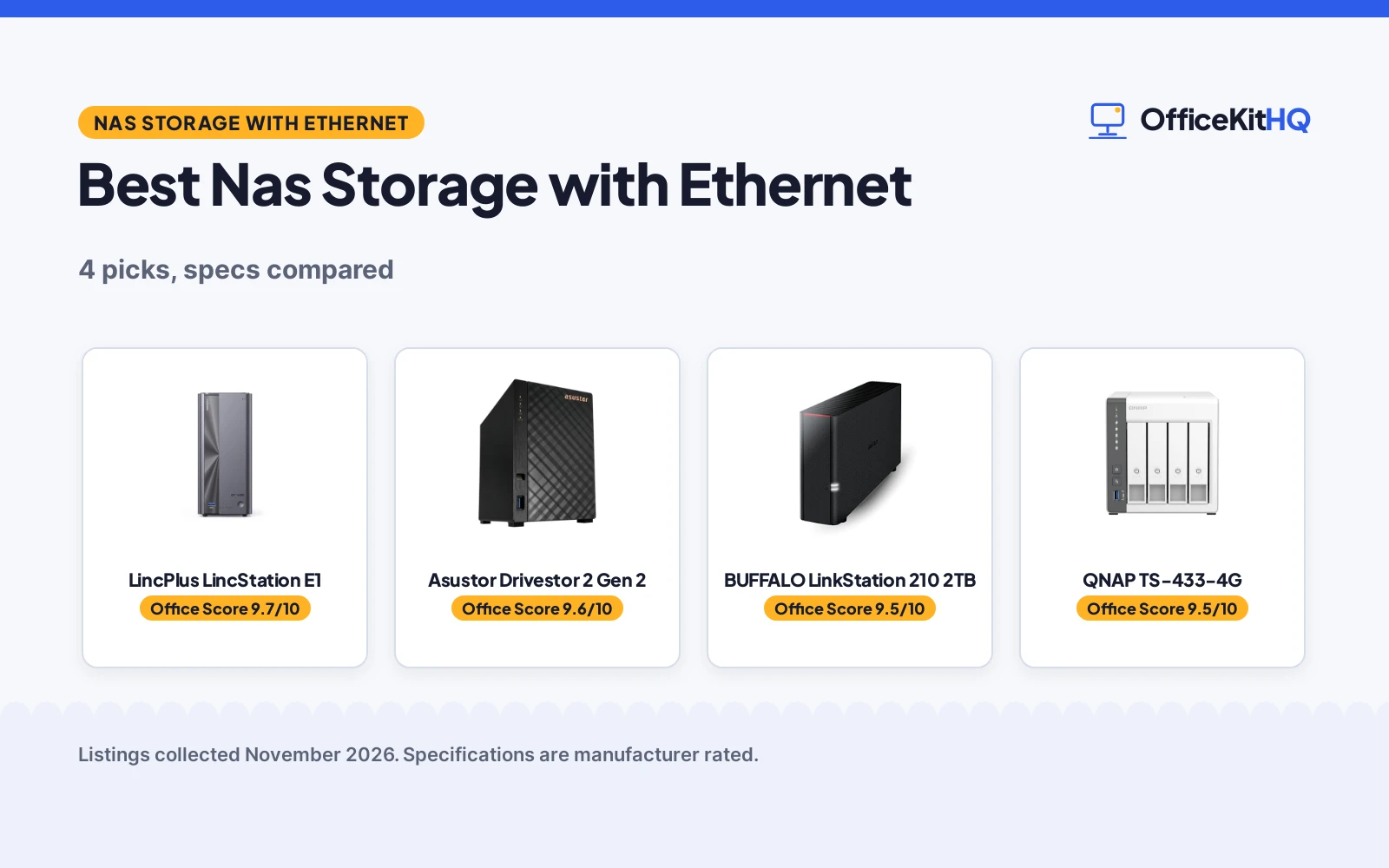
The best nas storage with ethernet is the box that sits beside the router and holds the files every laptop in the house reaches for, so the choice comes down to how many drives it holds, how much room those drives add up to, and how quick the wired link is. A desk that leans on an external drive or a cloud folder ends up hunting for files across devices, while a shared store on the home network keeps photos, documents and backups in a shared place. We compared NAS units by drive bays, stated capacity, ethernet speed, included drives and warranty term, using only what each maker publishes.
OfficeKitHQ earns a commission when you buy through links on this page, at no extra cost to you. As an Amazon Associate I earn from qualifying purchases. Affiliate disclosure.
Quick picks
 Best Overall LincPlus LincStation E1: 4 bays, up to 76TB, 2.5GbE, 4K HDMI, 2-year warranty Check price on Amazon
 Best Warranty Asustor Drivestor 2 Gen 2: 3-year warranty, 2.5GbE, 4K media server, tool-free install Check price on Amazon
 Best Drive Included BUFFALO LinkStation 210 2TB: 2TB HDD included, SSL encryption, 2-year warranty Check price on Amazon
 Largest Capacity QNAP TS-433-4G: 4 bays, up to 80TB, 2.5GbE, 4GB memory Check price on Amazon
Our desk picks
| # | Product | Office Score | Buy |
|---|---|---|---|
| 1 | LincPlus LincStation E1 | 9.7/10 | Buy on Amazon |
| 2 | Asustor Drivestor 2 Gen 2 | 9.6/10 | Buy on Amazon |
| 3 | BUFFALO LinkStation 210 2TB | 9.5/10 | Buy on Amazon |
| 4 | QNAP TS-433-4G | 9.5/10 | Buy on Amazon |

LincPlus LincStation E1
A 4-bay hybrid NAS with 2 SATA bays and 2 M.2 NVMe slots, up to 76TB, a 2.5GbE port and 4K HDMI output.
Pros
- 4 bays hold 2 SATA drives and 2 M.2 NVMe drives, up to 76TB in total
- 2.5GbE port and 4K HDMI 2.0 turn it into a media hub for a TV
- Quad-core 2.0GHz processor with 4GB DDR4 RAM and 64GB eMMC
- Tool-free trays and a fan with 3 modes: Silent, Auto and Full Speed
Cons
- Diskless, so drives are bought separately
- 2-year warranty is shorter than the 3-year term on the Asustor
- 76TB figure needs both SATA drives and M.2 NVMe drives
- 4K HDMI output needs a TV or monitor nearby to use
Detailed Review
LincPlus lists the E1 as a 4-bay hybrid NAS with 2 SATA bays and 2 M.2 NVMe 2280 slots, supporting up to 76TB from 2x30TB SATA plus 2x8TB NVMe. A quad-core Cortex-A55 processor at 2.0GHz pairs with 4GB DDR4 RAM and 64GB eMMC, and the 6W TDP design keeps power draw low. The 2.5GbE RJ45 port and a 4K HDMI 2.0 port cover wired networking and a direct TV connection, the fan offers Silent, Auto and Full Speed modes, and tool-free trays take drives without screws. The maker states a 100% local account system with no third-party servers and a 2 year manufacturer warranty.
Who it's for: someone who wants the most bays and the largest stated capacity here, plus a 4K media output beside the TV. Who should skip it: anyone who wants drives in the box or a 3-year warranty term.
Its Office Score of 9.7/10 comes from performance 32/35, build 21/25, value 21/25, safety 7/10 and warranty 4/5: 85 of 100 points, placed on our 9.2 to 9.8 scale.
Key Specifications
| Bays | 4 bays, 2 SATA and 2 M.2 NVMe |
|---|---|
| Max capacity | Up to 76TB |
| Ethernet | 2.5GbE RJ45 |
| Memory | 4GB DDR4 RAM, 64GB eMMC |
These specs mirror the retailer listing as of 21 November 2026; performance figures are stated by the brand.
Safety and Warranty
What this listing states. Local account system with data kept off third-party servers is stated, so safety scores 7 of 10. 2 year manufacturer warranty. It does not say everything a buyer needs, such as who pays return shipping, so warranty scores 4 of 5. See How We Pick.
Anchor it. Anchor tall bookshelves and file cabinets to the wall with the supplied hardware or an anti-tip kit, load the lowest shelves and drawers first, and open one drawer at a time.
This is general buying information, not professional advice. Follow each product manual and local rules, and see our Safety Disclaimer.

Asustor Drivestor 2 Gen 2
A diskless 2-bay NAS with a quad-core 1.7GHz processor, 1GB DDR4 memory, a 2.5GbE port and a 4K media server.
Pros
- 3-year manufacturer warranty is the longest stated here
- 2.5GbE port moves files at higher speeds than a traditional Gigabit NAS
- Quad-core 1.7GHz processor with 1GB DDR4 memory for daily tasks
- Tool-free drive installation with no screws for HDD or SSD setup
Cons
- Diskless, so drives are bought separately
- 2 bays cap the drive count below the 4-bay units here
- 1GB DDR4 memory is the smallest stated here
- 4K media server needs a 4K-capable screen or player to show its output
Detailed Review
Asustor lists the Drivestor 2 Gen 2 as a 2-bay NAS for personal home use, powered by a Realtek RTD1619B quad-core 1.7GHz processor with 1GB DDR4 memory. The 2.5GbE port is stated to move files at higher speeds than a traditional Gigabit NAS, and the unit works as a 4K media server with photo backup, remote access and a mobile app. Tool-free installation takes HDD or SSD drives without screws, and the maker states a private cloud with full data ownership. The maker states a 3 Year Manufacturer Warranty.
Who it's for: a home user who wants the longest stated warranty here and a 2.5GbE link for photo backup and media. Who should skip it: anyone who needs 4 bays or drives in the box.
Its Office Score of 9.6/10 comes from performance 29/35, build 20/25, value 21/25, safety 5/10 and warranty 4/5: 79 of 100 points, placed on our 9.2 to 9.8 scale.
Key Specifications
| Bays | 2 bays, diskless |
|---|---|
| Ethernet | 2.5GbE |
| Processor | Realtek RTD1619B quad-core 1.7GHz |
| Memory | 1GB DDR4 |
These specs mirror the retailer listing as of 21 November 2026; performance figures are stated by the brand.
Safety and Warranty
What this listing states. Private cloud with full data ownership is stated, so safety scores 5 of 10. 3 Year Manufacturer Warranty. It does not say everything a buyer needs, such as who pays return shipping, so warranty scores 4 of 5. See How We Pick.
Anchor it. Anchor tall bookshelves and file cabinets to the wall with the supplied hardware or an anti-tip kit, load the lowest shelves and drawers first, and open one drawer at a time.
This is general buying information, not professional advice. Follow each product manual and local rules, and see our Safety Disclaimer.
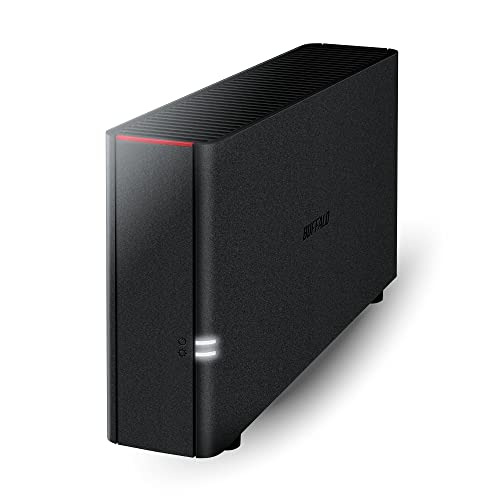
BUFFALO LinkStation 210 2TB
A 1-bay NAS with a 2TB HDD included, a closed system with SSL encryption, and NAS Navigator backup software.
Pros
- 2TB HDD included, so no separate drive purchase is needed
- Closed system with SSL encryption for file transfers is stated
- NAS Navigator management utility and PC backup software are included
- 24/7 US-based support with a 2-year warranty, including hard drives
Cons
- 1 drive bay holds a single 2TB drive, the smallest stated capacity here
- Connects through the router, so a free router port and a cable run are needed
- macOS support covers macOS 15 and earlier only; macOS 26 needs the LS 700 series
- 9.45 in deep, so it needs a shelf with room behind it for cables
Detailed Review
BUFFALO lists the LinkStation 210 as a 1-bay NAS with a 2TB HDD included, made to work as a home cloud or network storage device. The maker describes a closed system to reduce vulnerabilities from third-party apps, SSL encryption for file transfers, and individual access restrictions for shared folders. NAS Navigator management utility and PC backup software come in the box, and the unit connects to the router for shared network storage across Windows and macOS. The maker states 24/7 US-based support with a 2-year warranty, including hard drives. The maker mentions RAID, but the unit has 1 drive bay, so no multi-drive redundancy comes with the included drive.
Who it's for: someone who wants a drive in the box, a stated warranty that covers the hard drive, and a closed system for family file sharing. Who should skip it: anyone who needs more than 2TB or more than 1 bay.
Its Office Score of 9.5/10 comes from performance 24/35, build 19/25, value 20/25, safety 8/10 and warranty 4/5: 75 of 100 points, placed on our 9.2 to 9.8 scale.
Key Specifications
| Capacity | 2TB, 1 drive bay, HDD included |
|---|---|
| Item weight | 2.43 lb |
| Dimensions | 9.45 x 3.31 x 8.67 in |
| Warranty | 2 years |
These specs mirror the retailer listing as of 21 November 2026; performance figures are stated by the brand.
Safety and Warranty
What this listing states. Closed system, SSL encryption and individual folder access restrictions are stated, so safety scores 8 of 10. 2-year warranty, including hard drives. It does not say everything a buyer needs, such as who pays return shipping, so warranty scores 4 of 5. See How We Pick.
Anchor it. Anchor tall bookshelves and file cabinets to the wall with the supplied hardware or an anti-tip kit, load the lowest shelves and drawers first, and open one drawer at a time.
This is general buying information, not professional advice. Follow each product manual and local rules, and see our Safety Disclaimer.

QNAP TS-433-4G
A diskless 4-bay tower NAS with a 2.0GHz quad-core processor, 4GB memory and a 2.5GbE port, supporting up to 80TB.
Pros
- 4 bays support up to 80TB, the largest stated capacity here
- 2.5GbE port also runs at 2.5G, 1G and 100M
- 2.0GHz 4-core Cortex-A55 ARM processor with 4GB built-in memory
- Tower form keeps 4 bays in a standing enclosure
Cons
- Diskless, so drives are bought separately
- No warranty term is stated
- No safety feature or certification is stated for stored files
- Tower shape needs vertical clearance on the shelf
Detailed Review
QNAP lists the TS-433-4G-US as a 4-bay tower NAS with a 2.0GHz 4-core Cortex-A55 ARM processor and 4GB built-in memory, supporting up to 80TB. The 2.5GbE port runs at 2.5G, 1G and 100M, and the unit ships with no hard drive, so drives are added separately. The maker states an A+ energy efficiency class. No warranty term is stated, and no safety feature or certification is stated for stored files.
Who it's for: someone who wants the largest stated capacity here and already owns drives to fill 4 bays. Who should skip it: anyone who wants drives in the box or a stated warranty term.
Its Office Score of 9.5/10 comes from performance 30/35, build 20/25, value 20/25, safety 0/10 and warranty 0/5: 70 of 100 points, placed on our 9.2 to 9.8 scale.
Key Specifications
| Bays | 4 bays, diskless |
|---|---|
| Max capacity | Up to 80TB |
| Ethernet | 2.5GbE port, 2.5G/1G/100M |
| Memory | 4GB built-in |
These specs mirror the retailer listing as of 21 November 2026; performance figures are stated by the brand.
Safety and Warranty
What this listing states. This product does not plug in or run on a battery, so safety is not part of its score. No warranty term, so warranty scores zero. See How We Pick.
Anchor it. Anchor tall bookshelves and file cabinets to the wall with the supplied hardware or an anti-tip kit, load the lowest shelves and drawers first, and open one drawer at a time.
This is general buying information, not professional advice. Follow each product manual and local rules, and see our Safety Disclaimer.
As an Amazon Associate I earn from qualifying purchases.
More picks to compare
 BUFFALO LinkStation 210 4TBSame 1-bay unit with a 4TB drive included for larger home libraries.Check on Amazon
- BUFFALO LinkStation 210 6TBSame 1-bay unit with a 6TB drive included for the largest single-drive store.Check on Amazon
Specs compared
| NAS | Office Score | Bays | Max capacity | Ethernet | Warranty | Amazon |
|---|---|---|---|---|---|---|
| LincPlus LincStation E1 | 9.7/10 | 4 bays | Up to 76TB | 2.5GbE | 2 years | View on Amazon |
| Asustor Drivestor 2 Gen 2 | 9.6/10 | 2 bays | Not stated | 2.5GbE | 3 years | View on Amazon |
| BUFFALO LinkStation 210 2TB | 9.5/10 | 1 bay | 2TB included | Router connection | 2 years | View on Amazon |
| QNAP TS-433-4G | 9.5/10 | 4 bays | Up to 80TB | 2.5GbE | Not stated | View on Amazon |
We quote these figures from each listing as the brand rates them; captured 21 November 2026. 3 of the 4 state a warranty term; 3 state a 2.5GbE port.
How to choose the best nas storage with ethernet
Count the bays before the terabytes
Drive bays decide how far a NAS unit grows. The LincPlus E1 and the QNAP TS-433-4G each hold 4 bays, the Asustor Drivestor 2 Gen 2 holds 2, and the BUFFALO LinkStation 210 2TB holds 1. Stated capacity runs from 2TB on the BUFFALO to up to 80TB on the QNAP and up to 76TB on the LincPlus, while the Asustor states no maximum. A buyer who wants redundancy across drives should start with a 4-bay unit; our best NAS storage with RAID guide covers that choice in more depth.
Match the ethernet port to the router
Three of the four units state a 2.5GbE port: the Asustor, the LincPlus and the QNAP, with the QNAP port also running at 2.5G, 1G and 100M. The BUFFALO states a router connection without a speed. A 2.5GbE port only shows its edge on a network that supports it, so check the router and the switch before counting on it; our ethernet switch setup guide walks through the wiring, and a best mesh wifi system with ethernet ports keeps the wired side fed.
Drives included or diskless
Only the BUFFALO ships with a drive in the box: a 2TB HDD, and the same line offers 4TB and 6TB versions. The Asustor, LincPlus and QNAP are diskless, so drives are bought separately. The LincPlus takes 2 SATA drives and 2 M.2 NVMe drives, while the QNAP fills 4 bays up to 80TB.
| NAS | Bays | Max capacity | Drives included |
|---|---|---|---|
| LincPlus LincStation E1 | 4 bays | Up to 76TB | Diskless |
| Asustor Drivestor 2 Gen 2 | 2 bays | Not stated | Diskless |
| BUFFALO LinkStation 210 2TB | 1 bay | 2TB | 2TB HDD |
| QNAP TS-433-4G | 4 bays | Up to 80TB | Diskless |
All figures above come from what each maker states for its own unit. A diskless unit suits a buyer who already owns drives; a unit with a drive included suits a buyer who wants to plug in and start.
Read the warranty line
Three listings state a warranty term. The Asustor states 3 years, the longest here, while the BUFFALO and the LincPlus each state 2 years, with the BUFFALO term covering the hard drives. The QNAP states no warranty term, so a buyer who wants written cover should weigh that gap before choosing it.
Setup Notes
- Measure the shelf against the BUFFALO at 9.45 by 3.31 by 8.67 in, and leave air space around each unit for cables and the fan exhaust.
- Run a cable from the router to the NAS before loading drives, and check that the router or switch has a matching 2.5GbE port for the Asustor, LincPlus and QNAP.
- The LincPlus states a 6W TDP, so a small strip near the router covers power; keep the NAS and the router on the same strip.
- Tool-free trays on the Asustor and LincPlus take drives without screws; set the LincPlus fan to Silent, Auto or Full Speed to suit the room.
- The LincPlus 4K HDMI 2.0 port needs a TV or monitor nearby, so place the unit where a screen cable can reach it.
FAQ
What is NAS storage?
A NAS unit is a drive enclosure that plugs into the home network so every device on that network can reach the same files. The four units here connect through a router, hold from 1 to 4 drive bays, and back up files from multiple computers.
Which of these NAS units has the largest stated capacity?
The QNAP TS-433-4G supports up to 80TB across 4 bays. The LincPlus E1 supports up to 76TB, the BUFFALO LinkStation 210 2TB holds 2TB, and the Asustor states no maximum capacity.
Which NAS units here have a 2.5GbE port?
The Asustor, the LincPlus and the QNAP each state a 2.5GbE port, and the QNAP port also runs at 2.5G, 1G and 100M. The BUFFALO states a router connection without a speed.
Do any of these NAS units include drives?
The BUFFALO LinkStation 210 2TB ships with a 2TB HDD included, and the same line offers 4TB and 6TB versions. The Asustor, LincPlus and QNAP are diskless, so drives are bought separately.
Which NAS unit has the longest stated warranty?
The Asustor states 3 years, the longest term here. The BUFFALO and the LincPlus each state 2 years, and the QNAP states no warranty term.
What does diskless mean on a NAS unit?
Diskless means no drives come in the box, so drives are bought separately. The Asustor, LincPlus and QNAP are diskless; the LincPlus takes 2 SATA drives and 2 M.2 NVMe drives, and the QNAP fills 4 bays up to 80TB.
Score breakdown
The Office Score weighs performance (drive bays, stated capacity, processor, memory and ethernet speed), build (enclosure, drive trays and item weight), value for the stated specs, safety and warranty. For NAS storage, safety means stated protection for stored files, such as encryption, a closed system or a local account that keeps data off outside servers; the BUFFALO, LincPlus and Asustor state such features, and the QNAP states none. Three listings state a warranty term: Asustor at 3 years, BUFFALO and LincPlus at 2 years. How we pick explains the weights.
| Product | Office Score | Perf. /35 | Build /25 | Value /25 | Safety /10 | Warranty /5 |
|---|---|---|---|---|---|---|
| LincPlus LincStation E1 | 9.7 | 32 | 21 | 21 | 7 | 4 |
| Asustor Drivestor 2 Gen 2 | 9.6 | 29 | 20 | 21 | 5 | 4 |
| BUFFALO LinkStation 210 2TB | 9.5 | 24 | 19 | 20 | 8 | 4 |
| QNAP TS-433-4G | 9.5 | 30 | 20 | 20 | 0 | 0 |
Score placement follows the weighted total: the lowest totals read 9.2, the highest 9.8, and everything between keeps its order.
More for your workspace
See every Storage and Network guide and all Office Tech guides. Also see our best NAS storage with RAID. Also see our ethernet switch setup. Also see our best mesh wifi system with ethernet ports. Also see our best UPS battery backup for router. Also see our best USB C hub with ethernet port.
More picks: storage and network, UPS battery backup for home office, USB C hub with ethernet for MacBook Pro.