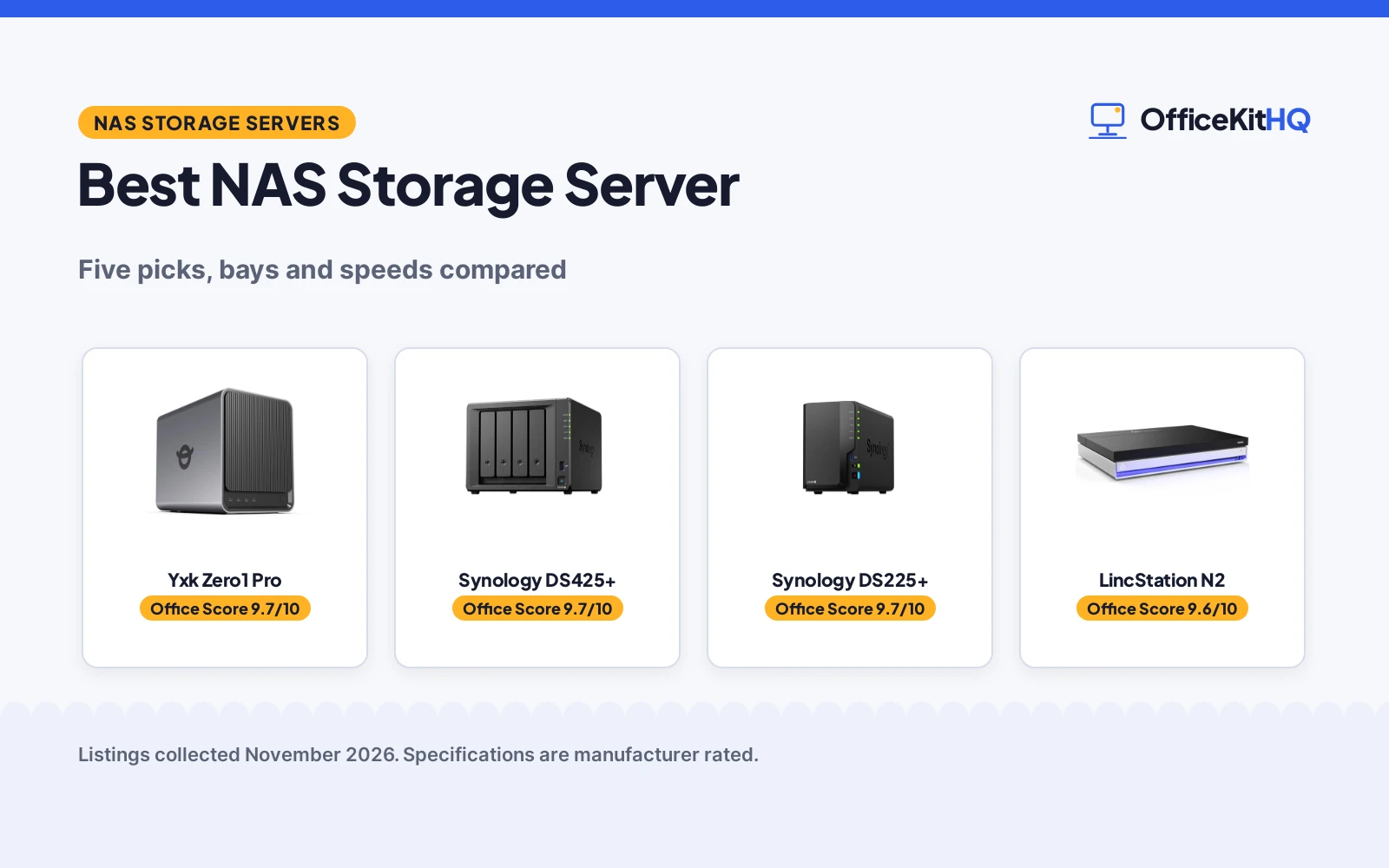
The best nas storage server is the box that holds the household photo library, the work files and the media collection together, with room to grow. A morning call starts with a dim webcam and a laptop juggling the meeting, the notes and the shared files, and a NAS puts those files on the home network instead of scattered across drives. This roundup compares NAS storage servers by stated bays, speed, RAID, memory, ports and warranty. Diskless units need drives bought separately, and the Rosewill pick is a chassis that needs a full build.
OfficeKitHQ earns a commission when you buy through links on this page, at no extra cost to you. As an Amazon Associate I earn from qualifying purchases. Affiliate disclosure.
Quick picks
 Best Overall Yxk Zero1 Pro: 4 bays, up to 144TB raw, RAID 0, 1 and 5, dual 2.5GbE Check price on Amazon
 Best 4-Bay Synology Synology DS425+: 4 bays, 278 MB/s, 10+ users, 30 cameras, 3-year warranty Check price on Amazon
 Best 2-Bay Synology Synology DS225+: 2 bays, 282 MB/s, 4K transcoding, 30 cameras, 3-year warranty Check price on Amazon
 Best 10GbE LincStation N2: 10GbE port, 16GB RAM, 6 bays, Unraid Starter license included Check price on Amazon
 Best DIY Chassis Rosewill Thor NAS: 11 x 3.5 in HDD bays, E-ATX, 140mm fan, USB 3.2 Type-C Check price on Amazon
Our desk picks
| # | Product | Office Score | Buy |
|---|---|---|---|
| 1 | Yxk Zero1 Pro | 9.7/10 | Buy on Amazon |
| 2 | Synology DS425+ | 9.7/10 | Buy on Amazon |
| 3 | Synology DS225+ | 9.7/10 | Buy on Amazon |
| 4 | LincStation N2 | 9.6/10 | Buy on Amazon |
| 5 | Rosewill Thor NAS | 9.4/10 | Buy on Amazon |

Yxk Zero1 Pro
A 4-bay diskless NAS with an Intel N100, 8GB of RAM, dual 2.5GbE ports and RAID 0, 1 and 5, sized for family backups and home media.
Pros
- Four SATA bays support up to 4 x 32TB HDDs
- Two M.2 slots support up to 2 x 8TB SSDs
- Dual 2.5GbE ports with link aggregation
- Rated base power of 6 W for always-on use
Cons
- Drives sold separately
- Usable capacity falls below the 144TB raw figure after formatting and RAID
- 4K HDMI playback quality depends on media format, software and network
- Third-party OS install is manual, for experienced users
Detailed Review
Yxk builds the Zero1 Pro around an Intel N100 with 8GB of DDR4 RAM, with four SATA 3.0 bays and two M.2 NVMe slots. The maker lists up to 144TB of combined raw capacity before formatting and RAID, from 4 x 32TB HDDs and 2 x 8TB SSDs, and states a rated processor base power of 6 W. Dual 2.5GbE ports support link aggregation, a 4K HDMI output connects to a TV or monitor, and the aluminum housing uses a system fan and a drive-bay fan for cooling. An AI photo album organizes family photos, Docker apps run on the Intel platform, and setup follows the mobile app's guided steps to register and sign in. A 2-year warranty is stated.
Who it's for: a household that wants family photo backup, a home media server and small-office file sharing in one box. Who should skip it: anyone who wants drives included in the box.
Its Office Score of 9.7/10 comes from performance 33/35, build 22/25, value 21/25, safety 7/10 and warranty 3/5: 86 of 100 points, placed on our 9.2 to 9.8 scale.
Key Specifications
| Bays | 4 SATA + 2 M.2 |
|---|---|
| Capacity | Up to 144TB raw |
| Processor | Intel N100, 8GB DDR4 |
| Network | Dual 2.5GbE |
These specs mirror the retailer listing as of 21 November 2026; performance figures are stated by the brand.
Safety and Warranty
What this listing states. RAID 0, 1 and 5 with single-drive fault tolerance, so safety scores 7 of 10. 2-year warranty. It does not say everything a buyer needs, such as who pays return shipping, so warranty scores 3 of 5. See How We Pick.
Anchor it. Anchor tall bookshelves and file cabinets to the wall with the supplied hardware or an anti-tip kit, load the lowest shelves and drawers first, and open one drawer at a time.
This is general buying information, not professional advice. Follow each product manual and local rules, and see our Safety Disclaimer.

Synology DS425+
A 4-bay diskless NAS for team files and media, with 278 MB/s speeds, support for 10+ users and a 3-year warranty.
Pros
- 278 MB/s transfer speeds stated
- Support for concurrent access from 10+ users
- Support for 30 IP cameras with motion detection
- 3-year warranty with enterprise support available
Cons
- Drives sold separately
- 4 bays only; larger teams may want more bays
- Media hub focus suits offices more than single-user homes
- 7.83 inch width takes more shelf space than the 2-bay unit
Detailed Review
Synology lists the DS425+ as a 4-bay diskless NAS for team files and media, with 278 MB/s speeds and support for concurrent access from 10+ users. The maker lists RAID redundancy, automated backups and snapshot technology, plus support for 30 IP cameras with motion detection and secure remote access. A 3-year warranty with enterprise support is stated.
Who it's for: a small office that shares large files, streams media and watches the premises with IP cameras. Who should skip it: anyone who wants drives in the box, or a smaller unit for a single user.
Its Office Score of 9.7/10 comes from performance 32/35, build 21/25, value 20/25, safety 7/10 and warranty 4/5: 84 of 100 points, placed on our 9.2 to 9.8 scale.
Key Specifications
| Bays | 4 |
|---|---|
| Speed | 278 MB/s |
| Users | 10+ concurrent users |
| Cameras | 30 IP cameras |
These specs mirror the retailer listing as of 21 November 2026; performance figures are stated by the brand.
Safety and Warranty
What this listing states. RAID redundancy, automated backups and snapshot technology, so safety scores 7 of 10. 3-year warranty. It does not say everything a buyer needs, such as who pays return shipping, so warranty scores 4 of 5. See How We Pick.
Anchor it. Anchor tall bookshelves and file cabinets to the wall with the supplied hardware or an anti-tip kit, load the lowest shelves and drawers first, and open one drawer at a time.
This is general buying information, not professional advice. Follow each product manual and local rules, and see our Safety Disclaimer.

Synology DS225+
A 2-bay diskless NAS for photos, video and music, with 282 MB/s speeds, 4K streaming and a 3-year warranty.
Pros
- 282 MB/s transfer speeds stated, the fastest here
- Intel CPU for hardware transcoding
- Support for up to 30 IP cameras with AI detection
- 3-year warranty stated
Cons
- Drives sold separately
- Smallest bay count here at 2 bays
- Media-first design suits streaming more than office file sharing
- 2-bay design leaves no room to add bays later
Detailed Review
Synology lists the DS225+ as a 2-bay diskless NAS for photos, video and music, with an Intel CPU for hardware transcoding and 282 MB/s transfer speeds. The maker lists 4K streaming to any device, automated backups to cloud services, external drives and remote NAS, plus RAID redundancy, automated backups and snapshot technology. Support for up to 30 IP cameras with AI detection is stated, with a 3-year warranty.
Who it's for: a household that wants a private media library, photo backup and file sharing from one box. Who should skip it: anyone who wants drives in the box, or more than 2 bays.
Its Office Score of 9.7/10 comes from performance 30/35, build 21/25, value 20/25, safety 7/10 and warranty 4/5: 82 of 100 points, placed on our 9.2 to 9.8 scale.
Key Specifications
| Bays | 2 |
|---|---|
| Speed | 282 MB/s |
| Streaming | 4K, hardware transcoding |
| Cameras | 30 IP cameras |
These specs mirror the retailer listing as of 21 November 2026; performance figures are stated by the brand.
Safety and Warranty
What this listing states. RAID redundancy, automated backups and snapshot technology, so safety scores 7 of 10. 3-year warranty. It does not say everything a buyer needs, such as who pays return shipping, so warranty scores 4 of 5. See How We Pick.
Anchor it. Anchor tall bookshelves and file cabinets to the wall with the supplied hardware or an anti-tip kit, load the lowest shelves and drawers first, and open one drawer at a time.
This is general buying information, not professional advice. Follow each product manual and local rules, and see our Safety Disclaimer.

LincStation N2
A 6-bay diskless NAS with an Intel N100, 16GB of RAM, a 10GbE port and an Unraid Starter license, built for Plex, Docker and private cloud use.
Pros
- 10GbE port stated, the fastest link here
- 16GB LPDDR5 memory
- Unraid Starter license included
- 2 SATA bays plus 4 M.2 NVMe slots
Cons
- Drives sold separately
- SATA bays take 2.5 in drives only
- DIY setup suits enthusiasts more than beginners
- 2-year warranty is shorter than the Synology 3-year terms
Detailed Review
LincPlus lists the N2 as a 6-bay diskless NAS with an Intel N100 up to 3.4GHz, 16GB of LPDDR5 memory and a 10GbE port. The maker lists 2 SATA bays for 2.5 in HDDs and 4 M.2 NVMe slots for 2280 SSDs, plus USB-C, USB 3.2 Gen2, HDMI 2.0 for 4K display output and a 3.5mm audio port. An Unraid Starter license is included, with a 30-day free trial, and a 2-year warranty with 24/7 technical support is stated.
Who it's for: an enthusiast who wants Plex, Docker and a private cloud on one compact box. Who should skip it: anyone who wants 3.5 in drive bays, or a guided app setup with no DIY steps.
Its Office Score of 9.6/10 comes from performance 32/35, build 21/25, value 19/25, safety 5/10 and warranty 3/5: 80 of 100 points, placed on our 9.2 to 9.8 scale.
Key Specifications
| Bays | 2 SATA + 4 M.2 |
|---|---|
| Network | 10GbE |
| Memory | 16GB LPDDR5 |
| Processor | Intel N100 up to 3.4GHz |
These specs mirror the retailer listing as of 21 November 2026; performance figures are stated by the brand.
Safety and Warranty
What this listing states. Unraid parity system across mixed drives, so safety scores 5 of 10. 2-year manufacturer's warranty. It does not say everything a buyer needs, such as who pays return shipping, so warranty scores 3 of 5. See How We Pick.
Anchor it. Anchor tall bookshelves and file cabinets to the wall with the supplied hardware or an anti-tip kit, load the lowest shelves and drawers first, and open one drawer at a time.
This is general buying information, not professional advice. Follow each product manual and local rules, and see our Safety Disclaimer.

Rosewill Thor NAS
A full-tower E-ATX chassis with room for 11 x 3.5 in HDDs or 13 x 2.5 in SSDs, for a DIY NAS or AI server build.
Pros
- Room for 11 x 3.5 in HDDs or 13 x 2.5 in SSDs
- E-ATX motherboard support
- 140mm PWM fan with streamlined airflow
- USB 3.2 Type-C port
Cons
- Chassis only; motherboard, CPU, memory and drives are not included
- Needs a full DIY build, not a ready-to-run NAS
- Largest unit here at 20.1 by 9.1 by 20.9 inches
- 1-year warranty is the shortest here
Detailed Review
Rosewill lists the Thor NAS as a full-tower workstation server chassis for AI servers and DIY NAS builds. The maker lists support for E-ATX motherboards, 11 x 3.5 in HDD or 13 x 2.5 in SSD bays, 11 external 5.25 in drive bays, a 140mm PWM fan, a USB 3.2 Type-C port and expansion cards up to 400mm in length. A 1-year warranty is stated.
Who it's for: a builder who wants a full-tower chassis for a DIY NAS or AI server with many drives. Who should skip it: anyone who wants a working NAS server out of the box.
Its Office Score of 9.4/10 comes from performance 23/35, build 22/25, value 18/25, safety 0/10 and warranty 2/5: 65 of 100 points, placed on our 9.2 to 9.8 scale.
Key Specifications
| Bays | 11 x 3.5 in HDD |
|---|---|
| Form factor | E-ATX full tower |
| Cooling | 140mm PWM fan |
| Size | 20.1 x 9.1 x 20.9 in |
These specs mirror the retailer listing as of 21 November 2026; performance figures are stated by the brand.
Safety and Warranty
What this listing states. This product does not plug in or run on a battery, so safety is not part of its score. 1 Year Warranty. It does not say everything a buyer needs, such as who pays return shipping, so warranty scores 2 of 5. See How We Pick.
Anchor it. Anchor tall bookshelves and file cabinets to the wall with the supplied hardware or an anti-tip kit, load the lowest shelves and drawers first, and open one drawer at a time.
This is general buying information, not professional advice. Follow each product manual and local rules, and see our Safety Disclaimer.
As an Amazon Associate I earn from qualifying purchases.
More picks to compare
 Synology DS1823xs+8-bay unit with 80TB HDD storage and 32GB memory for large-scale file storage.Check on Amazon
 ZimaBoard 2 1664Pocket-sized x86 server with dual 2.5GbE, dual SATA and a 2-year warranty for homelabs.Check on Amazon
Specs compared
| NAS | Office Score | Bays | Connection | RAID | Warranty | Amazon |
|---|---|---|---|---|---|---|
| Yxk Zero1 Pro | 9.7/10 | 4 SATA + 2 M.2 | Dual 2.5GbE | 0, 1, 5 | 2 years | View on Amazon |
| Synology DS425+ | 9.7/10 | 4 | 278 MB/s | RAID redundancy | 3 years | View on Amazon |
| Synology DS225+ | 9.7/10 | 2 | 282 MB/s | RAID redundancy | 3 years | View on Amazon |
| LincStation N2 | 9.6/10 | 2 SATA + 4 M.2 | 10GbE | Unraid parity | 2 years | View on Amazon |
| Rosewill Thor NAS | 9.4/10 | 11 x 3.5 in HDD | USB 3.2 Type-C | Not stated | 1 year | View on Amazon |
We quote these figures from each listing as the brand rates them; captured 21 November 2026. All five state a warranty term: the Synology pair at 3 years, the Yxk and LincStation at 2 years, and the Rosewill at 1 year.
How to choose the best nas storage server
Count the bays before the terabytes
Bays decide how much storage the box can hold and which RAID levels fit. The Yxk has four SATA bays and two M.2 slots, with up to 144TB of combined raw capacity before formatting and RAID. The Synology DS425+ has four bays, the DS225+ has two, and the LincStation has two SATA bays plus four M.2 slots. The Rosewill chassis has room for 11 x 3.5 in HDDs or 13 x 2.5 in SSDs, but it is a chassis, not a working server.
| NAS | Bays | Size | Warranty |
|---|---|---|---|
| Yxk Zero1 Pro | 4 SATA + 2 M.2 | 9.2 x 7.9 x 6.3 in | 2 years |
| Synology DS425+ | 4 | 8.78 x 7.83 x 6.54 in | 3 years |
| Synology DS225+ | 2 | 9.14 x 4.25 x 6.5 in | 3 years |
| LincStation N2 | 2 SATA + 4 M.2 | 5.9 x 8.2 x 1.5 in | 2 years |
| Rosewill Thor NAS | 11 x 3.5 in HDD | 20.1 x 9.1 x 20.9 in | 1 year |
Figures as stated for each unit. A diskless unit needs drives bought separately, so plan the drives with the bays, not after them.
Match the network port to the household
Speed decides how fast shared files move. The LincStation states a 10GbE port, the fastest link here, while the Yxk has dual 2.5GbE ports with link aggregation for shared access. The Synology DS225+ states 282 MB/s and the DS425+ states 278 MB/s. The Rosewill chassis states a USB 3.2 Type-C port, and its network speed depends on the parts fitted in the build. For a wired setup, see NAS storage with Ethernet.
RAID, snapshots and the drives in the box
RAID and snapshots decide what survives a failed drive. The Synology pair combine RAID redundancy, automated backups and snapshot technology. The Yxk states RAID 0, 1 and 5, with RAID 5 balancing usable capacity and single-drive fault tolerance. The LincStation uses an Unraid parity system across mixed drives. The Rosewill chassis states no RAID, since it holds drives without running them. For more on protected arrays, see NAS storage with RAID.
Read the warranty line, not the headline
All five listings state a warranty term. The Synology pair state 3 years, with enterprise support available on the DS425+. The Yxk and the LincStation state 2 years, and the LincStation adds 24/7 technical support. The Rosewill states 1 year. A longer term matters most on a unit that stays on around the clock.
Setup Notes
- Measure the shelf against the stated size: the Rosewill is 20.1 by 9.1 by 20.9 inches, the Yxk is 9.2 by 7.9 by 6.3 inches, and the LincStation is 5.9 by 8.2 by 1.5 inches.
- Plan the network cable: the Yxk has dual 2.5GbE ports, the LincStation has a 10GbE port, and the Rosewill has a USB 3.2 Type-C port.
- Buy drives first for diskless units: the Yxk, the Synology pair and the LincStation ship without drives, and the Rosewill needs a motherboard, memory and drives as well.
- Leave room for air: the Yxk has an aluminum housing with dual-fan cooling, the LincStation has cooling vents, and the Rosewill has a 140mm PWM fan.
- Check the power draw: the Yxk N100 has a rated base power of 6 W.
FAQ
How do I set up NAS storage at home?
Install compatible drives, connect the unit to the home network, then follow the mobile app’s guided steps to register and sign in. Diskless units ship without drives, so buy compatible drives first. The LincStation includes an Unraid Starter license for setup.
What is NAS storage and how is it different from other storage?
A NAS is a server on the home network that holds files in one place, so phones, laptops and TVs reach the same library. The Synology pair stream 4K media to any device and allow access from anywhere. Other storage, such as an external drive, holds files on one device instead of sharing them across the network.
Is NAS storage safe?
Data here is protected with RAID redundancy, automated backups and snapshot technology, as the Synology pair state. The Yxk states RAID 0, 1 and 5, and the LincStation uses an Unraid parity system. No listing here states a physical safety certification.
Is NAS storage a server?
The listings describe these units as servers: a private cloud media server, a NAS server and a home media server. They run file sharing, backups, media streaming and camera monitoring from one box. A chassis alone, such as the Rosewill, is not a server until it is built out.
Do these NAS units include drives?
The Yxk, the Synology pair and the LincStation are diskless, so drives are sold separately. The Rosewill is a chassis, so it needs a motherboard, memory and drives as well. Check each unit before ordering, since none of the five picks ships with drives.
Score breakdown
The Office Score weighs performance (bays, speed, RAID and memory), build (housing, cooling and ports), value for the stated specs, safety and warranty. For a NAS, safety means stated data protection: RAID redundancy, snapshots and automated backups; the Synology pair, the Yxk and the LincStation state it, the Rosewill chassis does not. All five listings state a warranty term: the Synology pair at 3 years, the Yxk and LincStation at 2 years, and the Rosewill at 1 year. How we pick explains the weights.
| Product | Office Score | Perf. /35 | Build /25 | Value /25 | Safety /10 | Warranty /5 |
|---|---|---|---|---|---|---|
| Yxk Zero1 Pro | 9.7 | 33 | 22 | 21 | 7 | 3 |
| Synology DS425+ | 9.7 | 32 | 21 | 20 | 7 | 4 |
| Synology DS225+ | 9.7 | 30 | 21 | 20 | 7 | 4 |
| LincStation N2 | 9.6 | 32 | 21 | 19 | 5 | 3 |
| Rosewill Thor NAS | 9.4 | 23 | 22 | 18 | 0 | 2 |
Score placement follows the weighted total: the lowest totals read 9.2, the highest 9.8, and everything between keeps its order.
More for your workspace
See every storage and network guide and all office tech guides. Also see our best NAS storage with RAID. Also see our best NAS storage with Ethernet. Also see our best UPS battery backup for home office.
More picks: docking stations and USB hubs, best UPS battery backup for PC, home office organization tips.