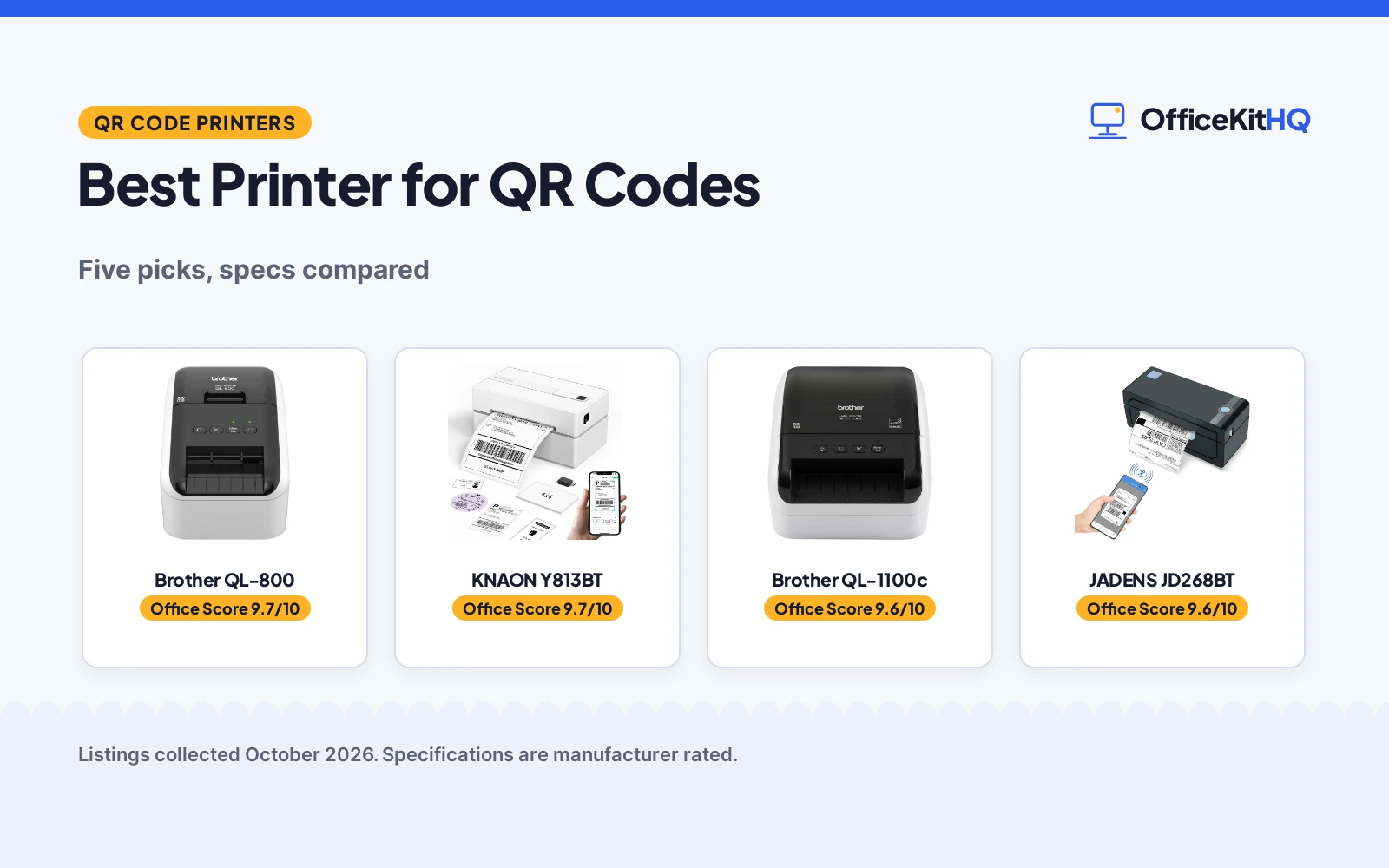
Setting up a home desk means the small machines earn their keep fast, and the best printer for qr codes is the label printer that turns a queue of shipping labels or an inventory afternoon into finished labels. We compared five label printers by stated print speed, resolution, label width, connectivity and warranty term, using only what each listing publishes. Some listings publish full specs and others state only the basics, and the scores reflect that gap.
OfficeKitHQ earns a commission when you buy through links on this page, at no extra cost to you. As an Amazon Associate I earn from qualifying purchases. Affiliate disclosure.
Quick picks
 Best Overall Brother QL-800: 93 labels/min at 300 dpi, black and red, auto-cutter Check price on Amazon
 Best Wide Format Brother QL-1100c: 4 in wide labels, 69 labels/min, auto cutter Check price on Amazon
 Bluetooth Pick JADENS JD268BT: Bluetooth thermal, 4×6 format stated in title Check price on Amazon
 Bluetooth Alternate KNAON Y813BT: Bluetooth thermal, 4×6 format stated in title Check price on Amazon
 Basic 4×6 NULLTONEX Y813: Thermal 4×6 format stated, no Bluetooth in title Check price on Amazon
The picks
| # | Product | Office Score | Buy |
|---|---|---|---|
| 1 | Brother QL-800 | 9.7/10 | Buy on Amazon |
| 2 | KNAON Y813BT | 9.7/10 | Buy on Amazon |
| 3 | Brother QL-1100c | 9.6/10 | Buy on Amazon |
| 4 | JADENS JD268BT | 9.6/10 | Buy on Amazon |
| 5 | NULLTONEX Y813 4x6 Printer | 9.5/10 | Buy on Amazon |

Brother QL-800
A thermal label printer stating up to 93 labels per minute at 300 dpi, with black and red output, an auto-cutter and a 2-year warranty.
Pros
- Up to 93 labels per minute at 300 dpi, the highest speed stated here
- Black and red printing with DK-2251 labels is stated
- Built-in auto-cutter and continuous tapes up to 3 ft for banners
- 2 Years Manufacturer's Labor + Parts Warranty is stated
Cons
- No Bluetooth or wireless connectivity is stated, USB only
- Spec table says 40 B&W pages per minute against 93 in the bullets
- At 10.6 in wide it is the widest desk footprint here
- DK labels are a proprietary consumable per the listing
Detailed Review
Brother lists the QL-800 as a thermal label printer printing up to 93 labels per minute at 300 dpi in black and red, with a built-in auto-cutter, DK pre-sized labels and continuous tapes up to 3 ft. It prints from Word, Excel and Outlook with Plug and Label, connects over USB and states a 2.5 lb weight and 4.9 x 10.6 x 5.6 in dimensions. Two contradictions inside the listing: the spec table item type name says Color Laser Printer while the title and bullets say thermal, and the spec table says 40 B&W pages per minute while the bullets say 93 labels per minute; trust the title and bullets on both. Warranty is stated as 2 Years Manufacturer's Labor + Parts Warranty.
Who it's for: someone printing labels in volume who wants black and red output and a cutter. Who should skip it: anyone who needs Bluetooth or labels wider than 2.44 in.
Its Office Score of 9.7/10 comes from performance 32/35, build 20/25, value 20/25, safety not scored (non-powered gear) and warranty 4/5: 76 of 90 points, placed on our 9.2 to 9.8 scale.
Key Specifications
| Print speed | Up to 93 labels per minute |
|---|---|
| Resolution | 300 x 300 |
| Output | Black and red |
| Label width | Up to 2.44 in rolls |
Figures as published on the retailer listing, collected 20 October 2026. Performance figures are manufacturer rated.
Safety and Warranty
What this listing states. This product does not plug in or run on a battery, so safety is not part of its score. 2 Years Manufacturer's Labor + Parts Warranty. It does not say everything a buyer needs, such as who pays return shipping, so warranty scores 4 of 5. See How We Pick.
Shredder and printer safety. Keep hair, ties, jewelry, children and pets away from the feed slot, use the safety lock, unplug when not in use, and give printers and adapters room to vent.
This is general buying information, not professional advice. Follow each product manual and local rules, and see our Safety Disclaimer.

KNAON Y813BT
A Bluetooth and USB thermal label printer with the fastest stated speed here at 180 mm/s, a 1.5 to 4.2 in label range and a stated 2-year warranty.
Pros
- 180 mm/s is the fastest stated speed here
- Bluetooth and USB, with phone, tablet and computer support stated
- 2 Year Manufacture warranty is stated
- App includes 3,000+ templates, 5,000+ icons and 100+ fonts
Cons
- Bullets list 7.17 x 3.9 x 3.43 in while the table lists 5.46 x 3.03 x 2.61 in
- 2.8 lb item weight is stated, heavier than the Rollo at 2.2 lb
- No stated certification
- Bluetooth requires the FlashLabel Pro app, not direct pairing
Detailed Review
KNAON lists the Y813BT as a Bluetooth and USB thermal label printer with a stated speed of 180 mm/s, the fastest here, and a label width range of 1.5 to 4.2 in. It works with Amazon, eBay, Shopify, USPS, UPS, Etsy, PayPal, Poshmark and DHL, and the app offers 3,000+ templates, 5,000+ icons and 100+ fonts. One inconsistency: the bullets give a 7.17 x 3.9 x 3.43 in size while the spec table lists 5.46 x 3.03 x 2.61 in. The warranty description states 2 Year Manufacture.
Who it's for: a high-volume seller who wants the fastest stated speed and phone printing with a warranty term. Who should skip it: someone who wants a USB-only workflow without an app.
Its Office Score of 9.7/10 comes from performance 32/35, build 20/25, value 20/25, safety not scored (non-powered gear) and warranty 4/5: 76 of 90 points, placed on our 9.2 to 9.8 scale.
Key Specifications
| Speed | 180 mm/s |
|---|---|
| Label width | 1.5 to 4.2 in |
| Connectivity | Bluetooth, USB |
| Warranty | 2 years |
Figures as published on the retailer listing, collected 17 October 2026. Performance figures are manufacturer rated.
Safety and Warranty
What this listing states. This product does not plug in or run on a battery, so safety is not part of its score. 2 Year Manufacture. It does not say everything a buyer needs, such as who pays return shipping, so warranty scores 4 of 5. See How We Pick.
Shredder and printer safety. Keep hair, ties, jewelry, children and pets away from the feed slot, use the safety lock, unplug when not in use, and give printers and adapters room to vent.
This is general buying information, not professional advice. Follow each product manual and local rules, and see our Safety Disclaimer.

Brother QL-1100c
A wide format thermal label printer stating up to 69 labels per minute at 300 dpi, printing labels up to 4 in wide including 4 x 6 in shipping labels.
Pros
- Wide format labels up to 4 in wide, including 4 x 6 in shipping labels
- Up to 69 labels per minute at 300 dpi is stated
- Auto cutter enables banners up to 3 ft long
- Direct thermal printing: no ink or toner to replace, per the listing
Cons
- Spec table says 67 B&W pages per minute against 69 in the bullets
- The automatic crop function is Windows only
- USB only, no Bluetooth or network connectivity stated
- At 3.7 lb it is the heaviest pick here
Detailed Review
Brother lists the QL-1100c as a wide format thermal label printer printing up to 69 labels per minute at 300 dpi in monochrome, on labels up to 4 in wide including 4 x 6 in shipping labels. The listing states an automatic crop function from A4/Letter label sheet templates (Windows only), DK pre-sized and continuous rolls, an auto cutter for banners up to 3 ft, USB connectivity and a 2 year limited warranty. The spec table lists 67 B&W pages per minute against 69 in the bullets; trust the bullets. The listing states a 3.7 lb weight and 6.7 x 8.7 x 5.9 in dimensions.
Who it's for: shippers and sellers who need 4 x 6 in labels in volume. Who should skip it: anyone printing narrow labels only or needing Bluetooth.
Its Office Score of 9.6/10 comes from performance 30/35, build 20/25, value 19/25, safety not scored (non-powered gear) and warranty 3/5: 72 of 90 points, placed on our 9.2 to 9.8 scale.
Key Specifications
| Print speed | Up to 69 labels per minute |
|---|---|
| Resolution | 300 x 300 |
| Label width | Up to 4 in |
| Connectivity | USB |
Figures as published on the retailer listing, collected 20 October 2026. Performance figures are manufacturer rated.
Safety and Warranty
What this listing states. This product does not plug in or run on a battery, so safety is not part of its score. 2 year limited. It does not say everything a buyer needs, such as who pays return shipping, so warranty scores 3 of 5. See How We Pick.
Shredder and printer safety. Keep hair, ties, jewelry, children and pets away from the feed slot, use the safety lock, unplug when not in use, and give printers and adapters room to vent.
This is general buying information, not professional advice. Follow each product manual and local rules, and see our Safety Disclaimer.

JADENS JD268BT
A Bluetooth and USB thermal label printer with phone app printing, fanfold and roll support, and a stated one year warranty.
Pros
- Bluetooth and USB, with Android, iPhone, Windows and Mac stated
- Works with fanfold and roll labels
- One-minute setup is stated, with drivers on the included U-disk
- One year warranty is stated
Cons
- No speed figure is stated in the bullets; the table carries two conflicting per-minute figures
- Phone printing needs the Jadens printer app
- No stated certification
- Item weight is not stated
Detailed Review
JADENS lists the JD268BT as a Bluetooth and USB thermal label printer with 203 DPI, a label width range of 1.57 to 4.1 in, and support for Android, iPhone, Windows and Mac. Phone printing goes through the Jadens printer app, and the listing promises a one-minute setup with drivers and videos on an included U-disk. One caution: the spec table lists both 6.57 and 72 as pages per minute, which cannot both be right, and the bullets state no speed. The listing states 'one year warranty' with no specific term, so we treat the warranty as not clearly stated.
Who it's for: a seller who prints from both phone and computer and wants the setup done fast. Who should skip it: someone who needs a stated print speed before buying.
Its Office Score of 9.6/10 comes from performance 30/35, build 20/25, value 19/25, safety not scored (non-powered gear) and warranty 0/5: 69 of 90 points, placed on our 9.2 to 9.8 scale.
Key Specifications
| 203 DPI | |
| Label width | 1.57 to 4.1 in |
| Connectivity | Bluetooth, USB |
| Warranty | 1 year |
Figures as published on the retailer listing, collected 17 October 2026. Performance figures are manufacturer rated.
Safety and Warranty
What this listing states. This product does not plug in or run on a battery, so safety is not part of its score. No warranty term, so warranty scores zero. See How We Pick.
Shredder and printer safety. Keep hair, ties, jewelry, children and pets away from the feed slot, use the safety lock, unplug when not in use, and give printers and adapters room to vent.
This is general buying information, not professional advice. Follow each product manual and local rules, and see our Safety Disclaimer.

NULLTONEX Y813 4x6 Printer
A 4x6 thermal label printer with 203 DPI, 150 mm/s and Bluetooth plus USB.
Pros
- 203 DPI resolution
- 150 mm/s speed
- Bluetooth and USB
- 25 sheets included
Cons
- Warranty has no stated term
- 1.2 lbs
- No reading age or grade level stated
- Black and white only
Detailed Review
NULLTONEX lists a 4x6 thermal label printer with 203 DPI, 150 mm/s speed, Bluetooth and USB, and 25 sheets of 4x6 labels in the box. The spec table gives 1.2 pounds. The warranty is described only as limited, with no term stated.
Who it's for: sellers who want labels in the box and standard specs. Who should skip it: anyone wanting a warranty with a stated term.
Its Office Score of 9.5/10 comes from performance 28/35, build 18/25, value 18/25, safety not scored (non-powered gear) and warranty 0/5: 64 of 90 points, placed on our 9.2 to 9.8 scale.
Key Specifications
| Speed | 150 mm/s |
|---|---|
| Resolution | 203 DPI |
| Warranty | Limited, no term |
| Item weight | 1.2 lb |
Figures as published on the retailer listing, collected 18 October 2026. Performance figures are manufacturer rated.
Safety and Warranty
What this listing states. This product does not plug in or run on a battery, so safety is not part of its score. No warranty term, so warranty scores zero. See How We Pick.
Shredder and printer safety. Keep hair, ties, jewelry, children and pets away from the feed slot, use the safety lock, unplug when not in use, and give printers and adapters room to vent.
This is general buying information, not professional advice. Follow each product manual and local rules, and see our Safety Disclaimer.
As an Amazon Associate I earn from qualifying purchases.
More picks to compare
 REEKON P1L Tagger Construction LabelCheck on Amazon
 wreatrea Handheld Inkjet PrinterCheck on Amazon
Compare the picks
| Printer | Office Score | Print speed | Resolution | Label width | Connectivity | Warranty | Amazon |
|---|---|---|---|---|---|---|---|
| Brother QL-800 | 9.7/10 | 93 labels/min | 300 dpi | 2.44 in | USB | 2 years | View on Amazon |
| Brother QL-1100c | 9.6/10 | 69 labels/min | 300 dpi | 4 in | USB | 2 years | View on Amazon |
| JADENS JD268BT | 9.6/10 | Not stated | Not stated | 4×6 | Bluetooth | Not stated | View on Amazon |
| KNAON Y813BT | 9.7/10 | Not stated | Not stated | 4×6 | Bluetooth | Not stated | View on Amazon |
| NULLTONEX Y813 | 9.5/10 | Not stated | Not stated | 4×6 | Not stated | Not stated |
Specifications are manufacturer rated as listed, collected 20 October 2026. Two of the five state a warranty term with a concrete period; the other three state none.
How we scored them
The Office Score weighs performance (stated print speed, resolution, label width and features), build (stated weight and dimensions), value for the stated specs, safety and warranty. For a label printer, safety means a stated safety certification or a guarded thermal design; none of the five listings state a safety certification, so safety scores zero across the group. Two listings state a warranty term: the Brother QL-800 at 2 years and the Brother QL-1100c at 2 years. How we pick explains the weights.
| Product | Office Score | Perf. /35 | Build /25 | Value /25 | Safety /10 | Warranty /5 |
|---|---|---|---|---|---|---|
| Brother QL-800 | 9.7 | 32 | 20 | 20 | n/a | 4 |
| Brother QL-1100c | 9.6 | 30 | 20 | 19 | n/a | 3 |
Scores run from 9.2 to 9.8: each product’s point total is placed on that range, so more points always means a higher score. Safety counts only for powered gear or where the listing states safety features; where it does not apply, the score is taken over the remaining 90 points.
How to choose the best printer for qr codes
Match the speed to the queue
Label speed is the headline number: the Brother QL-800 states up to 93 labels per minute at 300 dpi, the highest speed stated here, while the Brother QL-1100c states up to 69 labels per minute. For shipping batches or event badges in volume, that gap matters; for a few labels a day it does not. The other three picks state no speed, so treat them as occasional-use picks.
Check the label width and format
QR codes scan better when the label fits the code, so width is a real constraint. The QL-800 prints on rolls up to 2.44 in wide, and the QL-1100c handles wide format labels up to 4 in, including 4 x 6 in shipping labels. The JADENS, KNAON and NULLTONEX titles state a 4×6 format. If most codes go on address labels or product stickers, the printer category holds more compact options, and our office label maker picks cover the desk-sized alternatives.
Decide how it connects
The Brother picks connect over USB and print from Word, Excel and Outlook without extra software, per the listings. The JADENS and KNAON titles state Bluetooth, which suits a phone-first workflow. The wreatrea handheld below needs no phone or computer at all, with a 4.3 in touch screen and 28 languages. Pick the connection that matches where the labels are made.
Two more options worth knowing
Two listings sat outside the ranked products but fit the topic. The REEKON P1L is a battery-powered Bluetooth tagger built for jobsite use, with a rugged rubber case, a mounting clip, USB-C charging and automatically generated QR codes that link to the maker’s app. The wreatrea handheld inkjet printer carries a 0.5 in nozzle, a 4.3 in touch screen, up to 600 DPI, a 2000mAh battery and fast-dry ink, and prints QR codes on metal, plastic, wood, glass, fabric and paper. Both suit marking away from a desk, where a USB label printer does not fit the workflow.
Setup Notes
- Measure the desk corner: the QL-800 is stated at 4.9 x 10.6 x 5.6 in and the QL-1100c at 6.7 x 8.7 x 5.9 in, so leave a clear patch near the computer for either.
- Plan the cable: both Brother printers connect over USB, so keep a free USB port on the computer that runs the labels.
- Stock the right media: DK pre-sized labels for the QL-800, wide format DK rolls for the QL-1100c, and 4×6 labels for the Bluetooth picks, per their titles.
- The QL-800’s built-in auto-cutter handles finishing, and its continuous tapes up to 3 ft long cover banners and signage.
Frequently Asked Questions
Can these printers print QR codes?
The Brother QL-1100c title states barcode and QR code printing, the REEKON P1L automatically generates QR codes, and the wreatrea handheld prints QR codes on the six materials its listing states. The QL-800 prints labels from Word, Excel and Outlook, so a QR code placed in a document prints like any other label element.
Do I need ink or toner?
The Brother picks and the Bluetooth models are thermal, so no ink or toner: the QL-1100c states direct thermal printing with nothing to replace. The wreatrea handheld is the exception, an inkjet with fast-dry ink.
What resolution do QR codes need?
Both Brother printers state 300 dpi, and the wreatrea handheld adjusts up to 600 DPI. Higher stated resolution gives the code crisper edges at small sizes.
Can I print color QR labels?
The Brother QL-800 states black and red printing with DK-2251 labels, the only color output stated in this group. The rest print monochrome.
How wide can the labels be?
The QL-1100c states wide format labels up to 4 in, including 4 x 6 in shipping labels. The QL-800 states rolls up to 2.44 in wide, with continuous tapes up to 3 ft long for banners.
Related guides
See every Home Office Printers guide and all Office Machines and Storage guides.
More picks: office label makers, business card printers, envelope label makers.