
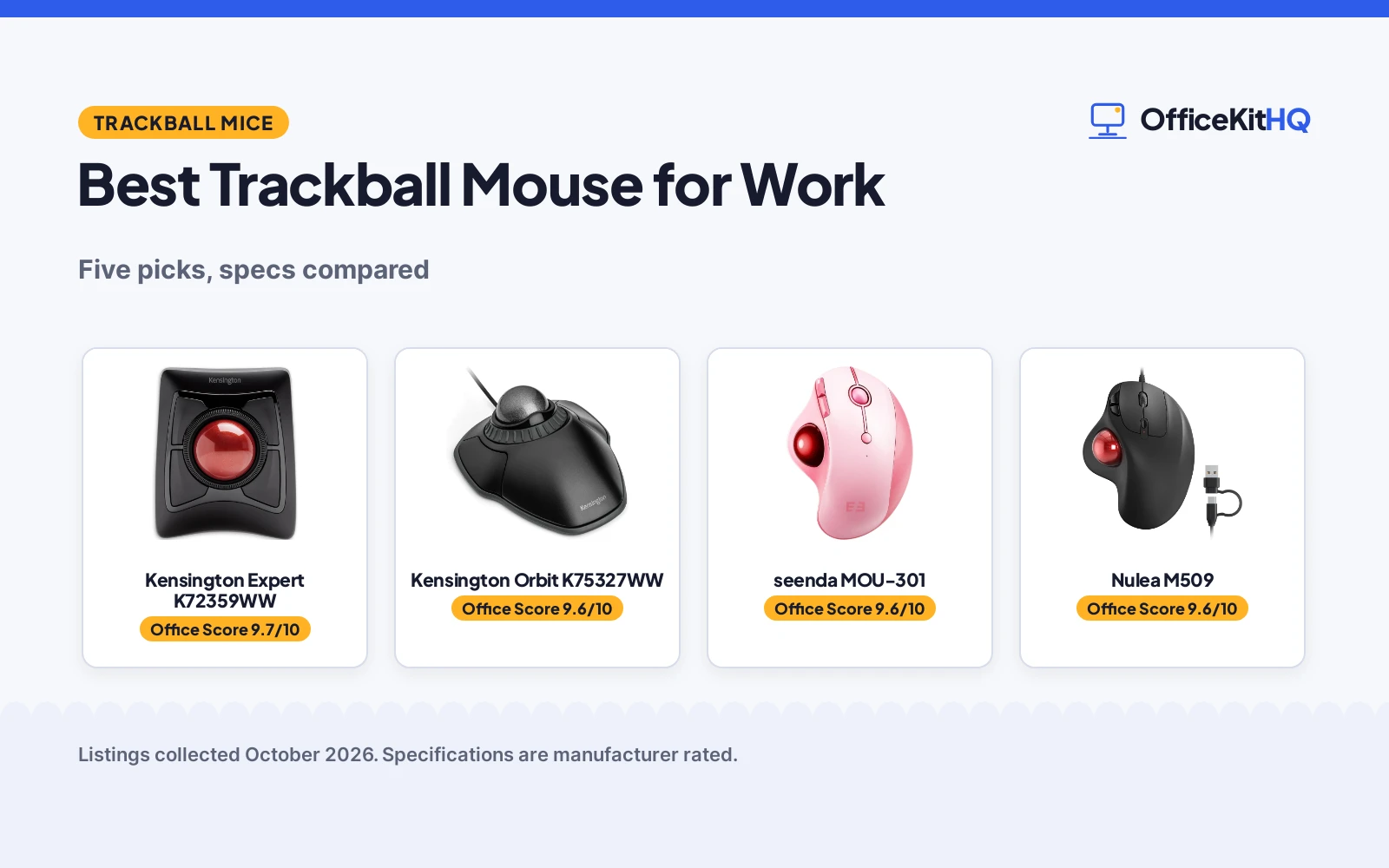
The best trackball mouse for work is the one that keeps your hand still while the cursor flies. The desk is too small for sweeping mouse movements, the spreadsheet cells are tiny, and the cursor needs to land exactly where you point it. A trackball stays put and does the moving for you. We compared five trackball mice by ball design, buttons, connection, compatibility and warranty, using only what each listing publishes.
OfficeKitHQ earns a commission when you buy through links on this page, at no extra cost to you. As an Amazon Associate I earn from qualifying purchases. Affiliate disclosure.
Quick picks
 Best Overall Kensington Expert K72359WW: 55mm ball, 4 buttons, scroll ring, Bluetooth and 2.4GHz Check price on Amazon
 Best Wired Kensington Orbit K75327WW: Scroll ring, wrist rest, 5-year warranty, ambidextrous Check price on Amazon
 Best Wireless seenda MOU-301: 3-device Bluetooth, 5 DPI levels, USB-C rechargeable Check price on Amazon
 Best USB-C Nulea M509: 6 buttons, 5 DPI, Type-C and USB-A, 5.9 ft cable Check price on Amazon
 Best RGB PORLEI TM551: 34mm ball, 5 DPI, RGB lighting, 18-month warranty Check price on Amazon
The picks
| # | Product | Office Score | Buy |
|---|---|---|---|
| 1 | Kensington Expert K72359WW | 9.7/10 | Buy on Amazon |
| 2 | Kensington Orbit K75327WW | 9.6/10 | Buy on Amazon |
| 3 | seenda MOU-301 | 9.6/10 | Buy on Amazon |
| 4 | Nulea M509 | 9.6/10 | Buy on Amazon |
| 5 | PORLEI TM551 | 9.6/10 | Buy on Amazon |

Kensington Expert K72359WW
A wireless trackball with a 55mm ball, 4 buttons, a scroll ring and Bluetooth plus 2.4GHz connection.
Pros
- 55mm ball with Diamond Eye optical tracking
- 4 buttons with a patented scroll ring
- Bluetooth LE plus 2.4GHz USB dongle
- 3 years parts and labor with lifetime technical support
Cons
- No rechargeable battery; runs on 2 AA batteries
- 1.4 pounds is the heaviest here
- Linux is not supported, per the listing
- No wrist rest is included in the box
Detailed Review
Kensington lists the Expert as a wireless trackball with a 55mm ball, 4 customizable buttons and a patented scroll ring, connecting over Bluetooth LE or a 2.4GHz USB dongle. The listing states 2 AA batteries included, auto-sleep power saving, and compatibility with Windows, macOS 10.14 and later, and Chrome OS, with Linux not supported. The stated warranty is 3 years parts and labor with lifetime technical support, and the unit measures 8 x 6.1 in at 1.4 pounds.
Who it's for: someone who wants a large ball, wireless freedom and a long stated warranty. Who should skip it: anyone who needs a rechargeable battery or Linux support.
Its Office Score of 9.7/10 comes from performance 32/35, build 21/25, value 21/25, safety not scored (non-powered gear) and warranty 4/5: 78 of 90 points, placed on our 9.2 to 9.8 scale.
Key Specifications
| Ball | 55mm |
|---|---|
| Buttons | 4 |
| Connection | Bluetooth LE, 2.4GHz |
| Warranty | 3 years parts and labor |
Figures as published on the retailer listing, collected 22 October 2026. Performance figures are manufacturer rated.
Safety and Warranty
What this listing states. This product does not plug in or run on a battery, so safety is not part of its score. 3 years parts and labor. It does not say everything a buyer needs, such as who pays return shipping, so warranty scores 4 of 5. See How We Pick.
Fit the desk first. Check the stated size against your desk depth and keyboard tray, and charge or pair as the manual describes. No keyboard, mouse or wrist rest prevents or treats injury.
This is general buying information, not professional advice. Follow each product manual and local rules, and see our Safety Disclaimer.

Kensington Orbit K75327WW
A wired trackball with a scroll ring, detachable wrist rest and ambidextrous design.
Pros
- Scroll ring for moving through pages and documents
- Detachable wrist rest included
- Ambidextrous design for left or right hand
- 5-year warranty stated
Cons
- Only 2 buttons
- Wired USB only, per the title and style name
- No DPI levels are stated
- No rechargeable battery option
Detailed Review
Kensington lists the Orbit as a wired USB trackball with a scroll ring, optical tracking and a detachable wrist rest in an ambidextrous design. The listing states 2 buttons customizable through KensingtonWorks software, a 5.46 x 4.51 in footprint and a 5.6 ounce weight. One oddity: the spec table checks boxes for a 2.4GHz receiver and Bluetooth, but the power source is corded electric and the style name is wired usb, so we trust the wired listing. The stated warranty is 5 years.
Who it's for: someone who wants a simple wired trackball with a scroll ring and a long warranty. Who should skip it: anyone who needs wireless or more than 2 buttons.
Its Office Score of 9.6/10 comes from performance 28/35, build 20/25, value 20/25, safety not scored (non-powered gear) and warranty 4/5: 72 of 90 points, placed on our 9.2 to 9.8 scale.
Key Specifications
| Buttons | 2 |
|---|---|
| Connection | Wired USB |
| Size | 5.46 x 4.51 in |
| Warranty | 5 Year |
Figures as published on the retailer listing, collected 22 October 2026. Performance figures are manufacturer rated.
Safety and Warranty
What this listing states. This product does not plug in or run on a battery, so safety is not part of its score. 5 Year. It does not say everything a buyer needs, such as who pays return shipping, so warranty scores 4 of 5. See How We Pick.
Fit the desk first. Check the stated size against your desk depth and keyboard tray, and charge or pair as the manual describes. No keyboard, mouse or wrist rest prevents or treats injury.
This is general buying information, not professional advice. Follow each product manual and local rules, and see our Safety Disclaimer.

seenda MOU-301
A pink wireless trackball with 3-device Bluetooth, 5 DPI levels and USB-C recharging.
Pros
- 3-device connection over Bluetooth or 2.4GHz
- 5 DPI levels with 6 buttons
- USB-C rechargeable battery
- Thumb control suits small spaces
Cons
- 1-year warranty is the lowest stated term here
- Pink is the only color stated
- No scroll ring is stated
- 116 g with no wrist rest stated
Detailed Review
seenda lists a wireless thumb trackball in pink with 3-device connection over Bluetooth or a 2.4GHz USB receiver, 5 DPI levels and 6 buttons. The listing states a USB-C rechargeable battery, a 10-meter range and compatibility with Windows, Mac OS and Android. The stated warranty is 1 year and the item weighs 116 g.
Who it's for: someone who switches between three devices and wants a rechargeable thumb ball. Who should skip it: anyone who wants a scroll ring or a longer warranty.
Its Office Score of 9.6/10 comes from performance 29/35, build 20/25, value 21/25, safety not scored (non-powered gear) and warranty 3/5: 73 of 90 points, placed on our 9.2 to 9.8 scale.
Key Specifications
| Buttons | 6 |
|---|---|
| Connection | Bluetooth, 2.4GHz |
| DPI | 5 levels |
| Warranty | 1 Year |
Figures as published on the retailer listing, collected 22 October 2026. Performance figures are manufacturer rated.
Safety and Warranty
What this listing states. This product does not plug in or run on a battery, so safety is not part of its score. 1 Year. It does not say everything a buyer needs, such as who pays return shipping, so warranty scores 3 of 5. See How We Pick.
Fit the desk first. Check the stated size against your desk depth and keyboard tray, and charge or pair as the manual describes. No keyboard, mouse or wrist rest prevents or treats injury.
This is general buying information, not professional advice. Follow each product manual and local rules, and see our Safety Disclaimer.

Nulea M509
A wired thumb trackball with 6 buttons, 5 DPI levels and dual Type-C and USB-A connection.
Pros
- 6 buttons with back and forward controls
- 5 DPI levels for tailored responsiveness
- Dual Type-C and USB-A on a 5.9 ft cable
- Plug and play with no drivers
Cons
- All buttons are non-programmable, per the listing
- Wired only, no wireless option
- No wrist rest is stated
- A-Red is the only color stated
Detailed Review
Nulea lists the M509 as a wired thumb trackball with 6 buttons, 5 DPI levels and a dual Type-A and Type-C interface on a 5.9 ft cable. The listing states plug-and-play with no drivers, compatibility with laptops and PCs on Windows and Mac, and a right-hand ergonomic design. The stated warranty is 1 year manufacturer.
Who it's for: someone who wants a modern wired trackball with USB-C and no battery fuss. Who should skip it: anyone who needs programmable buttons or wireless.
Its Office Score of 9.6/10 comes from performance 28/35, build 20/25, value 21/25, safety not scored (non-powered gear) and warranty 3/5: 72 of 90 points, placed on our 9.2 to 9.8 scale.
Key Specifications
| Buttons | 6 |
|---|---|
| DPI | 5 levels |
| Connection | Type-C and USB-A |
| Warranty | 1 Year Manufacturer |
Figures as published on the retailer listing, collected 22 October 2026. Performance figures are manufacturer rated.
Safety and Warranty
What this listing states. This product does not plug in or run on a battery, so safety is not part of its score. 1 Year Manufacturer. It does not say everything a buyer needs, such as who pays return shipping, so warranty scores 3 of 5. See How We Pick.
Fit the desk first. Check the stated size against your desk depth and keyboard tray, and charge or pair as the manual describes. No keyboard, mouse or wrist rest prevents or treats injury.
This is general buying information, not professional advice. Follow each product manual and local rules, and see our Safety Disclaimer.

PORLEI TM551
A wired thumb trackball with a 34mm ball, 5 DPI levels, RGB lighting and an 18-month warranty.
Pros
- 34mm thumb ball with 5 DPI from 100 to 1200
- RGB lighting with easy-clean removable ball
- Back and forward buttons plus scroll wheel
- 18-month limited warranty stated
Cons
- Back and forward buttons are not Mac compatible
- All buttons are non-programmable, per the listing
- Wired only on a 1.8m cable
- No wrist rest is stated
Detailed Review
PORLEI lists a wired thumb trackball with a 34mm ball, 5 DPI levels from 100 to 1200, RGB lighting and a 1.8m USB cable. The listing states back and forward buttons, a precision scroll wheel and compatibility with Windows and Mac, with the note that the back and forward buttons are not Mac compatible. The stated warranty is an 18-month limited warranty covering trackballs, sensors and switches.
Who it's for: someone who wants a wired trackball with RGB lighting and a stated 18-month warranty. Who should skip it: a Mac user who needs the side buttons, or anyone who wants wireless.
Its Office Score of 9.6/10 comes from performance 28/35, build 19/25, value 20/25, safety not scored (non-powered gear) and warranty 3/5: 70 of 90 points, placed on our 9.2 to 9.8 scale.
Key Specifications
| Ball | 34mm |
|---|---|
| DPI | 100 to 1200 |
| Connection | Wired USB, 1.8m |
| Warranty | 18-Month Limited |
Figures as published on the retailer listing, collected 22 October 2026. Performance figures are manufacturer rated.
Safety and Warranty
What this listing states. This product does not plug in or run on a battery, so safety is not part of its score. 18-Month Limited Warranty. It does not say everything a buyer needs, such as who pays return shipping, so warranty scores 3 of 5. See How We Pick.
Fit the desk first. Check the stated size against your desk depth and keyboard tray, and charge or pair as the manual describes. No keyboard, mouse or wrist rest prevents or treats injury.
This is general buying information, not professional advice. Follow each product manual and local rules, and see our Safety Disclaimer.
As an Amazon Associate I earn from qualifying purchases.
More picks to compare
 Kensington Orbit K64327FCompact wired trackball with 2-year warranty.Check on Amazon
 SABLUTE MAM1 ProAdjustable-angle wireless trackball with 2-year warranty.Check on Amazon
 Nulea M508 WirelessWireless thumb trackball with RGB and 3-device use.Check on Amazon
 Logitech Ergo M575Business wireless trackball with 18-month battery life.Check on Amazon
Compare the picks
| Mouse | Office Score | Buttons | Ball control | Connection | Warranty | Amazon |
|---|---|---|---|---|---|---|
| Kensington Expert K72359WW | 9.7/10 | 4 | 55mm finger ball | Bluetooth, 2.4GHz | 3 years | View on Amazon |
| Kensington Orbit K75327WW | 9.6/10 | 2 | Scroll ring | Wired USB | 5 Year | View on Amazon |
| seenda MOU-301 | 9.6/10 | 6 | Thumb ball | Bluetooth, 2.4GHz | 1 Year | View on Amazon |
| Nulea M509 | 9.6/10 | 6 | Thumb ball | Wired USB-C/USB-A | 1 Year | View on Amazon |
| PORLEI TM551 | 9.6/10 | 6 | 34mm thumb ball | Wired USB | 18 months | View on Amazon |
Specifications are manufacturer rated as listed, collected 22 October 2026. All five state a warranty term; none state a safety certification.
How we scored them
The Office Score weighs performance (ball size and control, button count, scroll features and connection), build (materials, weight and cable), value for the stated specs, safety and warranty. For a trackball mouse, safety means a stated certification; none of the five state one. All five state a warranty term: Kensington Orbit at 5 years, Expert at 3 years parts and labor, PORLEI at 18 months, and seenda and Nulea at 1 year. How we pick explains the weights.
| Product | Office Score | Perf. /35 | Build /25 | Value /25 | Safety /10 | Warranty /5 |
|---|---|---|---|---|---|---|
| Kensington Expert K72359WW | 9.7 | 32 | 21 | 21 | n/a | 4 |
| Kensington Orbit K75327WW | 9.6 | 28 | 20 | 20 | n/a | 4 |
| seenda MOU-301 | 9.6 | 29 | 20 | 21 | n/a | 3 |
| Nulea M509 | 9.6 | 28 | 20 | 21 | n/a | 3 |
| PORLEI TM551 | 9.6 | 28 | 19 | 20 | n/a | 3 |
Scores run from 9.2 to 9.8: each product’s point total is placed on that range, so more points always means a higher score. Safety counts only for powered gear or where the listing states safety features; where it does not apply, the score is taken over the remaining 90 points.
How to choose the best trackball mouse for work
Finger ball or thumb ball
The two Kensingtons use a finger-operated ball with a scroll ring: the Expert has a 55mm ball and 4 buttons, the Orbit has 2 buttons and a detachable wrist rest. The seenda, Nulea and PORLEI use thumb control with 6 buttons each. Finger balls suit either hand since both Kensingtons are ambidextrous; thumb balls here are right-handed only. If you want the keyboard and trackball in one unit, see best keyboard with trackball.
Wireless or wired
The Expert connects over Bluetooth LE or 2.4GHz with 2 AA batteries, and the seenda connects over Bluetooth or 2.4GHz with a rechargeable battery and 3-device switching. The Orbit, Nulea and PORLEI are wired USB with no batteries to manage. Wireless suits a laptop that moves between rooms; wired suits a fixed desk where the cable never gets lost.
Buttons, DPI and scrolling
Button counts run from 2 on the Orbit to 6 on the seenda, Nulea and PORLEI, with the Expert at 4. The seenda, Nulea and PORLEI each state 5 DPI levels; the PORLEI lists 100 to 1200 DPI. Both Kensingtons scroll with a ring instead of a wheel, and the PORLEI adds back and forward buttons that are not Mac compatible. More wireless choices are in our best wireless mouse for work guide.
| Mouse | Buttons | Ball | Connection |
|---|---|---|---|
| Kensington Expert K72359WW | 4 | 55mm finger ball | Bluetooth, 2.4GHz |
| Kensington Orbit K75327WW | 2 | Scroll ring | Wired USB |
| seenda MOU-301 | 6 | Thumb ball | Bluetooth, 2.4GHz |
| Nulea M509 | 6 | Thumb ball | Wired USB-C and USB-A |
| PORLEI TM551 | 6 | 34mm thumb ball | Wired USB |
Figures as stated in each listing.
Check the warranty line
Warranties here are unusually generous. The Orbit states 5 years, the Expert states 3 years parts and labor plus lifetime technical support, the PORLEI states 18 months, and the seenda and Nulea state 1 year. A trackball has moving parts that wear, so a longer stated term is worth real money. The mice and mouse pads category has the rest of the lineup.
Setup Notes
- Check the ball size: the Expert uses a 55mm ball, the PORLEI a 34mm ball.
- Count buttons: 2 on the Orbit, 4 on the Expert, 6 on the other three.
- Pick the connection: Bluetooth and 2.4GHz on the Expert and seenda; wired USB on the rest.
- Note the warranty: 5 years on the Orbit, 3 years parts and labor on the Expert.
Frequently Asked Questions
Which trackball mice here are wireless?
The Expert connects over Bluetooth LE or 2.4GHz on 2 AA batteries, and the seenda connects over Bluetooth or 2.4GHz with a rechargeable battery. The Orbit, Nulea and PORLEI are wired USB.
Which ones have a scroll ring?
The Kensington Orbit and the Kensington Expert both list a scroll ring. The other three use buttons or a scroll wheel instead.
Do these trackball mice work with Mac?
The Expert lists macOS 10.14 and later, the seenda lists Mac OS, and the Nulea lists Windows and Mac. The PORLEI lists Windows and Mac but notes its back and forward buttons are not Mac compatible.
Which trackball mouse has the longest stated warranty?
The Kensington Orbit states 5 years. The Expert states 3 years parts and labor with lifetime technical support, the PORLEI states 18 months, and the seenda and Nulea state 1 year.
Related guides
See every mouse and mouse pad guide and all monitor mounts, keyboards and mice guides. Also see our best keyboard with trackball. Also see our best wireless mouse for work.
More picks: wrist rests for trackball mice, mouse pads for comfort, monitor arms and stands.


