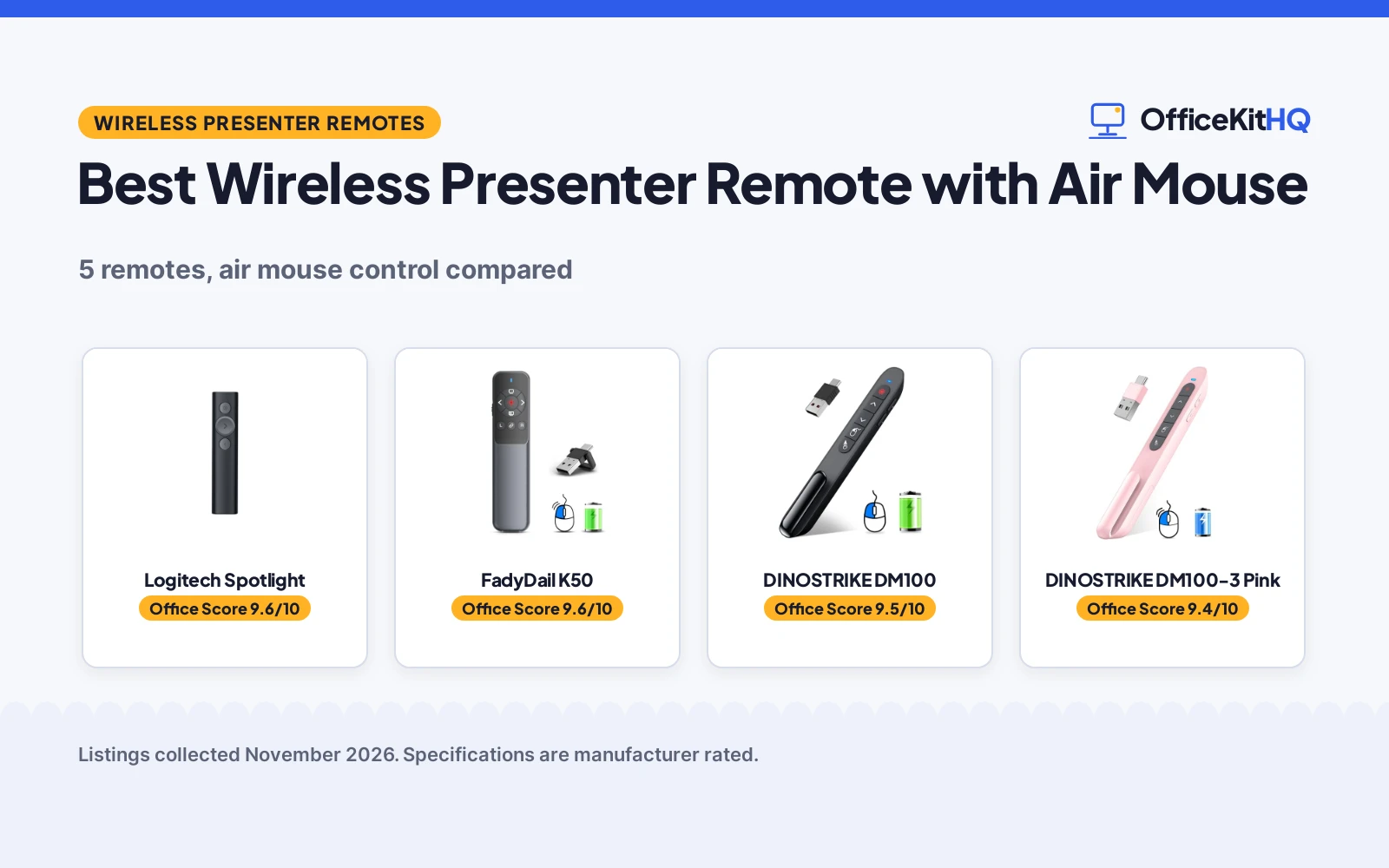
The best wireless presenter remote with air mouse lets you step away from the laptop and still drive the slides, point at the detail that matters and open a link without walking back to the desk. A remote that drops its link mid-talk is one you stop trusting. We compared them by control range, light range, power, receiver type and warranty term, using only what each listing states.
OfficeKitHQ earns a commission when you buy through links on this page, at no extra cost to you. As an Amazon Associate I earn from qualifying purchases. Affiliate disclosure.
Quick picks
 Best Overall Logitech Spotlight: 30 m range, digital highlighting, USB-A receiver or Bluetooth Check price on Amazon
 Best Annotation FadyDail K50: Ink annotation with air mouse, 300mAh battery, 2-hour charge Check price on Amazon
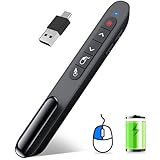 Longest Air Mouse Range DINOSTRIKE DM100: 82FT air mouse range, 164FT control range, 300 mAh battery Check price on Amazon
 Best Pink Pick DINOSTRIKE DM100-3 Pink: Pink rechargeable air mouse remote with USB A and USB C Check price on Amazon
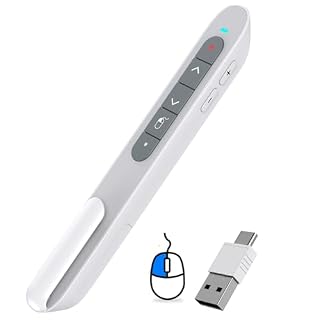
 Best Dual-Port Pick ELISWEEN E600-5: USB and Type-C dual-head receiver, magnet dongle storage, 100 feet range Check price on Amazon
Our desk picks
| # | Product | Office Score | Buy |
|---|---|---|---|
| 1 | Logitech Spotlight | 9.6/10 | Buy on Amazon |
| 2 | FadyDail K50 | 9.6/10 | Buy on Amazon |
| 3 | DINOSTRIKE DM100 | 9.5/10 | Buy on Amazon |
| 4 | DINOSTRIKE DM100-3 Pink | 9.4/10 | Buy on Amazon |
| 5 | ELISWEEN E600-5 | 9.4/10 | Buy on Amazon |

Logitech Spotlight
A presentation remote with on-screen highlighting and magnifying, mouse-like cursor control, vibration timing alerts and a 30 m range.
Pros
- On-screen highlighting and magnifying go past a plain red light
- Mouse-like cursor control plays and pauses videos and opens links
- Dual connectivity through a USB-A receiver or low energy Bluetooth
- 1 Year Limited Hardware Warranty is stated
Cons
- Highlighting, magnifying and timing alerts need the Logi Options+ App
- No battery capacity or charge time is stated
- No red light range is stated
- No air mouse switch button is stated; cursor control is mouse-like, not hand-moved
Detailed Review
Logitech lists the Spotlight as a universal wireless clicker with a laser pointer, digital highlighting, a 30 m range and quick charging. The bullets describe on-screen highlighting and magnifying, mouse-like cursor control for playing and pausing videos and opening links, time management with vibration alerts set in the Logi Options+ App, and dual connectivity through a USB-A receiver or low energy Bluetooth, with a built-in dock for the USB receiver. Compatibility covers Windows, Mac OS, PowerPoint, Keynote, PDF, Google Slides and Prezi. One wrinkle: the title still calls it a laser pointer while the bullets describe digital highlighting, not a laser beam. The listing states a 1 Year Limited Hardware Warranty.
Who it's for: a presenter who wants on-screen highlighting, timing alerts and Bluetooth as well as a USB receiver. Who should skip it: anyone who wants a hand-moved air mouse mode or a stated battery capacity.
Its Office Score of 9.6/10 comes from performance 33/35, build 22/25, value 20/25, safety 0/10 and warranty 4/5: 79 of 100 points, placed on our 9.2 to 9.8 scale.
Key Specifications
| Control range | 30 m |
|---|---|
| Connectivity | USB-A receiver or Bluetooth |
| Features | Highlighting, magnifying, timing alerts |
| Warranty | 1 Year Limited Hardware Warranty |
Figures as published on the retailer listing, collected 10 November 2026. Performance figures are manufacturer rated.
Safety and Warranty
What this listing states. This product does not plug in or run on a battery, so safety is not part of its score. 1 Year Limited Hardware Warranty. It does not say everything a buyer needs, such as who pays return shipping, so warranty scores 4 of 5. See How We Pick.
Fit the desk first. Check the stated size against your desk depth and keyboard tray, and charge or pair as the manual describes. No keyboard, mouse or wrist rest prevents or treats injury.
This is general buying information, not professional advice. Follow each product manual and local rules, and see our Safety Disclaimer.

FadyDail K50
An air mouse presenter with ink annotation, a 300mAh rechargeable battery, a 2-hour charge and a 50M/165FT control range.
Pros
- Air mouse with ink annotation, right and left mouse, volume control and e-marker
- 300mAh battery gives weeks of use on a 2-hour charge
- Control range of 50M/165FT and red light range of 200M/656FT are stated
- USB A and Type C receiver in one unit, with a Type-C cable in the package
Cons
- Not a Bluetooth presenter, per the listing note
- Red light is not recommended for TV, LED or LCD screens
- No receiver storage spot is stated
- No sleep mode is stated
Detailed Review
FadyDail lists the K50 as a wireless presenter remote with air mouse and ink annotation, supporting right and left mouse, volume control, e-marker, video play, window switching, link opening and full and black screen. Its USB A and Type C receiver suits Mac, laptop and PC, and the built-in 300mAh battery gives weeks of use on a 2-hour charge. Control range is stated as 50M/165FT and red light range as 200M/656FT, and the listing states support for Windows 2003, XP, Vista, 7, 8, 10, Mac OS, Linux and Android, plus PowerPoint, Google Slides, iWork, Prezi, PDF, MS Word, Excel, ACD See and Website. The package lists the remote, a Type-C cable and a user manual, and a 1 Year Manufacturer warranty is stated. One oddity: the spec table lists the color as Presenter with Air Mouse, a feature rather than a color.
Who it's for: a presenter who wants ink annotation with air mouse control and a long stated light range. Who should skip it: anyone who needs Bluetooth or stated receiver storage.
Its Office Score of 9.6/10 comes from performance 32/35, build 21/25, value 21/25, safety 0/10 and warranty 3/5: 77 of 100 points, placed on our 9.2 to 9.8 scale.
Key Specifications
| Control range | 50M/165FT |
|---|---|
| Light range | 200M/656FT |
| Battery | 300mAh, 2-hour charge |
| Dimensions | 5.5 by 0.9 by 1.6 in |
Figures as published on the retailer listing, collected 10 November 2026. Performance figures are manufacturer rated.
Safety and Warranty
What this listing states. No FCC or other safety listing is stated, so safety scores zero. 1 Year Manufacturer. It does not say everything a buyer needs, such as who pays return shipping, so warranty scores 3 of 5. See How We Pick.
Fit the desk first. Check the stated size against your desk depth and keyboard tray, and charge or pair as the manual describes. No keyboard, mouse or wrist rest prevents or treats injury.
This is general buying information, not professional advice. Follow each product manual and local rules, and see our Safety Disclaimer.

DINOSTRIKE DM100
A rechargeable air mouse presenter with a 300 mAh battery, a 3H charge, an 82FT air mouse range and a 164FT wireless control range.
Pros
- Air mouse range of 82FT and wireless control range of 164FT are stated
- Light range of 656FT is stated
- 300 mAh battery charges in 3H for weeks of use, with sleep mode
- Pen clip and curved design; receiver stores inside the rear housing
Cons
- No warranty term is stated
- No dimensions are stated
- Package lists no charging cable
- No ink annotation is stated
Detailed Review
DINOSTRIKE lists the DM100 as a rechargeable presenter remote with air mouse control, supporting black and full screen, page forward and backward, volume control, mouse feature, hyperlink opening and window switching. Air mouse range is stated as 82FT, wireless control range as 164FT and light range as 656FT. The built-in 300 mAh battery charges in 3H for weeks of use, and it goes into sleep mode and turns itself off when not in use. The USB receiver sits inside the rear housing, the pen-style clip hooks onto a pocket or book, and the curved design is stated to give a comfortable grip. Support covers Windows 7 and 8 or above, Mac OS, Linux and Android, plus PowerPoint, Keynote, PDF, Word, Excel, Google Slides and Prezi. The package lists the presenter remote, USB receiver and a user manual. One oddity: the spec table lists an item weight of 0.06 pounds, a figure with far more decimals than usual.
Who it's for: a presenter who wants the longest stated air mouse range here and a pen clip for carrying. Who should skip it: anyone who wants a warranty term or stated dimensions.
Its Office Score of 9.5/10 comes from performance 32/35, build 21/25, value 21/25, safety 0/10 and warranty 0/5: 74 of 100 points, placed on our 9.2 to 9.8 scale.
Key Specifications
| Air mouse range | 82FT |
|---|---|
| Control range | 164FT |
| Light range | 656FT |
| Battery | 300 mAh, 3H charge |
Figures as published on the retailer listing, collected 10 November 2026. Performance figures are manufacturer rated.
Safety and Warranty
What this listing states. No FCC or other safety listing is stated, so safety scores zero. No warranty term, so warranty scores zero. See How We Pick.
Fit the desk first. Check the stated size against your desk depth and keyboard tray, and charge or pair as the manual describes. No keyboard, mouse or wrist rest prevents or treats injury.
This is general buying information, not professional advice. Follow each product manual and local rules, and see our Safety Disclaimer.

DINOSTRIKE DM100-3 Pink
A pink rechargeable air mouse presenter with a USB A and USB C receiver and a 1 Year warranty.
Pros
- Air mouse and USB A and USB C receiver in one presenter
- Rechargeable, with a stated 1 Year warranty
- Works with MacBook, laptop and PC, per the listing
- Pink color in a group where the rest are black
Cons
- The listing gives one short bullet and no ranges
- No battery capacity or charge time is stated
- No dimensions are stated
- No red light range is stated
Detailed Review
DINOSTRIKE lists the DM100-3 as a pink wireless presentation remote with air mouse and a USB A and USB C receiver in one presenter, switching between MacBook, laptop and PC. The listing states it is rechargeable and works with PowerPoint for Mac and Windows laptops on 2.4GHz. The spec table states a 1 Year warranty. The DM100-3 sits in the same DM100 family as the DINOSTRIKE DM100 here, but the listing states far less about it: no control range, no light range, no battery capacity, no charge time and no dimensions.
Who it's for: a presenter who wants a pink rechargeable air mouse remote with a stated warranty. Who should skip it: anyone who wants stated ranges or battery detail before buying.
Its Office Score of 9.4/10 comes from performance 26/35, build 19/25, value 18/25, safety 0/10 and warranty 3/5: 66 of 100 points, placed on our 9.2 to 9.8 scale.
Key Specifications
| Receiver | USB A and USB C |
|---|---|
| Color | Pink |
| Warranty | 1 Year |
| Model | DM100-3 |
Figures as published on the retailer listing, collected 10 November 2026. Performance figures are manufacturer rated.
Safety and Warranty
What this listing states. This product does not plug in or run on a battery, so safety is not part of its score. 1 Year. It does not say everything a buyer needs, such as who pays return shipping, so warranty scores 3 of 5. See How We Pick.
Fit the desk first. Check the stated size against your desk depth and keyboard tray, and charge or pair as the manual describes. No keyboard, mouse or wrist rest prevents or treats injury.
This is general buying information, not professional advice. Follow each product manual and local rules, and see our Safety Disclaimer.

ELISWEEN E600-5
An air mouse clicker with a dual-head USB and Type-C receiver, volume control, a red light and a range of up to 100 feet.
Pros
- Dual-head USB and Type-C receiver suits Mac, laptop and PC
- Wireless control range of up to 100 feet is stated
- Magnet at the bottom holds the USB dongle in place
- Air mouse with wireless cursor control and a left mouse button
Cons
- Runs on 2 AAA batteries, which are not included
- No warranty term is stated
- No rechargeable battery is stated
Detailed Review
ELISWEEN lists the E600-5 as an air mouse presentation clicker that combines an air mouse and a normal clicker, with a wireless cursor control button and a left mouse button. The dual-head design carries USB and Type-C ends for Mac, laptop and PC, and a magnet at the bottom holds the USB dongle. The red light is stated to be easy to see against most backgrounds, volume control and slide advance are included, and the wireless control range runs to up to 100 feet. It runs on 2 AAA batteries, which are not included, and the 2.4 GHz receiver plugs into a USB port with no software to install. One wrinkle: the spec table lists dimensions of 5.31 by 5.31 by 0.95 in, a square footprint for a pen-style clicker, so read it as stated but unclear.
Who it's for: a presenter who wants a dual USB and Type-C receiver and a magnet-held dongle without charging. Who should skip it: anyone who wants a rechargeable battery or a warranty term.
Its Office Score of 9.4/10 comes from performance 29/35, build 20/25, value 21/25, safety 0/10 and warranty 0/5: 70 of 100 points, placed on our 9.2 to 9.8 scale.
Key Specifications
| Control range | Up to 100 feet |
|---|---|
| Receiver | USB and Type-C dual-head |
| Power | 2 AAA batteries, not included |
| Dimensions | 5.31 by 5.31 by 0.95 in |
Figures as published on the retailer listing, collected 10 November 2026. Performance figures are manufacturer rated.
Safety and Warranty
What this listing states. This product does not plug in or run on a battery, so safety is not part of its score. No warranty term, so warranty scores zero. See How We Pick.
Fit the desk first. Check the stated size against your desk depth and keyboard tray, and charge or pair as the manual describes. No keyboard, mouse or wrist rest prevents or treats injury.
This is general buying information, not professional advice. Follow each product manual and local rules, and see our Safety Disclaimer.
As an Amazon Associate I earn from qualifying purchases.
More picks to compare
 DinoFire DM100-5Rechargeable air mouse clicker with a 300mAh battery and sleep mode for long talks.Check on Amazon
 DinoFire DM100-1 WhiteWhite rechargeable air mouse clicker with USB C and a 300mAh battery.Check on Amazon
Specs compared
| Presenter | Office Score | Control range | Air mouse | Power | Warranty | Amazon |
|---|---|---|---|---|---|---|
| Logitech Spotlight | 9.6/10 | 30 m | Cursor control | Rechargeable, quick charging | 1 Year Limited Hardware Warranty | View on Amazon |
| FadyDail K50 | 9.6/10 | 50M/165FT | Yes, with ink annotation | 300mAh, 2-hour charge | 1 Year Manufacturer | View on Amazon |
| DINOSTRIKE DM100 | 9.5/10 | 164FT | Yes, 82FT range | 300 mAh, 3H charge | Not stated | View on Amazon |
| DINOSTRIKE DM100-3 Pink | 9.4/10 | Not stated | Yes | Rechargeable | 1 Year | View on Amazon |
| ELISWEEN E600-5 | 9.4/10 | Up to 100 feet | Yes | 2 AAA batteries, not included | Not stated | View on Amazon |
Specs reflect manufacturer claims on each product listing (as of 10 November 2026).
How to choose the best wireless presenter remote with air mouse
Match the control range to the room
Control range decides whether you can walk the room. Stated ranges: DINOSTRIKE DM100 164FT, FadyDail K50 50M/165FT, ELISWEEN up to 100 feet, Logitech Spotlight 30 m. Measure the distance from your seat to the screen, then pick a remote that covers it. If the air mouse serves as your mouse away from the desk, see our wireless mouse for multiple computers guide.
Check the red light range and the air mouse switch
A red light is only useful if you can see it from the back of the room. The DINOSTRIKE DM100 states a light range of 656FT and the FadyDail K50 states 200M/656FT; the ELISWEEN states a bright red light with no range and the Logitech swaps a beam for on-screen highlighting and magnifying. The air mouse switch matters too: the DINOSTRIKE DM100 turns mouse mode on and off with its cursor switch button, the last button on the remote, and the FadyDail pairs air mouse control with ink annotation.
Power: rechargeable or AAA
All but the ELISWEEN are rechargeable; the ELISWEEN runs on AAA batteries. The DINOSTRIKE DM100 and FadyDail K50 state a 300 mAh class battery: 3H charge on the DINOSTRIKE, 2-hour charge on the FadyDail, each for weeks of use. The ELISWEEN runs on 2 AAA batteries, not included, so keep spares with the remote. The Logitech states quick charging with no battery capacity or charge time.
Receivers, ports and software
Every remote here links through a receiver, the part most likely to go missing. The ELISWEEN carries a dual-head USB and Type-C receiver with a magnet that holds the dongle, the DINOSTRIKE DM100 stores its receiver inside the rear housing, and the Logitech docks its USB receiver inside the body and also connects by Bluetooth. The ELISWEEN and the DINOSTRIKE DM100 are plug and play with no software to install; the Logitech needs the Logi Options+ App. Check your laptop ports before buying: a wireless presenter remote with air mouse control with a dual-head receiver covers USB A and Type C in one unit, and our wireless mouse for small office picks follow the same idea.
Setup Notes
- Match the stated control range to the room: ELISWEEN up to 100 feet, DINOSTRIKE DM100 164FT, FadyDail 50M/165FT, Logitech 30 m.
- Check the laptop port before you buy: dual-head receivers cover USB A and Type C; the Logitech pairs a USB-A receiver with Bluetooth.
- Plan power before the talk: rechargeable remotes need a 3H or 2-hour charge for weeks of use; the ELISWEEN needs 2 AAA batteries, not included.
- Keep the receiver with the remote: ELISWEEN magnet holds the dongle, DM100 rear housing, Logitech dock inside the body.
- No software install is needed for the plug-and-play remotes; the Logitech needs the Logi Options+ App.
FAQ
How do I use a wireless presenter remote?
Plug the 2.4 GHz receiver into a USB port and the remote is ready with no software to install, per the ELISWEEN and DINOSTRIKE listings. Slide buttons move the deck forward and back, the red light points at the detail, and the cursor switch turns on air mouse control.
How do I set up a wireless presenter remote?
Plug the receiver into the laptop, using the USB A or Type C end where the listing states a dual-head receiver. When the talk ends it stores inside the presenter: a magnet holds it on the ELISWEEN, the rear housing holds it on the DINOSTRIKE DM100 and a built-in dock holds it on the Logitech.
How do I set up a wireless presenter remote on a Mac?
Use the USB A or Type C receiver end that fits the Mac: the dual-head receivers cover Mac, laptop and PC. The DINOSTRIKE DM100, FadyDail K50 and Logitech Spotlight all list Mac OS. No software install is needed for the plug-and-play remotes; the Logitech uses the Logi Options+ App.
How does a wireless presenter remote work?
A 2.4 GHz receiver links the remote to the computer, slide buttons advance the deck, a red light points at the slide and air mouse control moves the cursor as you move the remote. Stated control ranges: ELISWEEN 100 feet, DINOSTRIKE DM100 164FT, FadyDail 50M/165FT, Logitech 30 m.
Score breakdown
The Office Score weighs performance, build, value, safety and warranty. For a presenter remote, safety means a stated certification or safety feature; none of the 5 states one, so safety scores zero across the group. 3 of the 5 state a warranty term: Logitech 1 Year Limited Hardware Warranty, FadyDail 1 Year Manufacturer, DINOSTRIKE Pink 1 Year. How we pick explains the weights.
| Product | Office Score | Perf. /35 | Build /25 | Value /25 | Safety /10 | Warranty /5 |
|---|---|---|---|---|---|---|
| Logitech Spotlight | 9.6 | 33 | 22 | 20 | 0 | 4 |
| FadyDail K50 | 9.6 | 32 | 21 | 21 | 0 | 3 |
| DINOSTRIKE DM100 | 9.5 | 32 | 21 | 21 | 0 | 0 |
| DINOSTRIKE DM100-3 Pink | 9.4 | 26 | 19 | 18 | 0 | 3 |
| ELISWEEN E600-5 | 9.4 | 29 | 20 | 21 | 0 | 0 |
The scale opens at 9.2 and closes at 9.8; between those marks, weighted points translate linearly into the score you see.
More for your workspace
See every mice and mouse pads guide and all monitor mounts, keyboards and mice guides, and our best wireless mouse for multiple computers, best wireless mouse for small office and best keyboard for mac and windows.
More picks: wireless mouse for small hands, extra large mouse pad, usb c headset.