The spare-room desk is finally clear, the phone line is free, and a form that only accepts a fax is waiting on the screen. A fax machine set up at home is mostly cable and paper: plug the machine into the phone line and the power outlet, load the tray, and send a trial page to confirm the line works. The steps below walk through each part, with the gear that handles it.
OfficeKitHQ earns a commission when you buy through links on this page, at no extra cost to you. As an Amazon Associate I earn from qualifying purchases. Affiliate disclosure.
The quick answer
A fax machine set up needs a telephone line, power, and paper in the tray. Plug one end of a telephone cord into the wall jack and the other into the LINE port on the machine, plug in the power cord, load paper, then send a trial fax to a number you can check. If the machine is an all-in-one, open its fax menu first and confirm fax is listed among its functions, since some all-in-one printers list print, scan and copy only.
Step 1: Place the machine near the phone jack and power
Set the machine on a flat desk surface within reach of both the telephone wall jack and a power outlet, so neither cord pulls tight. Leave room behind the machine for the paper tray and the cords. The Brother FAX-575 measures 15.5 by 13.0 by 9.0 in, and the HP Smart Tank Plus 651 measures 17.7 by 14.7 by 7.8 in, so measure the desk space against the listed size before you plug anything in.
Step 2: Connect the phone line
Plug a telephone cord into the wall jack, then into the LINE port on the back of the machine. A dedicated fax machine such as the Brother FAX-575 is built around this connection, with a 9,600 BPS fax modem that the listing states transmits at about 15 seconds per page. The cord should sit flat, with no sharp bend where it meets the machine.
Step 3: Load paper and check the tray
Load paper into the tray and slide the guides to the edges of the stack. The Brother FAX-575 lists a 50-sheet paper capacity, the Brother MFCJ1360DW lists a 150-sheet paper tray, and the HP Smart Tank Plus 651 lists an automatic document feeder, so the tray you load depends on the machine on your desk. For a multi-page fax, load the pages in the feeder or the tray in the order you want them sent.
Step 4: Set the machine to fax mode
On a dedicated fax machine, fax is the main mode. On an all-in-one, open the menu on the display and pick fax before you dial. The HP Smart Tank Plus 651 lists fax among print, copy and scan, and the Brother MFCJ1360DW lists print, scan and copy on a 1.8 in color display, with no fax function stated, so confirm fax is listed before you count on it. The Brother FAX-575 stores up to 25 pages in its 512 KB memory, so a short document can wait in memory while the line is busy.
Step 5: Send a trial fax
Dial the receiving number, feed the first page, and press send. When the machine reports the page went through, the line, the paper and the settings all agree. If the page does not go through, check the cord at the wall jack and at the machine, reload the paper, and try the number again.
The gear for a fax machine set up
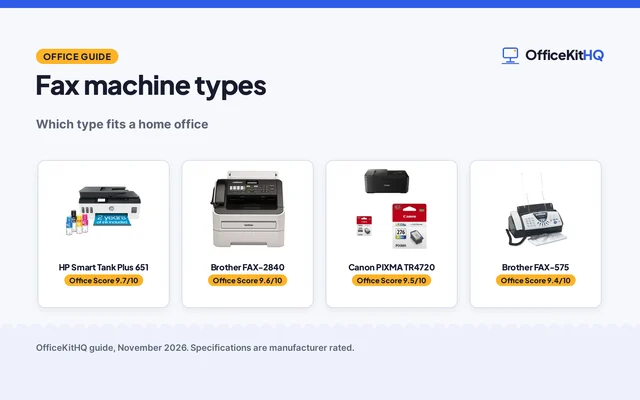
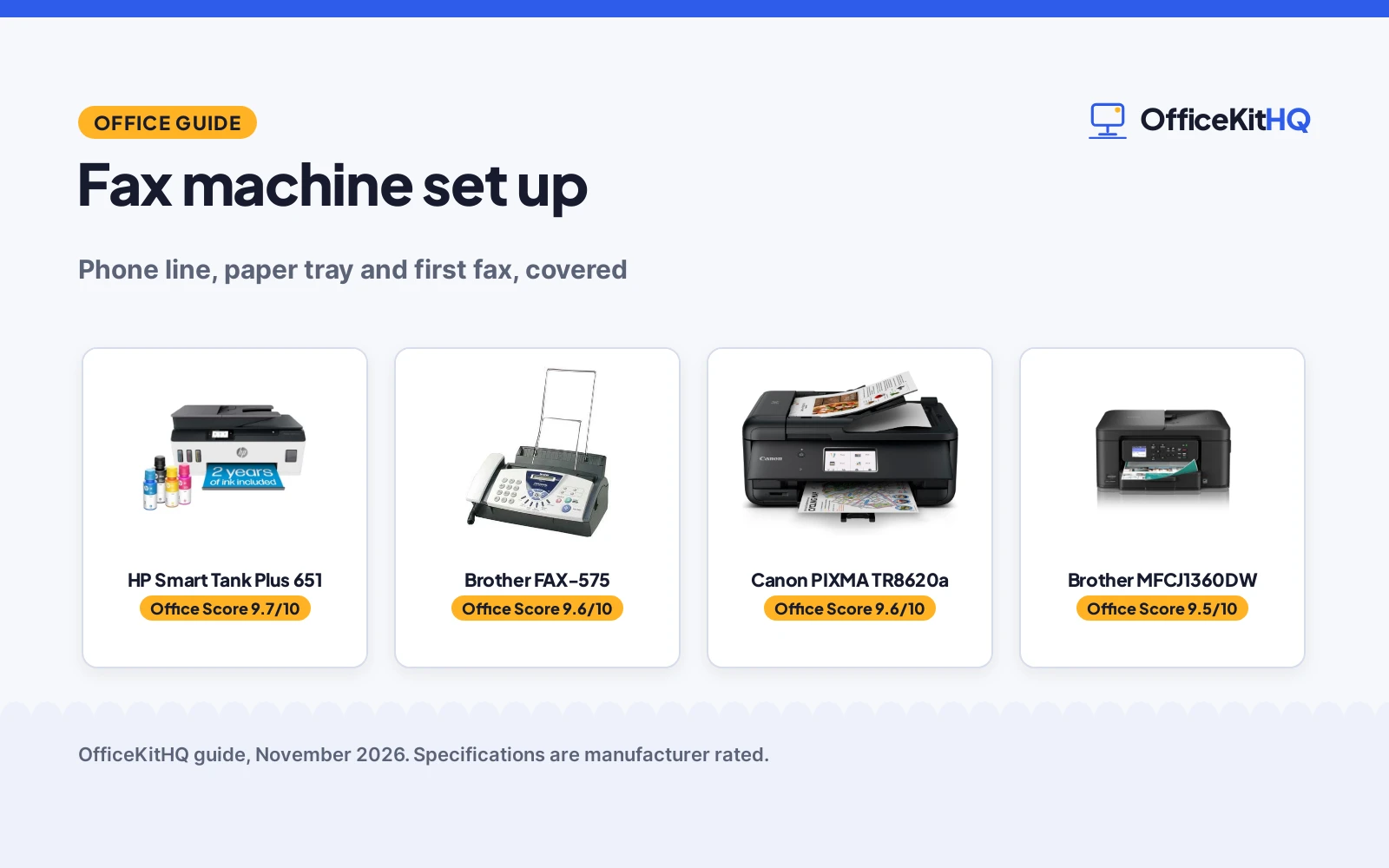
Each step above needs a machine that fits it: the phone-line connection needs a fax modem, the paper step needs a tray or feeder with room for the stack, and the send step needs fax listed among the functions. The machines below cover those steps, ranked by score, highest first.
| # | Product | Office Score | Buy |
|---|---|---|---|
| 1 |  HP Smart Tank Plus 651 | 9.7/10 | Buy on Amazon |
| 2 |  Brother FAX-575 | 9.6/10 | Buy on Amazon |
| 3 |  Canon PIXMA TR8620a | 9.6/10 | Buy on Amazon |
| 4 |  Brother MFCJ1360DW | 9.5/10 | Buy on Amazon |

HP Smart Tank Plus 651
An all-in-one printer that lists fax among print, copy and scan, with up to 2 years of ink included and up to 8,000 color pages or 6,000 black pages in the box.
Pros
- Fax is listed among print, copy and scan, so it fits the guide
- Up to 2 years of ink included, with up to 8,000 color pages or 6,000 black pages
- Automatic document feeder is listed for multi-page jobs
- Mobile and wireless printing are listed, plus a mess-free refill system
Cons
- 10.27 lb and 17.7 by 14.7 by 7.8 in make it the largest machine here
- No fax modem speed or memory size is stated
- No paper tray capacity is stated
- The listing leans on ink savings claims that cannot be checked from specs
Detailed Review
HP lists the Smart Tank Plus 651 as a wireless all-in-one printer for home use, with print, copy, scan and fax, an automatic document feeder, mobile and wireless printing, and a mess-free ink refill system. The listing states up to 2 years of ink included, with up to 8,000 color pages or 6,000 black pages in the box, and a 10.27 lb item weight with 17.7 by 14.7 by 7.8 in dimensions. The warranty reads as one year of technical support and a one-year or 30,000 pages limited hardware warranty, whichever is earlier. No fax modem speed, memory size or paper tray capacity is stated.
Who it's for: someone setting up a home fax machine that also prints, scans and copies, and who wants ink included for years. Who should skip it: anyone who needs a stated fax modem speed or memory size, or a smaller machine for a tight desk.
Its Office Score of 9.7/10 comes from performance 32/35, build 21/25, value 21/25, safety not scored (non-powered gear) and warranty 0/5: 74 of 90 points, placed on our 9.2 to 9.8 scale.
Key Specifications
| Functions | Print, copy, scan, fax |
|---|---|
| Ink included | Up to 2 years |
| Pages included | Up to 8,000 color or 6,000 black |
| Item weight | 10.27 lb |
Figures as published on the retailer listing, collected 12 November 2026. Performance figures are manufacturer rated.
Safety and Warranty
What this listing states. This product does not plug in or run on a battery, so safety is not part of its score. No warranty term, so warranty scores zero. See How We Pick.
Shredder and printer safety. Keep hair, ties, jewelry, children and pets away from the feed slot, use the safety lock, unplug when not in use, and give printers and adapters room to vent.
This is general buying information, not professional advice. Follow each product manual and local rules, and see our Safety Disclaimer.

Brother FAX-575
A dedicated personal fax machine with a phone and copier, a 9,600 BPS modem, 512 KB of memory for up to 25 pages and a 50-sheet paper capacity.
Pros
- Dedicated fax machine with a 9,600 BPS modem and about 15 seconds per page
- 512 KB memory stores up to 25 pages
- 50-sheet paper capacity covers a short stack without reloading
- Phone and black-and-white copying are built in, so one machine covers the line
Cons
- Renewed unit, not a new machine
- 90 days limited warranty is the briefest term here
- 400 x 400 dpi resolution is the lowest stated here
- No display size or wireless connection is stated
Detailed Review
Brother lists the FAX-575 as a personal fax, phone and copier, renewed, with black-and-white copying at up to 400 x 400 dpi. The 9,600 BPS fax modem transmits at about 15 seconds per page, the 512 KB memory stores up to 25 pages, and the paper capacity is 50 sheets. The spec table gives 15.5 by 13.0 by 9.0 in dimensions and a 90 days limited warranty. No display, wireless connection or automatic document feeder is stated.
Who it's for: someone who wants a single-purpose fax machine on a shared phone line, with memory for a short document. Who should skip it: anyone who wants a new machine, a longer warranty, or print and scan in the same unit.
Its Office Score of 9.6/10 comes from performance 29/35, build 19/25, value 20/25, safety not scored (non-powered gear) and warranty 2/5: 70 of 90 points, placed on our 9.2 to 9.8 scale.
Key Specifications
| Fax modem | 9,600 BPS |
|---|---|
| Memory | 512 KB, up to 25 pages |
| Paper capacity | 50-sheet |
| Dimensions | 15.5 x 13.0 x 9.0 in |
Figures as published on the retailer listing, collected 12 November 2026. Performance figures are manufacturer rated.
Safety and Warranty
What this listing states. This product does not plug in or run on a battery, so safety is not part of its score. 90 days limited warranty. It does not say everything a buyer needs, such as who pays return shipping, so warranty scores 2 of 5. See How We Pick.
Shredder and printer safety. Keep hair, ties, jewelry, children and pets away from the feed slot, use the safety lock, unplug when not in use, and give printers and adapters room to vent.
This is general buying information, not professional advice. Follow each product manual and local rules, and see our Safety Disclaimer.

Canon PIXMA TR8620a
A wireless 4-in-1 inkjet (print, copy, scan, fax) with 15 ipm and 10 ipm speed, suited to home offices.
Pros
- 4-in-1: print, copy, scan and fax
- 15 black / 10 color ipm, fastest here
- 4800 x 1200 dpi resolution
- 1 year warranty, per the listing
Cons
- 17.4 lb, the heaviest of the five
- Not a medical film printer
- Sheet capacity wording is unclear in the listing
- No stated page yield for the ink tanks
Detailed Review
The Canon PIXMA TR8620a is the only 4-in-1 here: print, copy, scan and fax over wireless, at 15 black and 10 color ipm, the fastest stated speed of the five. Resolution is 4800 x 1200 dpi, and the listing states a 1 year warranty.
One oddity: the bullets mention a 200-sheet capacity with a truncated qualifier while the spec table states 100 sheets. We score the 100-sheet figure, per the brief, since the bullet text is cut off mid-phrase. At 17.4 lb it is the heaviest of the five and stays on a desk.
Best for home offices that need one machine for printing, copying, scanning and fax.
Its Office Score of 9.6/10 comes from performance 32/35, build 21/25, value 21/25, safety 4/10 and warranty 3/5: 81 of 100 points, placed on our 9.2 to 9.8 scale.
Key Specifications
| Functions | Print, copy, scan, fax |
|---|---|
| Speed | 15 black / 10 color ipm |
| Resolution | 4800 x 1200 dpi |
| Warranty | 1 year |
Figures as published on the retailer listing, collected 21 October 2026. Performance figures are manufacturer rated.
Safety and Warranty
What this listing states. Wireless connectivity is stated; no safety certification is stated, so safety scores 4 of 10. 1 year. It does not say everything a buyer needs, such as who pays return shipping, so warranty scores 3 of 5. See How We Pick.
Shredder and printer safety. Keep hair, ties, jewelry, children and pets away from the feed slot, use the safety lock, unplug when not in use, and give printers and adapters room to vent.
This is general buying information, not professional advice. Follow each product manual and local rules, and see our Safety Disclaimer.

Brother MFCJ1360DW
A compact wireless all-in-one with print, scan and copy, automatic duplex printing, a 20-sheet automatic document feeder and a 150-sheet paper tray, with no fax function stated.
Pros
- Automatic duplex printing and a 20-sheet automatic document feeder are listed
- 150-sheet paper tray is the largest capacity stated here
- Prints at up to 16 pages per minute in black and up to 9 ppm in color
- Wireless and USB connections plus mobile printing from the Brother Mobile Connect app
Cons
- No fax function is stated in the title or bullets
- 1.8 in display is the smallest screen stated here
- 16.8 lb weight is the heaviest stated here
- No ink yield or page count is stated
Detailed Review
Brother lists the MFCJ1360DW as a wireless color inkjet all-in-one for home and home office use, with print, scan and copy, automatic duplex printing, a 20-sheet single-sided automatic document feeder and a 150-sheet paper tray. It prints at up to 16 pages per minute in black and up to 9 ppm in color, from a 1.8 in color display, with wireless and USB connections and the Brother Mobile Connect app. The spec table gives 13.5 by 15.4 by 7.2 in dimensions, a 16.8 lb weight and a 1-Year Limited warranty. The title and bullets list print, scan and copy only, with no fax function stated, so it cannot serve as the fax machine in this guide.
Who it's for: someone who needs a compact print, scan and copy machine next to a separate fax machine. Who should skip it: anyone who needs to send a fax from this machine.
Its Office Score of 9.5/10 comes from performance 22/35, build 20/25, value 19/25, safety not scored (non-powered gear) and warranty 3/5: 64 of 90 points, placed on our 9.2 to 9.8 scale.
Key Specifications
| Print speed | Up to 16 ppm black, 9 ppm color |
|---|---|
| Paper tray | 150-sheet |
| ADF | 20-sheet |
| Display | 1.8 in color |
Figures as published on the retailer listing, collected 12 November 2026. Performance figures are manufacturer rated.
Safety and Warranty
What this listing states. This product does not plug in or run on a battery, so safety is not part of its score. 1-Year Limited. It does not say everything a buyer needs, such as who pays return shipping, so warranty scores 3 of 5. See How We Pick.
Shredder and printer safety. Keep hair, ties, jewelry, children and pets away from the feed slot, use the safety lock, unplug when not in use, and give printers and adapters room to vent.
This is general buying information, not professional advice. Follow each product manual and local rules, and see our Safety Disclaimer.
As an Amazon Associate I earn from qualifying purchases.
FAQ
Do I need a phone line to set up a fax machine?
Yes. A fax machine sends over a telephone line, so plug a telephone cord into the wall jack and the LINE port on the machine before you send anything. A machine with no phone line connected cannot send or receive a fax.
Can an all-in-one printer send a fax?
Some can, and some cannot. The HP Smart Tank Plus 651 lists fax among print, copy and scan, while the Brother MFCJ1360DW lists print, scan and copy only, with no fax function stated, so check the listing before you count on fax.
How many pages does the Brother FAX-575 hold in memory?
Up to 25 pages. The listing states 512 KB of memory, which stores up to 25 pages, so a short document can wait in memory while the line is busy.
How much ink is included with the HP Smart Tank Plus 651?
Up to 2 years of ink is included. The listing states up to 8,000 color pages or 6,000 black pages in the box, with a mess-free refill system for the ink tank.
More for your workspace
See the USB printer cable types, the computer desk setup guide and the standing desk setup guide.