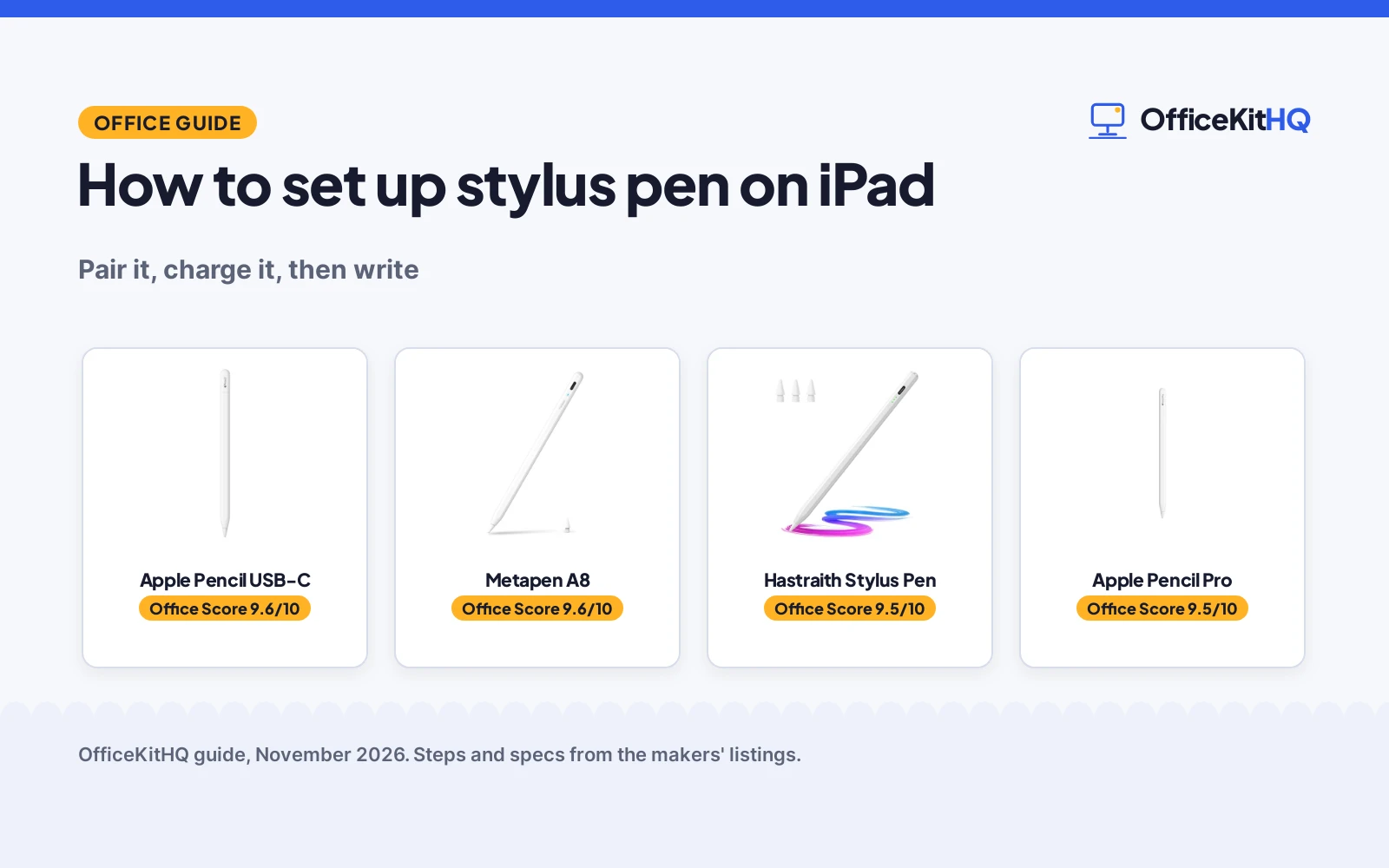
An iPad stylus that will not write is usually a stylus that was never paired or powered on, and how to set up stylus pen on iPad comes down to matching the pen to the iPad model, then pairing or powering it on the way its maker describes. Apple pencils pair over USB-C or magnetically, while the other pens here power on with a tap and need no Bluetooth connection. The steps below walk through compatibility, pairing, charging and the first notes.
OfficeKitHQ earns a commission when you buy through links on this page, at no extra cost to you. As an Amazon Associate I earn from qualifying purchases. Affiliate disclosure.
How to set up stylus pen on iPad
Start with the iPad model, since every stylus here lists the models it fits and the lists differ. Then pair or power on the pen, charge it, and open a notes or drawing app to write the first lines. The pens below cover the two setup paths: Apple pencils that pair with the iPad, and other pens that switch on with a tap.
Step 1: Check the iPad model
Every stylus here lists the iPad models it fits, and the lists differ. Apple Pencil (USB-C) covers iPad Pro 13-inch and 11-inch, iPad Pro 12.9-inch, iPad Air 13-inch and 11-inch, iPad Air 4th and 5th generation, iPad A16, iPad mini A20 Pro and A17 Pro, iPad mini 6th generation and iPad 10th generation. Apple Pencil Pro fits iPad Pro 13-inch and 11-inch, iPad Air 11-inch and 13-inch, and iPad mini A20 Pro and A17 Pro. The Metapen A8 (on Amazon) and the Hastraith stylus (on Amazon) fit iPad models from 2018 to 2026, so check the model name on the back of the iPad or in its settings before ordering.
Step 2: Pair the Apple Pencil
Apple Pencil (USB-C) pairs and charges via USB-C: plug it into the iPad with a USB-C cable and it pairs. Apple Pencil Pro attaches magnetically to a compatible iPad for wireless pairing and charging. A flat edge on each pencil sits against the iPad, and the Pro also uses hover on iPad Pro and iPad Air to preview a mark before it is made.
Step 3: Power on another stylus
The Metapen A8 and the Hastraith stylus need no Bluetooth connection and no app. Double-tap the invisible touch switch on the rounded end of the Metapen A8 to power it on or off, and touch the cap button on the Hastraith stylus to turn it on. Two built-in magnets hold the Metapen A8 to the iPad, while the Hastraith stylus charges through its Type-C port. If the Hastraith stylus does not work after turning on, turn off the Bluetooth of the iPad, as the maker advises.
Step 4: Charge it and check the battery
Apple Pencil (USB-C) charges via USB-C, and Apple Pencil Pro charges magnetically on the iPad. The Metapen A8 fills in 30 minutes via USB-C and lasts up to 10 hours, with a 4 min fast charge giving 2 hour use and an automatic shut down after 5 minutes of inactivity. The Hastraith stylus fills in 13 minutes via Type-C and runs for more than 10 hours, and its 3 battery indicator lights show the charge level.
| Stylus | Pairing | Charging | Use time | Amazon |
|---|---|---|---|---|
| Apple Pencil Pro | Magnetic | Magnetic, wireless | Not stated | View on Amazon |
| Apple Pencil USB-C | USB-C | USB-C | Not stated | View on Amazon |
| Metapen A8 | Double-tap, no Bluetooth | USB-C, 30 minutes | Up to 10 hours | View on Amazon |
| Hastraith Stylus Pen | Cap button, no Bluetooth | Type-C, 13 minutes | More than 10 hours | View on Amazon |
Stylus pens for this setup
Once the iPad model is known, the pen below that fits the model handles the pairing, the charging and the writing for that setup.
| # | Product | Office Score | Buy |
|---|---|---|---|
| 1 |  Apple Pencil USB-C | 9.6/10 | Buy on Amazon |
| 2 |  Metapen A8 | 9.6/10 | Buy on Amazon |
| 3 |  Hastraith Stylus Pen | 9.5/10 | Buy on Amazon |
| 4 |  Apple Pencil Pro | 9.5/10 | Buy on Amazon |
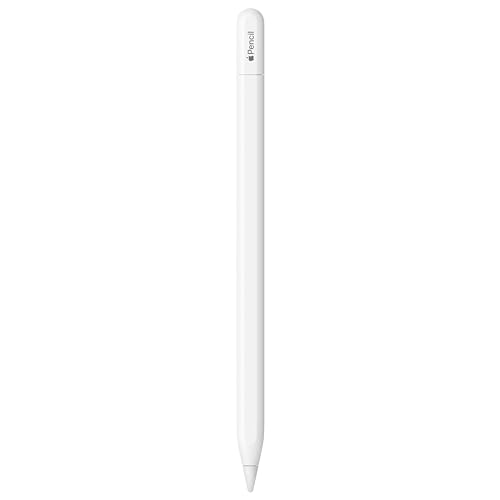
Apple Pencil USB-C
An Apple stylus that pairs and charges via USB-C, with tilt sensitivity and a flat edge that attaches magnetically, for a wide range of iPad models.
Pros
- Widest compatibility here, from iPad Pro to iPad mini and iPad 10th generation
- Pairs and charges via USB-C
- Tilt sensitivity and low latency for note-taking, drawing and signing
- Flat edge attaches magnetically to the iPad
Cons
- No pressure sensitivity is stated
- No wireless charging; a USB-C cable is needed for charging
- Box holds the pencil only
- Hover is stated for iPad Pro and iPad Air only
Detailed Review
Apple lists the Pencil (USB-C) with pixel-perfect precision, tilt sensitivity and low latency for note-taking, signing documents and drawing. It pairs and charges via USB-C and has a flat edge that attaches magnetically to the iPad. Compatibility covers iPad Pro 13-inch and 11-inch, iPad Pro 12.9-inch, iPad Air 13-inch and 11-inch, iPad Air 4th and 5th generation, iPad A16, iPad mini A20 Pro and A17 Pro, iPad mini 6th generation and iPad 10th generation. The maker states a 1 Year warranty.
Who it's for: someone with a recent iPad who wants an Apple pencil that pairs and charges over USB-C. Who should skip it: anyone who needs pressure sensitivity or wireless magnetic charging.
Its Office Score of 9.6/10 comes from performance 32/35, build 21/25, value 22/25, safety 0/10 and warranty 3/5: 78 of 100 points, placed on our 9.2 to 9.8 scale.
Key Specifications
| Pairing and charging | USB-C |
|---|---|
| Sensitivity | Tilt |
| Edge | Flat, magnetic attach |
| Warranty | 1 Year |
These specs mirror the retailer listing as of 14 November 2026; performance figures are stated by the brand.
Safety and Warranty
What this listing states. This product does not plug in or run on a battery, so safety is not part of its score. 1 Year. It does not say everything a buyer needs, such as who pays return shipping, so warranty scores 3 of 5. See How We Pick.
Fit the desk first. Check the stated size against your desk depth and keyboard tray, and charge or pair as the manual describes. No keyboard, mouse or wrist rest prevents or treats injury.
This is general buying information, not professional advice. Follow each product manual and local rules, and see our Safety Disclaimer.

Metapen A8
A metal-barrel stylus with 0.1 mm precision, palm rejection and USB-C charging, made for iPad models from 2018 to 2026.
Pros
- 0.1 mm pixel-level accuracy with high responsiveness
- Full charge in 30 minutes via USB-C, with up to 10 hours of use
- 4 min fast charge gives 2 hour use
- Aluminum metal barrel with palm rejection, and two nibs in the package
Cons
- No pressure sensitivity
- Wireless charging is not supported
- No magnetic attachment on several iPad models, including iPad Air M2 and M3 and iPad Pro M4
- Only one spare nib in the package
Detailed Review
Metapen lists the A8 with 0.1 mm pixel precision, palm rejection and an aluminum metal barrel, for iPad models from 2018 to 2026. It charges via USB-C, fills in 30 minutes and lasts up to 10 hours, with a 4 min fast charge giving 2 hour use. A double-tap on the touch switch powers it on and off, no Bluetooth or app connection is needed, and two built-in magnets attach it to the iPad. The package holds two nibs, one installed and one spare. The maker states a 1 year warranty. The stylus does not support pressure sensitivity, and wireless charging is not supported.
Who it's for: someone with an iPad from 2018 to 2026 who wants a metal stylus with fast charging and no Bluetooth setup. Who should skip it: anyone who needs pressure sensitivity, wireless charging or magnetic attachment on iPad Air M2 and M3 or iPad Pro M4.
Its Office Score of 9.6/10 comes from performance 30/35, build 22/25, value 21/25, safety 0/10 and warranty 3/5: 76 of 100 points, placed on our 9.2 to 9.8 scale.
Key Specifications
| Precision | 0.1 mm |
|---|---|
| Full charge | 30 minutes |
| Use time | Up to 10 hours |
| Warranty | 1 year |
These specs mirror the retailer listing as of 14 November 2026; performance figures are stated by the brand.
Safety and Warranty
What this listing states. This product does not plug in or run on a battery, so safety is not part of its score. 1 year. It does not say everything a buyer needs, such as who pays return shipping, so warranty scores 3 of 5. See How We Pick.
Fit the desk first. Check the stated size against your desk depth and keyboard tray, and charge or pair as the manual describes. No keyboard, mouse or wrist rest prevents or treats injury.
This is general buying information, not professional advice. Follow each product manual and local rules, and see our Safety Disclaimer.

Hastraith Stylus Pen
A stylus with tilt sensitivity, palm rejection and Type-C charging that fills in 13 minutes and runs for more than 10 hours.
Pros
- Full charge in 13 minutes via Type-C, with more than 10 hours of use
- Tilt sensitivity and full-screen palm rejection
- 3 battery indicator lights show the charge level
- Package includes 3 replacement nibs, a dust cover and a silicone cover
Cons
- Not compatible with iPad models before 2018, iPhone, Android or Microsoft devices
- If it does not work after turning on, the iPad Bluetooth must be turned off
- No magnetic charging is stated; charging is by Type-C cable
- Battery lights show bands, not an exact percent
Detailed Review
Hastraith lists a stylus with tilt sensitivity, full-screen palm rejection and a Type-C interface for charging. It fills in 13 minutes and runs for more than 10 hours of continuous use. 3 battery indicator lights show the charge level: all lights on means 70 to 100 percent, two lights means 30 to 70 percent, one light means 5 to 30 percent, and one flashing light means less than 5 percent. The package holds a smart stylus, a Type-C charging cable, 3 replacement nibs, a dust cover, a silicone protective cover and a user manual. The maker provides a 12-month manufacturer's warranty.
Who it's for: someone who wants a fast-charging stylus with a clear battery display and spare nibs in the box. Who should skip it: anyone with an iPad from before 2018, or who wants magnetic charging.
Its Office Score of 9.5/10 comes from performance 30/35, build 20/25, value 21/25, safety 0/10 and warranty 3/5: 74 of 100 points, placed on our 9.2 to 9.8 scale.
Key Specifications
| Full charge | 13 minutes |
|---|---|
| Use time | More than 10 hours |
| Battery lights | 3 indicator lights |
| Warranty | 12-month manufacturer's warranty |
These specs mirror the retailer listing as of 14 November 2026; performance figures are stated by the brand.
Safety and Warranty
What this listing states. No FCC or other safety listing is stated, so safety scores zero. 12-month manufacturer's warranty. It does not say everything a buyer needs, such as who pays return shipping, so warranty scores 3 of 5. See How We Pick.
Fit the desk first. Check the stated size against your desk depth and keyboard tray, and charge or pair as the manual describes. No keyboard, mouse or wrist rest prevents or treats injury.
This is general buying information, not professional advice. Follow each product manual and local rules, and see our Safety Disclaimer.
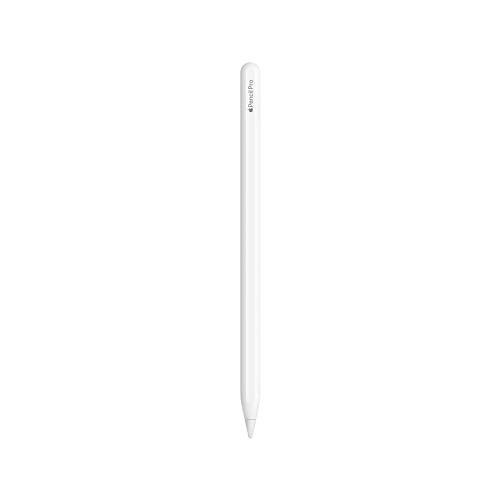
Apple Pencil Pro
An Apple stylus with tilt and pressure sensitivity, squeeze and barrel roll gestures, magnetic pairing and charging, and Find My support for compatible iPad Pro, iPad Air and iPad mini models.
Pros
- Tilt and pressure sensitivity with pixel-perfect precision
- Squeeze and barrel roll gestures plus haptics for changing tools
- Attaches magnetically for wireless pairing and charging
- Find My support locates the pencil
Cons
- Narrowest compatibility here: iPad Pro, iPad Air and iPad mini models only
- Sold separately from the iPad
- No USB-C charging; magnetic charging only
- Hover works on iPad Pro and iPad Air only
Detailed Review
Apple lists the Pencil Pro with pixel-perfect precision, tilt and pressure sensitivity, and low latency, plus squeeze and barrel roll gestures and haptics for changing tools. It attaches magnetically for wireless pairing and charging, and Find My can locate it. Hover previews a mark before it is made on iPad Pro and iPad Air. The maker states an Apple One (1) Year Limited Warranty, and the pencil is sold separately.
Who it's for: someone with a compatible iPad Pro, iPad Air or iPad mini who wants gestures, pressure sensitivity and magnetic charging. Who should skip it: anyone with an iPad outside the stated compatibility list or who wants USB-C charging.
Its Office Score of 9.5/10 comes from performance 33/35, build 24/25, value 20/25, safety 0/10 and warranty 0/5: 77 of 100 points, placed on our 9.2 to 9.8 scale.
Key Specifications
| Size | 8.25 x 2.25 x 0.75 in |
|---|---|
| Pairing | Magnetic, wireless |
| Sensitivity | Tilt and pressure |
| Warranty | Apple One (1) Year Limited Warranty |
These specs mirror the retailer listing as of 14 November 2026; performance figures are stated by the brand.
Safety and Warranty
What this listing states. This product does not plug in or run on a battery, so safety is not part of its score. No warranty term, so warranty scores zero. See How We Pick.
Fit the desk first. Check the stated size against your desk depth and keyboard tray, and charge or pair as the manual describes. No keyboard, mouse or wrist rest prevents or treats injury.
This is general buying information, not professional advice. Follow each product manual and local rules, and see our Safety Disclaimer.
As an Amazon Associate I earn from qualifying purchases.
FAQ
Which stylus pen fits an iPad?
Check the model list first. Apple Pencil (USB-C) fits the widest range, Apple Pencil Pro fits iPad Pro, iPad Air and iPad mini models, and the Metapen A8 and Hastraith stylus fit iPad models from 2018 to 2026.
Is Bluetooth needed to set up a stylus pen on iPad?
No Bluetooth connection is needed for the Metapen A8 or the Hastraith stylus: the A8 powers on with a double-tap and the Hastraith stylus powers on with a touch of the cap button. Apple pencils pair over USB-C or magnetically instead.
How long does a stylus pen take to charge?
The Hastraith stylus fills in 13 minutes and the Metapen A8 fills in 30 minutes, each over a USB-C or Type-C connection. Apple Pencil (USB-C) charges via USB-C and Apple Pencil Pro charges magnetically on the iPad.
Can a stylus pen work without pressure sensitivity?
Yes. The Metapen A8 does not support pressure sensitivity and still writes with 0.1 mm precision, while the Apple Pencil Pro and Apple Pencil (USB-C) offer tilt sensitivity for drawing.
What is in the box with a stylus pen?
The Hastraith package holds a stylus, a Type-C charging cable, 3 replacement nibs, a dust cover, a silicone protective cover and a user manual. The Metapen A8 package holds two nibs, one installed and one spare, and the Apple Pencil (USB-C) box holds the pencil.
More for your workspace
See every computer peripherals guide and all mice and mouse pads guides.
More picks: types of stylus pens, how to use a stylus pen, stylus pen holders and tablet stands for a home office.