A tablet sits on the desk beside a keyboard, with notes to take and pages to mark up, and a finger feels clumsy for the job. Learning how to use stylus pen tools turns that tablet into a writing pad: pick up a passive stylus, touch the tip to the screen, and write, tap or draw with the same motions as a pen on paper. The steps below cover choosing a tip, waking the screen, writing with steady pressure and swapping tips when the work changes.
OfficeKitHQ earns a commission when you buy through links on this page, at no extra cost to you. As an Amazon Associate I earn from qualifying purchases. Affiliate disclosure.
How to use stylus pen: the quick answer
Pick up a stylus made for capacitive touchscreens, touch the tip to the screen, and tap, scroll or write. The stylus pens in this guide need no charging, no Bluetooth pairing and no app: the listing for each one states that it works straight out of the package. Press with moderate pressure so the tip makes full contact, and switch tips when the task changes.
Step 1: Check the screen
These stylus pens work on capacitive touchscreens, so the screen has to accept touch input. The listings cover iPad, iPhone, Samsung Galaxy Tab, Android tablets, Kindle and touchscreen laptops, and each one states that it works over most screen protectors. A laptop screen with no touch input cannot sense a stylus pen.
Step 2: Choose a tip
Match the tip to the task. A disc tip shows the exact point of contact, a rubber tip glides with moderate resistance, and a fiber tip starts stiff and softens with use. For fine handwriting, the DAXINGXING fine tip measures 0.21 inch and the ChaoQ fine tip measures 0.20 inch, while the wider tips measure 0.27 inch and 0.26 inch. The Bopomofo 5-pack adds a disc tip beside its rubber tip, so a single pen covers precise marks and smooth scrolling.
Step 3: Write with steady pressure
Hold the stylus the way a pen is held, rest the tip on the screen, and write with moderate pressure. The Bopomofo 5-pack listing states that moderate pressure on the rubber tip keeps full contact with the screen, and the fiber-tip listing states that slight pressure at the start gives accurate touch recognition. A passive stylus does not support pressure sensitivity or palm rejection, so keep the palm clear of the screen while writing.
Step 4: Swap and replace tips
Tips wear with use, and each pack carries spares. The Bopomofo 5-pack includes 3 disc tips and 6 rubber tips, the ChaoQ 3-pack includes 6 replaceable tips, and the DAXINGXING 10-pack (on Amazon) includes 20 replacement rubber nibs. Pull a worn tip off, press a fresh tip on, and keep writing: the listings state that nibs swap with no extra tools.
How to use stylus pen on iPad, iPhone and Android tablets
On iPad, iPhone and Android tablets the routine stays the same: wake the screen, open the app for notes or drawing, and write with the tip. The Bopomofo fiber-tip listing names iPad Pro, iPhone, Microsoft Surface and Nintendo Switch beside Android tablets, and the ChaoQ listing names Apple, Samsung and Android devices with no apps or setup.
Stylus pens for writing, drawing and tapping
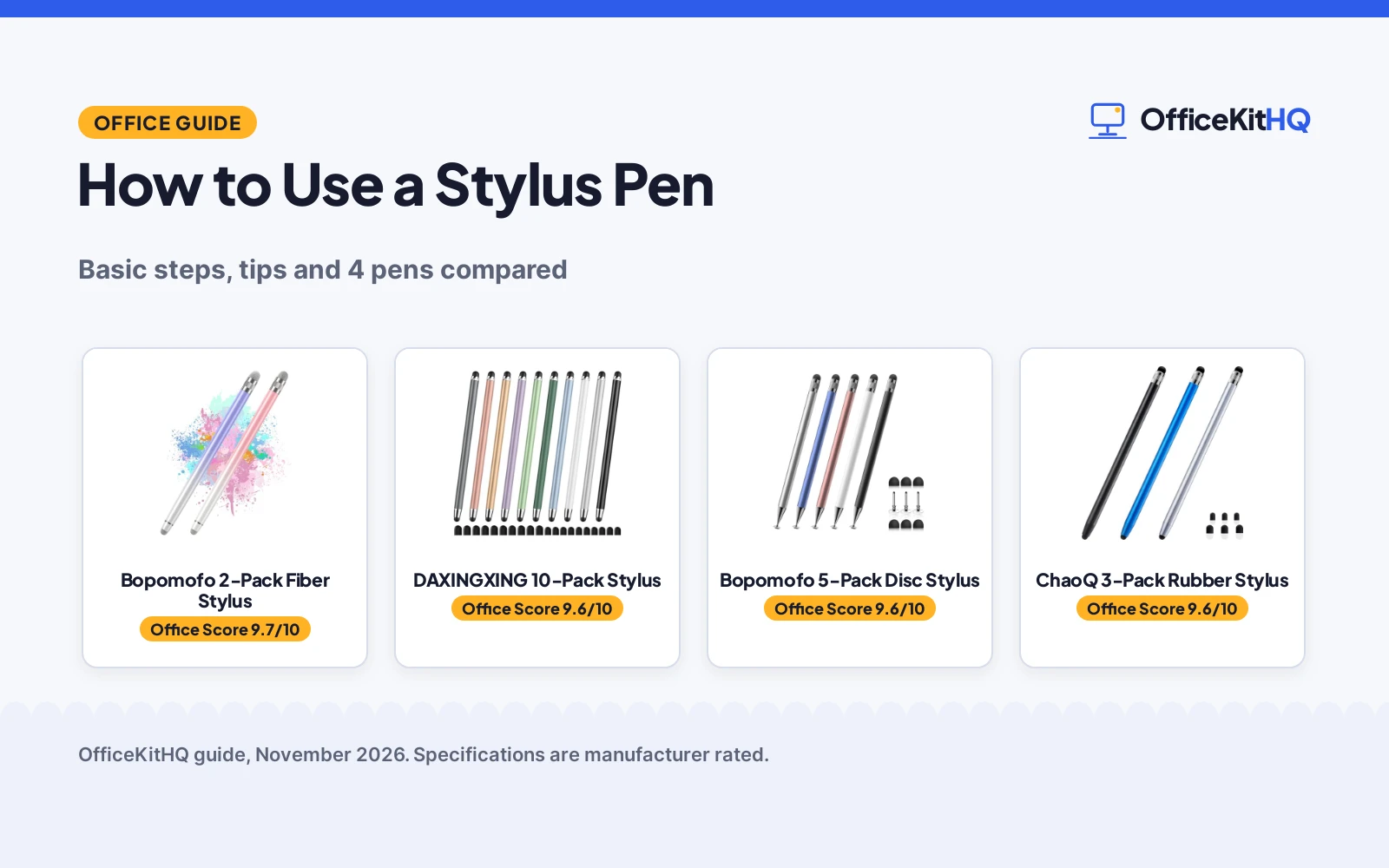
Each pen below handles a part of the routine above: the disc tip for precise marks, the fiber tip for writing and drawing, the dual rubber tips for notes and scrolling, and the 10-pack for shared use across a desk.
| # | Product | Office Score | Buy |
|---|---|---|---|
| 1 |  Bopomofo 2-Pack Fiber Stylus | 9.7/10 | Buy on Amazon |
| 2 |  DAXINGXING 10-Pack Stylus | 9.6/10 | Buy on Amazon |
| 3 |  Bopomofo 5-Pack Disc Stylus | 9.6/10 | Buy on Amazon |
| 4 |  ChaoQ 3-Pack Rubber Stylus | 9.6/10 | Buy on Amazon |

Bopomofo 2-Pack Fiber Stylus
A 2-pack of fiber-tip stylus pens with a metal barrel, no charging and 2 nib sizes for writing and drawing on capacitive touchscreens.
Pros
- Soft fiber tip stated as highly responsive for writing and drawing
- 2 nib sizes give a choice between precise and broader marks
- No charging, no app and no extra setup, per the listing
- 1-year warranty stated in the spec table
Cons
- Tip feels stiff at first and needs slight pressure for full contact
- No pressure sensitivity stated
- No palm rejection stated
- Only 2 pens in the pack, with no spare tips stated
Detailed Review
Bopomofo lists a 2-pack of stylus pens with a soft fiber tip, a metal barrel and 2 nib sizes, with no charging and no app needed. The listing states that the tip feels stiff at first and needs slight pressure for full contact, especially over a screen protector, then softens with use. It names iPad, iPad Pro, iPhone, Android tablets, Samsung Galaxy, Microsoft Surface and Nintendo Switch. The spec table states a 1-year warranty and dimensions of 5.6 inches by 0.32 inches.
Who it's for: someone who wants a simple fiber-tip pen for writing and drawing on iPad, iPhone or Android tablets with no setup. Who should skip it: anyone who wants spare tips in the pack or a stated pressure-sensitive tip.
Its Office Score of 9.7/10 comes from performance 30/35, build 21/25, value 20/25, safety 7/10 and warranty 3/5: 81 of 100 points, placed on our 9.2 to 9.8 scale.
Key Specifications
| Pack | 2 stylus pens |
|---|---|
| Tip | Fiber tip |
| Body | Metal barrel |
| Warranty | 1 year |
These specs mirror the retailer listing as of 13 November 2026; performance figures are stated by the brand.
Safety and Warranty
What this listing states. Fiber tip stated to protect the touchscreen from scratches, so safety scores 7 of 10. 1 year warranty stated in the spec table. It does not say everything a buyer needs, such as who pays return shipping, so warranty scores 3 of 5. See How We Pick.
Fit the desk first. Check the stated size against your desk depth and keyboard tray, and charge or pair as the manual describes. No keyboard, mouse or wrist rest prevents or treats injury.
This is general buying information, not professional advice. Follow each product manual and local rules, and see our Safety Disclaimer.

DAXINGXING 10-Pack Stylus
A 10-pack of dual-tip stylus pens with a 0.27-inch wider tip and a 0.21-inch fine tip, plus 20 replacement nibs for shared desks.
Pros
- 0.27-inch wider tip and 0.21-inch fine tip cover scrolling and precise marks
- 10 pens plus 20 replacement nibs suit shared home, classroom and office use
- Alloy body stated as solid metal for daily use
- 365-day warranty stated in the spec table
Cons
- No pressure sensitivity stated
- No palm rejection stated
- Rubber tips only, with no disc tip or fiber tip in the pack
Detailed Review
DAXINGXING lists a 10-pack of passive capacitive stylus pens, each with a 0.27-inch wider rubber tip on one end and a 0.21-inch fine tip on the other, plus 20 replacement rubber nibs. The listing states an alloy metal body, a 5.31-inch length and no charging or Bluetooth pairing. The spec table gives package dimensions of 7.09 by 2.87 by 0.55 inches, which do not match the stated 5.31-inch pen length, so the bullets carry the length here. The spec table states a 365-day warranty.
Who it's for: a household, classroom or office that wants a pen for each person plus spares, with a fine tip for handwriting. Who should skip it: anyone who wants a disc tip or a fiber tip, or a single pen rather than a 10-pack.
Its Office Score of 9.6/10 comes from performance 28/35, build 20/25, value 22/25, safety 7/10 and warranty 3/5: 80 of 100 points, placed on our 9.2 to 9.8 scale.
Key Specifications
| Pack | 10 stylus pens |
|---|---|
| Tips | 0.27-inch and 0.21-inch rubber tips |
| Length | 5.31 inches |
| Spare tips | 20 replacement rubber nibs |
These specs mirror the retailer listing as of 13 November 2026; performance figures are stated by the brand.
Safety and Warranty
What this listing states. Soft rubber nibs stated not to scratch the display, so safety scores 7 of 10. 365-day warranty (listed as 365DAY). It does not say everything a buyer needs, such as who pays return shipping, so warranty scores 3 of 5. See How We Pick.
Fit the desk first. Check the stated size against your desk depth and keyboard tray, and charge or pair as the manual describes. No keyboard, mouse or wrist rest prevents or treats injury.
This is general buying information, not professional advice. Follow each product manual and local rules, and see our Safety Disclaimer.

Bopomofo 5-Pack Disc Stylus
A 5-pack of 2-in-1 stylus pens with a disc tip and a rubber tip, plus 3 disc tips and 6 rubber tips as spares, for tapping, writing and drawing.
Pros
- Disc tip and rubber tip give 2 touch experiences in one pen
- 5 pens in 5 colors suit sharing across a household
- 3 disc tips and 6 rubber tips included as spares
- Battery-free with no charging, per the listing
Cons
- No pressure sensitivity, per the listing
- No palm rejection, per the listing
- Rubber tip needs moderate pressure for full contact, especially over a screen protector
- Plastic piece on the transparent disc cannot be removed, per the listing
Detailed Review
Bopomofo lists a 5-pack of 2-in-1 stylus pens with a transparent disc tip on one end and a rubber tip on the other, plus 3 disc tips and 6 rubber tips as spares. The listing states that the pen is battery-free, needs no charging, and works like a fingertip, with no pressure sensitivity and no palm rejection. It names iPad, iPad Air, iPad mini, iPhone, Samsung Galaxy Tab, Android tablets and Kindle, and states that it works over most screen protectors. The spec table states a 3-month warranty.
Who it's for: someone who wants a disc tip for precise marks and a rubber tip for smooth scrolling in one pen, with spares to share. Who should skip it: anyone who wants pressure sensitivity or palm rejection for professional-grade drawing.
Its Office Score of 9.6/10 comes from performance 30/35, build 21/25, value 21/25, safety 8/10 and warranty 2/5: 82 of 100 points, placed on our 9.2 to 9.8 scale.
Key Specifications
| Pack | 5 stylus pens |
|---|---|
| Tips | Disc tip and rubber tip |
| Spare tips | 3 disc tips and 6 rubber tips |
| Warranty | 3 months |
These specs mirror the retailer listing as of 13 November 2026; performance figures are stated by the brand.
Safety and Warranty
What this listing states. Tips stated to glide with no scratch over most screen protectors, so safety scores 8 of 10. 3 months warranty stated in the spec table. It does not say everything a buyer needs, such as who pays return shipping, so warranty scores 2 of 5. See How We Pick.
Fit the desk first. Check the stated size against your desk depth and keyboard tray, and charge or pair as the manual describes. No keyboard, mouse or wrist rest prevents or treats injury.
This is general buying information, not professional advice. Follow each product manual and local rules, and see our Safety Disclaimer.

ChaoQ 3-Pack Rubber Stylus
A 3-pack of aluminum stylus pens with dual rubber tips in 5mm and 6.6mm sizes and 6 replaceable tips for writing, drawing and gaming.
Pros
- Dual rubber tips in 5mm and 6.6mm sizes suit detailed art and bold notes
- 6 replaceable tips included for long-term use
- Aluminum body stated as lightweight with a natural grip
- No Bluetooth or charging needed, per the listing
Cons
- No warranty term is stated
- No pressure sensitivity stated
- No palm rejection stated
- Rubber tips only, with no disc tip or fiber tip in the pack
Detailed Review
ChaoQ lists a 3-pack of stylus pens with dual rubber tips, an aluminum body and 6 replaceable tips, with no Bluetooth or charging needed. The listing states tip sizes of 5mm and 6.6mm, also given as 0.20 inch and 0.26 inch, for detailed art or bold notes. It names iPad, iPhone, Android and Samsung devices with capacitive touchscreens. The spec table states a size of 5.5 inches and no warranty term.
Who it's for: someone who wants a spare pen for the desk, the bag and a family member, with two tip sizes to switch between. Who should skip it: anyone who wants a stated warranty term or a disc tip for precise marks.
Its Office Score of 9.6/10 comes from performance 29/35, build 20/25, value 20/25, safety 7/10 and warranty 0/5: 76 of 100 points, placed on our 9.2 to 9.8 scale.
Key Specifications
| Pack | 3 stylus pens |
|---|---|
| Tips | 5mm and 6.6mm rubber tips |
| Body | Aluminum |
| Spare tips | 6 replaceable tips |
These specs mirror the retailer listing as of 13 November 2026; performance figures are stated by the brand.
Safety and Warranty
What this listing states. Rubber tip stated to glide smoothly without scratches, so safety scores 7 of 10. No warranty term, so warranty scores zero. See How We Pick.
Fit the desk first. Check the stated size against your desk depth and keyboard tray, and charge or pair as the manual describes. No keyboard, mouse or wrist rest prevents or treats injury.
This is general buying information, not professional advice. Follow each product manual and local rules, and see our Safety Disclaimer.
As an Amazon Associate I earn from qualifying purchases.
FAQ
Does a stylus pen need charging?
No. Each stylus pen in this guide is a passive capacitive stylus, and the listings state that no charging, no Bluetooth pairing and no app are needed. Pick the pen up and write.
Does a stylus pen work on iPhone?
Yes. The listings name iPhone beside iPad, Samsung Galaxy Tab and Android tablets, and the pens work on any capacitive touchscreen.
Which tip suits handwriting?
A fine tip or a disc tip. The DAXINGXING fine tip measures 0.21 inch and the ChaoQ fine tip measures 0.20 inch, while the Bopomofo disc tip shows the exact point of contact on the screen. Wider tips suit scrolling and filling in color.
Can a stylus pen work over a screen protector?
Yes, over most screen protectors. The Bopomofo 5-pack listing states that it works over most screen protectors with a smooth glide and no scratch, and the fiber-tip listing states that slight pressure keeps touch recognition accurate through a protector.
Does a stylus pen support pressure sensitivity?
The Bopomofo 5-pack listing states that it does not support pressure sensitivity or palm rejection, since it is a capacitive stylus that functions like a fingertip. For professional-grade drawing on iPad, the same listing points readers toward an active stylus instead.
More for your workspace
See the best stylus pen holders, the best tablet stands and how to use an SD card reader on iPhone.