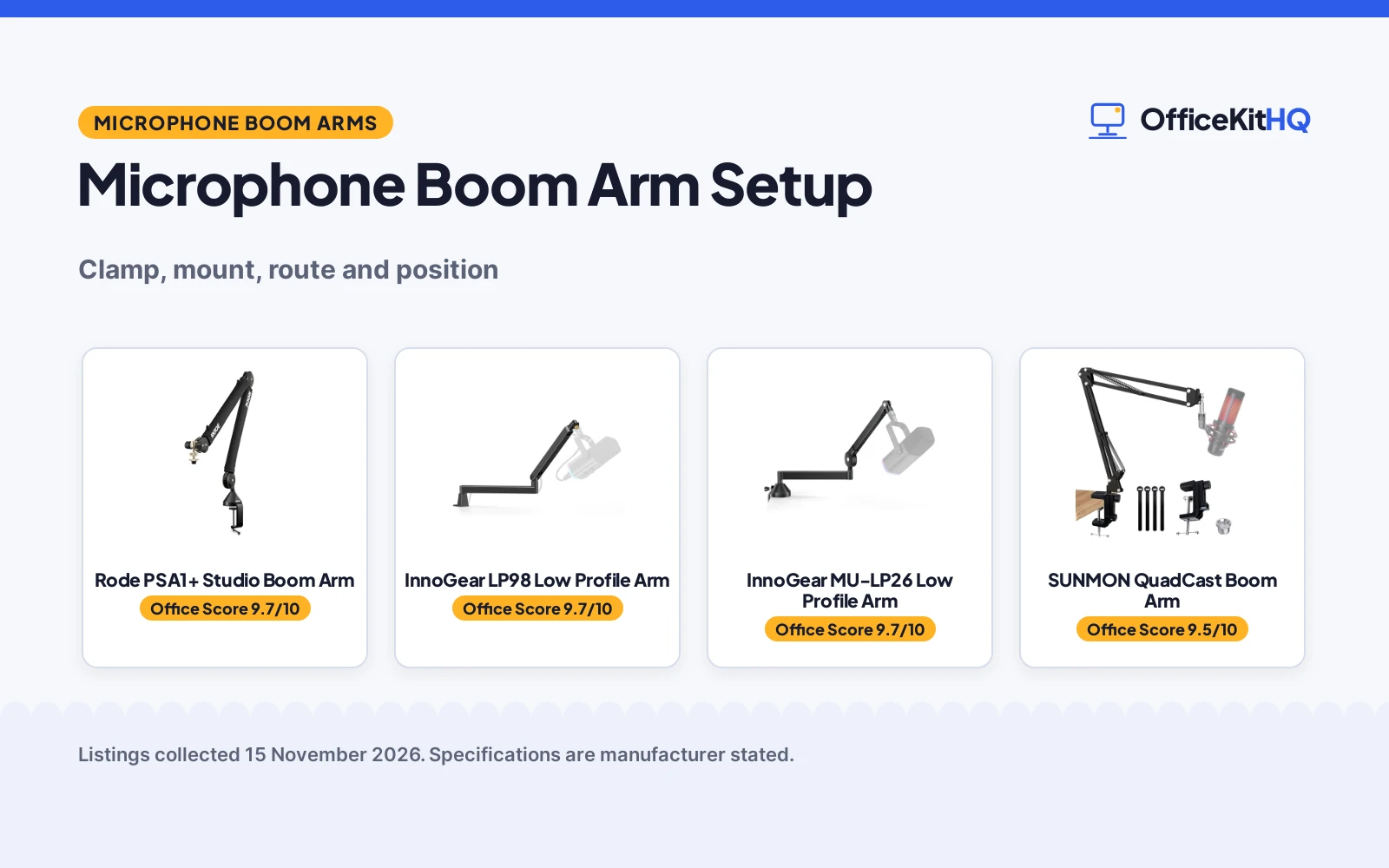
A microphone boom arm setup is simple: clamp the arm to the edge of the desk, screw the mic onto the mount, route the cable along the arm, and swing the arm so the mic sits close to your mouth. The arms here clamp to desks of different thicknesses and hold mics of different weights, so check the clamp range and the weight limit before you buy.
OfficeKitHQ earns a commission when you buy through links on this page, at no extra cost to you. As an Amazon Associate I earn from qualifying purchases. Affiliate disclosure.
The quick answer
Clamp the arm to a flat desk edge and tighten the knob, then screw the mic onto the mount with the right adapter. Run the cable along the arm through the cable channel, then swing the arm into place and check that the mic stays where you put it. If the arm sags or the clamp slips, tighten the knobs and check the desk thickness and the mic weight against the stated limits.
Step 1: Clamp the arm to the desk
Pick a flat spot on the desk edge, open the C-style clamp and tighten the knob until the arm holds firm. Check the desk thickness first: the LP98 clamp fits desks up to 2.36 inches thick, the MU-LP26 up to 2.75 inches, the SUNMON up to 1.89 inches, and the Rode up to 70mm. Rubber padding on the InnoGear clamps and the sponge on the SUNMON base guard the desk against marks, and the LP98 clamp needs a flat edge.
Step 2: Mount the microphone
Screw the mic onto the mount with the adapter that matches its thread. The 3/8 inch to 5/8 inch adapter fits the Blue Yeti, Shure SM7B, HyperX QuadCast and Fifine AM8, while the 3/8 inch to 1/4 inch adapter fits the Blue Yeti Nano and Logitech webcams. Check the mic weight too: both InnoGear arms hold up to 3.3 lbs, and the Rode holds mics from 0.25 to 1.2 kg including shock mounts. Note that the shock mount is not included for the Fifine K669B on the LP98.
Step 3: Route the cable
Run the mic cable along the arm so it does not hang across the desk or pull on the mic. The LP98 has a snap-on magnetic cable channel that hides the cable, and the Rode has internal cable management that keeps XLR runs hidden. Press the cable into the channel or thread it through the arm, then leave enough slack at the mic end for the arm to swing.
Step 4: Set the position
Swing the arm so the mic sits close to your mouth, then tighten the knobs. The LP98 turns 360 degrees at the base, swivels 180 degrees and tilts 170 degrees, the MU-LP26 adjusts 250 degrees vertically and 360 degrees horizontally, and the Rode turns 360 degrees with full extension. The Rode spring damping (on Amazon) moves the arm without creaks during recording, and the SUNMON dual springs hold the arm where you put it.
Gear for microphone boom arm setup
The clamp range and weight limit in the steps above decide which arm fits your desk and mic: check the desk thickness and the mic weight against the arms below.
| # | Product | Office Score | Buy |
|---|---|---|---|
| 1 |  Rode PSA1+ Studio Boom Arm | 9.7/10 | Buy on Amazon |
| 2 |  InnoGear LP98 Low Profile Arm | 9.7/10 | Buy on Amazon |
| 3 |  InnoGear MU-LP26 Low Profile Arm | 9.7/10 | Buy on Amazon |
| 4 |  SUNMON QuadCast Boom Arm | 9.5/10 | Buy on Amazon |
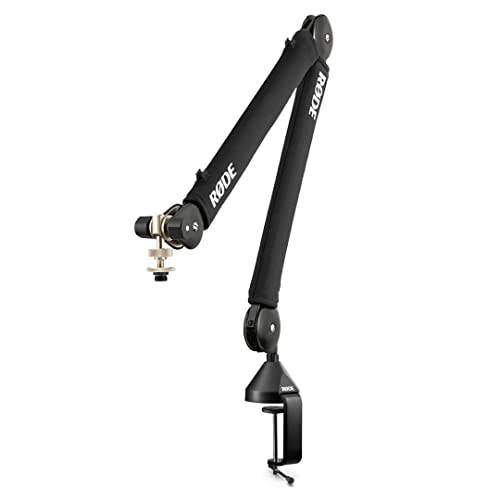
Rode PSA1+ Studio Boom Arm
A studio boom arm with spring damping and internal cable management that holds mics from 0.25 to 1.2 kg and clamps to desks up to 70mm thick.
Pros
- Holds mics from 0.25 to 1.2 kg including shock mounts
- Silent spring damping moves the arm without creaks
- 360 degree rotation with full extension
- 2-year warranty stated
Cons
- Clamp fits desks up to 70mm thick only
- Holds mics up to 1.2 kg only
- No shock mount in the box, only thread adaptors
- Black only, no other color stated
Detailed Review
The Rode PSA1+ is a professional studio boom arm with spring damping that moves the arm without creaks during recording. It clamps to desks up to 70mm thick and holds microphones from 0.25 to 1.2 kg including shock mounts, with 360 degree rotation. Internal cable management keeps XLR runs hidden, and the box holds the arm, desk clamp and thread adaptors for 3/8 inch and 5/8 inch mounts. The maker states a 2-year warranty.
Who it's for: podcast and streaming desks that need a silent arm with a wide mic weight range. Who should skip it: anyone whose desk is thicker than 70mm or whose mic weighs more than 1.2 kg.
Its Office Score of 9.7/10 comes from performance 32/35, build 22/25, value 20/25, safety not scored (non-powered gear) and warranty 3/5: 77 of 90 points, placed on our 9.2 to 9.8 scale.
Key Specifications
| Mic weight | 0.25 to 1.2 kg |
|---|---|
| Desk clamp | Up to 70mm |
| Rotation | 360 degrees |
| Warranty | 2 years |
These specs mirror the retailer listing as of 14 November 2026; performance figures are stated by the brand.
Safety and Warranty
What this listing states. This product does not plug in or run on a battery, so safety is not part of its score. 2 years. It does not say everything a buyer needs, such as who pays return shipping, so warranty scores 3 of 5. See How We Pick.
Protect your hearing. Keep volume moderate during long calls, take breaks, and treat noise cancelling and battery figures as the maker's claims.
This is general buying information, not professional advice. Follow each product manual and local rules, and see our Safety Disclaimer.

InnoGear LP98 Low Profile Arm
A low-profile arm that sits 3.35 inches above the desk, with a magnetic cable channel and a clamp for desks up to 2.36 inches thick.
Pros
- Low profile arm sits 3.35 inches above the desk
- Magnetic cable channel keeps cables hidden
- 360 degree base rotation, 180 degree swivel and 170 degree tilt
- 3.3 lb weight capacity with alloy steel build
Cons
- Clamp fits desks up to 2.36 inches thick, flat edges only
- Shock mount not included for the Fifine K669B
- 12-month warranty is shorter than the 2-year warranty on the Rode
- 3.3 lb weight capacity is the stated limit
Detailed Review
The InnoGear LP98 is a low-profile arm whose lower arm sits 3.35 inches above the desk, with a magnetic cable channel that snaps wires into place. It turns 360 degrees at the base, swivels 180 degrees and tilts 170 degrees, and the alloy steel build holds up to 3.3 lbs. The C-style clamp fits desktops up to 2.36 inches thick with flat edges only, and rubber padding guards against marks. Two screw adapters cover 3/8 inch to 5/8 inch and 3/8 inch to 1/4 inch threads, and the maker states a 12-month warranty.
Who it's for: small desks and minimalist setups that need a low arm with hidden cables. Who should skip it: anyone whose desk edge is not flat or is thicker than 2.36 inches.
Its Office Score of 9.7/10 comes from performance 30/35, build 21/25, value 21/25, safety not scored (non-powered gear) and warranty 2/5: 74 of 90 points, placed on our 9.2 to 9.8 scale.
Key Specifications
| Arm height | 3.35 inches above desk |
|---|---|
| Weight capacity | 3.3 lbs |
| Desk clamp | Up to 2.36 inches |
| Warranty | 12 months |
These specs mirror the retailer listing as of 14 November 2026; performance figures are stated by the brand.
Safety and Warranty
What this listing states. This product does not plug in or run on a battery, so safety is not part of its score. 12 months. It does not say everything a buyer needs, such as who pays return shipping, so warranty scores 2 of 5. See How We Pick.
Protect your hearing. Keep volume moderate during long calls, take breaks, and treat noise cancelling and battery figures as the maker's claims.
This is general buying information, not professional advice. Follow each product manual and local rules, and see our Safety Disclaimer.

InnoGear MU-LP26 Low Profile Arm
A low-profile arm that extends up to 25.6 inches, with a clamp for desks up to 2.75 inches thick and a headphone hook.
Pros
- Extends up to 25.6 inches
- 250 degree vertical adjustment and 360 degree horizontal rotation
- Clamp fits desks up to 2.75 inches thick
- Doubles as a headphone hook
Cons
- Clamp fits desks up to 2.75 inches thick only
- 12-month warranty
- 3.3 lb weight capacity is the stated limit
- No magnetic cable channel, unlike the LP98
Detailed Review
The InnoGear MU-LP26 is a low-profile arm that extends up to 25.6 inches, with a vertical adjustment range of 250 degrees and a horizontal rotation of 360 degrees. The alloy steel build holds up to 3.3 lbs, and the C-style clamp fits desktops up to 2.75 inches thick with rubber padding. It also doubles as a headphone hook, and the included adapters cover mics, webcams and ring lights. The maker states a 12-month warranty.
Who it's for: streamers who want reach and a headphone hook in one arm. Who should skip it: anyone whose desk is thicker than 2.75 inches.
Its Office Score of 9.7/10 comes from performance 29/35, build 21/25, value 21/25, safety not scored (non-powered gear) and warranty 2/5: 73 of 90 points, placed on our 9.2 to 9.8 scale.
Key Specifications
| Reach | Up to 25.6 inches |
|---|---|
| Weight capacity | 3.3 lbs |
| Desk clamp | Up to 2.75 inches |
| Warranty | 12 months |
These specs mirror the retailer listing as of 14 November 2026; performance figures are stated by the brand.
Safety and Warranty
What this listing states. This product does not plug in or run on a battery, so safety is not part of its score. 12 months. It does not say everything a buyer needs, such as who pays return shipping, so warranty scores 2 of 5. See How We Pick.
Protect your hearing. Keep volume moderate during long calls, take breaks, and treat noise cancelling and battery figures as the maker's claims.
This is general buying information, not professional advice. Follow each product manual and local rules, and see our Safety Disclaimer.

SUNMON QuadCast Boom Arm
A suspension boom arm with dual springs and a 3/8 inch to 5/8 inch adapter that clamps to desktops up to 1.89 inches thick.
Pros
- Dual suspension springs hold the arm in place
- 3/8 inch to 5/8 inch adapter fits most mics
- Sponge on the clamp base protects the desk
- Pre-installed adapter for HyperX QuadCast
Cons
- No warranty term is stated
- Clamp fits desktops up to 1.89 inches thick only
- Streaming mic is not included
- Screw adapter in the box, with no spare
Detailed Review
The SUNMON boom arm is a suspension arm with dual springs on each boom arm and reinforced knobs that keep the mic where you want it, so the mic does not shake, sink or make noise. The desk clamp clips to desktops up to 1.89 inches thick, and the sponge on the base protects the desk from scratches. The 3/8 inch to 5/8 inch adapter is pre-installed for the HyperX QuadCast, and the box holds the arm stand, clamp and screw adapter. The streaming mic is not included.
Who it's for: HyperX QuadCast owners who want a sprung arm for a thin desk. Who should skip it: anyone whose desk is thicker than 1.89 inches or who wants a stated warranty term.
Its Office Score of 9.5/10 comes from performance 26/35, build 19/25, value 19/25, safety not scored (non-powered gear) and warranty 0/5: 64 of 90 points, placed on our 9.2 to 9.8 scale.
Key Specifications
| Desk clamp | Up to 1.89 inches |
|---|---|
| Adapter | 3/8 inch to 5/8 inch |
| Springs | Dual suspension springs |
These specs mirror the retailer listing as of 14 November 2026; performance figures are stated by the brand.
Safety and Warranty
What this listing states. This product does not plug in or run on a battery, so safety is not part of its score. No warranty term, so warranty scores zero. See How We Pick.
Protect your hearing. Keep volume moderate during long calls, take breaks, and treat noise cancelling and battery figures as the maker's claims.
This is general buying information, not professional advice. Follow each product manual and local rules, and see our Safety Disclaimer.
As an Amazon Associate I earn from qualifying purchases.
FAQ
How thick can my desk be for a boom arm clamp?
It depends on the arm. The LP98 clamp fits desks up to 2.36 inches thick, the MU-LP26 up to 2.75 inches, the SUNMON up to 1.89 inches, and the Rode up to 70mm. Measure the desk edge before you order.
How heavy a mic can a boom arm hold?
Both InnoGear arms hold up to 3.3 lbs, and the Rode holds mics from 0.25 to 1.2 kg including shock mounts. Weigh your mic first, then pick an arm with a stated limit above it.
Do boom arms fit a Blue Yeti or a Shure SM7B?
Yes. The LP98 and MU-LP26 adapters fit the Blue Yeti and the Shure SM7B, and the Rode holds mics from 0.25 to 1.2 kg including shock mounts. Use the 3/8 inch to 5/8 inch adapter for both mics.
Can I mount a webcam on a mic boom arm?
Yes, with the right adapter. The LP98 includes a 3/8 inch to 1/4 inch adapter for devices with a 1/4 inch thread hole, such as the Blue Yeti Nano and Logitech webcams C930, C925E and C920.
More for your workspace
See every Monitor Mounts, Keyboards and Mice guide and all Home Studio guides.
More picks: browse boom microphone stands, condenser microphone setup and USB microphone setup.